1. Introduction
Memory cards store the footage, photographs, data and firmware that modern devices rely on every day. From security camcorders and dash cameras to drones, action cameras, smartphones and industrial devices, the humble TF/microSD card is the quiet backbone of countless recording and storage systems. Yet not all cards are equal: capacity, read speed, write speed and reliability class all determine whether a card keeps up with the device that uses it.
KITOZER offers the TF-256G, a 256GB high-speed TF/microSD memory card rated for read speeds of 100MB/s or more and write speeds of 80MB/s or more, and compliant with the U3, V30 and A2 speed-class ratings. It is a KITOZER own-brand product intended for applications that demand high capacity, consistent recording performance and dependable long-term operation.
This guide explains how TF/microSD cards work, what the speed-class ratings mean, how to match a card to your device, how to use and maintain a card correctly, and how to compare options when purchasing in volume. It is written as a technical and procurement reference for facility managers, security integrators, fleet operators, logistics teams, IT buyers and anyone who relies on reliable removable storage.
Beyond the basic specification, this guide also covers topics that are easy to overlook until they become problems: how to back up and recover data from a card, how formatting and the file system affect performance and longevity, how the card behaves in industrial and embedded systems, and how to reason about endurance, retention and cost across a large deployment. By the end of the document, a buyer should be able to specify a memory card with confidence, use it correctly once it arrives, and manage it sensibly over its working life — from first setup through daily use to eventual replacement.
2. What Is a TF / microSD Card?
2.1 The Same Form Factor by Two Names
“TF card” and “microSD card” refer to the same small memory-card format. “TF” comes from TransFlash, the original name of the format, while “microSD” is the standard name used across the industry today. The TF-256G fits any device with a microSD slot, which includes many smartphones, tablets, security cameras, dash cams, drones, action cameras, handheld recorders, single-board computers and a wide range of embedded and industrial devices.
2.2 How the Card Stores Data
A memory card uses flash memory — non-volatile storage that retains data without power. Data is written and read in blocks through a controller embedded in the card, which manages wear leveling, error correction and bad-block handling. The quality of the flash memory and the controller determines real-world speed, endurance and reliability. A high-speed card such as the TF-256G is built with faster flash and a capable controller to sustain the higher read and write rates that recording and app workloads require.
2.3 Why Speed Class Matters
Capacity tells you how much data the card can hold; speed class tells you how fast it can continuously write that data. Recording video, especially high-bitrate 4K footage, demands a sustained minimum write speed: if the card cannot keep up, the device stops recording or drops frames. Speed-class ratings are the industry’s way of guaranteeing that a card meets a minimum sustained write performance, so you can trust that a U3 card will not stall on a demanding recording workload.
2.4 What Makes a Card “High Speed”
A card’s real-world speed depends on two things: the speed of the flash memory chips and the quality of the on-card controller that moves data between the host interface and those chips. A capable controller sustains higher read and write rates, manages write amplification efficiently, and holds performance steadier under continuous load. Higher-end flash supports faster programming and reading. When a card is described as high speed, it means both the flash and the controller are engineered to deliver more than the minimum the speed classes require, which is exactly the headroom the TF-256G provides.
3. The KITOZER TF-256G at a Glance
TF-256G is positioned for demanding applications that need high capacity plus dependable sustained write performance. Its headline specifications are summarised in the table below and described in detail in the following section.
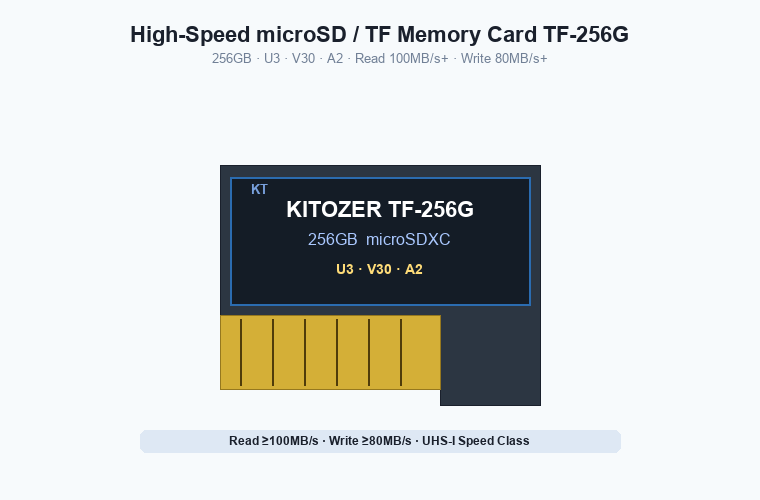
| Parameter | Specification |
|---|---|
| Capacity | 256GB |
| Form factor | TF / microSD (UHS-I) |
| Read speed | 100MB/s or higher |
| Write speed | 80MB/s or higher |
| Speed-class ratings | U3, V30, A2 |
| Brand | KITOZER (own brand) |
4. Understanding Capacity: How Much Is 256GB?
4.1 What 256GB Holds in Practice
256GB of storage is large for a memory card and covers a broad set of uses. Actual usable capacity is slightly less than the nominal value because the file system and card controller reserve some space; manufacturers describe capacity in decimal units while operating systems may report in binary units, which is normal for all flash media. In practical terms, a 256GB card stores many hours of high-definition video, thousands of high-resolution photos, or a large volume of documents and data.
4.2 Estimating Recording Time for Security and Dash Cams
Recording duration depends on resolution, bitrate and compression. Higher resolutions and higher bitrates consume capacity faster. As a rule of thumb, a card of this size provides extended continuous recording in most security and dash-cam deployments, with the exact hours depending on the camera’s settings and the footage quality. Overwrite-capable modes (loop recording) recycle the card once it fills, which is common for continuous surveillance and dash-cam use.
4.3 Sizing Capacity to Retention
Choosing the right capacity starts with the retention requirement: how long footage must be kept before overwrite or offload. Multiply the camera’s average recording rate (bitrate) by the desired recording time to estimate storage demand, then add margin for variation and for the fact that high-motion scenes use more data. A 256GB card comfortably covers most single-device retention needs, but for very long retention or multiple cameras on one card, either larger capacity or more frequent offload is required. Sizing deliberately avoids both constant overwrite and paying for unused space.
5. The Speed-Class Ratings Explained
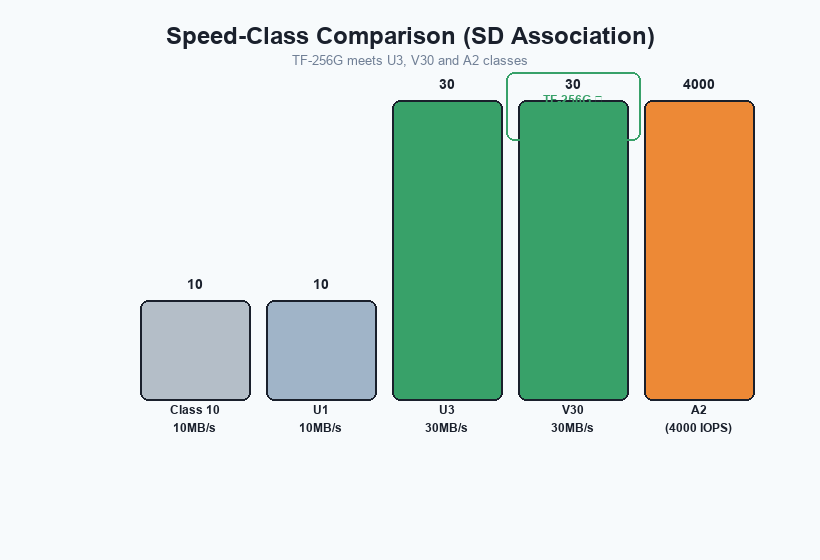
The TF-256G carries three widely used ratings — U3, V30 and A2. Each addresses a different aspect of performance, and together they describe a card suitable for high-definition recording and app-heavy use.
5.1 U3 (UHS Speed Class 3)
The UHS speed class defines a minimum sustained write speed. U3 guarantees a minimum write speed of 30MB/s, which is the level recommended for high-bitrate 4K video recording. A card that meets U3 will not fall behind on continuous 4K write workloads, making it a reliable choice for modern cameras and recorders.
5.2 V30 (Video Speed Class 30)
The video speed class is designed specifically for video recording and uses the same 30MB/s minimum write threshold as U3. V30 is appropriate for 4K and many high-bitrate recording scenarios, and the video-class marking makes it easy to confirm suitability for video applications at a glance.
5.3 A2 (Application Performance Class 2)
The application performance class addresses random read and write performance, which matters when the card runs apps, stores app assets and handles frequent small read/write operations. A2 guarantees a level of random performance (in the order of 4000 random read IOPS and 2000 random write IOPS) that supports smoother app launch and operation on smartphones and other devices that use the card for applications. This makes the TF-256G well suited not only to recording but also to app-storage workloads.
5.4 Reading the Markings Correctly
Card markings can be confusing because several independent classifications appear together. The key distinction is between minimum sustained write (U3, V30) and random performance for apps (A2). If the card is primarily for video recording, focus on U3/V30; if it also stores and runs applications, A2 matters too. The TF-256G covers all three, which simplifies selection: one card serves recording, app-storage and general-use roles without having to match subtle class differences.
6. Matching the Card to Your Application
6.1 Security and Surveillance Cameras
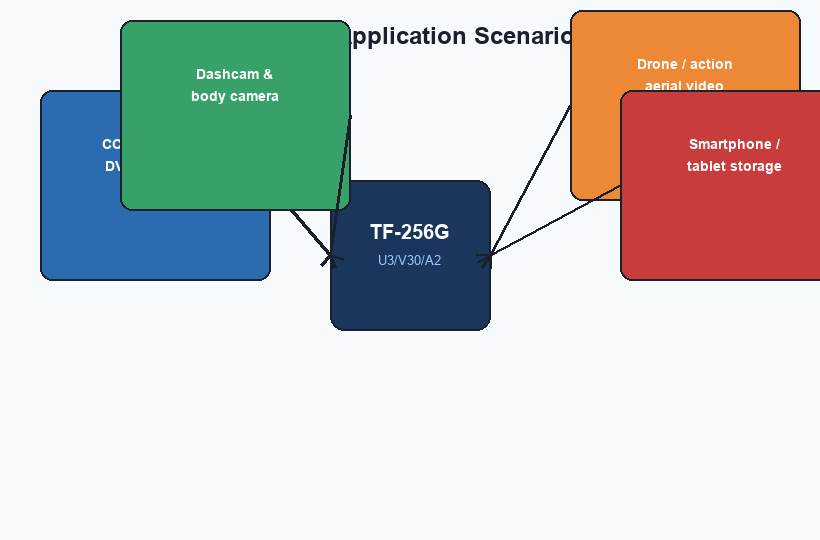
Security cameras, including standalone camcorders, DVR/NVR units with card slots and smart cameras, record continuously and rewrite the card frequently. They need a card with dependable sustained write speed and endurance. The U3/V30 rating of the TF-256G keeps up with high-definition recording, and its 256GB capacity supports long recording windows before overwrite or transfer is needed.
6.2 Dash Cams and Body Cameras
Dash cameras and body-worn cameras operate in demanding conditions — vibration, temperature swings and continuous loop recording. A reliable high-capacity card is essential because footage may be needed as evidence. The TF-256G’s sustained write performance and large capacity suit these continuous-recording environments.
6.3 Drones and Action Cameras
Drones and action cameras capture high-bitrate 4K footage, often in bursts during fast motion. A card that cannot sustain the write rate will drop frames or stop recording. The V30-class write performance of the TF-256G keeps pace with demanding aerial and action recording.
6.4 Smartphones, Tablets and Single-Board Computers
Smartphones and tablets can use a card to extend storage for photos, video and apps, where the A2 class improves app performance. Single-board computers (such as Raspberry Pi-class devices) and embedded systems frequently boot and store data from a microSD card; a high-speed, high-reliability card improves responsiveness and longevity in these roles.
6.5 Handheld Recorders and Field Instruments
Audio recorders, handheld meters and portable instrumentation often rely on removable storage for logging and capture. In these devices, a card that sustains its write speed avoids gaps in logs or recordings, while the large capacity of the TF-256G reduces how often media must be swapped during long field sessions. The small form factor and standard slot make it a convenient upgrade path for equipment that originally shipped with smaller or slower cards.
6.6 Retail, Access Control and Building Systems
Modern building and retail systems — access-control panels, kiosks, digital signage players, point-of-sale terminals and lift systems — increasingly store configuration, logs and media on removable cards. A dependable, high-capacity card reduces unplanned downtime in systems that are expected to run continuously. Standardising a fleet on a branded card makes replacement predictable and support straightforward.
7. Using the Card Correctly
- Format before first use: Format the card in the device that will use it, and use the recommended file system so the host device manages the card optimally.
- Use the correct adapter: When a full-size SD slot is used, insert the TF card into the matching adapter and ensure it is seated correctly.
- Eject before removal: Use the device’s safe-eject feature and wait for the device to finish writing before removing the card to avoid data corruption.
- Keep contacts clean: Avoid touching the metal contacts; store the card in a protective case when not in use.
- Protect from extremes: Avoid exposing the card to extreme heat, moisture, or physical shocks beyond its design tolerance, and keep it away from strong magnetic fields.
- Monitor health: For critical continuous recording, periodically check recorded playback and consider rotating cards so that no single card wears excessively.
- Keep spare cards: In professional and fleet deployments, hold a small stock of spare cards so a failure never takes a camera out of service while a replacement is sourced.
- Document installation: Note which card is used where and when it was put into service, so wear can be tracked and cards can be replaced on a schedule rather than reactively.
Formatting deserves special care. Use the device’s own formatting function when possible, because the device applies the file system and settings that suit it. If you format on a computer, choose the recommended file system and allocation size for the card’s capacity, and avoid quick-format shortcuts that leave the card in an inconsistent state for recording devices. Well-managed formatting, combined with safe ejection, keeps the file system healthy and reduces the risk of corruption over a long service life.
8. Speed and Real-World Performance
8.1 Read Versus Write Speed
Read speed governs how quickly data is transferred off the card — for example, copying recorded footage to a computer. Write speed governs how quickly data can be recorded onto the card. The TF-256G is rated at 100MB/s or higher for read and 80MB/s or higher for write, which is well above the minimums that U3/V30 demand, giving headroom for consistent recording and efficient offload.
8.2 What Affects Real-World Speed
Several factors influence the speed you observe: the host device’s reader or slot and its UHS support, the adapter quality, the file system, the size and type of files, ambient temperature, and the card’s current state. Advertised peak speeds are best-case; sustained performance is what matters for recording, which is why speed-class ratings are a more meaningful specification than a marketing peak figure.
8.3 Why Consistent Write Performance Matters for Recording
Video recording is a continuous write workload. If a card’s sustained write speed falls below the camera’s bitrate, recording interrupts — producing dropped frames, short gaps or a stopped stream. A card certified to U3/V30 guarantees the minimum that modern HD and 4K recording requires, which is the core reason to choose a class-rated card over an unrated one for recording duties.
8.4 Peak Versus Sustained Performance
Manufacturers often advertise peak (best-case) speeds, but what determines the card’s usefulness is sustained performance over time. A card may briefly hit a high burst speed and then slow under continuous write load. Speed-class rating is precisely a guarantee of sustained minimum performance, which is why it is more meaningful than a headline peak figure. When comparing cards, prefer those that are honest about both peak and sustained behaviour, and always test in the actual device with content similar to your real workload.
9. Reliability, Endurance and Data Safety
9.1 Flash Endurance
Flash memory has a finite number of program/erase cycles. Cards used for continuous recording and loop overwrite experience more write activity and can wear faster. A high-quality card with good wear leveling spreads writes across the memory to extend usable life. For heavy continuous use, rotating between multiple cards and backing up important footage is prudent.
9.2 Handling and Data Integrity
Memory cards are robust but not indestructible. Physical damage, electrical issues, extreme conditions or abrupt removal can affect data. Good practice is to back up important footage promptly, use safe ejection, and replace cards that show read/write errors or signs of age. For applications where footage is critical — such as security and body cameras — establish a routine that checks recordings and archives evidence securely.
9.3 Choosing a Trusted Source
Counterfeit and low-grade cards are common in the market and often fail when pushed to their advertised speeds. Purchasing from a trusted, branded source reduces this risk. KITOZER supplies the TF-256G as an own-brand product with clear specifications, intended for buyers who need dependable performance and a single accountable supplier.
9.4 Backing Up Important Data
No storage medium is a substitute for backup. For footage and data that matter, copy it off the card to another medium on a schedule and verify that the copy is readable. A common pattern is to offload recorded video to a secure server or cloud at the end of a shift or day, then clear the card for reuse. In security and evidence systems, define a retention policy that states how long footage is kept and where it is archived, so that nothing important is lost when a card is recycled or reaches the end of its life.
9.5 Recovery When Things Go Wrong
If a card becomes unreadable or a file is lost, stop writing to it immediately to avoid overwriting recoverable data. A clean, compatible reader and a well-regarded recovery tool can often retrieve files from a lightly damaged card, though recovery is never guaranteed. For critical data, professional recovery services may be an option but are expensive and not always successful, which is another reason to maintain regular backups rather than rely on recovery after the fact.
10. Security, Surveillance and Evidence Handling
10.1 Continuous Recording and Loop Mode
In security and dash-cam deployments, loop recording continuously overwrites the oldest footage once the card is full. This keeps the card recording without manual intervention but means older footage is not retained. For evidence-critical systems, plan capacity and retention: choose a card large enough for the required retention window, or offload footage on a schedule.
10.2 Verifying Recorded Footage
Periodically play back recorded clips to confirm the camera is capturing usable footage and the card is not silently failing. A card can develop errors that are hard to notice until footage is needed, so regular verification is valuable in security applications.
10.3 Secure Disposal and Reuse
When retiring a card that held sensitive footage, securely erase or physically destroy it before reuse or disposal. Standard formatting does not guarantee that data cannot be recovered, so follow the organisation’s data-handling policy for media that has stored sensitive content.
10.4 Selecting Cards for a Security Fleet
When managing many cameras, define a single recommended card specification based on the highest-bitrate camera and the required retention window, then deploy that card across the fleet. Keep a small buffer stock on site so that a failed card can be replaced immediately without taking a camera offline. Log which cards are installed where and when, so worn cards are replaced on schedule rather than discovered during an incident. This approach keeps both reliability and costs under control across a large, mixed deployment.
10.5 Working With Retention and Archive Policies
Organisations subject to compliance or evidence requirements should document how long footage is retained, where it is archived, and how cards are recycled. Establish an offload schedule so that footage is moved from cards to a secure archive promptly, and verify archived files are readable. Following a written policy protects both operational continuity and legal obligations, and ensures that removing or reusing a card never destroys footage that was still required.
11. Troubleshooting Common Issues
- Device does not recognise the card: Re-seat the card, check the adapter, and confirm the device supports the capacity and card type. Try formatting in a compatible reader.
- Recording stops or drops frames: Confirm the card is a high-speed class-rated model and that the device is not overheating; check for a slow adapter or an incompatible file system.
- Card shows less capacity than expected: This is normal due to decimal/binary units and file-system overhead. If capacity is dramatically low, the card may be mislabelled or the file system may need reformatting.
- Read/write errors or card becomes read-only: Back up data, then attempt a low-level format. A card that repeatedly fails may have reached the end of its useful life and should be replaced.
- Slow transfer from a high-speed card: Check that the reader/adapter supports the card’s UHS speed and that you are not limited by the computer’s USB or card-reader interface.
- Card runs out of space quickly: Check the recording bitrate and resolution settings, and confirm the retention window matches the capacity. Loop recording, or more frequent offload, may be needed for high-bitrate continuous recording.
- Footage is corrupted or unreadable: Stop using the card, attempt recovery through a clean reader, and verify the camera’s power was stable during recording. Frequent corruption can indicate a failing card or an intermittent device problem; replace the card and investigate the device.
12. Buying in Volume for Deployments
Organisations that manage many cameras — security integrators, fleet operators, logistics companies, retail chains and facility managers — often purchase memory cards in volume. When buying many cards, standardise on a specification that meets the worst-case recording workload, order a small amount of buffer stock so a failure never takes a camera offline, and keep spares on site. Track deployment so that worn cards are replaced on a schedule rather than discovered during an incident. A single accountable supplier for an own-brand card such as the TF-256G simplifies specification, procurement and support across a fleet.
Volume buyers should also clarify what the quoted price includes and what the lead time is, confirm volume pricing tiers, and verify that packaging and labelling are consistent so that cards can be tracked and reconciled easily at deployment. If cards are distributed across many sites, agree on a simple storage and handling routine — keeping cards in protective packaging, away from heat and moisture — so that cards arrive at the point of use in good condition and ready to serve. These small operational details prevent surprises that surface only when a large batch is deployed.
13. Cost-Benefit and Return on Investment
13.1 The Cost of a Failing Card
For a security or evidence system, the real cost of a failing card is not the price of the card but the footage that is lost. A card that wins a low-priced tender but fails under load can erase the value of hours of recording. Investing in a class-rated, dependable card protects the operation’s most important asset — its footage.
13.2 Extending Device Life
Using a correctly matched high-speed card helps recording devices perform as designed, reducing device-side issues caused by underspecified storage. It also avoids the downtime and labour of swapping cards mid-operation.
13.3 Sizing Capacity Correctly
Choosing the right capacity avoids two mistakes: buying too small (frequent overwrite, lost retention) or buying more than needed (unused premium). Sizing capacity to the required retention window balances cost and capability across a fleet.
13.4 The Value of Consistency Across a Fleet
When every camera uses the same spec’d card, procurement, spares management, troubleshooting and training all become simpler. A single known-good card reduces the number of variables that can cause subtle recording problems, and lets a support team answer “is the card adequate?” with certainty rather than guesswork. Over a large deployment, this consistency often delivers more value than the small per-unit difference between competing cards.
13.5 Planning for Obsolescence and Media Life
Flash media has a finite working life, so plan for it. Include card replacement in the maintenance budget and schedule for heavily used devices. Because card technologies and capacities evolve, standardise on a spec that is current but stable, and avoid overstocking a variant that may be superseded. A steady, small replenishment cycle keeps a fleet current without wasting budget on large, aging stockpiles.
14. Frequently Asked Questions (FAQ)
14.1 Is TF the same as microSD?
Yes. TF (TransFlash) and microSD refer to the same small memory-card form factor. A TF card fits any microSD slot, including those in cameras, phones and industrial devices.
14.2 Can TF-256G record 4K video?
The U3 and V30 ratings guarantee a minimum sustained write speed suitable for high-bitrate HD and 4K recording in compatible devices. Confirm your specific camera’s requirements and recommended card class.
14.3 What does the A2 class mean for apps?
A2 certifies a level of random read/write performance that supports smoother operation when the card stores and runs applications, such as on smartphones and certain embedded devices.
14.4 Will the card work in my full-size SD slot?
Yes, with a microSD-to-SD adapter. Insert the TF card into the adapter and then into the full-size SD slot.
14.5 How long will the card last?
Lifespan depends on write activity. Continuous loop recording wears a card faster than light periodic use. For heavy continuous use, rotate cards and replace them on a schedule.
14.6 Why is usable capacity less than 256GB?
It is normal for flash media: file-system overhead and the difference between decimal and binary storage units reduce the amount reported by the operating system.
14.7 Is the card compatible with my device?
The TF-256G fits standard microSD slots. Compatibility with a specific camera or device should be confirmed against that device’s specifications and recommended card support.
14.8 Can I use the card for both recording and apps?
Yes. Because the TF-256G meets U3, V30 and A2, it is suited to recording (U3/V30) and to storing and running applications (A2) in compatible devices, so one card can serve both roles.
14.9 Does the card need periodic formatting?
Occasional formatting in the device can help keep the file system healthy on cards used for continuous recording, especially after heavy loop recording. Always back up important data first, and format in the device that will use the card.
14.10 How do I know the card is genuine and not counterfeit?
Buy from a trusted, branded source and verify the card’s capacity and speed with a small test before deploying it for critical use. Counterfeit cards frequently exaggerate capacity and fail when written near their real limit, so a quick verification protects against the most common consumer pitfall.
14.11 A Quick Selection Checklist
The following checklist summarises the purchasing decision for a memory card in most deployments, condensing the fuller guidance in earlier sections into a quick set of steps you can follow at the point of purchase or when specifying cards for a project:
- Identify the recording workload (resolution, bitrate, retention window).
- Confirm the device’s recommended card class and capacity limit.
- Verify the card meets the required minimum sustained write class (U3/V30) and any app class (A2).
- Size capacity to the retention requirement, not to the largest number quoted.
- Buy from a trusted source to avoid counterfeits and low-grade media.
- Plan backup, offload and replacement so footage and media are managed over their life.
15. Ordering & Configurations
The TF-256G is supplied as an own-brand high-speed memory card. A typical order is structured per unit, with volume pricing commonly applied to fleet and project purchases. The following table shows an indicative unit price in US dollars, for reference only.
Indicative Pricing — USD (for reference only)
| Item | Model | Qty | Unit Price (USD) | Amount (USD) |
|---|---|---|---|---|
| 256GB high-speed TF/microSD card (U3/V30/A2) | TF-256G | 1 | US$50.35 | US$50.35 |
| Deployment quantity (indicative) | TF-256G | 1,000 | US$50.35 | US$50,352.11 |
16. Glossary of Key Terms
- TF / microSD: The small removable memory-card format used across cameras and devices.
- Flash memory: Non-volatile storage that retains data without power.
- Read speed: How quickly data can be transferred off the card.
- Write speed: How quickly data can be recorded onto the card.
- U3: UHS speed class guaranteeing a minimum 30MB/s sustained write speed.
- V30: Video speed class guaranteeing a minimum 30MB/s sustained write speed for video.
- A2: Application performance class for random read/write used by apps.
- Bitrate: The amount of data used to represent video per unit of time; higher bitrates need faster writes.
- Endurance: The amount of write activity a card can sustain over its life.
17. Conclusion
Reliable, correctly specified storage is the difference between footage you can trust and footage that silently fails when you need it most. The KITOZER TF-256G combines 256GB of capacity with U3, V30 and A2 speed-class ratings and read/write performance of 100MB/s+ and 80MB/s+, making it well suited to security cameras, dash cams, drones, action cameras, smartphones and embedded systems. Whether you are equipping a single device or a large fleet, understanding capacity, speed class and endurance lets you choose storage that performs as required and protects the data that matters.
Used well, a memory card is a dependable workhorse that records, stores and moves data quietly for years. Specified well, it protects that data — and the organisation’s operations — from the failures and gaps that undersized or low-grade cards can cause. This guide has walked through what a high-speed card is, how speed classes map to real workloads, how to use and maintain a card, and how to manage storage across a deployment. With that foundation, choosing the TF-256G — or any card — becomes a confident, well-informed decision rather than a gamble.
For assistance selecting the right memory card for your application, confirming compatibility, or requesting volume pricing and supporting documentation for the TF-256G, please contact the KITOZER sales team through the channels below. The team can also advise on card specifications for specific cameras, retention planning and fleet deployment, so you can standardise storage with confidence across your organisation.