KITOZER 42U / 47U 19-Inch Network Server Cabinet Technical Encyclopedia
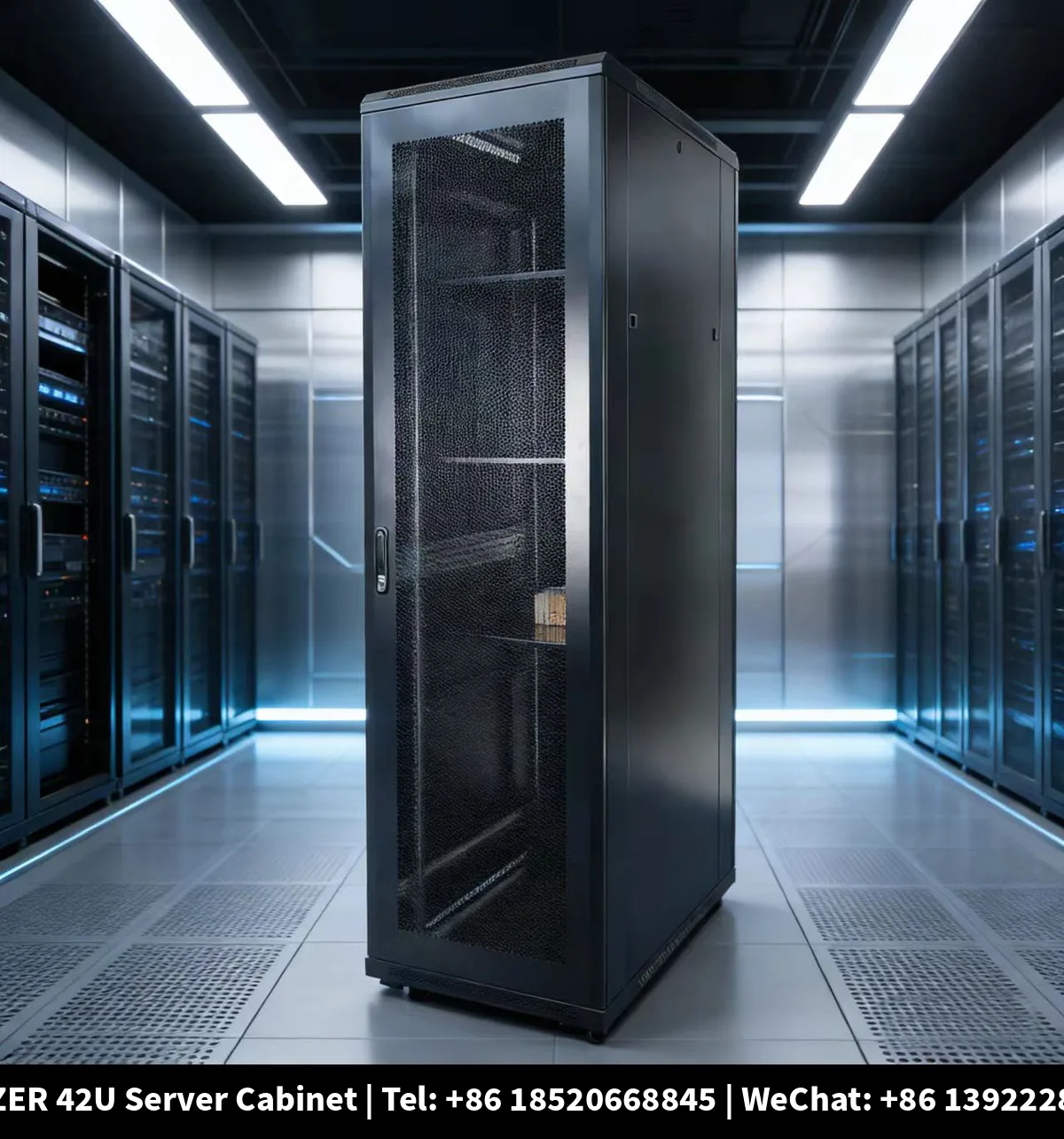
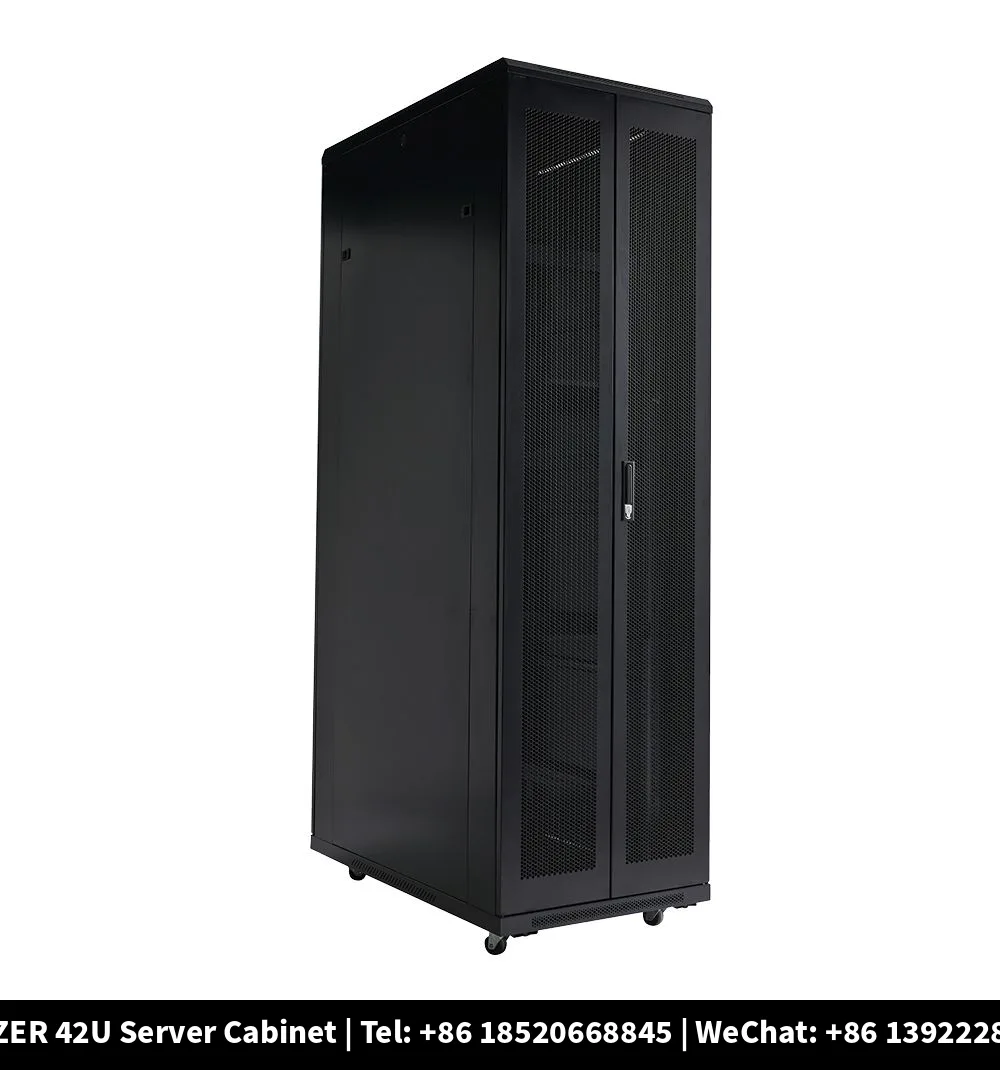
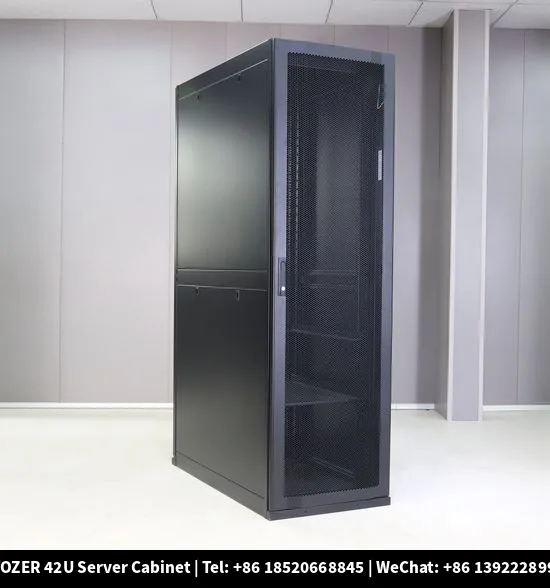
1. Overview: The Backbone of Every Server Room
A 42U network server cabinet is the standard, floor-standing, lockable enclosure that houses rack-mount IT equipment in server rooms, network closets, edge PoPs, co-location cages and data halls. Manufactured by KITOZER (Guangzhou Lian Intelligent System Development Co., Ltd.), this 19-inch EIA-310 compliant cabinet is the physical layer on which compute, storage and networking reliability is built. Whether you are fitting out a 20-square-metre SMB server room or a thousand-cabinet hyperscale hall, the cabinet determines how efficiently you can cool, power, cable and protect the equipment that lives inside it.
The “U” is the universal rack space unit, equal to 44.45 mm (1.75 inches). A 42U cabinet therefore provides 42 vertical mounting positions – enough for a typical deployment of UPS, network switches, patch panels, KVM, storage and a dozen or more rack servers. The 47U variant adds roughly five units of height for sites that cannot widen their footprint. KITOZER builds both, in 600 mm and 800 mm widths and 1000 mm / 1200 mm depths, so every rack can be right-sized rather than compromised.
This encyclopedia systematically explains the structure, standards, selection, installation, cooling, cabling, maintenance and troubleshooting of the 42U/47U server cabinet. It is written for electrical engineers, data-center designers, IT managers, integrators and procurement teams who need a single, practical reference rather than a glossy brochure.
2. Development History: From Open Frames to Contained Racks
The 19-inch rack standard traces to early 20th-century telephone switchboards, and was formalised by the Electronic Industries Alliance (EIA-310) so that equipment from different manufacturers could share the same enclosure. Early computer rooms used open steel frames with no doors; airflow was abundant but dust, tampering and cable chaos were constant problems. As servers became denser and hotter, enclosed cabinets with vented mesh doors emerged, and raised floors delivered conditioned air under the rack.
By the 2000s, power density per cabinet climbed from 2 kW to 8-15 kW, forcing the industry toward hot-aisle/cold-aisle containment, blanking panels, intelligent PDUs and rack-level environmental monitoring. Today’s KITOZER 42U cabinet reflects this evolution: a rigid thick-steel frame, high-open-area mesh doors, square-hole numbered rails, integrated vertical cable management, PDU-ready 0U mounting, grounding provision, and compatibility with containment, blanking and monitoring accessories. It is a mature, standards-based product engineered for two decades of service.
3. Structure and Working Principle
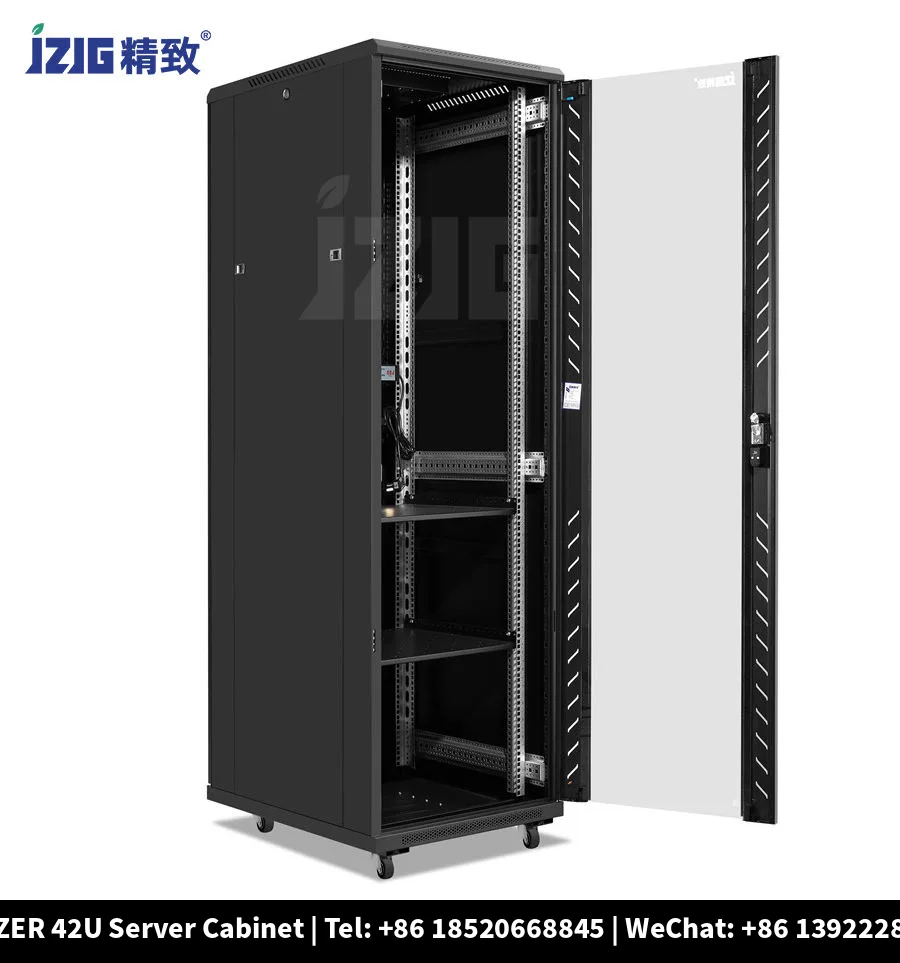
The cabinet is essentially a precision steel box with a rigid frame, two pairs of adjustable mounting rails, vented lockable doors, removable side panels, levelling feet and casters. IT equipment bolts onto the front rails (and often rear rails for deep servers). Cold air enters through the front mesh door, passes through server fans, and exhausts hot air out the rear. Cables route through vertical managers on the sides; the PDU mounts in the 0U rear position; the whole frame bonds to earth for safety and EMI control.
Key structural elements: (a) main columns of 1.5-2.0 mm cold-rolled steel; (b) zinc-plated square-hole mounting rails, 2.0-2.5 mm, depth-adjustable from front to rear; (c) 70-80% open-area perforated front and rear doors; (d) removable lockable side panels; (e) top and bottom brush-cable-entry plates; (f) levelling feet and braked casters; (g) M6/M8 grounding stud; (h) vertical cable managers with D-rings. The rails carry the equipment load; the frame carries the rails and resists racking; the doors and panels provide dust and security; the feet and anchors carry the whole assembly to the floor.
4. Technical Specifications (Typical KITOZER 42U Series)
| Parameter | Specification |
|---|---|
| Standard | EIA-310 / IEC 60297 19-inch |
| Rack units | 42U (47U optional) |
| Usable mounting height | ~1867 mm (42U) |
| Width (outer) | 600 mm or 800 mm |
| Depth (outer) | 1000 mm or 1200 mm |
| Main frame steel | 1.5-2.0 mm cold-rolled steel |
| Mounting rails | 2.0-2.5 mm zinc-plated square hole |
| Static load rating | 800-1000 kg |
| Dynamic (caster) load | 400-600 kg |
| Front door | Vented mesh, 75%+ open area, lockable |
| Rear door | Vented mesh, lockable |
| Side panels | Removable, lockable |
| IP rating | IP20 (indoor) |
| Finish | Epoxy-polyester powder coat, RAL 7035 / RAL 7021 |
| Casters | 4 heavy-duty, 2 braked |
| Levelling feet | 4 adjustable M12/M16 |
| Grounding | M6/M8 bonding stud |
| Cable entry | Top and bottom brush plates |
5. Classification and Selection Guide
Choose along five axes: (1) U size – 42U standard, 47U for extra height; (2) width – 600 mm standard, 800 mm for dense cabling; (3) depth – 1000 mm for most servers, 1200 mm for deep 4U chassis; (4) door type – mesh for cooling, solid for sealed/AC cabinets; (5) load and environment – 800 kg+ rating for dense storage, IP54 sealing for non-DC environments. If you mix servers and networking, choose a deep server cabinet. If you have high port density or lots of fibre, choose 800 mm width. If ceiling height is limited, check the 47U clearance carefully.
6. Installation Steps
1) Unbox and inventory all parts. 2) Assemble the frame on its side or on pallets using the supplied bolts; do not fully tighten until square. 3) Attach front/rear mounting rails at the correct depth, matching U numbers. 4) Fit vertical cable managers, top/bottom brush plates and grounding stud. 5) Stand the cabinet upright (two people), mount casters and feet. 6) Move into final position on the raised-floor grid, aligning fronts with a string line. 7) Extend levelling feet until casters lift; level with a spirit level. 8) Bolt down to the floor/sub-floor; join adjacent cabinets with joining brackets. 9) Bond the grounding stud to the room earth bar. 10) Install blanking panels, PDU in 0U, then rack equipment heaviest-low. 11) Route power and data down separate sides, label both ends. 12) Test door closure, airflow and grounding continuity.
7. Commissioning Checks
After installation verify: frame square and all bolts torqued; doors open/close/latch smoothly; rails carry load without deflection; grounding continuity < 0.1 ohm; no air leakage at bottom brush plates; front-inlet temperature within 18-27°C; cable bend radius respected; every cable labelled; PDU circuits balanced across phases. Document the rack elevation (what goes in which U), the as-built cable schedule, and the anchor locations. This as-built record is essential for future moves, adds and changes.
8. Routine Maintenance
Monthly: dust exterior, check door locks. Quarterly: vacuum mesh door for airflow, inspect cable tightness. Annually: torque rail/frame bolts, test grounding, lubricate locks, inspect powder coat for chips and touch up. Keep spare keys, cage nuts, blanking panels and D-rings on hand. Never leave the cabinet resting on casters in permanent service. Re-verify floor anchors after any seismic event or cabinet reconfiguration.
9. Application Scenarios
Common deployments include: enterprise server rooms hosting virtualisation and storage; network closets in office buildings; edge compute PoPs for telecom and retail; co-location cages; university and campus IT rooms; industrial control rooms (paired with KITOZER environmental monitoring); government and finance equipment rooms requiring access-controlled cabinets; and small-to-medium data halls arranged in contained rows. In every case the cabinet is the enabler – it protects, organises and cool-hosts the IT load.
10. Reference Pricing (RMB, with USD reference)
A standard KITOZER 42U 600×1000 mm server cabinet with mesh doors, front+rear numbered rails, vertical cable managers, casters and levelling feet is reference-priced at about RMB 2,800 – 4,500 per unit (reference USD: USD 390 – 630). An 800×1200 mm, fully optioned configuration with intelligent PDU, blanking panels and monitoring brackets is priced higher. Project and volume quotes, drawings and lead times are available on request. Prices are reference only and may vary by configuration and freight.
11. Why Choose KITOZER
KITOZER engineers cabinets as part of a complete rack ecosystem – thick-steel rigid frames, high-airflow mesh doors, numbered square-hole rails, matching PDUs, cable managers, blanking panels and environmental monitoring that integrate cleanly. We supply project drawings (2D/3D), regional stock, multi-year structural warranty and responsive after-sales support. The cabinet is a 15-25 year asset; choose it once, well.
12. Contact Us
KITOZER / Guangzhou Lian Intelligent System Development Co., Ltd.
Tel / WhatsApp: +86 18520668845 | WeChat: +86 13922289957
Address: No.5 Huashan Road, Shilou, Panyu, Guangzhou (Chaotian Park, Zhongrun Industrial Zone)
Websites: lain.com.cn (China) | gdlain.com (Global)
For quotes, CAD drawings, lead times and project support on 42U/47U server cabinets, PDUs, cable managers, containment and rack monitoring, contact us – we respond within one business day.
Frequently Asked Questions (60+ Q&A)
Q1. What exactly is a 42U network server cabinet?
A 42U network server cabinet is a free-standing, lockable 19-inch standard enclosure that provides a rack-mount home for servers, network switches, routers, storage arrays, patch panels, UPS units and PDUs. The ’42U’ means 42 rack units of vertical mounting space; each U equals 44.45 mm (1.75 inches), so 42U gives a usable internal mounting height of about 1.87 metres. The cabinet is the physical backbone of every server room and data center: it organises equipment, manages cables, protects hardware from dust and tampering, and forms the foundation on which cooling, power distribution and fire-stopping are built.
Q2. What is the difference between 42U and 47U cabinets?
42U is the classic, widely deployed size that fits most enterprise server rooms and pairs with standard raised-floor tile grids. 47U is a taller variant offering roughly five extra rack units of vertical space, which is useful when you need to squeeze in more equipment but cannot widen the footprint. The trade-off is height: a 47U cabinet stands close to 2.2 metres tall, which can conflict with low ceiling heights, overhead cable trays and sprinkler clearances. Always confirm the internal clearance, door swing and floor load before choosing 47U.
Q3. What does ’19-inch’ actually refer to?
’19-inch’ refers to the width of the mounting flange (the front rack rail) onto which equipment bolts. The actual equipment mounting width is 19 inches (482.6 mm) measured between the two front rails. The outer cabinet body is wider, typically 600 mm or 800 mm, to allow space for vertical cable managers on the sides. The 19-inch standard is defined by EIA-310 and IEC 60297 and has been the universal rack standard since the 1930s, which is why almost every server and network switch in the world fits the same cabinet.
Q4. How much equipment can I fit in a 42U cabinet?
In theory 42 rack units, but practically you should plan for about 80-90% loading to leave airflow and service gaps. A typical deployment might use 6U for a UPS, 1U for a PDU, 1U for a patch panel, 2U for a KVM switch, 1U for a network switch, and the remaining 30-32U for servers and storage. A common rule is one network switch per cabinet, and to leave at least one empty U between dense servers for cooling. Overloading a cabinet beyond its rated dynamic load is a safety risk.
Q5. What load rating should a server cabinet have?
A quality 42U server cabinet should be rated for a static load of at least 800-1000 kg and a dynamic (wheeled) load of at least 400-600 kg when shipped on casters. Fully loaded with steel servers, batteries and storage, a single cabinet can easily reach 600-900 kg. Check that the mounting rails are rated individually (often 50-80 kg per pair), that the base/frame is welded or bolted rigidly, and that the levelling feet can carry the full weight. Never rely on the casters for permanent installation.
Q6. Steel thickness: what gauge should the cabinet use?
The best cabinets use cold-rolled steel sheet with a main frame thickness of 1.5-2.0 mm, mounting rails of 2.0-2.5 mm (plated and tapped or square-hole), and side panels/doors of 1.0-1.2 mm. Thin 0.8-1.0 mm frames flex under load, rattle, and make the cabinet feel cheap. KITOZER specifies 1.5 mm main column steel and 2.0 mm zinc-plated mounting rails so the cabinet stays square and rigid even when fully loaded with dense storage arrays.
Q7. Mesh door or solid door – which is better for servers?
For server and network equipment, a perforated/mesh front door is strongly preferred because it allows front-to-back or side-to-side airflow. A good mesh door offers 70-80% open area. Solid doors should only be used for dusty, outdoor or special-enclosure environments where cooling is handled internally (e.g. an air-conditioned cabinet). For a standard server room, always choose a vented front door, and vented rear doors if you run rear-to-front cooling.
Q8. What is the difference between a server cabinet and a network cabinet?
A server cabinet is deeper (often 1000-1200 mm deep) to accommodate deep server chassis, typically 600 mm wide, with front and rear vented doors. A network cabinet is shallower (600-800 mm deep), narrower (600 mm), and often has solid or glass doors because switches and patch panels run cooler. If you mix servers and networking in one cabinet, choose a deep server cabinet so depth is never the limiting factor.
Q9. How do I choose the right cabinet depth?
Measure the deepest piece of equipment you will install, then add 150-200 mm for cable bend radius at the rear and 50 mm at the front. Modern 2U/4U servers are 800-1000 mm deep, so a 1000 mm or 1200 mm deep cabinet is the safe choice. Shallow 800 mm cabinets work only for switches, patch panels and thin 1U equipment. Depth is the most common regret in cabinet selection – it is always cheaper to over-spec depth than to replace a cabinet later.
Q10. What cabinet width should I pick, 600 mm or 800 mm?
600 mm wide is the standard for most server deployments and aligns with a 600 x 600 mm raised-floor tile grid. 800 mm wide cabinets provide extra vertical cable management channels on the left and right, which dramatically improve cable routing in dense cabinets with hundreds of patch cords. Choose 800 mm width if you have high port-density switches, lots of fibre, or strict cable-management aesthetics; otherwise 600 mm is the economical default.
Q11. Do I need both front and rear doors?
Yes. A server cabinet should have a lockable vented front door and a removable or lockable rear door. The rear door gives access to cable termination, rear ports and the PDU. Removable side panels allow sideways access during installation and should lock for security. A cabinet with only a front door forces you to pull the whole unit out to reach the rear, which is impractical for heavy servers.
Q12. What is a square-hole rail vs tapped rail?
Square-hole (punched) rails accept cage nuts and bolts, allowing flexible positioning of any equipment. Tapped rails have pre-threaded holes and use screws directly, which is convenient but less flexible and can strip. Square-hole rails are the modern standard and what KITOZER supplies as standard. Some shops use a hybrid: tapped front for equipment, square rear for accessories. Always confirm whether cage nuts are included.
Q13. How are U numbers marked on the rails?
Quality cabinets have clearly numbered U markings on both front and rear rails, usually printed or etched at every U position, so you can instantly see where equipment mounts. The numbering can start from the bottom (1U at floor level) or from the top depending on the manufacturer; consistency matters more than direction. Marking both sides ensures the equipment sits level. Cheap cabinets skip numbering and force you to measure by hand.
Q14. What is the purpose of the levelling feet?
Levelling feet (adjustable bolt-down feet) carry the permanent weight of the cabinet after installation, compensating for uneven raised floors or concrete. You extend them until the casters lift completely off the floor. A cabinet resting on casters is a safety hazard – it can roll if bumped, and the casters are not rated for long-term static load. Always bolt down and level the cabinet, then remove or lock the casters.
Q15. Should the cabinet be bolted to the floor?
Yes, especially in seismic zones, on raised floors, or when the cabinet holds heavy battery banks. Bolt-down brackets anchor the cabinet base to the floor, preventing tipping during earthquakes or accidental impact. For raised-floor installations, the cabinet should sit on a floor-spreader plate or be anchored to the sub-floor through the tiles. KITOZER supplies bolt-down brackets and offers seismic bracing kits for high-risk regions.
Q16. How does cable management work inside a server cabinet?
Cable management uses vertical cable managers (finger duct / D-ring rings) on the left and right of the equipment area, horizontal cable arms above and below each patch panel, and velcro ties (never nylon cable ties that cut and cannot be reused). Power cables route down one side, data cables down the other, to separate power and signal. Good management leaves a service loop, respects bend radius, and labels every end. The goal is a cabinet you can re-cable without unravelling a bird’s nest.
Q17. What is the minimum bend radius for network and fibre cables?
For copper Ethernet (Cat 6/6A), the minimum bend radius is about 4 times the cable diameter when stationary, roughly 25-35 mm. For fibre, it is stricter – about 10 times the cable diameter for tight-buffered fibre, or 30 mm minimum. Never pinch a cable around a sharp rail edge, and never exceed the pull tension (Cat 6: about 100 N, fibre: 50-67 N). Exceeding bend radius causes crosstalk, insertion loss, and intermittent link failures.
Q18. Where do I mount the PDU inside the cabinet?
The power distribution unit (PDU) mounts vertically on the rear rail, in the 0U position (outside the 19-inch equipment width), so it consumes no rack units. It runs the full height of the cabinet and feeds every server. Mount the metering/switched PDU on the rear-right and a backup PDU on the rear-left for A/B power redundancy. Keep the PDU away from network patch cables to reduce electromagnetic coupling, and ensure plugs do not overhang into the equipment area.
Q19. How do I route power vs data cables?
Route AC power down one vertical channel (typically the right), and Ethernet/fibre down the other (typically the left), with at least 100-150 mm separation where they run parallel. Where power and data must cross, cross at 90 degrees to minimise inductive coupling. This separation reduces EMI, simplifies tracing, and complies with structured-cabling standards. In high-density cabinets, use separate cable managers for power and data.
Q20. What is hot-aisle / cold-aisle containment?
Hot-aisle/cold-aisle arrangement means server cabinets are arranged in rows so fronts face a cold aisle (supplied by CRAC units or perforated tiles) and backs face a hot aisle (returning hot air). Without containment, hot exhaust recirculates and mixes with cold supply. Containment (roofed hot-aisle or cold-aisle panels, doors) seals the two aisles, raising cooling efficiency dramatically. A standard server cabinet’s mesh door is designed to feed cold air from the cold aisle straight into the equipment front.
Q21. Can I put this cabinet in a hot-aisle containment?
Yes. KITOZER 42U cabinets are compatible with hot-aisle or cold-aisle containment kits: the flat top panel can accept containment roof panels, and the vented front door aligns with cold-aisle or hot-aisle curtains. For containment, you typically want solid side panels (to prevent air leakage between cabinets) and optional blanking panels on unused rack units to stop recirculation.
Q22. Do I need blanking panels (rack fillers)?
Strongly recommended. Blanking panels fill unused rack units between installed equipment, stopping hot exhaust from recirculating into the cold inlet of servers below/above. This improves cooling efficiency and lowers hotspot risk. A cabinet without blanking panels can waste 10-15% of cooling energy and create local hotspots. KITOZER supplies matching 1U/2U blanking panels that clip into square-hole rails.
Q23. How much airflow does a rack of servers need?
As a rule of thumb, allow about 100-150 CFM (cubic feet per minute) of cold supply air per kilowatt of IT load. A single fully loaded 42U cabinet can dissipate 5-15 kW or more. Calculate total kW of installed equipment, multiply by ~130 CFM/kW, and ensure the perforated floor tiles or containment can deliver that volume without excessive bypass. Measure inlet temperatures at the front of each server – aim for 18-27°C per ASHRAE.
Q24. What inlet temperature should servers see?
ASHRAE recommends a recommended inlet band of 18-27°C for typical server rooms. Keeping it around 22-24°C gives a comfortable safety margin. If the front-of-rack inlet exceeds 27°C consistently, you have a cooling problem (hotspot, blocked tile, or bypass), not a cabinet problem. Monitor inlet temperature at the top of the rack, where hot air accumulates first.
Q25. Is the cabinet itself a fire hazard?
A properly built steel cabinet is non-combustible and actually protects equipment from external fire spread. However, cable insulation, UPS batteries and plastic accessories inside can burn. Use fire-stop plates where cables penetrate the floor or ceiling, install a gas suppression system (FM200/Novec) for the room, and avoid flammable cable ties. The cabinet should also be bonded to the equipment grounding system to provide a safe fault-current path.
Q26. How do I ground the cabinet?
The cabinet has a dedicated grounding stud (M6 or M8) on the frame. Bond it with a green-yellow 6-10 mm² copper conductor to the room’s equipotential grounding busbar. Every piece of mounted equipment should have its chassis grounded via the cabinet rail (the rails are conductive if unpainted) or a separate ground wire. Proper grounding protects against ESD, fault voltage, and provides EMI shielding. Test continuity after installation.
Q27. What IP rating does a standard server cabinet have?
A standard indoor mesh-door server cabinet is roughly IP20 – protected against finger contact but not dust or water ingress. It is designed for clean, climate-controlled server rooms. For dusty, humid or outdoor environments you need a sealed cabinet (IP54/IP55) with internal air conditioning or heat exchange. Do not use a mesh-door server cabinet in a warehouse, garage, or outdoors – dust and condensation will destroy the equipment.
Q28. Can a server cabinet be used outdoors?
Not as supplied. A standard 42U indoor server cabinet has mesh doors and no environmental sealing; outdoors it would quickly fill with rain, dust and condensation. For outdoor use you need an outdoor-rated cabinet with IP55 sealing, a thermostatic air-conditioner or heat exchanger, corrosion-resistant (powder-coated or stainless) construction, and lightning/surge protection. KITOZER’s outdoor cabinet line addresses those needs separately.
Q29. What accessories come with the cabinet?
A complete KITOZER server cabinet package typically includes: the welded/bolt-together frame, front and rear vented doors, removable side panels, two pairs of 19-inch mounting rails (front and rear), levelling feet, 4 heavy-duty casters (two braked), a top cable entry brush panel, a bottom cable entry plate, vertical cable managers with D-rings, a grounding bolt, a set of keys (two keys per lock, all locks keyed alike), and a bag of cage nuts and screws.
Q30. Is the cabinet shipped assembled or knocked down?
Most 42U cabinets ship knocked-down (flat pack) to save shipping volume, and require bolting together on site. A good design assembles in 30-60 minutes with simple tools. Some premium cabinets ship as a fully welded unit. Ask about the assembly effort and whether an installation service is included. Knocked-down cabinets must be checked for frame square and torque on all bolts after assembly.
Q31. How long does on-site assembly take?
Two technicians can assemble a knocked-down 42U cabinet in about 45-90 minutes, then level and anchor it in another 30 minutes. Installing rails, cable managers and the PDU adds another hour. Plan a full day for a row of cabinets including moving them into position. Always assemble in the final room – a fully built 42U cabinet is 2 metres tall and may not fit through standard doors or in elevators.
Q32. What tools do I need to install a server cabinet?
Typically: a Phillips screwdriver, an Allen hex key set (M6/M8), a torque wrench, a spirit level, a rubber mallet, a ladder (for the top of a 2-metre cabinet), a measuring tape, cage-nut insertion tool, and cable labelling equipment. For anchoring: a hammer drill and concrete anchors. Two people are essential for lifting and manoeuvring a fully assembled cabinet.
Q33. How do I position a row of cabinets?
Plan the row on the raised-floor grid first. Align cabinet fronts flush (use a string line), leave front/rear aisle widths per code (typically 1200 mm minimum front, 1000 mm rear for access), and leave a 50 mm gap or join cabinets side-by-side using joining brackets. Level each cabinet individually, then bolt them together side-by-side for rigidity. Mark floor anchors before drilling. Ensure the row leaves space for perforated cooling tiles and containment.
Q34. What aisle widths are required between cabinet rows?
Telecom and data-center guidelines typically recommend a minimum cold-aisle width of 1200 mm and hot-aisle width of 1000 mm, though many modern designs use 1200-1500 mm cold aisles for wheelchair access and airflow. Local fire and accessibility codes override these. Narrower aisles save floor space but reduce cooling capacity and block emergency evacuation – follow your local code and the fire marshal’s requirements.
Q35. How much floor loading does a server room need?
A single loaded 42U cabinet at 800-1000 kg demands a floor capable of that point load. Raised floors typically handle 500-1500 kg per square metre; verify the tile rating and use heavy-duty stringers under cabinets. For concrete slab floors, ensure structural capacity. Battery cabinets and dense storage racks may require structural engineering review. Never place a heavy cabinet on a standard 500 kg/m² raised floor without reinforcement.
Q36. Can I stack or wall-mount a server cabinet?
No. A 42U server cabinet is a floor-standing unit. Wall-mount enclosures exist only for small 6U-22U network cabinets on solid walls. Stacking 42U cabinets is unsafe due to height, weight and tipping risk. If you need more capacity, add cabinets side by side in a row rather than stacking vertically.
Q37. What is the lifespan of a quality server cabinet?
A well-built steel cabinet is essentially permanent infrastructure – 15-25 years. The doors, locks, casters and plastic accessories wear out first and are replaceable. Powder-coated surfaces can chip but are easily touched up. Unlike servers that are replaced every 3-5 years, the cabinet is a one-time capital purchase. Choose the cabinet once, well, because it will outlast several generations of IT equipment.
Q38. How do I clean and maintain a server cabinet?
Dust the exterior monthly with a dry microfibre cloth; vacuum the vented door mesh quarterly to keep airflow unobstructed. Check door locks and hinges annually, lubricate lock cylinders lightly. Inspect grounding continuity yearly. Tighten rail and frame bolts after the first year of service. Keep the bottom brush panels and cable-entry plates sealed to prevent dust from the raised-floor plenum. Do not use harsh solvents on the powder coat.
Q39. My cabinet door won’t close – what’s wrong?
Usually over-deep equipment protruding past the door line, a cable jammed in the hinge gap, or the door hinges out of adjustment. Check that rear-mounted equipment (like a large PDU or cable arm) does not exceed the door’s clearance. Adjust the hinge bolts, ensure cables route through the bottom entry rather than trapping the door, and confirm the cabinet is level (a tilted frame misaligns the door).
Q40. The mounting rail holes don’t line up with my device – why?
Most likely you are confusing U positions between front and rear rails, or the front and rear rails are not set to the same depth. Set front and rear rails to the same measured depth from the front flange, and confirm both show the same U number. Also verify whether your device uses square holes (needs cage nuts) or M6/M5 tapped holes.
Q41. Why is my cabinet rattling or humming?
Loose rails or side panels vibrate sympathetically with fan noise from the equipment. Check that all rail bolts, side-panel screws and door locks are tight. Rattling often comes from an unblanked empty U acting as a speaker cone – fit blanking panels. Also check that the cabinet is resting on its levelling feet, not rocking on casters, and that servers are not touching the sides.
Q42. How do I add a monitor/keyboard drawer to the cabinet?
A rack-mount KVM drawer (a 1U or 2U sliding tray with LCD, keyboard and touchpad) mounts in any free U position at a convenient height, typically around eye level (12-15U up from the floor). It slides out on ball-bearing runners and connects to servers via the KVM switch (Cat5 or VGA). Leave 1U above for ventilation and pull-out clearance. It saves having to carry a spare monitor to the server room.
Q43. Can I install a UPS and batteries in the same cabinet?
Short runtime UPS towers (1-3 kVA) can ride in the bottom of the cabinet. However, battery banks are extremely heavy and emit heat and hydrogen gas; they belong in a dedicated battery cabinet at the bottom of the row, anchored to a reinforced floor, with ventilation. Mixing hot batteries with servers in the same cabinet is a fire and heat risk. Always place the heaviest equipment at the bottom for a low centre of gravity.
Q44. Where should the heaviest equipment go in the rack?
Low. Mount UPS batteries, storage arrays and large switches at the bottom of the rack (low centre of gravity), and lighter equipment (patch panels, KVM, switches) higher. This improves stability, reduces tipping risk, and means gravity helps keep heavy hardware seated. Never put a 50 kg storage array at the top of an unanchored cabinet.
Q45. What colour finishes are available?
Standard is light grey RAL 7035 or dark grey RAL 7021. KITOZER offers powder-coated RAL 7035 (light grey) as standard, with custom RAL colours available for large orders. The finish is epoxy polyester powder coat, electrostatically applied and oven-cured for durability. Avoid liquid paint which chips easily. Choose a colour that matches the rest of the data center for a tidy, professional appearance.
Q46. How secure is the cabinet against unauthorised access?
Every door and side panel locks with a cam lock, and KITOZER keys are keyed-alike across the cabinet (one key opens all panels). For higher security, upgrade to a keyless RFID/electronic lock that logs who opened the cabinet and when – this integrates with data-center access management. Always keep spares keys in a sealed envelope in the server room, not inside it.
Q47. Does the cabinet need a cooling fan tray?
In a properly cooled room with containment, the cabinet itself needs no internal fans – the servers pull air through the mesh door. In a lightly cooled or open office deployment, a roof-mounted fan tray (1U fan module) can exhaust hot air passively. But for serious server rooms, fix the room cooling rather than relying on cabinet fans. Never block the front inlet or rear exhaust.
Q48. What is a modular / bolt-together vs welded cabinet?
Bolt-together cabinets use nuts and bolts at the joints, are cheaper to ship, but can flex slightly if over-torqued or under-torqued. Welded cabinets are rigid and square from the factory but expensive to ship (bulky). KITOZER uses a heavy bolt-together frame with precision-machined joints that achieves near-welded rigidity, assembled on site. The choice matters little for normal loads; it matters for seismic and very-high-load installations.
Q49. How do I move a fully loaded cabinet?
Do not. A fully loaded 800 kg cabinet must be unloaded (servers removed) before moving. Move empty cabinets on their braked casters, two people guiding, on a clear flat path. Once in final position, extend levelling feet, remove casters if desired, and anchor. Never push a loaded cabinet – you can tip it, damage equipment, or injure yourself.
Q50. What is the difference between open-frame rack and enclosed cabinet?
An open-frame rack is just the steel frame with no doors or panels – cheapest, best airflow, but no dust/security. An enclosed cabinet adds doors and panels for dust control, security and containment. For a public office or mixed-use room, choose an enclosed cabinet; for a dedicated data hall, open frames with containment can reduce cost and improve airflow. KITOZER supplies both.
Q51. Can I paint or customise the cabinet?
The powder-coat finish is factory-applied; field painting is not recommended and rarely looks professional. Custom colours require ordering from the factory. You can add logos, labels, asset tags and cable-ID labels on site. KITOZER offers custom RAL colours, cutouts, and branding plates for volume orders.
Q52. How do I calculate total cost of ownership?
TCO includes the cabinet itself, shipping, assembly, accessories (rails, cable managers, PDUs, blanking panels), anchoring, and – most importantly – the cooling and power it enables. A cheaper thin cabinet that wobbles and leaks cooling air costs more in wasted energy over 15 years than a well-built one. Factor in durability, airflow openness and spare parts availability, not just sticker price.
Q53. What warranties should I expect?
KITOZER provides a multi-year structural warranty on the frame and welds, plus replacement availability for doors, locks, casters and rails. Ask specifically: is the cabinet painted with corrosion-resistant powder coat? Are rails plated (zinc) against rust? Are spare parts available in your region? Avoid no-name cabinets with no warranty and no spare-parts path.
Q54. Does KITOZER provide installation drawings?
Yes. For projects, KITOZER supplies 2D general arrangement drawings (footprint, side, front), a BOM, and 3D models (STEP/DWG) for integration into your data-center CAD layout. This lets architects and electrical engineers coordinate floor loading, aisle widths, cable penetrations and containment before ordering. We also provide factory inspection and on-site commissioning support.
Q55. Can I get the cabinet dimensions and weight data for CAD?
Standard KITOZER 42U cabinet: about 600 mm wide x 1000/1200 mm deep x 2000 mm tall (42U), ships knocked-down at roughly 80-110 kg net. 47U is taller (~2200 mm). Exact drawings, rail hole spacing (EIA 19-inch), and mounting interface data are available on request. Confirm the exact model depth and width for your CAD model before ordering.
Q56. What is the lead time for a 42U cabinet order?
Standard in-stock models ship within 3-7 working days from the regional warehouse. Custom colours, special cutouts, or volume orders typically require 15-30 working days of production. For project-critical schedules, order early – cabinets are often on the critical path because nothing else goes in them. KITOZER keeps common 42U/47U models and accessories in regional stock.
Q57. How do I order spare parts after years of use?
Because KITOZER standardises on common rail, door, lock and caster formats, spares (replacement keys, hinges, casters, blanking panels, cable D-rings) are available for years after purchase. Quote the cabinet model and serial number (on the rating plate) and we ship the matching part. Keep a record of the serial number and original order for fast service.
Q58. What makes KITOZER cabinets different from no-name brands?
KITOZER cabinets use thicker steel (1.5 mm frame, 2.0 mm zinc rails), a near-welded rigid frame, high-open-area mesh doors (75%+), precision-numbered square-hole rails, full accessory packs, and project-level drawing support. We also engineer them to integrate with our own PDUs, cable managers, containment and environmental monitoring – so the whole rack system works together rather than being a bag of mismatched parts.
Q59. Is the cabinet suitable for a small home office / SMB?
For a small office server closet, a 22U-32U wall-mount or compact floor cabinet is usually enough; a full 42U is oversized. But if you anticipate growth (file server, NAS, network switch, UPS, monitoring), a 42U cabinet in a dedicated closet with cooling is a future-proof choice. Just ensure the room has cooling, power and noise tolerance – fan noise from a rack in an office is noticeable.
Q60. How noisy is a rack of servers?
A cabinet of active servers and switches can reach 65-75 dBA at the front door – roughly the volume of a busy office. That is too loud for a shared workspace. Keep the cabinet in a dedicated server room or closet with a closed door, or use sound-attenuating panels. Do not put a working server rack in a meeting room or open office.
Q61. Can I connect the cabinet to a building management system?
The cabinet itself is passive, but KITOZER can option it with an intelligent PDU, temperature/humidity sensor, door-contact switch and leakage detector, all reporting via SNMP/Modbus to a BMS or DCIM platform. This gives you rack-level power, temperature and security visibility. The cabinet becomes one node in your monitored infrastructure rather than a blind box.
Q62. What happens if the cabinet overheats?
If front inlet temperature climbs, servers throttle first (losing performance), then shut down on over-temperature protection. Prevention is monitoring: rack-level sensors alert before a shutdown. Ensure blanking panels, containment, and working cooling tiles. A KITOZER environmental monitoring host can alert you by SMS/app at 28°C and trigger interlocks before hardware is damaged.
Q63. How do I decommission an old cabinet safely?
Power down and remove equipment first (ESD precautions), disconnect power and data, label and pack cabling, unbolt from the floor, level feet up, move on casters. Recycle steel at a metal recycler; do not dump electronics. Reuse the cabinet if still sound – it may host the next generation of equipment. Document what was removed and where it went for asset tracking.
Q64. Can the cabinet be customised with special cutouts?
Yes – for volume projects KITOZER provides custom top/bottom cable-entry cutouts, side fan apertures, special mounting brackets, extended-depth rails, and pre-installed PDUs/cable managers. Provide your CAD or a sketch, and we engineer and quote. Standard catalog models ship fastest; customisations add lead time but save on-site modification.
Q65. What certifications should the cabinet meet?
Look for compliance with EIA-310 / IEC 60297 (19-inch rack dimensions), EN 61587 (mechanical structures for electronic equipment), IP20 (indoor), and ROHS for materials. For seismic regions, seek GR-63-CORE or equivalent seismic rating. KITOZER cabinets are built to these standards and can provide test reports for project submissions.
Q66. How does a raised-floor plenum affect the cabinet?
In a raised-floor data center, cold supply air is ducted under the floor and rises through perforated tiles in front of the cabinet. Seal cable gaps at the cabinet bottom (brush plates) to stop unconditioned air from leaking up behind the rack, and ensure the cabinet sits so its front aligns with the perforated tiles. Open bottoms cause air leakage and reduce cooling efficiency.
Q67. What cable entry points does the cabinet have?
Top entry: a removable top panel with brush grommets for overhead cable tray feeds. Bottom entry: a bottom plate with brush strips for raised-floor plenum feeds. Side entry: optional knockouts for side cable managers. Use brush strips everywhere cables pass through to seal against dust and air leakage. Decide top vs bottom entry during layout – changing later means disassembly.
Q68. Are server cabinets fire-rated?
Standard steel cabinets are not fire-rated enclosures. Fire protection for the room uses gas suppression (FM200/Novec), clean-agent systems, and firestopping of cable penetrations. If you need fire-rated separation (e.g. between data hall and corridor), that is a building-wall requirement, not a cabinet one. Treat the cabinet as equipment housing, not fire containment.
Q69. How do I label equipment and cables in the cabinet?
Use durable printed labels: label both ends of every cable with a unique ID (e.g. SW1-Port1 to SR1-NIC1), label every U position with the device name, and keep a rack elevation drawing updated in your DCIM. Use colour-coded labels for A/B power and network zones. Good labelling means anyone can trace and replace a cable in seconds during an outage.
Q70. What is the typical reference price for a 42U KITOZER cabinet?
A standard KITOZER 42U 600×1000 mm server cabinet with full accessory pack (mesh front/rear doors, front+rear rails, cable managers, PDU-ready, casters and feet) is reference-priced around RMB 2,800 – 4,500 per cabinet depending on depth and options. Reference USD price: roughly USD 390 – 630 per cabinet. An 800 mm-wide, 1200 mm-deep, fully cabled and monitored configuration runs higher. Volume project pricing and drawings are available on request.
Q71. How do I get a quote or contact KITOZER?
For pricing, drawings, lead time and project support on 42U/47U server cabinets, PDUs, cable managers, containment and environmental monitoring, contact KITOZER / Guangzhou Lian Intelligent System Development Co., Ltd. Tel/WhatsApp: +86 18520668845. WeChat: +86 13922289957. Address: No.5 Huashan Road, Shilou, Panyu, Guangzhou (Chaotian Park, Zhongrun Industrial Zone). Websites: lain.com.cn (China) and gdlain.com (global). We respond within one business day.
13. Deep Dive: Thermal Management Inside the Rack
Thermal management is the single most important reason the cabinet exists. Servers are designed to draw conditioned air through their front bezel and exhaust it out the rear. When the cabinet front faces a cold aisle, the mesh door – open area of 75% or more – acts as a near-zero-resistance inlet. The hot rear exhaust then returns to the hot aisle. Any leak in this path wastes energy and creates hotspots. The most common leaks are: open rack units (fixed by blanking panels), gaps between joined cabinets (fixed by side panels and joining strips), open bottom brush plates (fixed by seals), and open top cable holes (fixed by brush grommets). When all leaks are sealed and containment is added, the rack becomes a predictable thermal zone: inlet temperature at the front of the top server rarely deviates more than a few degrees from the cold-aisle setpoint.
Monitor the rack at three heights – bottom, middle, top inlet – because hot air rises and the top of the rack is always the first to overheat. A temperature sensor at the top inlet, wired to a KITOZER monitoring host, raises an alarm before a server throttles. For high-density rows, consider rear-door heat exchangers or in-row coolers that reject heat directly at the rack rather than overloading the room CRAC. The cabinet choice (mesh door vs solid, width, containment compatibility) should always be made with the thermal path in mind, not aesthetics alone.
14. Deep Dive: Power Distribution and Redundancy
The rack-level power architecture starts at the cabinet. Two intelligent PDUs mount in the rear 0U position – one on the left (feed A) and one on the right (feed B) – each backed by a separate UPS and breaker. Every dual-cord server takes one cord from PDU-A and one from PDU-B, so a single UPS, PDU or breaker failure cannot take the server down. Metered or monitored PDUs report inlet current, voltage and power factor; switched PDUs allow remote outlet cycling. Keep continuous load under 80% of breaker rating, balance single-phase draw across three phases, and use surge-protected outlets for noise-sensitive gear. The cabinet’s grounding stud bonds the whole rack to the equipotential earth bar so fault currents have a safe path. Proper rack power design converts a pile of servers into a resilient, monitored electrical system.
15. Deep Dive: Mechanical Strength, Seismic and Floor Loading
A fully loaded 42U cabinet carries 600-1000 kg. The main columns (1.5-2.0 mm steel), the cross-braced frame, and the levelling feet are engineered for this. The two pairs of mounting rails carry the equipment load; rail-to-frame bolts transfer that load to the columns. In seismic zones, bolt-down base plates and overhead bracing prevent tipping. On raised floors, the load must spread through heavy-duty stringers; on concrete, anchor directly. Battery and dense-storage cabinets may need structural engineering. The rule is simple: design the floor for the heaviest cabinet, anchor every cabinet, never rely on casters for support, and check diagonals for frame square after assembly.
16. Comparison: KITOZER 42U Cabinet vs Typical Competitors
| Feature | KITOZER 42U | Typical No-name |
|---|---|---|
| Frame steel | 1.5-2.0 mm cold-rolled | 0.8-1.2 mm |
| Rails | 2.0-2.5 mm zinc square-hole, numbered | 1.5 mm, often unmarked |
| Static load | 800-1000 kg | 300-500 kg |
| Mesh open area | 75%+ | 50-60% |
| Accessories | Full pack incl. cable managers, cage nuts | Minimal, sold separately |
| Drawings/3D | 2D/3D project support | None |
| Spare parts | Multi-year regional availability | Uncertain |
| Warranty | Multi-year structural | Short / unclear |
17. Project Planning Checklist
Before ordering cabinets: (1) measure the deepest device and add 200 mm; (2) sum total kW and plan cooling/containment; (3) choose width (600 vs 800) by cable density; (4) verify floor loading and anchors; (5) confirm ceiling height and aisle widths; (6) plan top vs bottom cable entry; (7) specify A/B PDU feeds; (8) reserve 15-20% spare U; (9) order blanking panels and cable arms with the cabinet; (10) request CAD models for the data-center layout. KITOZER’s engineering team reviews these plans and supplies drawings before production.
18. Glossary
U (rack unit): 44.45 mm of rack space. 19-inch: EIA rack mounting width. PDU: power distribution unit. Blank panel: filler for unused U. Cage nut: square-hole insert for M6 screws. Cold aisle: front-facing supply aisle. Hot aisle: rear exhaust aisle. Containment: physical sealing of aisles. EIA-310: rack dimensional standard. IP20: indoor finger-protection rating. 0U: vertical PDU position outside the 19-inch width. Elevation: rack side-view layout. Equipotential earth: common grounding bus.
Q61. How does cabinet depth affect server compatibility?
Server chassis depth ranges from about 550 mm for 1U pizza-box servers to over 1000 mm for dense 4U storage arrays. The cabinet’s internal rail-to-rail depth must exceed the device depth plus 150 mm rear clearance for cable bend and connectors. If you choose a 1000 mm deep cabinet but later buy 1050 mm deep storage, you are stuck. Measuring before ordering is the single most important selection step. KITOZER depth-adjustable rails let you fine-tune front-to-rear position within the cabinet’s depth envelope, but they cannot extend beyond it.
Q62. What is the difference between front-to-rear and side-to-side airflow cabinets?
Front-to-rear airflow means servers draw cold air in the front and exhaust hot air out the rear – the standard for containment. Side-to-side (or left-to-right) airflow cabinets were older telecom designs where air entered one side and exited the other. Modern data centers standardise on front-to-rear because it lines up with hot/cold aisles. KITOZER mesh doors are optimised for front-to-rear. Do not buy side-to-side cabinets for modern server rows unless you have legacy telecom equipment.
Q63. Can I convert a solid-door cabinet to a mesh-door cabinet?
Yes, KITOZER sells replacement vented mesh doors that swap onto the same hinge profile. If you bought a cabinet for a dusty environment and now deploy it in a server room, swapping a solid door for a mesh door dramatically improves cooling. Confirm the hinge and lock alignment match before ordering – the door must be the exact model variant. This is far cheaper than buying a whole new cabinet.
Q64. How do I calculate how many cabinets I need?
Count total rack units of equipment, add 20% spare capacity, divide by 42 (or 47). Then add one network switch cabinet and consider a separate battery/UPS cabinet. Also account for power density: if a set of servers totals 12 kW, they may need dedicated cooling and should not share a low-density cabinet. Plan at least 15-20% empty U for airflow and growth. Most teams under-plan U by 30% and regret it within two years.
Q65. What is a cabinet elevation drawing and why is it essential?
A rack elevation drawing is a side-view layout showing exactly which device occupies which U, from 1U at the bottom to 42U at the top, with device names, U count, weight and power. It is the master reference for installation and moves/adds/changes. Without it, technicians guess where things go. KITOZER provides a blank elevation template and recommends keeping the as-built elevation in your DCIM system and taped to the cabinet door.
Q66. How do density and power relate to cabinet selection?
Low density (under 4 kW/cabinet) works with any standard cabinet and raised-floor cooling. Medium density (4-8 kW) benefits from containment, blanking panels and intelligent PDUs. High density (8-15 kW+) requires containment plus possibly rear-door heat exchangers or in-row cooling. The cabinet itself does not change much – what changes is the cooling ecosystem around it. Always design the cabinet row for the densest planned load, not the current load.
Q67. What caster specifications matter?
Choose heavy-duty swivel casters rated at least 150 kg each (4 casters = 600 kg dynamic), with two braked. Nylon or polyurethane wheels roll cleanly on raised-floor tiles without cracking them. Cheap hard plastic casters crack under load. Remember: casters are for moving, not permanent support – the levelling feet take the load once installed.
Q68. How do I handle cable length on a server that slides out?
Servers with sliding rails need extra cable slack at the rear so you can pull the server out for maintenance without yanking power or network cables. Use a horizontal cable arm (pivot arm) above the server that holds a service loop of power and data cables. The arm extends as the server slides. Without it, pulling a server disconnects everything. Budget for cable arms on every sliding-rail server.
Q69. What is the purpose of a PDU’s A/B redundancy?
Critical equipment has two power supplies (A and B), each fed from a different PDU on a different UPS and different breaker. If one UPS fails, the other PDU keeps the server running. Never plug both power supplies into the same PDU or same circuit – that defeats redundancy. KITOZER PDUs mount in the rear 0U position, left and right, exactly for this A/B dual-feed architecture.
Q70. How do I avoid overloading a single power circuit?
Sum the rated current of all devices on each PDU branch; keep it under 80% of the breaker rating (continuous load derating). Balance single-phase loads across three phases. Metered PDUs show real draw so you can rebalance. A 16A circuit should carry no more than about 12A continuous. Overloaded circuits trip breakers at the worst time and overheat wiring.
Q71. What is the difference between metered, monitored and switched PDUs?
Metered PDUs show total current/voltage locally. Monitored PDUs report over the network (SNMP) with inlet and per-outlet data. Switched PDUs add remote outlet on/off and per-outlet current. For a standard server room, metered or monitored PDUs suffice; switched PDUs pay off for remote power cycling of servers at lights-out sites. KITOZER offers all three form factors in the same 0U footprint.
Q72. How does the cabinet protect against electromagnetic interference?
A fully enclosed steel cabinet with bonded doors and panels provides basic EMI shielding by virtue of its conductive continuity, especially when grounded. Mesh doors reduce shielding slightly but are necessary for airflow. For sensitive environments, gasketed shielded cabinets are a separate KITOZER product line. Standard cabinets reduce ambient EMI and, when grounded, drain stray noise. Do not rely on a mesh-door cabinet for TEMPEST-grade shielding.
Q73. What is seismic bracing and do I need it?
Seismic bracing anchors the cabinet to the floor and/or overhead structure so it does not tip or walk during an earthquake. Seismic zones (California, Japan, parts of China) require it. KITOZER supplies bolt-down base plates, overhead cable-manager bracing and diagonal stabilisers. A fully loaded 800 kg cabinet can become a multi-ton hazard in a seismic event if unbraced. Always confirm local seismic codes.
Q74. How should batteries be housed near cabinets?
Valve-regulated lead-acid (VRLA) batteries are extremely heavy (a 100Ah battery weighs ~30 kg), emit heat, and can vent hydrogen. House them in a dedicated, ventilated battery cabinet anchored to a reinforced floor, at the end of the row, never stacked on a standard raised floor without structural verification. Provide spill containment and ventilation. KITOZER battery cabinets are engineered for the weight and gas.
Q75. What floor reinforcement do battery cabinets need?
A battery cabinet can weigh 500-1500 kg concentrated on a small footprint. Standard raised floors (500-1000 kg/m²) are insufficient. Install the battery cabinet on a concrete pad, a floor-spreader plate, or a reinforced raised-floor section with heavy-duty stringers. Have a structural engineer sign off. This is a common and dangerous oversight.
Q76. How do I plan for future expansion in the cabinet row?
Leave at least one empty cabinet bay or half-row for growth, and run spare power and fibre to it. Use U positions that allow adding servers without re-cabling the whole row. Over-provision network ports by 30%. Most data halls double their IT load in three years. A cabinet row designed for growth costs less than retrofitting power and cooling later.
Q77. What is a contained hot aisle vs cold aisle?
In hot-aisle containment, the hot exhaust aisle is roofed and curtained so hot air returns only to the CRAC units; in cold-aisle containment, the cold supply aisle is sealed. Both eliminate bypass and recirculation. KITOZER cabinets have flat tops that accept containment roof panels and side panels that seal between cabinets. Choose containment based on your CRAC layout and room geometry.
Q78. How do blanking panels save energy?
Open rack units let hot exhaust circulate back to cold inlets, forcing CRAC units to over-work. Blanking panels seal these gaps, forcing air through the servers. ASHRAE studies show unblanked racks waste significant cooling energy and create hotspots. Blanking panels cost a few dollars each and pay back quickly in reduced CRAC runtime. KITOZER supplies matching clip-on blanking panels.
Q79. What temperature and humidity should the server room hold?
ASHRAE recommends inlet air 18-27°C and relative humidity 40-60%. Too hot = throttling and shutdown; too cold wastes energy. Too dry = ESD risk; too humid = condensation and corrosion. Monitor at the rack inlet, not just at the room sensor. KITOZER environmental sensors mount inside the rack at mid-height for accurate readings.
Q80. How do I monitor a cabinet remotely?
Mount a small environmental monitoring host (like KITOZER KZ-EMH) in the rack with temperature/humidity sensors at top, middle and bottom inlet, plus a leak detector under the PDU and a door-contact switch. It reports via SNMP/Modbus/MQTT to your DCIM and pushes SMS/app alerts. This turns a passive cabinet into a monitored, alerting node – essential for lights-out sites.
Q81. What is ESD and how does the cabinet prevent it?
Electrostatic discharge can microscopically damage semiconductors when low humidity lets a technician carry a static charge. The grounded, conductive cabinet frame, anti-static floor and controlled humidity (40%+ RH) bleed static to earth. Technicians also use wrist straps when handling boards. A grounded cabinet is part of ESD protection.
Q82. How do I choose between vertical and horizontal cable managers?
Vertical managers (running full height on the sides) carry the bulk of patch cables up and down the rack. Horizontal managers (at patch-panel height, left and right of each patch panel) organise short jumpers. You need both: vertical for trunk, horizontal for patch. KITOZER includes vertical D-ring managers as standard and offers horizontal arms per patch panel.
Q83. What is a finger duct and when do I use it?
A finger duct (brush-like vertical slotted channel) organises dense bundles of patch cables while letting you add/remove a single cable without disturbing the bundle. Use it on 800 mm wide cabinets with high port density. It keeps the cabling neat and traceable. For lighter cabling, simple D-rings suffice.
Q84. How should I label the cabinet itself?
Asset-label the cabinet: a durable plate with cabinet ID (e.g. R-07), owner, U count, installed date, and the elevation version. Put a QR code linking to the elevation and asset record. This prevents misidentification during remote hands visits. KITOZER offers custom asset plates.
Q85. Can I mix 600 mm and 800 mm cabinets in one row?
Technically yes, but it creates a stepped, uneven row that looks untidy and complicates containment. Better to choose one width for the row. If you must mix, put 800 mm cabinets at the end or in dedicated high-density bays. Plan the row width before ordering for a flush, professional containment fit.
Q86. What is the real cost of a cheap cabinet?
A cheap cabinet uses thin steel that flexes, coarse rails that strip, mesh doors that rattle, and no spare parts path. It leaks cooling air, creates hotspots, and may not anchor properly. Over 15 years, wasted energy, premature hardware failure and rework dwarf the few hundred dollars saved. The cabinet is the cheapest insurance in the whole data center.
Q87. How do I inspect a cabinet before accepting delivery?
Check: frame is square (measure diagonals), no dents in powder coat, rails straight and undrilled beyond spec, doors close flat, locks operate, casters roll, all bolts and cage nuts present, and the rating plate matches the order. Report damage immediately before installation – once installed, freight claims are hard.
Q88. What is the recommended torque for M6 rack screws?
M6 cage-nut screws tighten to about 2.0-2.5 N·m. Over-torquing strips threads and cracks rails; under-torquing lets equipment slip. Use a small torque screwdriver for production installs. Most technicians gauge by feel, but for heavy equipment (storage arrays) a torque wrench avoids both failures.
Q89. How do I prevent my rack from becoming a cable jungle?
Rules: route power and data on opposite sides; use velcro (reusable) not zip-ties (permanent); leave service loops; label both ends; use horizontal arms for sliding servers; blank off unused units; and enforce a cabling standard during install. A well-cabled cabinet is reconfigurable in minutes; a tangled one costs hours of outage tracing.
Q90. What is the difference between a cage nut and a floating nut?
Cage nuts clip into square holes and accept M6 screws. Floating nuts have slight float to align with equipment holes. Most modern square-hole rails use cage nuts. Tapped rails skip nuts but are less flexible. KITOZER square-hole rails ship with a bag of cage nuts; keep spares – they go missing during installs.
Q91. How heavy is an empty 42U cabinet?
An empty KITOZER 42U 600×1000 cabinet weighs roughly 80-110 kg knocked-down, more for welded units and deeper models. Plan two people and a trolley for moving. Once loaded to 800 kg, never move it – unload first. The shipping weight determines freight class and whether you need a liftgate truck.
Q92. What clearance do I need around the cabinet for service?
Front: open the door and pull sliding servers – 1200 mm+ cold aisle. Rear: access rear cables and PDU – 1000 mm+ hot aisle. Sides: removable panels need ~500 mm if accessed, or zero if cabinets are joined. Overhead: containment and cable trays need 300-500 mm above. Plan clearance before anchoring.
Q93. Can I put network switches at the top of the rack?
Yes – network switches typically sit at the top of the rack (1U each), with patch panels just below, so patch cables run short to the switches. Servers sit below. This top-down network layout is standard. Put the heaviest servers and storage at the bottom. The KVM/drawer sits at a convenient eye-level position.
Q94. How do I ground a rack of IT equipment properly?
Bond the cabinet frame to the room equipotential bus with a 6-10 mm² copper conductor. The conductive (unpainted) rails then ground mounted equipment through its rack screws; for extra confidence, add star washers or ground lugs. Test resistance between each equipment chassis and the earth bar – it should be under 0.1 ohm. Good grounding also reduces noise and protects against faults.
Q95. What is the role of the top cable entry brush?
The top brush plate seals the opening where overhead cables enter while allowing the cables to pass. It prevents conditioned air from leaking out the top and dust from entering. Always keep brushes in place and trimmed to the cable bundle – an open top hole leaks cooling and ruins containment.
Q96. How do I choose a cabinet for a dusty factory environment?
A mesh-door server cabinet in a factory will clog with dust. Use a sealed IP54 cabinet with filtered fan or internal air conditioner, or move the IT into a clean server room. KITOZER’s outdoor/industrial cabinet line handles dust and temperature extremes. Never put a standard mesh server cabinet on a production floor.
Q97. What is the payback of containment and blanking?
Containment reduces CRAC energy use by cutting bypass air; blanking panels reduce hotspots. In a typical 100 kW data hall, containment and blanking can cut cooling energy by 15-25% and often pay back within 1-3 years. They also let you pack more IT density into the same cooling – delaying expansion. The cabinet accessories are cheap; the energy savings are real.
Q98. How do I decommission safely when moving a whole row?
Plan the cutover, power down equipment gracefully, label every cable at both ends before disconnecting, photograph the rear of each cabinet, drain batteries, unbolt cabinets, then move empty frames. Never tilt a loaded cabinet. Rebuild at the new site with fresh elevation drawings. Document everything to avoid reinstalling errors.
Q99. What documentation should ship with each cabinet?
KITOZER provides: assembly instructions, general arrangement drawings, rating/warranty card, accessory packing list, and spare keys. Keep these with the site records. For projects we also supply CAD models, BOM and compliance test reports. Good documentation makes future maintenance and expansion painless.
19. Deep Dive: Cable Infrastructure Best Practices
Cable management is where a professional installation separates from a hobbyist build. The principles are simple: separate power from data by routing them on opposite vertical channels; maintain 90-degree crossings where they must intersect; preserve bend radius; support sliding-rail servers with horizontal cable arms; label both ends of every cable; and use reusable velcro rather than permanent zip ties. A rack built to these rules can be re-cabled in minutes during a change window. A rack built without them becomes a bird’s nest that costs hours of tracing during an outage. KITOZER vertical cable managers with D-rings, horizontal arms and optional finger ducts are engineered specifically for these rules, and the 800 mm-wide cabinet gives the side channels room to breathe.
20. Deep Dive: Standards, Testing and Compliance
KITOZER 42U cabinets are built to EIA-310-D / IEC 60297 (19-inch dimensions), EN 61587 (mechanical structures), and RoHS for materials. For seismic installations, GR-63-CORE seismic ratings can be provided. Before acceptance, verify: rail hole spacing matches EIA; mounting flange width is exactly 482.6 mm; U marks align front to rear; doors are flat and close flush; and the rating plate is legible. For project submissions, KITOZER supplies compliance documentation and factory inspection reports. Proper certification protects both the installer and the end user for the equipment’s 15-25 year life.
21. Troubleshooting Quick Reference
| Symptom | Likely cause | Fix |
|---|---|---|
| Door won’t close | Deep device or trapped cable | Re-route cables, check device depth |
| Rattling | Loose panel/rail, open U | Tighten, add blanking panels |
| Hotspot at top | No blanking, poor containment | Blank panels, seal leaks |
| Rail misalignment | Front/rear rails at different depth | Set both rails equal depth |
| Door sag | Overload, loose hinges | Offload, adjust hinges |
| Dust in rack | Open brush plates | Seal bottom/top entries |
| Ground fault alarm | Broken earth bond | Test and re-bond grounding stud |
| Circuit trips | Overloaded PDU branch | Rebalance load under 80% |
22. Final Selection Checklist
Before you confirm the order: (1) deepest device + 200mm = required depth; (2) width by cable density; (3) U count with 20% spare; (4) load rating > expected total; (5) mesh doors for cooling; (6) front and rear adjustable rails; (7) vertical cable managers; (8) 0U PDU positions; (9) levelling feet and bolt-down brackets; (10) grounding stud; (11) containment-compatible top; (12) blanking panels included; (13) regional spare-parts support; (14) multi-year structural warranty; (15) project drawings available. KITOZER meets all fifteen – and integrates the rack with our PDUs, monitoring and containment for a complete ecosystem.
Q101. How do I prevent cable strain on server rear ports?
Short, stiff patch cables and heavy power connectors put leverage on server rear ports, which over time crack solder joints or bend connectors. Use a horizontal cable arm immediately behind each server to support the cable bundle, route power and data gently with a service loop, and never let cables hang unsupported from the port. Strain relief protects both the server and the connection. Test by gently tugging – the cable should move in the arm, not at the port.
Q102. What is the maximum number of patch cables in one rack?
There is no hard limit, but practical limits emerge: a 48-port switch needs 48 patch cables; ten servers with two NICs each need 20. In a high-density rack you can exceed 150 patch cables. Use 800 mm width and vertical finger ducts to manage them. Beyond that, consolidate with blade switches or top-of-of-rack architecture so fewer long runs are needed.
Q103. How do I choose between copper and fibre in the cabinet?
Use copper (Cat6A) for links up to 55-100 m, especially for 10G to the rack edge. Use fibre for 25G/40G/100G uplinks and longer distances. Keep patch-panel fibre jumpers in protected slack loops, respect bend radius, and label both ends with colour-coded fibre LC/SC connectors. KITOZER cable managers route fibre with gentler D-rings than copper.
Q104. What is top-of-rack (ToR) switching?
ToR places one access switch at the top of each rack, so servers patch short cables straight to it, and the switch uplinks (fibre) run to the core. This shortens patch lengths, reduces cable bulk, and localises failure. ToR is the modern default vs end-of-row (EoR) where all racks run to one central switch row.
Q105. How do I size the UPS for a cabinet row?
Sum the actual (not nameplate) wattage of all IT in the row, divide by UPS power factor, add 20-30% headroom, and choose a double-conversion online UPS. Battery runtime depends on battery cabinet capacity – plan 15-30 minutes for graceful shutdown or generator bridge. Distribute UPS load across A and B feeds. Undersized UPS is the most common power failure cause.
Q106. What is the difference between single-phase and three-phase rack power?
Small racks (<5 kW) use single-phase 16A/32A. Larger rows use three-phase 32A/63A/125A PDU feeds, distributing rack load across L1/L2/L3. A three-phase PDU lets you power more equipment from one feed and balance loads. Metered PDUs show per-phase current so you can rebalance. KITOZER offers both form factors.
Q107. How do I test a grounding installation?
Use a low-resistance ohmmeter between the cabinet grounding stud and the room earth bar; expect under 0.1 ohm. Then test from the earth bar to the building electrode. Record values. Repeat annually and after any cabinet modification. High resistance means a broken bond – a safety and noise problem.
Q108. What anti-theft features matter for a co-lo cage?
Keyed-along locks on every panel, optional electronic RFID cabinet locks with access logs, bolt-down anchors, and asset plates. In a shared co-lo, electronic locks show exactly who opened which cabinet and when – essential for accountability. KITOZER integrates cabinet electronic locks with access-control systems.
Q109. How do I plan cabinet placement for loading docks and corridors?
A 2-metre cabinet must fit through doors, in elevators, and along corridors. Measure the route before ordering – many projects discover too late that a cabinet cannot reach the server room. Knocked-down cabinets solve this (assemble inside the room). Confirm elevator load capacity if you must move assembled units.
Q110. What is a toe-kick or plinth used for?
A raised plinth under the cabinet lifts it above a wet floor or aligns it with a raised-floor tile, and hides bottom cabling. In flood-prone or washdown areas, a plinth protects equipment. On raised floors, the cabinet sits flush with the tile surface. KITOZER offers plinths and floor-spreader plates.
Q111. How do I reduce rack noise in a mixed-use building?
Keep the rack in a closed dedicated room; use acoustic panels in the rack where permissible (they restrict airflow, so only on low-density gear); silence server fans via firmware; and choose low-noise switch models. A closed door between the rack room and office blocks most noise. Never run a loud rack in an open office.
Q112. What is the expected power usage effectiveness (PUE) target?
Modern contained data halls target PUE 1.2-1.5. The cabinet (containment, blanking, sealing) contributes by reducing cooling waste. A well-designed cabinet row with containment and monitoring helps push PUE toward 1.3. Poor containment (open U gaps, leaking bottoms) raises PUE and operating cost.
Q113. How do I handle cable penetrations through a fire wall?
Where cables cross a fire-rated wall or floor slab, seal the penetration with fire-stop putty or blocks rated for the same fire-resistance duration as the wall. Brush plates alone are not fire-rated. This is a code requirement and a real safety measure. KITOZER bottom plates accept fire-stop collars.
Q114. What is the shelf life of a rack screw / cage nut?
Indefinitely in dry storage. Zinc-plated cage nuts and screws do not degrade indoors. Keep a bag of spares on site – they are lost during every install. Stainless hardware is available for humid coastal environments where zinc plating may eventually rust.
Q115. How do I choose a cabinet for a telecom base station?
Telecom sites use -48V DC power and often outdoor or wall-mounted enclosures. For indoor central-office racks, standard 42U cabinets work but should hold -48V DC distribution (KITOZER DDU), batteries and line equipment. For remote sites, use the outdoor integrated cabinet line with thermal management.
Q116. What is the benefit of a split rear door?
Split rear doors (top/bottom halves) let you access the rear of the rack without opening the full door, useful in narrow hot aisles. Some designs are double-leaf. Confirm door swing clearance against the aisle. KITOZER offers single or split rear doors.
Q117. How do I know if my cabinet is overloaded mechanically?
Signs: visible bowing of the top panel, rails sagging between mounts, doors not closing, frame not square, or levelling feet crushed. If you see any, offload equipment immediately. A bent frame cannot be fully corrected. Prevention: respect the rated load, anchor properly, put heavy gear low, and use rear rails for deep equipment.
Q118. Can I add a shelf for non-rack equipment?
Yes – vented fixed or sliding shelves mount in 1U/2U/4U for non-rack gear (tape drives, printers, small instruments). Choose vented shelves for heat dissipation. Load-rated shelves (50-100 kg) are needed for heavy gear. Do not rest non-rack equipment on rails directly.
Q119. How do I manage rack lighting for after-hours work?
Add a battery-powered or rack-mounted LED strip light that switches on when the door opens, mounted at the top inside. It saves carrying torches and illuminates U positions. KITOZER offers optional rack LED lighting powered from the PDU.
Q120. What is a grounding bus bar in the cabinet?
An optional M6 copper bus bar mounted in the cabinet bonds all equipment chassis to a single earth point, especially useful when many devices need grounding. It simplifies grounding vs running separate wires to the frame. Add it for large or noise-sensitive installations.
Q121. How do I decide 600 vs 800 width for fibre-heavy racks?
Fibre-heavy racks (lots of uplinks, ODF) need generous vertical routing space – choose 800 mm width. Copper-heavy compute racks can stay 600 mm. The width does not change the 19-inch equipment mounting, only the side cable channels.
Q122. What is the lead time for a replacement door or lock?
Standard KITOZER replacement doors, locks and casters are regional-stock items, shipping in a few days. Because we standardise parts across the cabinet line, spares are available for years. Quote the rating plate serial for exact matching.
Q123. How should I prepare the room before cabinets arrive?
Raised floor installed and level; power and cooling operational; floor anchors marked; cable trays and containment frames ready; clean, dust-free; lighting working; and a clear delivery path. Do not receive cabinets into a half-finished room – dust and construction damage racks.
Q124. What is the role of the cabinet in a modular data center?
In a modular/containerized data center, cabinets are pre-integrated into the container with containment, PDUs and monitoring as a single factory-tested unit. KITOZER supplies the rack subsystem for such modular builds. The cabinet row ships pre-cabled, reducing on-site integration risk.
Q125. How do I reduce vibration from fan noise transmitted through the frame?
Tighten all hardware; ensure servers are isolated by their own rails; check that the cabinet is not touching adjacent cabinets tightly without joining brackets (which can transmit vibration); and balance fan speeds. Rattling usually means a loose panel, not a structural problem.
Q126. What is the difference between IP20 and IP54 for cabinets?
IP20 prevents finger contact with live parts but admits dust – fine for a clean server room. IP54 seals against dust and splashing water for industrial/outdoor use. A mesh-door server cabinet is IP20. Do not use IP20 in dusty or wet environments. Sealing a mesh cabinet to IP54 requires solid doors and gaskets – a different product.
Q127. How do I ensure cable bend radius on dense patch panels?
Use a horizontal cable manager with generous radius immediately below the patch panel; fan cables across the D-rings rather than stacking them; and avoid pinching at the rail. Over-bent Cat6 cables fail certification tests. Certification testing after install catches this.
Q128. What is a rack air conditioner vs room CRAC?
A room CRAC cools the whole server room. A rack (in-row or rear-door) cooler targets heat at the rack for high density. Standard 42U cabinets rely on room cooling; only when density exceeds room CRAC capacity do you add rack-level cooling. Design the room first, supplement at the rack only when needed.
Q129. How do I label U positions?
Put a small label at every U on the rail or near the device: device name, role, IP, and install date. This lets anyone identify the unit by sight. Combined with the elevation drawing, labelling speeds troubleshooting and moves.
Q130. What is the return-on-investment of monitoring a rack?
A rack monitoring host (temperature, humidity, leak, door) costs a few hundred dollars and prevents thousands in hardware damage from an unnoticed leak or overheating. For any server room, monitoring pays for itself the first time it averts a shutdown. KITOZER KZ-EMH integrates directly with the rack.
23. Deep Dive: Why Cabinet Quality Compounds Over Time
The cabinet is the one piece of data-center infrastructure that is never replaced when servers are. A server lasts three to five years; a network switch five to seven; a UPS seven to ten; but the cabinet remains for the life of the building. This is why cabinet quality compounds: every server generation that goes into a flimsy, leaky, poorly-routed cabinet inherits its thermal, mechanical and cable-management problems. A rigid, airtight, well-organised cabinet, by contrast, makes every subsequent refresh cheaper and faster – rails that still line up, doors that still close, cable channels that still route, and spare parts still available. Choosing the cabinet once, with thicker steel, numbered rails and a complete accessory ecosystem, is among the highest-return decisions in the whole data-center build.
24. Deep Dive: The Complete KITOZER Rack Ecosystem
KITOZER builds the cabinet not in isolation but as the centre of a rack ecosystem: matching 0U metered/switched PDUs, vertical cable managers and horizontal arms, clip-on blanking panels, rack LED lighting, environmental monitoring hosts (KZ-EMH) with top/middle/bottom temperature and humidity sensors and leak detection, electronic access locks, and containment roof and curtain hardware. Because these are designed to the same rail spacing, dimensions and grounding scheme, they install without adaptation and monitor together into a single DCIM view. You are not buying a steel box; you are commissioning a monitored, power-managed, cable-organised rack zone ready for two decades of IT load.
25. Conclusion
The 42U/47U 19-inch server cabinet is a deceptively simple product – a steel box with doors and rails – yet its quality decides the cooling efficiency, power resilience, cable order, security and maintainability of everything inside it. Choose the right depth, width, load rating and door type; anchor and ground it properly; blank and contain the airflow; route power and data cleanly; and monitor the environment. KITOZER engineers and manufactures these cabinets to EIA/IEC standards with thick steel, high-airflow mesh doors, numbered square-hole rails, a full accessory pack and project-level drawing support. For quotes, CAD models, lead times and after-sales support, contact KITOZER at the details below.
26. Contact and Reference
KITOZER / Guangzhou Lian Intelligent System Development Co., Ltd.
Tel / WhatsApp: +86 18520668845 | WeChat: +86 13922289957
Address: No.5 Huashan Road, Shilou, Panyu, Guangzhou (Chaotian Park, Zhongrun Industrial Zone)
Websites: lain.com.cn | gdlain.com
Reference price: KITOZER 42U server cabinet from RMB 2,800 – 4,500 per unit (reference USD 390 – 630), depending on depth, width and options. Custom and project pricing on request.
Q111. How does KITOZER ensure frame square after bolt-together assembly?
Precision punch-located holes and machined joint surfaces mean the frame self-aligns when bolts are inserted; the installer then measures both diagonals to confirm square before final torque. A well-designed bolt-together frame achieves near-welded rigidity. KITOZER frames use thicker gusset plates at corner joints so the cabinet stays square under full 1000 kg loading without flex.
Q112. What finishes resist coastal or humid corrosion?
Standard powder coat handles most indoor environments. For humid coastal or industrial atmospheres, specify stainless-steel construction or an additional anti-corrosion primer pass. Zinc-plated rails already resist rust. Never use a plain uncoated cabinet in a washdown or coastal room – it will rust and stain.
Q113. How do I plan cable tray routing above the cabinet row?
Run overhead cable trays parallel to the row, with separate trays for power and data, dropping down at the cabinet. Leave 300-500 mm clearance above the cabinet for containment and the drops. Use brush grommets where cables enter the cabinet top. Coordinate the overhead path with the fire sprinkler design.
Q114. What is the role of the removable rear door in maintenance?
The rear door is where 90% of maintenance happens – swapping patch cables, reading PDU meters, reseating power. A removable or split rear door gives fast access without swinging a full door into a narrow hot aisle. Keep it unlocked during a change window but always re-lock afterwards.
Q115. How do I avoid airflow short-circuiting in the rack?
Short-circuiting happens when hot exhaust finds its way back to a nearby cold inlet instead of returning to the CRAC. Fixes: blank every open U, seal gaps between cabinets, seal bottom brush plates, and ensure the rear exhaust is not blown back by a nearby fan. Monitoring inlet temperature at the top of the rack confirms success.
Q116. Can the cabinet support a monitor arm or KVM console?
Yes – a 1U/2U rack KVM drawer mounts in any U at eye level, and a monitor arm attaches to the cabinet post for a fixed console. Leave pull-out clearance in front. This gives local administration without carrying a monitor to the room.
Q117. What is the difference between a fixed shelf and a sliding shelf?
Fixed shelves bolt in and stay put; sliding shelves pull out for accessing equipment at the back. Choose sliding for devices you service often, fixed for static equipment. Vented shelves dissipate heat. Load-rate every shelf for what it carries.
Q118. How do I document the cabinet’s as-built state?
After install, capture: the elevation drawing, rear photo, cable schedule, PDU circuit map, grounding test results, and anchor locations. Store these in the DCIM and tape a copy inside the cabinet door. When staff change, the as-built record preserves institutional knowledge.
Q119. What is the environmental benefit of a well-built cabinet?
Containment, blanking and sealing cut cooling energy by 15-25% and lower PUE. A rigid, airtight cabinet wastes less conditioned air than a leaky thin one. Over a 15-year life, the energy savings from a good cabinet can exceed its purchase price several times over.
Q120. How do I choose a cabinet for a retrofitted legacy room?
Measure existing floor loading, door widths and ceiling height; choose depth by your actual equipment; and confirm the raised floor can carry the load. Retrofits often need spreader plates and careful routing. KITOZER surveys the site and recommends the right cabinet before delivery.
27. Deep Dive: Lifecycle Costing of a Cabinet Row
When you cost a cabinet row over 15 years, the purchase price is only the beginning. Add: shipping and assembly (one-time), accessories (rails, cable managers, PDUs, blanking panels), anchoring and grounding, cooling energy (driven by how airtight the cabinets are), monitoring hardware, spare parts, and the labour cost of every move/add/change – which a well-organised, labelled, cleanly-routed cabinet cuts dramatically. A thin, leaky, cheap cabinet raises cooling bills, shortens server life through hotspots, and doubles the time of every change window. A KITOZER cabinet costs more upfront but delivers lower lifecycle cost and higher reliability. Ask us for a lifecycle comparison for your specific row size and density.
28. Deep Dive: Integration with KITOZER Monitoring and Power
The cabinet becomes intelligent when paired with KITOZER rack infrastructure. A KZ-EMH monitoring host sits in the rack and samples temperature and humidity at top, middle and bottom inlet, detects leaks under the PDU, and senses door opens – reporting over SNMP, Modbus or MQTT to your DCIM and pushing SMS/app alerts. A metered or switched PDU reports per-outlet current and allows remote power cycling. An electronic cabinet lock logs access. Together these turn the passive steel box into a self-aware rack that tells you before a problem becomes an outage. We engineer the cabinet and these accessories as one system, so they mount cleanly and report coherently.
Q121. How do I decide between 42U and 47U for my project?
If ceiling height, sprinkler clearance and doorways allow, 47U gives five extra units at a modest height penalty. If your room has standard 2.6-2.7 m ceilings with sprinklers and overhead trays, 42U is safer and cheaper. Model both in your CAD layout and check the top clearance. Most enterprise rooms standardise on 42U; 47U suits density-constrained sites.
Q122. What is the consequence of under-specifying cabinet depth?
You either cannot fit deep servers, or you force them to protrude and block the door. Retrofitting a deeper cabinet means moving all equipment – a costly outage. Always measure the deepest planned device and add 200 mm. It is the cheapest insurance you will buy.
Q123. How do I verify the mesh door open area?
Ask the supplier for the perforation open-area percentage; 75% or better is the target. Dense, small-hole mesh looks tidy but chokes airflow. Compare actual open area, not mesh appearance. KITOZER mesh doors exceed 75%.
Q124. What is the role of the cabinet in disaster recovery planning?
A well-documented, monitored, anchored cabinet row recovers faster after a disaster: as-built elevations, labelled cables and known power feeds mean teams restore service without guessing. Monitoring history also helps post-incident analysis. The cabinet is part of your resilience plan, not just furniture.
Q125. How do I handle mixed-voltage equipment in one rack?
Route 230V AC and -48V DC on separate PDUs and separate cable channels, clearly labelled, so they are never confused. Keep them physically separated. For telecom racks with -48V, use the dedicated DC distribution cabinet rather than mixing into AC PDUs.
Q126. What is the benefit of keyed-alike locks?
One key opens every door and panel on every cabinet in the row – no key ring of dozens of different keys. Keep two master keys in a sealed envelope outside the server room. KITOZER supplies keyed-alike locks across the order.
Q127. How do I plan for containment curtain attachment?
Containment curtains and roof panels attach to the flat top of the cabinet and the posts between cabinets. Choose cabinets with a flat, unobstructed top and compatible post spacing. KITOZER tops are drilled to accept standard containment kits. Plan containment in the original layout, not as an afterthought.
Q128. What maintenance does a powder-coated cabinet need?
Very little: wipe with a damp cloth, touch up chips with matching paint annually, and check the coating near floor level for scuffs. A good powder coat lasts 15+ years. Avoid abrasive cleaners that dull the finish.
Q129. How do I train staff on the new cabinet row?
Walk the team through: how to read the elevation, how to open and relock panels, how routing separates power and data, how to report a reading on the monitoring dashboard, and the emergency power-off procedure. A short hands-on session prevents expensive mistakes during later changes.
Q130. What makes KITOZER support responsive?
Regional stock of common cabinets and spares, factory engineering for custom jobs, direct phone/WeChat/WhatsApp contact to English and Chinese-speaking engineers, and project drawing support before and after the order. We treat the cabinet as a long-term partnership, not a one-off sale.
29. Deep Dive: Installation Safety and Best Practice Summary
Safety during cabinet installation is non-negotiable. Two technicians minimum; never lift a fully assembled 42U cabinet solo. Use the braked casters to move, then immediately extend and lock the levelling feet so the cabinet cannot roll. Anchor to the floor before loading equipment. Always place the heaviest equipment – batteries, storage arrays, large switches – at the bottom of the rack to keep the centre of gravity low. Wear ESD protection when handling internal electronics. Keep the installation area clean and dust-free; construction dust inside a new cabinet is a common and avoidable defect. Confirm grounding continuity before power on. Label everything at both ends. Test door closure, airflow and cable strain. Commission with a written checklist signed by the installing engineer. These practices are the difference between a rack that serves reliably for twenty years and one that fails during its first change window.
KITOZER stands behind every cabinet with factory inspection, regional spare parts, English and Chinese engineering support, and project documentation. For your 42U/47U server cabinet project, contact us for drawings, a reference price, and a lead-time commitment. We respond within one business day, and we can ship stock models within days while custom configurations are produced to your CAD.
30. Deep Dive: Common Installation Mistakes and How KITOZER Prevents Them
Experience across hundreds of server-room projects shows a consistent set of installation mistakes. The first is ordering insufficient depth, which forces deep servers to protrude and block doors. The second is leaving the cabinet resting on casters instead of extending the levelling feet, so it rolls when bumped. The third is skipping blanking panels, which creates hotspots and wastes cooling. The fourth is routing power and data down the same side, making tracing a nightmare and raising EMI. The fifth is not anchoring to the floor, which is unsafe in seismic zones and on raised floors. The sixth is neglecting grounding continuity. The seventh is forgetting service loops for sliding-rail servers, so maintenance disconnects everything. The eighth is overloading a single PDU branch. The ninth is failing to label both ends of every cable. The tenth is accepting the cabinet into a dusty, half-finished room. KITOZER prevents these by shipping a complete accessory pack, clear assembly instructions, depth-adjustable numbered rails, included cable managers and blanking panels, grounding hardware, and project engineers who review your layout before production. We do not just sell a cabinet – we help you install it right the first time.
Whether your project is a single SMB server room, a campus IT suite, a co-location cage, or a thousand-cabinet data hall, the KITOZER 42U/47U 19-inch server cabinet provides the rigid, airtight, well-organised foundation your IT equipment deserves. Backed by Guangzhou Lian Intelligent System Development Co., Ltd., with regional stock, multi-year structural warranty, and responsive bilingual engineering support, it is the cabinet you will not have to replace.
31. Deep Dive: Why the Rack is the Heart of the Data Center
Data centers are often described in terms of servers, networks and software, but the physical reality is that every one of those systems lives inside a rack. The rack determines whether servers get clean cold air, whether power arrives redundantly, whether cables can be traced in seconds during an outage, whether the room stays secure, and whether the whole installation scales cleanly for the next decade. Invest in the rack – in its steel, its rails, its doors, its cable management and its monitoring – and every other layer benefits. Cut corners on the rack, and you inherit thermal inefficiency, cable chaos, security gaps and repeated maintenance friction for the life of the building. KITOZER builds the rack that makes the rest of the data center work. Contact us today for your 42U/47U server cabinet quotation, drawings and lead time.
32. Deep Dive: Customisation Options and Accessories
KITOZER customises 42U/47U cabinets for project needs: custom RAL colours, additional top and bottom cable cutouts, side fan apertures, extended-depth rails, pre-installed intelligent PDUs, pre-routed cable managers, electronic locks, asset plates and branding. For volume orders we can also pre-configure the cabinet with the exact accessory mix your BOM requires, so it arrives ready to receive equipment rather than needing on-site modification. Common accessory additions include: vented fixed and sliding shelves (1U/2U/4U), rack LED light strips, vertical finger ducts, horizontal cable arms, rack-mount PDU brackets, blanking panels, grounding bus bars, seismic bracing kits, split rear doors, and replacement mesh doors. Every accessory is engineered to the same rail spacing and dimensions as the cabinet, so installation is clean and predictable. Tell us your equipment list and layout, and we will configure the right cabinet for you.
33. Summary: Your Next Server Cabinet Decision
You now have a complete reference for the 42U/47U 19-inch network server cabinet: its standards, structure, selection criteria, installation sequence, thermal and power design, cable-management discipline, maintenance, troubleshooting, pricing and lifecycle value. The key decisions are depth (measure your deepest device plus 200 mm), width (600 standard, 800 for dense cabling), load rating (800-1000 kg), mesh doors for cooling, front-and-rear adjustable rails, 0U PDU positions, grounding and anchoring, and a complete accessory pack. Choose KITOZER for thick-steel rigidity, high-airflow mesh doors, numbered square-hole rails, regional spare parts, project drawings and bilingual engineering support. Contact KITOZER / Guangzhou Lian Intelligent System Development Co., Ltd. at Tel/WhatsApp +86 18520668845 or WeChat +86 13922289957, or visit lain.com.cn and gdlain.com, for your quotation and lead time. We look forward to supporting your server-room project.
Thank you for reviewing this KITOZER technical encyclopedia. We welcome your enquiries about 42U and 47U 19-inch server cabinets, 800 mm wide and 1200 mm deep variants, mesh vented doors, front and rear mounting rails, vertical cable managers, intelligent PDUs, blanking panels, containment, environmental monitoring, and complete server-room design. Our engineering team can review your rack layout, floor loading and cooling plan and return a tailored configuration within one business day. Stock models ship fast; custom configurations are produced to your CAD. We look forward to helping you build a reliable, efficient and professional server room.