KITOZER Edge Computing Gateway: Industrial IoT Edge Processor Solution for Smart Factories, Buildings and Energy Sites
A practical reference guide to choosing, deploying and operating an industrial edge computing gateway that connects Modbus RTU/TCP, OPC UA, MQTT, BACnet/IP, Siemens S7, Mitsubishi MC, DL/T645 and other field protocols to local dashboards and cloud platforms.
- What Is Edge Computing and an Edge Computing Gateway
- Why Industrial Teams Move Data Processing to the Edge
- KITOZER Edge Computing Gateway — Product Overview
- Hardware Specifications Table
- Supported Industrial Protocols: Modbus, OPC UA, MQTT, BACnet and More
- Edge Software: Data Acquisition, Preprocessing, Local Logic and Cloud Upload
- Selection Guide: How to Choose the Right Edge Gateway
- Deployment Scenarios and Topologies
- Cybersecurity and Network Hardening
- Installation, Wiring and Commissioning
- Operation, Maintenance and Troubleshooting
- Typical Applications
- FAQ (12 Questions)
- Reference Price
- Contact KITOZER
1. What Is Edge Computing and an Edge Computing Gateway
Edge computing is a distributed computing paradigm that processes data close to where it is generated — on the factory floor, inside a building’s electrical room, at a solar inverter string, along a water pipeline pump station, or on a remote telecom cabinet — rather than shipping every raw byte to a centralized cloud data center. Instead of asking a distant server to decide whether a motor temperature is rising too fast, whether a UPS battery string needs attention, or whether a BACnet room controller should adjust a VAV damper, the decision happens locally, in milliseconds, on a small industrial computer sitting next to the equipment.
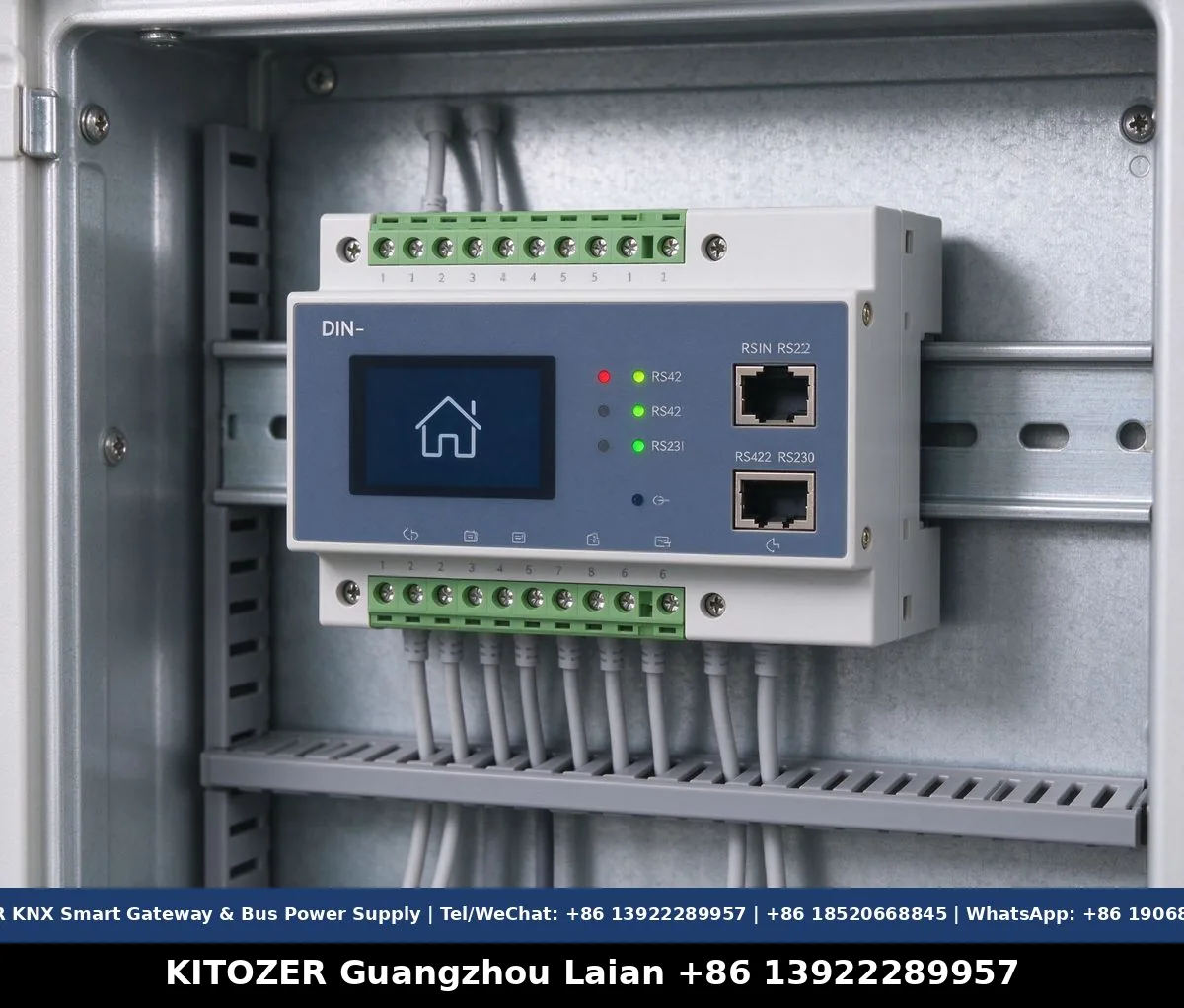
An edge computing gateway is the hardware device that makes this possible. It is a ruggedized, fanless or lightly cooled industrial computer, usually DIN-rail or wall mounted, with multiple serial ports (RS-485, RS-232), Ethernet ports, optional 4G/5G/Wi-Fi/cellular backhaul, and a real-time operating system or embedded Linux. Its job is to speak the languages of the physical world — Modbus RTU over a twisted pair, OPC UA over an industrial Ethernet, BACnet/IP over a building LAN, MQTT over the internet — translate them into a unified data model, run local logic and alarms, store data when the network is down, and push cleaned, structured data up to a SCADA, historian, MES, BI dashboard or cloud IoT platform.
The KITOZER edge computing gateway is designed around this role. It is not a generic office PC repackaged in a metal box; it is built for 24/7 operation in electrical cabinets, on pole-mounted enclosures, in unconditioned basements and on rooftop BMS plant rooms, with wide-temperature components, isolated serial and Ethernet ports, surge protection, and a software stack that covers protocol conversion, edge rules, local HMI views, alarm forwarding and cloud synchronization out of the box.
1.1 Edge vs. Cloud vs. On-Premise Server
Three architectural patterns coexist in modern industrial projects. Understanding where the edge gateway fits prevents over-engineering and under-engineering.
- Pure cloud: every sensor and controller sends data directly to a public cloud IoT platform. This works for greenfield, well-networked sites, but it is fragile on remote sites with intermittent links, and it forces the customer to pay for bandwidth and round-trip latency that real-time control cannot tolerate.
- Pure on-premise server: a local SCADA server, industrial PC or mini-PC sits in the site control room and talks to everything. This is reliable for a single large plant, but it does not scale to hundreds of geographically dispersed small sites, and it cannot survive a control-room power or network outage at remote locations.
- Edge + cloud hybrid: an edge computing gateway at each site handles real-time acquisition, local control, buffering and alarms; a regional or cloud platform handles aggregation, analytics, dashboards and long-term storage. This is the pattern KITOZER gateways are built for, and it is the default architecture recommended for multi-site energy, building, infrastructure and small-to-mid factory rollouts.
1.2 Key Terminology
A few terms appear throughout this guide and are worth defining up front.
- Northbound — the side of the gateway that faces the control room, SCADA, historian or cloud platform (usually Ethernet, MQTT, OPC UA client).
- Southbound — the side that faces the field devices (PLCs, meters, drives, sensors, BMS controllers), usually RS-485 Modbus RTU, RS-232, Ethernet Modbus TCP or S7.
- Protocol conversion / protocol gateway — translating one device language into another, for example Modbus RTU to MQTT JSON, or Siemens S7 to OPC UA.
- Edge rules / edge logic — if-this-then-that logic, threshold alarms, calculations and timers that run on the gateway itself, independent of cloud connectivity.
- Store-and-forward / edge buffering — the gateway caches time-series data in local flash or eMMC when the uplink is lost and replays it when the link returns, so the cloud historian has a continuous record.
- OPC UA — platform-independent, information-modeled industrial communication standard widely used in factories and for Industry 4.0.
- MQTT — lightweight publish/subscribe messaging protocol over TCP/TLS, the dominant northbound protocol for IoT cloud platforms.
- BACnet — building automation and control networking protocol, B-ASC and B-AAC device classes, used in HVAC, lighting and access integration.
- Modbus — the long-running, simple master/slave protocol over RTU (serial) or TCP (Ethernet), still the most common southbound protocol in energy and utility meters.
2. Why Industrial Teams Move Data Processing to the Edge
Customers ask us, during technical review, why they should add an edge gateway at all when they already have a PLC and a cloud dashboard. The answer is that PLCs are built to control machines in real time, not to clean, normalize and federate data across a heterogeneous fleet; and clouds are built to store and visualize, not to guarantee sub-second local reaction when the link drops. The edge gateway sits in the gap, and the value shows up in six concrete ways.
2.1 Lower Bandwidth Cost
A modern factory or building site can produce tens of thousands of raw register reads per minute — every Modbus holding register on every inverter, every BACnet analog input on every VAV box, every DNP3 point on every RTU. Shipping all of that raw to the cloud over a 4G or MPLS link costs money and saturates the pipe. The edge gateway reads raw points locally, filters noise, downsamples, computes derived metrics (energy per hour, run hours, cumulative kWh, alarm counters) and sends only the useful result upstream. Typical reduction in uplink volume is 70% to 95% compared with raw polling.
2.2 Deterministic Local Response
When a UPS battery string reaches an over-voltage threshold, or a pump’s bearing temperature climbs past the alarm setpoint, waiting three seconds for a cloud round-trip can be the difference between a safe shutdown and equipment damage. Edge rules run on the gateway in single-digit to tens of milliseconds. The gateway can trigger a local relay output, send an SMS/WeChat/email alarm, and still inform the cloud — all without waiting for a response from above.
2.3 Offline Resilience
Remote sites — solar farms, pump stations, telecom cabinets, weather stations, marina fuel terminals — lose connectivity regularly. An edge gateway with local storage keeps acquiring and logging data even when the WAN is down. When the link returns, it backfills the buffered records to the platform in order, with timestamps preserved. The customer’s dashboards and energy reports show a continuous history rather than holes.
2.4 Protocol Heterogeneity
A typical site in the real world is not built from one vendor. It may have Siemens PLCs on Profinet, Modbus energy meters on RS-485, a Johnson Controls or Siemens BMS on BACnet/IP, a third-party camera system on ONVIF, and a set of 4G sensors on MQTT. Instead of buying a bespoke integration for each pair, the edge gateway normalizes everything into a common tag model and exposes it once to the upper system.
2.5 Security Isolation
Directly exposing a plant’s control network to the internet is dangerous. An edge gateway acts as a controlled choke point: it initiates outbound TLS connections, it does not accept inbound unsolicited sessions, it can enforce a firewall whitelist, and it prevents IT network compromise from reaching the OT control devices. This segmentation is a core part of IEC 62443 and equivalent industrial security guidance.
2.6 Lower Total Cost of Ownership
When a customer deploys fifty pump stations, fifty gateways at, say, a few hundred dollars each, replace the need for fifty industrial PCs, fifty local servers, fifty engineering hours of bespoke integration, and a much larger cellular data bill. The edge gateway pays for itself in the first year on most multi-site rollouts.
3. KITOZER Edge Computing Gateway — Product Overview
The KITOZER edge computing gateway (also referred to as an industrial IoT edge processor, multi-protocol edge router, or OT/IT gateway) is a family of DIN-rail and panel-mount devices built for continuous operation in industrial and building environments. The family spans entry-level models for small sites (single serial, single Ethernet, lightweight MQTT uplink) through mid-tier models (multi-serial, dual Ethernet, 4G, local storage, rules engine) to high-performance models (multi-core ARM or x86, optional BACnet/IP server, container support, local HMI, larger local database). The same engineering platform underlies KITOZER KNX gateways, BMS integration gateways, energy data concentrators and cellular alarm routers, so customers who standardize on KITOZER get a consistent configuration tool, a common tag model and a single point of support.
3.1 Typical Hardware Topology
A standard KITOZER edge gateway is laid out as follows. On the southbound side it exposes isolated RS-485 and RS-232 terminals, plus 10/100/1000 Mbps Ethernet ports. On the northbound side it uses one of the Ethernet ports or an integrated 4G/5G modem to reach a local SCADA or a cloud MQTT broker. Power comes from a 9–36 VDC wide-range terminal, with optional 220 VAC power adapter. A hardware watchdog, isolated serial ports and surge-protected Ethernet magnetics are standard. The chassis is a metal DIN-rail enclosure, fanless, convection-cooled, suitable for installation inside an electrical panel between –20 °C and 70 °C ambient, depending on model.
3.2 What Comes in the Box
- Edge gateway unit, DIN-rail mounted, with terminal block connectors.
- Quick-start guide and a download link to the configuration tool (Windows-based, browser-based or both, by model).
- RS-485 / RS-232 screw terminals pre-installed on the removable plug.
- Antenna(s) for optional 4G/Wi-Fi models.
- Power supply adapter (for VAC models) or pigtail terminal (for VDC models).
- Warranty card and factory test report.
3.3 Design Highlights
- Fanless, no moving parts — no bearings to wear, no filters to clog, suitable for dusty industrial environments.
- Isolated I/O — serial and Ethernet ports are optically or galvanically isolated to prevent ground loops and surge damage common in long RS-485 runs.
- Wide power input — 9–36 VDC covers battery-backed, solar and 24 VDC control systems without an extra converter.
- Real-time clock with backup — timestamps data correctly even after a power outage.
- Local storage — eMMC or industrial microSD slot, typically 8 GB to 64 GB, sized for days to weeks of buffering.
- Watchdog — hardware reset if the application hangs, critical for unattended remote sites.
- Dual SIM — on cellular models, automatic failover between two carriers.
- DIN-rail or wall mount — fits standard EN 50022 rails and panel mounting feet.
4. Hardware Specifications Table
The table below gives a representative specification set across the KITOZER edge gateway family. Exact SKU-level parameters are confirmed at technical review against the approved order configuration; this table is a planning reference, not a contract specification.
| Category | Entry Model | Mid Model | High-Performance Model |
|---|---|---|---|
| CPU | Quad-core ARM Cortex-A7 @ 1 GHz | Quad-core ARM Cortex-A53 @ 1.2 GHz | Quad-core ARM Cortex-A72 @ 1.8 GHz or x86 low-power |
| RAM | 512 MB DDR3 | 1 GB DDR4 | 4 GB LPDDR4 |
| Storage | 8 GB eMMC + microSD slot | 16 GB eMMC + microSD slot | 32 GB eMMC + microSD slot |
| Southbound serial | 1 × RS-485 | 2 × RS-485 + 1 × RS-232 | 4 × RS-485 + 2 × RS-232 |
| Ethernet | 1 × 10/100 Mbps | 2 × 10/100/1000 Mbps | 2 × 10/100/1000 Mbps |
| Cellular | Optional 4G Cat.1 | Optional 4G Cat.4 + dual SIM | Optional 4G/5G + dual SIM |
| Wi-Fi / BLE | Optional 2.4 GHz | 2.4/5 GHz + BLE 4.2 | 2.4/5 GHz + BLE 5.0 |
| DI / DO | — | 2 × DI, 2 × DO (optional) | 4 × DI, 4 × DO (optional) |
| Power input | 9–36 VDC | 9–36 VDC / 220 VAC adapter | 9–36 VDC / 220 VAC adapter |
| Power consumption | Typical 3 W, max 5 W | Typical 5 W, max 8 W | Typical 9 W, max 15 W |
| Operating temperature | –20 °C to 70 °C | –35 °C to 75 °C | –40 °C to 85 °C |
| Storage temperature | –40 °C to 85 °C | –40 °C to 85 °C | –40 °C to 85 °C |
| Humidity | 5%–95% RH non-condensing | 5%–95% RH non-condensing | 5%–95% RH non-condensing |
| Mounting | DIN-rail | DIN-rail / wall | DIN-rail / wall |
| Isolation | Serial isolated 2.5 kV | Serial isolated 2.5 kV, Ethernet 1.5 kV | Serial isolated 3 kV, Ethernet 2 kV |
| Protection | ESD ±8 kV contact | ESD ±15 kV contact, surge 2 kV | ESD ±15 kV, surge 4 kV |
| Dimensions (mm) | 100 × 70 × 25 | 130 × 105 × 35 | 170 × 110 × 45 |
| Weight | ~350 g | ~700 g | ~1.2 kg |
| Certifications | CE, FCC (by order) | CE, FCC, RoHS | CE, FCC, RoHS, optional CCC |
Field device capacity is a planning figure rather than a hard number. On the mid model, a typical configuration acquires 100–300 tags at 1–10 second intervals, runs 20–50 edge rules, and pushes data to one or two northbound platforms. On the high-performance model, customers commonly run 500–1500 tags at sub-second intervals, with a local SQLite or Timeseries database and containerized edge services. Exact headroom is estimated during the technical review based on tag count, scan rate, protocol mix and northbound frequency.
5. Supported Industrial Protocols: Modbus, OPC UA, MQTT, BACnet and More
Protocol coverage is the single most important technical decision in an edge gateway project. A gateway that cannot speak the customer’s field protocol on day one becomes a doorstop. The KITOZER edge gateway family is pre-licensed for the protocols listed below; custom drivers for less common protocols can be developed on request, with lead time confirmed during engineering review.
5.1 Modbus RTU and Modbus TCP
Modbus is the workhorse of energy metering, UPS systems, solar inverters, water pumps, environmental sensors and most Chinese-built PLCs. The gateway supports Modbus RTU master over RS-485 (up to 32 slaves per bus at standard baud, up to 256 with repeaters) and Modbus TCP client/master over Ethernet. It also acts as a Modbus TCP server, so an upstream SCADA can read the gateway’s unified tag table as if it were a single Modbus device. Features include automatic baud-rate detection, per-register scaling and offset, bit-level mapping for coils and discrete inputs, and batch read grouping to minimize serial traffic.
5.2 OPC UA
OPC UA is the de facto standard for modern factory and machine-to-machine integration, and it is required by many Industry 4.0, automotive and food-and-beverage tenders. The KITOZER edge gateway supports OPC UA client (to read Siemens, Beckhoff, Rockwell and other OPC UA servers on the plant network) and OPC UA server (to expose the normalized tag model to a higher-level MES or data platform). Security modes include None, Sign, and Sign&Encrypt, with user/password and certificate-based authentication. Information-model mapping is supported for common companion specifications such as those for machinery and energy.
5.3 MQTT and MQTT-Sparkplug
MQTT is the default northbound protocol for cloud IoT platforms (public cloud IoT hubs, private broker deployments and on-premise MQTT brokers). The gateway supports MQTT 3.1.1 and MQTT 5.0 over TLS 1.2/1.3, with username/password, client certificates and Last-Will-Testament. MQTT-Sparkplug B payloads are supported on request, which gives the cloud platform a unified namespace, birth/death certificates and birth messages for automatic fleet management. Customers commonly point KITOZER gateways to their own MQTT broker, to a commercial IoT platform, or to the KITOZER cloud portal for small pilots.
5.4 BACnet/IP and BACnet MS/TP
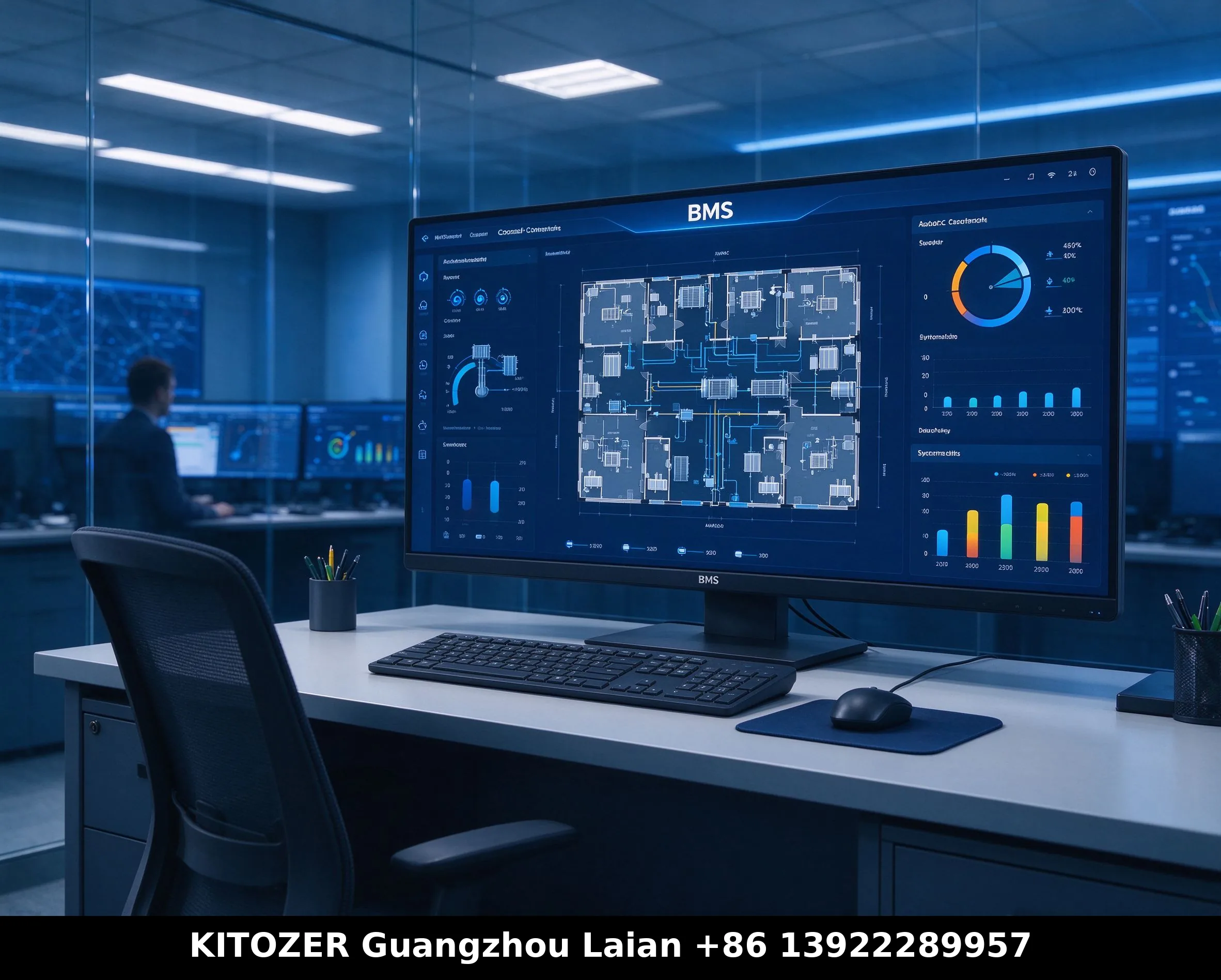
Building automation projects (HVAC, lighting, access, fire integration) rely on BACnet. The gateway acts as a BACnet/IP client to read trend logs and objects from Johnson Controls, Siemens, Honeywell, Trane, Distech and other BMS controllers, and as a BACnet/IP server (B-AAC or B-ASC class, by order) to expose KITOZER tags to the native BMS. BACnet MS/TP over RS-485 is supported for legacy VAV boxes, rooftop units and fan-coil controllers. COV (Change of Value) subscriptions and calendar/schedule objects are supported where the upstream device allows them.
5.5 Siemens S7, Mitsubishi MC and Other PLC Protocols
For factory customers, the gateway supports Siemens S7 protocol (S7-200 SMART, S7-300/400, S7-1200/1500) over ISO-on-TCP, plus Mitsubishi MC protocol (Qna series, FX via adapter), Modbus TCP-emulating PLCs, and FINS for Omron on request. This means the gateway can read PLC tags directly without the customer needing to install a separate OPC server on a Windows PC. Read/write access is configurable per tag, and write commands from the cloud are gated by an explicit allow-list and a confirm-timeout to prevent accidental remote writes to control loops.
5.6 DL/T645, IEC 60870-5-104, DNP3 and Utility Protocols
Energy, photovoltaic, microgrid and substation projects often use utility-grade protocols. The gateway supports DL/T645-1997 and DL/T645-2007 for Chinese-style multifunction power meters, IEC 60870-5-104 client/server for substation telecontrol, and DNP3 master/outstation on request. These protocols are commonly used in photovoltaic power plants, energy storage systems, battery management systems and rural power distribution automation.
5.7 HTTP REST, Webhook, Email, SMS and WeChat Alarms
Away from industrial protocols, the gateway exposes a northbound REST API for custom integrations, can POST JSON to a webhook on alarm, and can send email, SMS (via a cellular modem or third-party SMS gateway) and WeChat Work / DingTalk / Feishu robot messages for alarm notification. This is what makes the gateway useful as a standalone alarm concentrator even when there is no full cloud platform in place.
5.8 Protocol Matrix Summary
| Protocol | Role | Physical Layer | Typical Use |
|---|---|---|---|
| Modbus RTU | Master | RS-485 | Energy meters, UPS, inverters, pumps |
| Modbus TCP | Client / Server | Ethernet | PLCs, VFDs, remote IO |
| OPC UA | Client / Server | Ethernet, TLS | Factory machines, MES |
| MQTT 3.1.1 / 5.0 | Publisher | Ethernet / 4G, TLS | Cloud IoT platform |
| MQTT-Sparkplug B | Subscriber / Publisher | Ethernet / 4G | Fleet management |
| BACnet/IP | Client / Server | Ethernet | BMS, HVAC |
| BACnet MS/TP | Client | RS-485 | VAV, fan coil, RTU |
| Siemens S7 | Client | Ethernet | S7-200 SMART, S7-1200/1500 |
| Mitsubishi MC | Client | Ethernet | Qna, FX |
| FINS (Omron) | Client (by order) | Ethernet | Omron PLCs |
| DL/T645-2007 | Master | RS-485 | Chinese power meters |
| IEC 60870-5-104 | Client / Server | Ethernet | Substation, microgrid |
| DNP3 | Master / Outstation | Ethernet / Serial | Power distribution |
| HTTP REST / Webhook | Client / Server | Ethernet | Custom integration |
| SNMP v2c/v3 | Agent | Ethernet | IT / network integration |
6. Edge Software: Data Acquisition, Preprocessing, Local Logic and Cloud Upload
Hardware is only half the story; the edge software stack is what customers actually live with day to day. The KITOZER edge gateway runs an embedded Linux distribution with a hardened, read-only root filesystem on many models, and a set of containerized or native services that cover the full data lifecycle.
6.1 Device Driver Framework
Field devices are configured through a web-based or Windows configuration tool. Engineers pick a device template (e.g. a specific brand of PV inverter, a specific energy meter, a specific BACnet thermostat), the tool loads its register map automatically, and the engineer maps the points they care about to friendly tag names. Templates for common devices are pre-loaded; custom register maps can be uploaded as CSV. The tool groups points into scan classes (fast 200 ms, medium 1 s, slow 10 s) so the serial bus is not overwhelmed by polling low-priority points at the same rate as safety-critical ones.
6.2 Data Preprocessing
Raw register values are rarely what the cloud needs. The edge engine performs:
- Scaling and offset — converting a 16-bit raw register into a physical unit (volts, amps, °C, kWh) using device formulas.
- Unit conversion — imperial to metric, kW to MW, bar to kPa.
- Engineering unit range clamping — discarding out-of-range readings that indicate a sensor fault rather than a real value.
- Deadband filtering — not sending a new value to the cloud unless it has changed by more than a defined delta or for more than a defined interval.
- Derivations — computing energy flow, power factor, runtime, cumulative totals, rate-of-change, and virtual tags from raw inputs.
- Alarm debouncing — requiring a threshold to persist for N seconds before raising an alarm, to prevent chatter from noisy sensors.
- Quality tagging — every value carries a quality flag (good, bad, uncertain, stale) so the cloud knows not to trust a reading.
6.3 Local Rules Engine
The rules engine runs on the gateway itself. Typical rule types include threshold alarms (if tank level > 90% for 30 s then alarm), interlocks (if pump A fails then start pump B and notify), schedules (turn on lighting at 18:30 weekdays), and calculations (sum of three feeders equals total). Rules are edited in a point-and-click editor or, on high-performance models, via a small script. Because the rules run locally, they work even when the cloud is unreachable.
6.4 Local Storage and Store-and-Forward
Every good value is written to a local database (SQLite or embedded time-series) with configurable retention. On link failure, the buffer grows; on link recovery, records are replayed in chronological order, with original timestamps preserved. Customers typically size the buffer to retain 7–30 days of data at the planned tag rate, so even a week-long cellular outage does not create a gap in the historian.
6.5 Local HMI and Dashboards
On mid and high-performance models, the gateway hosts a lightweight web HMI that operators can reach on the local VLAN. This is useful for commissioning, for troubleshooting on-site with a laptop, and for small sites that do not need a full SCADA. Dashboards show live values, trends, alarm lists and device status, and can be branded with the customer’s logo.
6.6 Remote Management and Fleet OTA
For fleets of gateways, the KITOZER management portal provides device health view (CPU, memory, temperature, link quality, cellular signal), configuration backup and restore, firmware over-the-air updates, and remote shell (VPN-brokered, not direct open port). A single engineer can manage hundreds of remote gateways from one desk, which is a major labor saving on multi-site rollouts.
7. Selection Guide: How to Choose the Right Edge Gateway
Choosing the right model is a trade-off between tag count, scan rate, protocol mix, environmental requirements and budget. The following checklist walks through the questions a competent engineer should answer before placing an order.
7.1 Count the Tags and the Scan Rate
List every data point the gateway must acquire — every meter register, every PLC tag, every BACnet object, every alarm. Multiply by the required scan interval. A site with 20 tags at 10 s intervals is trivially handled by an entry model. A site with 800 tags at 500 ms intervals needs the high-performance model and careful bus design. As a rule of thumb, budget 30% headroom for future expansion; edge gateways are cheap relative to the cost of a truck roll to swap one out later.
7.2 List the Protocols on Day One and Year Three
It is not enough to support the protocols the customer has today; the gateway should also support the protocols the customer is likely to add in the next three years. A building owner today may have BACnet; next year they may add an energy management system that needs Modbus TCP to the gateway, and a PV plant that needs DL/T645. Choose a model whose protocol roadmap covers these.
7.3 Decide the Uplink
If the site has reliable Ethernet, a wired uplink is the cheapest and most robust. If it is remote or mobile, choose cellular (4G Cat.4 is usually enough for telemetry; 5G only where video or large firmware transfer is planned). Dual SIM with automatic APN failover is strongly recommended for unmanned sites. Do not assume a public 4G signal; check signal strength on site before ordering, and choose an antenna with adequate gain if the enclosure is metal.
7.4 Match the Environmental Envelope
An office-rated PC will fail in a rooftop cabinet in summer. Choose the operating-temperature range that matches the worst-case ambient inside the enclosure, including solar loading. If the gateway will be mounted next to VFDs or contactors, choose the model with stronger isolation and surge protection. If the site is dusty, fanless is mandatory.
7.5 Plan for Cybersecurity from Day One
Pick a model that supports TLS 1.2+ on northbound, certificate-based authentication, local user accounts with role-based access, and signed firmware updates. Avoid gateways that require opening inbound ports on the customer’s firewall; modern edge devices should initiate outbound TLS sessions.
7.6 Budget and Reference Price Tier
Roughly, entry models sit in the low hundreds of US dollars, mid models in the mid hundreds, and high-performance models in the high hundreds to low thousands, depending on cellular, BACnet server license and local HMI. See the price reference section below. Add antenna, power supply, DIN-rail mounting kit and engineering commissioning when budgeting a project.
7.7 Selection Quick Matrix
| If your project looks like… | Suggested model tier |
|---|---|
| Small energy monitor, 20–50 Modbus meters, single cloud MQTT, reliable Ethernet | Entry model |
| Building BMS integration, 100–300 tags, BACnet + Modbus, local HMI, 4G backup | Mid model |
| Multi-line factory, OPC UA + S7 + MQTT, 500+ tags, sub-second scan, local rules | High-performance model |
| Remote pump station / solar site, cellular-only, offline buffering, SMS alarms | Mid model with dual SIM |
| Large microgrid / substation, IEC 104, DNP3, utility-grade security | High-performance model, with utility protocol license |
8. Deployment Scenarios and Topologies
The same gateway platform is deployed in many shapes. The following sections describe the most common topologies we see in real projects.
8.1 Single Site, Single Gateway to Cloud
The simplest topology: one gateway in the site’s electrical panel reads all local Modbus and BACnet devices, runs local alarms, and pushes data over 4G or Ethernet to a cloud MQTT broker. Used for small retail stores, branch offices, standalone pump stations and single PV arrays. The cloud platform provides dashboards, reports and alerts.
8.2 Multi-Site Federation to a Regional Platform
Typical for chains with dozens or hundreds of similar sites (convenience stores, battery-swap stations, telecom cabinets, water pumping stations). Each site has one gateway; each gateway pushes to a regional broker; a central web application federates the fleet. The central application provides comparison across sites, aggregated energy reports, and one alarm inbox for the operations team. This is the topology KITOZER gateways most often support.
8.3 On-Premise SCADA with Edge Concentrators
For large factories or campuses with a local control room, gateways are installed at each process area and report to an on-premise SCADA or historian over Modbus TCP or OPC UA. The gateways handle protocol conversion and local alarms; the SCADA handles operator visualization, reporting and archiving. The cloud, if any, is an optional secondary destination.
8.4 Edge-as-a-Service for OEMs
Equipment builders (PV inverters, chiller makers, elevator vendors, packaging machine OEMs) embed KITOZER gateways in their machines to deliver remote monitoring to their own end customers. The gateway becomes part of the machine’s bill of materials, and the OEM’s cloud platform becomes the northbound destination. This model simplifies aftermarket service and predictive maintenance programs.
8.5 Network Diagram in Words
A typical multi-site topology, described for clarity: on the south side, RS-485 bus A carries 8 Modbus energy meters and 2 environmental sensors at 9600 bps; RS-485 bus B carries 16 BACnet MS/TP VAV controllers; Ethernet 1 connects to the local building LAN and reaches a BACnet/IP BMS controller. On the north side, Ethernet 2 (or the 4G modem) initiates an outbound TLS MQTT connection to a regional broker. A small local HMI on the gateway’s IP is available to commissioning engineers on the VLAN. No inbound ports are opened on the customer firewall.
9. Cybersecurity and Network Hardening
Industrial edge devices sit on the boundary between OT and IT, and they are a high-value target. The following practices are built into the KITOZER gateway and recommended for every deployment.
9.1 Defense in Depth
No single control is sufficient. We layer: physical security (locked panel), network segmentation (gateway on its own VLAN), authentication (strong passwords, role-based accounts), transport encryption (TLS 1.2+), application authorization (write-command allow-list), and signed firmware updates. This layered approach is consistent with IEC 62443-3-3 and IEC 62443-4-2 guidance for industrial automation control systems.
9.2 Outbound-Only Design
The gateway initiates all northbound connections. It does not require inbound ports to be opened on the customer firewall. This dramatically reduces the attack surface: an internet attacker cannot reach the gateway directly, because the gateway is the one that reaches out. Remote engineering access goes through a VPN broker or a jump host, never a port-forward.
9.3 Authentication and Authorization
Web UI access is protected by a per-device administrator password, with separate read-only and operator accounts. On high-performance models, role-based access control restricts which users can edit rules, issue write commands, or change network settings. Write commands to field devices are gated by an explicit allow-list: only tags on the list can be written from the cloud, and every write is logged.
9.4 Data Integrity and Confidentiality
All northbound MQTT and OPC UA traffic uses TLS. Credentials can be stored as X.509 client certificates rather than passwords, which is recommended for fleets. Local logs are tamper-evident; configuration changes require re-authentication.
9.5 Firmware Updates
Firmware updates are signed and verified before installation. The gateway keeps a rollback copy so a bad update does not brick the device. Updates can be staged as pilot-then-fleet: first ten gateways, observe, then the rest.
9.6 Common Hardening Checklist
- Change the default password on every device before deployment.
- Disable unused services (Telnet, FTP, unused HTTP ports).
- Place the gateway on a dedicated VLAN, not on the general office LAN.
- Restrict outbound destinations to the broker/hostnames the gateway actually needs.
- Enable automatic log forwarding to a SIEM on larger sites.
- Back up the configuration before every firmware update.
- Physically lock the panel where the gateway is mounted.
10. Installation, Wiring and Commissioning
Even the best gateway fails in the field if it is wired badly. This section covers the practical steps that separate a clean commissioning from a multi-day debugging session.
10.1 Mechanical Installation
Mount the gateway on a standard DIN rail inside a ventilated electrical panel. Leave at least 50 mm above and below for airflow. Do not mount it directly next to VFDs, contactors or transformers without isolating them; the radiated noise can corrupt serial communication. If the panel is outdoors, put the gateway in an air-conditioned or sun-shaded inner enclosure, and size the panel for worst-case summer ambient.
10.2 Power Wiring
Use a separate 24 VDC power supply for the gateway, sized with 50% headroom. Do not share the supply with VFDs or relays that cause large inrush spikes. Ground the chassis to the panel earth bar with a short, thick wire. For battery-backed or solar sites, confirm the wide-range VDC input covers the battery’s charge and float range.
10.3 RS-485 Bus Wiring
Use a twisted-pair, shielded cable (Belden 3105A or equivalent) for the RS-485 bus. Daisy-chain devices; do not star. Keep the bus under 1200 m, terminate with 120 Ω at both ends. Connect the shield at one end only to avoid ground loops. Label every device with its Modbus address, baud rate and parity; the time saved during commissioning is enormous. A common cause of flaky communication is a missing or double termination resistor.
10.4 Ethernet and Uplink
Use industrial-grade patch cables for the internal LAN. If the gateway is on a separate OT VLAN, configure the managed switch port as an access port on that VLAN. For cellular models, screw in the antennas before powering on, and test signal strength with the gateway’s built-in modem diagnostics before closing the panel.
10.5 Commissioning Sequence
- Power on the gateway and confirm it boots to the configured IP (or to the default 192.168.1.1 for first login).
- Log in with the default credentials, change the admin password immediately.
- Update the firmware to the latest stable release.
- Configure network settings (static IP, gateway, DNS, NTP).
- Add field devices one by one, starting with one meter, confirming the reading, then adding the next. Do not configure the whole bus at once.
- Confirm serial polling rates and that no device is timing out.
- Configure northbound connection (MQTT broker, TLS, credentials) and confirm the cloud sees birth messages.
- Configure local rules and alarm destinations (email, SMS, WeChat).
- Test store-and-forward: pull the network cable for 30 minutes, reconnect, confirm the cloud backfills the missing data.
- Back up the configuration and store the file in the project archive.
11. Operation, Maintenance and Troubleshooting
11.1 Routine Maintenance
Edge gateways are low-maintenance devices, but they are not no-maintenance. Recommended routine checks, performed every six months on unattended sites:
- Check CPU, memory and temperature trends in the management portal.
- Review buffer depth; if the buffer is regularly non-empty, the uplink bandwidth is undersized.
- Check cellular signal and data usage.
- Confirm NTP sync; drifted clocks corrupt time-series data.
- Review alarm log for repeated alarms that should be tuned out (chatter) or for missed alarms that should be added.
- Verify firmware version across the fleet; stage updates only during maintenance windows.
- Test a local alarm (simulate a threshold) to confirm the notification path still works.
11.2 Common Faults and Remedies
| Symptom | Likely cause | Remedy |
|---|---|---|
| Serial devices not responding | Wrong baud / parity, missing termination, A/B reversed | Verify device settings, add 120 Ω terminator, swap A/B |
| Intermittent comms | Ground loop, noise from VFD, long bus | Isolate shield, add repeater, move bus away from power cables |
| No cloud data | Wrong broker credentials, firewall, DNS | Check broker logs, open outbound port 8883, test with MQTT client |
| Buffered data not backfilling | Timestamp skew, queue full, backpressure | Check NTP, clear old buffer, increase cloud ingestion rate |
| Random reboots | Undervoltage, over-temperature, bad power supply | Measure input voltage, check panel temperature, replace PSU |
| High CPU | Too many fast scan points, buggy driver | Reclassify slow points, upgrade firmware, contact support |
| Alarms not received | Notification service down, SMTP/SMS credentials expired | Test SMTP, renew SMS gateway API key, check LWT subscription |
11.3 Firmware and Configuration Backup
Before every firmware upgrade, export the configuration and save it to the project archive. After upgrade, compare the running configuration with the export to confirm nothing was reset. Gateways that fail to boot after an upgrade can be recovered via the serial console; keep a USB-to-serial cable in the commissioning kit.
12. Typical Applications
12.1 Smart Factories and Industry 4.0
Factories use edge gateways to connect legacy PLCs (S7-200, S7-300, Mitsubishi, Modbus TCP) to a new MES or data lake, without ripping out the existing control layer. The gateway reads OEE counters, machine status, energy per shift and quality data, runs local alarms for downtime, and pushes cleaned data to the cloud for analytics. This is the lowest-cost path to a connected factory.
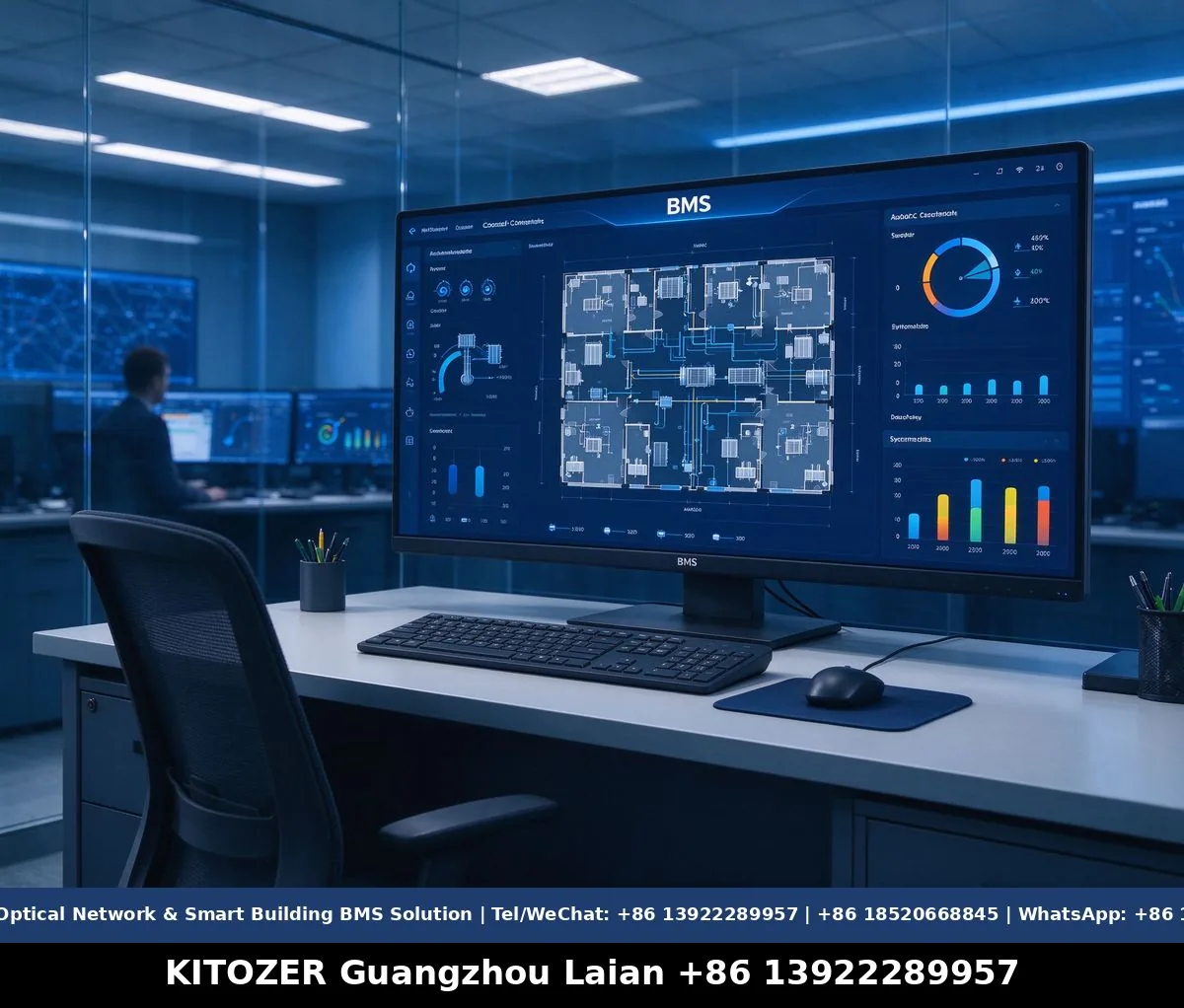
12.2 Smart Buildings and BMS Integration
Building owners integrate HVAC, lighting, elevators, energy meters and access systems onto a single dashboard. The gateway speaks BACnet/IP and Modbus, exposes a unified view to the building operator, and pushes monthly energy reports to the property manager. Sub-metering — measuring tenant-by-tenant energy use — is a common driver.
12.3 Photovoltaic Plants and Energy Storage
PV inverters and battery management systems typically speak Modbus or SunSpec. The gateway aggregates string-level data, tracks yield, alarms on underperformance, and reports to the plant controller or to a cloud monitoring platform. For off-grid and microgrid sites, the gateway runs local logic to switch loads when battery state of charge drops below a threshold.
12.4 Water and Wastewater Pump Stations
Remote pump stations have no operator on site. The gateway monitors pump runtime, wet-well level, power quality and VFD status; it alarms on high level, seal failure or power loss; it starts and stops pumps on schedule or on level thresholds; and it reports to a central SCADA over 4G. Store-and-forward means the historian still has a record even when the cellular link drops in a storm.
12.5 Telecom Cabinets and Remote Infrastructure
Telecom operators use edge gateways in street cabinets to monitor temperature, door contact, mains status, battery voltage and smoke. Alarms go to the network operations center; local logic can shut down non-critical loads on battery to extend backup time.
12.6 Cold Chain and Refrigerated Logistics
Trucks, reefers and cold rooms need continuous temperature logging. The gateway reads temperature and humidity sensors over RS-485, logs to local storage, alarms on excursion, and reports to a compliance platform. This is a common application in food, pharmaceutical and vaccine logistics.
12.7 Environmental Monitoring
Air quality, water quality and weather stations use the gateway to aggregate sensor data (particulates, NOx, SO₂, pH, turbidity, rainfall) and push it to a municipal or environmental dashboard. Solar-powered sites are common, and the wide-voltage input and low power draw are essential.
12.8 Data Centers and Edge Micro-Modules
In small edge data centers and micro-module rooms, the gateway monitors rack PDU power, in-row cooling, environmental sensors, smoke and access, and forwards to the DCIM platform. It integrates cleanly with KITOZER micro-module cabinets, smart PDUs and environmental controllers.
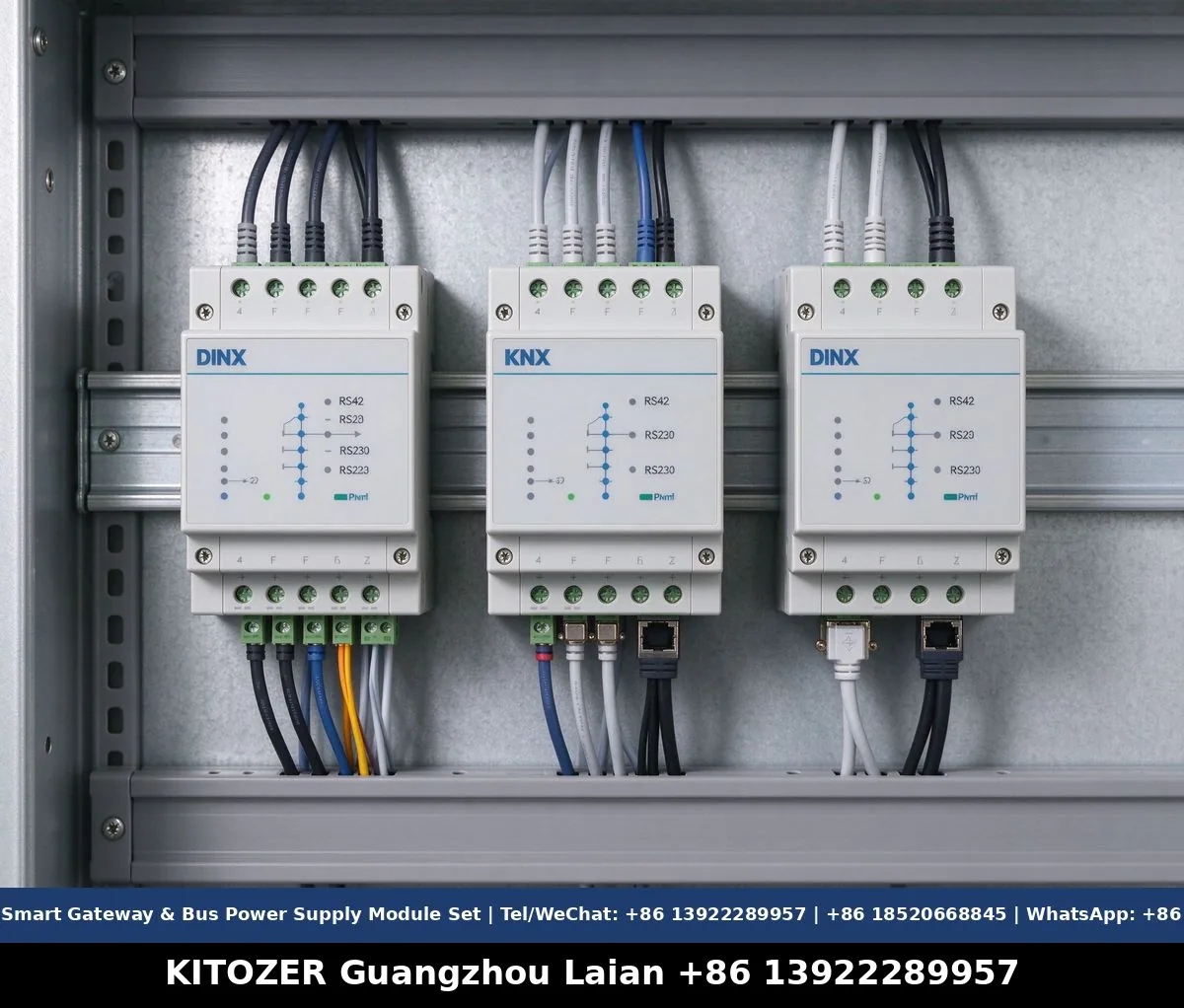
13. Data Architecture: From Field Register to Cloud Dashboard
To understand how a KITOZER edge gateway earns its place in a real system, it helps to trace one value from a physical sensor all the way to a dashboard tile. This section follows a Modbus energy meter reading as it moves through the gateway, and explains each transformation along the way.
13.1 Step One: Southbound Polling
The gateway’s Modbus master sends a function code 03 read-holding-registers request to the meter at address 1, asking for registers 0–9 (voltage, current, power, power factor, frequency, cumulative energy). The meter replies in 50–200 ms. The gateway parses the response into raw integer values — for example, voltage = 2231 (meaning 223.1 V after a 0.1 scaling), current = 124 (meaning 12.4 A after 0.1 scaling), cumulative energy = 1847295 kWh (scaled by 0.01). The gateway stamps the reading with its local RTC time and a quality flag of good.
13.2 Step Two: Tag Model and Scaling
Internally the gateway holds a tag table. Each tag has a friendly name (e.g. feeder_01.voltage), a unit (V), a scale (0.1), an offset (0), an engineering range (0–300), a source protocol (Modbus RTU), a source device (meter_addr_1), and a scan class (slow = 5 s). The raw 2231 becomes the engineering value 223.1 V. If the next reading comes back as 65535 (the meter’s fault code), the gateway flags it uncertain and does not overwrite the last good value, so the dashboard does not show a nonsense spike.
13.3 Step Three: Edge Rules and Derivations
A rule says: if feeder_01.voltage is above 253 V or below 198 V for 10 seconds, raise an alarm with severity high. Another derivation computes feeder_01.power_kw as voltage × current × power factor / 1000. A third computes feeder_01.energy_delta_kwh as the difference between consecutive cumulative energy samples, integrated over the hour to produce hourly energy. These derived values are themselves tags and become available to the rest of the system.
13.4 Step Four: Local Storage
Every good value, and every alarm, is written to the local SQLite or time-series database on the eMMC. The retention policy keeps 30 days at full resolution and 12 months at 1-hour resolution. This means even if the cloud is offline for a week, the on-site engineer can open the local HMI and still see trends, and the cloud will catch up on reconnection.
13.5 Step Five: Northbound Publishing
The gateway maintains an outbound TLS MQTT connection to the customer’s broker. By default it publishes on change-of-value (with a minimum interval of 10 s and a deadband of 0.5%) rather than on every scan, which keeps the uplink lean. The payload is a JSON document with tag name, value, unit, quality and timestamp. At the top of every hour it publishes a summary message with hourly aggregates. On alarm, it publishes an alarm message immediately, and the broker routes it to email, SMS and on-call tools.
13.6 Step Six: Cloud Ingestion and Visualization
The cloud platform ingests the MQTT stream, writes it into a historian, and renders dashboards. Operators see live voltage, a 24-hour energy trend, and a list of open alarms. The historian is the system of record for compliance reporting; the local gateway is the system of record for offline operation. The two reconcile automatically.
14. Modbus in Depth: Registers, Function Codes and Bus Design
Modbus is simple, but simple does not mean foolproof. Roughly half of the integration problems we see in the field come from avoidable Modbus design mistakes. This section collects the practical rules.
14.1 Register Types
- Coils (0x, read/write, 1 bit) — digital outputs, used to command relays, motor starters and valve open/close.
- Discrete inputs (1x, read-only, 1 bit) — digital inputs, door contacts, push buttons, run-status feedback.
- Input registers (3x, read-only, 16-bit) — analog measurements, voltage, current, temperature.
- Holding registers (4x, read/write, 16-bit) — setpoints, energy totals, configuration parameters.
Most energy meters expose measurements in input registers and cumulative energy in holding registers. Most VFDs expose frequency reference in a holding register and output frequency in an input register. The KITOZER configuration tool lets you map any of these without writing code.
14.2 Function Codes Commonly Used
| FC | Name | Direction | Typical use |
|---|---|---|---|
| 01 | Read coils | Read | Check output relay status |
| 02 | Read discrete inputs | Read | Read digital sensor states |
| 03 | Read holding registers | Read | Read energy, setpoints |
| 04 | Read input registers | Read | Read voltage, current, temperature |
| 05 | Write single coil | Write | Start/stop a motor |
| 06 | Write single register | Write | Set a frequency reference |
| 16 | Write multiple registers | Write | Write a block of setpoints |
14.3 Scanning Strategy
Do not poll every point at the same rate. Group points into scan classes: fast (200–500 ms) for closed-loop and safety-related values, medium (1–2 s) for supervisory values, slow (5–30 s) for energy totals and temperatures. On a loaded RS-485 bus, the KITOZER engine batches adjacent registers into one read request, which can cut bus traffic by an order of magnitude. If you have 32 devices on a bus, expect each poll cycle to take 1–3 seconds at 9600 bps; plan scan rates accordingly.
14.4 Bus Wiring Rules
- Use shielded twisted pair; keep the bus under 1200 m (longer is possible with repeaters or at lower baud).
- Daisy-chain; do not star.
- Terminate both ends with 120 Ω.
- Ground the shield at one end only.
- Keep the bus away from VFD output cables and contactor coils.
- Label every device with address, baud, parity and stop bits before commissioning.
- Use isolated repeaters when branching or extending.
15. OPC UA in Depth: Information Model, Security and Subscription
OPC UA is more than a protocol; it is an information model. Where Modbus asks “read register 40001”, OPC UA asks “give me the machine’s temperature” and carries semantics, units and alarm metadata with the value. This makes it the preferred northbound for factories and the preferred southbound when modern PLCs are involved.
15.1 Node IDs and Address Space
Every OPC UA server exposes an address space of nodes: objects, variables, methods and types. The KITOZER edge gateway, as an OPC UA server, exposes its normalized tag model as a hierarchical address space under a single root object (e.g. KITOZER/Site01/Feeder01/Voltage). A client browsing the server sees a tree that mirrors the physical site structure, which is much friendlier than a flat list of 500 Modbus registers.
15.2 Security Policies
| Security mode | Sign | Encrypt | Use case |
|---|---|---|---|
| None | No | No | Lab only, never production |
| Sign | Yes | No | Trusted LAN, performance sensitive |
| Sign&Encrypt | Yes | Yes | Recommended default, especially over routed networks |
Authentication is anonymous, username/password, or X.509 certificate. For fleet deployments, certificate-based authentication with a per-site certificate signed by a customer PKI is the most maintainable.
15.3 Subscriptions and Monitored Items
Rather than asking a client to poll, OPC UA uses subscriptions. The gateway, as a server, pushes a notification to the client when a monitored item changes value beyond a specified deadband, or at a specified publishing interval. This is far more efficient than repeated reads and is the mechanism by which a central MES or data platform gets real-time updates without hammering the edge.
16. MQTT in Depth: Topics, QoS, Payload Design
MQTT is the dominant northbound protocol for IoT. A few design choices make a huge difference in maintainability.
16.1 Topic Naming Convention
A flat topic namespace grows into chaos. We recommend a hierarchical namespace: site/{site_id}/area/{area_id}/device/{device_id}/tag/{tag_name} for telemetry, site/{site_id}/event/alarm for alarms, site/{site_id}/event/birth for birth messages, and site/{site_id}/event/death for last-will. This lets a customer subscribe to site/+/area/+/device/+/tag/# to ingest everything, or to site/site01/# to ingest one site, without changing device configuration. With MQTT-Sparkplug B, the namespace and birth/death semantics are standardized, which saves integration effort.
16.2 QoS and Retain
Telemetry is usually QoS 0 or 1 (at most once / at least once). Alarms are QoS 1 or 2. Birth messages are retained, so a new subscriber immediately sees the last known state of every device. Death messages are also retained, so a subscriber sees when a device went offline. Do not retain high-frequency telemetry; it will overload the broker.
16.3 Payload Design
Use a small JSON envelope: {"ts": 1710000000000, "v": 223.1, "u": "V", "q": "good"}. Sending a timestamp with every value removes clock-skew arguments between the site and the cloud. Include the quality flag so the cloud can decide whether to trust the value. Avoid sending a separate message per tag; batch related tags into one message where the broker allows it, to reduce overhead.
16.4 TLS and Authentication
Always use TLS on port 8883. Use username/password for small pilots; use client certificates for fleets. Configure a strong Last-Will-Testament so the cloud knows within seconds when the gateway loses connection. Do not use unencrypted port 1883 outside a lab.
17. BACnet in Depth: Objects, COV and Integration Patterns
Building automation projects live or die by BACnet. The KITOZER edge gateway supports both client and server roles, which makes it useful in two opposite directions.
17.1 BACnet Object Model
Every physical point in a BACnet system is represented as an object: analog input (AI), analog output (AO), analog value (AV), binary input (BI), binary output (BO), binary value (BV), and schedule, trend-log and calendar objects. The gateway reads these objects from a BMS controller and exposes them as unified tags. Conversely, when the gateway acts as a BACnet server, it exposes its own tags as AI/AV/BI/BV objects so the native BMS can read them as if they were local points.
17.2 COV Subscriptions
Rather than polling every object every second, BACnet supports Change of Value (COV) subscriptions. The gateway subscribes to the objects it cares about and receives a notification when they change beyond a specified deadband. This dramatically reduces building-LAN traffic, especially on large campuses with thousands of VAV boxes. Not all BMS devices support COV; on those, the gateway falls back to periodic polling at a slow scan rate.
17.3 Integration Patterns
-
Gateway as BACnet client to existing BMS. The gateway reads trend logs and live values from the BMS and pushes them to an energy or sustainability cloud. The BMS is untouched. This is the most common pattern for building owners who want cloud reporting without disturbing the controls contractor.
-
Gateway as BACnet server for existing BMS. The gateway reads third-party Modbus meters, environmental sensors and PV inverters, and exposes them as BACnet objects on the building LAN. The controls contractor integrates them into the BMS graphics as native points. This avoids writing custom BACnet drivers.
-
Gateway as BACnet MS/TP master. For legacy VAV boxes and fan-coil units on RS-485 MS/TP, the gateway polls them directly and bridges to BACnet/IP or MQTT.
18. Application Deep Dive: Energy Storage and Battery Management
Energy storage systems (ESS) are one of the fastest-growing edge gateway applications. A typical ESS cabinet has a battery management system (BMS) on CAN or Modbus, a power conversion system (PCS) on Modbus TCP, a thermal management unit on RS-485, and a fire detection loop on dry contacts. The edge gateway ties them together.
18.1 What the Gateway Monitors
- BMS: state of charge (SOC), state of health (SOH), cell voltage min/max, cell temperature min/max, insulation resistance, fault codes.
- PCS: active and reactive power, grid voltage and frequency, charge/discharge mode, fault codes.
- Thermal: chiller status, ambient and liquid loop temperatures, coolant pressure.
- Auxiliary: door contact, smoke detector, water leak, ambient humidity.
18.2 Local Logic
The gateway runs protection interlocks at the edge: if cell temperature exceeds a threshold, it commands the PCS to derate; if smoke is detected, it raises a critical alarm and commands isolation; if grid frequency goes outside window, it follows the grid-code protection logic. These actions happen in tens to hundreds of milliseconds, faster than a cloud round-trip would allow.
18.3 Northbound
For grid-scale ESS, the gateway typically speaks IEC 60870-5-104 to the plant controller and MQTT to the cloud monitoring platform. For C&I storage, MQTT to a cloud EMS platform is common. The gateway also computes daily charge/discharge energy, round-trip efficiency and degradation rate, which are the KPIs the asset owner cares about.
19. Application Deep Dive: Photovoltaic Plants
Solar plants range from rooftop commercial systems (a few hundred kW) to utility-scale farms (hundreds of MW). The edge gateway plays a different role at each scale.
19.1 Rooftop and C&I PV
On a commercial rooftop, the gateway reads string inverters (Modbus, SunSpec), the plant meter (DL/T645 or Modbus), and environmental sensors (irradiance, module temperature). It computes performance ratio, alarms on underperformance versus expected yield, and exports the data to the investor’s cloud platform. A typical commercial site has one gateway for 5–20 inverters.
19.2 Utility-Scale Plants
At utility scale, the plant has a plant controller for fast control, and the edge gateway is used for supervision: aggregating tens of thousands of tags from string inverters, combiner boxes and weather stations, filtering noise, and pushing 5-minute averages to the SCADA and to the utility’s dispatch system. Store-and-forward is essential because rural cellular coverage is uneven.
19.3 Yield Analysis
The gateway locally compares actual yield to expected yield computed from irradiance and module temperature. When a string underperforms by more than a threshold for several days in a row, it raises a “potential soiling or string fault” alarm. This lets operations crews schedule cleaning and repairs proactively instead of discovering problems months later in an investor report.
20. Application Deep Dive: Water and Wastewater
Water and wastewater assets are distributed across long distances, often in unmanned pump stations. The edge gateway is the standard supervision device in this sector.
20.1 What It Connects
- Soft-starters and VFDs on pumps (Modbus over RS-485).
- Level transducers on wet wells and storage tanks (4–20 mA into remote IO, or wireless LoRa).
- Flow meters, pressure transmitters and water quality sensors (pH, chlorine, turbidity).
- Power meters on the mains feed.
- Door contacts, intrusion sensors and smoke detectors.
20.2 Local Control and Alarm
Beyond simple monitoring, the gateway runs pump alternation logic (equalize runtime between duty and standby pumps), high-level and low-level alarm logic, and a run-history log. If the wet well rises above the high-high level, the gateway starts both pumps and raises a critical alarm to the duty operator, independent of any cloud connection. If the VFD reports a fault, the gateway attempts one reset (configurable), then escalates.
20.3 Reporting
The gateway computes daily pumped volume, energy per cubic meter, pump runtime and count of starts, and pushes them to the central SCADA and to a billing or reporting system. These KPIs are what water utilities use to optimize energy cost and plan maintenance.
21. Application Deep Dive: Smart Buildings
Buildings are where BACnet, Modbus and energy metering meet. The KITOZER edge gateway is commonly used for three building use cases.
21.1 Sub-Metering and Tenant Allocation
In multi-tenant commercial buildings, the main meter is on the utility bill, but tenants want to be billed for their own consumption. The gateway reads tenant sub-meters on RS-485, aggregates them hourly, and pushes them to a billing or sustainability platform. The same data feeds ESG reporting.
21.2 HVAC Integration and Optimization
The gateway reads BMS trend logs for VAV boxes, AHU supply air temperature, outdoor air damper position and chiller plant efficiency. It can detect stuck dampers, short-cycling chillers and simultaneous heating-and-cooling events that waste energy. These detections run locally on the gateway, so they work even when the BMS operator is busy.
21.3 Cross-System Integration
Buildings have many systems that do not talk to each other by default: lighting (DALI or KNX), access control, CCTV, fire alarm, energy meters and BMS. The gateway federates them: if the fire alarm triggers, the gateway unlocks access doors and reports to the building dashboard; if access is granted after hours, the gateway turns on lighting and HVAC for that zone. This cross-system logic is where an edge gateway earns its keep.
22. Application Deep Dive: Factories and OEE
Factory customers typically care about Overall Equipment Effectiveness (OEE), downtime and energy per unit. The edge gateway collects the raw signals that feed these KPIs without disturbing the existing PLC program.
22.1 Signals Collected
- Machine run/stop/idle state from PLC tags or contactor auxiliary contacts.
- Part count from the PLC or a photoeye.
- Downtime cause code entered by the operator on a local HMI.
- Energy per shift from the feeder meter.
- Quality reject count from the PLC or vision system.
22.2 Edge Processing
The gateway computes availability, performance and quality locally, derives OEE, and pushes hourly and daily summaries to the MES or a cloud analytics platform. It also detects “micro-stops” — short unplanned stops under 60 seconds that operators do not record manually but that add up to significant lost production. Detecting these is one of the highest-return edge use cases in discrete manufacturing.
23. Network Design, VLANs and Firewall
A robust OT/IT integration is as much a network design exercise as a device selection exercise. The following principles apply to most sites.
23.1 Segmentation
Place the edge gateway on a dedicated OT VLAN, separate from the office LAN and from the camera VLAN. Use a managed switch with 802.1Q VLANs. The gateway’s southbound serial devices sit on this VLAN’s physical layer; its northbound traffic egresses to the core router over a firewall. This prevents an infected office PC from reaching the PLCs.
23.2 Firewall Policy
- Allow the gateway to initiate outbound TCP 8883 (MQTT TLS), 443 (HTTPS), 123 (NTP) and DNS to the specific broker and NTP servers it needs.
- Deny all other outbound. Deny all inbound by default.
- Allow engineering workstation access to the gateway’s web UI only from the corporate VLAN, over a VPN.
- Log all sessions to a syslog server.
23.3 NTP and Time Synchronization
Every device on the site should sync to the same NTP source. The gateway should sync to a local NTP server (which itself syncs to a stratum-1 source) rather than to a public internet server, because the latter may be unavailable on an air-gapped network. Correct time is essential for alarm correlation and for energy reporting.
23.4 Redundancy
For critical sites, deploy two gateways in hot-standby, sharing a virtual IP. The standby mirrors the configuration and takes over within seconds if the primary fails. For multi-cellular connectivity, use dual SIM with automatic failover; for wired uplinks, use dual Ethernet with an SFP-failover switch. Redundancy is sized to the cost of downtime, not to a default.
24. Performance Tuning and Sizing
Customers occasionally complain that a gateway “is slow”. In most cases the gateway is not slow; the serial bus is. This section explains how to size and tune.
24.1 Estimating Bus Load
At 9600 bps, a Modbus request-response pair of ~8 bytes request and ~25 bytes response takes roughly 30–40 ms on the wire. A bus with 20 devices, each polled once per second, needs 20 × 40 ms = 800 ms of wire time per second — 80% bus utilization, which is too high. Drop the scan rate for non-critical devices to 5 s, and the bus utilization drops to 16%, which is comfortable. This is the single most effective tuning step.
24.2 Batch Reads
Most devices group their registers contiguously. Read 20 registers in one request instead of 20 separate 1-register reads. This cuts bus traffic by an order of magnitude. The KITOZER configuration tool does this automatically when the device template is correctly defined.
24.3 CPU and Memory Headroom
A healthy edge gateway runs at under 50% CPU and under 60% memory in steady state. If it regularly exceeds 70%, split the site across two gateways. Do not wait for it to saturate; saturation causes missed scans, which cause missed alarms, which is exactly the failure mode the gateway was bought to prevent.
24.4 Buffer Sizing
At 1000 tags, one value per second, with a compact binary encoding, the buffer grows at roughly 10–20 MB per day. A 16 GB eMMC with 8 GB reserved for buffering gives 12–24 months of offline retention, which is far more than enough for any realistic outage. For high-tag-rate sites, increase to 32 GB.
25. Lifecycle, Obsolescence and Spares
Edge gateways are long-life assets; expect 7–10 years of field service. Plan for that lifecycle from day one.
25.1 Standardization
Standardize on one gateway family across sites. Mixed fleets mean mixed configuration tools, mixed firmware and double the support burden. The KITOZER family is designed to be standardized on: entry, mid and high-performance models share the same configuration tool and tag model, so a technician who learned one can service all.
25.2 Spares
Keep 5–10% spare units on the shelf at regional depots. When a remote gateway fails at 2 a.m., shipping a replacement from the factory takes days; a local swap takes hours. Pre-load the spare with the site’s configuration backup before putting it on the shelf.
25.3 Firmware Discipline
Do not upgrade firmware on every release. Pick a stable release, qualify it on a pilot site for a month, then push to the fleet in batches. Keep a documented firmware baseline per site. When something fails, you know exactly what software it was running.
25.4 End of Life
When a model reaches end of life, the configuration tool and tag model are designed to be forward-compatible with the next generation. A gateway swap in the field takes under 30 minutes: power off, swap hardware, restore configuration from backup, confirm the cloud sees the birth message.
26. Tag Naming and Unified Namespace
A unified namespace (UNS) is the discipline of naming tags consistently across sites so the cloud can reason about them generically. It is a small up-front cost that pays back every time you add a site or a report.
26.1 Naming Convention
We recommend: {site}.{area}.{device}.{measurement}, for example site01.machine_room.chiller_01.supply_temp. Lowercase, dot-separated, no spaces, no abbreviations that are not universally understood. Every tag has a unit, a description, and a responsible owner in the tag dictionary.
26.2 Tag Dictionary
Maintain a tag dictionary — a spreadsheet or database — that lists every tag, its source, unit, scan rate, alarm threshold, and owner. The dictionary is the single source of truth for both the edge configuration and the cloud ingestion. When the dictionary changes, the edge configuration is regenerated from it, so drift between the two is impossible.
26.3 Quality and Timestamp Conventions
Every tag carries a quality flag (good, bad, uncertain, stale) and an ISO-8601 timestamp in UTC. Local-time display is the job of the visualization layer. Storing all time in UTC removes DST bugs from seasonal energy reports.
27. Reporting, Dashboards and Energy Analytics
The gateway does not render the final reports; it feeds the data that makes them possible. This section describes what customers typically ask for.
27.1 Daily and Monthly Energy Reports
The gateway sends hourly energy aggregates; the cloud computes daily, weekly and monthly totals, compares against the same period last year, and flags outliers. This is the baseline report for energy managers and for ESG disclosures.
27.2 Alarm Dashboards
Open alarms, acknowledged alarms, alarm frequency per site, mean time to acknowledge, mean time to resolve. Operations teams use these to prioritize maintenance and to compare site performance.
27.3 Asset Health
Pump runtime, number of starts, motor current trend, inverter fault count. These feed predictive maintenance programs: a pump whose starts-per-day is creeping up, or whose motor current is slowly rising, is flagged for inspection before it fails.
27.4 Environmental Compliance
For environmental monitoring sites, the gateway provides continuous, timestamped records that regulators can audit. Local buffering and quality flags are what make the record defensible.
28. Pre-Commissioning and Site-Acceptance Checklist
Before a site is handed over, walk through this list. It takes an hour and prevents most post-handover callbacks.
- Gateway firmware on the approved baseline; configuration exported and archived.
- Default passwords changed; role-based accounts created; credentials stored in the customer’s password vault.
- All field devices discovered and reporting with good quality; no device timeouts in the last 24 hours.
- Northbound broker connected; birth message received; all expected tags visible in the cloud.
- Store-and-forward tested: disconnect WAN for 30 minutes, reconnect, confirm backfill.
- Alarm path tested: trigger a known alarm, confirm email/SMS/WeChat received within 60 seconds.
- Local HMI reachable from the VLAN; on-site operator knows how to log in and view live values.
- NTP synchronized; clock correct.
- Panel closed, DIN-rail screws tight, spare fuses and termination resistors on hand.
- Commissioning report (tag list, network settings, alarm thresholds, contact list) handed to the customer.
28a. Comparing Edge Gateway Architectures: When Not to Use One
An edge gateway is the right tool for most distributed industrial projects, but not for all. Before committing, it is worth comparing against the alternatives so the customer can make an informed choice.
28a.1 Direct-to-Cloud Sensors
Many new sensors come with built-in LoRaWAN, NB-IoT or 4G modules and publish directly to a cloud platform, with no gateway in the middle. This is attractive for very simple, greenfield deployments with a handful of battery-powered sensors. The downsides are: each sensor carries its own cellular bill and SIM management, there is no local logic or store-and-forward for critical alarms, and legacy Modbus or BACnet devices cannot be connected. If the site already has wired Modbus meters or a BMS, a gateway is almost always cheaper than replacing every device.
28a.2 Industrial PC or Mini-PC in the Control Room
A generic x86 mini-PC running Windows or Linux, with a few USB-to-RS485 adapters, can be made to do what an edge gateway does. Customers sometimes choose this because they already own the PC. The downsides are: the PC is not hardened for industrial temperature and noise, Windows updates reboot the machine in the middle of the night, USB adapters fall out, and the customer is responsible for the entire software stack. For a single large plant this can work; for a fleet of remote sites it is a support nightmare. The edge gateway trades some flexibility for reliability, which is the right trade for unattended operation.
28a.3 PLC with Built-in Communication
Modern PLCs from major vendors have built-in Ethernet, OPC UA and even MQTT options. If the site is a single machine or a single cell built around one vendor’s PLC, using that PLC’s built-in communication may be simpler than adding a separate gateway. The downside is vendor lock-in: the customer is tied to one PLC family and one engineering tool, and cannot easily integrate third-party or legacy devices. The edge gateway remains the neutral, multi-vendor choice.
28a.4 When to Choose What
| Scenario | Recommended architecture |
|---|---|
| 10 battery sensors on a roof, no legacy devices | Direct-to-cloud LoRa/NB-IoT sensors |
| Single machine, one vendor PLC, small site | PLC built-in communication |
| Single large plant, existing SCADA room | On-premise industrial PC + SCADA |
| Multi-site, mixed protocols, remote locations | KITOZER edge gateway + cloud (this guide) |
| Mixed: one large plant plus remote satellites | On-premise SCADA at the plant, edge gateways at satellites |
28b. Commissioning Tools and Engineering Workflow
The hardware is only as good as the tool used to configure it. The KITOZER edge gateway is configured through a web-based tool (no software install required) and, on some models, a matching Windows desktop tool for bulk configuration. The workflow is designed so that an integrator can commission one site in a morning and replicate that configuration to fifty sites in an afternoon.
28b.1 Device Templates
The tool ships with a library of device templates: common energy meters, PV inverters, VFDs, environmental sensors and BACnet thermostats. Picking a template loads its register map automatically. For a device not in the library, the engineer imports the vendor’s register list as CSV, drags points onto a tag tree, and the template is saved into the project library for reuse on the next site.
28b.2 Bulk Configuration
Once one site’s configuration is validated, it is exported as a project file. For the next site, the engineer imports the project file, changes the site ID and a handful of device addresses, and loads it onto the next gateway. This cuts commissioning time from days to hours on rollout projects. The tool also supports batch push to a fleet through the management portal.
28b.3 Simulation and Offline Configuration
The configuration tool includes a simulator: the engineer can simulate Modbus and BACnet devices, test edge rules, and confirm the MQTT payload shape before ever walking on site. This catches configuration errors in the office, where they are cheap to fix, rather than in the field.
28b.4 Diagnostics
On-site, the tool shows live values, per-device communication status, bus load, modem signal strength, and a log of the last 1000 messages. Most “why is this tag not updating” questions are answered from the diagnostics screen without a serial analyzer.
28c. Accessories, Spares and Peripherals
To complete a project, the gateway is rarely the only thing on the bill. The following accessories are commonly specified.
- 24 VDC industrial power supply — DIN-rail, 35 W or 60 W, with battery backup option for critical sites.
- Isolated RS-485 repeater — for long buses or for branching; also provides isolation between bus segments.
- 120 Ω termination resistor — pre-wired pluggable, for both ends of the bus.
- Cellular antennas — magnetic-mount or wall-mount, with 3–5 m pigtail, for metal enclosures where the internal antenna is shielded.
- GNSS antenna (optional) — for time-sync on sites without NTP, and for geo-tagging remote assets.
- Web IO module — Modbus RTU IO with 4–20 mA analog inputs for sensors that do not have a Modbus interface.
- Industrial Ethernet switch — unmanaged 5–8 port, for the OT VLAN inside the panel.
- DIN-rail mounting kit — spare, for spare units on the shelf.
- USB-to-serial console cable — for recovery if the web UI is unreachable.
28d. Why Standardize on KITOZER Edge Gateways
Customers who compare multiple edge gateway vendors usually end up standardizing for a handful of practical reasons.
- One family, one tool. Entry, mid and high-performance models share the same configuration tool, tag model and management portal. A technician trained on one can service all three.
- Multi-protocol without per-protocol sticker shock. Modbus RTU/TCP, OPC UA, MQTT and BACnet/IP client are included on most models; only BACnet server and utility protocols carry an extra license.
- Built for the Chinese OT environment. Wide-voltage input, isolated serial, strong surge protection, and support for DL/T645 and IEC 104 out of the box, reflect years of field work in power, building and infrastructure projects.
- English-language support and global shipping. Documentation, quick-start guides and email support are in English; units ship EXW Guangzhou to customers in Southeast Asia, the Middle East, Africa and Europe.
- Honest reference pricing. No hidden per-tag fees, no mandatory cloud subscription. The gateway works with the customer’s own MQTT broker or cloud, not only with a vendor-locked platform.
- Long product life. The platform is designed for 7–10 year deployments, with forward-compatible configuration between generations.
28e. Cybersecurity Standards and Compliance
Industrial cybersecurity is no longer optional. Regulators, insurers and large end customers increasingly ask for evidence that edge devices meet published standards. This section maps the KITOZER gateway design to the most commonly referenced frameworks.
28e.1 IEC 62443
IEC 62443 is the family of standards for industrial automation and control system security. Part 4-2 specifies security requirements for industrial products, including edge gateways. The KITOZER design aligns with the relevant requirements: authentication, authorization, data confidentiality, data integrity, audit logging, and secure boot and firmware update. The exact security level (SL) achieved depends on model configuration; customers with a specific SL requirement should discuss it during technical review so the right SKU and license are quoted.
28e.2 NIST SP 800-82
NIST SP 800-82 guides operational technology cybersecurity. Its core recommendations — network segmentation, least privilege, patch management, and physical security — are exactly the design principles behind the KITOZER outbound-only, VLAN-isolated, role-based model. Customers in North American projects often ask for a mapping document; we provide it on request.
28e.3 Local Data Residency
Some projects — especially in energy, government and critical infrastructure — require that certain data never leave the country or even the site. The KITOZER edge gateway supports fully on-premise operation: local HMI, local storage, local alarm notification, with no mandatory cloud connection. The customer can choose to push data to a local broker rather than a public cloud, or to run in a completely air-gapped mode with periodic on-site data collection.
28e.4 Audit Logging
Every configuration change, every write command to a field device, every login and every firmware update is logged with timestamp, user and source IP. Logs can be streamed to a local syslog server or to the management portal. This audit trail is what makes the system defensible after an incident, and what a regulator auditor will ask for.
28f. Typical Project Timeline
Customers planning a rollout often ask how long a project takes. The following is a realistic planning timeline for a mid-sized, multi-site deployment, not a promise of delivery.
| Phase | Typical duration | What happens |
|---|---|---|
| Requirements and tag list | 1–2 weeks | Customer provides device list, protocols, target platform, alarm list. KITOZER proposes SKUs and wiring outline. |
| Engineering and configuration | 2–3 weeks | Device templates built, tag model designed, edge rules drafted, MQTT payload agreed with cloud team. |
| Factory test | 1 week | Gateway(s) configured, tested against simulated devices, configuration frozen and archived. |
| Production and delivery | 2–3 weeks | Units built, factory tested, packaged and shipped EXW Guangzhou. |
| Site commissioning (first site) | 1–2 days | On-site or remote commissioning, validation against the pre-configuration, handover. |
| Rollout (per additional site) | 0.5–1 day | Swap-in pre-configured unit, verify, handover. Parallelized across sites. |
| Acceptance and warranty start | 1 week | Customer signs off, warranty clock starts, spares stocked. |
For a 50-site rollout, end-to-end planning from tag list to full handover is typically 8–12 weeks. Delays usually come from late device lists or from the cloud team changing the payload specification mid-project; both are avoidable with up-front agreement.
28g. Glossary
| Term | Meaning |
|---|---|
| BMS | Building Management System, or Battery Management System; context distinguishes the two. |
| BACnet | Building Automation and Control networking protocol. |
| C&I | Commercial and Industrial (storage / PV). |
| COV | Change of Value subscription in BACnet / OPC UA. |
| DCS | Distributed Control System, used in process industries. |
| DNP3 | Distributed Network Protocol 3, used in power utility telecontrol. |
| DTU | Data Transfer Unit, a generic term for serial-to-cellular gateways. |
| eMMC | Embedded Multi-Media Controller, a soldered flash storage. |
| ESD | Electrostatic Discharge protection. |
| HMI | Human-Machine Interface. |
| IEC 60870-5-104 | Telecontrol protocol for power systems over Ethernet. |
| IIoT | Industrial Internet of Things. |
| IoT | Internet of Things. |
| LAN | Local Area Network. |
| LO | Lockout / Tagout (safety procedure). |
| Modbus RTU / TCP | Serial / Ethernet version of the Modbus protocol. |
| MQTT | Message Queuing Telemetry Transport, publish/subscribe IoT protocol. |
| NTP | Network Time Protocol. |
| OEE | Overall Equipment Effectiveness. |
| OPC UA | Open Platform Communications Unified Architecture. |
| PCS | Power Conversion System, in battery storage. |
| PLC | Programmable Logic Controller. |
| POE | Power over Ethernet. |
| PV | Photovoltaic. |
| RTU | Remote Terminal Unit, in power / water telemetry. |
| SCADA | Supervisory Control and Data Acquisition. |
| SoC / SoH | State of Charge / State of Health, for batteries. |
| SPD | Surge Protection Device. |
| TTL | Transistor-Transistor Logic, 3.3 V or 5 V serial level. |
| UPS | Uninterruptible Power Supply. |
| VAV | Variable Air Volume box, in HVAC. |
| VFD | Variable Frequency Drive. |
| VLAN | Virtual Local Area Network. |
| WAN | Wide Area Network. |
28h. The Digital Transformation Journey: Where the Edge Gateway Sits
Most industrial customers do not buy an edge gateway as a one-off. They buy it as one step on a longer digital transformation journey. Understanding that journey helps frame what to buy now and what to leave room for later.
28h.1 Stage One: Manual or Paper-Based
At this stage, operators walk the site, write down readings on paper, and hand them to an office that types them into a spreadsheet. Data is late, incomplete and error-prone. The first edge gateway project here is usually a small one: a few energy meters and a temperature sensor, feeding a simple dashboard. The goal is not to optimize the whole operation; it is to prove that remote monitoring works on a small scale and to build internal confidence.
28h.2 Stage Two: Basic Monitoring and Alarm
At this stage, the customer has dashboards and email alarms, but no closed-loop control. Edge gateways at this stage are sized for monitoring only: entry or mid model, Modbus and MQTT, no local write commands. The value comes from reducing truck rolls and from catching problems early. This is the stage where most of our customers start.
28h.3 Stage Three: Energy and ESG Reporting
Once monitoring is in place, the customer asks for reports: energy per square meter, energy per unit produced, carbon per unit, monthly and annual trends. The edge gateway already has the data; the cloud platform renders the reports. At this stage, customers often add sub-metering points and expand the tag list, which is why choosing a gateway with headroom at the start matters.
28h.4 Stage Four: Remote Operation and Optimization
At this stage, the customer is comfortable issuing controlled commands from the cloud: starting a pump, adjusting a setpoint, switching a load. The gateway’s write-command allow-list, audit logging and role-based access make this safe. Local interlocks still run on the gateway, so cloud commands are constrained by on-site safety logic.
28h.5 Stage Five: Fleet-Level Optimization
At this stage, the customer runs tens or hundreds of sites and is comparing them against each other. The edge gateway’s unified namespace, consistent tag model and fleet management portal pay off. The customer can ask questions like “which of my 50 pump stations has the worst energy per cubic meter this quarter?” and get an answer in seconds. This is the long-game value of standardizing on one edge platform.
28i. Edge Gateways and Sustainability / ESG Reporting
Environmental, social and governance (ESG) reporting is no longer a large-corporation luxury. Regulators, investors and customers increasingly ask for verified energy and emissions data. The edge gateway is the device that produces that data in a defensible, auditable form.
28i.1 Why Manual Meter Reading Is Not Enough
ESG auditors do not trust numbers typed into a spreadsheet by a facilities manager. They want continuous, timestamped, quality-tagged records that cannot be edited after the fact. The edge gateway produces exactly that: every value is stamped with time and quality, every change is logged, and the local buffer preserves data even during outages. The cloud historian is the system of record; the edge gateway is the system of origin.
28i.2 What to Measure
For a basic ESG program, measure scope one (on-site fuel and combustion), scope two (purchased electricity, gas, steam, heat) and the major sub-uses within scope two (HVAC, lighting, production, IT). The edge gateway reads the utility meter and the sub-meters; the cloud platform converts energy to emissions using a region-specific factor. For more advanced programs, add water, waste and refrigerant tracking from relevant sensors and meters.
28i.3 Verification
Auditors typically ask for three things: a list of metering points, a record of calibration, and a continuous history. The edge gateway and its tag dictionary supply the first two; the local buffer and cloud historian supply the third. Customers who deploy edge gateways early find that ESG audits become a matter of exporting the right report, not a panic exercise of chasing meter readings.
28j. Common Misconceptions About Edge Gateways
After years of projects, we have heard most of the objections. Here are the ones that come up most often, with our honest answer.
28j.1 “We already have a PLC; we do not need a gateway.”
PLCs are excellent at real-time control. They are not good at cleaning, normalizing and federating data across a heterogeneous fleet, and they are not designed to survive 4G uplink outages while still buffering. If your ambition ends at controlling the machine on that one line, the PLC is enough. If you want a cloud dashboard, cross-site comparison, ESG reports and remote alarms, you need a gateway. They are complementary, not competing.
28j.2 “The cloud will do everything; why add hardware at the edge?”
The cloud is excellent at aggregation, long-term storage and visualization. It is not good at sub-second local reaction, at surviving an hour-long network outage, or at paying for bandwidth to push every raw Modbus register to the internet. Edge + cloud is a division of labor, not an either/or.
28j.3 “Any cheap industrial computer will do.”
On a bench, yes. In an electrical cabinet next to a VFD, in a panel that reaches 60 °C in summer, at a remote pump station with no operator, the cheap industrial computer will reboot on power spikes, collect dust in its fan, and lose its Windows update schedule. The marginal cost of a purpose-built edge gateway is small relative to the cost of a truck roll to reboot a hung PC at 2 a.m.
28j.4 “We can build our own gateway from a single-board computer.”
Technically, yes. A Raspberry Pi or similar, in an enclosure, with a USB-to-serial adapter, running a Python script, can read Modbus and publish MQTT. Customers do this for prototypes. For production, they discover that they have built a small hardware company: sourcing, qualification, surge protection, isolation, long-term supply, firmware updates, and support. The KITOZER gateway exists so the customer can focus on their actual business rather than on maintaining a custom hardware platform.
28j.5 “Edge gateways are only for large enterprises.”
Entry models reference at a few hundred dollars. A small factory with a few energy meters and a couple of pumps can justify one in a single year of avoided truck rolls. The barrier is no longer cost; it is the willingness to spec and install a new device in an existing panel.
28j.6 “Once installed, the gateway runs forever without attention.”
It runs for years without attention, but not forever. Firmware needs occasional updates, credentials need rotation, cellular data plans need renewing, and the tag list evolves as the site evolves. Budget a small annual maintenance line per site; it is a fraction of the value the gateway delivers.
28k. Next Steps: How to Start a Project
If you have read this far, you are likely evaluating an edge gateway for a real project. The fastest way forward is to send us a short list of what you have today and what you want to see tomorrow. We come back within one working day with a recommended SKU, a wiring outline and a reference price. You do not need a fully engineered specification to start; a one-page description of the site, the field devices and the target cloud platform is enough.
A good starting email contains: the site type (factory, building, pump station, PV plant, etc.), the number and brands of field devices, the protocols they speak (Modbus RTU, Modbus TCP, BACnet, S7, etc.), the required scan rates, the northbound platform (your own MQTT broker, a commercial cloud, or an on-premise SCADA), and the uplink available (Ethernet, 4G, or both). With that, we can propose a concrete configuration rather than a generic brochure.
For first-of-a-kind sites, we recommend a pilot: one gateway, one corner of one site, eight to twelve weeks of operation. The pilot de-risks the rollout, validates the data model, and proves the alarm path to the operations team. Once the pilot is accepted, the same configuration replicates to the rest of the fleet. This staged approach costs less than a big-bang rollout and produces a better outcome.
29. Frequently Asked Questions (FAQ)
Q1. What is the difference between an edge computing gateway and a normal industrial router?
An industrial router only moves packets between networks; it does not understand the data inside them. An edge computing gateway understands industrial protocols (Modbus, OPC UA, BACnet), runs local logic, buffers data locally, and transforms the data before uplink. A router has no tag model, no alarms and no store-and-forward. If you need to read a meter and publish its value to MQTT, you need an edge gateway, not a router.
Q2. How many Modbus devices can one KITOZER gateway handle?
On a single RS-485 bus, up to 32 slaves without a repeater; up to 256 with repeaters and correctly designed bus topology. In practice, the limit is usually the number of tags and the scan interval rather than the device count. A typical mid-tier gateway comfortably handles 100–300 tags at 1–10 s intervals. For larger fleets, split across multiple serial buses or multiple gateways.
Q3. Does the gateway support Siemens S7-200 SMART?
Yes. The KITOZER edge gateway supports S7 protocol over Ethernet for S7-200 SMART, S7-1200 and S7-1500. Note that S7-200 SMART does not natively support the S7 protocol on all firmware versions; on some models, Modbus TCP must be used instead. Confirm the CPU order number and firmware version at technical review.
Q4. Can it talk to AWS IoT Core, Azure IoT Hub or Alibaba Cloud IoT?
Yes. The gateway publishes MQTT (with TLS and certificate authentication) to any standards-compliant MQTT broker, including AWS IoT Core, Azure IoT Hub, Alibaba Cloud IoT, Tencent Cloud IoT, HiveMQ and private Eclipse Mosquitto brokers. MQTT-Sparkplug B payloads are supported on request.
Q5. What happens when the internet goes down?
The gateway keeps acquiring data, running local rules and raising local alarms. It buffers time-series records in local storage (sized for days to weeks, depending on tag rate). When the link returns, it backfills the buffered records to the cloud in chronological order, preserving original timestamps. Operators on site still see the local HMI even with no WAN.
Q6. Can the gateway act as a BACnet server so the building BMS reads from it?
Yes. On mid and high-performance models, the gateway supports BACnet/IP server (B-AAC or B-ASC class by order). This lets a native BMS read KITOZER-acquired points as if they were local BACnet objects, which is useful when the customer wants to integrate third-party meters and sensors into their existing BMS without a custom driver.
Q7. Is a fanless design really necessary?
For unattended industrial sites, yes. Fans are the first mechanical part to fail in dusty, high-temperature or continuously operated environments. Fanless, convection-cooled gateways have no moving parts and a much longer field life. The trade-off is lower peak CPU; for edge telemetry this is almost always a reasonable trade.
Q8. How do I secure remote access to the gateway?
Do not open inbound ports. Use the KITOZER management portal’s VPN-brokered remote shell, or a corporate jump host. Enforce strong passwords, role-based accounts, TLS for web UI, and disable unused services. The gateway should always initiate outbound connections; inbound sessions should be rejected by the firewall by default.
Q9. What is the typical lead time and warranty?
Standard models are typically 10–20 working days EXW Guangzhou, depending on cellular and license options. Custom protocol development or large fleet orders require a longer engineering window, confirmed in the technical agreement. Standard warranty is 12 months from shipment; extended warranty is available on request.
Q10. Can the gateway send alarms by SMS or WeChat?
Yes. On cellular models, the built-in modem can send SMS directly. Alternatively, the gateway can call a third-party SMS gateway API, send email via SMTP, or post to a WeChat Work, DingTalk or Feishu robot webhook. Alarm destinations are configurable per rule, and escalation chains (notify engineer, then manager) are supported.
Q11. Do I need a separate PLC if I use an edge gateway?
For simple sites (metering, environmental monitoring, alarm-only), the gateway’s local rules engine can replace a small PLC. For closed-loop control with safety requirements, keep the PLC; the gateway handles supervision, not safety control. A good rule of thumb: if the function is safety-related or requires hard real-time (sub-50 ms), keep it in the PLC; if it is supervisory (alarms, logging, reporting, non-critical sequencing), the gateway can do it.
Q12. Can I deploy containerized applications on the gateway?
On high-performance models (quad-core A72 or x86, 4 GB RAM), Docker containers are supported, allowing customers to run their own lightweight microservices alongside the built-in edge engine. Entry and mid models are not designed for third-party containers; they run the hardened, purpose-built edge stack.
Q13. What is the difference between MQTT QoS 0, 1 and 2?
QoS 0 means the message is delivered at most once, with no acknowledgement — suitable for high-frequency telemetry where a lost sample is harmless. QoS 1 means at least once, with a PUBACK handshake — suitable for alarms and events that must not be lost, but may be delivered twice. QoS 2 means exactly once, with a four-way handshake — used for write commands and billing-grade events where duplicates are unacceptable. Most edge telemetry uses QoS 0 or 1; alarms use QoS 1 or 2.
Q14. Can the gateway be powered from a 4–20 mA loop or from battery?
The gateway itself requires 9–36 VDC at several watts, so it cannot be loop-powered from a 4–20 mA circuit. It is, however, commonly powered from a small solar panel and battery on remote environmental-monitoring sites, because its typical 3–9 W draw is low enough that a 50 W panel with a 100 Ah battery can keep it running through several overcast days. Contact us for a sizing worksheet.
Q15. How is the gateway different from a data logger?
A data logger records data to local memory and is usually read out on demand, in person, via USB or SD card. An edge gateway does everything a data logger does, but additionally publishes the data northbound in real time, runs rules and alarms, and integrates with upper systems. If the customer only needs a paper-trail record that someone collects monthly, a data logger is cheaper. If they need remote monitoring, alarms and cloud dashboards, an edge gateway is the right device.
Q16. Do you provide engineering support for commissioning?
Yes. Remote commissioning support is included with every order: our engineers walk the customer’s integrator through the first site over video call, review the tag list, and confirm the cloud integration. On-site commissioning can be arranged for larger projects or for first-of-a-kind sites, billed separately. Configuration files and device templates are delivered back to the customer after handover.
14. Reference Price
Reference price (EXW Guangzhou, USD). The figures below are indicative reference prices for planning and budget purposes, excluding tax and freight, and are not a formal quotation. Final pricing depends on exact SKU, cellular option, protocol licenses, antenna and accessories, quantity and lead time. Please contact KITOZER sales for a firm quotation against a confirmed tag list and bill of materials.
| Item | Typical configuration | Reference unit price (USD) |
|---|---|---|
| Entry edge gateway | Quad-core A7, 512 MB, 8 GB eMMC, 1×RS485, 1×FE | $180 – $280 |
| Mid edge gateway | Quad-core A53, 1 GB, 16 GB, 2×RS485+1×RS232, 2×GE | $320 – $520 |
| Mid + 4G Cat.4 dual SIM | Mid model with integrated 4G modem and dual SIM | $480 – $680 |
| High-performance gateway | Quad-core A72, 4 GB, 32 GB, 4×RS485+2×RS232, 2×GE, container support | $780 – $1,180 |
| High-performance + 5G | High model with 5G modem, dual SIM | $1,280 – $1,680 |
| BACnet/IP server license (B-AAC) | Per gateway, perpetual | + $80 – $150 |
| IEC 60870-5-104 / DNP3 utility license | Per gateway, perpetual | + $120 – $200 |
| Antenna kit (4G/GNSS/Wi-Fi) | Magnetic or wall-mount, with pigtail | $15 – $45 |
| 24 VDC industrial power supply | 35 W DIN-rail, isolated | $25 – $55 |
| Commissioning and engineering (remote) | Per site, by tag list | $150 – $600 / site |
A typical single-site kit — mid edge gateway with 4G, antenna, power supply and remote commissioning — references at approximately USD 700 – 1,100 per site before volume discount. Multi-site fleet pricing is available on request.
15. Contact KITOZER
KITOZER / Guangzhou Laian Intelligent System Development Co., Ltd.
Tel / WeChat: +86 139 2228 9957 · +86 185 2066 8845 (WeChat same number)
WhatsApp: +1 906-853-4140
Web: www.gdlain.com · www.lain.com.cn
Address: Chaotian Park, Zhongrun Industrial Zone, No.5 Huashan Road, Shilou, Panyu, Guangzhou, China.
Send us your tag list (Modbus register map, BACnet point list, PLC tag list, or a one-line description of the field devices and the target cloud platform) and we will come back with a recommended SKU, wiring outline and reference price within one working day.
This article is a technical reference compiled from engineering practice for planning purposes. Specifications are subject to change without notice; figures are reference prices and do not constitute a contractual offer. KITOZER is a brand of Guangzhou Laian Intelligent System Development Co., Ltd. All third-party trademarks (Modbus, OPC, BACnet, MQTT, Siemens, Mitsubishi, etc.) are property of their respective owners and are referenced for interoperability description only.