KITOZER Wall Mount Network Cabinet 6U–22U: Wall-Mounted Server Rack Encyclopedia
The KITOZER Wall Mount Network Cabinet is a 19-inch standard wall-mounted enclosure engineered to house network switches, patch panels, small servers, NVR recorders, routers, fiber terminations, and industrial control equipment in offices, small server rooms, surveillance monitoring rooms, retail back offices, branch bank sites, school campuses, factory workshops, and outdoor communication points. Available in 6U, 9U, 12U, 15U, 18U, and 22U heights, with single-section and double-section (split-front-door) depth configurations, the KITOZER wall-mounted server rack converts any available wall surface into a tidy, secure, and ventilated IT closet without consuming valuable floor space. Every cabinet is manufactured by Guangzhou Laian Intelligent System Development Co., Ltd. under the KITOZER brand from cold-rolled steel sheet, finished in powder-coated RAL 7035 light gray or RAL 9005 black, and supplied with a full set of mounting hardware, cable entry knockouts, adjustable mounting rails, and optional cooling, power, and security accessories.
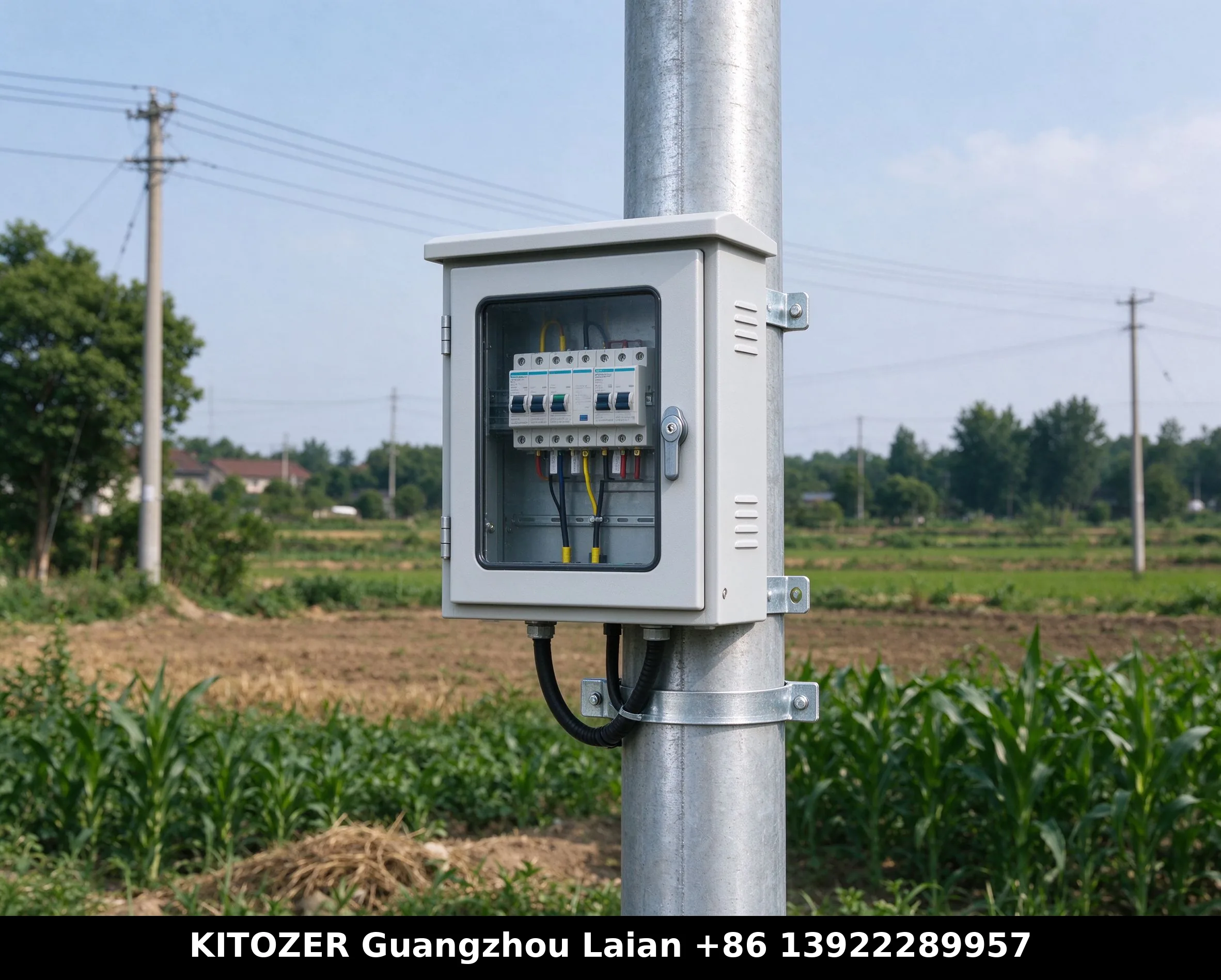
This encyclopedia-style guide covers the product definition, structural anatomy, full dimensional and load-capacity specification table, single-section versus double-section depth comparison, forced-air cooling and ventilation options, the complete accessory family (fixed shelves, slide shelves, PDU power strips, keystone patch panels, blanking panels, cable managers), wall mounting hardware and load-bearing principles, a step-by-step selection guide, indoor versus outdoor waterproof models, installation and maintenance procedures, a twelve-question FAQ library, application case studies, price reference, and contact information. Whether you are an IT procurement engineer sizing a branch-office closet, a security integrator mounting an NVR cabinet at a surveillance site, an industrial automation builder housing a PLC and IO module stack, or an export buyer comparing Chinese wall-mount rack manufacturers, the sections below are organized to support a complete technical evaluation and purchase decision.
1. Product Overview
1.1 What Is a Wall-Mount Network Cabinet?
A wall-mount network cabinet — also called a wall-mounted rack, wall enclosure, wall mount server rack, or small wall cabinet — is a freestanding steel enclosure whose entire structural load is transferred to a vertical building surface (brick, concrete, cement block, gypsum board with reinforcing plywood, or steel column) rather than to the floor. Inside the cabinet, two parallel vertical mounting rails conforming to the EIA-310-D (IEC 60297) 19-inch standard carry rack units (U), where one rack unit equals 44.45 mm of vertical height. Equipment such as switches, routers, patch panels, UPS units, NVRs, and small 1U/2U servers are screwed directly to these rails or supported on fixed and sliding shelves.
Wall-mount cabinets occupy the middle ground between a desktop shelf of loosely stacked network gear and a full 42U floor-standing server rack. For sites with fewer than 22U of equipment, a floor rack is overkill: it costs more, consumes 0.4–0.6 m² of floor, requires leveling casters and stabilizer feet, and often forces designers to reserve half-empty U space for future expansion that never arrives. A properly sized wall cabinet, by contrast, uses unused wall area above desk height, keeps cabling short and tidy, locks equipment away from unauthorized hands, and can be installed by two technicians in half a day.
1.2 Why KITOZER Wall Cabinets Are Chosen
KITOZER wall-mount cabinets are engineered as mid-to-high-end small enclosures. They are not thin-sheet import economy racks; the steel gauge, rail thickness, hinge construction, lock hardware, and powder-coating process are specified to support 60–100 kg of static load per cabinet while remaining wall-mountable. Three structural philosophies distinguish the product line:
- Deep enough for real equipment. Entry-level 6U/9U units use 300–450 mm depth to fit switches and patch panels; mid-range 12U/15U/18U double-section units reach 600–800 mm depth to fit 1U servers, 2U UPS, and NVR chassis with rear cable bend radius reserved.
- Ventilation from day one. Every cabinet ships with top and bottom vent louvers, and accepts an optional roof-mounted fan unit (1×120 mm, 2×120 mm, or 4×120 mm) and filter mat. Indoor sealed-door models can be upgraded to forced air; outdoor models include IP55 fans with filters and insect screens.
- Serviceability. Front door is glass with steel frame (indoor) or solid double-wall steel (outdoor); side panels are removable with key locks; rear panel is the wall-mounting interface. Cables enter through top, bottom, or rear knockouts (2×M20 / 4×PG16 glands on outdoor units).
1.3 Product Range at a Glance
The KITOZER wall cabinet family spans six standard heights and two depth families:
| Series | U-Space | Depth family | Typical use |
|---|---|---|---|
| KW-6 | 6U | 300 mm shallow, single section | Switch + patch panel at desk, small NVR |
| KW-9 | 9U | 450 mm shallow, single section | Office switch, fiber termination, router |
| KW-12 | 12U | 450 mm single / 600 mm double | Small branch closet, surveillance PoE switch |
| KW-15 | 15U | 600 mm double section | NVR + 24-port switch + UPS, small server |
| KW-18 | 18U | 600–800 mm double section | Edge server, industrial control stack |
| KW-22 | 22U | 800 mm double section | Compact small DC, 2U server + storage + UPS |
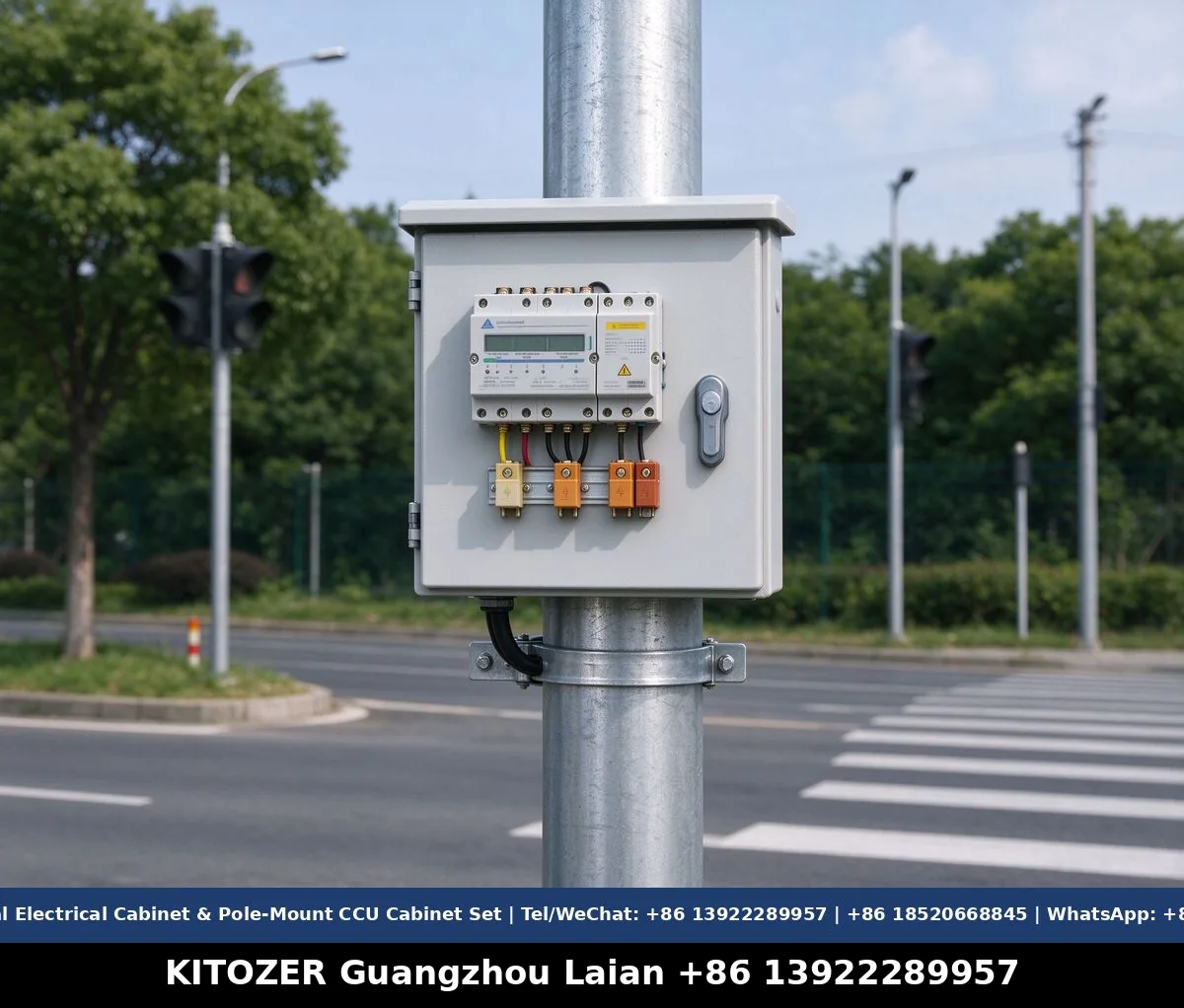
1.4 Core Value Proposition
The value delivered by a KITOZER wall-mount cabinet can be summarized in six outcomes:
- Floor-space saving: 6–22U of organized IT in 0.15–0.45 m² of wall area; no raised floor required.
- Physical security: key-locked front door, anti-tamper side panels, optional electronic lock, prevents accidental or deliberate equipment access.
- Cable hygiene: vertical and horizontal cable managers, brush entry, labeled trunking; reduces troubleshooting time in dense closets.
- Thermal management: passive vent louvers as standard; optional roof fan, filter, and thermostat-controlled fan unit keep equipment within ASHRAE operating range.
- Fast deployment: cabinet ships flat-packed or fully assembled; wall mounting, rail adjustment, and equipment fitting typically complete in 0.5–1 day for a two-person crew.
- Total cost reduction: compared with a floor rack plus small CRAC plus dedicated closet, a wall cabinet with fan tray and PDU is typically 40–60% of the installed cost.
2. Structural Anatomy and Materials
2.1 Steel Body and Sheet Gauge
The cabinet body is constructed from high-quality cold-rolled steel sheet (SPCC) with the following typical gauges: main frame and mounting rails 1.5–2.0 mm; front door frame 1.5 mm; side and rear panels 1.0–1.2 mm; top and bottom panels 1.0 mm. For 18U and 22U deep double-section models, the mounting rail thickness increases to 2.0 mm and the wall-mounting internal bracket is reinforced with welded gussets, because the lever arm of a deep, heavily loaded cabinet against the wall is significant and must not rely on sheet steel alone.
Surface treatment follows a multi-stage process: degrease → rinse → phosphating (zinc or iron phosphate conversion coating) → rinse → dry → epoxy powder coating → cure at 180–200 °C. The resulting film thickness is 60–90 µm, with salt-spray resistance of 400–720 hours for indoor models and 800–1000 hours for outdoor IP55 models (which additionally use a galvanized substrate or hot-dip zinc undercoat). Standard colors are RAL 7035 light gray (most common for office and data center environments), RAL 9005 black (for command centers, surveillance rooms, and dark interiors), and RAL 7032 pebble gray for outdoor industrial sites. Custom RAL colors are available for orders above 20 units.
2.2 Front Door
Indoor cabinets use a front door of 4 mm tempered glass set in a folded steel frame. The glass allows visual inspection of equipment LEDs and front-panel status indicators without unlocking the door — a daily convenience in network operations. The hinge is a heavy-duty concealed or exposed barrel hinge rated for at least 30,000 open/close cycles. The lock is a cam lock with two keys as standard; upgrade options include a 5-digit combination lock, an RFID electronic lock, or a fingerprint reader. Door opening angle is 120–180 degrees depending on model; double-section (split) doors open sideways in two leaves, reducing the clearance needed in front of the cabinet.
Outdoor cabinets replace the glass door with a double-wall steel door (outer 1.5 mm steel, inner 1.0 mm steel, with 25–50 mm insulation of polyurethane or rock wool between the walls). The door gasket is a closed-cell EPDM foam strip compressed by the lock mechanism to achieve IP54 or IP55 protection rating. A drip hood and rain canopy over the door seam is standard on outdoor models.
2.3 Mounting Rails
Two vertical 19-inch mounting rails run the full U-height of the cabinet. They are pre-marked with U numbers and square holes (9.5×9.5 mm) per EIA-310, accepting standard cage nuts and M6 / M5 rack screws. Rail depth is adjustable from front to rear in 25 mm increments, allowing the installer to match the depth of varying equipment (switches are shallow at 200 mm; 2U servers are deep at 600–800 mm). For double-section cabinets, the rail pair can be positioned in the front section, rear section, or split between sections depending on airflow design.
2.4 Cable Entry and Cable Management
Top, bottom, and rear panels are punched with knockouts sized for conduit or flexible trunking. Indoor models ship with removable metal knockout plates; outdoor models use threaded cable glands (M20/M25/PG16) with plastic or brass cores and EPDM seals. Inside, vertical cable managers run on both sides of the rails with tool-less D-rings or finger ducts. Horizontal cable management arms support patch cord routing at each equipment row. Brush strips fill cable entry gaps to prevent dust intrusion and to contain airflow when a fan unit is fitted.
3. Technical Specification Table (6U–22U)
The table below summarizes the standard KITOZER wall-mount cabinet range. External width is 600 mm for all models (the 19-inch rail plus side cable managers). Height is derived from U-space plus top/bottom fan and vent space. Depth distinguishes single-section shallow units from double-section deep units. Load capacity is static, uniformly distributed, and measured at the rail centerline.
| Model | U-space | External H×W×D (mm) | Internal rail depth (mm) | Static load (kg) | Door type | Color |
|---|---|---|---|---|---|---|
| KW-603 | 6U | 368×600×300 | 250 (adjustable) | 60 | Glass, single section | RAL 7035 / 9005 |
| KW-604 | 6U | 368×600×450 | 380–400 | 60 | Glass, single section | RAL 7035 / 9005 |
| KW-904 | 9U | 501×600×450 | 380–400 | 70 | Glass, single section | RAL 7035 / 9005 |
| KW-906D | 9U | 501×600×600 | 450–550 (double) | 80 | Glass, double section | RAL 7035 / 9005 |
| KW-1204 | 12U | 634×600×450 | 380–400 | 80 | Glass, single section | RAL 7035 / 9005 |
| KW-1206D | 12U | 634×600×600 | 450–550 (double) | 90 | Glass, double section | RAL 7035 / 9005 |
| KW-1506D | 15U | 767×600×600 | 450–550 (double) | 100 | Glass, double section | RAL 7035 / 9005 |
| KW-1806D | 18U | 900×600×600 | 450–550 (double) | 100 | Glass, double section | RAL 7035 / 9005 |
| KW-1808D | 18U | 900×600×800 | 650–750 (double) | 120 | Glass, double section | RAL 7035 / 9005 |
| KW-2208D | 22U | 1078×600×800 | 650–750 (double) | 120 | Glass, double section | RAL 7035 / 9005 |
| KW-O-12 | 12U outdoor | 700×600×500 | 350–450 | 80 | Double-wall steel, IP55 | RAL 7032 / 7035 |
| KW-O-15 | 15U outdoor | 830×600×600 | 450–550 | 100 | Double-wall steel, IP55 | RAL 7032 / 7035 |
3.1 Dimension Notes
External height is computed as U-space × 44.45 mm plus approximately 100–180 mm reserved for top fan tray, bottom vent plenum, and door-seal overlap. Width is 600 mm standard; 500 mm narrow-width variants are available for 6U–12U shallow models where wall space is constrained. Depth measurements are external (from wall face to outer door skin). Internal rail-to-rear-panel depth is 40–80 mm less than external depth.
3.2 Load Capacity Notes
Rated load capacity assumes the cabinet is mounted on a structurally adequate wall using the supplied steel bracket and appropriate anchors, with load distributed evenly across both mounting rails. Do not place the heaviest equipment (battery cabinet, 2U UPS, storage array) at the top of the rail stack; reserve the lower 1/3 of the U-space for heavy gear, and place patch panels and lightweight switches in the upper positions. This keeps the center of gravity close to the wall and reduces the moment arm that tends to lever the cabinet away from the wall over time.
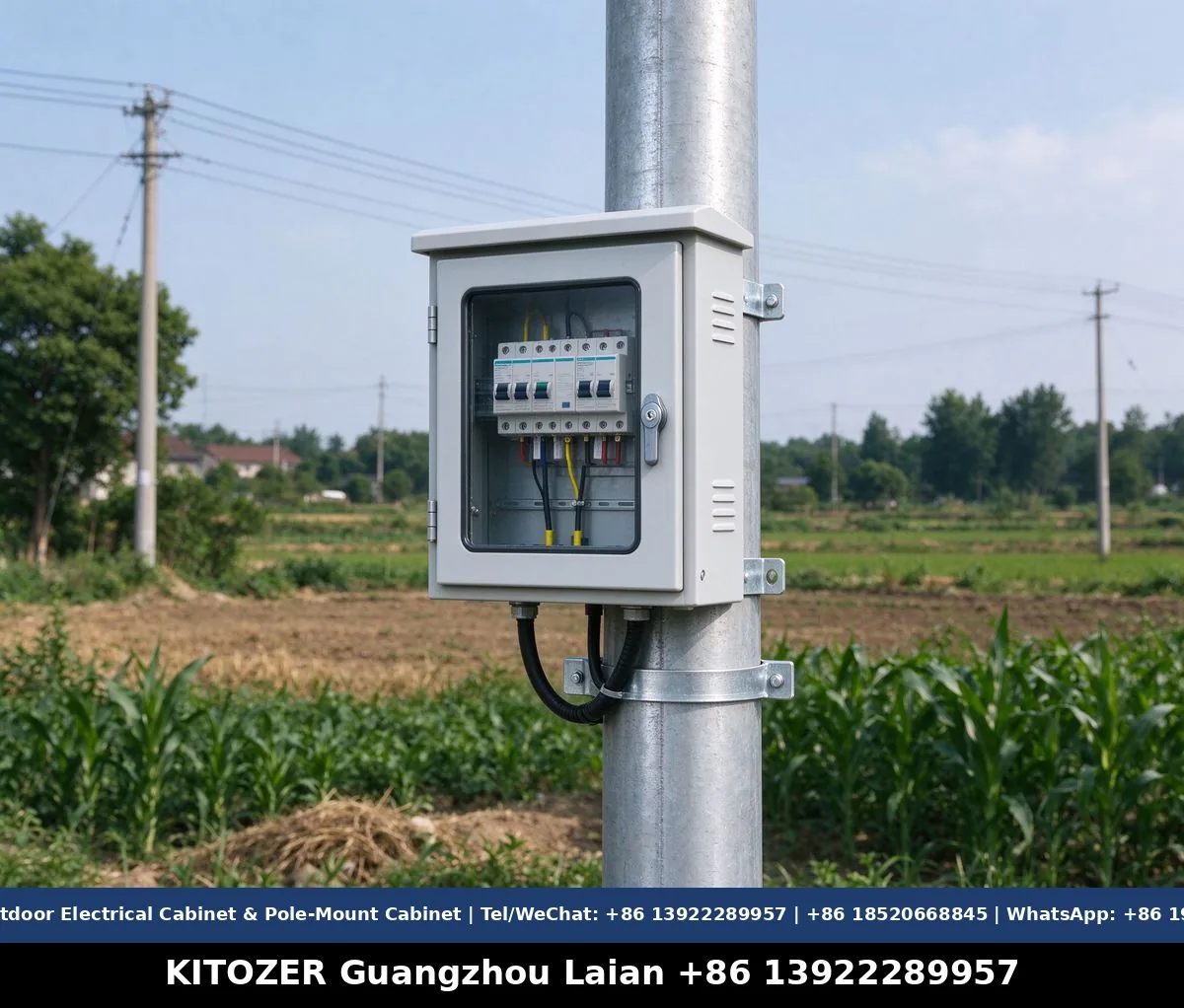
4. Single-Section vs Double-Section Cabinets
4.1 What “Single Section” and “Double Section” Mean
The terminology describes the depth of the enclosure, not the number of doors. A single-section (also called “shallow” or “half-depth”) wall cabinet has a depth of 300–450 mm and a flat front door that swings open in one piece. A double-section (also called “deep” or “split-door”) wall cabinet has a depth of 600–800 mm and a front that splits into two hinged leaves — typically an upper glass leaf and a lower solid steel leaf, or two glass leaves — because a single 800 mm-deep door would be too bulky to swing in a crowded office and the front glass would be proportionally tiny against the deep cabinet body.
4.2 Structural Difference
Beyond the door split, double-section cabinets differ structurally in three ways: (1) the rear wall-mounting bracket is heavier, because the 800 mm depth creates a large lever arm; (2) the mounting rails are thicker (2.0 mm) and depth-adjustable over a wider range; (3) cable management includes a central vertical duct between front and rear sections, separating power cabling from data cabling and reserving a rear plenum for cable bend radius.
4.3 Comparison Table
| Attribute | Single section (shallow) | Double section (deep) |
|---|---|---|
| External depth | 300–450 mm | 600–800 mm |
| Door style | Single glass door | Split glass/steel or double glass |
| Rail depth adjustment | Fixed or narrow range | Wide 25 mm increment range |
| Typical load | 60–80 kg | 90–120 kg |
| Usable equipment depth | Up to 350 mm | Up to 700 mm |
| Fits 1U/2U server | No (too shallow) | Yes (with rear cable bend) |
| Fits 2U UPS | Only small 1U UPS | Yes |
| Wall clearance needed | 0.3 m in front | 0.6–0.8 m in front for door swing |
| Typical price band (ref.) | Lower | Higher by 30–60% |
| Best for | Switch, patch panel, fiber, NVR | Small server, UPS, storage, industrial stack |
4.4 Selection Logic
If your heaviest and deepest piece of equipment is a 24-port gigabit switch (1U, 230 mm deep) plus a 24-port patch panel, a 9U or 12U single-section cabinet at 450 mm depth is sufficient and the most economical choice. If you intend to house a 1U server (600 mm deep), a 2U online UPS, or an NVR with a 12-bay drive chassis, you must step up to a 12U/15U/18U double-section cabinet at 600–800 mm depth. A common mistake is buying a shallow cabinet and then discovering, after wall mounting, that the server overhangs the rear panel and presses against the wall — measure the depth of every piece of equipment, add 80–100 mm for rear cable bend and connector strain relief, and choose the cabinet depth from that sum.
5. Cooling, Ventilation, and Thermal Management
5.1 Passive Ventilation (Standard)
Every KITOZER wall cabinet ships with passive ventilation: punched louvers on the top panel and bottom panel, covered with removable dust filters (non-woven polyester foam). Warm air naturally rises through the top louvers; cooler room air enters through the bottom louvers. For low-heat loads (switches, patch panels, routers typically dissipating 50–200 W per cabinet), passive ventilation is adequate and no fan is needed. Passive cooling is silent, zero-maintenance, and consumes no power.
5.2 Forced-Air Fan Units (Optional)
When the cabinet heat load exceeds roughly 300 W (for example, a 1U server at 300–500 W plus a switch at 100 W plus a UPS at 50 W), passive ventilation becomes insufficient and internal air temperature can rise 8–15 °C above room ambient. KITOZER offers roof-mounted fan units in three configurations:
- 1×120 mm fan tray: one 120 mm DC fan, 40–60 CFM, thermostat-controlled (factory set to start at 35 °C), for 6U–12U shallow cabinets up to ~300 W.
- 2×120 mm fan tray: two fans in parallel, 80–120 CFM, with built-in temperature sensor and speed control, for 12U–18U double-section cabinets up to ~600 W.
- 4×120 mm fan tray: four fans, 160–240 CFM, for 18U–22U deep cabinets housing a small server and storage load up to ~1.2 kW.
Fan units include a pre-wired mains cord (C14 inlet to a local PDU), a removable filter mat on the intake side, and a fail-contact relay that can be wired to an external alarm panel if a fan fails. Fans are ball-bearing type rated for 50,000 hours at 40 °C; noise level is 35–45 dBA depending on model.
5.3 Airflow Direction and Baffling
The recommended airflow pattern is bottom intake through filtered louvers, across equipment front-to-rear, and exhaust through the roof fan tray. To make this pattern effective, install blanking panels in unused U positions so hot exhaust cannot recirculate into the cold inlet. For double-section cabinets, a horizontal baffle plate separates the front (cold) and rear (hot) sections; equipment is mounted front-facing into the cold section, with cable connections in the rear hot section.
5.4 Outdoor Thermal Management
Outdoor wall cabinets face a different thermal problem: solar irradiance on the sun-facing skin can push internal temperature above 60 °C even with no IT load. KITOZER outdoor models address this with: double-wall insulation (25–50 mm PU foam), a sunshade canopy above the roof, IP55-rated filter fans (intake at the bottom, exhaust at the top), and optional thermostatic air-conditioning units (300 W, 500 W, or 1000 W cooling capacity) when IT load is high or ambient exceeds 40 °C. For extreme cold climates, a PTC heating element (100–300 W) prevents condensation and keeps battery chemistry within operating range.
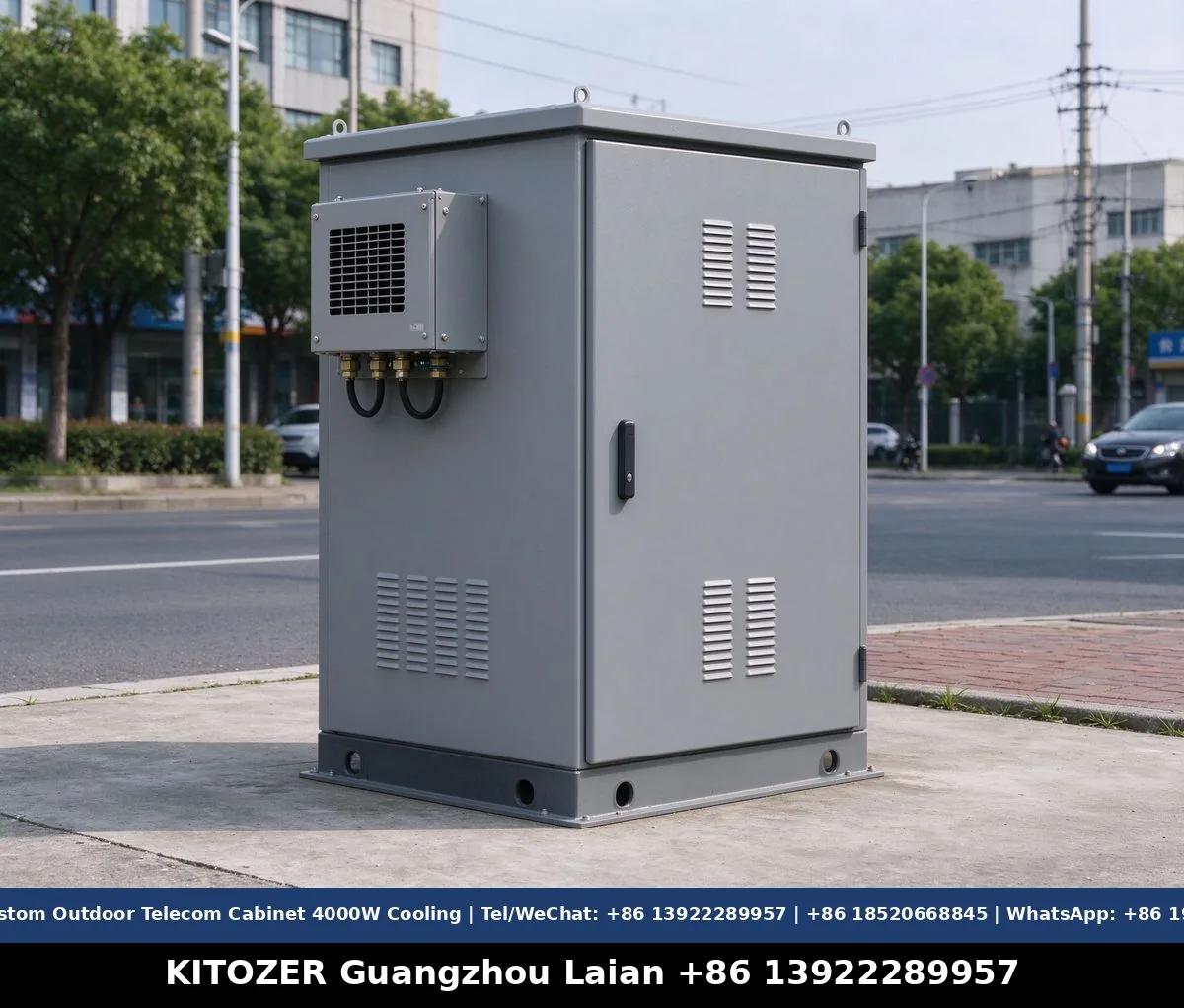
6. Accessories and Options
6.1 Shelves: Fixed and Sliding
Equipment that is not rack-mountable (desktop switches, media converters, printers, monitors, battery packs) sits on a shelf. KITOZER offers two shelf types:
- Fixed shelf (1U or 0.5U): a perforated steel shelf bolted directly to the rails, available in 250 mm, 350 mm, 500 mm, and 650 mm depths. Load rating 30–50 kg. Perforations allow air to pass through, preventing hot spots under the shelf.
- Sliding shelf (pull-out shelf): a shelf on telescoping ball-bearing slides that pulls out for service, available in 500 mm and 650 mm depths, load rating 30–40 kg. Useful for laptops during configuration, test instruments, or equipment that must be pulled out for cabling.
6.2 PDU Power Distribution Unit
Every wall cabinet should have at least one PDU mounted vertically on the rear rail. KITOZER PDUs are available in these configurations:
- Basic outlet strip: 6, 8, or 10 universal (UK/US/EU) outlets, 10 A or 16 A, with 2 m power cord and C14 or BS1363 plug.
- Metered PDU: per-amp total current display on the front panel, 8 outlets, 16 A input.
- Switched PDU: network-controlled outlet groups (SNMP/HTTP), remote reboot, per-outlet current monitoring, 8–12 outlets.
- Surge-protected PDU: 180–350 Joule MOV surge module plus thermal cutoff, 6–8 outlets.
PDU mounting is vertical (along the rear rail) to save U-space; horizontal 1U rack-mount PDUs are also available if preferred.
6.3 Patch Panels and Keystone
Network termination inside a wall cabinet is typically done with a 1U 24-port Cat6 or Cat6a patch panel (110 or Krone IDC termination), or with a keystone blank panel that accepts snap-in keystone jacks in RJ45 Cat6, fiber LC/SC, HDMI, USB, or audio formats. KITOZER supplies:
- 1U 24-port Cat6 unshielded or shielded patch panel, color-coded T568A/T568D labeling.
- 0.5U / 1U blank keystone panel with 12, 24, or 48 keystone positions.
- Keystone jacks: Cat6 UTP, Cat6a STP, LC duplex fiber, SC simplex fiber, HDMI 2.0, USB-A, 3.5 mm audio.
- Fiber patch panel: 1U with LC/SC adapter plate, splice tray, and pigtail storage.
6.4 Cable Management and Blanking
- Vertical cable manager: one or two-sided finger duct, 1U–4U height, mounts on side rail.
- Horizontal cable management arm: lacing bar or D-ring, 1U height, mounts at each equipment row.
- Blank filler panel: 1U or 2U sheet steel, closes unused U positions to contain airflow.
- Cable tie wrap, hook-and-loop strap, and labeling kit supplied as standard.
6.5 Security Accessories
- Electronic lock: RFID card or fingerprint, with door-status output to the monitoring controller.
- Door contact switch: dry-contact signal to building alarm or DCIM.
- Internal surveillance camera: 2 MP mini indoor camera with PoE, mounts on top panel.
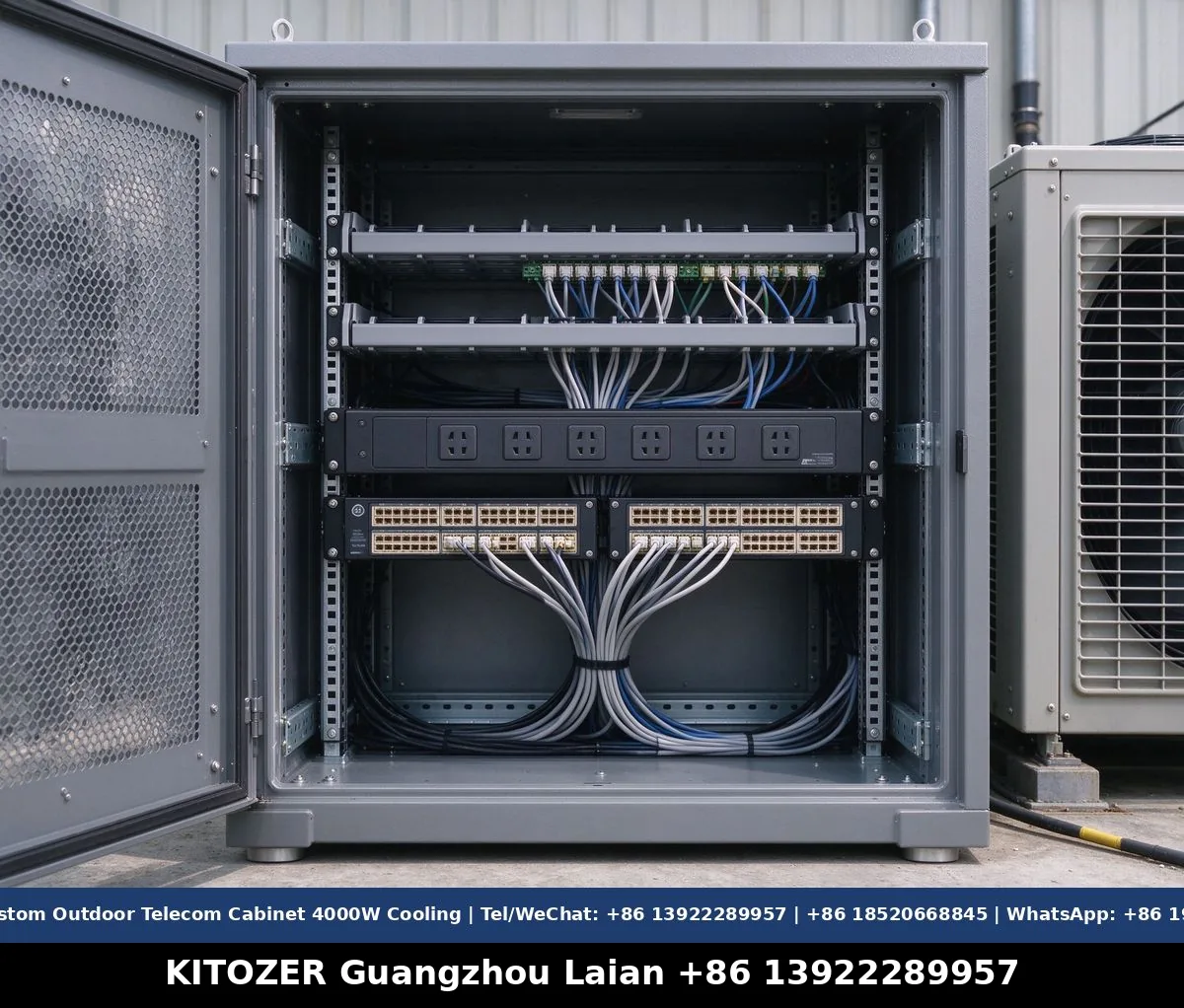
7. Wall Mounting Hardware and Load-Bearing
7.1 Supplied Hardware
Each cabinet ships with a heavy-gauge steel wall-mounting bracket (welded or bolted angle steel, typically 3.0–4.0 mm thick) and a set of expansion anchors sized for the wall substrate. Standard anchor set includes:
- 4–6 expansion bolts (M10 or M12) with nuts, washers, and plastic sleeves, rated for 50–80 kg pull-out each in concrete.
- 2–4 M6 hex-head screws for attaching the cabinet body to the bracket.
- Allen key, Torx key, and door keys (two copies).
For lightweight 6U–9U shallow cabinets, the bracket may be integrated into the rear panel directly, with 4×M10 expansion bolts through the rear panel slots.
7.2 Wall Substrate Requirements
The cabinet must be mounted on a structurally sound vertical surface. Acceptable substrates and their typical anchor pull-out ratings:
| Wall type | Anchor recommended | Approx. pull-out per anchor | Notes |
|---|---|---|---|
| Reinforced concrete | M10 expansion bolt | 50–80 kg | Ideal; use 4–6 anchors |
| Brick / hollow brick | M10 sleeve anchor or chemical anchor | 30–50 kg | Use chemical anchor for 18U+ |
| Cement block (hollow) | Chemical anchor or nylon sleeve | 20–40 kg | Reduce load rating by 30% |
| Gypsum board / drywall | Must use plywood backing 18 mm | Depends on stud | Only for 6U–9U shallow, ≤30 kg |
| Steel column / structure | Self-drilling tek screw or nut/bolt | 100 kg+ | Welded bracket option |
7.3 Mounting Procedure
- Verify wall structure with a stud finder or wall inspection; avoid mounting directly over cable chases, pipes, or hollow voids.
- Mark the four (or six) anchor holes on the wall using the supplied bracket as a template; level with a spirit level.
- Drill holes with a hammer drill (concrete) or regular drill (drywall); clear dust.
- Insert expansion sleeves; position bracket; drive bolts until tight.
- Lift cabinet onto bracket (two-person lift for 15U+); secure with M6 screws through rear panel slots.
- Verify cabinet plumb; check that door opens without wall interference.
- Run cables through top/bottom knockouts; fit glands or brush plates.
7.4 Safety Clearances
Maintain at least 50 mm clearance above the cabinet for roof fan exhaust and 50 mm below for air intake. Maintain at least the full door-swing depth (450–800 mm) in front of the cabinet for service. Do not mount the cabinet above a heat source, near water spray, or in direct sunlight without sunshade. Mount the cabinet bottom edge at 1200–1500 mm above finished floor for ergonomic access; this also keeps it above accidental spill height.
8. Selection Guide: How to Choose the Right KITOZER Wall Cabinet
8.1 Step 1: List All Equipment
Before choosing a cabinet, make a complete equipment list. For every device, record: (a) rack-unit height (1U, 2U, desktop); (b) depth in mm; (c) weight in kg; (d) power consumption in watts; (e) airflow direction (front-to-back or side-to-side). Include planned future expansion with a 20–30% U-space margin.
8.2 Step 2: Compute Required U-Space
Sum the U heights of all rack-mount devices. Add 1U for patch panel, 1U for PDU (if horizontal), 1U for UPS, and 2–4U of blank filler for airflow management. Round up to the nearest standard U (6, 9, 12, 15, 18, 22). Never fill 100% of U-space; leave at least 20% empty for airflow and future moves.
8.3 Step 3: Choose Depth
Take the deepest device on the list, add 80–100 mm for rear cable bend and connector access, and match to cabinet internal rail depth. If the sum is under 350 mm, a single-section 450 mm deep cabinet suffices. If the sum is 450–650 mm, choose a double-section 600 mm deep cabinet. If the sum exceeds 650 mm, choose 800 mm depth — or reconsider whether a floor-standing rack is more appropriate (beyond 22U, a floor rack is usually cheaper and safer).
8.4 Step 4: Estimate Heat Load and Choose Cooling
Sum the wattage of all equipment. Under 200 W: passive ventilation. 200–500 W: 2×120 mm roof fan with thermostat. 500–1200 W: 4×120 mm fan tray plus blanking panels. Over 1200 W: a wall cabinet is probably undersized; consider a small floor rack or integrated cabinet with rear-door cooling.
8.5 Step 5: Decide Indoor vs Outdoor
If the cabinet is in an air-conditioned room, an indoor glass-door model is correct. If it is on an exterior wall, in a corridor without HVAC, on a factory wall exposed to dust or washdown, or on a pole or outdoor communication site, choose the outdoor IP55 model with double-wall insulation, fan filters, and sunshade.
8.6 Step 6: Add Accessories
Configure the accessory list: shelf(s) for non-rack devices, PDU (basic, metered, or switched), patch panel (Cat6 / keystone / fiber), blanking panels, cable managers, electronic lock, and monitoring sensor package (temperature/humidity/door/leak). A typical well-equipped 15U double-section cabinet includes one fixed shelf, one metered PDU, one 24-port Cat6 patch panel, four blanking panels, two vertical cable managers, and a temperature sensor.
9. Indoor vs Outdoor Wall Cabinets
9.1 Indoor Cabinet Characteristics
Indoor models are designed for climate-controlled spaces (office closets, server rooms, surveillance monitoring rooms, school computer labs). They use a tempered glass front door for visual inspection, sheet-steel side and rear panels, passive vent louvers with light dust filters, and a standard cam lock. Protection rating is IP20 (finger touch protection, no dust or water seal). Operating temperature range is +5 °C to +40 °C, matching the room HVAC.
9.2 Outdoor Cabinet Characteristics
Outdoor models are built to IP54 or IP55: dust-protected and protected against water jets from any direction. Construction includes galvanized or phosphated substrate with outdoor-grade powder coat, double-wall insulated door and panels, EPDM compression gasket, rain canopy, stainless-steel hardware (A2-70 or A4-70), threaded cable glands, and filtered exhaust fans with insect screens. Operating temperature range is typically -20 °C to +55 °C (with heater option for -40 °C). Outdoor models are used at cellular base stations, roadside surveillance, solar farm controls, pumping stations, railway trackside cabinets, and building exterior communication closets.
9.3 Comparison Table
| Attribute | Indoor | Outdoor |
|---|---|---|
| Protection rating | IP20 | IP54 / IP55 |
| Front door | Tempered glass | Double-wall insulated steel |
| Wall construction | Single sheet 1.0–1.2 mm | Double wall 1.5+1.0 mm, 25–50 mm insulation |
| Cable entry | Knockouts with brush | Threaded glands (M20/M25/PG16) |
| Cooling | Passive louvers + optional fan | Filtered fans + optional AC unit / heater |
| Hardware | Zinc-plated steel | Stainless A2-70 / A4-70 |
| Operating temp | +5 to +40 °C | -20 to +55 °C (extended -40) |
| Surface coating | Indoor powder coat, 60–90 µm | Outdoor polyester powder coat, 80–120 µm, salt spray 800–1000 h |
| Sun protection | Not needed | Rain canopy / sunshade standard |
| Typical price (ref.) | Lower | 2–3× indoor equivalent |
10. Installation and Commissioning
10.1 Pre-Installation Checklist
- Confirm wall substrate type and anchor compatibility.
- Verify available wall height, width, and depth clearance.
- Confirm mains power availability near the cabinet (within 1.5 m) and network uplink conduit.
- Verify room temperature is within equipment operating range.
- Unbox cabinet and inspect for shipping damage; check that all mounting hardware is present.
10.2 Mechanical Installation
Follow the wall-mounting procedure in Section 7.3. For double-section 18U/22U cabinets, a three-person lift or a small hoist is recommended; these cabinets weigh 45–70 kg empty and can reach 150–190 kg fully loaded. After mounting, verify that the cabinet cannot be shifted by hand; tighten anchor bolts to the manufacturer’s torque (typically 25–35 N·m for M10 expansion bolts).
10.3 Equipment Installation
Mount heavy equipment (UPS, battery, storage) on the lower rails first. Use cage nuts and M6 screws; torque rack screws to 2.5 N·m. Slide equipment in on the rails; do not let it hang unsupported while fastening. Connect power cords to the PDU first, then data cables. Route power cables on one side vertical manager and data cables on the other side to minimize EMI. Label both ends of every cable.
10.4 Thermal Commissioning
After power-on, run the equipment at full load for 2–4 hours. Measure inlet and outlet air temperature with a thermometer or the integrated sensor. Confirm that the hottest inlet point remains below 35 °C and the delta-T across the cabinet is under 15 °C. Adjust fan thermostat setpoint if needed. Install blanking panels in unused U positions.
10.5 Network and Monitoring Commissioning
If a switched PDU or monitoring controller is fitted, connect it to the management network, assign an IP address, configure SNMP community or v3 credentials, set alarm thresholds (temperature high/low, humidity high, door open, fan fail, power loss), and configure alert recipients (email, SMS, NMS trap destination).
11. Operation and Maintenance
11.1 Routine Maintenance Schedule
| Interval | Task |
|---|---|
| Monthly | Visual check: door lock, cable labels, LED status; read internal temperature/humidity trend. |
| Quarterly | Replace or clean intake filter mat; check fan operation; verify door gasket seal (outdoor). |
| Annually | Torque-check anchor bolts and rack screws; inspect cable ties; test PDU surge module; clean interior. |
| Every 2 years | Replace fan bearings if noise rises; replace UPS battery (VRLA typical 3–5 year life). |
11.2 Common Issues and Remedies
- Internal temperature high: add fan tray, install blanking panels, reduce heat load, or move cabinet away from sunlight.
- Cabinet sagging away from wall: anchor bolts loose; retorque or add additional anchors; reduce top-heavy load.
- Dust accumulation: filter missing or clogged; replace filter; check door gasket.
- Condensation (outdoor): heater not enabled; set thermostat to maintain 5 °C above dew point; verify door gasket compression.
- Lock stiff: lubricate cam lock with dry PTFE spray; do not use oil that attracts dust.
12. Applications
12.1 Office and Branch Closet
A typical corporate office floor uses a 9U or 12U single-section wall cabinet in the telecom closet, housing a 24/48-port PoE switch, a fiber patch panel, a small 1U UPS, and a wireless LAN controller. The cabinet is mounted above ceiling height in a locked closet, with horizontal patch cords dropping to office desk outlets. Wall mounting saves the floor space that would otherwise be occupied by a floor rack, and the locked cabinet prevents casual tampering. For branch bank sites, a 15U double-section cabinet houses the branch switch, router, encryption device, and 2U UPS, with the cabinet itself bolted to a reinforced concrete wall and access controlled by RFID.
12.2 Small Server Room / Edge Computing
Small edge computing nodes — retail back offices, restaurant chains, hotel property management, factory edge gateways — use an 18U or 22U double-section wall cabinet to house a 1U or 2U edge server, a 2U storage array, a 2U online UPS, a firewall appliance, and a switch. With a 4×120 mm roof fan and metered PDU, this configuration delivers roughly 1.5–3 kW of IT capacity in less than 0.5 m² of wall area, far cheaper than building a dedicated server room. For retail and restaurant sites, the cabinet is typically mounted in a locked stock room or electrical closet.
12.3 Surveillance and NVR Rooms
Security integrators are among the heaviest users of wall cabinets. A typical surveillance room installation includes a 12U or 15U double-section cabinet housing an NVR recorder (2U, 12–64 channel), a PoE switch (1U, 24–48 port), a fiber media converter, a small UPS (1–2 kVA), and a monitor shelf. Camera video cables (coaxial or UTP) enter the cabinet from the top; network uplink exits through the bottom to the main network room. For outdoor surveillance sites (parking lots, traffic intersections, perimeter fences), the outdoor IP55 wall cabinet houses the PoE switch and fiber converter at the camera endpoint, with a heater to prevent winter condensation and a sunshade to reduce solar load.
12.4 Industrial Control and Factory Automation
Industrial control panels increasingly include IT-grade equipment: a PLC, IO modules, an industrial PC, a managed switch, and a UPS. KITOZER 12U–18U double-section cabinets are used as wall-mounted control enclosures on factory walls, next to production lines. The cabinet is typically fitted with a perforated shelf for the industrial PC, a DIN rail inside for terminal blocks and circuit breakers, a filtered fan for dust-laden air, and a temperature sensor integrated into the factory SCADA system. For washdown environments (food, beverage, pharmaceutical), the IP55 outdoor variant with stainless-steel hardware is specified.
12.5 Education, Healthcare, and Government
Schools use 9U/12U cabinets in classroom telecom closets and school-wide network distribution points. Clinics and hospitals use 12U–15U cabinets in equipment rooms on each floor, housing nurse-call controllers, Wi-Fi controllers, and network switches. Government and office buildings use wall cabinets as floor distribution points in rising cable risers, reducing the number of large floor racks required.
13. Frequently Asked Questions (FAQ)
Q1: How much weight can a wall-mount cabinet hold?
A: KITOZER wall cabinets are rated 60 kg (6U shallow) to 120 kg (22U deep double section) static load, assuming proper wall mounting on concrete with 4–6 M10/M12 expansion anchors. The wall itself must be structurally adequate; drywall alone is not suitable for cabinets above 9U or loads above 30 kg.
Q2: Can I put a 1U server in a wall-mount cabinet?
A: Only if the cabinet depth is at least 600–800 mm (double-section) and includes a roof fan. A 1U server is typically 600–800 mm deep; a shallow 300–450 mm cabinet cannot accommodate it. Choose KW-1506D, KW-1806D, KW-1808D, or KW-2208D for servers.
Q3: What is the difference between 6U, 9U, 12U, 15U, 18U, and 22U?
A: “U” is a rack unit = 44.45 mm. 6U = 267 mm internal height, 9U = 400 mm, 12U = 533 mm, 15U = 667 mm, 18U = 800 mm, 22U = 978 mm. Choose based on total equipment height plus 20% margin for patch panels, UPS, and blanking.
Q4: Do wall cabinets come with fans?
A: Passive vent louvers and filter mats are standard. Roof-mounted fan units (1×, 2×, or 4× 120 mm) are optional accessories ordered separately. For server loads above 300 W, a fan tray is strongly recommended.
Q5: Can the cabinet be locked?
A: Yes, a cam lock with two keys is standard on all models. Electronic RFID or fingerprint locks are optional upgrades for sites with higher security requirements.
Q6: How is the cabinet attached to the wall?
A: A welded steel bracket is fixed to the wall with 4–6 M10 or M12 expansion bolts (concrete/brick) or chemical anchors; the cabinet body then bolts onto the bracket. Drywall installations require 18 mm plywood backing screwed to wall studs.
Q7: Can outdoor cabinets be installed in direct sunlight?
A: Yes, outdoor models include a rain canopy/sunshade and double-wall insulation. For sustained ambient above 40 °C or IT loads above 500 W, add a 500 W or 1000 W thermostatic air-conditioning unit to the cabinet.
Q8: What color options are available?
A: Standard RAL 7035 light gray and RAL 9005 black. Outdoor industrial models often use RAL 7032 pebble gray. Custom RAL colors are available for orders of 20 units or more.
Q9: Is a PDU included?
A: The cabinet body does not include a PDU. A basic, metered, or switched PDU is ordered as an accessory. We recommend at least a surge-protected 8-outlet PDU for every installation.
Q10: How do I clean the filter?
A: The intake filter mat slides out of the top/bottom louver frame. Clean by vacuuming or gentle washing with mild detergent; allow to dry fully before reinstalling. Replace once per year, or immediately if torn or clogged.
Q11: Can I expand from 12U to 18U later?
A: Not on the same wall bracket — a taller cabinet has a different height and a different bracket footprint. If growth is likely, size the cabinet for future expansion now (install 15U now, leave unused U positions blanked) rather than retrofitting later.
Q12: What is the warranty?
A: KITOZER wall cabinets carry a 5-year structural warranty (steel body, rails, hinges). Moving parts (fans, locks, PDUs) carry a 2-year warranty. UPS batteries carry the manufacturer’s warranty (typically 1–2 years).
16. Standards, Compliance, and Manufacturing Quality
16.1 Applicable Standards
KITOZER wall-mount cabinets are designed and manufactured against a portfolio of international and Chinese standards covering mechanical structure, electrical safety, environmental protection, and electromagnetic compatibility. The 19-inch mounting interface follows EIA-310-D (United States), IEC 60297 (International Electrotechnical Commission), and DIN 41494 (Germany), ensuring that any standard rack-mount device from any manufacturer bolts onto the KITOZER rails without adapter plates. Protection rating for outdoor models follows IEC 60529 (IP code), with the tested IP55 rating verified in an accredited third-party laboratory using dust chamber and water jet tests. Surface coating and corrosion resistance follow ISO 12944 (paint systems for corrosion protection) and GB/T 17748 (Chinese equivalent for powder-coated steel enclosures). Electrical safety of integrated PDUs and UPS options follows IEC 60950 / IEC 62368 (information technology equipment safety) and GB 4943. Electromagnetic compatibility of active components (PDU with monitoring, fan controllers) follows EN 55032 (emission) and EN 55035 (immunity).
16.2 Factory Testing
Every KITOZER cabinet undergoes a structured factory acceptance test before shipment. The mechanical test sequence includes: dimensional check (width, height, depth, rail alignment to ±1 mm); door open/close cycle (100 cycles, checking that lock engages cleanly and door gasket compresses); load test (1.5× rated static load applied to rails for 30 minutes, no permanent deformation); and finish inspection (color match, scratch check, film thickness with magnetic gauge). Outdoor units additionally undergo a water-spray test at 100 L/min from a 6.3 mm nozzle at 3 m distance for 3 minutes per face, with no water ingress inside. Electrical options (fan trays, PDUs, monitoring controllers) are powered and burned in for 4–8 hours before packing.
16.3 Material Traceability
Steel coils are purchased from certified mills with material certificates (mill test reports) for SPCC cold-rolled steel and SECC electrolytic galvanized steel. Powder coating is from a tier-1 coating supplier with batch numbers recorded on the production traveler. Hardware (screws, nuts, hinges, locks) is sourced from specialized fastener and lock manufacturers; stainless-steel hardware for outdoor units is A2-70 or A4-70 per ISO 3506. Customers requiring full material traceability for regulated industries (defense, railway, medical) can request the mill certificates and batch records at order time.
16.4 Packing and Shipping
Cabinets are packed in a double-wall corrugated carton with EPE foam corner protectors and a plywood pallet for export. Glass doors are wrapped in anti-static film and reinforced with cardboard. Accessories (screws, keys, shelves, PDUs) are packed in a separate labeled accessory box inside the carton. For sea freight, outdoor cabinets and large double-section units are additionally crated in plywood cases to survive ocean vibration and stacking. Typical packing volume is 0.15 m³ for a 6U cabinet to 0.6 m³ for a 22U double-section unit.
17. Design Evolution and Industry Context
17.1 From Open Frame to Enclosed Wall Cabinet
The earliest network wall installations of the 1980s and early 1990s were open frame rails bolted directly to a wall, with switches and patch panels screwed onto the rails and cables hanging loose. This approach was cheap but offered no dust protection, no physical security, and no cable management. The first enclosed wall cabinets appeared in the mid-1990s as corporate networks grew and equipment was moved out of closet environments and into hallways. Early enclosures were simple boxes with a locked door; ventilation was an afterthought (often no fan at all). By the 2000s, as Power over Ethernet (PoE) switches and NVRs generated more heat, forced-air fan trays became a standard option. Today’s KITOZER wall cabinets reflect three decades of evolution: adjustable depth rails, split double-section doors, filtered fan trays, metered PDUs, and networked environmental monitoring are all standard features that respond to real-world field problems.
17.2 Market Position: Chinese Manufacturing Advantage
Wall-mount network cabinets are a mature, high-volume product category. The worldwide market is served by a small number of premium European and American brands, a larger group of regional brands, and a very large base of Chinese OEM manufacturers. KITOZER occupies the mid-to-high-end segment of Chinese manufacturing: sheet gauges, rail thickness, powder-coating quality, and accessory integration match or exceed European mid-market competitors, while the price level remains 30–50% below European brands. Export markets include Southeast Asia, the Middle East, Africa, Eastern Europe, and Latin America, where integrators and distributors value the combination of build quality, customization flexibility, and direct factory communication.
17.3 Trends Shaping the Product
Three trends are currently reshaping the wall cabinet category. First, PoE++ (60 W per port) switches and higher-density Wi-Fi 6E access controllers are raising heat loads per cabinet from a historical 100–200 W to 400–800 W, forcing more deployments to include fan trays and blanking panels. Second, edge computing — 1U/2U servers pushed out of centralized data centers to branch offices and retail stores — is pushing wall cabinets toward 18U/22U double-section sizes that could house servers. Third, environmental monitoring (temperature, humidity, door status, leak) is becoming expected rather than optional, as edge sites are unattended and remote alarms are the only way operators know something is wrong. KITOZER wall cabinets are offered with all three trends in mind: deep double-section sizes, fan-ready top panels, and a monitoring-ready port for sensor integration.
18. Detailed Thermal Calculation Worked Examples
18.1 Example A: Office Switch Closet
A 9U single-section cabinet houses a 24-port PoE switch (180 W) and a 24-port patch panel (0 W). Total heat load is 180 W. Room ambient is 24 °C. Passive ventilation through top and bottom louvers typically provides 10–20 W/°C of effective cooling (natural convection), meaning the cabinet internal air temperature rises by roughly 180 / 15 = 12 °C above room ambient — i.e., internal air reaches 36 °C. This is acceptable for switch operating range (typically 0–45 °C) but close to the upper limit. Recommendation: add a 1×120 mm fan tray to reduce the rise to 4–6 °C, bringing internal air to 28–30 °C and extending switch life.
18.2 Example B: Edge Server Cabinet
A 15U double-section cabinet houses a 1U edge server (400 W), a 24-port switch (100 W), a 1U UPS (50 W internal loss), and a patch panel. Total heat load is 550 W. Ambient is 25 °C. Passive ventilation is completely inadequate (would cause 30–40 °C rise, internal 55–65 °C, triggering server thermal shutdown). Recommendation: 2×120 mm fan tray providing 80–120 CFM, which at typical fan curve delivers roughly 60–80 W/°C of forced cooling — internal rise is 550 / 70 = 8 °C, internal air reaches 33 °C. Add blanking panels in the 4–5 unused U positions to prevent recirculation.
18.3 Example C: Outdoor Surveillance Cabinet
An outdoor 12U IP55 cabinet houses a 16-port PoE switch (120 W) and a fiber converter (20 W). Ambient summer peak is 42 °C in direct sun; solar irradiance on the cabinet skin adds roughly 150–250 W of heat load through the double-wall insulation. Total heat to dissipate is 140 (equipment) + 200 (solar) = 340 W. With double-wall insulation and a sunshade, solar load is reduced to ~80 W; filtered fans (2×120 mm IP55) dissipate equipment heat. Internal temperature reaches roughly 42 + 8 = 50 °C, which is acceptable for switches rated to 50–60 °C but marginal. For sites above 45 °C ambient, add a 500 W thermostatic air-conditioning unit to hold internal temperature at 30–35 °C regardless of outdoor conditions.
18.4 Example D: Winter Outdoor Condensation Prevention
Same outdoor cabinet in winter, ambient -10 °C. When the cabinet door is opened for service, warm indoor air enters and condenses on cold steel surfaces. A PTC heater (100 W) controlled by a thermostat set to +5 °C prevents internal surfaces from dropping below dew point. The heater cycles on when internal temperature falls below +5 °C and off at +15 °C. Total annual energy for the heater is modest (typically 50–200 kWh per year per cabinet in temperate climates) but prevents corrosion and insulation degradation.
19. Cable Management Deep Dive
19.1 Why Cable Management Matters
Poor cable management in a wall cabinet causes three problems. First, tangled patch cords block airflow, creating hot spots and reducing fan effectiveness. Second, untagged cables make moves, adds, and changes slow and error-prone — a single mis-routed cable can take an hour to trace. Third, cables hanging over the front of the rails prevent the door from closing, which defeats the dust and security protection of the cabinet. KITOZER wall cabinets are designed to prevent all three problems through a layered cable management system.
19.2 Vertical Cable Managers
Every double-section cabinet ships with one vertical finger duct on each side of the mounting rails. The finger duct is a 1U-wide (19×44.45 mm) or 2U-wide plastic or steel channel with removable finger rings that hold cables in place while allowing easy access. Patch cords from switches and patch panels move horizontally into the vertical duct, then drop vertically to the top or bottom cable entry. Power cables run in the opposite vertical duct to separate them from data cables and reduce EMI.
19.3 Horizontal Cable Arms
Between each equipment row, a 1U horizontal lacing bar or D-ring cable arm supports the horizontal run of patch cords. The arm is mounted on the rail behind the equipment, so cables exit the rear of the switch, turn into the arm, and then drop into the vertical duct. This creates a clean “pigtail-free” front view of the equipment; the door closes fully with no cable interference.
19.4 Labeling Standard
We recommend the TIA-606-A administration standard for cable labeling: every cable is labeled at both ends with a unique identifier (e.g., “SW1-P01 to ORM2-O14”). Labels are heat-shrink or self-laminate, printed with a thermal transfer printer. The cabinet itself has a labeled schematic on the inside of the door showing U positions, device names, and PDU outlet assignments.
19.5 Bend Radius
Cat6 copper cables require a minimum bend radius of 4 times cable diameter (~25 mm); fiber cables require 10–20 times diameter (30–60 mm) depending on type. The 800 mm depth of double-section cabinets exists precisely to accommodate this bend radius behind the equipment. Do not force cables into tight loops; this increases insertion loss and bit-error rate.
20. Security and Access Control Integration
20.1 Physical Security Threat Model
Wall cabinets in office buildings and public spaces face a range of physical threats: accidental bumping, unauthorized curious access, theft of network equipment, and deliberate tampering. A simple cam lock deters casual access but is defeated by basic tools. For higher-threat environments (branch bank, government site, data hall), an electronic lock with access logging is the appropriate level.
20.2 Electronic Lock Options
KITOZER offers two electronic lock families. The RFID/keypad lock supports 50–500 user cards or PIN codes, logs the last 1000 access events with timestamps, and provides a dry-contact output that can be wired to the building alarm system. The biometric fingerprint lock stores 100–500 fingerprints, works without cards, and is appropriate for sites where users should not share credentials. Both locks are powered by a 9 V battery or a 12 V DC supply from the cabinet PDU and report low-battery status.
20.3 Door Contact and Anti-Tamper
A magnetic door contact switch mounted on the door frame gives a dry-contact signal when the door is open. This signal is read by the cabinet monitoring controller and triggers an alarm if the door is open beyond a configured time (e.g., 5 minutes). Anti-tamper microswitches on the side panels detect removal of side panels. Both features integrate into SNMP traps, email alerts, and building management alarm systems.
20.4 Video Surveillance Inside the Cabinet
For high-security installations, a mini PoE camera (2 MP, infrared, 1080p) can be mounted on the top panel looking down into the cabinet. The camera records continuously or on door-open event, stores footage on an SD card or NVR, and provides visual evidence of who accessed the cabinet and what equipment was touched. This is commonly deployed in financial, healthcare, and government sites.
21. Power Chain and UPS Sizing
21.1 Power Chain Review
Power flows through the wall cabinet in a chain: wall outlet → surge protector (or building SPD) → PDU input → PDU outlets → equipment power supplies. If a UPS is used, it is inserted between wall outlet and PDU: wall outlet → UPS input → UPS output (battery-backed) → PDU → equipment. In KITOZER wall cabinets, the UPS is typically a 1U or 2U online double-conversion unit mounted on the lower rails, sized to support the load for 10–30 minutes of autonomy.
21.2 UPS Sizing Method
Sum the wattage of all equipment. Multiply by 1.2 to account for efficiency, future expansion, and surge margin. Choose a UPS kVA rating with that kW load at 0.9 power factor. For example, a cabinet with 400 W server + 100 W switch + 50 W loss = 550 W; 550 × 1.2 = 660 W; a 1 kVA UPS (900 W at 0.9 PF) is appropriate. Battery autonomy is determined by the UPS internal battery (typically 5–10 minutes at full load) or by an external battery cabinet for longer runtime. Note that a wall cabinet 6U–12U shallow cannot fit a 2U UPS; choose a 1U UPS or mount the external UPS on a shelf.
21.3 PDU Outlet Count and Grouping
Count the number of power plugs in the cabinet (each server typically has 2 power supplies; each switch has 1–2; NVR has 1; UPS input uses 1). Add 30% spare. Group outlets by criticality: critical equipment (server, switch) on one switched outlet group that can be remotely rebooted; non-critical (monitor, camera) on a second group that can be shed during power outage to extend battery time.
21.4 Surge Protection
Even with a UPS, a surge-protected PDU is recommended. The MOV-based surge module (180–350 Joule) absorbs lightning-induced and switching transients that pass through the building wiring. For sites with known lightning exposure (rural roof-mounted, tall buildings, outdoor cabinets), add a building-level Type 2 SPD in the distribution panel in addition to the PDU-level surge.
22. Environmental Monitoring and Smart Cabinet Option
22.1 What a Monitoring Controller Adds
A standard wall cabinet is passive: it provides steel framing, ventilation, and locking. A smart wall cabinet adds a monitoring controller — a small 1U or DIN-rail device that measures temperature, humidity, door status, water leak, smoke, and PDU current, and reports the data over the network. The controller typically has 4–8 sensor inputs, 2–4 relay outputs, an Ethernet port, and a web UI.
22.2 Sensor Package
Recommended sensors: temperature/humidity probe (inside cabinet center, 1-wire or Modbus); water leak rope (laid along bottom edge, detects conductive water leakage); smoke detector (photoelectric, 12 V DC); door contact (magnetic switch); PDU current (if using metered PDU, read over SNMP). Alarm thresholds are user-configurable: e.g., temperature high at 35 °C, temperature low at 5 °C (for outdoor), humidity high at 80%, door open after 5 minutes, leak detected immediately.
22.3 Network Integration
The monitoring controller supports SNMP v2c/v3 (traps and polls), Modbus-TCP, MQTT, and HTTP/HTTPS webhook. It integrates into existing network management platforms (Zabbix, PRTG, Nagios, SolarWinds) via standard MIB. For cloud-native operators, MQTT to a broker (AWS IoT, Azure IoT, Alibaba Cloud IoT) provides a dashboard on a phone. Email and SMS alerts go directly to site operators.
22.4 Value of Remote Monitoring
For unattended edge sites (retail, industrial, outdoor), remote monitoring is the difference between a 4-hour response to a thermal shutdown and a proactive alert before equipment fails. The cost of the monitoring controller + sensor package is typically 150–300 USD, which is recovered in the first avoided truck roll. KITOZER offers the monitoring package as a factory-integrated option, pre-wired and pre-tested, or as a field-retrofit kit.
23. Export, Import, and Logistics
23.1 Lead Time
Standard KITOZER wall cabinets (in-stock colors, standard sizes) ship from factory in 5–10 working days. Custom colors, custom cutouts, integrated accessories (fan tray, PDU, monitoring), and outdoor models require 15–25 working days. Volume orders (50+ units) are scheduled on a production line and typically take 25–40 days depending on complexity.
23.2 Shipping Methods
For sample orders or urgent replacements, express courier (DHL, FedEx, UPS) delivers in 5–7 days from Guangzhou to most destinations. For volume orders, sea freight from Guangzhou or Yantian port is the most economical: LCL (less than container load) for orders under 10 m³, FCL 20GP or 40HQ for larger orders. A 20GP container typically holds 80–120 standard wall cabinets depending on size; a 40HQ holds 200–300. Road freight to Southeast Asia (Vietnam, Thailand, Malaysia) is also available from Guangzhou.
23.3 Customs Documentation
KITOZER provides commercial invoice, packing list, bill of lading, certificate of origin (FORM E for ASEAN, FORM FTA for applicable trade agreements), and test reports (IP rating, ISO 9001, CE if requested). HS code for steel wall cabinets is typically 9403.20 (other metal furniture) or 8538.90 (parts for electrical apparatus) depending on configuration; confirm with your customs broker.
23.4 OEM / ODM Program
Distributors and system integrators can request OEM branding: custom silk-screened logo on the door, custom packaging with the distributor’s brand, and custom RAL colors. ODM (full custom design) is available for volume orders: custom dimensions, integrated specific accessories, custom front artwork. Minimum OEM order is typically 20–50 units per model depending on customization depth.
24. More Application Scenarios
24.1 Retail and Chain Stores
Each retail store in a chain typically needs a small wall cabinet housing the store network switch, a PoE injector for the surveillance system, a small UPS, and a point-of-sale network termination. KITOZER 9U–12U single-section cabinets are installed in the store back office or stock room, with a standard configuration that can be replicated across hundreds of stores. Centralized monitoring (via the smart cabinet option) gives the chain operator visibility into every store’s network health.
24.2 Hospitality (Hotels)
Hotels use wall cabinets on each floor to house the floor switch, Wi-Fi controller, and IPTV headend equipment. A 12U–15U cabinet per floor, mounted in the floor telecom closet, feeds guest rooms and public areas. For hotel back-of-house (kitchen, laundry, plant rooms), an outdoor-rated wall cabinet houses the building automation controllers.
24.3 Transportation (Railway, Road, Airport)
Trackside and roadside equipment (waystation communication cabinets, tunnel NVR cabinets, apron lighting control) uses outdoor IP55 wall cabinets rated for -40 °C to +55 °C, with heater, filtered fans, and corrosion-resistant hardware. KITOZER outdoor cabinets in this application are typically custom-sized to fit specific rail or road infrastructure.
24.4 Solar and Wind Farms
Renewable energy sites use wall-mounted control cabinets at each inverter station or wind turbine base, housing the SCADA communication gateway, fiber termination, and surge protection. Outdoor IP55 with sunshade and lightning protection is mandatory. The cabinet must survive dust, wide temperature swings, and lightning-induced surges.
24.5 Data Room Distribution
Even in large data centers, wall cabinets are used as “top-of-rack” distribution points outside the main hall: a 12U wall cabinet in the corridor outside the data hall houses the cross-connect patch panel, the out-of-band management switch, and the console server, so technicians can perform network operations without entering the cold aisle.
25. Additional FAQ
Q13: Can wall cabinets be mounted on a suspended ceiling?
A: No. Suspended ceiling tiles are not structural. If you need a cabinet above the ceiling, mount it directly to the concrete slab above with threaded rod standoffs, or to a steel framing member. Never trust ceiling T-bars to support a cabinet.
Q14: How do I ground the cabinet?
A: The cabinet has a 6 mm² ground stud on the rear panel. Connect it with a green/yellow 6–10 mm² copper wire to the building equipotential grounding bus bar. Grounding protects against static discharge, lightning-induced surges, and fault currents through mounted equipment.
Q15: Can I stack two wall cabinets vertically?
A: Two shallow 6U/9U cabinets can be stacked vertically on the same wall bracket if the wall is rated for the combined load, but we generally recommend a single taller cabinet (12U/15U) instead — it is cheaper, cleaner, and avoids the horizontal seam between cabinets.
Q16: What is the difference between a wall cabinet and a wall box?
A: A wall box (junction box, electrical enclosure) is a plain sheet-metal box for terminating cables or mounting DIN-rail devices; it has no 19-inch rails and is not designed for rack-mount equipment. A KITOZER wall network cabinet is a 19-inch rack enclosure with mounting rails, doors, ventilation, and cable management.
Q17: Can I buy just the cabinet without accessories?
A: Yes. The cabinet body is sold alone; accessories (shelf, PDU, patch panel, fan) are added to the order as needed. However, most customers order at least a basic PDU and a patch panel together with the cabinet to avoid a second shipping order.
Q18: How much clearance should I leave around the cabinet?
A: 50 mm above for fan exhaust, 50 mm below for intake, full door-swing depth in front (450–800 mm), and 20 mm on each side for side-panel removal. Do not block the top or bottom louvers with cable bundles or stored items.
Q19: Are wall cabinets suitable for 24/7 operation?
A: Yes. KITOZER cabinets are engineered for continuous duty; steel frame has no wear-out, fan trays (if fitted) are rated 50,000 hours, and locks are rated 30,000 cycles. The cabinet itself will outlast the IT equipment inside it by many years.
Q20: Can I paint the cabinet a custom color?
A: Custom RAL colors are available for orders of 20+ units with a 15–25 day lead time. For smaller orders, we recommend choosing from the standard RAL 7035 / 9005 / 7032 palette, which is in stock.
26. Wall Cabinet vs Floor Rack: When to Choose Which
26.1 The Core Decision
Every IT manager facing a new closet or wiring room eventually asks: should I buy a wall cabinet or a floor rack? The answer depends on three factors: total U-space, equipment depth, and floor-space availability. As a rule of thumb, equipment under 22U with shallow-to-medium depth and a wall that can support the load belongs in a wall cabinet; equipment above 22U, deep 2U/4U servers, storage arrays, or anything heavier than 120 kg belongs in a floor rack. The sections below break this decision down in detail.
26.2 U-Space Threshold
Wall cabinets are commercially available from 4U up to about 25U. Beyond 25U, the wall load and lever arm become impractical: a 25U cabinet fully loaded approaches 150–200 kg, and the wall must transfer this load to the building structure with safety factors that most office walls cannot provide. Floor racks, by contrast, start at 18U and go up to 52U (42U is the de-facto standard), resting on the floor with casters and levelers. If your equipment list sums to more than 18U of rack-mount gear, a floor rack is usually the better economic choice — a 42U floor rack costs only slightly more than a 22U wall cabinet but offers twice the U-space and a much higher load rating (800–1500 kg).
26.3 Depth and Equipment Type
The single most common wall-cabinet mistake is trying to house a deep server in a shallow wall cabinet. Most 1U servers are 600–800 mm deep; 2U servers are 700–900 mm. Wall cabinets top out at 800 mm external depth, leaving 650–750 mm internal rail depth. A 700 mm-deep 2U server fits in a 800 mm wall cabinet only with careful cable bend management. A 900 mm-deep 2U storage server does not fit at all and requires a floor rack with 1000–1200 mm depth. Before specifying a wall cabinet for server equipment, measure the actual depth of every device, including the rear power connector and network connector strain relief.
26.4 Floor Space and Room Layout
A wall cabinet uses wall area that would otherwise be wasted (above a desk, in a corridor, on a wall between doorways). A floor rack uses 0.4–0.6 m² of floor that could be used for storage, printers, or personnel movement. In small rooms (under 10 m²) or in shared spaces (office corners, back offices), wall mounting is often the only way to fit the equipment at all. In dedicated server rooms (20 m² or larger), floor racks are preferred because they can be arranged in rows with hot-aisle/cold-aisle airflow containment.
26.5 Cost Comparison
| Attribute | 22U double wall cabinet | 42U floor rack |
|---|---|---|
| Reference price (cabinet only) | 240–360 USD | 300–500 USD |
| U-space available | 22U | 42U |
| Load rating | 120 kg | 800–1500 kg |
| Depth | 800 mm | 1000–1200 mm |
| Floor space needed | 0.15 m² wall | 0.5 m² floor |
| Cooling needed | Roof fan tray | Room CRAC or in-row cooler |
| Installation labor | 0.5–1 day (wall anchors) | 0.5 day (level caster) |
| Best fit | ≤22U, branch, edge, surveillance | 24U+, data center, heavy servers |
26.6 Hybrid Deployments
Many sites use a hybrid: a small wall cabinet in each floor telecom closet for the floor switch and patch panel, and a single floor rack in the main server room for servers and storage. The wall cabinet handles the horizontal distribution (floor switches, PoE for cameras/Wi-Fi); the floor rack handles the centralized compute and storage. This hybrid architecture is the standard for mid-size office buildings, hospitals, and campuses.
27. Glossary of Rack and Cabinet Terms
27.1 Rack Unit (U or RU)
A unit of vertical height equal to 44.45 mm (1.75 inches). Equipment height is specified in multiples of U: a 1U switch is 44.45 mm tall, a 2U server is 88.9 mm tall. Cabinet internal height is specified as “12U”, meaning it can accept equipment summing to 12 × 44.45 mm = 533 mm of vertical space.
27.2 19-Inch Rack
The standard width of rack-mount equipment. The “19 inches” is the distance between the two mounting rails (482.6 mm); the equipment itself is typically 482.6 mm wide (19 inches) including flanges, with a body width of about 445 mm. A 19-inch cabinet is 600 mm external width to accommodate side cable managers and vertical ducting.
27.3 EIA-310 / IEC 60297
The standards that define the 19-inch rack: rail spacing, hole pattern, U height, and equipment dimensions. Compliance means any compliant equipment from any manufacturer mounts in any compliant cabinet without adapters.
27.4 Square Hole vs Round Hole Rails
Rails are punched with either square holes (9.5×9.5 mm) that accept cage nuts, or round holes (M6 or M5 tapped) that accept screws directly. Square-hole rails are more flexible (you can move the cage nut to any position) and are the modern standard. Round-hole rails are older but still found on some imported cabinets.
27.5 Cage Nut
A spring-loaded metal nut that snaps into a square rail hole, providing a threaded point for an M6 or M5 rack screw. Cage nuts are reusable and can be repositioned as equipment is rearranged.
27.6 Blanking Panel
A sheet-steel panel that fills unused U positions. Blanking panels prevent hot exhaust from recirculating into cold intake, which is critical when a fan tray is pushing air through the cabinet.
27.7 PDU (Power Distribution Unit)
A power strip designed for rack mounting, with multiple outlets, a long cord, and often surge protection, metering, or network-controlled outlet switching. Unlike a consumer power strip, a PDU is built for 19-inch mounting and continuous data-center duty.
27.8 Patch Panel
A 1U or 2U panel with RJ45 (or fiber) ports on the front and IDC (110 or Krone) termination on the rear. Horizontal cabling from wall outlets terminates on the rear of the patch panel; patch cords connect the front ports to switches.
27.9 PoE (Power over Ethernet)
A standard (IEEE 802.3af/at/bt) that delivers DC power over the same twisted-pair cable as Ethernet data. PoE switches power cameras, Wi-Fi access points, and phones without separate power supplies. PoE loads raise the heat generated in the cabinet.
27.10 IP Rating
The IEC 60529 protection code: two digits. First digit (0–6) = solid particle protection (6 = dust-tight). Second digit (0–8) = liquid protection (5 = water jets, 7 = temporary immersion). IP55 means dust-protected and water-jet protected.
27.11 SNMP (Simple Network Management Protocol)
A protocol for monitoring and managing network devices. A smart PDU or cabinet controller exposes data (temperature, current, door status) via SNMP to a network management system.
28. Safety, Grounding, and Electrical Code
28.1 Grounding
Every metal cabinet must be bonded to the building protective earth (PE) ground. The cabinet has a dedicated ground stud (typically M6 or M8) on the rear panel or bottom. A 6–16 mm² green/yellow copper conductor bonds the cabinet to the nearest grounding bus bar. Grounding serves three purposes: (1) prevents electric shock if a fault occurs inside equipment; (2) drains static electricity that could damage sensitive electronics; (3) provides a path for lightning-induced surge current. Verify continuity between the cabinet frame and the ground stud with a continuity tester after installation.
28.2 Electrical Circuit Protection
The mains feed to the cabinet PDU should be on a dedicated circuit with a 10 A or 16 A miniature circuit breaker (MCB) in the distribution panel. For branch sites with a UPS, the PDU is fed from the UPS output; the UPS input is fed from a wall outlet on a protected circuit. A residual current device (RCD / GFCI) upstream protects against ground faults. Do not daisy-chain power strips; every cabinet PDU should have its own wall outlet or distribution circuit.
28.3 Ventilation and Combustion
Wall cabinets should not be installed in closets without ventilation, because even a small amount of heat can raise the room temperature and trigger thermal shutdown. For closets without HVAC, install a small fan in the closet door or wall, or choose a cabinet with a roof fan that exhausts into the room. Never seal a cabinet in an unventilated closet with a UPS or battery pack — VRLA batteries outgas hydrogen during charging, and sealed spaces risk hydrogen accumulation.
28.4 Battery Safety
If a UPS with internal battery is mounted in the cabinet, the cabinet must have at least passive ventilation. Batteries produce hydrogen gas during charging; in a sealed cabinet, hydrogen can accumulate to explosive concentrations. VRLA batteries are valve-regulated and low-gassing, but ventilation is still required per manufacturer instructions. Do not install flooded lead-acid batteries in a wall cabinet; use a dedicated battery cabinet.
28.5 Heavy Load Safety
When lifting a 15U–22U cabinet (45–70 kg empty, 150–190 kg loaded), use proper lifting technique: bend knees, keep the load close to the body, and use two or three people. For loaded cabinets, never lean on the door or use the cabinet as a ladder. If anchors fail, a loaded wall cabinet can fall and cause serious injury — always verify anchor tightness after installation and periodically thereafter.
29. Detailed Maintenance Checklist
29.1 Monthly Checklist
- Read the monitoring dashboard (if fitted): temperature, humidity, PDU current, door events.
- Visual inspection through the glass door: LED status of switch, UPS, server; any alarm indicators.
- Check that cables are neatly dressed and labels are legible.
- Verify the door lock engages fully and the key turns smoothly.
- Confirm no dust accumulation on filter or louvers (clean if visible dust).
29.2 Quarterly Checklist
- Remove and clean the intake filter mat (vacuum or wash; dry before reinstalling).
- Test fan operation: listen for unusual noise; verify fan speed via monitoring controller.
- Inspect door gasket (outdoor models): check for compression gaps, cracks, or dirt buildup.
- Check cable ties and hook-and-loop straps; replace any that are degraded.
- Verify grounding continuity (visual check of ground wire; torque ground stud if loose).
29.3 Annual Checklist
- Torque-check wall anchor bolts (25–35 N·m for M10) and rack screws.
- Inspect interior for dust, insects, or signs of water leakage.
- Test UPS battery under load (if UPS is installed); replace battery if runtime drops below 50% of spec.
- Test surge protection module: if the surge indicator is red (or absent), replace the PDU surge module.
- Verify alarm thresholds on the monitoring controller; update as equipment changes.
- Check door hinges and lock mechanism; lubricate with dry PTFE spray if stiff.
29.4 Two-Year Checklist
- Replace fan trays if noise increases or fan bearings show play.
- Replace VRLA UPS battery (typical 3–5 year life; do not exceed manufacturer spec).
- Inspect powder coating: touch up any scratches with matching paint to prevent rust.
- Re-torque rail screws and shelf brackets.
- Review equipment layout: is the cabinet still sized correctly? Is the heat load still within fan capacity?
30. Ordering Information and How to Request a Quote
30.1 Information to Provide
To get an accurate quotation, provide KITOZER sales with the following information:
- Quantity of cabinets per model.
- U-space needed and external depth preference (single vs double section).
- Indoor or outdoor rating required.
- Color preference (RAL 7035 / 9005 / 7032 / custom).
- Door type (glass vs solid steel).
- Cooling: passive, fan tray (1x/2x/4x), or air conditioner.
- Power: PDU type (basic / metered / switched), outlet count, plug type (country-specific).
- Accessories: shelves, patch panels, keystone, blanking panels, cable managers.
- Security: cam lock vs RFID vs fingerprint.
- Monitoring: temperature/humidity/door/leak sensors, SNMP/MQTT.
- Shipping destination and preferred shipping method.
- OEM branding requirements (logo, color, packaging).
30.2 Quotation Process
Standard items are quoted within 1 working day. Custom configurations (special dimensions, integrated cooling, OEM branding) are quoted within 2–3 working days after engineering review. A firm quotation includes: model numbers, configuration line items, unit price, total price, lead time, payment terms, shipping terms (FOB / CIF / DAP), and packing details. A sample order (1–5 units) is typically accepted before a volume commitment.
30.3 Payment and Trade Terms
Standard export terms are 30% deposit by T/T, 70% balance before shipment. For established customers with credit history, open account or L/C is negotiable. Shipping terms are typically FOB Guangzhou or Yantian; CIF or DAP to the destination port can be arranged with the customer’s freight forwarder or KITOZER’s nominated forwarder.
30.4 Warranty and After-Sales
Steel body: 5-year warranty against manufacturing defects. Moving parts (fans, locks, PDUs): 2-year warranty. UPS batteries: 1–2 years per battery manufacturer. Defective parts are replaced under warranty; customers pay freight for warranty claims outside the initial 30 days. KITOZER provides technical support by email, WeChat, and WhatsApp for configuration guidance, troubleshooting, and spare-parts identification.
31. Industry Comparisons and Competitive Landscape
31.1 How KITOZER Compares
Wall-mount network cabinets are sold by a wide range of manufacturers worldwide. At the premium end, European and American brands offer premium build quality, extensive accessory catalogs, and global distribution, but at prices 2–3× Chinese equivalents. At the economy end, thin-sheet imported cabinets (0.6–0.8 mm body, thin hinges, no rail adjustment) sell at very low prices but suffer from sagging rails, weak locks, and short service life. KITOZER positions in the middle: 1.0–2.0 mm steel body, adjustable rails, heavy hinges, and a full accessory catalog, at prices 30–50% below premium brands.
31.2 What to Compare When Evaluating Suppliers
When comparing wall cabinet quotes from different suppliers, evaluate at least these dimensions: (1) steel gauge of the body and rails (thicker is stronger); (2) rail adjustability (fixed vs depth-adjustable); (3) door glass thickness and frame construction; (4) hinge type and cycle rating; (5) lock quality (cam lock vs electronic); (6) surface coating process (powder coat vs paint; film thickness); (7) included accessories (cage nuts, screws, blanking panels); (8) load rating verification (ask for test data); (9) lead time; (10) after-sales support. A low quote that skips on steel gauge or rail thickness will cost more in the long run when the cabinet sags or the rails bend under load.
31.3 OEM vs Branded
Many distributors and system integrators prefer to buy OEM cabinets with their own logo, because the end customer buys from the integrator and does not need to see the manufacturer’s brand. KITOZER supports OEM branding at low minimums (20 units) and with short lead times. For integrators who want a full private-label product line, ODM (custom dimensions, custom accessories) is available at higher minimums (100+ units).
32. Typical Bill of Materials (BOM) Examples
32.1 Example BOM: Office Switch Closet (9U Single Section)
| Item | Qty | Notes |
|---|---|---|
| KW-904 wall cabinet 9U 450 mm, glass door, RAL 7035 | 1 | Mounted on concrete wall |
| M10 expansion anchor set | 1 set | 4 anchors, included |
| 1U 24-port Cat6 patch panel | 1 | Top U position |
| 24-port gigabit PoE switch (250 W) | 1 | Middle U position |
| 1U UPS 1 kVA / 600 W | 1 | Lower U position |
| 1U horizontal PDU with 8 outlets, surge | 1 | Rear rail |
| Blanking panel 1U | 2 | Fill unused U |
| Vertical finger duct | 2 | Included |
Total load: ~15 kg (light). Heat: ~250 W. Recommend 1×120 mm fan tray. This BOM is typical for a small office floor or a branch office telecom closet.
32.2 Example BOM: Surveillance NVR Cabinet (15U Double Section)
| Item | Qty | Notes |
|---|---|---|
| KW-1506D wall cabinet 15U 600 mm double section, glass door, RAL 9005 | 1 | Black for monitoring room |
| 2U 64-channel NVR with 12 bays | 1 | Lower U position (heavy) |
| 1U 48-port PoE switch (740 W) | 1 | Middle U |
| 1U fiber media converter / OLT | 1 | Upper U |
| 2U online UPS 2 kVA / 1.8 kW | 1 | Bottom U |
| 1U 24-port Cat6 patch panel | 1 | Top U |
| Fixed shelf 1U (for monitor) | 1 | Optional |
| Vertical metered PDU, 8 outlets, switched | 1 | Rear rail |
| 2×120 mm roof fan tray with thermostat | 1 | Top panel |
| Temperature/humidity sensor + door contact | 1 set | Monitoring |
| Blanking panels 1U | 4 | Fill unused U |
Total load: ~55 kg. Heat: ~900 W. 2×120 mm fan tray is mandatory. This BOM is typical for a mid-size surveillance monitoring room serving 32–64 cameras.
32.3 Example BOM: Outdoor Surveillance Pole/Cabinet (12U IP55)
| Item | Qty | Notes |
|---|---|---|
| KW-O-12 outdoor wall cabinet 12U, IP55, RAL 7032 | 1 | Double-wall insulated |
| Pole or wall mounting bracket (hot-dip galvanized) | 1 | Stainless bolts |
| 1U 16-port PoE switch (250 W) | 1 | Middle U |
| Fiber media converter | 1 | Upper U |
| 1U mini UPS 500 VA | 1 | Lower U |
| PTC heater 100 W with thermostat | 1 | Bottom |
| 2×120 mm IP55 filter fan | 1 set | Intake bottom, exhaust top |
| Cable gland set (M20/M25) | 4 | Bottom entry |
| Surge protector (AC + signal) | 1 set | Input protection |
| Temperature sensor + GSM alarm module | 1 | SMS alerts |
Total load: ~25 kg. Heat: ~200 W. Outdoor IP55 with heater and filtered fans. This BOM is typical for a roadside or parking-lot surveillance cabinet serving 8–16 cameras.
33. Understanding Rack-Mount Equipment Depth
33.1 Why Depth Matters
The most common specification error in wall cabinet selection is underestimating equipment depth. Rack-mount equipment is not uniformly deep; a switch can be 200 mm deep while a 2U server is 800 mm deep. If the cabinet depth is too shallow, the equipment either (a) does not fit inside the door, (b) presses against the rear panel preventing cable connection, or (c) leaves no cable bend radius causing stress on connectors.
33.2 Typical Equipment Depths
| Equipment type | Typical depth | Cable bend needed | Min. cabinet internal depth |
|---|---|---|---|
| 1U switch (24/48 port) | 200–350 mm | 50 mm | 300 mm |
| 1U router / firewall | 300–450 mm | 80 mm | 450 mm |
| 1U UPS | 400–500 mm | 80 mm | 550 mm |
| 1U server | 600–750 mm | 100 mm | 700 mm |
| 2U server | 700–900 mm | 100 mm | 800 mm |
| 2U NVR (12 bays) | 450–650 mm | 80 mm | 550 mm |
| 2U UPS (2–3 kVA) | 500–700 mm | 80 mm | 600 mm |
| Patch panel | 100–150 mm | 50 mm | 200 mm |
| Fixed shelf (for desktop gear) | 250–650 mm (chosen) | — | Match shelf depth |
33.3 Depth Calculation Example
A 15U cabinet will house a 1U server (700 mm deep), a 2U UPS (600 mm deep), and a 24-port switch (300 mm deep). The deepest device is the 1U server at 700 mm. Add 100 mm for rear cable bend = 800 mm required internal depth. The KW-1506D has 450–550 mm internal rail depth — insufficient. The correct choice is KW-1808D (650–750 mm internal) or KW-2208D. This example illustrates why depth must be planned around the deepest device, not the average.
34. Fan Unit Selection and Airflow Direction
34.1 CFM Requirement Calculation
The required airflow to dissipate heat from a cabinet can be estimated by the formula: CFM = (heat load in watts × 3.1) / (allowable temperature rise in °C). For a 500 W load with an allowable 10 °C rise: CFM = 500 × 3.1 / 10 = 155 CFM. A 2×120 mm fan tray delivering 80–120 CFM is marginal; a 4×120 mm tray at 160–240 CFM is appropriate. For a 200 W load with 10 °C rise: CFM = 62 CFM, served by a 1×120 mm fan.
34.2 Airflow Direction
The recommended direction is bottom-to-top: cool air enters through bottom louvers, passes through equipment (front-to-back), and hot exhaust exits through the roof fan. This matches natural convection (hot air rises) and is the most efficient. If the fan tray is mounted on the bottom instead of the top, it pushes cool air in at the bottom and relies on top louvers for exhaust — this works but is less efficient because it fights natural convection. For outdoor cabinets with filter fans, the same bottom-intake/top-exhaust principle applies, with the fan unit sized to overcome static pressure from the filter.
34.3 Thermostat Control
Fan trays include a bimetallic or electronic thermostat set to start at 30–35 °C and stop at 20–25 °C. This hysteresis prevents rapid fan cycling. For environments where noise is a concern (offices, classrooms), a higher start threshold (35–40 °C) keeps the fan off during light-load periods. For server environments, a lower threshold (25–30 °C) keeps inlet air cool and extends server life.
34.4 Redundancy
For critical installations, two fan trays can be mounted (one top, one bottom) with N+1 redundancy: if one fan fails, the other carries the load. Most fan trays include a fail-contact relay that signals failure to the monitoring controller, triggering an alarm before overheating occurs.
35. Shipping, Packing, and Unboxing
35.1 Packing Structure
A KITOZER wall cabinet is packed as follows: (1) the cabinet body with door attached or removed (for large double-section units, the door is removed and packed separately); (2) EPE foam corner protectors on all four corners; (3) a plastic bag over the cabinet to prevent dust; (4) a double-wall corrugated carton; (5) an accessory box containing screws, keys, cage nuts, shelves (if ordered), and a manual; (6) a plywood pallet for sea freight. Glass doors are additionally wrapped in foam and cardboard to prevent breakage.
35.2 Unboxing Procedure
(1) Cut the carton straps; (2) remove the top of the carton; (3) take out the accessory box and shelves; (4) lift the cabinet off the pallet (two people for 12U+, three for 18U+); (5) remove foam corner protectors; (6) inspect the cabinet for shipping damage (dents, scratches, glass cracks); (7) verify the accessory box contents against the packing list; (8) if any damage is found, photograph it and contact KITOZER within 7 days of receipt.
35.3 Storage Before Installation
If the cabinet cannot be installed immediately, store it in a dry, covered area on its pallet. Do not stack items on top of the carton. Do not store outdoors without covering. The powder coat is durable but prolonged exposure to sunlight and rain can fade the finish.
36. Frequently Asked Questions (Continued)
Q21: Can I mount a wall cabinet in a hallway or public area?
A: Yes, but choose a model with a solid steel door (not glass) to prevent vandalism, and an electronic lock to control access. Mount the cabinet high enough (bottom edge at 1500 mm) to prevent bumping by passersby.
Q22: What is the lead time for a custom color?
A: Custom RAL colors require 20–25 working days of production plus 5–7 days of shipping. The minimum order for a custom color is typically 20 units per model.
Q23: Can I integrate a KITOZER wall cabinet with my existing DCIM?
A: Yes. The optional monitoring controller supports SNMP v2c/v3, Modbus-TCP, and MQTT, which integrate with most DCIM platforms. A standard MIB file is provided; custom MIB mapping is available for large deployments.
Q24: How do I clean the glass door?
A: Use a standard glass cleaner and a soft microfiber cloth. Do not use abrasive cleaners or scrapers that can scratch the tempered glass. Clean the steel frame with a damp cloth and mild detergent.
Q25: What is the noise level of the fan tray?
A: A 1×120 mm fan produces 30–38 dBA; a 2×120 mm tray produces 38–45 dBA; a 4×120 mm tray produces 45–52 dBA. For office environments, choose the smallest fan that meets cooling needs, or a speed-controlled tray that runs at low speed during light load.
Q26: Can I buy replacement parts (shelves, fans, locks) separately?
A: Yes. KITOZER supplies spare parts for all models: shelves, fan trays, filters, locks, keys, hinges, and cable management accessories. Spare parts are shipped by express courier worldwide.
37. Final Considerations and Closing Summary
37.1 Why Choose KITOZER
Selecting a wall-mount network cabinet is a long-term decision: the cabinet will typically remain in service for 10–15 years, while the IT equipment inside it is replaced every 3–5 years. Choosing a cabinet with adequate steel gauge, adjustable rails, a solid hinge and lock set, and a powder coat that resists rust and scratching pays dividends over the life of the installation. KITOZER wall cabinets are engineered for this long service life, with materials and construction that exceed the typical economy import level at a price that remains competitive. The product line spans 6U to 22U, single-section and double-section depth, indoor glass-door and outdoor IP55 insulated-door configurations, with a complete accessory catalog of shelves, PDUs, patch panels, fan trays, and monitoring controllers. Every unit is manufactured under ISO 9001 quality systems and tested before shipment.
37.2 Summary of Key Selection Steps
To close this encyclopedia, we recapitulate the selection process in seven steps: (1) list all equipment with U-height, depth, weight, and wattage; (2) sum U-space and add 20% margin; (3) identify the deepest device and add 100 mm cable bend; (4) sum wattage and choose passive vs fan vs AC cooling; (5) decide indoor vs outdoor based on environment; (6) choose accessories (shelves, PDU, patch panel, blanking, cable management, security, monitoring); (7) verify wall substrate and anchor compatibility. A well-chosen KITOZER wall cabinet delivers organized, secure, ventilated IT capacity in the minimum wall area, with fast deployment and low lifetime total cost.
37.3 Contact for Further Information
If you have read this far, you likely have a specific application in mind. Send KITOZER your equipment list, wall type, ambient conditions, and target quantity, and the engineering team will respond with a recommended configuration, dimensional drawing, BOM, reference price, and lead time. Custom designs, OEM branding, and volume orders are welcome. The KITOZER brand is manufactured by Guangzhou Laian Intelligent System Development Co., Ltd., with over two decades of experience in security, networking, industrial control, and data center physical infrastructure. We look forward to supporting your wall-mount cabinet project.
38. Common Installation Mistakes and How to Avoid Them
38.1 Mounting on Inadequate Wall Substrate
The single most dangerous installation mistake is mounting a heavily loaded wall cabinet on a wall that cannot support it. Drywall, plaster, thin cement block, or exterior brick veneer without backup will not hold a 15U–22U cabinet loaded to 80–120 kg. Before drilling, inspect the wall: tap for hollow sounds, use a stud finder, or core-drill a test hole. If the wall is inadequate, add a plywood backing panel (18 mm marine plywood) bolted to wall studs, or switch to a floor-standing rack. The cost of plywood backing is trivial compared with the cost of a falling cabinet.
38.2 Placing Heavy Equipment at the Top
A 2U UPS weighing 25 kg mounted at the top of a 15U cabinet creates a large lever arm against the wall, pulling the top of the cabinet away from the wall and stressing the lower anchors over time. Always place the heaviest equipment at the bottom of the rail stack, lighter equipment (patch panels, switches) at the top. This keeps the center of gravity close to the wall and within the bracket’s design envelope.
38.3 Ignoring Rear Cable Bend Radius
Installing a deep server in a shallow cabinet and forcing the power cord and network cables into tight loops stresses the connectors and can damage the server’s rear panel. If the cabinet is too shallow for the equipment, return it and choose a deeper model — do not force it. A 100 mm reserved space behind every device is the rule.
38.4 Blocking Ventilation Louvers
Installing the cabinet in a closet with stored boxes stacked on top, or with cables draped over the top louvers, blocks the hot-air exhaust and causes overheating. Maintain 50 mm clear space above and below the cabinet at all times. Do not use the top of the cabinet as a shelf for stored items.
38.5 Under-Sizing the UPS
A 600 W load on a 1 kVA UPS is fine; a 1.2 kW load on the same UPS is overloaded and will fail immediately. Always compute total wattage and multiply by 1.2 before choosing UPS kVA. Also remember that UPS runtime shortens as battery ages — a new 10-minute runtime may become 3 minutes after two years.
38.6 Skipping Blanking Panels
Leaving unused U positions open defeats the cooling system: hot exhaust from the rear of the equipment recirculates into the front inlet, raising inlet temperature and triggering thermal shutdown. Blank every unused U position with a filler panel — this single step often reduces inlet temperature by 5–8 °C.
38.7 Not Grounding the Cabinet
An ungrounded metal cabinet can carry static charge or fault voltage, risking electric shock and damaging equipment. Always bond the cabinet to the building protective earth with a 6–16 mm² conductor. Verify continuity with a multimeter after installation.
38.8 Poor Cable Labeling
Untagged cables look neat on day one but become a nightmare during moves and changes. Label both ends of every cable before closing the door. A label printer and a half-hour of upfront work saves hours of tracing later.
39. Environmental and Sustainability Notes
39.1 Material Recycling
KITOZER wall cabinets are primarily cold-rolled steel, which is 100% recyclable. At end of life (typically 15+ years), the cabinet can be stripped of non-metallic parts (plastic fans, filters, cable managers) and the steel frame sent for scrap recycling. Powder coating is fully cured and does not release hazardous fumes during normal operation.
39.2 Energy Efficiency
Wall cabinets with fan trays use 5–25 W of fan power — far less than the 500–2000 W required for a room-level CRAC unit. For small edge deployments, a wall cabinet with a thermostatic fan tray uses roughly 50–100 kWh of fan energy per year, compared with 2000–5000 kWh for a small server room with dedicated cooling. This is one of the structural reasons that edge wall-cabinet deployments are more energy-efficient than small centralized server rooms.
39.3 RoHS and REACH Compliance
KITOZER wall cabinets comply with EU RoHS (restriction of hazardous substances) and REACH (registration, evaluation, authorization, and restriction of chemicals) for export to the European market. Lead, mercury, cadmium, hexavalent chromium, PBB, and PBDE are below the RoHS thresholds. Powder coatings are low-VOC. Stainless-steel hardware is nickel-free or low-nickel as applicable.
40. Quick Reference Summary
For readers who have skipped to the end, here is the quick reference. KITOZER wall-mount network cabinets are 19-inch standard enclosures available in 6U, 9U, 12U, 15U, 18U, and 22U heights, with single-section shallow depths (300-450 mm) for switches and patch panels, and double-section deep depths (600-800 mm) for small servers, UPS, and NVRs. Indoor models use tempered glass doors and IP20 protection; outdoor models use double-wall insulated steel doors with IP55 protection. Every cabinet includes adjustable mounting rails, cable entry knockouts, vertical cable managers, and key lock. Fan trays, metered PDUs, patch panels, shelves, blanking panels, electronic locks, and environmental monitoring are available as factory options. The cabinet mounts on a welded steel bracket with M10/M12 expansion bolts into concrete, brick, or reinforced drywall. Reference prices range from 45 USD for a 6U shallow unit to 360 USD for a 22U deep double-section unit, with outdoor IP55 models at roughly double the indoor price. Contact KITOZER Guangzhou Laian at +86 13922289957 or visit www.gdlain.com for a firm quotation with your equipment list.
41. Final Notes on This Guide
This encyclopedia-style guide is intended as a comprehensive reference for engineers, procurement specialists, system integrators, and end users evaluating wall-mount network cabinets. It covers the product range, structural anatomy, full specification table, single versus double section, cooling topology, accessory family, wall mounting hardware, selection methodology, indoor versus outdoor models, installation and maintenance procedures, worked thermal examples, cable management, security integration, power chain and UPS sizing, environmental monitoring, export logistics, application scenarios, a 25-question FAQ library, price reference, and contact information. Dimensions, weights, and prices are typical reference values; specific configurations may vary. Always verify dimensions against the latest KITOZER datasheet and confirm prices with a current quotation before ordering. KITOZER Guangzhou Laian welcomes inquiries from distributors, system integrators, and end users worldwide. Send your requirements to the contact information below and receive a detailed response within one working day.
14. Price Reference
| Model | Configuration | Reference price (USD) |
|---|---|---|
| KW-603 | 6U 300 mm single-section, glass door, passive vent | 45–75 |
| KW-904 | 9U 450 mm single-section | 65–100 |
| KW-1206D | 12U 600 mm double-section | 110–170 |
| KW-1506D | 15U 600 mm double-section | 140–210 |
| KW-1808D | 18U 800 mm double-section | 190–290 |
| KW-2208D | 22U 800 mm double-section | 240–360 |
| KW-O-15 | 15U outdoor IP55 double-wall insulated | 350–550 |
| Accessories | Fan tray 2×120 / PDU metered / shelf / patch panel | 25–120 each |
Prices are reference only and depend on quantity, customization, shipping, and FX. Contact KITOZER sales for a firm quotation.
15. Contact KITOZER
Address: Chaotian Yuan District, Zhongrun Industrial Park, No. 5 Huashan Road, Shilou Town, Panyu District, Guangzhou, China
Phone / WeChat: +86 13922289957 / +86 18520668845
WhatsApp: +1 906-853-4140
English website: www.gdlain.com
Chinese website: www.lain.com.cn
Email: sales enquiries through the website contact form.
Send us your equipment list (U-space, depth, weight, heat load, indoor/outdoor, wall type, target quantity, and shipping destination) and we will recommend the correct KITOZER wall-mount cabinet model with a detailed bill of materials, dimensional drawing, reference price, and lead time. OEM and ODM customization (custom color, silk-screened logo, custom cutouts, integrated PDU, fan tray, monitoring controller, or custom front artwork) are supported for volume orders starting from 20 units per model. English, Chinese, and Spanish-speaking sales engineers will respond within one working day with a tailored proposal.