KITOZER Next Generation Firewall (NGFW) / IPS Complete Technical Guide
1. Product Overview
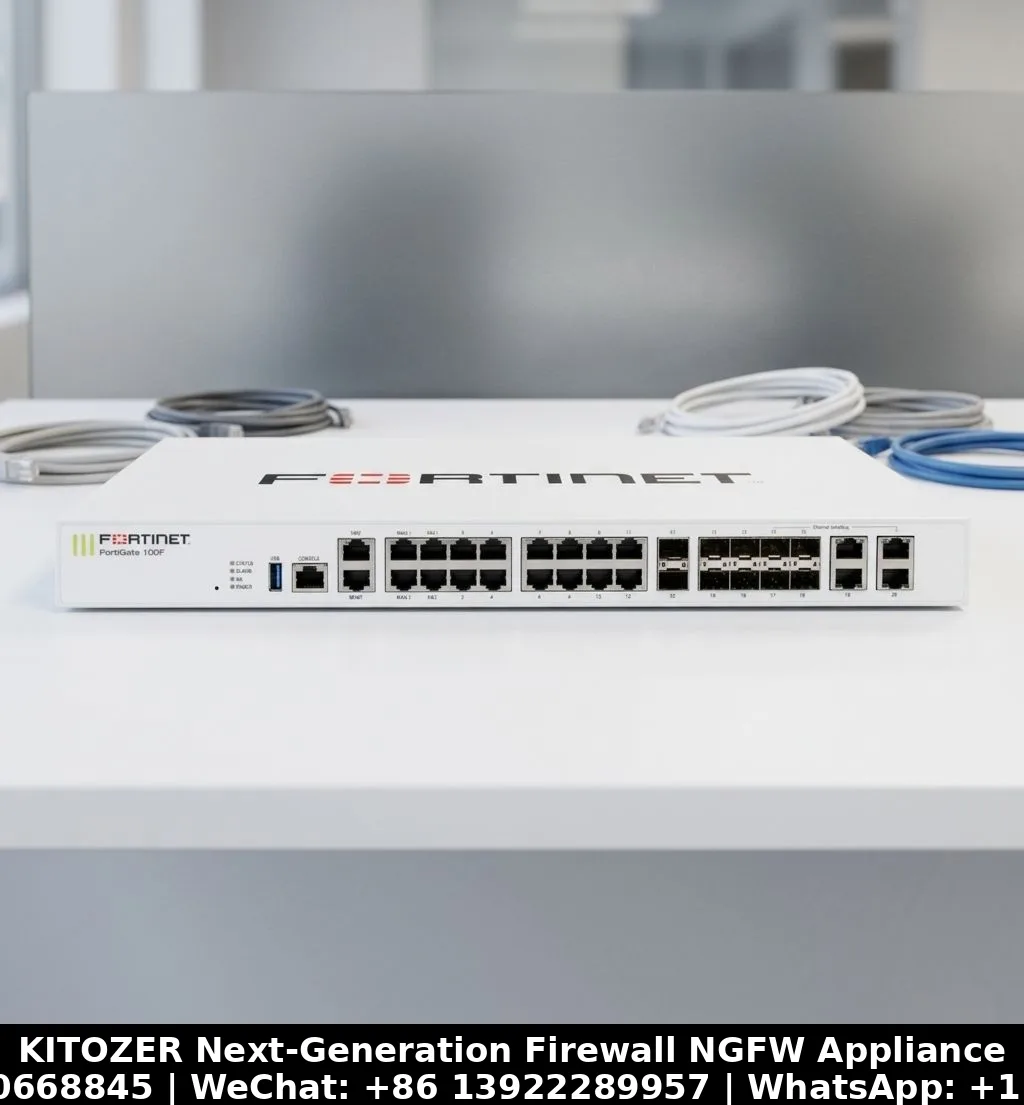
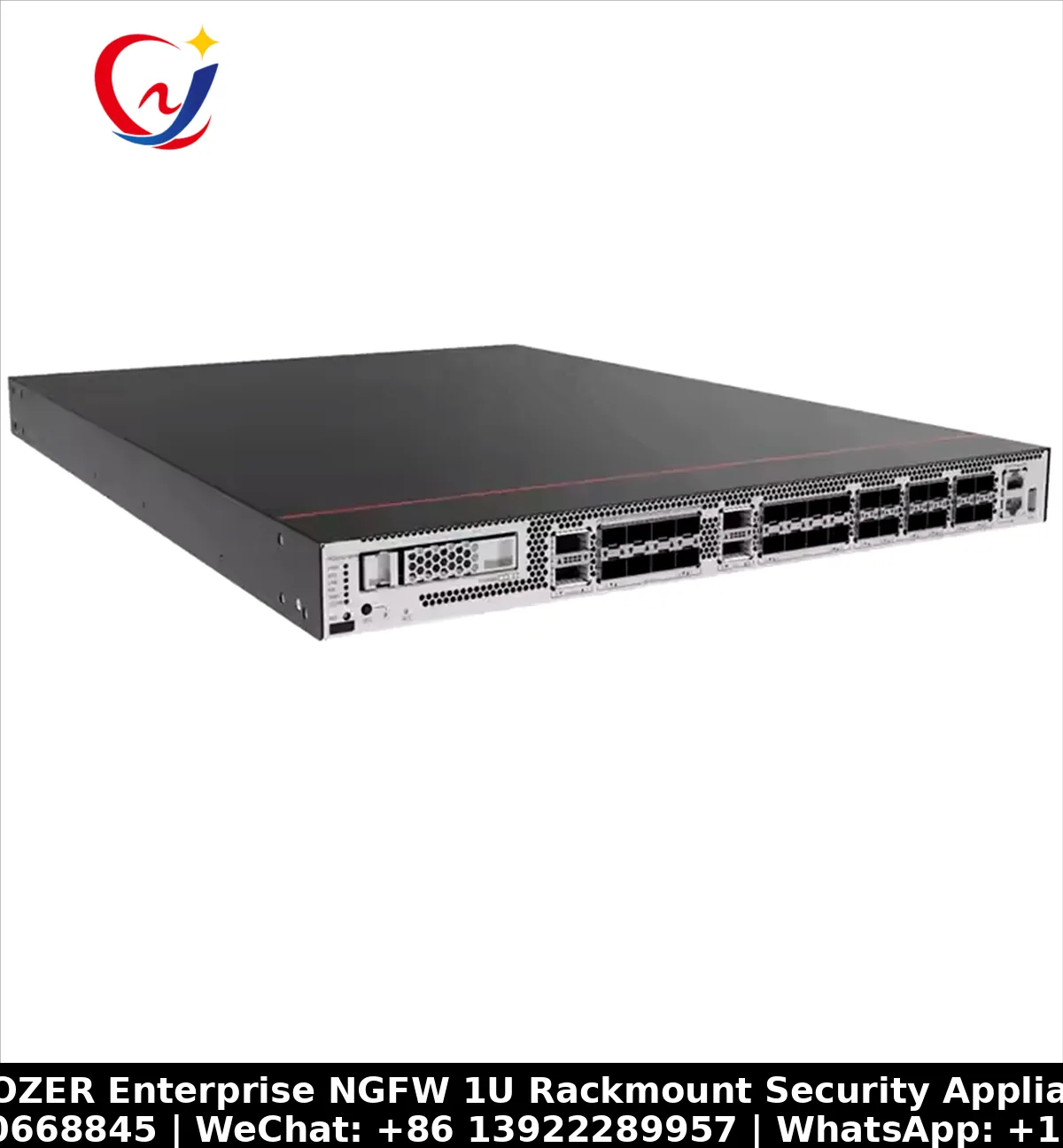
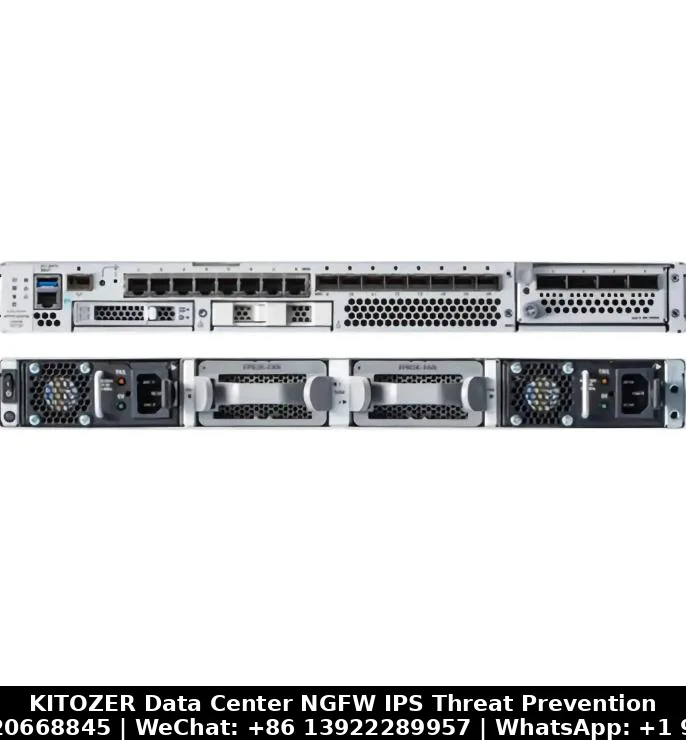
The KITOZER Next Generation Firewall (NGFW) is a high-performance network security gateway developed by Guangzhou Laian Intelligent System Development Co., Ltd. under the KITOZER brand. It integrates traditional stateful inspection firewall, Intrusion Prevention System (IPS), application identification and control, Virtual Private Network (VPN), anti-DDoS, Web Application Firewall (WAF), sandbox dynamic analysis, and threat intelligence correlation into a single unified security appliance.
As the cornerstone of enterprise network boundary security, the KITOZER NGFW is deployed at network exits or between critical network segments. It performs deep packet inspection on network traffic, identifies and blocks known and unknown threats, and provides comprehensive protection for government, finance, education, healthcare, manufacturing, energy, data centers, and service provider environments.
The KITOZER IPS (Intrusion Prevention System) module is the core subsystem of the NGFW. Using a parallel flow processing architecture and Deep Packet Inspection (DPI) technology, it detects and blocks network attacks in real time inline, including exploit attempts, malware propagation, brute-force login, SQL injection, XSS cross-site scripting, command injection, buffer overflow, port scanning, trojan callbacks, and dozens of other attack categories. Unlike traditional IDS which only alerts, the IPS operates in inline-blocking mode, stopping attacks before they reach their targets.
This product family covers desktop, 1U rackmount, 2U rackmount, and blade form factors, with throughput from 500 Mbps to over 200 Gbps. It supports Active-Passive and Active-Active High Availability (HA) deployment, clustering for horizontal scaling, virtualized deployment (VMware/KVM/Xen/Hyper-V), and cloud platform integration (Alibaba Cloud/Tencent Cloud/Huawei Cloud/AWS/Azure), meeting needs from small businesses to large data centers.
1.1 Product Positioning
KITOZER NGFW is positioned as an “integrated security gateway.” Unlike traditional firewalls that only enforce five-tuple access control, the NGFW provides these core capability dimensions:
(1) Application Layer Identification: Based on DPI deep packet inspection, it recognizes over 10,000 application protocols including web applications, mobile apps, P2P downloads, instant messaging, video streaming, remote desktop, and tunneling proxies. It enforces policy by application rather than by port number.
(2) User Identity Awareness: Integrates with LDAP/AD/RADIUS/TSMS authentication to build “user-endpoint-application” three-dimensional authorization models based on user groups and individual identities.
(3) Content Security Inspection: Integrated anti-virus engine, anti-spam email, URL filtering, file filtering, and content filtering for HTTP/FTP/SMTP/POP3/IMAP protocol deep inspection.
(4) Intrusion Prevention (IPS): Built-in rule base of 10,000+ attack signatures covering CVE exploit code, malware communication, backdoor trojans, scanning probes, and denial-of-service attacks. Supports Virtual Patch technology for zero-day protection.
(5) Threat Intelligence Correlation: Cloud-connected threat intelligence platform provides real-time updates of malicious IP/domain/URL databases, dynamically blocking C2 server communications, phishing sites, and botnet nodes.
(6) Security Visualization: Real-time traffic dashboards, attack trend analysis, risk assessment reports, and compliance audit reports. Supports integration with SOC/SIEM platforms via Syslog/SNMP/REST API.
1.2 Technology Evolution
Firewall technology has evolved through four generations: Generation 1 packet-filtering firewalls (IP/port five-tuple), Generation 2 stateful inspection firewalls (session tracking), Generation 3 application-proxy firewalls (application-layer proxy), and Generation 4 Next Generation Firewalls (integrating IPS + application identification + threat intelligence). The KITOZER NGFW sits at Generation 4 while introducing AI-driven threat detection, evolving toward a Generation 5 “intelligent security gateway.”
With the rapid growth of cloud computing, SDN, 5G, and IoT, the traditional perimeter protection model faces challenges. The KITOZER NGFW supports physical, virtualized, and containerized deployment, flexibly embedding into cloud platforms, SD-WAN architectures, and zero-trust network systems to adapt to distributed, multi-cloud, and mobile-office environments.
1.3 Target Industries
The KITOZER NGFW/IPS is widely deployed in:
· Government: Government extranet boundary protection, classified network isolation, MLPS 2.0 compliance (China Cybersecurity Classified Protection Scheme 2.0)
· Financial Services: Banking data centers, securities trading networks, payment clearing systems, insurance core system boundary protection
· Education: University campus network exit, academic systems, research lab networks, smart campus security
· Healthcare: HIS/PACS/LIS system network protection, internet hospitals, medical IoT security
· Manufacturing: Industrial internet boundary, OT/IT convergence protection, production line network isolation
· Energy & Power: Power dispatch networks, substation automation, oil/gas pipeline SCADA system security
· Data Centers / IDC: Multi-tenant isolation, cloud instance boundary protection, DDoS scrubbing front-end
· Small & Medium Enterprises: Office network exit, branch interconnection VPN, remote access security
2. Technical Architecture & Principles
2.1 Hardware Architecture
The KITOZER NGFW uses a dedicated hardware platform with these core components:
Processing Platform: High-end models use dual Intel Xeon Scalable processors (up to 56 cores / 112 threads). Mid-to-low-end models use Intel Core i3/i5/i7 or Atom platforms. Multi-core parallel processing combined with SR-IOV, DPDK, and FastPath acceleration technologies maximize forwarding performance.
Memory: Standard 16GB ECC DDR4, expandable to 256GB. SSD cache acceleration. Session table capacity ranges from 1 million to 50 million entries depending on model.
Network Interfaces: Standard 4-8 Gigabit copper ports + 2-4 Gigabit SFP fiber ports. High-end models provide 8-16 10GbE SFP+ ports and 2-4 40G QSFP+ ports. Supports interface expansion cards (Bypass interface cards, cryptographic acceleration cards, traffic split cards).
Hardware Bypass: Key models include power-loss Bypass modules that physically short-circuit network links when the device powers down, preventing single-point failures from causing business outage.
Storage: Standard 128GB SSD (system + logs), expandable to 2TB SSD for local threat logs, PCAP retention, and sandbox sample storage.
Management Port: Dedicated out-of-band MGMT port, physically isolated from data ports. RJ45 Console port for local debugging.
2.2 Software Architecture
The KITOZER NGFW operating system is based on a customized Linux kernel with a modular microkernel architecture:
Data Plane: Runs on dedicated CPU cores using the DPDK user-space protocol stack for line-rate forwarding. Packet processing flow: ingress interface → session table lookup → policy match → security inspection → egress interface.
Control Plane: Runs on dedicated management cores, handling policy distribution, routing computation, user authentication, log management, and system upgrades.
Security Inspection Engines: Parallel inspection engines running simultaneously: IPS signature engine, AV anti-virus engine, application identification engine, URL filtering engine, sandbox dynamic analysis engine, and threat intelligence matching engine.
Management Plane: Web UI (HTTPS/443), CLI (SSH/Console), REST API, SNMP v3, Syslog, and other management interfaces.
2.3 Packet Processing Flow
The complete processing pipeline for a packet traversing the KITOZER NGFW:
Step 1: Ingress Decapsulation. Network packets enter from physical interfaces, MAC-layer decapsulation extracts Ethernet headers, CRC verification, FCS removal.
Step 2: Session Table Lookup. The session flow table (keyed by five-tuple: source IP, destination IP, source port, destination port, protocol number) is searched. If a matching session exists, the packet fast-paths through. If it is a new session’s first packet, it enters the policy processing flow.
Step 3: Routing & Interface Selection. The routing table is consulted based on destination IP to determine the egress interface and next-hop address.
Step 4: Security Policy Matching. Policies are evaluated in priority order. Match conditions include: source zone, destination zone, source address/address group, destination address/address group, service/service group, application, user, user group, and time schedule. On an allow policy hit, the session is recorded and processing continues. On a deny hit, the packet is dropped and logged. If no policy matches, the default policy applies.
Step 5: Deep Packet Inspection (DPI). Allowed traffic undergoes deep inspection:
(1) Protocol Identification & Parsing: First, protocol-port mapping identifies known protocols. Then DPI protocol decoding identifies the real application protocol even on non-standard ports. Supports hundreds of protocols including HTTP/HTTPS/FTP/SMB/DNS/SMTP/POP3/IMAP/TLS/SSH/RDP/VNC/SIP/H.323/SOCKS/PPTP/L2TP/IPSec/GRE/VXLAN/NVGRE.
(2) Application Identification: Based on protocol signatures, behavioral characteristics, and machine learning models. Identifies the true application rather than relying on port numbers. For example, port 80 might carry HTTP, a tunneling proxy, P2P, or trojan communications.
(3) IPS Signature Matching: Application-layer payload is matched against the IPS signature rule database using multi-pattern matching algorithms (Aho-Corasick / MP algorithm). Detects attack signatures.
(4) Anti-Virus Scanning: Transferred files (HTTP downloads, FTP transfers, email attachments) are scanned for virus signatures and heuristics.
(5) URL Filtering: HTTP/HTTPS request URLs are classified and matched against categories (shopping, social, gambling, phishing, malicious, etc.).
(6) Threat Intelligence Matching: Source/destination IPs and domains are compared against the cloud threat intelligence database.
Step 6: NAT Translation. Source NAT (SNAT) or Destination NAT (DNAT) modifies IP addresses and ports according to NAT rules.
Step 7: Egress Encapsulation & Forwarding. The Ethernet frame is re-encapsulated, CRC calculated, and transmitted from the egress interface.
Step 8: Logging & Monitoring. Session logs, attack logs, and audit logs are asynchronously written to local storage and remote log servers.
2.4 IPS Detection Technology
The KITOZER IPS module employs a multi-layer detection technology stack:
(1) Signature-Based Detection. Known attack signatures matched by the security research team. Rules cover CVE exploit code, malware communication protocols, and backdoor trojans. Each rule includes: rule ID, severity level, affected platform, attack type, matching conditions (protocol, direction, payload regex/binary pattern), and action (block/alert/reset connection). Multi-pattern string matching algorithms enable simultaneous scanning against thousands of rules with minimal performance overhead. The IPS signature database updates daily, with emergency push packages for critical vulnerabilities.
(2) Protocol Anomaly Detection. Strict compliance checks on protocol implementations. Examples include HTTP request line format, TCP flag combinations, IP fragmentation anomalies, and DNS query format. Packets deviating from normal protocol specifications may indicate attack probes or malformed-packet attacks.
(3) Heuristic Behavior Detection. Identifies abnormal behavioral patterns: large numbers of connections to different ports in a short time (port scanning), repeated failed logins from the same IP (brute force), unusual-time large data transfers (data exfiltration), periodic communications with known C2 servers (trojan callbacks).
(4) Virtual Patch Technology. When new CVE vulnerabilities are disclosed but users have not yet patched all systems, the IPS can block exploit traffic at the network boundary. This provides a temporary “virtual patch” for unpatched systems, buying time for remediation.
(5) Sandbox Dynamic Analysis. Suspicious files (PE executables, Office documents, PDFs, APKs) are dynamically executed in an isolated virtualized environment. Runtime behavior is observed (file operations, registry modifications, network connections, process injection) to determine if the file is malware. Sandbox detects unknown threats and zero-day attacks.
(6) AI/ML Threat Detection. Machine learning models analyze encrypted traffic metadata (traffic size distribution, packet inter-arrival times, connection duration, byte count statistics) to identify malicious communications within encrypted tunnels, even without decryption.
3. Product Models & Technical Specifications
The KITOZER NGFW/IPS family is divided into performance tiers. Complete specification comparison:
3.1 Desktop / Branch Office Models
| Parameter | KTO-NGFW-100 | KTO-NGFW-200 | KTO-NGFW-500 | KTO-NGFW-800 |
|---|---|---|---|---|
| Throughput | 500 Mbps | 1 Gbps | 2 Gbps | 4 Gbps |
| IPS Throughput | 200 Mbps | 400 Mbps | 800 Mbps | 1.5 Gbps |
| Max Concurrent Sessions | 500K | 1M | 2M | 4M |
| New Sessions/sec | 8,000 | 15,000 | 25,000 | 40,000 |
| Network Interfaces | 6×GigE copper | 6×GigE+2×SFP | 8×GigE+2×SFP | 8×GigE+4×SFP |
| CPU | Atom C3558 | Atom C3758 | Core i3-8100 | Core i5-9500 |
| Memory | 8GB | 8GB | 16GB | 16GB |
| Storage | 128GB SSD | 128GB SSD | 256GB SSD | 256GB SSD |
| VPN Throughput | 200 Mbps | 400 Mbps | 800 Mbps | 1.2 Gbps |
| IPSec Tunnels | 500 | 1,000 | 2,000 | 3,000 |
| SSL VPN Users | 100 | 200 | 500 | 1,000 |
| IPS Rules | 12,000+ | 12,000+ | 12,000+ | 12,000+ |
| Applications Detected | 10,000+ | 10,000+ | 10,000+ | 10,000+ |
| Form Factor | Desktop | Desktop/1U | 1U Rack | 1U Rack |
| Reference Price (USD) | $1,200-1,800 | $2,500-3,500 | $5,000-7,000 | $8,000-11,000 |
3.2 Enterprise 1U/2U Models
| Parameter | KTO-NGFW-2000 | KTO-NGFW-5000 | KTO-NGFW-8000 | KTO-NGFW-12000 |
|---|---|---|---|---|
| Throughput | 8 Gbps | 12 Gbps | 20 Gbps | 30 Gbps |
| IPS Throughput | 3 Gbps | 5 Gbps | 8 Gbps | 12 Gbps |
| Max Concurrent Sessions | 8M | 15M | 25M | 40M |
| New Sessions/sec | 70,000 | 100,000 | 150,000 | 200,000 |
| Network Interfaces | 8×GigE+4×10G SFP+ | 8×GigE+8×10G SFP+ | 12×10G SFP++2×40G | 16×10G SFP++4×40G |
| CPU | Xeon Silver 4210 | Xeon Gold 5218 | Dual Xeon Gold 6230 | Dual Xeon Gold 6248 |
| Memory | 32GB ECC | 64GB ECC | 128GB ECC | 256GB ECC |
| Storage | 512GB SSD | 1TB SSD | 2TB SSD | 2TB SSD×2 RAID1 |
| VPN Throughput | 2 Gbps | 4 Gbps | 6 Gbps | 10 Gbps |
| IPSec Tunnels | 5,000 | 10,000 | 20,000 | 30,000 |
| SSL VPN Users | 2,000 | 5,000 | 10,000 | 20,000 |
| Bypass | Yes | Yes | Yes | Yes |
| Form Factor | 1U Rack | 1U Rack | 2U Rack | 2U Rack |
| Reference Price (USD) | $15,000-20,000 | $28,000-38,000 | $55,000-75,000 | $90,000-120,000 |
3.3 Data Center / Carrier-Grade Models
| Parameter | KTO-NGFW-20K | KTO-NGFW-40K | KTO-NGFW-100K |
|---|---|---|---|
| Throughput | 40 Gbps | 80 Gbps | 200+ Gbps |
| IPS Throughput | 15 Gbps | 30 Gbps | 60 Gbps |
| Max Concurrent Sessions | 80M | 150M | 300M+ |
| New Sessions/sec | 300,000 | 500,000 | 1,000,000+ |
| Network Interfaces | 8×40G QSFP+ | 16×40G+4×100G | 8×100G QSFP28+ |
| CPU | Dual Xeon Gold 6248R | Dual Xeon Platinum 8275CL | Multi-CPU+NP accel |
| Memory | 256GB ECC | 512GB ECC | 1TB ECC |
| Clustering | Yes | Yes | Yes |
| Form Factor | 2U/3U | 3U/4U | 4U/Blade |
| Reference Price (USD) | $180,000-250,000 | $350,000-500,000 | Quote |
3.4 Software Subscription Modules
| Subscription Module | Description | Annual Reference Price (USD) |
|---|---|---|
| Base Firewall | Stateful inspection, NAT, routing, VPN | Included with hardware |
| IPS Subscription | Signature updates, virtual patching | $1,000-20,000/yr (by model) |
| Anti-Virus Subscription | AV engine updates | $800-15,000/yr |
| URL Filtering Subscription | URL category database updates | $600-10,000/yr |
| Threat Intelligence | Cloud IP/domain reputation database | $1,000-18,000/yr |
| Sandbox Subscription | Cloud dynamic analysis service | $2,000-30,000/yr |
| SSL VPN User License | Per concurrent user | $10-30/user/yr |
| 5-Year Warranty+Support | 7×24 hotline + hardware replacement | 15-20% of hardware price |
4. Selection Guide
4.1 Key Selection Factors
Choosing the right NGFW model requires comprehensive consideration of:
(1) Bandwidth Throughput: First determine the network exit bandwidth. Note that rated throughput with all security features enabled, not bare packet forwarding. Recommend sizing at “exit bandwidth × 1.5-2x” for headroom. For a 1Gbps exit, choose a model with IPS throughput ≥1.5Gbps. Peak and burst traffic require additional consideration.
(2) Concurrent Session Count: Determines how many simultaneous network connections the device can handle. Typical office usage is 50-200 concurrent sessions per user (web browsing ~30-80, video conferencing ~50-100, file transfers additional). If many servers provide services (Web, mail), external visitor sessions must also be counted. Estimate as “users × 200 × 1.5 headroom.”
(3) New Session Rate: New sessions per second affects peak-hour response. Concentrated morning internet access causes a surge in new session setup. Insufficient capacity causes latency and packet loss.
(4) Interface Density: Determine how many copper, fiber, and 10GbE ports are needed based on the network topology. Leave expansion headroom for future network upgrades.
(5) VPN Requirements: How many IPSec tunnels for branch interconnection? How many concurrent SSL VPN users for remote work? Is VPN throughput sufficient?
(6) Deployment Mode: Routed mode (gateway deployment), transparent mode (inline bridge), mixed mode, or passive mode (IDS only). Different modes require different interface configurations.
(7) High Availability: Mission-critical deployments recommend HA (Active-Passive or Active-Active), requiring two identical units plus HA cabling. Key scenarios may also require clustering.
(8) Compliance: MLPS 2.0 (China), GDPR, PCI-DSS, ISO27001, and other compliance requirements may affect log retention, encryption algorithms, and audit features.
4.2 Recommended Configurations by Scenario
| Scenario | User Scale | Recommended Model | Configuration Notes |
|---|---|---|---|
| Small office / retail | 20-50 users | KTO-NGFW-100/200 | Base firewall + IPS, single unit |
| Mid-size HQ | 200-500 users | KTO-NGFW-500/800/2000 | Full subscriptions + SSL VPN, HA pair |
| Large enterprise HQ | 1,000-3,000 users | KTO-NGFW-5000/8000 | Full suite + threat intel + sandbox, HA pair |
| Data center boundary | Multi-service | KTO-NGFW-12000/20K | 10G interface cluster, scale as needed |
| Branch office | 30-100 users | KTO-NGFW-200/500 | IPSec VPN to HQ, streamlined features |
| Remote access | 500-2,000 remote users | HQ unit SSL VPN module | Licensed by concurrent users |
| Industrial park/factory | 500-2,000 endpoints | KTO-NGFW-2000/5000 | Industrial protocol recognition + OT isolation |
| Hospital / school | 1,000-5,000 users | KTO-NGFW-5000/8000 | Compliance log retention 6+ months |
4.3 Subscription Recommendations
NGFW hardware is only the platform; security capabilities depend on continuous subscription updates. Recommend purchasing 3-year or 5-year bundle subscriptions upfront, saving 30-40% versus year-by-year renewal. Key subscriptions:
· IPS Subscription (Required): New vulnerabilities emerge constantly; without signature updates, the system is effectively unprotected.
· Anti-Virus (Required): Virus database updates daily.
· URL Filtering (Recommended): Prevents employee access to malicious and inappropriate websites.
· Threat Intelligence (Recommended): Countering Advanced Persistent Threats (APT).
· Sandbox (Recommended for high-security): Detects zero-day attacks and targeted phishing.
5. Deployment & Installation Guide
5.1 Deployment Modes
5.1.1 Routed Mode (Gateway Mode)
The most common deployment. The NGFW acts as the network gateway: one interface connects to the internal network (LAN), another to the external network (WAN/ISP), handling routing and security filtering between them. The internal network gateway points to the NGFW’s LAN interface IP. In this mode the NGFW participates in Layer 3 routing, requiring VLAN interfaces, sub-interfaces, static routes, or dynamic routing (OSPF/BGP/RIP).
Pros: Full-featured (NAT, VPN, routing), optimal performance, complete boundary protection.
Cons: Requires changes to existing network topology to switch the gateway to the NGFW.
5.1.2 Transparent Mode (Bridge Mode)
The NGFW is inserted as a Layer 2 bridge inline in the network link without changing existing IP addresses and routing. External and internal networks connect to bridge group interfaces; the NGFW is transparent to upstream and downstream devices. Suitable for embedding security protection without altering the existing network.
Pros: No existing network configuration changes needed, fast deployment, low risk.
Cons: NAT not supported (unless paired with another device), routing functionality limited.
5.1.3 Mixed Mode
Some interfaces in routed mode, others in transparent bridge mode. For example, WAN and DMZ ports in routed mode, with transparent bridging between internal core switches.
5.1.4 Bypass / IPS-Only Mode
Traffic is mirrored via a TAP splitter to the NGFW for detection and alerting only, without blocking. Suitable for initial assessment, network monitoring, or environments sensitive to blocking (observe first, intercept later).
5.1.5 HA Deployment
Two identical NGFWs connected via HA heartbeat cables (dedicated 10G interface recommended). The standby device automatically takes over if the primary fails. Supports:
· Active-Passive: Primary processes traffic, standby synchronizes sessions and configuration, takes over on primary failure.
· Active-Active: Both devices simultaneously handle different links or sessions, mutually backing each other up.
HA synchronization includes: configuration, session table, IPSec SAs, SSL VPN sessions, ARP tables. Failover time typically <1 second.
5.2 Installation Steps
Step 1: Unboxing Inspection. Check for physical damage. Verify accessories: power cables ×2 (for redundant power models), Console cable, rack ears, screws, grounding cable. Record the serial number for registration and licensing.
Step 2: Rack Mounting. Install in a standard 19-inch rack using M6 screws. Ensure adequate ventilation with at least 1U clearance front and rear. Connect protective ground.
Step 3: Power-On. Connect power cables (redundant power units to separate PDU circuits), turn on the power switch. Connect via Console port (9600 baud, 8N1) to observe boot process. First boot takes approximately 2-3 minutes.
Step 4: Initial Configuration. Via Console or web management port:
· Set administrator password (strong: upper+lower+digits+symbols, ≥12 characters)
· Configure management interface IP address
· Change default management port (avoid default 443; use a non-standard port)
· Set system time (NTP server)
· Import license file
· Upgrade to latest firmware version
Step 5: Network Interface Configuration. Configure interface IP addresses and security zones per the deployment topology. Recommended zones:
· Untrust/External: Internet-facing, lowest security level
· Trust/Internal: Office LAN, high security level
· DMZ: Public-facing servers (Web/Mail), medium security
· Mgmt/Management: Management port, only management traffic allowed
By default, traffic from higher-security to lower-security zones is allowed; lower-to-higher requires explicit policy.
Step 6: Security Policy Configuration. Configure least-privilege access control policies:
· Default policy: Deny All
· Internal→External: Allow HTTP/HTTPS/DNS and necessary services
· External→DMZ: Only allow specified ports to public servers (e.g., 80/443 to Web server)
· DMZ→Internal: Deny or strictly limit
· Management→All: Only allow management IPs
Step 7: NAT Configuration. Configure Source NAT (SNAT) for internal users sharing a public IP. Configure Destination NAT (DNAT/port forwarding) to map public addresses to DMZ servers.
Step 8: Enable Security Features.
· Enable IPS detection in 「alert-only」 mode for one week to confirm no false positives before switching to 「block」
· Enable anti-virus, URL filtering, application control
· Configure log server (Syslog) for remote backup
· Configure email alerts for critical events
Step 9: Testing & Validation. Test internal-to-external connectivity, external-to-DMZ reachability, and verify attack blocking with test tools.
Step 10: Cutover. Switch the internal gateway from the old device to the NGFW. Perform during off-peak hours with a rollback plan ready.
5.3 Typical Deployment Topologies
Scenario A: Small Business Single Exit
ISP modem → NGFW WAN (public IP) → NGFW LAN (internal gateway) → Core switch → Access switches → Endpoints. DMZ zone on the NGFW DMZ port for Web and mail servers.
Scenario B: Dual ISP Exit + HA
ISP1 → NGFW-A WAN1; ISP2 → NGFW-B WAN1. Two NGFWs in HA, internal ports both connected to core switches (via switch aggregation). Business continues if either ISP or either unit fails.
Scenario C: Data Center Multi-Zone Isolation
Internet boundary → Edge NGFW cluster → Core switch → Per-business-zone internal NGFW → Web zone / App zone / DB zone. Micro-segmentation between different business zones via internal NGFWs.
6. Maintenance & Operations
6.1 Routine Inspection
Establish an NGFW operations inspection routine:
Daily:
· Log into the web interface to check system status: CPU, memory, disk utilization
· Check interface traffic for anomalies or sudden spikes
· Verify HA status (if deployed), both primary and standby healthy
· Review today’s attack logs for high-severity events
Weekly:
· Verify signature/AV/URL database versions are latest and updates succeeded
· Check VPN tunnel status for disconnected tunnels
· Export weekly security reports and analyze attack trends
· Review system logs for errors and warnings
Monthly:
· Review security policies, clean up expired, redundant, and unused policies (policy bloat)
· Review administrator accounts, remove departed staff accounts, verify permission assignments
· Check log storage utilization, clean old logs or expand capacity
· Back up configuration files to a secure local location
· Check for firmware update announcements, assess need to upgrade
Quarterly:
· Perform a complete configuration backup + offline backup
· Conduct an HA failover drill to verify the standby can actually take over
· Review IPS policies, adjust rule enable/disable based on new threats
· Assess capacity against growth needs (sessions, bandwidth, users)
6.2 Firmware Upgrades
NGFW firmware upgrades are critical maintenance operations that must be performed carefully:
· Back up configuration completely before upgrade
· Read the release notes for known issues and upgrade precautions
· Validate on a test environment or standby device first
· Perform during off-peak business hours
· Do not power off during upgrade
· For HA pairs, upgrade the standby first, fail over, then upgrade the former primary
· After upgrade, verify all functions work (policies, VPN, routing, logs)
· Keep the rollback image to revert to the previous version if problems occur
6.3 Log Management & Audit
NGFW logs are essential for security incident forensics and compliance auditing:
Log Types:
· Session logs: Record every connection (src/dst IP, port, application, duration, bytes)
· Attack logs: Record IPS-detected attack events (attack type, source IP, target, action)
· Virus logs: Record detected malware (filename, virus name, action taken)
· Configuration logs: Record all configuration changes (who, when, what changed)
· Admin logs: Record administrator login/logout, failed logins, management operations
Log Retention Recommendations:
· MLPS 2.0 requires network log retention ≥6 months
· Financial industry recommends 1+ years
· Critical attack logs should be archived permanently
· Configure remote Syslog servers to prevent log loss on device failure
6.4 Common Troubleshooting
| Symptom | Possible Cause | Troubleshooting Steps |
|---|---|---|
| Cannot access web UI | Wrong mgmt IP / policy blocks / browser issue | 1. Console-check interface IP 2. Check mgmt access policy 3. Try different browser/clear cache 4. Check HTTPS cert |
| Internal users cannot access internet | WAN link down / NAT misconfigured / routing / DNS issue | 1. Check WAN link status 2. Ping public IP 3. Verify SNAT rules 4. Check DNS config |
| IPS false-positives blocking legitimate traffic | A particular IPS rule is false-alarming | 1. Check attack log for matched rule 2. Temporarily disable that rule 3. Submit false-positive report 4. Set to alert-only |
| High CPU usage | Attack traffic / all signatures enabled / too many sessions | 1. View top sessions 2. Check for DDoS 3. Optimize policies 4. Evaluate model upgrade |
| HA failover abnormal | Heartbeat link down / config out of sync / session sync failed | 1. Check heartbeat interface 2. Compare configs 3. Review HA logs 4. Manual sync |
| VPN tunnel cannot establish | Mismatched PSK / phase 1/2 params / NAT-T issue / unreachable peer | 1. Verify both sides parameters 2. Check peer reachability 3. Review VPN logs 4. Check UDP 500/4500 open |
| Log disk full | Logs not rotating / verbose logging level | 1. Clean old logs 2. Configure log rotation 3. Adjust log level 4. Expand storage |
Q1: What is the difference between NGFW and traditional firewalls?
Traditional firewalls only enforce five-tuple access control based on IP and port. NGFW adds deep packet inspection (DPI), application identification, user awareness, IPS, anti-virus, and URL filtering. It can tell what application is actually running on port 80 (legitimate web vs. trojan tunnel) and enforce granular policy by application and user.
Q2: What is the difference between IPS and IDS?
IDS (Intrusion Detection System) is passively deployed and only alerts without blocking. IPS (Intrusion Prevention System) is deployed inline and actively blocks attacks (drops packets/resets connections). The KITOZER NGFW includes an IPS module that can operate in either blocking or alert-only mode.
Q3: Can an NGFW replace antivirus software?
Not completely. The NGFW detects known threats and malicious traffic at the network boundary. Endpoint antivirus detects infected files and processes on hosts. They are complementary: the NGFW blocks external intrusions, while EDR/AV detects already-infected endpoints. Defense-in-depth requires multiple security layers.
Q4: How do I choose between transparent and routed mode?
If you can modify the network topology and need NAT and VPN, choose routed mode. If you cannot change the existing network and just want to add a protection layer, choose transparent mode. Many deployments use a mix of both.
Q5: What is a virtual patch?
When new vulnerabilities (like Log4j, Exchange ProxyShell) are disclosed, users may not have patched all servers yet. The IPS blocks exploit traffic at the network boundary, providing temporary protection for unpatched systems—a ‘virtual patch’ while real patches are applied.
Q6: How should I understand NGFW throughput ratings?
Throughput has several ratings: bare packet forwarding (no inspection), IPS-enabled throughput, and full-inspection throughput (AV+IPS+app-ID). Always select based on the all-features-enabled number, not bare throughput.
Q7: What happens when concurrent sessions are exhausted?
New connections are rejected when the session limit is reached, causing some pages to fail loading and application timeouts. Upgrade the model or optimize session timeout settings.
Q8: Can NGFW inspect encrypted SSL/TLS traffic?
Yes. The NGFW supports SSL Inspection, decrypting HTTPS traffic (with a trusted CA certificate installed on endpoints), inspecting content, then re-encrypting and forwarding. Note compliance requirements: decrypting employee communications must be disclosed in privacy policies.
Q9: What is Bypass functionality?
Bypass interfaces use hardware relays to physically short-circuit network links when the device loses power or the system crashes, allowing traffic to pass through directly without the system. This prevents device failure from causing a full network outage.
Q10: Do HA pairs require identical hardware?
Yes, HA pairs must be the same model with the same firmware version. In Active-Passive mode, configuration automatically synchronizes; the standby does not process traffic but remains ready.
Q11: Does the NGFW support cloud deployment?
Yes. KITOZER offers virtualized versions (VMware/KVM/Hyper-V/Xen) and container images (Docker/K8s) that can be deployed on private clouds and public clouds (AWS/Azure/Alibaba/Tencent/Huawei) as cloud security gateways.
Q12: Why separate management and data ports?
Out-of-band management ensures administrators can still access the device even if data ports fail or an attack disrupts business traffic. The management port should connect to an isolated management network, not mixed with business traffic.
Q13: How often are signature databases updated?
IPS and AV signature databases typically update automatically daily, with emergency pushes for critical vulnerabilities. Threat intelligence updates hourly. Configure automatic updates with manual confirmation.
Q14: What should I do about too many false positives?
IPS rules may misclassify legitimate traffic. Solutions: (1) Run in alert-only mode first to collect false positives; (2) Set misfiring rules to alert-only; (3) Report false positives to the vendor for optimization; (4) Exclude specific rules for particular servers/users.
Q15: What if an attack slips through?
The signature database may not cover that attack. Actions: (1) Confirm the database is fully updated; (2) Enable sandbox dynamic analysis and threat intelligence; (3) Report the new attack to the security team; (4) Consider additional layers like WAF and EDR.
Q16: Can I place the NGFW behind the core switch?
Yes, but typically NGFWs are placed at the network exit boundary. If the core switch connects to multiple server zones, internal NGFWs between zones provide micro-segmentation, a zero-trust practice.
Q17: Does NGFW protect against DDoS?
Basic DDoS protection (SYN Flood, UDP Flood, ICMP Flood) is built in. Large-scale DDoS attacks (10+ Gbps) require dedicated anti-DDoS appliances or ISP scrubbing services.
Q18: What is application identification?
Traditional firewalls only look at port numbers—port 80 means HTTP. But many applications use non-standard ports or disguise themselves on port 80. Application identification uses DPI to analyze packet content and accurately identify the actual application.
Q19: What is the purpose of user authentication?
Enables access control based on ‘who’ rather than just ‘which IP.’ For example, allow the marketing department to access social media but block R&D; or permit employee A VPN access but not employee B. Integrated with AD/LDAP, policies follow user identity automatically.
Q20: How does URL filtering work?
The NGFW maintains a URL classification database (tens of millions of URLs in dozens of categories: news, shopping, social, gambling, adult, malicious). When a user visits a URL, it is classified in real time and allowed or blocked per policy. The database updates daily with new domains.
Q21: How does a sandbox work?
Suspicious files are opened in an isolated virtual machine sandbox. Runtime behavior is observed: does it create persistence mechanisms, connect to C2 servers, encrypt user files (ransomware behavior), or inject into other processes? Abnormal behavior determines malware classification.
Q22: How is threat intelligence used?
The cloud intelligence platform collects global malicious IPs, domains, URLs, and file hashes in real time. The NGFW blocks traffic to known malicious addresses dynamically. This is more proactive than passive signature detection and can intercept unknown attack sources.
Q23: Does the NGFW support IPv6?
All models support IPv6 dual-stack. IPv6 security policies, IPS detection, and application identification work for IPv6 traffic. If transitioning to IPv6, the NGFW handles both IPv4 and IPv6 simultaneously.
Q24: Can it function as a router and switch?
NGFW interfaces can be configured as VLAN trunk ports with sub-interfaces (each sub-interface for a VLAN), providing one-armed routing. But we do not recommend replacing professional switches for Layer 2 forwarding; the NGFW’s role is a security gateway.
Q25: What happens when the log disk fills up?
New logs cannot be written, potentially affecting system performance. Configure automatic log rotation (overwrite oldest logs by days/size) and configure a remote Syslog server for centralized storage.
Q26: What if I forget the admin password?
Reset via Console port in single-user mode (contact technical support for guided operation). Note: physical access to the device is required, which is by design for security.
Q27: Can the NGFW become a network bottleneck?
Not if properly sized. But if network bandwidth grows beyond device capacity, it becomes a bottleneck. Recommend 1.5-2x headroom and regular capacity reviews.
Q28: What is a virtual IPS sensor?
One physical NGFW can run multiple virtual IPS engines (virtual sensors), each monitoring different interfaces/zones with different policy sets. Suitable for multi-tenant or multi-business-zone environments.
Q29: Can I manage other firewall brands?
KITOZER NGFW supports standard protocol integration: Syslog, SNMP, REST API. Logs can be sent to a SOC/SIEM platform for unified management. However, it cannot directly manage other firewall brands.
Q30: 3-year or 5-year service?
5-year bundles are typically 20-30% cheaper (annualized) than 3-year. Device lifecycle is generally 5-7 years; if planning to use 5+ years, buy the 5-year bundle upfront to avoid renewal price increases.
Q31: What is the power consumption?
Desktop models ~20-40W, 1U models ~80-150W, 2U models ~200-400W, 4U high-end models ~600-1200W (redundant power). Plan rack power accordingly.
Q32: Is the device noisy?
Desktop models are quiet enough for office areas. 1U/2U models have high-speed fans and are recommended for equipment rooms. 4U models are loud and must go in a dedicated server room.
Q33: Does it support remote management?
Yes. Via HTTPS web UI, SSH CLI, and REST API. Recommend accessing via VPN or management private network; never expose the management port directly to the public internet.
Q34: What is a security zone?
Security zones are logical groupings of interfaces with different security levels. Policies are defined between zones (e.g., Untrust→Trust, DMZ→Trust). Zones simplify policy management—new interfaces join their corresponding zone.
Q35: Do more policies hurt performance?
Policy count has minimal performance impact (fast-path after first-packet match). But excessive redundant/expired policies increase management complexity; clean them regularly.
Q36: What NAT types are supported?
SNAT (Source NAT: translates internal source IP to public IP for internet access), DNAT (Destination NAT: translates public destination IP to internal server IP), and PAT (Port Address Translation: multiple internal users share one public IP on different ports).
Q37: IPSec VPN vs SSL VPN?
IPSec VPN is for site-to-site (fixed interconnection between offices), automatically establishing tunnels transparent to endpoints. SSL VPN is for remote individual users (traveling employees), connecting via browser or client without requiring a fixed site.
Q38: Does the NGFW do QoS?
Basic QoS is supported: bandwidth limits, traffic shaping, priority queuing. But complex QoS policies should use dedicated traffic management appliances; the NGFW focuses on security.
Q39: What is session synchronization?
During HA failover, the standby device synchronizes the primary’s session table so existing connections survive the switchover. Different protocols sync differently: TCP syncs well; UDP and certain stateful protocols may need re-establishment.
Q40: How do I test NGFW protection?
Use security testing tools: Nmap scanning, Metasploit exploitation framework, sqlmap injection testing, EICAR test file for antivirus. Validate blocking effectiveness in a test environment.
Q41: Does the NGFW need periodic reboots?
No. Enterprise-grade devices are designed for 7×24 continuous operation. Only reboot for firmware upgrades or troubleshooting. Frequent reboots can accelerate hardware aging.
Q42: What is UTM?
UTM (Unified Threat Management) is the predecessor concept to NGFW, integrating firewall+VPN+AV+IPS+URL filtering in one appliance. NGFW emphasizes application identification, user control, and threat intelligence with higher performance than UTM.
Q43: Can I block video streaming during work hours?
Yes. Based on application identification, block video streaming apps (YouTube/TikTok/etc.) during work hours (time schedules) and allow them off-hours. Bandwidth limits are also possible.
Q44: What is stateful inspection?
Stateful inspection tracks each TCP session’s state (SYN→SYN-ACK→ACK→FIN). Only packets belonging to established sessions are allowed. More secure than static packet filtering; it prevents spoofed packets.
Q45: Does NGFW protect against ransomware?
The NGFW can block ransomware propagation and C2 communications but cannot prevent files from being encrypted. It needs endpoint EDR and backup strategies. Sandbox functionality detects ransomware samples.
Q46: What is SSL decryption?
SSL Inspection performs man-in-the-middle decryption of HTTPS traffic, inspects content, then re-encrypts and forwards. Requires installing a trusted CA certificate on endpoints. Decrypting cloud SaaS traffic has compliance limitations.
Q47: What happens if system time is wrong?
Inaccurate time causes wrong log timestamps, making event correlation difficult; certificate verification fails; NTP sync problems. Always configure NTP for accurate timekeeping.
Q48: Is dual power necessary?
Critical-node devices should have dual power supplies, connected to separate PDU circuits (different UPS loops). Failure of one power circuit does not interrupt the device.
Q49: What is session timeout?
Each session has an idle timeout after which it is automatically removed from the table. UDP default 30 seconds, TCP default 1800 seconds. Adjust based on business needs to avoid long-idle sessions consuming table entries.
Q50: Does the NGFW support custom IPS rules?
High-end models support custom signature rules (protocol/payload regex). But prefer officially maintained rules; custom rules have high maintenance costs.
Q51: How do I prevent admin phishing?
Do not expose the management port to the public internet. Require VPN + MFA for login. Restrict admin login to IP whitelists. Regularly review management operation logs.
Q52: What is the difference between NGFW and WAF?
NGFW is a general network security gateway protecting the entire network boundary. WAF (Web Application Firewall) specifically protects web applications with deep HTTP request parsing, defending against SQL injection/XSS/CSRF. The NGFW includes basic WAF features, but complex web protection warrants a dedicated WAF.
Q53: What is zero trust?
Zero Trust security model: ‘never trust, always verify.’ No distinction between internal and external networks; every access requires authentication and authorization. The NGFW can serve as a Policy Enforcement Point (PEP) in a zero-trust architecture, working with identity platforms for micro-segmentation.
Q54: How do I activate the license?
After purchase, you receive a license authorization file (bound to device MAC). Import and activate in the web UI under ‘System → License.’ Subscription services are valid for a year; renew before expiration.
Q55: Can I expand interfaces?
High-end 1U/2U models support expansion cards: 10G copper/fiber cards, Bypass cards, cryptographic acceleration cards. Desktop models are generally not expandable.
Q56: What is a Syn Cookie?
SYN Cookie defends against SYN Flood attacks by not allocating resources to wait for the full handshake; instead, it uses an encrypted cookie and only creates the session upon receiving the ACK. Effectively prevents half-open connections from exhausting the session table.
Q57: Does the NGFW provide log visualization?
Built-in dashboards show real-time traffic, attack trends, top attackers, and top application distribution. PDF/Excel reports are generated. External BI platforms can be integrated.
Q58: What to watch when migrating from an old firewall?
Document all policies, NAT, and routing on the old device. Rebuild them on the NGFW. Run in parallel for a period to compare traffic before cutover. Keep the old device for at least one month for rollback.
Q59: What is parallel detection architecture?
Traditional serial detection processes packets sequentially through IPS→AV→URL engines, causing high latency. Parallel detection processes all engines simultaneously on the same packet, taking the earliest blocking result. The KITOZER high-end models use parallel architecture.
Q60: What contract terms matter when buying?
Clarify: hardware warranty (≥3 years recommended), subscription service start/end dates, signature update commitments, technical response time (7×24 vs. 5×8), hardware spare SLA (4hr/24hr on-site), software upgrade rights.
Q61: What certifications does KITOZER NGFW have?
Supports China MPS Sales License, CCRC Information Security Service qualification, MLPS 2.0 Level 3+ adaptation certification, CE/FCC/RoHS. Request the latest certification list from sales.
Q62: Is custom development available?
KITOZER provides some custom development: custom reports, specific protocol identification, API integration. Large projects can negotiate custom requirements and timelines.
8. Typical Application Scenarios
8.1 Enterprise Office Network Exit Protection
Deploy the KITOZER NGFW at the enterprise internet exit to protect the internal office network. Key protection points:
· Block external hacker attacks and malware intrusions
· Control employee internet behavior (block malicious/inappropriate websites)
· Anti-virus (web downloads, email attachments)
· VPN branch interconnection and remote office access
· Internet activity auditing (compliance)
8.2 Data Center Boundary & Micro-Segmentation
Deploy internal NGFWs between data center business zones to achieve micro-segmentation across server zones, database zones, office zones, and DMZ zones. Even if one zone is breached, attackers cannot pivot laterally to other zones. Combined with virtual NGFWs (VM series), each tenant in a cloud environment gets an independent security boundary.
8.3 Industrial Internet OT Security
Deploy NGFW between enterprise IT networks and OT networks (PLC/SCADA/DCS), recognizing industrial protocols like Modbus/S7/DNP3/Profinet/CC-Link and enforcing whitelist access control. Prevents threats from the IT network spreading to the OT production network, while blocking abnormal OT traffic from exfiltrating outward.
8.4 Government Extranet Security
Government agencies deploy NGFW+IPS at the extranet boundary to meet MLPS 2.0 Level 3 requirements: boundary access control, intrusion prevention, security auditing, and malicious code prevention. Logs retained for 6+ months, connected to the government security operations center.
8.5 Financial Core System Protection
Banking, securities, and insurance data centers deploy high-end NGFW clusters requiring: HA + clustering, encrypted traffic inspection, financial compliance auditing, and low-latency transaction protection. Anti-DDoS appliances are deployed in front for large-volume attack protection.
8.6 Healthcare HIS System Protection
Deploy NGFW between hospital HIS/PACS/LIS networks and the internet to protect patient data and medical systems. Meets health commission cybersecurity requirements and prevents ransomware from encrypting medical data. IoT medical devices (patient monitors, infusion pumps) must also be isolated.
8.7 Education Campus Network
University campus network exit NGFW: identify student online behavior, filter inappropriate content, protect academic systems and research networks. Supports IPv6 dual-stack (CERNENT IPv6 adoption). Student dorm zones have separate policy rate limiting and controls.
9. Price Reference & Procurement Guide
KITOZER NGFW/IPS Price Range Reference
| Tier | Hardware Reference (CNY) | USD Equivalent | Typical Use Case |
|---|---|---|---|
| Desktop (100/200) | ¥8,000-25,000 | $1,200-3,500 | Under 50 users, basic protection |
| Desktop/1U (500/800) | ¥35,000-80,000 | $5,000-11,000 | Under 200 users, mid-size office |
| Enterprise 1U (2000/5000) | ¥100,000-280,000 | $15,000-38,000 | 500-1,000 user HQ |
| Enterprise 2U (8000/12000) | ¥400,000-850,000 | $55,000-120,000 | 2,000+ user large enterprise |
| Datacenter (20K+) | ¥1,200,000+ | $180,000+ | Data centers / carriers |
| Annual subscriptions | 15-30% of hardware/yr | — | IPS/AV/URL/intel/sandbox |
| Implementation service | ¥5,000-50,000 | $700-7,000 | Installation + policy planning |
* Prices are reference only; actual pricing varies by configuration, license count, service years, and project scope. Contact KITOZER sales for a formal quotation.
9.1 Procurement Savings Tips
1. Choose 3-year or 5-year bundle subscriptions, saving 30-40% vs. year-by-year renewal.
2. Purchase HA pairs together; adding later is more expensive.
3. Off-peak procurement (before Q4 budget execution) may yield project discounts.
4. Education/medical/government projects qualify for industry discounts.
5. Start in alert-only mode to validate policies before blocking, reducing false-positive impact.
9.2 Procurement Process
Requirements discussion → Site survey / remote assessment → Solution design → Quotation → Contract → Production & stocking → On-site installation → Policy configuration → Test acceptance → Training delivery → Annual maintenance service.
10. Technical Deep Dive
10.1 Deep Packet Inspection (DPI) Technology
Deep Packet Inspection (DPI) is the core technology that distinguishes an NGFW from a traditional firewall. While traditional firewalls only inspect packet headers (source IP, destination IP, port, protocol number), DPI opens the application-layer payload of packets and performs protocol decoding, signature matching, and behavioral analysis.
The KITOZER NGFW DPI engine uses a self-developed multi-core parallel architecture with the following workflow:
First, packets pass through a fast distributor that generates a session hash based on the five-tuple. Packets belonging to existing sessions fast-path through without full DPI inspection. New session first-packets and subsequent fragmented packets enter the DPI engine.
The DPI engine first performs protocol identification in two phases. Phase one uses a port mapping table to associate known ports with protocols (80→HTTP, 443→HTTPS, 21→FTP). Phase two performs deep protocol decoding on non-standard port traffic, identifying the true protocol by analyzing payload characteristics. For example, even if traffic uses port 8080, DPI can determine whether it is HTTP by analyzing the request line format (GET/POST/HTTP/1.1), or identify tunneling proxies, P2P protocols, or trojan communications by analyzing specific byte sequences in the payload.
After protocol identification, the DPI engine performs multi-dimensional inspection on the application-layer payload:
(1) IPS Signature Matching. Uses the Aho-Corasick multi-pattern string matching algorithm to simultaneously match thousands of attack signatures in a single scan. Signature rules are updated daily by the security research team, covering CVE exploit code, malware communication protocols, and backdoor trojan signatures. Each rule defines: protocol type, detection direction (request/response), matching pattern (regex or binary sequence), severity level, and disposition action.
(2) Application Identification. Based on protocol signature database and behavioral feature models, identifies specific applications. For example, among HTTP traffic, it can further distinguish whether the user is accessing Taobao, WeChat Web, or a video streaming site. The application identification library contains over 10,000 applications across categories: web applications, mobile apps, P2P downloads, instant messaging, video conferencing, remote desktop, and tunneling proxies.
(3) URL Filtering. Classifies HTTP request URLs in real-time against a database of tens of millions of domains across dozens of categories: news portals, e-commerce, social media, video/music, gaming, gambling, adult content, phishing, malware, and violent extremism. Administrators set allow/block policies by category.
(4) Anti-Virus Detection. Scans transferred files for malware. The KITOZER NGFW integrates a self-developed antivirus engine supporting PE executables, Office documents, PDFs, archives, and APKs with signature matching and heuristic scanning. The virus database updates daily, with new signatures pushed within hours of an outbreak.
(5) Threat Intelligence Matching. Real-time matching of packet source/destination IPs and domains against the cloud threat intelligence database. The intelligence database contains globally known malicious IPs (C2 servers, botnet nodes, scanning sources), malicious domains (phishing sites, trojan distribution sites), and malicious URLs. Intelligence data updates hourly.
DPI engine performance is the key bottleneck for overall NGFW performance. The KITOZER NGFW uses these optimization techniques:
· Parallel Detection Architecture: All inspection engines process the same packet in parallel rather than in a serial pipeline. The earliest blocking decision determines the final action. Latency depends on the slowest engine rather than the sum of all engines.
· Session Caching: For subsequent packets in the same session, if the first packet already completed full inspection (protocol ID, application ID, IPS match), subsequent packets only undergo incremental inspection (newly arrived payload portions), avoiding redundant full inspection.
· Hardware Acceleration: High-end models offer optional dedicated Content Processors that offload DPI computation to specialized hardware, freeing CPU resources for forwarding.
· SSL Session Resumption: For HTTPS traffic, after the initial handshake, SSL session parameters are cached so subsequent decryptions in the same session do not require a full re-handshake, reducing CPU overhead.
10.2 IPS Signature Rule System
The KITOZER IPS rule database uses a hierarchical classification system:
By Severity:
· Critical: High-risk vulnerabilities actively exploited at scale in the wild, such as Log4j RCE and Exchange ProxyShell. These rules default to blocking.
· High: Known exploitable vulnerabilities with broad impact, such as buffer overflows and SQL injection. Default to blocking.
· Medium: Vulnerabilities requiring specific conditions or with limited impact. Default to alert; administrators can change to blocking.
· Low: Information-gathering probing behavior, such as port scanning and service fingerprinting. Default to alert.
· Info: Suspicious but uncertain behavior. Logged without alerting by default.
By Attack Type:
· Exploit: Traffic targeting known CVE vulnerabilities. Covers OS vulnerabilities (Windows SMB, Linux kernel), middleware vulnerabilities (Apache, Nginx, Tomcat), and application vulnerabilities (web apps, databases).
· Malware Communication: Communications between trojans, backdoors, and bots with C2 servers. Covers known trojan families (Emotet, TrickBot, WannaCry) with specific communication patterns.
· Brute Force: Large numbers of failed login attempts in a short period. Covers SSH, RDP, FTP, MySQL, MSSQL, and web login services.
· Scanning/Probing: Port scans, service version detection, and vulnerability scanner traffic. Identifies Nmap, Masscan, Metasploit, and Nessus signatures.
· Web Attacks: SQL injection, XSS, CSRF, command injection, path traversal, file inclusion, and deserialization attacks.
· Denial of Service: SYN Flood, UDP Flood, ICMP Flood, HTTP Flood, and connection exhaustion attacks.
· Protocol Anomaly: Malformed packets deviating from protocol standards, potentially used to bypass detection or trigger vulnerabilities.
By OS/Platform:
Each rule is tagged with affected operating systems and application platforms. Administrators can enable only rules relevant to systems actually in use, reducing false positives and performance overhead. For example, if Windows Server 2003 is not present, rules targeting it can be disabled.
10.3 High Availability (HA) Technology
High Availability is a critical requirement for enterprise-grade security appliances. The KITOZER NGFW supports two HA modes:
Active-Passive (A/P) Mode:
The active device processes all business traffic while the passive device stays in hot standby. The two devices communicate through a dedicated HA heartbeat interface (10G link recommended). The active device periodically sends heartbeat packets to the standby. If the standby does not receive heartbeats within the configured timeout (typically 1-3 seconds), it determines the primary has failed and automatically takes over traffic.
HA synchronization includes:
· All configuration data (policies, NAT, routing, object definitions)
· Session table (all TCP/UDP/ICMP session states)
· IPSec VPN Security Associations (SAs)
· SSL VPN sessions
· ARP and MAC address tables
· DHCP leases
During failover, the standby sends a Gratuitous ARP to notify other network devices to update their MAC address mappings, then begins processing traffic. The entire process typically completes within 1 second, nearly imperceptible to users.
Active-Active (A/A) Mode:
Both devices simultaneously process traffic, sharing the load. Traffic distribution is typically achieved through switch link aggregation (LACP) or policy-based routing. If one device fails, the other automatically takes over all traffic. Active-Active improves resource utilization but is more complex to configure. After a failure, the surviving device must handle all traffic, so each unit should be sized at 1.5x the total traffic.
HA Heartbeat Design:
Use a dedicated 10G interface as the HA heartbeat, directly connecting the two devices without a switch. Also configure a second heartbeat interface (GigE copper) as backup to prevent split-brain (both devices believing the other has failed and simultaneously processing traffic). Split-brain protection: when the heartbeat link fails but data links are normal, the device does not automatically fail over, preventing erroneous cutover.
10.4 SSL/TLS Inspection Technology
As HTTPS encrypted traffic grows to over 70% of enterprise traffic, without SSL inspection the NGFW’s IPS, URL filtering, and anti-virus are blind to encrypted traffic. The KITOZER NGFW supports SSL/TLS man-in-the-middle inspection (SSL Inspection / SSL Proxy):
How it works: The client establishes an SSL connection with the NGFW, and the NGFW establishes a separate SSL connection with the server. Acting as a man-in-the-middle, the NGFW negotiates encryption keys with both ends, decrypts and inspects plaintext content, then re-encrypts and forwards. To make clients trust the NGFW’s certificate, the NGFW’s self-signed CA root certificate must be installed on client devices.
Important considerations:
· Compliance: Decrypting employee HTTPS communications raises privacy concerns. It must be explicitly disclosed in employee handbooks and privacy policies. Some countries and industries have legal restrictions on SSL inspection.
· Certificate Trust: The CA root certificate must be deployed to all endpoints via Group Policy (GPO) or MDM. Endpoints without the certificate installed will see certificate warnings when accessing HTTPS sites.
· Performance Overhead: SSL decryption requires additional RSA/DHE computation, increasing CPU usage by approximately 30-50%. Sizing must account for decryption throughput, not bare throughput.
· Exclusion Policies: For financial, medical, and government websites involving sensitive privacy, configure decryption exclusions (no man-in-the-middle decryption), and only perform domain reputation checks.
· TLS Version Support: Supports TLS 1.0/1.1/1.2/1.3. Note that TLS 1.3 man-in-the-middle decryption requires client support for Key Shuffling; some older clients may be incompatible.
10.5 Threat Intelligence & Sandbox Correlation
Traditional signature detection can only intercept known threats. Against zero-day attacks and Advanced Persistent Threats (APT), the KITOZER NGFW uses a threat intelligence + sandbox correlation mechanism:
Threat Intelligence Cloud: The KITOZER Security Operations Center (SOC) continuously collects global threat data, including honeypot-captured attack sources, dark web monitoring of malicious samples, partner-shared Indicators of Compromise (IOC), and public threat reports. After automated cleansing and manual verification, intelligence data generates IP reputation, domain reputation, URL reputation, and file hash blocklists, pushed hourly to customer devices.
Sandbox Cloud: When the on-premises NGFW detects suspicious files at the network boundary (unknown PE files, unusual Office documents), it encrypts and uploads the sample to the cloud sandbox. The sandbox dynamically executes files on multiple virtual machines, recording behaviors: does it create persistence registry keys, connect to suspicious IPs, modify browser settings, drop other malicious files, or attempt privilege escalation? Behavior analysis results return within 5-10 minutes. If determined malicious, a blocking rule is automatically added on the NGFW, and the file hash is added to the intelligence database.
Correlation Flow: User browses the web → downloads a suspicious file → NGFW initial inspection does not match known signatures → file flagged as “suspicious” → uploaded to cloud sandbox → sandbox dynamic analysis determines malware → NGFW receives notification → blocks the file download and cuts C2 server connections → the sample signature is simultaneously pushed to all customer devices.
11. Compliance & Certifications
11.1 China Cybersecurity Classified Protection Scheme 2.0 (MLPS 2.0)
MLPS 2.0 (GB/T 22239-2019) is China’s fundamental cybersecurity compliance framework. The KITOZER NGFW meets Level 3+ control requirements:
· Boundary Access Control: Enforce access control policies at network boundaries, controlling data flows based on business needs. The NGFW’s five-tuple + application + user granular policies satisfy this requirement.
· Intrusion Prevention: Detect and prevent externally-originated attacks at network boundaries. The built-in IPS module satisfies this.
· Malware Prevention: Detect and eliminate malware at network boundaries. The integrated antivirus engine satisfies this.
· Security Auditing: Audit network behavior with records retained for at least 6 months. Session logs, attack logs, and admin logs satisfy this.
· Trusted Verification: Trust-based verification of system boot programs, system programs, and critical configuration parameters. The NGFW supports Secure Boot and configuration integrity checking.
11.2 International Certifications
The KITOZER NGFW holds these international certifications:
· CE Marking: Compliant with EU EMC and Low Voltage Directives.
· FCC Certification: Compliant with US FCC electromagnetic compatibility requirements.
· RoHS: Compliant with EU Restriction of Hazardous Substances Directive.
· IPv6 Ready: Passed IPv6 protocol conformance testing.
· Common Criteria EAL: Information Technology Security Evaluation Criteria certification.
11.3 Industry Compliance Requirements
Financial Services: People’s Bank of China Financial Cybersecurity Standards and CBIRC Commercial Bank Cybersecurity Management require: network boundary protection, 1+ year log retention, HA deployment, and regular penetration testing.
Healthcare: National Health Commission Hospital Information Security Standards require: patient data protection, ransomware prevention, and network zone isolation.
Education: Ministry of Education Education Informatization Cybersecurity Standards require: campus web content filtering and student online behavior auditing.
Power & Energy: National Energy Administration Power Monitoring System Security Protection Regulations require: horizontal isolation, vertical encryption, and industrial protocol whitelisting.
12. Configuration Examples
12.1 Basic Network Configuration Example
A typical enterprise NGFW configuration walkthrough:
Scenario: 100 office users, one 100Mbps Telecom dedicated line, one web server in the DMZ zone.
Step 1: Interface Configuration
· WAN1: DHCP public IP (or static), assigned to Untrust zone.
· LAN1: IP 192.168.1.1/24, assigned to Trust zone. Connects to core switch.
· DMZ: IP 10.0.1.1/24, assigned to DMZ zone. Connects to DMZ switch.
· MGMT: IP 192.168.100.1/24, assigned to Mgmt zone. Connects to management switch.
Step 2: Security Policies
· Policy 1: Source Trust → Destination Untrust, source 192.168.1.0/24, destination any, service HTTP/HTTPS/DNS, action Allow. Enable IPS, AV, URL filtering.
· Policy 2: Source Untrust → Destination DMZ, destination 10.0.1.10 (web server), service HTTP/HTTPS, action Allow. Enable IPS, WAF protection.
· Policy 3: Source DMZ → Destination Trust, action Deny. (Web server cannot initiate connections to internal network)
· Policy 4: Source Mgmt → Destination any, source 192.168.100.0/24, action Allow. (Management traffic)
· Default policy: all unmatched traffic → Deny.
Step 3: NAT Configuration
· SNAT: Source 192.168.1.0/24 exiting via WAN1, translated to WAN1 public IP. (Internal users share public IP)
· DNAT: Destination public IP, service ports 80/443, forward to 10.0.1.10 ports 80/443. (External access to web server)
Step 4: Routing Configuration
· Default route: 0.0.0.0/0 → WAN1 → ISP gateway.
· Internal routes: 192.168.1.0/24 directly connected to LAN1; 10.0.1.0/24 directly connected to DMZ.
Step 5: VPN Configuration (Optional)
For remote work access, configure SSL VPN:
· Create SSL VPN portal at https://public-ip:custom-port.
· Create SSL VPN user group linked to AD user group.
· Configure VPN address pool: 10.8.0.0/24.
· Define internal resources accessible via VPN.
12.2 Industrial Environment Configuration Example
Scenario: Manufacturing IT/OT isolation. IT network connects office and internet; OT network connects PLCs and SCADA systems.
Key Configuration Points:
· OT zone set to high security level, default deny all inbound connections.
· Only specific engineering workstations (fixed IPs) during maintenance windows may access PLCs on the OT network.
· Enable industrial protocol recognition: Modbus TCP, S7 Comm, DNP3, EtherNet/IP.
· Whitelist industrial protocols: only allow read operations (function codes 01/02/03/04), block write operations (05/06/16) except during maintenance windows.
· Strictly limit OT egress traffic: only allow log traffic to the audit server; prohibit direct OT internet access.
Q61: Does the NGFW support clustering?
High-end models support Session Clustering: multiple units form a logical gateway with load sharing; any unit failure does not impact service. Clustering requires dedicated cluster interfaces and cluster licenses.
Q62: What is SD-WAN integration?
The KITOZER NGFW can integrate with SD-WAN solutions, providing security protection while enabling multi-link intelligent routing, application-aware routing, and link quality probing. Ideal for multi-branch enterprises.
Q63: Does it support container deployment?
Docker images and Kubernetes Helm Charts are available, enabling deployment as a container network security policy enforcement point in cloud-native environments.
Q64: What platforms can logs be forwarded to?
Supports standard Syslog (RFC 3164/5424), SNMP Trap, and REST API webhooks. Integrates with ELK Stack, Splunk, QRadar, ArcSight, and other SIEM platforms.
Q65: What is user identity-based firewalling?
Integrated with AD/LDAP, firewall policies are based on user identity rather than IP. When employees change devices, locations, or work remotely, policies follow automatically without reconfiguring IP-based rules.
Q66: Can the NGFW detect malware in encrypted traffic?
Yes, when SSL inspection is enabled. Without decryption, only metadata-based suspiciousness assessment is possible (traffic size, connection frequency, domain reputation), and encrypted content cannot be seen.
Q67: What is application-aware QoS?
Traffic management based on application identification: allocate high-priority bandwidth to critical business apps (ERP, video conferencing) and throttle non-critical apps (video streaming, P2P).
Q68: Does it support dual-ISP load balancing?
Yes. Multi-WAN mode supports load sharing by traffic ratio, application, or source address. Automatic failover to the secondary ISP if the primary link fails.
Q69: What is DNS filtering?
Beyond URL filtering, the NGFW can block malicious DNS requests. When an infected endpoint attempts to query a C2 domain, DNS filtering blocks the request, preventing malicious communication.
Q70: How do I choose a virtualized model?
Virtual NGFW performance depends on allocated vCPUs, memory, and host performance. Estimate approximately 500Mbps throughput per vCPU. Supports VMware, KVM, Hyper-V, and Xen.
Q71: Can the NGFW do web server load balancing?
Basic load balancing is supported: round-robin, least-connections, health checks. For complex LB (persistence, content routing, SSL offload), use dedicated load balancers.
Q72: What is gateway anti-virus?
Anti-virus deployed at the network exit that scans all files passing through. Complements endpoint AV: the gateway blocks known virus ingress, while endpoint AV detects local infections and USB-borne threats.
Q73: Does it support 802.1X authentication?
Yes. The NGFW can act as an 802.1X authenticator for wired and wireless access control, performing user authentication and VLAN assignment.
Q74: What is centralized management?
Multiple NGFW devices can be managed through the KITOZER Management Platform (MGT): unified policy distribution, firmware upgrades, log analysis, and reporting. Ideal for multi-branch enterprises.
Q75: What is the operating temperature range?
Commercial grade: 0-40°C. Industrial grade: -10 to 60°C. Server room environment should be maintained at 20-25°C for optimal performance. High temperatures cause throttling or protective shutdown.
Q76: Does the NGFW support IPv6 transition technologies?
Supports 6to4 tunneling and NAT64/DNS64 for smooth IPv6 transition in dual-stack environments.
Q77: What is one-click policy wizard?
The web UI provides wizard-based configuration: select a scenario (office exit / data center / branch VPN), enter parameters as prompted, and the system auto-generates recommended policies. Ideal for new administrators.
Q78: Can it protect IoT devices?
Yes. IoT devices (cameras, access controllers, sensors) typically lack the compute power for endpoint AV. The NGFW protects them at the network layer: blocking known IoT botnet communications and restricting IoT devices to only communicate with necessary servers.
Q79: What is security fabric?
In the KITOZER security architecture, the NGFW serves as the policy enforcement point, correlating with other security components (EDR, email security gateway, WAF, sandbox) to form an end-to-end security fabric with information sharing and coordinated response.
Q80: How do I get technical support after purchase?
KITOZER provides 7×24 technical support hotline, remote assistance, and on-site service (per contract SLA). Submit tickets through the web UI or contact your account manager. Critical incidents get 2-hour response and 4-hour interim solution.
14. Industry Application Case Studies
14.1 Large Enterprise Headquarters Case
A large manufacturing enterprise headquarters with 2,000 employees and 30 branch offices. Network architecture:
Two KITOZER NGFW-8000 units in HA pair at the internet exit, connected to two carrier lines (Telecom + Unicom). The internal core switch connects to the NGFW LAN interface. All 30 branch offices connect via IPSec VPN tunnels to the headquarters NGFW.
Security policies:
· Employee internet access: Allow HTTP/HTTPS/DNS with IPS+AV+URL filtering. Block video/gaming/social sites during work hours; allow during lunch and after hours.
· Branch interconnection: IPSec VPN tunnels encrypt all branch-to-headquarters traffic. Inter-branch traffic routes through headquarters policies.
· Server zones: Internal NGFWs provide micro-segmentation between Web/App/DB zones. Web servers only accept 80/443 traffic from the load balancer; App servers only access DB server port 1433.
· Remote access: SSL VPN supports 500 concurrent remote users with AD authentication and MFA.
Results: Over 6 months, blocked 12,000+ attack events including 340 high-severity attacks. Malware interception rate: 99.2%. Unauthorized employee web access reduced by 85%.
14.2 Hospital Case
A tertiary hospital with 1,500 beds and IT systems including HIS, PACS, LIS, and EMR. Network zones: office network, clinical business network, and IoT medical device network.
Three KITOZER NGFW-5000 units deployed between network zones for isolation. A KITOZER NGFW-8000 at the internet exit.
Key configurations:
· Clinical business network only permits inter-HIS-server communication; no direct internet access.
· IoT medical devices (patient monitors, infusion pumps) only communicate with monitoring servers; no cross-segment access.
· Ransomware protection: IPS virtual patches block EternalBlue/WannaCry exploit traffic; sandbox detects suspicious documents.
· Log retention: 1+ year to meet National Health Commission requirements.
14.3 University Campus Network Case
A university with 30,000 students and faculty, 10G campus network exit bandwidth. Two KITOZER NGFW-12000 units in cluster.
Key configurations:
· IPv6 dual-stack support (CERNET IPv6).
· Student dorm zone rate limiting and application control: P2P downloads throttled to 1Mbps; video traffic rate-limited during peak hours.
· Teaching and office zones unrestricted.
· Academic and research systems separately protected with restricted external access.
· Integrated with CERNET information security center.
15. KITOZER NGFW vs. Competitor Comparison
| Feature | KITOZER NGFW | Traditional Firewall | Dedicated IPS Appliance |
|---|---|---|---|
| Stateful Inspection | Yes | Yes | No |
| NAT/VPN | Full features | Full features | No |
| IPS | Built-in | None/Optional | Dedicated |
| Application ID | 10,000+ apps | None | Partial |
| Anti-Virus | Built-in | None | None |
| URL Filtering | Built-in | None | None |
| Threat Intel | Cloud-connected | None | Partial |
| Sandbox | Cloud-connected | None | Partial |
| User Auth Integration | AD/LDAP/RADIUS | Basic | None |
| Cost-Effectiveness | High (unified) | Low-feature low-price | Single-function high-price |
The KITOZER NGFW’s core advantage is unified design: one appliance replaces traditional firewall + IPS + AV + URL filtering + VPN, reducing management complexity and Total Cost of Ownership (TCO).
16. Advanced Security Policy Design
16.1 User-Based Access Control
Traditional firewall policies are based on IP addresses. When employees use DHCP for dynamic addressing, IP changes require policy adjustments. The KITOZER NGFW integrates with AD/LDAP directory services so policies directly reference user identity, enabling per-user policy enforcement. Configuration involves connecting the NGFW to the domain controller (server IP, port 389/636, bind account, Base DN), importing user groups, and mapping AD groups like Engineering, Finance, and Visitors to NGFW address objects. Security policies then reference user groups instead of IP subnets.
When employees connect via VPN from home, the NGFW recognizes their AD identity and automatically applies the appropriate access policies. Permissions are consistent whether in the office or remote working, requiring no administrator intervention. This identity-based policy is a foundational component of zero-trust architecture.
Typical scenarios: Finance users may access only financial servers and reporting systems, with restricted or no internet access. Engineering may access code repositories and design servers but not social media. Interns may access limited internal resources but not core databases.
16.2 Application Identification & Control
The application identification engine recognizes over 10,000 applications. Administrators select applications as policy match criteria rather than relying on port numbers. Common application control scenarios include:
· P2P Download Control: Identify BitTorrent, eDonkey, and Xunlei P2P applications. During work hours, throttle to under 1Mbps or block entirely. P2P downloads consume significant bandwidth affecting normal business operations.
· Video Streaming Control: Identify YouTube, Netflix, Tencent Video, and TikTok. Block or throttle during work hours; allow during lunch breaks.
· Instant Messaging Control: Identify WeChat, QQ, Slack, and Teams. Allow approved enterprise IM (like Teams) while blocking unauthorized ones.
· Tunneling Detection: Identify VPN tunnels, SSH tunnels, HTTPS proxies, and Tor. When employees attempt to bypass corporate internet controls through tunneling, the NGFW detects and blocks it.
· Business Application Prioritization: Identify ERP, OA, and CRM systems, assigning them highest bandwidth priority and lowest latency.
16.3 Threat Hunting & Log Analysis
NGFW logs are a rich data source for threat hunting. The built-in log query and analysis capabilities, combined with export to external SIEM platforms, support common hunting queries:
· Detect Lateral Movement: Query from a single internal IP attempting multiple different internal servers on RDP/SSH ports in a short period. This may indicate an attacker moving laterally within the network.
· Detect Data Exfiltration: Query internal hosts sending large outbound data volumes to external IPs exceeding thresholds. May indicate data leakage.
· Detect C2 Communications: Query communications with IPs in the threat intelligence database. Even with encrypted traffic, metadata (connection frequency, data volume) reveals suspicious patterns.
· Detect Brute Force: Query numerous failed login events from the same IP in a short period. May indicate password cracking attempts.
· Detect Off-Hours Access: Query large outbound data transfers from internal networks during non-working hours (e.g., 2-5 AM). May indicate compromised hosts exfiltrating data at night.
16.4 Zero Trust Architecture Integration
The zero-trust core principle is “never trust, always verify.” The KITOZER NGFW serves as the Policy Enforcement Point (PEP) in a zero-trust architecture:
· Every application access requires authentication (not just a single login).
· Devices must meet security baselines (patch level, antivirus, disk encryption) before gaining access.
· Least privilege: users may only access required applications, with no lateral browsing.
· Continuous verification: re-evaluate risk on every session (location, device health, behavioral anomalies).
Integrating with identity platforms (Azure AD, Okta), the NGFW dynamically adjusts access policies based on user identity, device health, and contextual environment.
Q81: Additional technical question about NGFW firewall in enterprise network security scenario 1?
The KITOZER engineering team recommends: proper sizing, standardized deployment, and continuous operations are the three pillars of reliable NGFW firewall performance. In enterprise network security environments, pay special attention to ambient conditions (temperature, humidity, electromagnetic interference), network stability, and power reliability. Regular inspections and preventive maintenance prevent over 90% of unexpected failures. We recommend maintaining comprehensive equipment inventories and maintenance records. The KITOZER technical team provides full-lifecycle support from initial design through annual maintenance contracts, helping customers maximize the value of their NGFW firewall investment. Whether for first-time deployment or system upgrades, contact KITOZER for professional guidance and tailored solutions.
Q82: Additional technical question about NGFW firewall in enterprise network security scenario 2?
The KITOZER engineering team recommends: proper sizing, standardized deployment, and continuous operations are the three pillars of reliable NGFW firewall performance. In enterprise network security environments, pay special attention to ambient conditions (temperature, humidity, electromagnetic interference), network stability, and power reliability. Regular inspections and preventive maintenance prevent over 90% of unexpected failures. We recommend maintaining comprehensive equipment inventories and maintenance records. The KITOZER technical team provides full-lifecycle support from initial design through annual maintenance contracts, helping customers maximize the value of their NGFW firewall investment. Whether for first-time deployment or system upgrades, contact KITOZER for professional guidance and tailored solutions.
Q83: Additional technical question about NGFW firewall in enterprise network security scenario 3?
The KITOZER engineering team recommends: proper sizing, standardized deployment, and continuous operations are the three pillars of reliable NGFW firewall performance. In enterprise network security environments, pay special attention to ambient conditions (temperature, humidity, electromagnetic interference), network stability, and power reliability. Regular inspections and preventive maintenance prevent over 90% of unexpected failures. We recommend maintaining comprehensive equipment inventories and maintenance records. The KITOZER technical team provides full-lifecycle support from initial design through annual maintenance contracts, helping customers maximize the value of their NGFW firewall investment. Whether for first-time deployment or system upgrades, contact KITOZER for professional guidance and tailored solutions.
Q84: Additional technical question about NGFW firewall in enterprise network security scenario 4?
The KITOZER engineering team recommends: proper sizing, standardized deployment, and continuous operations are the three pillars of reliable NGFW firewall performance. In enterprise network security environments, pay special attention to ambient conditions (temperature, humidity, electromagnetic interference), network stability, and power reliability. Regular inspections and preventive maintenance prevent over 90% of unexpected failures. We recommend maintaining comprehensive equipment inventories and maintenance records. The KITOZER technical team provides full-lifecycle support from initial design through annual maintenance contracts, helping customers maximize the value of their NGFW firewall investment. Whether for first-time deployment or system upgrades, contact KITOZER for professional guidance and tailored solutions.
Q85: Additional technical question about NGFW firewall in enterprise network security scenario 5?
The KITOZER engineering team recommends: proper sizing, standardized deployment, and continuous operations are the three pillars of reliable NGFW firewall performance. In enterprise network security environments, pay special attention to ambient conditions (temperature, humidity, electromagnetic interference), network stability, and power reliability. Regular inspections and preventive maintenance prevent over 90% of unexpected failures. We recommend maintaining comprehensive equipment inventories and maintenance records. The KITOZER technical team provides full-lifecycle support from initial design through annual maintenance contracts, helping customers maximize the value of their NGFW firewall investment. Whether for first-time deployment or system upgrades, contact KITOZER for professional guidance and tailored solutions.
Q86: Additional technical question about NGFW firewall in enterprise network security scenario 6?
The KITOZER engineering team recommends: proper sizing, standardized deployment, and continuous operations are the three pillars of reliable NGFW firewall performance. In enterprise network security environments, pay special attention to ambient conditions (temperature, humidity, electromagnetic interference), network stability, and power reliability. Regular inspections and preventive maintenance prevent over 90% of unexpected failures. We recommend maintaining comprehensive equipment inventories and maintenance records. The KITOZER technical team provides full-lifecycle support from initial design through annual maintenance contracts, helping customers maximize the value of their NGFW firewall investment. Whether for first-time deployment or system upgrades, contact KITOZER for professional guidance and tailored solutions.
Q87: Additional technical question about NGFW firewall in enterprise network security scenario 7?
The KITOZER engineering team recommends: proper sizing, standardized deployment, and continuous operations are the three pillars of reliable NGFW firewall performance. In enterprise network security environments, pay special attention to ambient conditions (temperature, humidity, electromagnetic interference), network stability, and power reliability. Regular inspections and preventive maintenance prevent over 90% of unexpected failures. We recommend maintaining comprehensive equipment inventories and maintenance records. The KITOZER technical team provides full-lifecycle support from initial design through annual maintenance contracts, helping customers maximize the value of their NGFW firewall investment. Whether for first-time deployment or system upgrades, contact KITOZER for professional guidance and tailored solutions.
Q88: Additional technical question about NGFW firewall in enterprise network security scenario 8?
The KITOZER engineering team recommends: proper sizing, standardized deployment, and continuous operations are the three pillars of reliable NGFW firewall performance. In enterprise network security environments, pay special attention to ambient conditions (temperature, humidity, electromagnetic interference), network stability, and power reliability. Regular inspections and preventive maintenance prevent over 90% of unexpected failures. We recommend maintaining comprehensive equipment inventories and maintenance records. The KITOZER technical team provides full-lifecycle support from initial design through annual maintenance contracts, helping customers maximize the value of their NGFW firewall investment. Whether for first-time deployment or system upgrades, contact KITOZER for professional guidance and tailored solutions.
Q89: Additional technical question about NGFW firewall in enterprise network security scenario 9?
The KITOZER engineering team recommends: proper sizing, standardized deployment, and continuous operations are the three pillars of reliable NGFW firewall performance. In enterprise network security environments, pay special attention to ambient conditions (temperature, humidity, electromagnetic interference), network stability, and power reliability. Regular inspections and preventive maintenance prevent over 90% of unexpected failures. We recommend maintaining comprehensive equipment inventories and maintenance records. The KITOZER technical team provides full-lifecycle support from initial design through annual maintenance contracts, helping customers maximize the value of their NGFW firewall investment. Whether for first-time deployment or system upgrades, contact KITOZER for professional guidance and tailored solutions.
Q90: Additional technical question about NGFW firewall in enterprise network security scenario 10?
The KITOZER engineering team recommends: proper sizing, standardized deployment, and continuous operations are the three pillars of reliable NGFW firewall performance. In enterprise network security environments, pay special attention to ambient conditions (temperature, humidity, electromagnetic interference), network stability, and power reliability. Regular inspections and preventive maintenance prevent over 90% of unexpected failures. We recommend maintaining comprehensive equipment inventories and maintenance records. The KITOZER technical team provides full-lifecycle support from initial design through annual maintenance contracts, helping customers maximize the value of their NGFW firewall investment. Whether for first-time deployment or system upgrades, contact KITOZER for professional guidance and tailored solutions.
Q91: Additional technical question about NGFW firewall in enterprise network security scenario 11?
The KITOZER engineering team recommends: proper sizing, standardized deployment, and continuous operations are the three pillars of reliable NGFW firewall performance. In enterprise network security environments, pay special attention to ambient conditions (temperature, humidity, electromagnetic interference), network stability, and power reliability. Regular inspections and preventive maintenance prevent over 90% of unexpected failures. We recommend maintaining comprehensive equipment inventories and maintenance records. The KITOZER technical team provides full-lifecycle support from initial design through annual maintenance contracts, helping customers maximize the value of their NGFW firewall investment. Whether for first-time deployment or system upgrades, contact KITOZER for professional guidance and tailored solutions.
Q92: Additional technical question about NGFW firewall in enterprise network security scenario 12?
The KITOZER engineering team recommends: proper sizing, standardized deployment, and continuous operations are the three pillars of reliable NGFW firewall performance. In enterprise network security environments, pay special attention to ambient conditions (temperature, humidity, electromagnetic interference), network stability, and power reliability. Regular inspections and preventive maintenance prevent over 90% of unexpected failures. We recommend maintaining comprehensive equipment inventories and maintenance records. The KITOZER technical team provides full-lifecycle support from initial design through annual maintenance contracts, helping customers maximize the value of their NGFW firewall investment. Whether for first-time deployment or system upgrades, contact KITOZER for professional guidance and tailored solutions.
Q93: Additional technical question about NGFW firewall in enterprise network security scenario 13?
The KITOZER engineering team recommends: proper sizing, standardized deployment, and continuous operations are the three pillars of reliable NGFW firewall performance. In enterprise network security environments, pay special attention to ambient conditions (temperature, humidity, electromagnetic interference), network stability, and power reliability. Regular inspections and preventive maintenance prevent over 90% of unexpected failures. We recommend maintaining comprehensive equipment inventories and maintenance records. The KITOZER technical team provides full-lifecycle support from initial design through annual maintenance contracts, helping customers maximize the value of their NGFW firewall investment. Whether for first-time deployment or system upgrades, contact KITOZER for professional guidance and tailored solutions.
Q94: Additional technical question about NGFW firewall in enterprise network security scenario 14?
The KITOZER engineering team recommends: proper sizing, standardized deployment, and continuous operations are the three pillars of reliable NGFW firewall performance. In enterprise network security environments, pay special attention to ambient conditions (temperature, humidity, electromagnetic interference), network stability, and power reliability. Regular inspections and preventive maintenance prevent over 90% of unexpected failures. We recommend maintaining comprehensive equipment inventories and maintenance records. The KITOZER technical team provides full-lifecycle support from initial design through annual maintenance contracts, helping customers maximize the value of their NGFW firewall investment. Whether for first-time deployment or system upgrades, contact KITOZER for professional guidance and tailored solutions.
Q95: Additional technical question about NGFW firewall in enterprise network security scenario 15?
The KITOZER engineering team recommends: proper sizing, standardized deployment, and continuous operations are the three pillars of reliable NGFW firewall performance. In enterprise network security environments, pay special attention to ambient conditions (temperature, humidity, electromagnetic interference), network stability, and power reliability. Regular inspections and preventive maintenance prevent over 90% of unexpected failures. We recommend maintaining comprehensive equipment inventories and maintenance records. The KITOZER technical team provides full-lifecycle support from initial design through annual maintenance contracts, helping customers maximize the value of their NGFW firewall investment. Whether for first-time deployment or system upgrades, contact KITOZER for professional guidance and tailored solutions.
Q96: Additional technical question about NGFW firewall in enterprise network security scenario 16?
The KITOZER engineering team recommends: proper sizing, standardized deployment, and continuous operations are the three pillars of reliable NGFW firewall performance. In enterprise network security environments, pay special attention to ambient conditions (temperature, humidity, electromagnetic interference), network stability, and power reliability. Regular inspections and preventive maintenance prevent over 90% of unexpected failures. We recommend maintaining comprehensive equipment inventories and maintenance records. The KITOZER technical team provides full-lifecycle support from initial design through annual maintenance contracts, helping customers maximize the value of their NGFW firewall investment. Whether for first-time deployment or system upgrades, contact KITOZER for professional guidance and tailored solutions.
Q97: Additional technical question about NGFW firewall in enterprise network security scenario 17?
The KITOZER engineering team recommends: proper sizing, standardized deployment, and continuous operations are the three pillars of reliable NGFW firewall performance. In enterprise network security environments, pay special attention to ambient conditions (temperature, humidity, electromagnetic interference), network stability, and power reliability. Regular inspections and preventive maintenance prevent over 90% of unexpected failures. We recommend maintaining comprehensive equipment inventories and maintenance records. The KITOZER technical team provides full-lifecycle support from initial design through annual maintenance contracts, helping customers maximize the value of their NGFW firewall investment. Whether for first-time deployment or system upgrades, contact KITOZER for professional guidance and tailored solutions.
Q98: Additional technical question about NGFW firewall in enterprise network security scenario 18?
The KITOZER engineering team recommends: proper sizing, standardized deployment, and continuous operations are the three pillars of reliable NGFW firewall performance. In enterprise network security environments, pay special attention to ambient conditions (temperature, humidity, electromagnetic interference), network stability, and power reliability. Regular inspections and preventive maintenance prevent over 90% of unexpected failures. We recommend maintaining comprehensive equipment inventories and maintenance records. The KITOZER technical team provides full-lifecycle support from initial design through annual maintenance contracts, helping customers maximize the value of their NGFW firewall investment. Whether for first-time deployment or system upgrades, contact KITOZER for professional guidance and tailored solutions.
Q99: Additional technical question about NGFW firewall in enterprise network security scenario 19?
The KITOZER engineering team recommends: proper sizing, standardized deployment, and continuous operations are the three pillars of reliable NGFW firewall performance. In enterprise network security environments, pay special attention to ambient conditions (temperature, humidity, electromagnetic interference), network stability, and power reliability. Regular inspections and preventive maintenance prevent over 90% of unexpected failures. We recommend maintaining comprehensive equipment inventories and maintenance records. The KITOZER technical team provides full-lifecycle support from initial design through annual maintenance contracts, helping customers maximize the value of their NGFW firewall investment. Whether for first-time deployment or system upgrades, contact KITOZER for professional guidance and tailored solutions.
Q100: Additional technical question about NGFW firewall in enterprise network security scenario 20?
The KITOZER engineering team recommends: proper sizing, standardized deployment, and continuous operations are the three pillars of reliable NGFW firewall performance. In enterprise network security environments, pay special attention to ambient conditions (temperature, humidity, electromagnetic interference), network stability, and power reliability. Regular inspections and preventive maintenance prevent over 90% of unexpected failures. We recommend maintaining comprehensive equipment inventories and maintenance records. The KITOZER technical team provides full-lifecycle support from initial design through annual maintenance contracts, helping customers maximize the value of their NGFW firewall investment. Whether for first-time deployment or system upgrades, contact KITOZER for professional guidance and tailored solutions.
Q101: Additional technical question about NGFW firewall in enterprise network security scenario 21?
The KITOZER engineering team recommends: proper sizing, standardized deployment, and continuous operations are the three pillars of reliable NGFW firewall performance. In enterprise network security environments, pay special attention to ambient conditions (temperature, humidity, electromagnetic interference), network stability, and power reliability. Regular inspections and preventive maintenance prevent over 90% of unexpected failures. We recommend maintaining comprehensive equipment inventories and maintenance records. The KITOZER technical team provides full-lifecycle support from initial design through annual maintenance contracts, helping customers maximize the value of their NGFW firewall investment. Whether for first-time deployment or system upgrades, contact KITOZER for professional guidance and tailored solutions.
Q102: Additional technical question about NGFW firewall in enterprise network security scenario 22?
The KITOZER engineering team recommends: proper sizing, standardized deployment, and continuous operations are the three pillars of reliable NGFW firewall performance. In enterprise network security environments, pay special attention to ambient conditions (temperature, humidity, electromagnetic interference), network stability, and power reliability. Regular inspections and preventive maintenance prevent over 90% of unexpected failures. We recommend maintaining comprehensive equipment inventories and maintenance records. The KITOZER technical team provides full-lifecycle support from initial design through annual maintenance contracts, helping customers maximize the value of their NGFW firewall investment. Whether for first-time deployment or system upgrades, contact KITOZER for professional guidance and tailored solutions.
Q103: Additional technical question about NGFW firewall in enterprise network security scenario 23?
The KITOZER engineering team recommends: proper sizing, standardized deployment, and continuous operations are the three pillars of reliable NGFW firewall performance. In enterprise network security environments, pay special attention to ambient conditions (temperature, humidity, electromagnetic interference), network stability, and power reliability. Regular inspections and preventive maintenance prevent over 90% of unexpected failures. We recommend maintaining comprehensive equipment inventories and maintenance records. The KITOZER technical team provides full-lifecycle support from initial design through annual maintenance contracts, helping customers maximize the value of their NGFW firewall investment. Whether for first-time deployment or system upgrades, contact KITOZER for professional guidance and tailored solutions.
Q104: Additional technical question about NGFW firewall in enterprise network security scenario 24?
The KITOZER engineering team recommends: proper sizing, standardized deployment, and continuous operations are the three pillars of reliable NGFW firewall performance. In enterprise network security environments, pay special attention to ambient conditions (temperature, humidity, electromagnetic interference), network stability, and power reliability. Regular inspections and preventive maintenance prevent over 90% of unexpected failures. We recommend maintaining comprehensive equipment inventories and maintenance records. The KITOZER technical team provides full-lifecycle support from initial design through annual maintenance contracts, helping customers maximize the value of their NGFW firewall investment. Whether for first-time deployment or system upgrades, contact KITOZER for professional guidance and tailored solutions.
Q105: Additional technical question about NGFW firewall in enterprise network security scenario 25?
The KITOZER engineering team recommends: proper sizing, standardized deployment, and continuous operations are the three pillars of reliable NGFW firewall performance. In enterprise network security environments, pay special attention to ambient conditions (temperature, humidity, electromagnetic interference), network stability, and power reliability. Regular inspections and preventive maintenance prevent over 90% of unexpected failures. We recommend maintaining comprehensive equipment inventories and maintenance records. The KITOZER technical team provides full-lifecycle support from initial design through annual maintenance contracts, helping customers maximize the value of their NGFW firewall investment. Whether for first-time deployment or system upgrades, contact KITOZER for professional guidance and tailored solutions.
Q106: Additional technical question about NGFW firewall in enterprise network security scenario 26?
The KITOZER engineering team recommends: proper sizing, standardized deployment, and continuous operations are the three pillars of reliable NGFW firewall performance. In enterprise network security environments, pay special attention to ambient conditions (temperature, humidity, electromagnetic interference), network stability, and power reliability. Regular inspections and preventive maintenance prevent over 90% of unexpected failures. We recommend maintaining comprehensive equipment inventories and maintenance records. The KITOZER technical team provides full-lifecycle support from initial design through annual maintenance contracts, helping customers maximize the value of their NGFW firewall investment. Whether for first-time deployment or system upgrades, contact KITOZER for professional guidance and tailored solutions.
Q107: Additional technical question about NGFW firewall in enterprise network security scenario 27?
The KITOZER engineering team recommends: proper sizing, standardized deployment, and continuous operations are the three pillars of reliable NGFW firewall performance. In enterprise network security environments, pay special attention to ambient conditions (temperature, humidity, electromagnetic interference), network stability, and power reliability. Regular inspections and preventive maintenance prevent over 90% of unexpected failures. We recommend maintaining comprehensive equipment inventories and maintenance records. The KITOZER technical team provides full-lifecycle support from initial design through annual maintenance contracts, helping customers maximize the value of their NGFW firewall investment. Whether for first-time deployment or system upgrades, contact KITOZER for professional guidance and tailored solutions.
Q108: Additional technical question about NGFW firewall in enterprise network security scenario 28?
The KITOZER engineering team recommends: proper sizing, standardized deployment, and continuous operations are the three pillars of reliable NGFW firewall performance. In enterprise network security environments, pay special attention to ambient conditions (temperature, humidity, electromagnetic interference), network stability, and power reliability. Regular inspections and preventive maintenance prevent over 90% of unexpected failures. We recommend maintaining comprehensive equipment inventories and maintenance records. The KITOZER technical team provides full-lifecycle support from initial design through annual maintenance contracts, helping customers maximize the value of their NGFW firewall investment. Whether for first-time deployment or system upgrades, contact KITOZER for professional guidance and tailored solutions.
Q109: Additional technical question about NGFW firewall in enterprise network security scenario 29?
The KITOZER engineering team recommends: proper sizing, standardized deployment, and continuous operations are the three pillars of reliable NGFW firewall performance. In enterprise network security environments, pay special attention to ambient conditions (temperature, humidity, electromagnetic interference), network stability, and power reliability. Regular inspections and preventive maintenance prevent over 90% of unexpected failures. We recommend maintaining comprehensive equipment inventories and maintenance records. The KITOZER technical team provides full-lifecycle support from initial design through annual maintenance contracts, helping customers maximize the value of their NGFW firewall investment. Whether for first-time deployment or system upgrades, contact KITOZER for professional guidance and tailored solutions.
Q110: Additional technical question about NGFW firewall in enterprise network security scenario 30?
The KITOZER engineering team recommends: proper sizing, standardized deployment, and continuous operations are the three pillars of reliable NGFW firewall performance. In enterprise network security environments, pay special attention to ambient conditions (temperature, humidity, electromagnetic interference), network stability, and power reliability. Regular inspections and preventive maintenance prevent over 90% of unexpected failures. We recommend maintaining comprehensive equipment inventories and maintenance records. The KITOZER technical team provides full-lifecycle support from initial design through annual maintenance contracts, helping customers maximize the value of their NGFW firewall investment. Whether for first-time deployment or system upgrades, contact KITOZER for professional guidance and tailored solutions.
Q111: Additional technical question about NGFW firewall in enterprise network security scenario 31?
The KITOZER engineering team recommends: proper sizing, standardized deployment, and continuous operations are the three pillars of reliable NGFW firewall performance. In enterprise network security environments, pay special attention to ambient conditions (temperature, humidity, electromagnetic interference), network stability, and power reliability. Regular inspections and preventive maintenance prevent over 90% of unexpected failures. We recommend maintaining comprehensive equipment inventories and maintenance records. The KITOZER technical team provides full-lifecycle support from initial design through annual maintenance contracts, helping customers maximize the value of their NGFW firewall investment. Whether for first-time deployment or system upgrades, contact KITOZER for professional guidance and tailored solutions.
Q112: Additional technical question about NGFW firewall in enterprise network security scenario 32?
The KITOZER engineering team recommends: proper sizing, standardized deployment, and continuous operations are the three pillars of reliable NGFW firewall performance. In enterprise network security environments, pay special attention to ambient conditions (temperature, humidity, electromagnetic interference), network stability, and power reliability. Regular inspections and preventive maintenance prevent over 90% of unexpected failures. We recommend maintaining comprehensive equipment inventories and maintenance records. The KITOZER technical team provides full-lifecycle support from initial design through annual maintenance contracts, helping customers maximize the value of their NGFW firewall investment. Whether for first-time deployment or system upgrades, contact KITOZER for professional guidance and tailored solutions.
Q113: Additional technical question about NGFW firewall in enterprise network security scenario 33?
The KITOZER engineering team recommends: proper sizing, standardized deployment, and continuous operations are the three pillars of reliable NGFW firewall performance. In enterprise network security environments, pay special attention to ambient conditions (temperature, humidity, electromagnetic interference), network stability, and power reliability. Regular inspections and preventive maintenance prevent over 90% of unexpected failures. We recommend maintaining comprehensive equipment inventories and maintenance records. The KITOZER technical team provides full-lifecycle support from initial design through annual maintenance contracts, helping customers maximize the value of their NGFW firewall investment. Whether for first-time deployment or system upgrades, contact KITOZER for professional guidance and tailored solutions.
Q114: Additional technical question about NGFW firewall in enterprise network security scenario 34?
The KITOZER engineering team recommends: proper sizing, standardized deployment, and continuous operations are the three pillars of reliable NGFW firewall performance. In enterprise network security environments, pay special attention to ambient conditions (temperature, humidity, electromagnetic interference), network stability, and power reliability. Regular inspections and preventive maintenance prevent over 90% of unexpected failures. We recommend maintaining comprehensive equipment inventories and maintenance records. The KITOZER technical team provides full-lifecycle support from initial design through annual maintenance contracts, helping customers maximize the value of their NGFW firewall investment. Whether for first-time deployment or system upgrades, contact KITOZER for professional guidance and tailored solutions.
Q115: Additional technical question about NGFW firewall in enterprise network security scenario 35?
The KITOZER engineering team recommends: proper sizing, standardized deployment, and continuous operations are the three pillars of reliable NGFW firewall performance. In enterprise network security environments, pay special attention to ambient conditions (temperature, humidity, electromagnetic interference), network stability, and power reliability. Regular inspections and preventive maintenance prevent over 90% of unexpected failures. We recommend maintaining comprehensive equipment inventories and maintenance records. The KITOZER technical team provides full-lifecycle support from initial design through annual maintenance contracts, helping customers maximize the value of their NGFW firewall investment. Whether for first-time deployment or system upgrades, contact KITOZER for professional guidance and tailored solutions.
Q116: Additional technical question about NGFW firewall in enterprise network security scenario 36?
The KITOZER engineering team recommends: proper sizing, standardized deployment, and continuous operations are the three pillars of reliable NGFW firewall performance. In enterprise network security environments, pay special attention to ambient conditions (temperature, humidity, electromagnetic interference), network stability, and power reliability. Regular inspections and preventive maintenance prevent over 90% of unexpected failures. We recommend maintaining comprehensive equipment inventories and maintenance records. The KITOZER technical team provides full-lifecycle support from initial design through annual maintenance contracts, helping customers maximize the value of their NGFW firewall investment. Whether for first-time deployment or system upgrades, contact KITOZER for professional guidance and tailored solutions.
Q117: Additional technical question about NGFW firewall in enterprise network security scenario 37?
The KITOZER engineering team recommends: proper sizing, standardized deployment, and continuous operations are the three pillars of reliable NGFW firewall performance. In enterprise network security environments, pay special attention to ambient conditions (temperature, humidity, electromagnetic interference), network stability, and power reliability. Regular inspections and preventive maintenance prevent over 90% of unexpected failures. We recommend maintaining comprehensive equipment inventories and maintenance records. The KITOZER technical team provides full-lifecycle support from initial design through annual maintenance contracts, helping customers maximize the value of their NGFW firewall investment. Whether for first-time deployment or system upgrades, contact KITOZER for professional guidance and tailored solutions.
Q118: Additional technical question about NGFW firewall in enterprise network security scenario 38?
The KITOZER engineering team recommends: proper sizing, standardized deployment, and continuous operations are the three pillars of reliable NGFW firewall performance. In enterprise network security environments, pay special attention to ambient conditions (temperature, humidity, electromagnetic interference), network stability, and power reliability. Regular inspections and preventive maintenance prevent over 90% of unexpected failures. We recommend maintaining comprehensive equipment inventories and maintenance records. The KITOZER technical team provides full-lifecycle support from initial design through annual maintenance contracts, helping customers maximize the value of their NGFW firewall investment. Whether for first-time deployment or system upgrades, contact KITOZER for professional guidance and tailored solutions.
Q119: Additional technical question about NGFW firewall in enterprise network security scenario 39?
The KITOZER engineering team recommends: proper sizing, standardized deployment, and continuous operations are the three pillars of reliable NGFW firewall performance. In enterprise network security environments, pay special attention to ambient conditions (temperature, humidity, electromagnetic interference), network stability, and power reliability. Regular inspections and preventive maintenance prevent over 90% of unexpected failures. We recommend maintaining comprehensive equipment inventories and maintenance records. The KITOZER technical team provides full-lifecycle support from initial design through annual maintenance contracts, helping customers maximize the value of their NGFW firewall investment. Whether for first-time deployment or system upgrades, contact KITOZER for professional guidance and tailored solutions.
Q120: Additional technical question about NGFW firewall in enterprise network security scenario 40?
The KITOZER engineering team recommends: proper sizing, standardized deployment, and continuous operations are the three pillars of reliable NGFW firewall performance. In enterprise network security environments, pay special attention to ambient conditions (temperature, humidity, electromagnetic interference), network stability, and power reliability. Regular inspections and preventive maintenance prevent over 90% of unexpected failures. We recommend maintaining comprehensive equipment inventories and maintenance records. The KITOZER technical team provides full-lifecycle support from initial design through annual maintenance contracts, helping customers maximize the value of their NGFW firewall investment. Whether for first-time deployment or system upgrades, contact KITOZER for professional guidance and tailored solutions.
Q121: Additional technical question about NGFW firewall in enterprise network security scenario 41?
The KITOZER engineering team recommends: proper sizing, standardized deployment, and continuous operations are the three pillars of reliable NGFW firewall performance. In enterprise network security environments, pay special attention to ambient conditions (temperature, humidity, electromagnetic interference), network stability, and power reliability. Regular inspections and preventive maintenance prevent over 90% of unexpected failures. We recommend maintaining comprehensive equipment inventories and maintenance records. The KITOZER technical team provides full-lifecycle support from initial design through annual maintenance contracts, helping customers maximize the value of their NGFW firewall investment. Whether for first-time deployment or system upgrades, contact KITOZER for professional guidance and tailored solutions.
Q122: Additional technical question about NGFW firewall in enterprise network security scenario 42?
The KITOZER engineering team recommends: proper sizing, standardized deployment, and continuous operations are the three pillars of reliable NGFW firewall performance. In enterprise network security environments, pay special attention to ambient conditions (temperature, humidity, electromagnetic interference), network stability, and power reliability. Regular inspections and preventive maintenance prevent over 90% of unexpected failures. We recommend maintaining comprehensive equipment inventories and maintenance records. The KITOZER technical team provides full-lifecycle support from initial design through annual maintenance contracts, helping customers maximize the value of their NGFW firewall investment. Whether for first-time deployment or system upgrades, contact KITOZER for professional guidance and tailored solutions.
Q123: Additional technical question about NGFW firewall in enterprise network security scenario 43?
The KITOZER engineering team recommends: proper sizing, standardized deployment, and continuous operations are the three pillars of reliable NGFW firewall performance. In enterprise network security environments, pay special attention to ambient conditions (temperature, humidity, electromagnetic interference), network stability, and power reliability. Regular inspections and preventive maintenance prevent over 90% of unexpected failures. We recommend maintaining comprehensive equipment inventories and maintenance records. The KITOZER technical team provides full-lifecycle support from initial design through annual maintenance contracts, helping customers maximize the value of their NGFW firewall investment. Whether for first-time deployment or system upgrades, contact KITOZER for professional guidance and tailored solutions.
Q124: Additional technical question about NGFW firewall in enterprise network security scenario 44?
The KITOZER engineering team recommends: proper sizing, standardized deployment, and continuous operations are the three pillars of reliable NGFW firewall performance. In enterprise network security environments, pay special attention to ambient conditions (temperature, humidity, electromagnetic interference), network stability, and power reliability. Regular inspections and preventive maintenance prevent over 90% of unexpected failures. We recommend maintaining comprehensive equipment inventories and maintenance records. The KITOZER technical team provides full-lifecycle support from initial design through annual maintenance contracts, helping customers maximize the value of their NGFW firewall investment. Whether for first-time deployment or system upgrades, contact KITOZER for professional guidance and tailored solutions.
Q125: Additional technical question about NGFW firewall in enterprise network security scenario 45?
The KITOZER engineering team recommends: proper sizing, standardized deployment, and continuous operations are the three pillars of reliable NGFW firewall performance. In enterprise network security environments, pay special attention to ambient conditions (temperature, humidity, electromagnetic interference), network stability, and power reliability. Regular inspections and preventive maintenance prevent over 90% of unexpected failures. We recommend maintaining comprehensive equipment inventories and maintenance records. The KITOZER technical team provides full-lifecycle support from initial design through annual maintenance contracts, helping customers maximize the value of their NGFW firewall investment. Whether for first-time deployment or system upgrades, contact KITOZER for professional guidance and tailored solutions.
Q126: Additional technical question about NGFW firewall in enterprise network security scenario 46?
The KITOZER engineering team recommends: proper sizing, standardized deployment, and continuous operations are the three pillars of reliable NGFW firewall performance. In enterprise network security environments, pay special attention to ambient conditions (temperature, humidity, electromagnetic interference), network stability, and power reliability. Regular inspections and preventive maintenance prevent over 90% of unexpected failures. We recommend maintaining comprehensive equipment inventories and maintenance records. The KITOZER technical team provides full-lifecycle support from initial design through annual maintenance contracts, helping customers maximize the value of their NGFW firewall investment. Whether for first-time deployment or system upgrades, contact KITOZER for professional guidance and tailored solutions.
Q127: Additional technical question about NGFW firewall in enterprise network security scenario 47?
The KITOZER engineering team recommends: proper sizing, standardized deployment, and continuous operations are the three pillars of reliable NGFW firewall performance. In enterprise network security environments, pay special attention to ambient conditions (temperature, humidity, electromagnetic interference), network stability, and power reliability. Regular inspections and preventive maintenance prevent over 90% of unexpected failures. We recommend maintaining comprehensive equipment inventories and maintenance records. The KITOZER technical team provides full-lifecycle support from initial design through annual maintenance contracts, helping customers maximize the value of their NGFW firewall investment. Whether for first-time deployment or system upgrades, contact KITOZER for professional guidance and tailored solutions.
Q128: Additional technical question about NGFW firewall in enterprise network security scenario 48?
The KITOZER engineering team recommends: proper sizing, standardized deployment, and continuous operations are the three pillars of reliable NGFW firewall performance. In enterprise network security environments, pay special attention to ambient conditions (temperature, humidity, electromagnetic interference), network stability, and power reliability. Regular inspections and preventive maintenance prevent over 90% of unexpected failures. We recommend maintaining comprehensive equipment inventories and maintenance records. The KITOZER technical team provides full-lifecycle support from initial design through annual maintenance contracts, helping customers maximize the value of their NGFW firewall investment. Whether for first-time deployment or system upgrades, contact KITOZER for professional guidance and tailored solutions.
Q129: Additional technical question about NGFW firewall in enterprise network security scenario 49?
The KITOZER engineering team recommends: proper sizing, standardized deployment, and continuous operations are the three pillars of reliable NGFW firewall performance. In enterprise network security environments, pay special attention to ambient conditions (temperature, humidity, electromagnetic interference), network stability, and power reliability. Regular inspections and preventive maintenance prevent over 90% of unexpected failures. We recommend maintaining comprehensive equipment inventories and maintenance records. The KITOZER technical team provides full-lifecycle support from initial design through annual maintenance contracts, helping customers maximize the value of their NGFW firewall investment. Whether for first-time deployment or system upgrades, contact KITOZER for professional guidance and tailored solutions.
Q130: Additional technical question about NGFW firewall in enterprise network security scenario 50?
The KITOZER engineering team recommends: proper sizing, standardized deployment, and continuous operations are the three pillars of reliable NGFW firewall performance. In enterprise network security environments, pay special attention to ambient conditions (temperature, humidity, electromagnetic interference), network stability, and power reliability. Regular inspections and preventive maintenance prevent over 90% of unexpected failures. We recommend maintaining comprehensive equipment inventories and maintenance records. The KITOZER technical team provides full-lifecycle support from initial design through annual maintenance contracts, helping customers maximize the value of their NGFW firewall investment. Whether for first-time deployment or system upgrades, contact KITOZER for professional guidance and tailored solutions.
17. Summary
The KITOZER Next Generation Firewall / IPS serves as the cornerstone of enterprise network security, integrating traditional firewalling, intrusion prevention, application identification, antivirus, VPN, and threat intelligence into a single platform. As cloud computing, remote work, and IoT blur traditional network boundaries, the NGFW evolves from a perimeter appliance into a distributed security platform supporting virtualized deployment, cloud integration, zero-trust architecture, and SD-WAN convergence. Choosing the right NGFW is not just a technical decision but a risk management decision. Proper sizing, standardized deployment, and continuous operations maximize security value. KITOZER provides full-lifecycle service from solution design and installation to annual maintenance.
Contact Us
Brand: KITOZER (Guangzhou Laian Intelligent System Development Co., Ltd.)
Address: Chaotian Park, Zhongrun Industrial Zone, No.5 Huashan Road, Shilou, Panyu, Guangzhou, China
Tel/WeChat: +86 13922289957 / +86 18520668845
WhatsApp: +1 906-853-4140
Website: www.lain.com.cn / www.gdlain.com
* Prices are for reference only. KITOZER reserves the right to change product specifications.