KITOZER Network Video Recorder NVR: 4K 128 Channel PoE Network Video Recorder for CCTV Surveillance
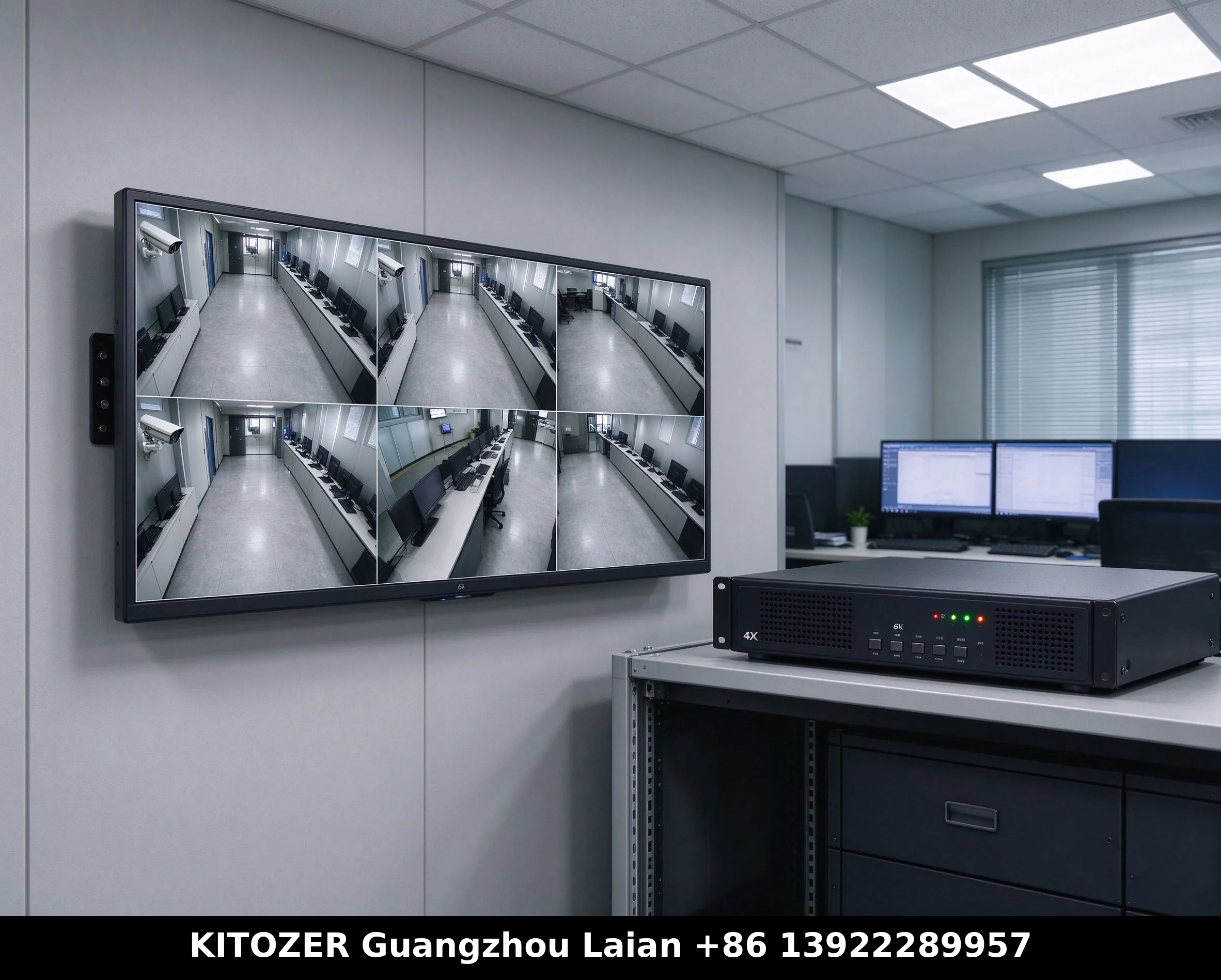
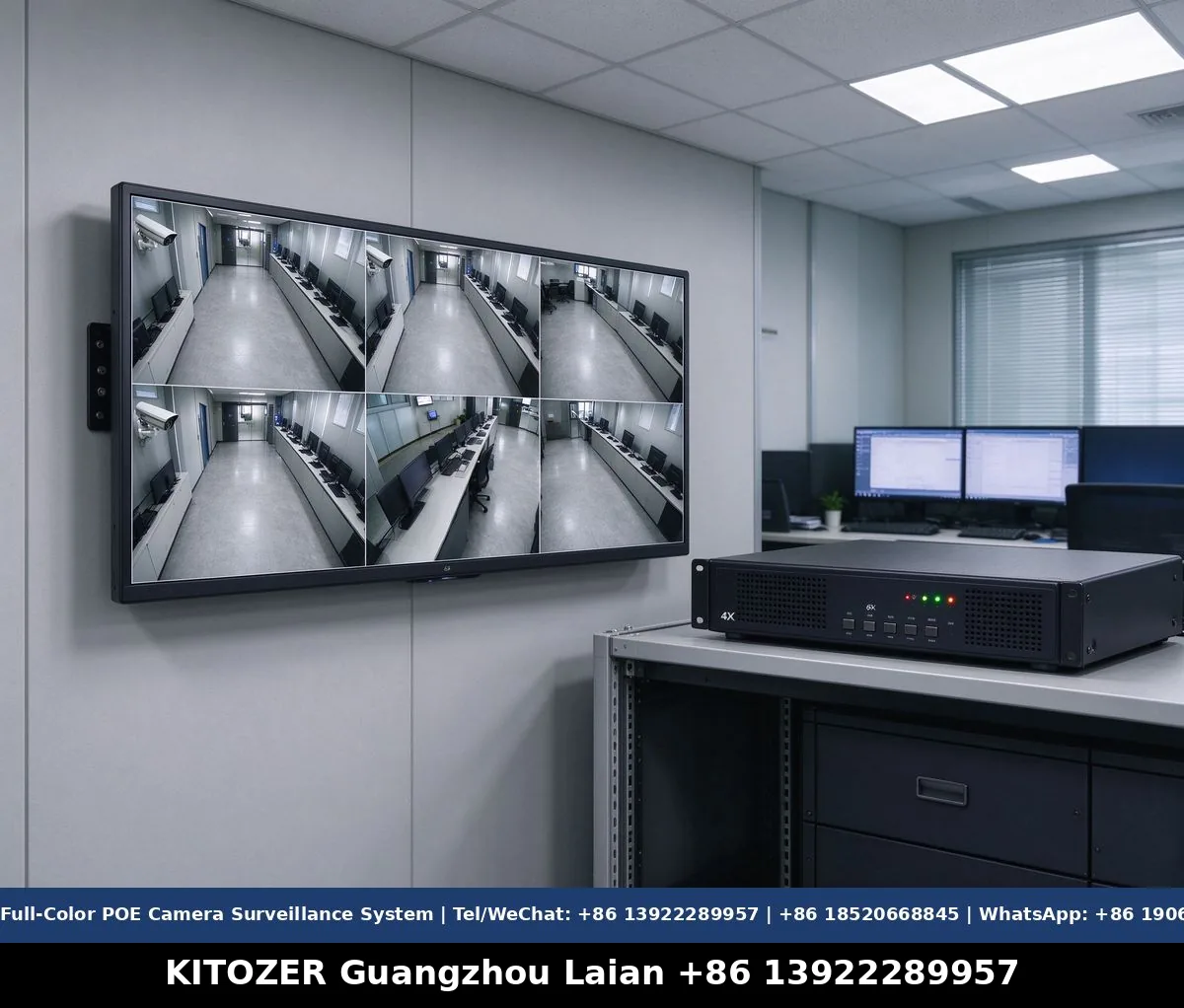
The KITOZER Network Video Recorder (NVR) is a purpose-built, rack-mountable surveillance appliance that receives, encodes-and-decodes, stores, manages, and streams video from network IP cameras over an Ethernet local area network. Manufactured by Guangzhou Laian Intelligent System Development Co., Ltd. under the KITOZER brand, the NVR line spans compact 4-channel desktop units for small shops and homes, 16/32-channel midrange PoE NVRs for offices and schools, 64-channel enterprise units for factories and campuses, and high-density 128-channel 4K NVRs with integrated PoE switch banks, eight hot-swap SATA drive bays, hardware RAID, dual power supplies, and a 4K HDMI out for video-wall control rooms. Every KITOZER NVR supports H.265/H.265+ smart compression, ONVIF Profile S/T/G conformance, plug-and-play PoE for third-party and KITOZER IP cameras, mobile and web remote viewing, central management software (CMS) for multi-site deployments, and a full suite of smart analytics including motion detection, line crossing, intrusion, people counting, face recognition, and ANPR/LPR.
This encyclopedia-style reference is written for security integrators, IT and facilities managers, EPC engineers, export buyers, and end users who are specifying or operating an IP CCTV system. It walks through what an NVR is and how it differs from a DVR; the internal architecture of a modern PoE NVR; a detailed specification table covering channel counts, PoE port counts, drive bays, maximum raw storage, incoming and playback throughput, decode capability, and network interfaces; H.265/H.264 compression trade-offs; 4K (8 Megapixel) resolution and bandwidth math; ONVIF compliance and third-party camera integration; a step-by-step selection guide; RAID levels and disk sizing; central management software; installation, wiring, and network design; day-to-day maintenance and health monitoring; a fifteen-question FAQ; reference pricing; and five application case studies covering schools, offices, factories, retail chains, and residential communities.
1. Product Overview
1.1 What Is a Network Video Recorder (NVR)?
A Network Video Recorder is a dedicated computing appliance that records video directly from IP cameras over an IP network, in contrast to a Digital Video Recorder (DVR), which converts analog coaxial camera signals into digital form at the recorder itself. In an NVR architecture, each IP camera performs its own image sensor readout, H.265/H.264 encoding, and network streaming; the NVR does not touch the analog signal at all. Instead, it pulls an RTSP, ONVIF, or proprietary stream from each camera over Ethernet (or PoE), writes the compressed bitstream to local hard drives, manages the recording schedule and retention, provides a live-view and playback user interface, and re-streams the video to operators on local monitors, to remote clients over the internet, and to a central management platform for multi-site roll-ups. This separation of encoding (at the camera) and storage/management (at the NVR) is what makes modern IP CCTV scale to hundreds of cameras per site and thousands of cameras per organization without a massive analog cabling rebuild.
Functionally, a KITOZER NVR performs six jobs at once: (1) ingest — receive compressed video and audio from up to 128 IP cameras over PoE or a managed switch, with incoming throughput up to 320 Mbps on flagship models; (2) record — write the streams to one to eight internal SATA hard drives on a continuous, motion-, alarm-, or analytics-triggered schedule; (3) decode and display — decode up to 16 channels of 4K H.265 in real time and present them on a local HDMI 4K/60 monitor, or export to a video wall via a separate decoder; (4) analyze — run on-board smart motion, VCA, face detection, people counting, and ANPR, and generate alarms that push to phones, emails, and CMS; (5) transmit — re-stream video over HTTPS to the KITOZER mobile app, web browser, and CMS client, with NAT traversal and P2P; and (6) protect — guard stored video with RAID, password policy, role-based access, signed watermark, and audit logging. A poorly specified NVR fails any one of these: undersized incoming throughput drops frames during motion events, a missing RAID leaves the site blind on the first disk failure, an under-cooled chassis kills drives in twelve months, or a non-ONVIF lock-in prevents integration with cameras the customer already owns.
1.2 The KITOZER NVR Range at a Glance
KITOZER organizes its NVR line into five structural families that cover the majority of CCTV projects from a single boutique shop to a 128-channel campus:
| Family | Form factor | Channel count | PoE ports | Drive bays | Max raw storage | Incoming throughput | Typical use |
|---|---|---|---|---|---|---|---|
| KN-Series compact | Desktop 1U fanless | 4 / 8 | 0 or 4 PoE | 1–2 SATA | Up to 24 TB | 40–80 Mbps | Small shop, home, office room |
| KN-Series midrange | 1.5U rack | 16 / 32 | 16 PoE | 4 SATA | Up to 96 TB | 160 Mbps | Office, school branch, retail store |
| KN-Series enterprise | 2U rack | 32 / 64 | 16 or 24 PoE | 8 hot-swap SATA | Up to 192 TB | 256 Mbps | Factory, warehouse, school campus |
| KN-Series high-density | 2U/3U rack, dual PSU | 64 / 128 | 24 or 36 PoE | 8–16 hot-swap | Up to 384 TB | 320–512 Mbps | Airport terminal, stadium, metro, large campus |
| KN-Series all-in-one | PoE switch + NVR merged | 8 / 16 | 8 or 16 built-in | 2–4 SATA | Up to 96 TB | 80–160 Mbps | Turnkey small-to-mid deployments, no separate switch |
1.3 Core Value Proposition
- True 4K at every tier. Even the 16-channel midrange records and plays back 8 Megapixel (3840×2160) H.265 streams; flagship models decode 16 channels of 4K simultaneously on the HDMI out.
- ONVIF Profile S/T/G certified. Cameras from KITOZER and from any ONVIF-conformant third-party vendor (including mainstream global brands) are discovered and integrated without custom drivers.
- PoE plug-and-play. Built-in 802.3af/at PoE ports power and network cameras over a single Cat6 cable, eliminating separate power adapters and reducing install time by roughly 40 percent.
- Hardware RAID. Enterprise and high-density models ship with a hardware RAID controller supporting RAID 0/1/5/6/10, so a single disk failure does not stop recording and video is rebuilt on a hot-swap replacement.
- H.265+ smart compression. KITOZER’s H.265+ profile reduces storage and bandwidth by 50–75 percent versus H.264, using scene-adaptive GOP, background frame quality reduction, and region-of-interest encoding.
- Multi-platform remote viewing. Native iOS and Android apps, a web browser client (no plugin required on modern Chrome/Edge), a Windows/Mac CMS client, and an ONVIF/RTSP export for third-party VMS.
- Export-ready construction. 19-inch rack ears, English-language GUI and documentation, CE-compliant power supply, optional FCC/UL models, and OEM/ODM private labeling for distributors.
- Local engineering support. Pre-sales bandwidth and storage sizing, post-sales remote configuration help, and a two-year warranty with spare-parts stock in Guangzhou.
2. NVR vs DVR: Which One Do You Need?
The most common question a buyer asks at the start of a CCTV project is whether to specify a Network Video Recorder (NVR) or a Digital Video Recorder (DVR). The two products look superficially similar — a rack or desktop box with hard drives, BNC or RJ45 inputs, and a HDMI out — but they belong to two different generations of CCTV technology. Choosing the wrong one locks the site into an architecture that cannot reach the resolution, camera count, or remote-viewing expectation of a modern security system. The table below summarizes the differences.
| Dimension | DVR (Digital Video Recorder) | NVR (Network Video Recorder) |
|---|---|---|
| Camera signal | Analog over coaxial cable (CVBS, AHD, HD-TVI, HD-CVI) | Digital IP over Ethernet (Cat5e/Cat6, fiber, Wi-Fi) |
| Where encoding happens | Inside the DVR; cameras are analog | Inside each IP camera; NVR only receives compressed stream |
| Maximum resolution | Up to 5–8 Megapixel on hybrid HD-TVI/HD-CVI DVRs; older CVBS DVRs only 0.4 Megapixel (960H) | Up to 12 Megapixel and beyond; 4K (8 MP) is the mainstream tier |
| Cable distance | Coax: 200–500 m depending on resolution; no power on coax | Cat6: 100 m per segment; fiber backbone up to 20 km; PoE carries power + data on the same cable |
| Camera count per unit | Usually 4, 8, 16, or 32 channels | 4, 8, 16, 32, 64, up to 128 channels in a single appliance |
| Remote viewing | Possible but limited; most DVRs use P2P and a plugin-based web client | Native mobile app, web browser, CMS, RTSP/ONVIF export; designed for multi-site |
| Smart analytics | Limited; motion detection at the DVR only | Camera-side + NVR-side analytics: line crossing, intrusion, face, people counting, ANPR |
| Upgrade path | Replacing a camera usually means running new coax; hybrid DVRs bridge to IP but cap resolution | Add cameras by plugging into the PoE switch; mix resolutions and vendors via ONVIF |
| Total cost of ownership | Lower upfront for small 1080p analog sites; higher labor, no remote intelligence | Slightly higher upfront per camera (IP camera cost), but lower storage, easier moves/adds/changes, and future-proof |
2.1 When a DVR Still Makes Sense
A DVR (specifically a hybrid HD-TVI/HD-CVI DVR) remains the right choice when the existing building already has a fully deployed coaxial infrastructure in good condition, the site needs only 1080p or 2K resolution, and the budget cannot justify running new structured cable. In those retrofit situations, a hybrid DVR can reuse the existing coax while adding a small number of IP channels through its Ethernet port. For any greenfield project, however, the NVR is the default: IP cameras cost roughly the same as analog HD cameras when you factor in the PoE savings on power adapters and electricians, and the NVR’s remote viewing, analytics, and multi-site CMS capabilities are now table stakes for commercial security.
2.2 When an NVR Is the Clear Choice
An NVR is the right answer when (a) the project is greenfield or the existing cabling is Ethernet, (b) the customer wants 4K or higher resolution, (c) cameras must be viewed remotely on phones or over the web, (d) the site will grow from 16 to 64+ cameras over time, (e) multi-site central management is required (e.g., a retail chain or a school district), or (f) smart analytics such as face recognition, people counting, or ANPR are in scope. Every KITOZER NVR is designed for these conditions, and the ONVIF Profile S/T/G conformance means the customer is not locked to a single camera brand.
3. Internal Architecture of a KITOZER PoE NVR
3.1 Main Processor and SoC
The NVR main board is built around a surveillance-grade system-on-chip (SoC) from a mainstream semiconductor vendor, chosen for its hardware H.265/H.264 decode engines rather than for raw general-purpose CPU speed. A typical 128-channel 4K NVR uses a multi-core ARM processor with dedicated video decode blocks that can decode, in parallel, up to 16 channels of 4K@30 fps H.265 or 64 channels of 1080p@15 fps. The SoC also drives the on-board Gigabit Ethernet switch, the SATA controller, the USB 3.0 ports, and the HDMI 4K@60 graphics output. Memory is 8 GB DDR4 on flagship models and 2–4 GB on midrange units; system storage is a 128 GB or 256 GB industrial SSD for the operating system, with all video written to user-supplied surveillance hard drives.
3.2 PoE Switch Bank
KITOZER PoE NVRs integrate a Layer-2 Ethernet switch on the motherboard. The switch provides 8, 16, 24, or 36 RJ45 PoE ports, each compliant with IEEE 802.3af (15.4 W) and 802.3at (30 W), with a total PoE power budget of 120 W to 360 W depending on model. An additional Gigabit or 10G uplink port connects the NVR to the customer’s main LAN so that the PoE ports are isolated from the office network (a security best practice that prevents office malware from reaching cameras). Each PoE port automatically negotiates the power class, supports 802.3af/at detection, and includes per-port over-current, short-circuit, and under-voltage protection. For longer runs beyond the 100 m PoE limit, an external PoE extender or a fiber-to-copper media converter is placed mid-link.
3.3 Hard Drive and Storage Subsystem
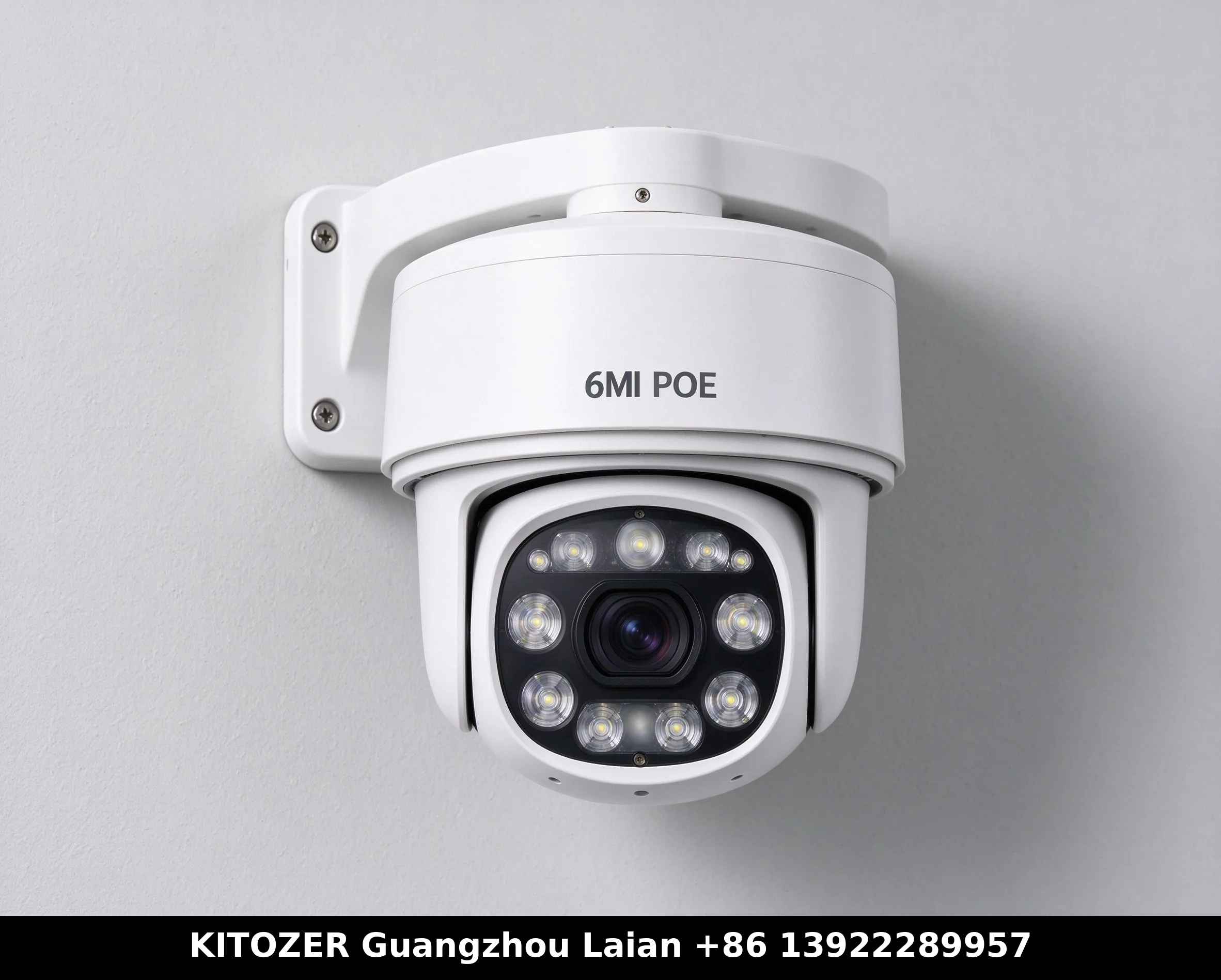
KITOZER enterprise and high-density NVRs use hot-swap SATA drive bays, front-loaded on a removable tray, supporting 3.5-inch surveillance-class hard drives up to 20 TB each. The 8-bay 2U chassis delivers up to 160 TB of raw storage; the 16-bay high-density chassis scales to 320 TB or more. A hardware RAID controller with battery-backed cache (optional on enterprise, standard on high-density) presents the array to the operating system as one or more logical volumes. KITOZER recommends surveillance-rated drives (designed for 24×7 write workloads with a workload rating of 180 TB/year) rather than desktop NAS drives, because CCTV workloads are sequential, write-heavy, and run continuously. Enterprise models also support a hot spare drive that automatically replaces a failed disk during rebuild without operator intervention.
3.4 Input/Output and Interfaces
| Interface | Count (typical flagship) | Purpose |
|---|---|---|
| RJ45 PoE ports (802.3af/at) | 24 or 36 | Direct camera power + data |
| Gigabit LAN uplink | 2–4 | Customer LAN, multi-NVR aggregation, isolation |
| 10G SFP+ uplink | 1–2 (high-density) | Backbone to core switch, video wall decoder |
| HDMI out | 2 (one 4K@60, one 1080p) | Local monitor, spot monitor |
| VGA out | 1 | Legacy monitor |
| Audio in / out (RCA) | 1 / 1 | Microphone, speaker / alarm audio |
| USB 3.0 / USB 2.0 | 2 / 2 | Mouse, keyboard, backup drive, firmware |
| Alarm in / out (terminal block) | 16 / 4 | Door contacts, PIR, sirens, gate triggers |
| RS-485 / RS-232 | 1 / 1 | PTZ camera control, access control integration |
| eSATA | 1 | External direct-attached archive |
| Power | 100–240 V AC, auto-sensing, redundant PSU on flagship | Mains; optional UPS-backed DC rail |
4. Detailed Technical Specification Table
The table below consolidates the headline specifications of the KITOZER NVR range. All figures are engineering reference values; final configuration is confirmed during project sizing based on camera resolution, frame rate, bitrate, and retention requirement.
| Parameter | KN-04 | KN-16P | KN-32 | KN-64E | KN-128H |
|---|---|---|---|---|---|
| Max IP camera channels | 4 | 16 | 32 | 64 | 128 |
| Built-in PoE ports (802.3af/at) | 4 | 16 | 16 | 24 | 36 |
| Total PoE power budget | 60 W | 180 W | 240 W | 360 W | 600 W |
| Max incoming throughput | 40 Mbps | 160 Mbps | 256 Mbps | 320 Mbps | 512 Mbps |
| Max playback throughput | 40 Mbps | 128 Mbps | 256 Mbps | 320 Mbps | 384 Mbps |
| HDMI output | 1×1080p | 1×4K@30 | 1×4K@30 | 2×4K@60 | 2×4K@60 |
| Decode capability (live) | 4×1080p | 16×1080p or 4×4K | 32×1080p or 8×4K | 64×1080p or 16×4K | 128×1080p or 16×4K |
| Hard drive bays (hot-swap) | 1–2 | 4 | 8 | 8 | 16 |
| Max raw storage (per 20 TB drive) | 40 TB | 80 TB | 160 TB | 160 TB | 320 TB |
| RAID support | None / JBOD | 0/1/5 | 0/1/5/6/10 | 0/1/5/6/10 + hot spare | 0/1/5/6/10 + hot spare + BBU |
| Network interfaces | 1×Gigabit | 1×Gigabit | 2×Gigabit | 2×Gigabit + 1×SFP | 2×Gigabit + 2×10G SFP+ |
| Alarm in / out | 1 / 1 | 4 / 1 | 8 / 2 | 16 / 4 | 16 / 4 |
| Audio in / out | 1 / 1 | 1 / 1 | 1 / 1 | 1 / 1 | 1 / 1 |
| USB | 2×USB 2.0 | 1×3.0 + 1×2.0 | 2×3.0 + 2×2.0 | 2×3.0 + 2×2.0 | 2×3.0 + 2×2.0 |
| Video compression supported | H.265/H.264/MJPEG | H.265+/H.265/H.264/MJPEG | H.265+/H.265/H.264/MJPEG | H.265+/H.265/H.264/MJPEG | H.265+/H.265/H.264/MJPEG |
| Max camera resolution | 4K (8 MP) | 4K (8 MP) | 12 MP | 12 MP | 12 MP |
| ONVIF conformance | Profile S | Profile S/T | Profile S/T/G | Profile S/T/G | Profile S/T/G |
| Power supply | 12 V DC adapter | 100–240 V AC | 100–240 V AC | 100–240 V AC | 100–240 V AC redundant |
| Chassis / dimensions (W×D×H mm) | Desktop 260×220×45 | 1.5U 360×260×68 | 2U 440×380×88 | 2U 440×460×88 | 3U 440×520×133 |
| Operating temperature | −10 to +50 °C | −10 to +50 °C | −10 to +50 °C | −10 to +55 °C | −10 to +55 °C |
5. Video Compression: H.265, H.265+, and H.264
5.1 Why Compression Matters
An uncompressed 4K (3840×2160) video stream at 30 frames per second and 8 bits per color requires roughly 12 gigabits per second of bandwidth — far more than any structured cabling can carry and vastly more than a hard drive can write for years on end. Video compression reduces that bitstream by 95 percent or more by encoding only the differences between frames, discarding visual information that the human eye does not notice, and adapting the encoding to the complexity of each scene. The two compression standards in mainstream CCTV today are H.264 (AVC, standardized in 2003) and H.265 (HEVC, High Efficiency Video Coding, standardized in 2013). KITOZER NVRs and IP cameras support both, plus KITOZER’s H.265+ smart profile.
5.2 H.265 vs H.264 at a Glance
| Parameter | H.264 (AVC) | H.265 (HEVC) | H.265+ (KITOZER smart) |
|---|---|---|---|
| Compression efficiency | Baseline | ~50% lower bitrate at same quality | ~50–75% lower than H.264 |
| Typical 4K@15 fps bitrate | 8–12 Mbps | 4–6 Mbps | 2–4 Mbps |
| Typical 1080p@15 fps bitrate | 4–6 Mbps | 2–3 Mbps | 1–1.5 Mbps |
| Hardware decode support | Universal | Most 2018+ devices | KITOZER NVR / camera / app; transcoded to H.265 on legacy clients |
| Licensing / royalty | Mature, per-unit | Lower than H.264 per bit of quality | Same HEVC license envelope |
5.3 H.265+ Smart Compression in Detail
H.265+ is a scene-adaptive profile that goes beyond the standard H.265 encoder. It combines four techniques: (1) extended GOP — the encoder inserts a keyframe every 2–10 seconds instead of every 1–2 seconds when the scene is static, dramatically reducing bitrate on empty lobbies and parking lots; (2) background frame quality reduction — the moving foreground (a person or a vehicle) is encoded at full quality while the static background is encoded at a lower quality that the eye tolerates because it is not changing; (3) region-of-interest encoding — a user-defined rectangular region (a gate, a cashier desk, a face) is encoded at higher quality than the rest of the frame; and (4) noise reduction — temporal and spatial filtering removes sensor noise before encoding, which otherwise wastes bits on grain. The net effect is that a 4K camera that would write 8 Mbps in H.264 writes 2–3 Mbps in H.265+, cutting annual storage cost by a factor of three. KITOZER recommends H.265+ for every new deployment and leaves H.264 available only for legacy camera compatibility.
5.4 Bandwidth and Storage Math
A simple sizing rule: storage (in GB per camera per day) = bitrate (Mbps) × 86400 (seconds/day) / 8 / 1024. At 4 Mbps a 1080p H.265 camera writes roughly 42 GB per day, or about 1.2 TB per month. At 2 Mbps (H.265+) the same camera writes 21 GB per day, or 630 GB per month. A 32-camera system retaining 30 days therefore needs roughly 20 TB in H.265 versus 40 TB in H.264 — a difference of one or two enterprise drives. Incoming throughput on the NVR must also exceed the sum of all camera bitrates with a 20 percent safety margin: 32 cameras × 4 Mbps = 128 Mbps, so a 160 Mbps NVR is the minimum, not the nominal 32-channel model.
6. 4K (8 Megapixel) Resolution and Image Quality
6.1 What 4K Means in CCTV
4K in the security industry refers to a sensor resolution of 3840×2160 pixels (8.29 Megapixel), roughly four times the pixels of 1080p (1920×1080). In practical terms, a 4K camera covers a wider field of view at the same focal length, and a license plate or a face that is 40 pixels tall on a 1080p camera becomes 80 pixels tall on a 4K camera at the same distance — the difference between an unusable blob and an identifiable face or plate. This is why 4K has become the default for entrances, parking lots, cash desks, and any scene where identification matters. KITOZER NVRs record 4K at up to 30 frames per second (flagship models), with a 12 Megapixel (4000×3000) option for very wide panoramic scenes.
6.2 4K Limitations and When to Back Off
4K is not always the right answer. A 4K camera at 4 Mbps in H.265+ has a smaller effective shutter and higher low-light noise than a 1080p camera at the same bitrate, because the pixel well is smaller. For very dark scenes or for long-corridor PTZ tracking, a 2K (4 Megapixel) or 1080p low-light camera often produces a cleaner image. 4K also requires a 4K monitor to view in full resolution; on a 1080p monitor the NVR downscales the grid, so the benefit of 4K is realized mainly when zooming into recorded footage during forensic review. KITOZER recommends a mixed resolution strategy: 4K for identification-critical scenes (entrances, cash desks, gates), 2K for general overview corridors, and 1080p or low-light 2K for parking lots and perimeters.
7. Remote Viewing: Mobile App, Web Browser, and CMS
7.1 Mobile App (iOS / Android)
Every KITOZER NVR ships with a free mobile application for iOS and Android. The operator scans the QR code on the NVR’s local interface, and the app discovers the device through KITOZER’s P2P relay, so port forwarding on the customer router is not required for basic remote viewing. The app supports live viewing in 1/4/9/16 grid, two-way audio, snapshot, recording to phone, remote playback with a timeline, push alarms with thumbnail previews, PTZ control, and a geofenced “arm/disarm” mode. Multiple NVRs at multiple sites can be grouped into one account, so a retail district manager can glance at 50 stores from a single phone screen. The app also supports sharing camera views with colleagues by generating a temporary QR code that expires after a set time.
7.2 Web Browser Client
KITOZER provides a web client that runs directly in Chrome, Edge, Firefox, and Safari without a browser plugin (older deployments used a Silverlight or ActiveX plugin that modern browsers no longer support). The web client supports live view, playback, camera configuration, user management, and log review. It is the default tool for on-site security officers who do not want to install a desktop client, and for auditors who need read-only access to review footage. HTTPS with a valid certificate is enforced, and optional two-factor authentication via email code is supported on enterprise firmware.
7.3 CMS (Central Management Software)
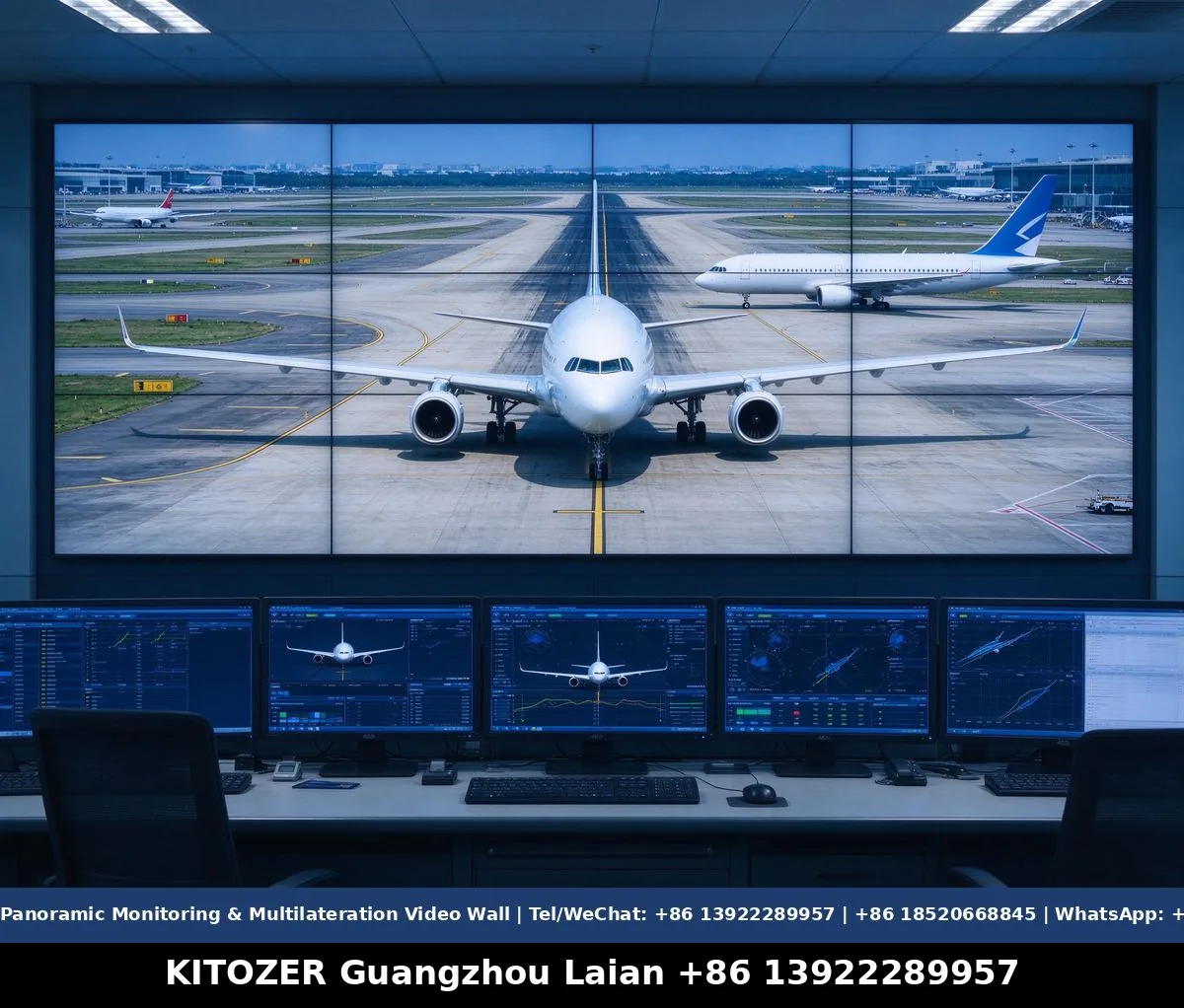
For multi-site deployments — a school district, a retail chain, a hospital group, or a property management company — KITOZER provides a free Central Management System (CMS) client for Windows and Mac. The CMS aggregates unlimited NVRs and IP cameras into a single map-based interface, supports up to 256 simultaneous live channels on a single workstation, routes alarms to a central operator console, and exports reports for compliance. A server edition of the CMS adds Active Directory integration, role-based access groups, a video wall controller, and a failover recorder that takes over when a remote NVR loses connection. The CMS also supports walling cameras to a video wall through a separate KITOZER decoder, which is the standard architecture for airport, stadium, and metro control rooms.
8. ONVIF Compliance and Third-Party Camera Integration
8.1 What ONVIF Is
ONVIF (Open Network Video Interface Forum) is an open industry standard that defines how IP cameras, NVRs, and video management systems discover and talk to each other over an IP network. Without ONVIF, every camera brand speaks a proprietary protocol that only its own NVR supports, locking the customer in. With ONVIF, any ONVIF-conformant camera can be added to any ONVIF-conformant NVR by entering its IP address and credentials. KITOZER NVRs implement ONVIF Profile S (live streaming and PTZ), Profile T (H.265, metadata, and event streaming), and Profile G (recording and storage), which together cover the vast majority of mainstream IP cameras on the market.
8.2 Practical Integration Notes
- Discovery. The NVR scans its local subnet and lists all ONVIF devices. The operator enters the camera’s ONVIF username and password (which must be created on the camera’s own web interface first), and the NVR adds the camera.
- Profiles. Each camera exposes a “main stream” (high-resolution recording stream) and a “sub stream” (lower-resolution remote viewing stream). The NVR records the main stream and uses the sub stream for the mobile app and web preview.
- Third-party cameras. KITOZER NVRs have been interoperability-tested with mainstream global camera brands. If a specific camera model is not recognized, the NVR supports generic RTSP adding with a URL template, which covers virtually every IP camera on the market.
- Feature parity. Some camera-side features (e.g., face recognition metadata, ANPR results) are only available when using the camera’s native protocol; ONVIF passes the video and basic events, but advanced metadata may require the brand-specific driver. KITOZER can advise on a per-camera basis.
9. NVR Selection Guide: Sizing a Project Step by Step
A well-sized NVR project answers five questions in order: how many cameras, what resolution, how long to retain, what network bandwidth is available, and what analytics are required. Working through them in order prevents the common mistake of buying a 128-channel NVR that cannot actually record 128 cameras at the chosen bitrate.
Step 1 — Count the cameras and list them by scene.
Draw a simple site plan and place each camera. Label each camera with its purpose: entrance, corridor, parking, cashier, gate, perimeter. Cameras that identify people or plates are candidates for 4K; cameras that only confirm presence can be 2K or 1080p.
Step 2 — Choose resolution and frame rate per camera.
Identification-critical: 4K (8 MP) at 15–25 fps. General overview: 2K (4 MP) at 15 fps. Low-light perimeter: 1080p low-light or 2K full-color at 15 fps. Traffic / ANPR: 1080p or 4K at 25–30 fps to freeze vehicle motion.
Step 3 — Estimate bitrate and incoming throughput.
Use the H.265+ bitrates in section 5.4: roughly 2–3 Mbps for 4K, 1–1.5 Mbps for 2K, 0.5–1 Mbps for 1080p. Sum across all cameras and add a 20 percent safety margin. That total must be less than the NVR’s incoming throughput rating. A 32-camera 4K system at 2.5 Mbps averages 80 Mbps, which fits a 160 Mbps NVR but not a 120 Mbps unit.
Step 4 — Size storage for the required retention.
Multiply daily storage per camera by camera count and by retention days. Add 30 percent overhead for filesystem, index, and event clips. Then choose a RAID level (see section 10). For 30-day retail retention at H.265+, 16 cameras at 2 Mbps = 336 GB/day × 30 = 10 TB usable, which on a RAID 5 of 4×4 TB drives delivers 12 TB usable — a KN-16P with 4 bays is the natural fit.
Step 5 — Decide on PoE vs external switch.
If the camera count is within the NVR’s PoE port count and all cameras are within 100 m of the NVR location, use the built-in PoE bank — it is cheaper and simpler. If cameras are spread across multiple buildings or floors, use a managed PoE switch on the customer LAN and connect the NVR to that switch; reserve the NVR’s PoE ports for local cameras near the rack.
Step 6 — Confirm analytics and remote access.
If face recognition, people counting, or ANPR is required, choose an NVR model with the corresponding analytics license pre-enabled. If remote viewing by multiple users is required, confirm the upload bandwidth at the site — each remote viewer consumes one sub-stream (roughly 1 Mbps), so a 10 Mbps upload supports roughly 8 concurrent remote viewers.
| Project profile | Camera count | Suggested KITOZER NVR | Storage configuration |
|---|---|---|---|
| Coffee shop / small boutique | 4–8 | KN-04P or KN-08 | 1×8 TB, 30-day retention |
| Office branch | 16 | KN-16P | 2×8 TB RAID 1, 30-day |
| School branch (primary) | 32 | KN-32 | 4×8 TB RAID 5, 45-day |
| Factory / warehouse | 64 | KN-64E | 6×12 TB RAID 5 + hot spare, 60-day |
| Campus / airport / stadium | 128 | KN-128H | 10×16 TB RAID 6 + hot spare, 90-day |
| Multi-site retail chain | 8–16 per store | KN-16P per store + CMS server at HQ | 2–4×8 TB per store, 30-day |
10. RAID Support and Disk Reliability
10.1 RAID Levels Supported
KITOZER enterprise and high-density NVRs support a hardware RAID controller offering the following levels:
| RAID level | Minimum drives | Usable capacity | Fault tolerance | Best for |
|---|---|---|---|---|
| RAID 0 (striping) | 2 | 100% | None — any failure loses all data | Temporary testing; never for production |
| RAID 1 (mirror) | 2 | 50% | One drive | Small 4–8 channel NVRs, critical recording |
| RAID 5 (striping with parity) | 3 | (n−1)/n | One drive | General 16–64 channel NVRs, best balance |
| RAID 6 (double parity) | 4 | (n−2)/n | Two drives | High-density 64–128 channel, long retention |
| RAID 10 (mirror of stripes) | 4 | 50% | One drive per mirror pair | High-write workloads, fastest rebuild |
10.2 Why RAID Matters in CCTV
A surveillance hard drive in a 24×7 write workload has an annual failure probability of roughly 1–2 percent. Over a four-year deployment with eight drives, that translates to a high statistical probability of at least one drive failure during the life of the system. Without RAID, that failure stops recording entirely until an operator notices, replaces the drive, and reinitializes the array — a window during which the site is blind and any incident is not recorded. With RAID 5 or RAID 6, the NVR keeps recording on the remaining drives, raises a visual and audible alarm, and rebuilds the array onto a hot spare or a freshly inserted replacement drive. For any commercial project with a retention requirement beyond 14 days, KITOZER recommends RAID 5 as the minimum, and RAID 6 for 64+ channel deployments.
10.3 Surveillance-Rated Drives
KITOZER specifies surveillance-class HDDs (such as the WD Purple, Seagate SkyHawk, or equivalent enterprise model) with a workload rating of at least 180 TB/year and 24×7 vibration tolerance. Desktop drives are designed for intermittent read workloads and tend to fail early in continuous write environments. For very high-density installations, enterprise SAS drives or surveillance-grade SSD cache tiers are available as options. Drive firmware is matched to the NVR’s storage controller during factory staging to avoid known compatibility reissues.
11. Installation, Wiring, and Network Design
11.1 Physical Installation
A KITOZER NVR is installed in a standard 19-inch equipment rack using the included rack ears, with 1U of clearance above for airflow. The chassis draws cool air through the front bezel and exhausts through the rear, so rack ventilation must not be blocked. The NVR must be connected to a properly earthed UPS-backed mains outlet; even a 50 millisecond mains interruption on a non-UPS supply can cause an unclean shutdown that corrupts the filesystem on the next boot. The local monitor is connected to the primary HDMI port, a USB mouse and keyboard are plugged into the front USB ports, and the alarm / audio terminal block is wired to the site’s door contacts and sirens.
11.2 Network and PoE Design
The PoE ports on the NVR are a separate, isolated network from the customer LAN. Each PoE port connects directly to one IP camera over Cat6 (maximum 100 m). For cameras beyond 100 m, a PoE extender is inserted mid-link, or a fiber-to-copper media converter is used. The NVR’s Gigabit uplink port connects to the customer’s main switch, through which remote viewers and the CMS server reach the NVR. For multi-NVR sites, a managed Gigabit or 10G switch aggregates the NVR uplinks and routes them to the CMS and the video wall decoder. VLAN segmentation — camera VLAN separate from office VLAN — is recommended on the managed switch to prevent office network issues from reaching cameras.
11.3 Initial Configuration Walkthrough
- Power on the NVR with the monitor and mouse attached; the setup wizard launches on first boot.
- Set the admin password (minimum 8 characters, mixed letters, numbers, and symbols) and the date/time / NTP server.
- Create the storage array: initialize the drives, choose RAID level, and format. Do not skip this step.
- Plug PoE cameras into the PoE ports; the NVR auto-discovers and adds them in 1–2 minutes.
- For non-PoE cameras on the customer LAN, use “Add camera” and enter IP, port, ONVIF username, and password.
- Configure recording schedules: continuous during operating hours, motion-triggered after hours, event-triggered always.
- Set up the remote-viewing account: create a non-admin user with limited permissions, scan the QR code into the mobile app, and test remote viewing over 4G.
- Enable email and push alarms: SMTP server, alarm recipient list, and which event types trigger which alarm.
- Update the firmware to the latest stable release available from KITOZER support.
- Verify retention: check that recorded footage plays back at the required depth (e.g., 30 days ago) without gaps.
12. Maintenance, Health Monitoring, and Troubleshooting
12.1 Routine Maintenance Schedule
| Frequency | Task |
|---|---|
| Weekly | Quick visual check of live view grid; confirm all cameras online; confirm alarm LEDs green. |
| Monthly | Review storage utilization; confirm retention depth is intact; test playback of a one-month-ago clip; review alarm log for repeated false alarms. |
| Quarterly | Check RAID controller battery status; inspect chassis air filter; verify UPS battery; export and archive configuration backup. |
| Half-yearly | Update firmware to latest stable; clean camera lenses and housings; test remote viewing and mobile app; verify NTP drift is under one second. |
| Annually | Full health check: SMART data on all drives, fan and temperature sensors, power supply output, and a simulated disk failure to confirm RAID rebuild works. |
12.2 Common Issues and Fixes
- A camera shows “no signal” on the live grid. Check PoE port LED (should be green, flashing on traffic). If no LED, reseat the Cat6, check the camera power supply, or test the port with a known-good camera. If LED is amber, the cable is beyond 100 m or a bad connector.
- Remote viewing is slow or stutters. Check the upload bandwidth at the site. The sub-stream must fit the upload pipe; if 10 remote viewers each pull 1 Mbps, the upload must be at least 12 Mbps. Reduce sub-stream resolution or frame rate if needed.
- Recording gaps in playback. Check storage utilization: if the array is 100% full and the NVR is set to “stop on full” rather than “overwrite oldest,” it has stopped recording. Change the overwrite setting or expand storage.
- Disk alarm on startup. A drive has failed or is predicted to fail. Replace the drive with a surveillance-rated equivalent, confirm the RAID rebuild completes, and check the SMART history of the replaced drive for root cause.
- Motion alarms fire on leaves / shadows. Reconfigure motion sensitivity and set a motion detection region that excludes trees, roads, and bright light sources. Switch to VCA line-crossing or intrusion for perimeters rather than generic motion.
13. Frequently Asked Questions (FAQs)
An NVR records digital video from IP cameras over Ethernet; a DVR converts analog coaxial camera signals to digital at the recorder. NVRs support 4K, ONVIF, PoE, and multi-site remote viewing; DVRs are a retrofit product for existing coax.
KITOZER NVRs range from 4 channels (KN-04) up to 128 channels (KN-128H). Choose a model whose channel count exceeds your planned camera count by at least 20 percent for future expansion.
Yes. Every KITOZER NVR supports ONVIF Profile S/T/G and generic RTSP, so any ONVIF-conformant IP camera from a mainstream vendor can be added by IP address and credentials.
At H.265+, a 1080p camera uses roughly 21 GB/day, a 2K camera roughly 35 GB/day, and a 4K camera roughly 60 GB/day. Multiply by camera count and retention days, add 30 percent overhead. For 32 cameras at 2K for 30 days, that is about 44 TB usable — choose a RAID 5 of 6×8 TB.
PoE (Power over Ethernet) delivers power and data over the same Cat6 cable, per IEEE 802.3af/at. KITOZER PoE NVRs have built-in PoE ports, so cameras plugged into them require no separate power adapter.
Yes. Install the KITOZER mobile app on iOS or Android, scan the QR code on the NVR, and the NVR is added via P2P — no port forwarding required. Live view, playback, and push alarms are all supported.
RAID combines multiple drives into a fault-tolerant array. RAID 5 survives one drive failure; RAID 6 survives two. For any commercial project with retention beyond 14 days, KITOZER recommends RAID 5 as minimum.
Retention is configurable. Common settings are 30 days for retail and offices, 45–60 days for schools and factories, and 90 days for high-security sites. The NVR automatically overwrites the oldest footage when the array is full, or can be set to stop on full.
Yes. Motion detection, VCA line crossing, intrusion, face detection, and alarm-input triggers push a thumbnail and event notification to the mobile app, and can also send email, FTP snapshot upload, and CMS alerts.
H.265+ is KITOZER’s scene-adaptive H.265 profile that reduces bitrate and storage by 50–75 percent versus H.264, using extended GOP, background quality reduction, ROI encoding, and noise filtering. It is on by default on KITOZER cameras and NVRs.
Yes. After initial configuration, the NVR runs headless and is managed entirely over the network through the web client, mobile app, or CMS. A monitor is only needed for the first boot wizard and for local spot monitoring.
Yes. PTZ cameras connected via PoE or RS-485 are controllable from the live view interface, the mobile app, and the CMS, with preset tours, patrol paths, and privacy masks.
KITOZER NVRs carry a two-year warranty against manufacturing defects, with spare-parts stock in Guangzhou and remote configuration support in English. Extended warranty and on-site service are available for enterprise projects.
Yes. Playback clips can be exported to a USB drive in MP4 or AVI format, with an optional watermark of timestamp, camera name, and a signed integrity hash that proves the clip has not been altered.
Yes. The free KITOZER CMS client aggregates unlimited NVRs and cameras into a single map-based interface, supports up to 256 concurrent live channels, and routes alarms to a central operator console.
14. Application Scenarios
14.1 Schools and Campuses
A primary or secondary school typically deploys 32–64 cameras covering entrances, playgrounds, corridors, libraries, cafeterias, and parking lots. KITOZER recommends a KN-32 or KN-64E NVR with 4K cameras at the two main entrances and 2K cameras on corridors, H.265+ compression for a 45-day retention, and the CMS client at the administration office for the principal and security officer. Perimeter VCA line-crossing alarms push to the duty phone after hours. Camera counts and retention depth are sized to the school’s safeguarding policy.
14.2 Office Buildings and Co-working Spaces
A mid-rise office building deploys 16–32 cameras at entrances, elevator lobbies, parking, server room, and reception. A KN-16P or KN-32 NVR with 2–4 surveillance drives in RAID 1 or 5 delivers a 30-day retention. The property manager views the site from the mobile app, and the building’s access-control system shares door-event metadata with the NVR through the alarm input, so a door forced-open event immediately pulls up the corresponding camera feed.
14.3 Factories and Warehouses
A factory floor or warehouse is a high-channel, high-availability environment: 64–128 cameras cover production lines, loading bays, inventory racks, hazardous areas, and perimeter fencing. KITOZER specifies a KN-64E or KN-128H with RAID 5 or RAID 6, a hot spare drive, redundant power supplies, and a 60-day retention. VCA intrusion detection restricts access to hazardous zones, and people counting feeds into production analytics. The NVRs connect to the factory SCADA and to a central security operations room through the CMS.
14.4 Retail Chains and Shopping Malls
A retail chain deploys 8–16 cameras per store at entrances, cash desks, stock rooms, and parking. Each store uses a compact KN-08 or KN-16P NVR with 2–4 drives for a 30-day local retention, and all stores roll up to a CMS server at headquarters. The district manager reviews exception reports (cashier transactions correlated with camera video) from a single dashboard. ANPR cameras at the parking lot feed a vehicle-entry log that supports lost-ticket disputes and loyalty vehicle recognition.
14.5 Residential Communities and Villas
A residential community deploys 16–32 cameras at the main gate, perimeter fence, elevator lobbies, parking, and playgrounds, plus 4–8 cameras per luxury villa. A KN-16P NVR at the gatehouse records the community cameras, and a compact KN-04P inside the villa records the home cameras. Residents view their own cameras on the mobile app and receive a push when a package delivery triggers the doorbell camera. Full-color low-light cameras are preferred for perimeters so that visitors and vehicles are identified in color at night.
17. Smart Video Analytics on the NVR
Modern CCTV is no longer a passive recording device that operators scan after an incident. KITOZER NVRs run on-board video content analytics (VCA) that examine each frame in real time and raise an alarm only when a defined event occurs, reducing false alarms from weather, animals, and passing traffic by an order of magnitude. Analytics can run either at the camera (edge analytics, which offload the NVR CPU and permit the camera to send only event metadata plus video) or at the NVR (server analytics, which examine the recording stream). KITOZER supports both modes and lets the integrator choose per channel.
17.1 Motion Detection vs VCA
Generic motion detection triggers whenever any pixel in a user-defined region changes. In a parking lot or a tree-lined perimeter, this produces hundreds of false alarms per day from leaves, headlights, rain, and animals. Video Content Analysis (VCA) goes further: it classifies the moving object by shape and size, and only raises an alarm when a human or a vehicle of a defined size enters a defined region. KITOZER’s VCA modules include line crossing (a virtual tripwire), intrusion (an object stays inside a virtual region beyond a set dwell time), object abandoned / missing (a package or a vehicle left in a zone), loitering (a person stays too long), and fast moving (running). Each rule supports day/night schedules, object size filters, and armed/disarmed periods.
17.2 Face Detection and Recognition
KITOZER NVRs can run face detection (finding faces in a frame) and face recognition (comparing a detected face against a watchlist) on selected channels. Detection is on by default on any channel; recognition requires a license and a watchlist of registered faces (employees, VIPs, banned persons). When a watchlist face is detected, the NVR pushes a snapshot with similarity score to the mobile app and CMS, and logs the event for later search. Typical accuracy at 1:1 verification exceeds 99 percent under controlled front-light conditions; in backlit or side-light environments accuracy depends on camera placement and WDR settings, which KITOZER support engineers review during site commissioning.
17.3 People Counting and Heat Mapping
For retail, schools, and transport hubs, the NVR counts people entering or exiting a virtual line and aggregates the data into hourly, daily, and monthly reports. The same data drives a heat map that shows which zones are busiest, supporting staff scheduling, queue management, and merchandising layout. People counting requires a top-mounted camera at 2.5–4 m height with a near-vertical view; side-mounted cameras produce poor counts. KITOZER provides a counting calibration tool in the web client that draws the entry / exit line and adjusts sensitivity.
17.4 ANPR / LPR for Vehicles
Automatic Number Plate Recognition (ANPR / LPR) reads license plates from vehicles entering or exiting a site and cross-references them against a whitelist (registered residents, employees, delivery vehicles) and a blacklist (stolen vehicles, banned entrants). A triggered event opens the barrier gate through the alarm output and records the plate, timestamp, and vehicle snapshot. KITOZER ANPR supports regional plate formats (EU, US, CN, GCC, ASEAN) and is typically paired with a 1080p or 4K bullet camera with a 5–50 mm varifocal lens, mounted at 4–6 m height with the plate filling at least 120 pixels.
17.5 Alarm Handling and Rule Tiers
Every KITOZER NVR event — motion, VCA, face, ANPR, alarm input, video tampering, disk failure, network disconnect — can be bound to one or more actions: on-screen alarm popup, audible buzzer, email with snapshot, FTP snapshot upload, push to mobile app, CMS alarm queue, PTZ preset tour, alarm-output relay to a siren or gate, and HTTP webhook to a third-party system. The rule engine supports AND/OR logic, schedules (arm only outside business hours), and priority levels so that a high-priority event (intrusion after hours) overrides a low-priority one (motion in the lobby).
18. Cybersecurity and Data Protection
Because an NVR is a networked computer that stores video of people, it is also a target. KITOZER builds security into the firmware rather than treating it as a bolt-on. The following controls are standard on production firmware.
18.1 Authentication and Access Control
Strong password policy (minimum 8 characters, must include letters and digits, must not be the default), user lockout after five failed logins, role-based access with four predefined roles (administrator, operator, viewer, guard) plus custom roles, and an optional two-factor email code for remote login. The on-screen menu and the web interface are both protected; the default admin password must be changed on first boot and the wizard blocks further configuration until it is.
18.2 Communication Security
Web interface over HTTPS with a self-signed certificate that can be replaced by a customer-issued one; RTSP over TLS optional; mobile app communication through a TLS-encrypted P2P relay; ONVIF over HTTPS optional. Plain HTTP and Telnet are disabled by default on production firmware; they can be enabled only by an administrator for a defined maintenance window. Firmware updates are signed and verified before installation, so a tampered image cannot be flashed.
18.3 Audit Logging and Data Integrity
Every login, configuration change, playback export, and user management action is written to an immutable audit log with timestamp, user, source IP, and action. Video exports for evidence include a cryptographic hash and a visible watermark of timestamp, camera name, and recorder ID, so that a clip presented in court can be verified as unaltered. The NVR supports write-once retention on selected channels where enabled, which prevents even an administrator from deleting footage inside a compliance window.
18.4 Network Segmentation Recommendations
KITOZER best practice places cameras and NVRs on a dedicated VLAN isolated from the office network, with no direct route from the office VLAN to the camera VLAN except through the NVR’s uplink. This prevents an office malware outbreak from pivoting to the camera network, which was the root cause of several high-profile camera botnet incidents. The managed switch between NVR and cameras should restrict port access to the camera MAC addresses, and the router should block inbound connections to the camera VLAN from the internet; all remote access comes through the NVR’s P2P relay or a VPN, not through open port forwarding.
19. Worked Sizing Examples
The following examples show how the selection rules in section 9 play out on real project profiles. They are intended as templates that the buyer can adapt to their own camera list.
19.1 Example A — 16-camera office branch
Camera list: 2×4K at the main and side entrances, 8×2K in corridors and open office, 4×1080p in parking and loading bay, 2×1080p low-light in the server room. Bitrate budget in H.265+: 2×2.5 Mbps + 8×1.2 Mbps + 4×0.8 Mbps + 2×0.8 Mbps = 17.8 Mbps, plus 20 percent margin = 21.4 Mbps incoming throughput — well within the KN-16P’s 160 Mbps. Daily storage: 2×27 GB + 8×13 GB + 4×9 GB + 2×9 GB = 176 GB/day. For 30 days retention: 5.3 TB, plus 30 percent overhead = 6.9 TB usable. Choose 2×8 TB drives in RAID 1 (8 TB usable) — fits comfortably, and survives one drive failure. Total reference hardware cost: KN-16P NVR plus two 8 TB surveillance drives, plus 16 matched KITOZER cameras and Cat6 cable.
19.2 Example B — 64-camera factory
Camera list: 8×4K at loading bays and main entrances, 32×2K on production lines, 16×2K full-color on perimeter, 8×1080p low-light in warehouse aisles. Bitrate: 8×2.5 + 32×1.2 + 16×1.2 + 8×0.8 = 74.8 Mbps, plus margin = 90 Mbps — fits the KN-64E’s 320 Mbps. Daily storage: 8×27 + 32×13 + 16×13 + 8×9 = 1092 GB/day. For 60 days retention: 65 TB, plus overhead = 84 TB usable. Choose 8×16 TB drives in RAID 6 (6×16 = 96 TB usable) with one hot spare — survives any two-drive failure during rebuild. Perimeter VCA intrusion and line-crossing alarms push to the duty engineer’s phone after hours.
19.3 Example C — 128-camera campus / airport
Camera list: 24×4K at gates and ticket counters, 64×2K on concourses and corridors, 32×2K low-light on perimeter and parking. Bitrate: 24×2.5 + 64×1.2 + 32×1.2 = 154.8 Mbps, plus margin = 186 Mbps — fits the KN-128H’s 512 Mbps. Daily storage: 24×27 + 64×13 + 32×13 = 1760 GB/day. For 90 days retention: 158 TB, plus overhead = 205 TB usable. Choose 16×16 TB drives in RAID 6 (14×16 = 224 TB usable) with hot spare and BBU. Two NVRs in this class feed a CMS and a 4K decoder driving a tiled video wall in the operations center; analytics includes people counting in the concourse and ANPR at the parking entrance.
20. Companion Products and System Integration
A KITOZER NVR rarely ships alone. The complete surveillance system typically combines the NVR with cameras, structured cabling, network switches, monitors and decoders, and related security subsystems.
20.1 Matched KITOZER IP Cameras
KITOZER supplies a full camera range that pairs with the NVR: 4K turret and dome cameras for entrances and cash desks, 4K bullet cameras for long corridors and parking, full-color warm-light domes for low-light perimeters, PTZ 25× zoom cameras for large yards and sports fields, ANPR bullet cameras for gates, fisheye 12 MP cameras for lobbies and stairwells, and compact doorbell cameras for residences. All cameras are H.265+, ONVIF conformant, and plug-and-play on the NVR’s PoE ports.
20.2 Network Switches and Fiber Backbone
When cameras are spread across buildings, KITOZER specifies a managed Gigabit PoE switch (24 or 48 port, 370–740 W PoE budget) per building, connected to the NVR rack through a fiber backhaul with SFP modules. The PoE switch isolates each camera port with its own VLAN and QoS priority for video traffic, and supports 802.3af/at as well as PoE++ for PTZ cameras that draw 60 W. For longer campus distances beyond 550 m, fiber-to-copper media converters extend the link without signal loss.
20.3 Monitors, Decoders, and Video Walls
The NVR’s primary HDMI out drives a local 4K monitor in the security office. For control rooms with a video wall, KITOZER supplies a separate 4K decoder that pulls RTSP streams from multiple NVRs and tiles them across an LED or LCD wall, with a mouse-driven drag-and-drop wall layout. Decoder clusters scale to walls of any size, and support windowing, roaming, and alarm pop-ups on any wall tile.
20.4 Integration with Access Control, Alarm, and BMS
The NVR’s alarm input / output terminal block connects to door contacts, PIR detectors, glass-break sensors, and to the access control panel: a door-forced event triggers the nearest camera to pop up on the monitor and starts a pre-alarm recording buffer. Through the HTTP webhook and the CMS API, the NVR integrates with the building management system (BMS), the fire alarm system, and third-party VMS platforms for customers who need a unified security operations console.
21. Standards, Compliance, and Certification
KITOZER NVRs are engineered to international standards relevant to security electronics:
- EMC and safety: CE (EN 55032 / EN 55035), FCC Part 15 Class A, and CB scheme reports for export markets. Power supplies meet IEC 60950-1 / IEC 62368-1 safety requirements.
- ONVIF: Profile S, Profile T, Profile G conformance for interoperability.
- PoE: IEEE 802.3af / 802.3at Power over Ethernet.
- Video codec: H.264 (ITU-T H.264), H.265 / HEVC (ITU-T H.265), MJPEG.
- Network: IPv4 / IPv6, 802.1Q VLAN, 802.3az energy-efficient Ethernet, DHCP / static / NTP.
- Storage: SATA 3.0 6 Gbps, hardware RAID 0/1/5/6/10, hot-swap, hot spare.
- Environmental: operating temperature −10 to +55 °C, 10–90 percent non-condensing humidity; shock and vibration per IEC 60068 for rack transport.
- Data protection: firmware supports GDPR / PDPA-aligned retention, audit logging, and access control for customers in regulated markets.
22. Glossary of NVR Terms
| Term | Meaning |
|---|---|
| NVR | Network Video Recorder; records video from IP cameras over Ethernet. |
| DVR | Digital Video Recorder; records analog coaxial camera signals after digitizing them at the recorder. |
| PoE | Power over Ethernet; delivers power and data on the same Cat cable per IEEE 802.3af/at. |
| ONVIF | Open Network Video Interface Forum; standard for interoperability between cameras and recorders. |
| H.265 / HEVC | High Efficiency Video Coding; next-generation codec with ~50 percent bitrate savings over H.264. |
| H.265+ | KITOZER’s scene-adaptive H.265 profile with additional storage savings. |
| 4K / 8 MP | 3840×2160 pixel resolution; the mainstream high-resolution CCTV tier. |
| RAID | Redundant Array of Independent Disks; combines drives for capacity and fault tolerance. |
| VCA | Video Content Analysis; rule-based analytics such as line crossing and intrusion. |
| ANPR / LPR | Automatic Number Plate Recognition / License Plate Recognition. |
| CMS | Central Management System; software that aggregates many NVRs into one interface. |
| RTSP | Real-Time Streaming Protocol; the standard IP camera video streaming protocol. |
| P2P | Peer-to-peer relay; allows remote viewing without port forwarding. |
| Sub stream | A lower-resolution parallel stream from the camera used for remote viewing. |
| Pre-alarm buffer | A rolling recording buffer that retains a few seconds before an event for forensic context. |
23. Why Choose KITOZER NVR Over a Generic White-Box Unit
Buyers sourcing on price alone will encounter no-name white-box NVRs at half the KITOZER price. The differences show up in year two and three rather than in year one. KITOZER differentiates on five points. First, firmware longevity: KITOZER ships security patches and feature updates for at least five years after a model is discontinued, whereas white-box units often stop receiving updates within 18 months, leaving known vulnerabilities open. Second, surveillance-grade hardware selection: KITOZER matches the storage controller to surveillance-rated drives and qualifies each drive model before listing it as compatible; white-box units frequently ship with unqualified drives that drop off the bus under heavy write load. Third, English-language engineering support: a buyer in Southeast Asia, the Middle East, Africa, or Europe can email or WhatsApp the KITOZER engineering team in English and receive a configuration answer within a business day, rather than an unanswered ticket. Fourth, documentation: every KITOZER NVR ships with an English quick-start guide, a detailed operation manual, and a datasheet that specifies the exact bitrate, channel count, and RAID behavior, so the integrator can quote a project with confidence. Fifth, export readiness: CE-certified power supplies, English labeling, OEM private labeling, and consolidated export documentation for distributors. The reference price in section 15 reflects these differences; for a free comparison quote, send the camera list and site plan to KITOZER sales.
24. Camera Selection Companion
An NVR is only as good as the cameras feeding it. The following guidance helps the integrator choose the right KITOZER camera type for each scene, so that the NVR’s recording capacity is used on cameras that actually produce useful evidence.
24.1 Turret and Dome Cameras
Turret (eyeball) and dome cameras are the default for indoor scenes: lobbies, corridors, offices, classrooms, retail floors, and elevators. Their small size and adjustable angle make them easy to ceiling-mount, and the dome cover protects the lens from dust and tampering. KITOZER turrets are available in 2K and 4K with fixed 2.8 mm or 4 mm lenses, IR up to 30 m, and an IK10 vandal-resistant option for schools and public spaces. For low-light indoor scenes, a full-color dome with warm-white illumination produces color video after dark instead of the grainy monochrome that conventional IR domes produce.
24.2 Bullet Cameras
Bullet cameras are the default for outdoor and long-corridor scenes: parking lots, perimeter fences, loading bays, factory exteriors, and long indoor corridors. Their longer housing accommodates a varifocal lens (e.g., 2.8–12 mm or 5–50 mm) and a larger IR array (up to 50–80 m). KITOZER bullets are IP67 weatherproof, with a sunshield, heater-blower option for cold climates, and a junction box for neat cabling. For ANPR and gate scenes, a dedicated ANPR bullet with a 5–50 mm motorized zoom lens and a built-in IR illuminator tuned for license plates is recommended over a generic bullet.
24.3 PTZ Cameras
Pan-tilt-zoom (PTZ) cameras cover very large areas — yards, sports fields, parking decks, airports — by panning and zooming under operator control. A single 25× PTZ can cover what would otherwise require six fixed cameras. KITOZER PTZs support 25× or 32× optical zoom, 150 m IR, auto-tracking (the camera follows a moving object once triggered by VCA or by a fixed camera), and 300 preset positions with patrol tours. The NVR controls the PTZ over the PoE cable or RS-485, and supports “PTZ linkage” where a fixed camera’s motion event automatically turns the PTZ to the corresponding preset and starts recording at high resolution.
24.4 Fisheye and Multi-Sensor Cameras
For lobbies, atriums, stairwells, and small shops where a single camera must cover 360 degrees, KITOZER supplies a 12 MP fisheye camera with dewarping on the NVR, so the operator can view the scene as multiple virtual PTZ views from a single sensor. For very wide outdoor scenes (loading yards, stadiums), a multi-sensor panoramic camera with four 2K sensors on one housing delivers a 180° or 360° image without stitching artifacts.
24.5 Low-Light and Full-Color Night Cameras
Conventional IR cameras switch to monochrome at dusk and illuminate the scene with invisible 850 nm IR, which works but produces grainy, low-detail night video — faces and plates are rarely identifiable. KITOZER full-color cameras use a larger sensor, a warmer color filter, and a low-power warm-white LED (or a small spotlights pair) to produce color video at 0.001 lux, so that a person’s shirt color and a vehicle’s paint are visible after dark. For residential perimeters, retail storefronts, and factory yards, full-color cameras are now the default rather than the premium option.
25. Cable, Power, and Physical Layer Design
25.1 Structured Cabling for IP CCTV
Every IP camera connects to the NVR or PoE switch over a twisted-pair Ethernet cable. KITOZER recommends Category 6 U/FTP (or Cat6a for 10G backbones) solid-copper cable run in dedicated CCTV conduit, separated from power cables by at least 200 mm to avoid electromagnetic coupling. Cable runs must not exceed 90 m of permanent link plus 10 m of patch cords (the 100 m Ethernet limit). Each cable terminates on a Krone or 110 block at the rack and on a weatherproof RJ45 connector at the camera. Label both ends at install time; unlabeled CCTV cable is the single largest cause of service-call cost in retrofit.
25.2 PoE Budget Planning
The total power drawn by cameras on the PoE bank must not exceed the NVR’s PoE power budget. A typical 4K dome draws 7–9 W, a 4K bullet 8–12 W, a full-color bullet with warm LEDs 12–18 W, and a PTZ 25× 20–30 W. A KN-64E with a 360 W budget can power 24 cameras averaging 15 W — enough for a typical mix, but a PTZ cluster must be counted carefully. If the PoE budget is tight, move high-draw PTZs to a separate PoE++ switch on the LAN and keep the NVR PoE bank for fixed cameras.
25.3 Earthing, Surge Protection, and Lightning
Outdoor cameras in lightning-prone regions must be protected by a PoE surge arrester on the cable run at the building entry, and the camera housing must be bonded to the local earth electrode. The NVR itself must be on an earthed UPS-backed supply; the earth resistance at the rack should be less than 4 ohms. A missing earth link is the most common cause of a camera that works indoors but fails on the first thunderstorm.
25.4 Rack Cooling and Airflow
NVRs and hard drives are heat-sensitive. A rack with eight 16 TB drives dissipates roughly 300–500 W; without ventilation the drive temperature climbs above 50 °C, shortening drive life by a factor of two. KITOZER recommends a rack fan tray or a dedicated air-conditioning unit for racks containing enterprise NVRs, and a hot-aisle / cold-aisle arrangement when multiple racks are present. The NVR’s internal fan speed is thermostatically controlled; if the fan tachometer raises an alarm on the NVR dashboard, replace the fan before it fails.
26. Deploying KITOZER NVR in Multi-Site Retail Chains
Retail chains are one of the most demanding NVR use cases: dozens or hundreds of small stores, each with a small recorder, aggregated to a central operations center. KITOZER’s reference architecture for retail combines a compact PoE NVR in each store, a CMS server at headquarters, and a managed router at each store that maintains a persistent VPN tunnel back to HQ. The store NVR records 30 days locally (so that a WAN outage does not lose footage), pushes alarm events and exception clips to HQ in real time, and is remotely configurable from the CMS, so a multi-store rollout of a new camera model or a new analytics rule can be pushed to every store overnight without an on-site visit.
Typical retail use cases correlated by the NVR: cashier behavior analytics (transactions paired with camera video to identify voids and sweethearting), queue management (people counting at the entrance and at the checkout queue), parking lot security (ANPR for whitelist vehicles), and storefront after-hours intrusion (VCA line crossing on the glass door). The district manager reviews exception reports each morning from a web dashboard, and the regional security officer drills into any store with a two-click remote playback. This architecture scales to thousands of stores without a proportional growth in staff, because the CMS handles configuration, health monitoring, and alarm routing centrally.
27. Deploying KITOZER NVR in Schools and Education
Schools have a dual mandate: security of students and staff, and compliance with safeguarding regulations that require recorded video to be retained, access-controlled, and available for incident review. A KITOZER NVR deployment in a primary or secondary school typically covers the main entrance and visitor reception, playground and external perimeter, internal corridors and stairwells, library and cafeteria, gymnasium, parking and bus drop-off, and the server room. Access to live and recorded video is restricted to the designated safeguarding lead and a small group of administrators; teachers and parents have no direct access, and every playback export is logged with the user and purpose.
After hours, VCA line-crossing on the perimeter and door-forced alarms on the external doors push to the duty site manager’s phone and to the local security response. During school hours, the NVR is set to continuous recording (not motion-triggered) so that any incident can be reviewed without a gap. People counting in the cafeteria supports canteen staffing; camera coverage of the playground supports anti-bullying investigations. KITOZER works with school districts to design a retention period (typically 45 days) that balances safeguarding evidence needs against local data-protection rules on biometric footage of minors.
28. Deploying KITOZER NVR in Factories and Warehouses
Factories and warehouses combine security, safety, and operational visibility in one camera network. Security cameras cover the perimeter, gates, and loading bays; safety cameras monitor hazardous zones where personnel are prohibited; operational cameras support production metrics (line throughput, packaging count, forklift movement) and incident investigation (slip-and-fall, equipment damage). KITOZER NVRs in this environment are specified for 24×7 operation in a control-room or electrical-room environment, with RAID 5 or 6 and a hot spare because downtime in a factory is expensive. The NVR integrates with the factory’s SCADA through the alarm I/O: a conveyor jam or a fire alarm triggers the nearest camera to pop up on the operator HMI, and a PTZ auto-tracks the source of the alarm.
Warehouses benefit from people counting at the dock doors and ANPR at the entry gate, which records every truck that enters and exits and correlates arrival and departure times with the warehouse management system. Perimeter VCA intrusion detects personnel in restricted zones after hours, and a leak or flood sensor in the water room triggers a camera snapshot. KITOZER engineers can tailor the alarm rule set to the factory’s existing SOPs, so that the NVR becomes an operational tool rather than a passive recorder.
29. Deploying KITOZER NVR in Residential Communities
Residential communities — gated compounds, villa clusters, and high-rise apartment blocks — require a two-tier camera network: public cameras at the gate, perimeter, elevator lobbies, and parking, recorded at the gatehouse or property-management office; and private cameras at individual villas or apartments, recorded on a compact home NVR or in a cloud account owned by the resident. KITOZER supplies both tiers. The community NVR (typically a KN-32 or KN-64E) records public cameras for 30–45 days, and the gatehouse operator uses ANPR at the main gate to recognize resident vehicles and open the barrier automatically. The resident’s compact KN-04P records doorbell, courtyard, and living-room cameras, and the resident views them on the mobile app from anywhere.
For privacy, residential camera placement follows local law: cameras point at public spaces and common areas, never into neighbors’ windows or private back yards. The NVR access control ensures that only authorized property staff can review community footage, and that residents see only their own private cameras. Full-color low-light cameras are preferred for residential perimeters so that visitors and delivery drivers are identified in color after dark, supporting package-delivery disputes and visitor verification.
30. Deployment Timeline and Commissioning
A typical KITOZER NVR project moves through six phases. (1) Site survey: a KITOZER engineer reviews the building plan, walks the site, and confirms camera positions, cable routes, and the rack location. (2) Design: the bill of materials, bandwidth and storage sizing, and network topology are issued as a formal proposal. (3) Cabling: structured Cat6 cable is pulled from each camera position to the rack, terminated, and tested with a cable certifier. (4) Camera install: cameras are mounted, focused, and aimed; the NVR is racked, drives installed, and the array initialized. (5) Commissioning: the wizard is walked through, cameras are added, recording schedules and analytics rules are configured, remote viewing is tested, and a FAT (factory acceptance test) sign-off is completed on site. (6) Handover: the customer receives the English operation manual, a configuration backup on USB, the password policy, and a maintenance schedule. KITOZER recommends a 30-day after-care check where a support engineer reviews the health dashboard and tunes the alarm rules.
31. Frequently Asked Questions, Part Two
Yes. The NVR records KITOZER cameras on the PoE ports and third-party ONVIF or RTSP cameras on the LAN uplink. Mixing is a normal part of a migration project where existing cameras are phased out over time.
The NVR continues recording locally regardless of internet status. Remote viewing and push alarms pause until the link returns; local recording is unaffected. A UPS-backed supply ensures a power cut does not stop recording either.
No. The NVR is a high-power device (30–120 W) and requires a mains power supply through the included PSU. PoE is used downstream to power cameras, not to power the NVR.
Download the signed firmware file from KITOZER support, copy it to a USB drive, insert the USB into the NVR, and select “Upgrade” in the maintenance menu. The NVR verifies the signature and applies the update; it takes about five minutes and the configuration is preserved.
Yes, up to the bay count of the chassis. Adding a drive to an existing RAID 5 array expands the array online (on enterprise models), so you do not need to migrate data to a new chassis. Hot-swap means no shutdown required.
100 m per Ethernet segment. Beyond that, use a PoE extender mid-link (which adds another 100 m) or a fiber-to-copper media converter. KITOZER can recommend extenders per project.
Yes. IP cameras with a built-in microphone or an external microphone stream audio along with video; the NVR records the audio track. The NVR also has a line-in RCA for a local microphone and a line-out for a speaker, used for two-way talk or alarm audio.
Yes, on enterprise and high-density models with the analytics license. The playback interface includes a face search and a vehicle search that let you select a reference face or plate and find every occurrence in the recorded archive within seconds.
For very small deployments (1–4 cameras), KITOZER offers a cloud recording subscription where the camera streams to a KITOZER cloud instance and storage is billed per camera per month. For any 8+ channel commercial site, however, a local NVR is more economical and more reliable than cloud-only recording.
The compact desktop models can sit on a shelf or be wall-bracket mounted. Rack models require a 19-inch rack for the front-access drive bays; wall mounting an enterprise NVR voids the hot-swap airflow design.
32. Power Supply, Redundancy, and UPS Design
The NVR power supply is the most under-specified component in many CCTV projects. A consumer-grade PSU inside an enterprise NVR converts the mains to 12 V DC for the motherboard and drives; under 24×7 load it is the component most likely to fail, and its failure takes the entire recorder offline. KITOZER enterprise and high-density NVRs use an industrial-grade auto-sensing 100–240 V AC PSU with active PFC, rated for 90–132 V AC and 180–264 V AC input, and a temperature-controlled fan. The flagship KN-128H ships with two fully redundant hot-swap PSUs, so that either one can be removed and replaced without powering down the NVR; the NVR alerts on the dashboard if one PSU is missing or in fault.
Beyond the NVR’s own PSU, the site should design a UPS (uninterruptible power supply) for the rack. A 2–3 kVA online double-conversion UPS sized to the NVR, the PoE switch, the monitor, and the network switch provides 15–30 minutes of ride-through on a mains outage, enough for a clean shutdown or for the site’s backup generator to start. The UPS also cleans mains spikes and sags, which are a leading cause of early drive failure. KITOZER recommends a UPS with a network management card that reports battery status and load to the NVR dashboard, so that a failing battery is noticed before it fails.
33. Network Topology Reference Designs
33.1 Small Office (16 cameras, one NVR)
The KN-16P NVR sits in a small wall rack. Up to 16 PoE cameras plug directly into the NVR’s PoE ports over Cat6. The NVR’s Gigabit uplink connects to the office router / switch. Remote viewers reach the NVR through the KITOZER P2P relay. A local 4K monitor and USB mouse sit on the rack shelf. A 1 kVA UPS backs the NVR and the monitor.
33.2 Factory (64 cameras, one NVR, one managed switch)
A KN-64E NVR sits in a 19-inch rack in the control room. Twenty-four local cameras plug into the NVR’s PoE bank. Forty cameras across the factory floor connect to a managed 48-port Gigabit PoE switch in a telecom cabinet, which links to the NVR’s second Gigabit port over a Cat6a or fiber run. The NVR’s SFP port connects to the factory backbone switch for the CMS and the video wall decoder. Two 3 kVA UPS units back the NVR, the switch, and the decoder.
33.3 Campus / Airport (multiple NVRs, CMS, video wall)
Two or more KN-128H NVRs sit in a dedicated security rack room, each with 16×16 TB drives in RAID 6 and redundant PSUs. Cameras across the campus connect to floor-level PoE switches that aggregate over fiber to the core switch. The core switch connects to the NVRs, to the CMS server (a rack-mounted workstation), and to a 4K decoder cluster driving the tiled video wall in the operations center. A 10 kVA UPS with generator auto-start backs the whole rack. Operators at the video wall control cameras, PTZ, and alarm pop-ups through a keyboard and mouse on the CMS.
34. Retention Policy and Compliance
How long video is kept is not a free choice; it is a balance between operational need, legal obligation, and data-protection regulation. KITOZER recommends the following default retention periods, which integrators adapt to local law.
| Sector | Typical retention | Rationale |
|---|---|---|
| Retail / office | 30 days | Dispute resolution, inventory investigations |
| School | 45 days | Safeguarding investigations; balances minor data protection |
| Factory / warehouse | 60 days | Incident investigation, insurance claims |
| Banking / cash handling | 90 days | Financial compliance; longer incident review window |
| Airport / transport / critical infrastructure | 90–180 days | Security regulation, forensic investigation |
| Residential community | 30 days | Package / visitor disputes; privacy balance |
The NVR enforces retention automatically: when the array reaches its configured full threshold, the oldest footage is overwritten first. Write-once channels can be configured where required, so that even an administrator cannot delete footage inside the compliance window. Every playback export is watermarked and hashed, so that a clip used as evidence can be verified as unaltered from the moment of recording.
35. Exporting and Sharing Evidence
When an incident occurs, the integrator or operator exports the relevant clip for police, insurers, or internal investigation. KITOZER’s playback interface supports several export paths. (1) Direct export to a USB drive in MP4 or AVI, with a choice of resolution and a checkbox to include the watermark. (2) Snapshot export of a single frame as a JPEG. (3) Clip upload to an FTP or cloud account, triggered automatically by an alarm rule. (4) Remote download through the web client or mobile app, which streams the requested time range as an MP4. Every export is logged with user, timestamp, camera, and time range, so that there is an audit trail of who saw and copied what. The signed hash on the clip allows the recipient to verify that the file has not been tampered with after export.
36. Comparing KITOZER NVR to a DIY Server Build
Some IT-capable customers ask why they should buy an appliance NVR instead of building a Linux box with open-source VMS software and generic drives. The DIY path is viable for a hobbyist or a very small deployment, but it has real costs. First, ongoing engineering time: a DIY build requires patching the OS, updating the VMS, troubleshooting driver issues, and designing RAID and backups — typically several hours a month for an IT team. Second, camera compatibility: open-source VMS supports many cameras, but edge analytics (face recognition, ANPR) and camera-specific features often require the manufacturer’s own appliance. Third, remote viewing: a DIY build requires the customer to expose the VMS to the internet (a security risk) or to run a VPN, whereas a KITOZER NVR ships with a vetted P2P relay. Fourth, warranty and support: a DIY build has no single vendor to call when something fails. For commercial projects with a retention and compliance requirement, the appliance NVR is the lower total-cost-of-ownership choice, even when the sticker price looks higher.
37. Roadmap and Future-Proofing
The CCTV industry moves through cycles: analog to HD analog to IP, SD to 1080p to 4K, H.264 to H.265 to AV1, on-premises to cloud-edge hybrid. KITOZER designs NVR hardware with a margin for future codec and resolution upgrades: the decode engine on the flagship model has headroom beyond 16 channels of 4K, the network uplink includes 10G SFP+ for future camera bandwidth growth, and the storage bays accept the highest-capacity surveillance drives on the roadmap. Firmware updates add features (new analytics modules, new camera drivers, new integrations) for at least five years after a model ships. When the customer outgrows a KN-16P, the existing cameras and cabling are reused on a KN-64E; only the recorder changes. This protects the customer’s camera and cabling investment across a decade or more of technology cycles.
38. Packaging, Shipping, and After-Sales
Each KITOZER NVR ships in a corrugated carton with foam end caps, a power cord, rack ears, a quick-start guide, and a CD / link to the English operation manual. Drives are shipped separately (either from KITOZER or locally) to avoid transit damage and to allow the customer to choose the drive model. For export, the carton is palletized and containerized; KITOZER works with freight forwarders to FOB Guangzhou, CIF destination, or DDP terms depending on customer preference. After-sales support is available in English by email, WhatsApp, and WeChat; firmware updates are distributed by download link; warranty claims are handled by replacement of the failed component (PSU, fan, controller) rather than RMA of the whole unit where possible, to minimize downtime.
39. Summary and Next Steps
The KITOZER NVR line spans 4 to 128 channels, with built-in PoE, hardware RAID, H.265+ compression, 4K recording, ONVIF conformance, mobile and web remote viewing, central management software, and a full suite of smart analytics. It is engineered for greenfield IP CCTV projects in offices, schools, factories, retail chains, airports, and residential communities, and it is sold with English-language documentation, CE certification, and OEM / ODM private labeling for distributors. To move from this reference article to a project quote, send KITOZER sales (a) the site plan or camera list with proposed positions, (b) the required retention period, (c) the number of remote viewers, and (d) any analytics requirements (face, ANPR, people counting). KITOZER replies within one business day with a bandwidth and storage sizing calculation, a bill of materials, and a reference price. The team can also support a trial unit evaluation before a bulk order, and can provide OEM branding and custom firmware for distributor partners.
40. Detailed Comparison: KITOZER NVR vs Other Architectures
Buyers often ask how a KITOZER NVR compares with other surveillance architectures they have been quoted. This section summarizes the trade-offs.
40.1 NVR vs Hybrid DVR vs Standalone IP Camera
| Dimension | KITOZER NVR | Hybrid DVR | Standalone IP camera with cloud |
|---|---|---|---|
| Camera signal | IP over Ethernet / PoE | Analog coax + a few IP channels | IP over Wi-Fi / Ethernet to cloud |
| Max resolution | 4K / 12 MP | 5 MP analog, limited IP | 2K / 4K depending on camera |
| Local storage | Up to 320 TB RAID | Up to 40 TB JBOD | SD card or small local hub |
| Retention | 30–180 days local | 30–60 days local | 7–30 days cloud subscription |
| Remote viewing | App / web / CMS / P2P | App / P2P, limited | App only |
| Multi-site | CMS aggregates unlimited | Limited | App groups, no enterprise CMS |
| Analytics | Face / ANPR / people counting / VCA | Motion only | Motion / person detection only |
| Total cost at 32 cameras | Lower over 5 years | Lowest upfront, limited scale | Subscription adds up; no local backup |
40.2 When to Choose a Different Architecture
A hybrid DVR is the right choice only for a retrofit where the existing coax is in good condition and the budget cannot re-cable. Standalone Wi-Fi cameras with cloud storage are the right choice only for a 1–4 camera home or small shop where no on-site recorder is wanted and the customer accepts a recurring cloud subscription. For any commercial project of 8 or more cameras, any project requiring 4K, any multi-site deployment, or any project requiring compliance-grade retention and audit logging, the KITOZER NVR is the appropriate architecture.
41. OEM / ODM Program for Distributors and Integrators
KITOZER supplies private-label NVRs to distributors, system integrators, and security installers under their own brand. The OEM program covers custom front-panel logo and packaging, custom firmware with the partner’s boot logo and default P2P server, English or multi-language GUI localization, and tailored model codes matched to the partner’s SKU structure. Minimum order quantities are modest for a first trial order, and volume pricing applies for repeat orders. Engineering support during onboarding includes a pre-sales sizing training, a configuration guide for the partner’s standard project types, and a dedicated contact for warranty and firmware. KITOZER does not compete with its OEM partners in their territories; the brand policy is agreed in the distribution agreement.
42. Frequently Asked Questions, Part Three
No. The base NVR firmware supports all channels out of the box. Optional analytics licenses (face recognition, ANPR, people counting) are sold per channel, but recording, live view, playback, and remote viewing are free.
Yes. KITOZER NVRs are designed for continuous 24×7 operation with surveillance-rated drives and industrial cooling. The warranty covers 24×7 use.
Typical power draw is 25 W for compact models, 60 W for enterprise models with 8 drives, and 120 W for the high-density 16-bay model with redundant PSUs. PoE budget is on top of that and is shared with cameras.
No. The NVR’s storage is dedicated to video recording, formatted with a surveillance filesystem optimized for write throughput and fast recovery after power loss. Using it for general file storage would compromise recording reliability.
The NVR supports scheduled FTP / cloud upload of event clips to a remote server, and manual export to a USB drive or network share. For disaster recovery, KITOZER recommends an off-site archive of critical clips (e.g., cash desk events) in addition to the local RAID array.
Yes. The NVR supports SMTP email with up to three recipients, FTP snapshot upload, HTTP webhooks to a customer-defined URL, and push notifications to the KITOZER mobile app. A third-party SMS gateway can be called from the webhook.
Standard models ship from Guangzhou stock within 3–5 working days. Custom OEM branding and volume orders typically require 2–4 weeks for production and 3–5 days for export freight.
43. Understanding Bandwidth, Throughput, and Frame Rate Trade-Offs
Three numbers confuse new CCTV buyers: incoming throughput, playback throughput, and decode capability. They are not the same thing, and a recorder that lists “128 channel” on the box may still be unable to record 128 cameras at 4K. This section clarifies each.
43.1 Incoming Throughput
Incoming throughput is the total bitrate the NVR can receive and write to disk simultaneously, measured in megabits per second. It is the sum of every camera’s main stream bitrate. A 128-channel NVR with 320 Mbps incoming throughput can record 128 cameras only if their combined bitrate is below 320 Mbps — for example, 128 cameras at 2.5 Mbps each (H.265+ 1080p) totals 320 Mbps. The same NVR cannot record 128 cameras at 4K (8 Mbps each in H.264, 4 Mbps in H.265+), because 128 × 4 = 512 Mbps exceeds the 320 Mbps rating. This is why KITOZER publishes the incoming throughput number alongside the channel count: the two together define the real capacity.
43.2 Playback Throughput
Playback throughput is the total bitrate the NVR can read from disk and stream to a monitor or remote client simultaneously. It is usually lower than incoming throughput because disk read performance is the bottleneck. If an operator tries to play back 16 channels of 4K at 4 Mbps each (64 Mbps) on a 320 Mbps playback-rated NVR, that works; if they try 32 channels at once, the NVR will drop frames on playback. Forensic review typically requires only one or two channels at a time, so playback throughput is rarely the binding constraint — but multi-site operators reviewing alarm clips simultaneously should confirm the number.
43.3 Decode Capability
Decode capability is how many channels the NVR can display on the local HDMI monitor at once, at their configured resolution. A 128-channel NVR with “16×4K decode” can show a 16-channel grid of 4K cameras on one 4K monitor, but it cannot show all 128 channels on that monitor at full 4K — it would downscale. Operators who need to see 64 channels at once on one wall use a lower-resolution grid (e.g., 64 × 1080p) or multiple monitors. The NVR’s CMS and decoder handle multi-monitor walls at scale.
43.4 Frame Rate: 15 vs 25 vs 30 fps
CCTV footage does not need cinematic 30 fps everywhere. 15 frames per second is sufficient for a person walking, a cash desk, or a corridor; 25 fps is needed for a road where vehicles move at speed and a plate must be readable on a single frame; 30 fps is reserved for ANPR at higher speeds and for sports stadium review. KITOZER recommends 15 fps for general recording, 25 fps for traffic and ANPR, and 30 fps only where explicitly required. Lower frame rate directly reduces bitrate and storage, which is why H.265+ at 15 fps is the default KITOZER profile.
44. About the Manufacturer
KITOZER is the security and automation brand of Guangzhou Laian Intelligent System Development Co., Ltd., a Guangzhou-based manufacturer and system integrator with more than a decade of experience in IP CCTV, access control, intrusion alarm, public address, building automation, and industrial control. The company designs, wires, factory-tests, and exports NVRs, IP cameras, PoE switches, decoders, video walls, and the matching central management software to customers in Southeast Asia, the Middle East, Africa, Europe, and Latin America. In addition to the standard product line, KITOZER delivers turnkey security and automation projects — site survey, design, cabling, installation, commissioning, and after-sales support — and supplies OEM private-label equipment to distributors and integrators who sell under their own brand. English-language documentation, CE-certified power supplies, and a two-year warranty with remote configuration support are standard on every export order.
45. Glossary of Network and Storage Terms
Beyond the camera and recorder vocabulary in section 22, the following network and storage terms appear in CCTV project discussions and are worth defining for buyers who do not come from a networking background. Bandwidth is the data rate a link can carry, measured in Mbps; it must exceed the sum of camera bitrates with margin. Latency is the delay from a camera capturing a frame to it appearing on the operator monitor; a local NVR is sub-200 ms, a remote P2P view is 300–800 ms depending on the uplink. Jitter is variation in latency that causes stuttering video; a managed switch with QoS prevents it. Packet loss is dropped frames on an unreliable link; on a wired Ethernet PoE link it should be near zero, and any measurable loss indicates a cable or port fault. SATA is the drive interface inside the NVR, at 6 Gbps on modern models. SSD cache tier uses a small solid-state drive to absorb write bursts and accelerate playback on high-density models. Hot spare is a stand-by drive that automatically rebuilds the array onto it when a member drive fails. BBU (battery-backed unit) on the RAID controller preserves write-cache data through a power cut so the array stays consistent. SFP+ is a small-format pluggable fiber or copper port on the NVR uplink, used for 10 Gbps backbones. VLAN segments the camera network from the office network on the managed switch. QoS prioritizes video packets over general office traffic so that a large file download does not stutter live view. DHCP automatically assigns IP addresses to cameras; for a security recorder, KITOZER recommends static reservations so a camera’s address never changes after a reboot. NTP keeps the NVR clock synchronized to a time server, which is essential for forensic timestamp accuracy. RTSP is the standard streaming URL that third-party tools use to pull a camera or NVR stream. ONVIF Device Manager is a free Windows tool that integrators use to verify a camera’s ONVIF conformance before adding it to the NVR. FAT / SAT are factory and site acceptance tests where the customer signs off that the equipment meets the agreed specification. BOM is the bill of materials, the line-item list of equipment and quantities in a project proposal. POC is a proof of concept, a small trial deployment before a bulk rollout. KITOZER supports all of these activities as part of pre-sales and commissioning.
15. Reference Pricing
Reference price (EXW Guangzhou, indicative only — actual quote depends on configuration, volume, and freight).
| Model | Channel / PoE | Reference unit price (USD) |
|---|---|---|
| KN-04P compact PoE NVR | 4 ch / 4 PoE / 1 bay | USD 120 – 180 |
| KN-16P midrange PoE NVR | 16 ch / 16 PoE / 4 bays | USD 320 – 480 |
| KN-32 enterprise NVR | 32 ch / 16 PoE / 8 bays | USD 580 – 860 |
| KN-64E enterprise NVR | 64 ch / 24 PoE / 8 bays RAID | USD 980 – 1,450 |
| KN-128H high-density 4K NVR | 128 ch / 36 PoE / 16 bays RAID 6 redundant PSU | USD 2,400 – 3,600 |
| Surveillance HDD 8 TB | 3.5 inch, 24×7 | USD 140 – 190 |
| Surveillance HDD 16 TB | 3.5 inch, 24×7 | USD 320 – 430 |
| 4K PoE dome camera (matched) | 8 MP, H.265+, IR 30 m | USD 70 – 120 |
| Full-color PoE bullet camera | 4 MP, warm-light 40 m | USD 60 – 100 |
| CMS server software (multi-site) | Unlimited NVR, up to 5000 cameras | USD 600 – 1,800 (server edition) |
Prices are reference figures as of 2026, EXW Guangzhou, and are subject to change without notice. Final project pricing includes camera count, resolution, retention, RAID configuration, optional analytics licenses (face, ANPR, people counting), and freight. Contact KITOZER sales for a formal quote with a system design and bill of materials.
16. Contact KITOZER for Your NVR Project
KITOZER — Guangzhou Laian Intelligent System Development Co., Ltd.
Address: Chaotian Park, Zhongrun Industrial Zone, No. 5 Huashan Road, Shilou Town, Panyu District, Guangzhou, Guangdong, China.
Tel / WeChat: +86 13922289957 | +86 18520668845 (WeChat same number)
WhatsApp: +1 906-853-4140
English website: https://www.gdlain.com | Chinese website: https://www.lain.com.cn
Send a site plan and camera list to receive a free bandwidth, storage, and RAID sizing proposal within one business day. OEM / ODM private labeling is welcome for distributors and integrators.