KITOZER 1U 2U 4U Rack Server Intel Xeon Data Center Barebone: Complete Guide 2026
The KITOZER rack server family covers 1U, 2U and 4U rack-mount barebone platforms built around Intel Xeon Scalable processors, designed for enterprise data centers, cloud hosting, virtualization clusters, high-performance computing and edge intelligence deployments. This guide explains every form factor, CPU option, memory channel, storage bus, RAID controller, power supply topology, out-of-band management interface, cooling architecture, rack mounting practice and real-world application scenario so that IT planners, procurement engineers and system integrators can configure the right KITOZER server for the workload, the rack and the budget. Whether the deployment is a single rack in a branch office, a fifty-rack private cloud, or a distributed edge site with no local staff, the KITOZER product line provides a mechanical and software foundation that scales from the smallest node to the largest cluster.
1. Product Overview
KITOZER rack servers are developed and manufactured by Guangzhou Laian Intelligent System Development Co., Ltd., a company with long experience in industrial automation, data center infrastructure and intelligent system integration. The server product line was created to give system integrators and end customers a value-oriented alternative to the mainstream international server brands, without compromising the engineering rigor that enterprise data centers demand. Every KITOZER rack server is assembled in a controlled production line, burned in for a defined period, tested for every external port, and shipped with a full set of documentation, cables and rail kit.
The product line follows the Open Compute Project style of modular, serviceable and air-cooled chassis, while retaining full enterprise compatibility with standard 19-inch EIA-310 racks, standard sliding rail kits, standard ATX redundant power supplies and standard PCIe riser cards. This compatibility is deliberate: it means a customer who already has racks, PDUs, rails and spare power supplies from another vendor can install KITOZER servers without redesigning the mechanical infrastructure. It also means spare parts are interchangeable across a mixed vendor fleet, which lowers the total cost of ownership over the five-to-seven-year service life of a server.
Three standard heights are offered. A 1U rack server is the density-optimized platform for front-end web, caching, firewall, load balancer and storage controller roles where vertical space is the most constrained resource. A 2U rack server is the balanced mainstream platform that combines storage capacity, PCIe expansion and thermal headroom, and is the default choice for virtualization hosts, database servers and general-purpose compute nodes. A 4U rack server is the capacity and acceleration platform for dense storage, GPU compute, media transcoding and artificial intelligence inference, where horizontal drive bays and double-wide accelerator cards must fit inside the rack envelope.
Across the whole family, KITOZER servers share a common baseboard management controller that provides IPMI 2.0 and Redfish out-of-band management, a common 80 PLUS Platinum or Titanium redundant power supply ecosystem, a common hot-swap fan module design, and a common tool-less drive tray mechanism. This means a data center that starts with a small cluster of 1U web servers can later add 2U virtualization nodes and 4U storage nodes without retraining operators, without stocking three different spare-part inventories and without designing three different cable and rack layouts. The common tooling also means technicians who are trained on one form factor can service the others without additional certification.
1.1 What Is a Rack-Mount Barebone Server
A barebone server is a partially configured server that includes the chassis, motherboard, power supply system, cooling system, backplane and expansion risers, but does not include CPU, memory, drives, operating system or expansion cards. Barebone sales are common in the enterprise server market because the customer can select the exact CPU tier, memory capacity, drive type and add-in card that matches a specific workload, and because the chassis and motherboard are the long-lived mechanical and electronic platform that stays in service for five to seven years while the consumable parts are upgraded at refresh intervals. Buying barebone also lets the customer combine components from approved distributors, which is important for customers who have existing volume agreements with memory or drive vendors.
KITOZER barebone platforms are typically sold to system integrators, cloud service providers, government and education procurement teams, industrial automation vendors and overseas distributors. The integrator buys the barebone, installs the selected CPUs and DIMMs, installs the drives and operating system, and then delivers a finished, tested and warranted server to the end customer. This model keeps the manufacturing cost down because the chassis can be mass-produced, while the final configuration remains flexible per project. For the end customer, the benefit is that the integrator controls the full stack and is a single point of accountability for hardware, operating system and application configuration.
1.2 Positioning of the KITOZER Rack Server Line
The KITOZER rack server line competes in the mainstream enterprise server segment against well-known international brands. Its value proposition is not to compete on brand prestige but to compete on engineering completeness, mechanical quality, supply stability and total cost of ownership. Every KITOZER rack server passes the same class of environmental tests that enterprise servers are expected to pass: high-temperature operation at 35 degrees Celsius inlet, low-temperature startup, vibration and shock during transport, electrostatic discharge on every external port, and electromagnetic compatibility for commercial data center environments. The chassis sheet metal is formed from cold-rolled steel with a powder-coated finish, the drive trays are zinc-plated, and the connectors are industrial-grade components with a rated mating cycle that exceeds the service life of the server.
The typical customer profile includes: a mid-sized enterprise that wants to build a private cloud on a controlled budget; a cloud hosting provider that needs homogeneous nodes at predictable cost; a government or research laboratory that requires domestic supply chain and local engineering support; an industrial system integrator that embeds the server into a larger control or surveillance solution; and an overseas distributor who wants a private-label or co-branded server platform for its regional market. KITOZER supports all of these customer profiles with sample-order engineering validation, volume-order production scheduling, and ongoing technical support through the product’s service life.
1.3 Why Rack Servers Remain the Dominant Platform
Despite the rise of blade servers, hyperconverged appliances and hyperscale custom designs, the 19-inch rack server remains the dominant form factor for enterprise and cloud data centers. The reason is mechanical and economic: a standard rack is a universal container that accepts any vendor’s server, any vendor’s switch and any vendor’s storage array, and the commodity price of rack servers has driven down the cost of compute by orders of magnitude over the last two decades. KITOZER participates in this commodity ecosystem by building chassis that follow the standard, by sourcing components from the same supplier chain that the larger brands use, and by competing on the dimensions where the larger brands are most expensive: final assembly, regional support and lead time.
2. Form Factor Comparison: 1U, 2U and 4U
The single most important decision in server selection is the rack height. Rack height determines drive bay count, PCIe slot count, maximum CPU thermal design power, maximum memory capacity, maximum power supply wattage and noise level. The following table compares the three KITOZER form factors side by side.
| Attribute | 1U Rack Server | 2U Rack Server | 4U Rack Server |
|---|---|---|---|
| Height | 44.45 mm (1.75 inch) | 88.9 mm (3.5 inch) | 177.8 mm (7.0 inch) |
| Depth typical | 700-750 mm | 750-820 mm | 800-900 mm |
| Maximum CPU TDP | 205 W (single or dual) | 350 W per socket (dual) | 350 W per socket (dual) plus GPU |
| Front drive bays | 4x 3.5 inch or 8x 2.5 inch | 8x 3.5 inch or 12x 3.5 inch or 24x 2.5 inch NVMe | 24x 3.5 inch or 44x 2.5 inch NVMe/SAS |
| PCIe slots (riser dependent) | 2x x16 or 2x x8 low-profile | 4-6x x16 full-height | 6-8x x16 full-height, including double-wide GPU |
| Memory DIMM slots | 16 (dual socket, 8 channels) | 24 (dual socket, 12 channels on some boards) or 32 | 32 (dual socket, 8 channels per socket) |
| PSU options | 550W-800W redundant | 800W-1600W redundant | 1600W-3000W redundant or 4-way |
| Typical weight | 12-18 kg | 22-32 kg | 45-80 kg |
| Noise at typical load | High speed fan, recommended for enclosed rack | Moderate, acceptable in data center aisle | Moderate with GPU, requires proper rack airflow |
| Best fit workload | Web, cache, firewall, edge | Virtualization, database, general compute | Storage, GPU, media, AI inference |
2.1 1U Rack Server: Density First
The 1U platform is the thinnest server in the KITOZER family. Because the chassis is only 44 millimeters tall, the cooling architecture must push high-volume air through narrow ducts at high fan speed. The 1U server typically supports two hot-swap 2.5 inch or four hot-swap 3.5 inch drives in the front, two low-profile PCIe risers on the side, and a single or dual socket configuration. The maximum CPU thermal design power is constrained by the small air volume; for a dual-socket 1U, a 205 W per-socket ceiling is typical. For a single-socket 1U, a 270 W part can be cooled because there is only one heat sink.
The 1U server is the right choice when rack space is the scarcest resource. A web front-end cluster, a content caching node, a network firewall, a load balancer, a small Kubernetes edge node or a monitoring collector all benefit from fitting two compute nodes into a single rack unit equivalent. The trade-off is limited storage expansion, limited PCIe expansion and higher acoustic noise because fans run faster. In a properly contained data center, the noise is not a concern because the servers sit behind rack doors and the aisles are not occupied continuously. In an open office closet or a small wiring closet, the 1U server’s fan noise can be intrusive, and a 2U or tower variant should be considered instead.
Inside the 1U chassis, the motherboard is a custom-form-factor board that fits the narrow depth, and the riser cards plug in at right angles to provide low-profile PCIe slots. The power supply is a small redundant unit that slides in from the rear. The BMC sits on the motherboard and provides the same out-of-band management as the larger chassis. The M.2 slot for boot is mounted on the motherboard or on a small daughterboard, which keeps the front drive bays free for data drives.
2.2 2U Rack Server: The Balanced Workhorse
The 2U platform is the mainstream volume seller. At 89 millimeters tall, the chassis can accommodate larger heat sinks, more drive bays, full-height PCIe cards and a larger redundant power supply. A typical 2U KITOZER server supports up to 12x 3.5 inch hot-swap drives in the front, plus two or four rear 2.5 inch drives for boot or journaling. It supports dual CPUs up to 350 W per socket, 24 or 32 DIMM slots, four to six full-height PCIe slots and 800 W to 1600 W redundant power supplies.
The 2U form factor is the default recommendation for virtualization hosts running VMware vSphere, Proxmox VE, Microsoft Hyper-V or KVM. It is also the natural platform for mid-sized databases, email and collaboration servers, backup repositories and application servers. The 2U chassis is where most data centers spend most of their server budget, and KITOZER configures this platform as the most flexible and most widely stocked model. A 2U chassis with 12x 3.5 inch bays is the classic build for a general-purpose compute and storage node, while a 2U chassis with 24x 2.5 inch NVMe bays is the all-flash build for high-performance workloads.
The 2U chassis also has the most flexible riser configuration. Depending on the motherboard, the risers can provide two x16 slots plus two x8 slots, or four x16 slots. This flexibility means the customer can add a dual-port 25 gigabit network card, a host bus adapter, a GPU for visualization and a RAID controller without running out of slots. The cable management arm on the 2U chassis is designed to handle the larger number of cables that come with this expansion.
2.3 4U Rack Server: Capacity and Acceleration
The 4U platform exists for two workloads that 1U and 2U cannot serve: dense storage and GPU acceleration. A 4U storage node can hold 24x 3.5 inch large form-factor drives in the front, giving up to 360 terabytes of raw capacity with 16 terabyte drives, or more with larger drives. A 4U GPU node can hold four to eight double-wide accelerator cards, each drawing up to 700 watts, which requires 2000 to 3000 watts of redundant power and aggressive front-to-back airflow.
KITOZER 4U servers are commonly used as storage nodes in software-defined storage clusters such as Ceph, MinIO and GlusterFS, as media transcoding nodes for video on demand, as inference nodes for computer vision and natural language workloads, and as rendering or simulation nodes in engineering departments. The 4U chassis is also the right choice when a customer expects a five-year refresh cycle and wants the headroom to add GPU cards or additional storage in year three. The 4U GPU variant uses a dedicated power distribution backplane that can deliver the high current rails that modern accelerators require, and the rear fan wall is sized to push the volume of air that four to eight accelerators demand.
3. CPU Options: Intel Xeon Scalable Silver and Gold
KITOZER rack servers are offered on Intel Xeon Scalable processor platforms. The two main tiers selected by enterprise customers are Xeon Silver and Xeon Gold, with Xeon Bronze for entry-level and Xeon Platinum for high-end symmetric multiprocessing workloads. The following table summarizes typical CPU options for the KITOZER dual-socket rack server line.
| Tier | Typical SKU range | Cores per socket | Base frequency | Max turbo | Memory channels | TDP | Best fit |
|---|---|---|---|---|---|---|---|
| Xeon Bronze | 3408U | 8 | 1.8 GHz | 1.9 GHz | 8 | 85 W | Entry, light duty |
| Xeon Silver | 4310, 4314, 4316, 4310N | 12-18 | 2.1-2.4 GHz | 3.4 GHz | 8 | 100-135 W | Virtualization, mid DB |
| Xeon Gold | 5318N, 5320, 5338, 6330 | 20-32 | 2.0-2.6 GHz | 3.9 GHz | 8 | 150-205 W | Heavy DB, HPC, cloud |
| Xeon Platinum | 8358, 8362, 8375C | 32-56 | 2.1-2.9 GHz | 4.0 GHz | 8 | 205-350 W | HPC, mission critical |
3.1 Xeon Silver: The Mainstream Workload Engine
Xeon Silver processors are the most frequently selected CPU tier for KITOZER 1U and 2U servers. They deliver 12 to 18 cores per socket, support 8 memory channels per socket, support advanced vector extensions and virtualization instructions, and run at a thermal design power of 100 to 135 watts that most air-cooled 2U chassis can handle comfortably. A dual-socket Xeon Silver configuration gives the customer 24 to 36 physical cores, which is enough for a mid-sized virtualization host running ten to twenty virtual machines, a small-to-midsize relational database, or a containerized microservice stack.
Xeon Silver is the recommended starting point when the customer’s workload is transactional and the core count matters more than the single-thread benchmark. Email servers, file and print servers, small databases, virtual desktop infrastructure brokers and front-end web nodes all run well on Silver-tier processors. The price-to-performance ratio of Xeon Silver is the most balanced in the Xeon Scalable family. For a cloud provider selling virtual machines by the core, Silver offers the most competitive per-core economics, and the 8-channel memory interface gives enough bandwidth for ten to twenty guests to share the socket without contention.
3.2 Xeon Gold: The High-Throughput Tier
Xeon Gold processors are selected when the workload demands higher core count, larger cache, higher memory bandwidth or support for four-socket configurations. A typical Xeon Gold part has 24 to 32 cores per socket, 30 to 60 megabytes of last-level cache, and supports the same 8-channel memory interface as Silver but with faster memory speed and larger DIMM population. Xeon Gold is the right choice for heavy relational databases, large in-memory caches, scientific computing nodes, virtual desktop infrastructure hosts with high consolidation ratios, and cloud hosts that sell virtual machine instances by the core.
Because Xeon Gold parts draw 150 to 205 watts per socket, they require the 2U or 4U chassis with substantial heat sinks and high-airflow fan modules. A 1U dual-socket Gold configuration is possible but runs hot and loud, and is generally not recommended unless the workload is specifically latency-sensitive and the rack is fully enclosed. The larger last-level cache on Gold parts is particularly valuable for databases, where a large working set in cache reduces disk IOPS and improves transactional throughput by a wide margin.
3.3 Xeon Bronze and Platinum: The Bookends
Xeon Bronze is the entry tier, with 8 cores per socket and lower clock speed. It is appropriate for light-duty workloads such as domain controllers, print servers, monitoring collectors and branch-office file servers, where the workload is I/O-bound rather than CPU-bound. Xeon Platinum is the top tier, with up to 56 cores per socket, the largest cache, the highest memory bandwidth and the support for multi-socket configurations. Platinum is chosen for high-performance computing clusters, mission-critical databases and large in-memory analytics platforms where the performance premium is justified by the workload’s revenue contribution.
3.4 Single-Socket vs Dual-Socket Configurations
KITOZER rack servers are available in both single-socket and dual-socket motherboard variants. A single-socket server is cheaper, consumes less power, generates less heat and uses one set of memory channels, which is sufficient for many front-end and edge workloads. A dual-socket server doubles the core count, doubles the memory channels and doubles the maximum memory capacity, and is the standard for virtualization and database workloads. The decision should be driven by the workload’s need for symmetric multiprocessing, not by a generic assumption that dual-socket is always better.
A useful rule of thumb: if the workload is a single multi-threaded application that can use all cores on one die, a single high-core-count Gold part often outperforms two Silver parts because of cache and memory locality. If the workload is many independent virtual machines or containers, a dual-socket configuration gives the hypervisor more scheduling flexibility and more memory bandwidth per guest. The cost difference between a single Gold and dual Silver is often small enough that the customer should run both configurations through a sizing exercise before deciding.
4. Memory: DDR5 DIMM Slots and Capacity Planning
KITOZER rack servers on the latest Xeon Scalable platforms support DDR5 ECC registered DIMMs. Each socket provides 8 memory channels, and a dual-socket motherboard therefore provides 16 channels. With two DIMMs per channel, a dual-socket server can populate up to 32 DIMM slots. With 64 gigabyte RDIMMs, that reaches 2 terabytes of system memory; with 128 gigabyte LRDIMMs, it reaches 4 terabytes.
| Memory attribute | Specification |
|---|---|
| DIMM type | DDR5 ECC RDIMM or LRDIMM |
| Speed | Up to 4800 MT/s (CPU dependent) |
| Channels per socket | 8 |
| DIMMs per channel | 1 or 2 |
| Maximum slots (dual socket) | 24 or 32 depending on motherboard |
| Maximum capacity (RDIMM) | Up to 2 TB with 64 GB DIMMs |
| Maximum capacity (LRDIMM) | Up to 4 TB with 128 GB DIMMs |
| Rank support | 1R, 2R, 3DS x4 |
4.1 Population Rules and Memory Interleaving
To achieve full memory bandwidth, DIMMs must be populated in the correct sequence. On an Intel Xeon Scalable platform, the recommended order is to fill all eight channels of the first socket with one DIMM per channel before adding a second DIMM to any channel. After both sockets are populated with one DIMM per channel, a second round of DIMMs can be added to each channel. Populating all slots is not required; a server with 8 DIMMs in a 32-slot chassis still runs correctly, but only at half the channel width. The BIOS will report the populated configuration and warn if a channel is unbalanced, which can cause a performance penalty.
For virtualization hosts, memory is often the bottleneck rather than CPU. A consolidation ratio of ten virtual machines per physical host typically requires 256 to 512 gigabytes of physical memory. For database servers, the guideline is to keep the working set in memory; a 512 gigabyte or 1 terabyte configuration is common for mid-sized SQL deployments. For in-memory databases such as large key-value stores or analytical engines, 2 terabytes and above may be required. Memory population should be planned with future expansion in mind: populating only half the slots at purchase leaves room to double memory later without retiring the initial DIMMs.
4.2 ECC Memory and Silent Data Correction
All KITOZER rack servers support ECC memory. ECC adds error-check bits that correct single-bit errors on the fly and flag multi-bit errors before they cause a crash. In a data center that runs 24 hours a day, ECC memory is not optional; it is a baseline requirement. The BMC reports correctable and uncorrectable memory errors per DIMM slot, and the system administrator can use Redfish to monitor DIMM health over time and proactively replace a DIMM that shows an elevated error count before it fails. This predictive maintenance is one of the most important cost-saving features of enterprise memory, because a silent memory corruption in a database or virtual machine can cause hours of downtime even when the server does not crash.
4.3 RDIMM vs LRDIMM
Registered DIMMs (RDIMMs) use a register on the module to buffer the address and command signals, which improves signal integrity and allows multiple DIMMs per channel. Load-reduced DIMMs (LRDIMMs) buffer both the command and the data signals, which allows even larger capacity and more ranks per channel. RDIMMs are the default choice up to 64 gigabytes per module. LRDIMMs are required when the customer needs 128 gigabytes per module or wants to maximize total capacity. The performance difference between RDIMM and LRDIMM is small at low populations, but LRDIMM allows the 4 terabyte configurations that large in-memory databases require.
5. Storage: NVMe, SAS and SATA
KITOZER rack servers support three storage interfaces: NVMe over PCIe, SAS 12 gigabit per second and SATA 6 gigabit per second. The storage configuration is one of the most variable parts of the server, and customers typically choose between a cache-heavy NVMe configuration, a capacity-heavy SAS/SATA configuration, or a hybrid configuration.
| Storage type | Interface | Typical size | Use case | Drive form factor |
|---|---|---|---|---|
| NVMe SSD | PCIe 4.0 x4 | 1.92 TB – 30.72 TB | High IOPS database, cache, VDI | U.2 2.5 inch or M.2 |
| SAS SSD | SAS 12 Gbps | 1.92 TB – 15.36 TB | Mixed enterprise storage | 2.5 inch |
| SAS HDD | SAS 12 Gbps | 2.4 TB – 8 TB | Capacity tier, nearline | 2.5 inch or 3.5 inch |
| SATA SSD | SATA 6 Gbps | 480 GB – 7.68 TB | Boot, journaling, backup | 2.5 inch or M.2 |
| SATA HDD | SATA 6 Gbps | 4 TB – 22 TB | Archive, bulk storage | 3.5 inch |
| M.2 NVMe | PCIe 4.0 x4 | 240 GB – 4 TB | Operating system boot | M.2 22110 or 2280 |
5.1 NVMe: The High-Performance Tier
NVMe solid-state drives connect directly to the CPU PCIe lanes, bypassing the SATA or SAS controller entirely. A single NVMe drive can deliver hundreds of thousands of random read IOPS and sequential bandwidth above 7 gigabytes per second, compared with 1 gigabyte per second and a few thousand IOPS for a SATA SSD. KITOZER 2U and 4U servers can be configured with up to 24 or 44 front-accessible U.2 NVMe drives, connected through a PCIe switch backplane. This configuration is used for all-flash storage arrays, high-frequency trading servers, real-time analytics, and virtual desktop infrastructure where boot and login storms must be absorbed.
NVMe drives also support multiple queues and deep parallelism, which means a virtualization host with ten guests can issue ten parallel IO streams to the same drive without queueing bottlenecks. The trade-off is cost: an NVMe drive costs several times the price per gigabyte of a SATA SSD, and an order of magnitude more than a nearline SAS drive. The recommended architecture is a hybrid pool: NVMe for hot data and caching, SAS SSD for warm data, and SATA HDD for cold data, with the storage tiering software moving data between tiers automatically based on access patterns.
5.2 SAS and SATA: The Capacity Tier
SAS and SATA hard disk drives remain the most cost-effective way to store cold and warm data. A 4U KITOZER server populated with 24x 20 terabyte SATA drives delivers 480 terabytes of raw capacity in a single chassis, which is the basic building block of a software-defined storage node. SAS drives are preferred when the workload demands rotational vibration tolerance, dual-port failover and enterprise reliability; SATA drives are preferred when capacity per dollar is the dominant criterion and the workload is sequential rather than random. Nearline SAS drives are a middle ground: they use the SAS interface for reliability and dual-port support, but carry SATA-class platters and spindle speed.
5.3 Boot Drive Strategy
Modern server deployments rarely boot from a RAID array of data drives. The recommended KITOZER boot strategy is a mirrored pair of M.2 NVMe or SATA SSDs on the motherboard dedicated to the operating system, with the front drive bays reserved for data. This separates boot from data, allows the operating system to be reinstalled without touching the data array, and avoids the boot-volume-on-RAID-controller lock-in that has historically caused migration headaches. A dual M.2 mirror is standard on most KITOZER 2U and 4U motherboards; a single M.2 slot is available on entry 1U models. The boot mirror can be configured in hardware RAID or in software RAID depending on the operating system, and the BMC can be set to boot from either member of the mirror if the other fails.
6. RAID Controller and Data Protection
KITOZER rack servers support hardware RAID, software RAID and host-bus adapter passthrough. The choice depends on the workload and the operating environment.
6.1 Hardware RAID
Hardware RAID offloads parity computation, cache management and rebuild processing to a dedicated controller with its own processor and memory. A typical KITOZER server supports a modular RAID card with 2 to 4 gigabytes of DDR cache, a supercapacitor to flush cache to flash on power loss, and support for RAID levels 0, 1, 5, 6, 10, 50 and 60. Hardware RAID is recommended for traditional Windows and Linux deployments where the operating system expects a single block device and the administrator wants predictable rebuild performance. The controller battery or supercapacitor is a consumable part and should be replaced on the controller vendor’s recommended interval, typically every three to five years.
6.2 Software RAID and HBA Passthrough
In cloud-native and software-defined storage deployments, the preferred approach is to pass individual disks through to the operating system or hypervisor and let software such as mdadm, ZFS, Ceph or vSAN manage redundancy. KITOZER servers can be ordered with an HBA mode controller that disables RAID and presents each drive as a raw device. This avoids controller lock-in, allows firmware upgrades without recreating the array, and gives the storage software full visibility into drive health and wear. HBA passthrough is also the required mode when the hypervisor presents disks directly to virtual machines for nested storage, which is common in virtual desktop infrastructure and database-as-a-service platforms.
| RAID level | Minimum drives | Tolerates failure | Use case |
|---|---|---|---|
| RAID 0 | 2 | None | Temporary scratch, no redundancy |
| RAID 1 | 2 | 1 drive | Boot, small critical data |
| RAID 5 | 3 | 1 drive | General storage, read-heavy |
| RAID 6 | 4 | 2 drives | Large capacity arrays, nearline |
| RAID 10 | 4 | 1 per mirror pair | High-performance database |
| RAID 50 | 6 | 1 per sub-array | Large high-performance arrays |
| RAID 60 | 8 | 2 per sub-array | Very large capacity, high safety |
6.3 Cache Policy and Write Back
Hardware RAID controllers support read caching, write caching and a write-through or write-back policy. Write-back with a supercapacitor is the recommended policy for write-heavy workloads because it defers the parity calculation and flushes in larger batches, which improves throughput by a wide margin. When the supercapacitor is present and healthy, the controller can safely hold dirty data in memory for the few seconds it takes to flush to flash during a power loss. Without a working supercapacitor, the controller automatically falls back to write-through, which is safe but slower. Monitoring the supercapacitor health through the BMC is a standard part of routine server maintenance.
7. Power Supply: Redundant, Hot-Swap and 80 PLUS
Power supply reliability is the difference between a planned maintenance window and an unplanned outage. KITOZER rack servers ship with redundant, hot-swap power supply units in a 1+1 or 2+2 configuration. Each power supply is rated 80 PLUS Platinum or Titanium, meaning at least 94 percent efficiency at typical load. A redundant power supply means that if one unit fails, the other unit takes the full load without interruption, and the failed unit can be swapped while the server keeps running.
| Chassis | PSU configuration | Typical wattage | Efficiency | Input range |
|---|---|---|---|---|
| 1U | 1+1 hot-swap | 550W, 800W | 80 PLUS Platinum | 100-240V AC |
| 2U | 1+1 hot-swap | 800W, 1200W, 1600W | 80 PLUS Platinum or Titanium | 100-240V AC |
| 4U storage | 1+1 hot-swap | 1600W, 2000W | 80 PLUS Titanium | 100-240V AC |
| 4U GPU | 2+2 or 4-way | 2000W, 2400W, 3000W | 80 PLUS Titanium | 200-240V AC preferred |
7.1 Power Distribution Planning
When a data center plans rack power capacity, it should size each rack’s circuit breaker for the maximum nameplate draw of every server in the rack, not for the expected average draw. A 4U GPU server with four 700-watt accelerators can draw close to 3000 watts at peak, and a 10-amp 220-volt circuit will trip if two such servers run simultaneously. The redundant power supplies on KITOZER servers are connected to two independent power distribution units, so a single PDU failure does not take the rack down. The BMC reports instantaneous power draw, inlet temperature and fan speed over the network, and these telemetry points feed into data center infrastructure management dashboards that alert facilities teams before a circuit approaches its limit.
7.2 DC Power Options
For hyperscale and telecom deployments, KITOZER offers DC power variants that operate from 48 volt DC bus bars. This is common in colocation facilities that use high-voltage DC distribution, and in edge and telecom rooms where -48V DC is already the standard. The DC power variants use the same form factor and the same redundant topology as the AC units, so the chassis and cable layout do not change. DC power also avoids the conversion loss between AC and DC, which improves the data center’s power usage effectiveness by a measurable margin.
7.3 Efficiency and Operating Cost
The difference between an 80 PLUS Bronze and an 80 PLUS Titanium power supply is about four percentage points of efficiency at typical load. On a 1000-watt supply running at 500 watts, that is about 20 watts of saved power, which over a five-year service life and a typical data center power cost of 0.10 to 0.15 US dollars per kilowatt-hour adds up to a few hundred dollars per supply. Across a rack of ten servers, the Titanium premium pays for itself in the first year. KITOZER therefore recommends Titanium for any deployment that runs 24×7 and has more than a handful of servers.
8. Networking and Out-of-Band Management
Networking on a rack server is divided into two planes: the data plane that carries production traffic, and the management plane that carries out-of-band telemetry and control. KITOZER rack servers support both planes on the same motherboard.
8.1 Onboard LAN
KITOZER rack servers typically include two or four onboard 10 gigabit Ethernet ports on the motherboard, connected directly to the CPU or to a PCIe switch. These ports are used for production traffic, storage traffic and live migration. For higher bandwidth, a dual-port 25 gigabit or quad-port 100 gigabit PCIe card can be installed in a riser slot. The onboard ports support Wake-on-LAN, PXE boot, jumbo frames and adaptive link aggregation. In a virtualization host, the four onboard ports are typically split into two bonds: one bond for production virtual machine traffic, and one bond for storage and vMotion traffic, each on a separate physical switch for redundancy.
8.2 BMC and Out-of-Band Management
The baseboard management controller is a separate microprocessor on the motherboard that runs independently of the main CPUs. It is powered as soon as the server receives standby power, even when the main CPUs are off. Through a dedicated RJ45 management port, the BMC provides:
- Remote power on, power off, reset and power cycle
- Remote keyboard, video and mouse console over HTML5 or Java
- Virtual media: mount an ISO image over the network for operating system installation
- Hardware sensor monitoring: CPU temperature, inlet temperature, fan speed, voltage, power draw
- Fault logging: system event log with timestamps and component identification
- Firmware update: BIOS, BMC, RAID controller and network card firmware from a single interface
- Redfish and IPMI 2.0 APIs for integration with Ansible, Prometheus, Zabbix and data center infrastructure management platforms
- LDAP, Active Directory, RADIUS and TACACS+ authentication for managed access
- HTTPS with certificate-based authentication and secure LDAP
The KITOZER BMC is compatible with standard enterprise management tooling. A data center operator can discover KITOZER servers on the management network, inventory them over Redfish, apply firmware baselines and monitor sensor health without ever walking to the rack. This is the single most important feature for lights-out data centers where remote hands are expensive. The management port should be on a dedicated management VLAN that is not reachable from the production network, and the BMC firmware should be updated on the same patch cycle as the main operating system, because the BMC is itself a small computer with its own attack surface.
9. Selection Guide: Which KITOZER Rack Server to Choose
Selecting the right KITOZER rack server starts with the workload, not with the chassis. The following decision tree walks through the most common questions.
9.1 Step One: How Much CPU and Memory Does the Workload Need
If the workload is a single-threaded or lightly multi-threaded application such as a small web front end, a DNS resolver, a monitoring agent or an edge cache, a single-socket 1U or 2U with a Xeon Silver or even Bronze processor and 64 to 128 gigabytes of memory is sufficient. If the workload is a virtualization host with ten to twenty guests, a dual-socket 2U with two Xeon Silver or Gold processors and 256 to 512 gigabytes of memory is the default. If the workload is an in-memory database, an analytics engine or a high-transaction OLTP system, a dual-socket 2U or 4U with two Xeon Gold processors and 1 to 2 terabytes of memory is appropriate. If the workload is a GPU-accelerated inference or training task, a 4U chassis with two Xeon Gold and four to eight accelerators is the starting point.
9.2 Step Two: How Much Storage Capacity and IOPS Are Needed
If storage is small and performance-sensitive, a pair of NVMe drives on the front bays and an M.2 boot mirror is enough. If storage is medium and mixed, eight to twelve SAS/SATA drives in a 2U chassis with hardware RAID 6 is the classic configuration. If storage is bulk, a 4U chassis with 24 to 44 drives and an HBA passthrough for software-defined storage is the correct building block. If storage is all-flash and latency-sensitive, a 2U or 4U with all NVMe U.2 drives connected through a PCIe switch is required. The storage choice should also consider future growth: a 4U chassis bought with half its bays populated can grow online as drives are added, without requiring a new server.
9.3 Step Three: How Much Rack Space and Power Are Available
If the rack is nearly full and every rack unit matters, compress the design toward 1U nodes and accept lower per-node storage. If power circuits are already near capacity, choose the highest-efficiency Titanium power supplies and the lowest-TDP CPUs that still meet performance. If the data center has unused power and cooling headroom, use 2U and 4U nodes to reduce the total node count and simplify management. The rack layout should also leave room for network switches, patch panels and PDUs; a rack that is packed solidly with servers leaves no room for the network and power that make the servers useful.
9.4 Step Four: What Is the Five-Year Refresh Plan
Servers are typically refreshed every five years. When planning the purchase, consider whether the workload will grow into the platform. A 2U server bought today should have enough spare DIMM slots, spare PCIe risers and spare drive bays to absorb two or three years of growth without a forklift upgrade. A 4U GPU platform bought today should have enough power and airflow headroom to accept the next generation of accelerator cards, which often draw more watts than the current generation. The BMC firmware should be upgradeable to support future operating systems and future management tools, and the chassis should have a supply of spare parts available for the full service life.
| Workload | Recommended KITOZER chassis | CPU | Memory | Storage |
|---|---|---|---|---|
| Web front-end / cache | 1U | Single Xeon Silver | 128 GB | 2x NVMe SSD |
| Virtualization host (10-20 VM) | 2U | Dual Xeon Silver | 256-512 GB | 4x SATA SSD, M.2 boot |
| Mid-size SQL database | 2U | Dual Xeon Gold | 512 GB – 1 TB | 4x NVMe + 4x SAS SSD |
| Software-defined storage node | 4U | Dual Xeon Silver | 256 GB | 24x SATA HDD |
| All-flash array node | 2U or 4U | Dual Xeon Gold | 512 GB | 12-24x NVMe |
| GPU inference node | 4U | Dual Xeon Gold | 512 GB | 4-8x GPU, 2x NVMe |
| VDI host (high density) | 2U | Dual Xeon Gold | 1 TB | 2x NVMe cache, M.2 boot |
| Backup repository | 4U | Single Xeon Silver | 128 GB | 12-24x SATA HDD |
| HPC compute node | 1U or 2U | Dual Xeon Gold/Platinum | 256-512 GB | 2x NVMe scratch |
| Edge inference node | 1U or 2U | Single Xeon Gold | 128-256 GB | 1-2x NVMe, 1x accelerator |
10. Rack Mounting and Mechanical Installation
KITOZER rack servers are designed for standard 19-inch EIA-310-E racks with square-hole or round-hole mounting flanges. The chassis ships with a tool-less rail kit that supports sliding, cable management arms and optional anti-migration screws. Installation takes two technicians for 4U nodes because the chassis can weigh up to 80 kilograms fully populated.
10.1 Rack Layout Best Practices
When planning rack layout, place heavy equipment such as 4U storage and GPU nodes at the bottom of the rack to keep the center of gravity low. Place network switches and patch panels at the middle and upper sections where cables are easy to reach. Leave at least one rack unit of empty space between dense server clusters and switches to provide cable routing and airflow separation. Reserve two rack units at the very top for vertical cable managers and two rack units at the bottom for PDU mounting. This layout follows the industry standard and reduces the time required for both installation and later service.
Cable management arms support both AC power cords and Ethernet cables. Always route power cables on one side of the arm and data cables on the other to avoid electromagnetic coupling. Label every cable at both ends with a unique identifier that matches the rack elevation, the port and the destination switch port. Good labeling pays for itself the first time a cable has to be traced at three in the morning during an outage.
10.2 Rack Mounting Depth Considerations
KITOZER rack servers are typically 700 to 900 millimeters deep. Modern data center racks are 1200 millimeters deep front to back, which leaves room for the sliding rails, the cable management arm and the rear PDUs. Older 1000-millimeter racks may not fit the longest 4U GPU chassis; always verify the rack depth against the chassis depth before ordering. The rail kit is adjustable from 650 to 950 millimeters in most configurations, which covers the majority of standard racks. For shallow racks, the shorter-depth 1U and 2U variants are available and should be specified at order time.
10.3 Sliding Rails and Service Access
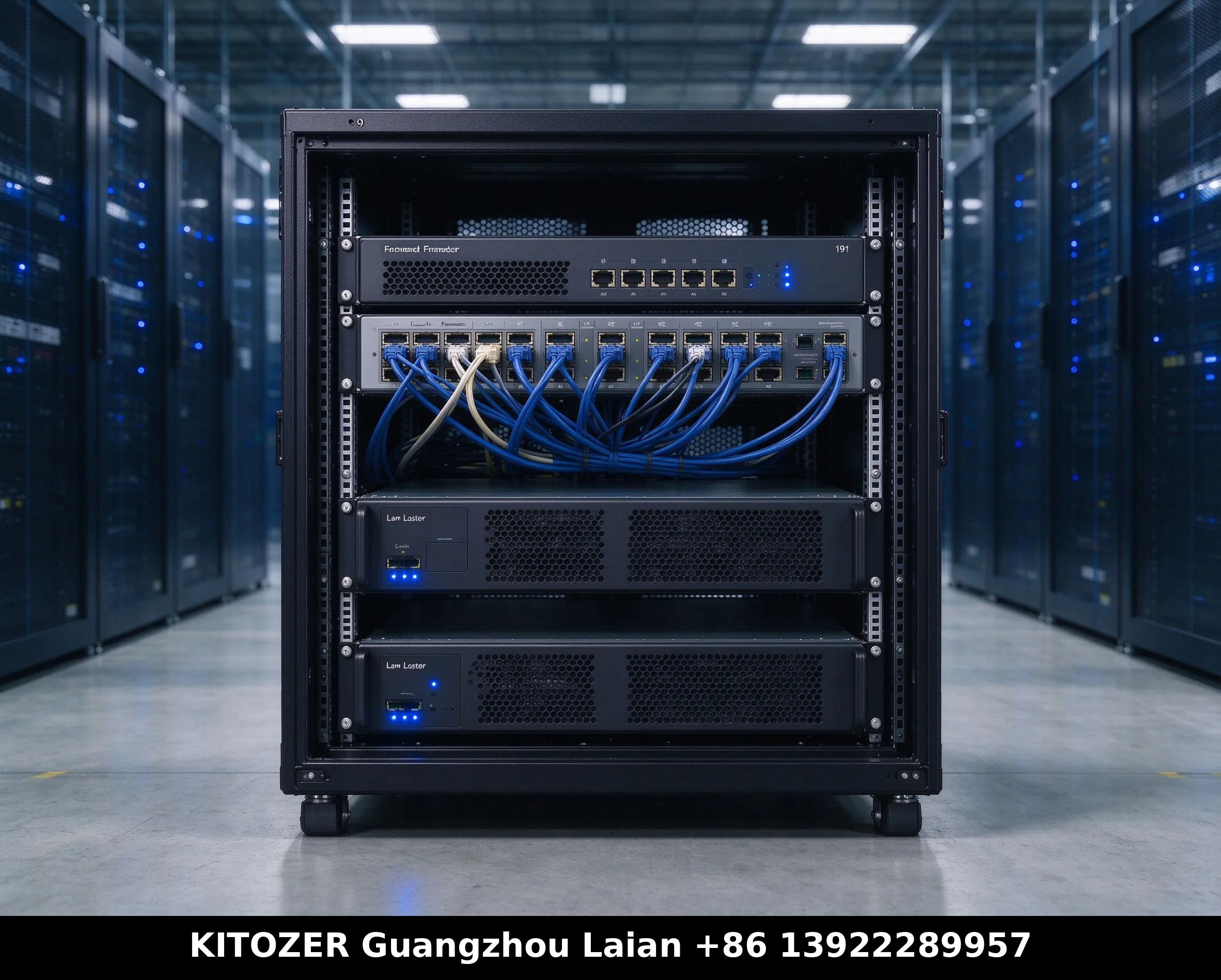
The sliding rail kit allows the technician to pull the server out of the rack without fully removing it, which is necessary for servicing the rear components such as power supplies, risers and cables. The rails have a locking mechanism that holds the server in the pulled-out position, and a release lever that allows full removal. The cable management arm follows the server as it slides, which prevents cables from being pulled out or bent at sharp angles during service. For 4U servers, a two-person lift is required because the chassis can weigh more than most technicians can safely handle alone.
11. Cooling and Thermal Design
Cooling is the silent partner of every enterprise server. A server that runs 10 degrees Celsius cooler lives significantly longer, because semiconductor failure rates double for every 10 degrees of temperature rise. KITOZER rack servers use front-to-back airflow: cold air enters through the front bezel, passes through the drive bays and the CPU heat sinks, and exits through the rear fan wall. This direction matches the hot-aisle cold-aisle layout of modern data centers.
11.1 Fan Architecture
KITOZER 1U and 2U servers use hot-swap fan modules that can be replaced without powering down the server. The fans are controlled by the BMC based on CPU temperature, inlet temperature and power supply temperature. Under light load the fans run quietly; under heavy load they ramp up to push the required air volume. The fan curve is tunable through the BMC web interface, so a customer in a cooler climate can run a quieter curve, and a customer in a warmer climate can run a more aggressive curve. The fan modules are redundant: if one fan fails, the rest speed up to compensate and the BMC raises an alert.
11.2 Heat Sink Design
CPU heat sinks on KITOZER servers are copper base with aluminum fins and heat pipes. On 1U chassis the heat sink profile is low and wide to fit the narrow height, while on 2U and 4U chassis the heat sink is taller and can dissipate more watts. Thermal interface material is pre-applied at the factory; when servicing a CPU, the technician should clean the old TIM and apply a fresh bead of thermal paste according to the CPU vendor’s guideline. The retention mechanism on the heat sink applies a controlled pressure that keeps the CPU die flat against the heat sink without cracking the processor package.
11.3 Data Center Cooling Interaction
A rack server does not operate in isolation. Its inlet temperature depends on the data center’s cooling architecture. Hot-aisle cold-aisle containment keeps cold air at 18 to 27 degrees Celsius at the rack intake, which is the recommended ASHRAE range. If the rack is not contained, hot exhaust can recirculate into the cold aisle and raise the inlet temperature, which triggers higher fan speed, higher power draw and shortened component life. KITOZER servers report inlet temperature through the BMC, and a sustained inlet above 30 degrees Celsius should trigger a data center cooling investigation, not a server replacement. The difference between a well-contained rack and a poorly contained rack can be several thousand dollars a year in power and several percent points in hardware reliability.
12. Applications and Deployment Scenarios
KITOZER rack servers are deployed across a wide range of enterprise and service-provider scenarios. The following sections describe the most common ones.
12.1 Cloud Hosting and Virtualization
Cloud hosting providers build large clusters of homogeneous 2U dual-socket servers, each running a hypervisor and hosting dozens of virtual machines. The KITOZER 2U with Xeon Silver or Gold, 256 to 512 gigabytes of memory, two NVMe drives for caching and four onboard 10 gigabit Ethernet ports is a typical cloud node. The BMC provides out-of-band lifecycle management, the redundant power supplies minimize unplanned downtime, and the hardware RAID or HBA supports both local storage and storage-area-network attachment. Cloud providers value homogeneous clusters because the same image runs on every node, the same monitoring works on every node, and the same spare parts inventory covers every node. KITOZER supports this model by offering consistent configurations across orders and by documenting every BIOS and BMC setting.
12.2 Enterprise Virtualization and Private Cloud
Enterprises build private clouds on VMware vSphere, Microsoft Hyper-V, Proxmox VE or open-source KVM. The KITOZER 2U server is the default building block. A typical private cloud cluster has three to six nodes for high availability, shared storage from a separate SAN or a software-defined storage layer, and a management network on a separate VLAN. The KITOZER BMC integrates with the private cloud management platform so that virtual machine administrators can request hardware-level power cycles without calling the data center team. Private cloud customers also value the ability to buy barebone and populate their own DIMMs and drives, which lets them take advantage of existing enterprise agreements with memory and drive vendors.
12.3 High-Performance Computing
High-performance computing clusters are built from dense 1U or 2U compute nodes connected by high-speed Ethernet or InfiniBand fabrics. Each compute node runs a Xeon Gold or Platinum processor, 256 to 512 gigabytes of memory, and a single NVMe drive for local scratch. The KITOZER 1U dual-socket configuration is popular in HPC because it maximizes the ratio of compute nodes per rack, while the 2U configuration is used when more memory bandwidth or local storage is required. HPC centers typically run batch schedulers that pack jobs onto every available core, which means the servers run at near 100 percent CPU utilization for long periods. This makes power efficiency and cooling design critical, and the Titanium power supplies and high-efficiency fan modules on KITOZER servers directly reduce the cluster’s operating cost.
12.4 Artificial Intelligence Inference and Edge
Artificial intelligence inference workloads run on 4U GPU servers in the data center and on 2U or 1U servers at the edge. In the data center, a 4U KITOZER server with four to eight double-wide accelerators handles batch inference for computer vision, natural language and recommendation systems. At the edge, a 1U or 2U server with a single accelerator card handles real-time inference for surveillance, retail analytics and industrial vision. The KITOZER BMC provides the lights-out management that edge sites require when no local staff are on hand. The edge deployment also benefits from the redundant power supplies, because a single power supply failure at an unmanned site should not take the inference service offline.
12.5 Software-Defined Storage and Backup
Software-defined storage clusters such as Ceph, MinIO and GlusterFS are built from 4U storage nodes populated with large SATA drives. A typical Ceph node uses a KITOZER 4U chassis with 24x 16 to 22 terabyte SATA drives, a dual-socket Xeon Silver, 256 gigabytes of memory, and 10 or 25 gigabit Ethernet for the public and cluster networks. These nodes are the workhorses of on-premises object storage and backup repositories. The backup repository role is particularly well suited to the 4U chassis: it holds the nightly backup images for the whole enterprise, it rarely needs high IOPS, and it benefits from the lowest cost per terabyte. The redundant power supplies and ECC memory protect against the two failure modes that would otherwise corrupt the backup copies.
12.6 Database and Business Applications
Relational databases such as SQL Server, Oracle and PostgreSQL run on 2U KITOZER servers with Xeon Gold processors, 512 gigabytes to 2 terabytes of memory, and a mix of NVMe and SAS SSDs. The database workload is sensitive to both single-thread performance and memory bandwidth, which is why Xeon Gold and Platinum are preferred over Silver. The redundant power supplies and ECC memory protect against the two most common causes of unplanned database downtime. For transactional workloads, the RAID controller runs in write-back mode with a healthy supercapacitor, and the transaction log is mirrored on a separate pair of NVMe drives to keep sequential writes fast and safe.
12.7 Media and Entertainment
Video on demand, live streaming and media production use 4U servers for transcoding, rendering and storage. A transcoding node uses multiple CPU cores or GPU accelerators to convert source video into the bitrates and resolutions required by end-user devices. A media storage node uses 24 to 44 drives to hold the video library. The KITOZER 4U chassis handles both roles with its large drive count and PCIe expansion. Media workloads are bursty: the transcoding nodes sit idle most of the day and spike during evening prime time, which means the power supplies run at low load most of the time and the Titanium efficiency rating matters disproportionately at light load.
12.8 Government, Education and Public Sector Deployments
Government and public-sector customers have particular requirements around supply chain transparency, local support and security. KITOZER rack servers are commonly deployed in government data centers, university computer rooms, research laboratories and public-sector cloud platforms. The local engineering team in Guangzhou can provide on-site installation support, firmware lockdown, security hardening and documentation packages that meet public-sector procurement requirements. The servers can also be configured with domestic power cords, domestic keyboard layouts and localized BIOS options to match the deployment region.
Education customers typically buy KITOZER servers for teaching laboratories, research clusters and student project environments. The 2U dual-socket configuration is the most popular teaching server because it gives students hands-on experience with virtualization, storage and networking at a price that fits an academic budget. Research clusters use the same 1U and 2U nodes as commercial HPC centers, but at lower core counts and lower memory densities, which keeps the cluster within a departmental grant.
12.9 Industrial and Embedded Deployments
Industrial system integrators embed KITOZER rack servers into larger solutions such as industrial control rooms, traffic management centers, surveillance video walls and building automation platforms. The server in these deployments is not sold as a standalone product; it is part of a larger system that includes cameras, sensors, network switches, software and a display wall. In these contexts, the KITOZER rack server’s value is its mechanical reliability, its out-of-band management and its predictable supply. The integrator can design the rack around the KITOZER chassis, order a predictable number of units per year, and rely on the spare parts being available for the full ten-year life of the industrial installation.
Industrial environments also have wider temperature and humidity ranges than commercial data centers. KITOZER chassis are built to the commercial-grade environmental specification, and when the installation is in a control room with air conditioning, this is sufficient. For harsher environments, such as unheated telecom rooms or subtropical equipment shelters, the ambient temperature should be confirmed with the KITOZER engineering team before purchase, and a wider-temperature chassis variant can be specified if required.
12.10 Disaster Recovery and Backup Sites
Disaster recovery sites hold standby copies of production servers. They are sized to take over the production workload in the event of a primary-site outage, but they typically run at low utilization most of the year. The KITOZER 2U and 4U chassis are well suited to DR sites because they can be configured with the same hardware as the primary site, which reduces the operational surprise when failover occurs. The redundant power supplies and ECC memory are just as important at the DR site as at the primary, because a DR failure is most costly when it happens during an actual recovery. The BMC at the DR site is monitored from the primary site, so that a failed power supply or a degraded DIMM at the DR location is repaired before it is needed.
13. BIOS, Firmware and Lifecycle Management
The server BIOS and BMC firmware are not static; they are updated over the five-to-seven-year service life to address security vulnerabilities, to add support for new operating systems, and to fix bugs discovered in the field. KITOZER provides firmware updates through the BMC web interface or through Redfish, and the updates can be staged and scheduled during a maintenance window so that the production workload is not interrupted.
13.1 BIOS Settings That Matter
Several BIOS settings should be reviewed at deployment time and then left alone. The first is hyper-threading, which should be enabled for virtualization and multi-threaded workloads but can be disabled for single-threaded latency-sensitive workloads where the additional threads cause scheduling noise. The second is the power profile, which should be set to performance mode for production servers and to balanced mode for non-production servers. The third is the boot order, which should put the M.2 boot mirror first and the network PXE boot last, to prevent an accidental PXE boot from overwriting the operating system. The fourth is the virtualization flag, which must be enabled for any hypervisor to run. KITOZER ships a default BIOS configuration that is appropriate for most enterprise deployments, and the integrator or administrator can adjust the remaining settings based on the workload.
13.2 Firmware Baselines and Drift
In a cluster of hundreds of servers, firmware drift is a real risk: over time, different servers end up on different BIOS and BMC versions, and a bug that only manifests on one version becomes hard to reproduce. The recommended practice is to define a firmware baseline for the cluster, to stage every server to that baseline at deployment, and to roll out new baselines on a scheduled cadence. The Redfish API makes it possible to automate this process: a script discovers every KITOZER server on the management network, compares the running firmware version to the baseline, and stages an update where required. This automated lifecycle management is one of the largest operational savings of a standards-based server platform.
13.3 Security and Supply Chain
Server security starts with the supply chain. KITOZER ships every server from its production line with the BIOS and BMC firmware versions current at the time of shipment, and with the default management credentials changed or documented on a per-unit basis. The customer should change the default credentials on first boot, enable HTTPS on the BMC, and connect the management port to a dedicated VLAN. The BMC supports two-factor authentication through RADIUS or TACACS+, and the system event log records every management action, which provides the audit trail that security teams require. Physical security is also part of the picture: the rack should be locked, the front bezel should be key-locked, and the side cover should have a tamper switch that the BMC reports when the chassis is opened.
14. Maintenance, Service and Spare Parts
A rack server is a five-to-seven-year asset, and the maintenance plan for that asset determines how much downtime the business absorbs. KITOZER designs for serviceability: every field-replaceable unit is accessible from the front or the rear without disassembling the chassis, every consumable part is hot-swap, and every FRU has a part number that can be ordered individually.
14.1 Routine Maintenance Tasks
Routine server maintenance is lightweight. The administrator should review the system event log monthly for predictive failures, review the BMC sensor history for temperature and fan trends, and confirm that the RAID controller battery or supercapacitor is healthy. DIMM and drive firmware should be updated on the same cadence as the BIOS. The physical rack should be inspected quarterly for loose cables, dusty filters and overloaded PDUs. Most of these tasks are automated by the monitoring system, but the human review catches the trends that the alerts do not.
14.2 Field-Replaceable Units
The field-replaceable units on a KITOZER rack server are: power supply modules, fan modules, drive trays, riser cards, RAID controller batteries, DIMMs, CPUs and heat sinks, the motherboard, the backplane, and the BMC daughterboard. Each of these can be swapped in the rack without sending the chassis back to the factory. The most commonly replaced FRUs are the power supply, the fan and the drive, which is why KITOZER stocks these as spares for every customer. The motherboard and backplane replacements are less common but are supported with documented procedures and torque values.
14.3 Predictive Failure Analysis
Modern drives report wear and predictive failure through the SMART interface, and the RAID controller or HBA surfaces this information to the operating system. The BMC also reports elevated fan speeds and rising temperatures that precede a component failure. The recommended practice is to replace any component that reports a predictive failure during the next maintenance window, rather than waiting for the failure to occur in production. This predictive maintenance turns a potentially unplanned outage into a planned swap, and it is one of the largest reliability advantages of an enterprise server platform over a consumer desktop.
15. Configuration Examples: Realistic Bill of Materials
The following example configurations illustrate how the selection guide translates into a concrete bill of materials. Each example lists the chassis, CPU, memory, storage, networking and power choices, and explains the reasoning.
15.1 Example A: Twenty-Host Virtualization Cluster
A mid-sized enterprise wants to build a vSphere cluster of twenty hosts to replace an aging physical server fleet. The workload is 250 virtual machines running line-of-business applications, databases and desktop virtualization. Each host uses a KITOZER 2U chassis, two Xeon Silver 4314 processors (16 cores each, 32 physical cores per host), 512 gigabytes of DDR5 memory (eight 64 gigabyte DIMMs), four 1.92 terabyte SATA SSDs in a hardware RAID 10 for the local datastore, two M.2 NVMe mirrors for boot, a dual-port 10 gigabit onboard NIC for production, a separate dual-port 10 gigabit card for storage and vMotion, and two 1200 watt Platinum power supplies. The cluster is backed by a separate 4U storage array. The reference price per host in this configuration is in the mid-five-thousand-dollar range, and the twenty-host cluster delivers enough compute to consolidate the 250 virtual machines with headroom for a 25 percent growth projection over three years.
15.2 Example B: Six-Node Ceph Storage Cluster
A cloud provider wants to build an object storage cluster for unstructured data. Each node uses a KITOZER 4U storage chassis, a single Xeon Silver 4310 processor, 256 gigabytes of memory, 12x 16 terabyte SATA drives in an HBA passthrough mode, two NVMe drives for the Ceph block DB and WAL, dual 25 gigabit Ethernet for the public and cluster networks, and two 1600 watt Titanium power supplies. Six nodes give 1.15 petabyte of raw capacity, which with three-way replication delivers about 380 terabytes of usable object storage. The reference price per node is in the twelve-thousand-to-eighteen-thousand-dollar range depending on the drive selection, and the cluster is designed to grow to twelve nodes by adding another six in the same rack.
15.3 Example C: Four-Node GPU Inference Farm
An enterprise wants to deploy an internal inference service for document processing and customer-facing chat. Each node uses a KITOZER 4U GPU chassis, two Xeon Gold 6330 processors (28 cores each), 512 gigabytes of memory, four double-wide accelerator cards, two NVMe drives for model caching, dual 100 gigabit Ethernet for the inference traffic, and four 2000 watt Titanium power supplies in a 2+2 redundant configuration. Four nodes provide enough throughput for the current inference request volume with headroom to double the model size without adding hardware. The reference price per node depends on the accelerator card selection, which is the dominant cost in this configuration.
16. Network Architecture for Rack Server Clusters
A rack server does not live on an island. The network design around the server determines whether the raw CPU and memory performance translates into useful service performance. KITOZER rack servers support the standard three-tier network design that enterprise data centers have used for two decades, as well as the modern spine-leaf design used by hyperscale and cloud providers.
16.1 Network Interface Layout
A typical KITOZER 2U server has four onboard 10 gigabit Ethernet ports. The recommended layout for a virtualization host is to bond ports one and two into a production uplink and bond ports three and four into a storage and live-migration uplink. Each bond connects to a different top-of-rack switch, so that a single switch failure does not isolate the host. For higher bandwidth, a dual-port 25 gigabit or quad-port 100 gigabit PCIe card adds more fabric capacity, and the onboard 10 gigabit ports can be reserved for management and backup traffic. The BMC management port is on a separate RJ45 connector and should be plugged into the management VLAN switch, never into the production data switch.
16.2 Network Boot and PXE
KITOZER servers support PXE network boot, which is the standard mechanism for installing an operating system on a bare-metal server without attaching a physical USB drive. In a cluster deployment, the administrator sets the BIOS to PXE boot first, boots the server, and the PXE server serves a kickstart or autoinstall image that partitions the disks, installs the operating system and configures the network. After installation, the BIOS boot order is changed to boot from the local M.2 mirror. This process lets a data center deploy hundreds of servers without ever touching a USB drive, and it is the foundation of the infrastructure-as-code model that modern cloud operations use.
16.3 Jumbo Frames and Storage Traffic
When the server carries storage traffic such as iSCSI, NFS or SMB over the network, enabling jumbo frames of 9000 bytes reduces the per-packet overhead and improves throughput by a measurable margin. Jumbo frames must be enabled end to end on every switch port and every host interface on the storage VLAN, otherwise the packet fragmentation will cause retransmissions and worse performance than the default 1500 byte MTU. KITOZER onboard network adapters support jumbo frames up to 9014 bytes, and the setting is available in the operating system network configuration.
17. Environmental, Compliance and Certifications
Enterprise servers are expected to meet a baseline set of environmental, safety and electromagnetic compatibility standards before they are installed in a commercial data center. KITOZER rack servers are designed to meet the following classes of requirements.
17.1 Operating Environment
The recommended operating temperature range for a KITOZER rack server is 18 to 27 degrees Celsius at the inlet, which matches the ASHRAE recommended envelope for data center equipment. The extended allowable range is 5 to 35 degrees Celsius, within which the server continues to operate but may run fans faster and consume more power. Relative humidity should be 20 to 80 percent non-condensing. The altitude range is up to 2000 meters without derating, and above 2000 meters the maximum allowable inlet temperature decreases because air density is lower and cooling is less effective. Data centers in high-altitude locations should confirm the derating with the KITOZER engineering team.
17.2 Safety and EMC Certifications
KITOZER rack servers are designed to meet the applicable safety and electromagnetic compatibility standards for the markets in which they are sold. These include the commercial information technology equipment safety standard, the electromagnetic emission and immunity standards for commercial and light industrial environments, and the environmental restrictions on hazardous substances. The exact certification marks depend on the destination country and should be confirmed with KITOZER sales at order time. For customers who require a specific certification for a public procurement, KITOZER can provide the relevant documentation package.
17.3 Acoustic Noise
Server acoustic noise is a function of fan speed and airflow. A 1U server under load can produce noise levels that are uncomfortable in an open office, but in a contained data center the noise is behind rack doors and the aisles are not occupied continuously. A 2U server under typical virtualization load runs at a moderate noise level that is acceptable in a data center aisle. A 4U GPU server under full load can be the loudest equipment in the rack, and it should be installed in a properly contained data center, not in a room where people work. The BMC fan curve can be adjusted to trade noise for temperature, but the default curve is tuned for reliability rather than quietness.
18. Cabling, Power and Physical Infrastructure
The physical infrastructure around the server is as important as the server itself. A well-designed rack has the right power distribution, the right network ports and the right cable management for the number and type of servers installed.
18.1 Power Distribution Units
A standard rack uses two horizontal PDUs, one on the left rear rail and one on the right rear rail. Each PDU connects to a different upstream circuit, and each server’s two power supplies plug into different PDUs. This dual-path design means that a single PDU failure, a single circuit breaker trip or a single upstream UPS failure does not take any server in the rack down. The PDU should have enough outlets for every server plus a 30 percent margin for switches, storage and future expansion. Monitored and switched PDUs that report power draw per outlet through the management network are increasingly common, and they integrate with the BMC telemetry to give a real-time view of rack power.
18.2 Cable Management
Good cable management is not cosmetic; it is operational. A rack with neatly routed cables allows a technician to trace any cable in seconds during an outage, allows air to flow through the rack without obstruction, and allows the sliding rails to move without catching on cables. The KITOZER cable management arm is designed to carry both power and data cables, with separate channels on each side. The arm should be adjusted so that the server slides fully out without pulling any cable, and the cables should be tied with hook-and-loop straps rather than nylon ties, so that they can be adjusted without cutting. Every cable should be labeled at both ends with a label that matches the documentation in the rack diagram.
18.3 Rack Grounding and Bonding
The rack itself must be bonded to the data center grounding bus bar, and every server chassis must be bonded to the rack through the mounting screws. This provides a safe path for fault current and reduces the risk of electrostatic discharge damaging components during service. The KITOZER chassis uses the rail kit as the bonding path, so the rails must be mounted with the proper screws and the rack must be grounded. A rack that is not grounded properly can develop ground loops that cause network errors and intermittent failures that are difficult to diagnose.
19. Virtualization Deep Dive
Virtualization is the workload that drives the majority of enterprise server purchases today. Understanding how a KITOZER server performs as a virtualization host helps the customer size the cluster correctly and avoid the common sizing mistakes.
19.1 CPU Overcommitment
A hypervisor can present more virtual CPUs than the physical cores, because most virtual machines do not use their allocated vCPUs at 100 percent. A typical overcommitment ratio is three to five vCPUs per physical core for general-purpose workloads, and one to two vCPUs per physical core for performance-sensitive workloads such as databases. The KITOZER dual-socket Xeon Silver configuration with 32 physical cores can comfortably run 100 to 150 vCPUs, which translates to 25 to 40 virtual machines depending on their vCPU allocation. Overcommitment should be monitored: if the physical CPU utilization regularly exceeds 80 percent, the cluster is overcommitted and another host should be added.
19.2 Memory Overcommitment and Ballooning
Memory is less forgiving than CPU for overcommitment. The recommended practice is to allocate physical memory close to the sum of the virtual machine allocations, with a 10 to 20 percent margin for the hypervisor overhead. Memory ballooning allows the hypervisor to reclaim unused memory from a virtual machine when the host is under pressure, but it should be treated as a safety net rather than a sizing strategy. If the cluster regularly requires ballooning, it is time to add memory to the hosts or add another host.
19.3 Live Migration and High Availability
The KITOZER onboard 10 or 25 gigabit network carries live migration traffic, which moves a running virtual machine from one physical host to another without downtime. Live migration is the mechanism that allows the administrator to evacuate a host for maintenance without scheduling a virtual machine outage. High availability is the complementary feature that restarts virtual machines on surviving hosts when a host fails. Both features require shared storage or a software-defined storage layer, and both benefit from the redundant network and power design of the KITOZER chassis.
20. Storage Networking and Shared Storage
While local storage is sufficient for many workloads, enterprise clusters often use shared storage that is accessible from every host. The shared storage can be a storage area network over Fibre Channel or iSCSI, a network-attached storage filer over NFS or SMB, or a software-defined storage layer built from the local drives on the hosts themselves.
20.1 Fibre Channel and iSCSI
Fibre Channel host bus adapters plug into a KITOZER PCIe riser and connect the server to a storage area network fabric. iSCSI uses standard Ethernet and does not require a separate HBA, but it consumes Ethernet bandwidth and CPU cycles. For workloads that require consistent low latency, Fibre Channel remains the preferred protocol; for workloads that are comfortable with Ethernet, iSCSI on a dedicated storage VLAN is more cost-effective. KITOZER 2U and 4U chassis have enough PCIe slots to accommodate both a Fibre Channel HBA and a 25 gigabit Ethernet card simultaneously.
20.2 Software-Defined Storage on the Host
The alternative to external shared storage is software-defined storage that runs on the same servers as the compute workload. This is the hyperconverged model: each host contributes some of its local drives and memory to a shared storage pool, and the storage software replicates data across hosts so that the failure of one host does not lose data. KITOZER 2U servers with a mix of NVMe and SATA drives are a common hyperconverged building block. The trade-off is that the storage and compute workloads compete for the same CPU, memory and network resources, which means the host must be sized larger than a pure compute host. The benefit is that the customer buys a single building block rather than separate compute and storage arrays.
21. Scaling from Pilot to Production
Most server deployments start small and grow. A typical enterprise starts with a two or three server pilot, validates the workload on the new platform, and then expands to a full cluster. KITOZER is designed to support this growth path without forcing a redesign.
21.1 The Pilot Phase
The pilot phase is the time to validate that the chosen configuration runs the workload as expected, that the operating system installs cleanly, that the BMC integrates with the monitoring stack, and that the rack power and cooling are adequate. The pilot should run for at least one month under representative workload, and the administrator should collect baseline numbers for CPU utilization, memory utilization, storage latency and network throughput. These baselines are the reference against which the production cluster is sized. The pilot is also the time to train the operations team on the BMC interface, the BIOS settings and the field-replaceable unit procedure.
21.2 The Production Expansion
Once the pilot is validated, the production expansion orders the remaining hosts in the same configuration. The production cluster should be built with the same BIOS baseline, the same BMC firmware version, the same operating system image and the same monitoring configuration as the pilot. Homogeneity reduces operational surprise: a configuration that was validated on the pilot behaves the same way on every production host. KITOZER supports this by producing consistent chassis across orders, by documenting every firmware version shipped, and by providing a configuration guide that the integrator can follow.
21.3 Multi-Rack and Multi-Site Deployment
When the cluster grows beyond a single rack, the data center team designs a pod of several racks connected by a spine-leaf network. The KITOZER rack servers in each rack are identical, and the network design is repeated in every pod. When the cluster grows beyond a single site, a second data center or disaster recovery site is built with the same hardware, the same images and the same monitoring. This multi-site consistency is what makes a cloud operation scalable: the operational playbook written for the first rack applies to the hundredth rack.
22. Total Cost of Ownership Considerations
The purchase price of a server is only the first line in a five-year total cost of ownership calculation. The other lines are power, cooling, rack space, operations labor, software licensing and downtime risk. KITOZER’s value proposition is strongest when the full TCO is considered.
22.1 Power and Cooling Cost
A 1000-watt server that runs 24×7 consumes 8760 kilowatt-hours per year. At an all-in power cost of 0.12 dollars per kilowatt-hour, that is about 1050 dollars per year per server, or 5250 dollars over five years. A Titanium power supply that is four percentage points more efficient than a Bronze supply saves about 350 kilowatt-hours per year, which is about 42 dollars per year or 210 dollars over five years per server. Across a rack of twenty servers, the efficiency saving pays for the premium Titanium supplies in the first year. Cooling cost is proportional to power draw, so every watt saved in the power supply also reduces the cooling load.
22.2 Rack Space and Operations Labor
Rack space in a commercial colocation facility is typically charged per rack unit per month, with additional charges for power and cooling. A 2U server that does the work of two 1U servers saves the colocation fee for one rack unit. Operations labor is the largest TCO line for many enterprises: a server that is easier to monitor, easier to firmware-update and easier to service reduces the minutes per month that a technician spends on it. The BMC, the Redfish API, the hot-swap FRUs and the common chassis design across form factors all contribute to lower operations labor.
22.3 Downtime Risk
The hardest TCO line to quantify is downtime. A redundant power supply, ECC memory, predictive failure analysis and a serviceable chassis all reduce the probability of an unplanned outage. When an outage does occur, the BMC remote console and virtual media reduce the time to recover, because the administrator can mount a recovery image and watch the console from anywhere. The value of these features is not visible on the purchase order, but it is visible in the annual availability report.
23.5 Edge and Branch Office Deployments
Branch offices, retail stores, factory floors and remote sites have different constraints than a central data center. The server at a branch office is typically installed in a small wall-mounted or floor-standing cabinet, with limited rack space, limited cooling and no local IT staff. The KITOZER 1U and 2U servers are well suited to these environments because the BMC provides lights-out management from the central data center, the redundant power supplies tolerate unstable branch power, and the compact chassis fits in a small cabinet. The edge deployment runs the branch’s local services: a domain controller, a file share, a surveillance recording server, a point-of-sale backend or a local cache for a central application. The central team manages the edge server over the management network, applies firmware updates over Redfish, and dispatches a technician only for a physical part replacement.
Edge deployments also benefit from the common chassis design. A central data center that runs 2U KITOZER virtualization hosts can deploy the same 2U chassis at branch offices, which means the operations team already knows the BIOS, the BMC interface and the FRU procedure. The spare parts inventory is shared: a power supply pulled from a retired production server can be shipped to a branch office without learning a new part number. This consistency is a quiet but significant operational saving in a distributed organization.
23.6 Surveillance and Video Recording
Surveillance systems use rack servers as video recording nodes, video management platforms and analytics servers. A recording node typically uses a KITOZER 2U or 4U chassis with many SATA drives to store weeks or months of camera footage, a hardware RAID controller to protect the recording array, and a 10 gigabit network uplink to the camera network. An analytics node uses a 4U chassis with a single accelerator card to run real-time video analytics such as license plate recognition, crowd counting and anomaly detection. The KITOZER BMC provides the remote management that a surveillance room requires, because the surveillance room is often unmanned outside business hours.
23.7 Networking Equipment Co-Location in the Rack
A typical data center rack holds not only servers but also top-of-rack switches, a keyboard-video-mouse switch, a patch panel and at least two power distribution units. The KITOZER rack servers are designed to coexist with this equipment. The bottom of the rack is reserved for the heaviest 4U storage and GPU nodes, the middle holds the 2U compute hosts, and the upper rack units hold the switches and patch panels. The network switches should be placed near the cable management arm height so that the server’s Ethernet cables reach the switch with a short, clean run. The patch panel bridges the short jumper cables from the server ports to the longer horizontal cables that run up the vertical cable manager to the spine switches. This layout follows the industry standard and keeps the rack serviceable for years.
24. Frequently Asked Questions
Q1. What is the difference between a 1U, 2U and 4U KITOZER rack server?
The difference is rack height, which determines drive bay count, PCIe expansion, maximum CPU power and cooling. A 1U server is thin and dense, best for front-end and edge roles. A 2U server is the balanced workhorse for virtualization and databases. A 4U server supports dense storage and GPU acceleration. Choose based on the workload’s need for storage, expansion and thermal headroom, not on a generic assumption that larger is always better.
Q2. Which Intel Xeon processor should I choose, Silver or Gold?
Choose Xeon Silver for mainstream virtualization, web and mid-tier database workloads. Choose Xeon Gold for high-core-count, high-cache and high-bandwidth workloads such as heavy OLTP databases, in-memory caches and HPC nodes. Silver offers the best price-to-performance balance; Gold offers the highest per-socket capability. Bronze is for light-duty entry workloads and Platinum is for mission-critical HPC and large in-memory databases.
Q3. Can I use consumer DDR5 memory in a KITOZER server?
No. KITOZER servers require ECC registered or load-reduced DIMMs. Consumer non-ECC memory is not supported by the Xeon Scalable memory controller and will not train. ECC memory protects against silent data corruption, which is essential for 24×7 operation. Using non-ECC memory in a server is a false economy that risks silent corruption of databases and virtual machine files.
Q4. How much memory does a virtualization host need?
A typical consolidation host running ten to twenty virtual machines needs 256 to 512 gigabytes. A host running thirty or more guests or large in-memory workloads needs 1 to 2 terabytes. Always plan for the hypervisor overhead, which typically reserves 32 to 64 gigabytes. Populate half the DIMM slots at purchase to leave room for growth, and fill them in matched sets to preserve memory interleaving.
Q5. Do KITOZER servers support NVMe drives?
Yes. KITOZER 2U and 4U servers support front-accessible U.2 NVMe drives connected through PCIe, and M.2 NVMe drives on the motherboard for boot. NVMe is the preferred tier for high-IOPS databases, caching and VDI. A 2U all-NVMe configuration can hold up to 24 U.2 drives, and a 4U configuration up to 44, giving all-flash performance in a standard rack form factor.
Q6. Is hardware RAID required, or can I use software RAID?
Both are supported. Hardware RAID is recommended for traditional operating system deployments. Software RAID or HBA passthrough is recommended for cloud-native and software-defined storage deployments, because it avoids controller lock-in and gives the storage software full control of the drives. The choice should follow the storage architecture, not a default assumption that hardware RAID is always safer.
Q7. What does redundant power supply mean?
A redundant power supply means two or more power supply units installed in the chassis, each capable of carrying the full load alone. If one unit fails, the other unit takes over without interruption, and the failed unit can be hot-swapped while the server keeps running. The two supplies should be connected to two independent PDUs and two independent circuits, so that a PDU or circuit failure does not take the server down.
Q8. Can I manage a KITOZER server remotely when the operating system is down?
Yes. The baseboard management controller runs independently of the main CPU and operating system. As long as standby power and the management network are connected, you can power on, power off, mount virtual media and watch the console remotely, even when the main operating system will not boot. This is the feature that lets a data center recover from a botched operating system upgrade without dispatching a technician to the rack.
Q9. What rack size do KITOZER servers fit?
KITOZER rack servers fit standard 19-inch EIA-310 racks with square or round holes. The included rail kit is adjustable for depth. Always verify that the rack depth accommodates the chosen chassis depth, especially for 4U GPU models, because some older racks are only 1000 millimeters deep and cannot accept a 900-millimeter chassis.
Q10. How long is the warranty on a KITOZER rack server?
Standard warranty covers the chassis, motherboard, backplane, power supply and cooling for a multi-year period, with optional extended warranty and on-site service available. The exact warranty terms depend on the configuration and the contract. Please contact KITOZER sales for the specific warranty of your configuration. Extended warranty and next-business-day on-site service are recommended for production deployments.
Q11. Can KITOZER servers be customized for OEM or private label?
Yes. KITOZER offers OEM and ODM customization including chassis color, badge, BIOS splash screen, bundled software and regional power cord variants. Minimum order quantities apply for deep customization. Standard configurations are available from stock for immediate shipment. Distributors in regional markets can co-brand the chassis and preload their own software images.
Q12. What operating systems are supported?
KITOZER rack servers are compatible with mainstream enterprise operating systems including Windows Server, Red Hat Enterprise Linux, SUSE Linux Enterprise, Ubuntu Server, VMware vSphere and Proxmox VE. The BMC supports Redfish and IPMI 2.0 for integration with standard management stacks. KITOZER can provide certified operating system images for common configurations on request.
Q13. How do I size the power and cooling for a rack of KITOZER servers?
Sum the nameplate power of every server in the rack, add 20 percent margin for peak and startup, and size the circuit breaker and PDU accordingly. Size the cooling for the same total plus the network and storage equipment. The BMC reports actual power draw, which is usually lower than nameplate and can be used to right-size the next rack. Always connect the two redundant power supplies to two independent PDUs.
Q14. What is the lead time for a KITOZER rack server order?
Standard barebone configurations are typically available from stock or with a short lead time. Custom configurations with selected CPUs, memory and drives are built to order and typically require several weeks depending on component availability. Sample orders for engineering validation ship faster, and volume orders are scheduled against a rolling production plan. Contact KITOZER sales for the current lead time on your exact configuration.
Q15. Can I mix KITOZER servers with other brands in the same rack?
Yes. KITOZER rack servers follow the standard 19-inch rack form factor, the standard redundant power supply footprint, the standard PCIe riser interface and the standard Redfish management API. They can be installed in the same rack, on the same PDUs and on the same network as servers from other vendors. The common management API means a data center infrastructure management platform can monitor KITOZER servers alongside other vendors without a custom integration.
Q16. What is the difference between a rack server and a tower server?
A rack server is designed to slide into a 19-inch rack, with a narrow chassis, a horizontal motherboard and rear-facing power supplies and cables. A tower server is a vertical desktop-style chassis designed to sit on a floor or a desk. Tower servers are quieter and easier to service in an office environment, but they do not integrate into a data center rack. KITOZER focuses on rack servers because the target deployments are data centers, equipment rooms and industrial control rooms that use standard racks.
Q17. How do I know if a KITOZER server will fit my existing rack?
Measure the internal width of the rack between the mounting rails (it should be 19 inches), the depth of the rack between the front and rear rails (it should be at least the chassis depth plus 150 millimeters for the cable management arm), and the available rack units. Confirm that the rail kit adjustment range covers the rack depth. For 4U GPU chassis, also confirm that the rack has enough vertical clearance for the rail installation and the cable arm swing.
Q18. Can I add more drives after the server is deployed?
Yes. The front drive bays are hot-swap, and additional drives can be inserted while the server is running, provided the backplane has unused ports and the RAID controller or HBA has capacity. The BMC recognizes the new drive, the operating system or storage software detects it, and the storage administrator adds it to the appropriate pool. This is why buying a chassis with more bays than the initial drive count is a good growth investment.
Q19. What is the difference between RDIMM and LRDIMM memory?
RDIMM buffers the command and address signals, which allows multiple modules per channel at standard capacity. LRDIMM buffers both the command and data signals, which allows higher capacity modules and more ranks per channel. RDIMM is the default up to 64 gigabytes per module. LRDIMM is required for 128 gigabyte per module and above. The performance difference is small at low population, but LRDIMM enables the multi-terabyte configurations that large in-memory databases require.
Q20. Does KITOZER provide operating system installation support?
KITOZER provides the hardware platform, the drivers for the onboard devices, and the documentation for the BIOS and BMC configuration. The operating system itself is licensed and supported by the operating system vendor. The system integrator that buys the barebone typically provides the operating system installation and support. KITOZER can work with the integrator to validate that the selected operating system installs cleanly on the KITOZER chassis and that all onboard devices are recognized.
24. Price Reference
Reference price guide (barebone, ex-work factory): Final price depends on CPU selection, memory capacity, drive count, RAID controller, power supply wattage and warranty terms. The following is a reference range only.
| Configuration | Reference price range (USD, FOB) |
|---|---|
| 1U single-socket barebone, no CPU, no memory, 2x 550W PSU | Reference price: 700 – 1,100 |
| 1U dual-socket barebone, no CPU, no memory, 2x 800W PSU | Reference price: 1,100 – 1,600 |
| 2U dual-socket barebone, no CPU, no memory, 2x 1200W Platinum PSU | Reference price: 1,400 – 2,200 |
| 2U dual-socket with 2x Xeon Silver, 256 GB RAM, 4x SSD, RAID | Reference price: 4,500 – 6,500 |
| 2U dual-socket with 2x Xeon Gold, 512 GB RAM, 4x NVMe, RAID | Reference price: 8,000 – 12,000 |
| 4U storage barebone, no CPU, no memory, 24x 3.5 inch backplane | Reference price: 2,500 – 3,800 |
| 4U storage node with 2x Xeon Silver, 256 GB, 24x HDD | Reference price: 12,000 – 18,000 |
| 4U GPU barebone, 2x 2000W Titanium PSU, support 4-8 GPU | Reference price: 4,000 – 6,500 |
| 4U GPU node with 2x Xeon Gold, 512 GB, 4x accelerator | Reference price: 18,000 – 35,000 |
All prices above are reference prices in US dollars FOB Guangzhou, and are for budget planning only. Please send your exact configuration list to KITOZER sales for a formal quotation. Prices fluctuate with component market conditions, especially for memory and NAND flash, and the formal quotation will reflect current market pricing and the selected warranty term.
25. Contact KITOZER for a Quotation
KITOZER rack server specialists are ready to help you configure the right 1U, 2U or 4U platform for your workload.
Brand: KITOZER
Manufacturer: Guangzhou Laian Intelligent System Development Co., Ltd.
Address: Zhongrun Industrial Park Chaotian Zone, No.5 Huashan Road, Shilou Town, Panyu District, Guangzhou, China
Phone / WeChat: +86 13922289957
Second line: +86 18520668845 (WeChat same number)
WhatsApp: +1 906-853-4140
English website: https://www.gdlain.com
Chinese website: https://www.lain.com.cn
Send us your workload description, rack count, power budget, preferred CPU tier and target delivery date, and we will return a configuration proposal with reference pricing and lead time within one business day. We support sample orders for engineering validation, bulk orders for data center buildouts, and OEM customization for regional distributors. Our engineering team can also review your rack layout and thermal design to confirm that the selected KITOZER servers fit the rack depth, the circuit capacity and the cooling architecture.
26. Summary
The KITOZER rack server family covers the 1U, 2U and 4U form factors that together address nearly every enterprise data center workload, from thin 1U web nodes to dense 4U storage and GPU platforms. Built on Intel Xeon Silver and Gold Scalable processors, with up to 32 DDR5 ECC DIMM slots, up to 44 NVMe or SAS drive bays, redundant 80 PLUS Titanium power supplies, integrated BMC out-of-band management and a common mechanical and management ecosystem, the KITOZER line gives IT planners a configurable, serviceable and cost-effective building block for private cloud, virtualization, high-performance computing, software-defined storage and edge intelligence deployments. Use the selection guide in this article to match the workload to the form factor, send KITOZER your configuration list, and receive a reference-price quotation for your next rack. The same chassis family that starts as a single 2U virtualization host in a pilot rack can grow into a multi-rack private cloud, a 4U storage cluster and a 4U GPU inference farm, all on the same rails, the same BMC, the same spare parts and the same support channel.
Whether the project is a three-node pilot in a single rack, a twenty-host virtualization cluster, a six-node Ceph storage build, a four-node GPU inference farm, or a distributed edge deployment across dozens of branch offices, the KITOZER rack server platform provides the mechanical, thermal, electrical and management foundation that the workload runs on. The engineering team at Guangzhou Laian stands behind every shipped chassis with documentation, firmware updates, spare parts and responsive technical support. Contact KITOZER today with your workload description and rack plan, and receive a configuration proposal with reference pricing and lead time within one business day. The reference prices in this article are budget guidelines only; the formal quotation for your exact configuration will reflect current component pricing, the selected warranty term, the shipping destination and any OEM customization requested.
KITOZER Guangzhou Laian +86 13922289957