KITOZER Firewall / Network Security Appliance: Working Principle, Selection, Installation and Maintenance Guide
Brand: KITOZER | Manufacturer: Guangzhou Laian Intelligent System Development Co., Ltd. | Category: Network Security | Version: V2.0 | Date: October 2026
1. Product Overview
A firewall is a network security device deployed between different security zones that enforces an organization’s access-control policy on all traffic passing between them. The KITOZER firewall and network security appliance is supplied and integrated by Guangzhou Laian Intelligent System Development Co., Ltd. It is built on dedicated rack-mounted hardware platforms and spans a full performance range from desktop gigabit units to enterprise ten-gigabit appliances. It is widely deployed at enterprise campus boundaries, in data centers, equipment rooms, government extranets, hospitals, universities, financial chain stores, and industrial control networks.
As the first security gate at the network perimeter, the firewall permits legitimate communication and blocks unauthorized access. It is usually installed between the edge router and the internal core switch, or between VLANs on the core switch, and inspects every packet using the source address, destination address, source port, destination port, protocol, application identity, user identity, and time window to decide whether to allow, deny, drop, or further inspect the traffic. Beyond traditional access control, the KITOZER appliance integrates intrusion prevention, antivirus filtering, virtual private networking, internet behavior management, application identification, and traffic shaping into a single gateway.
Unlike ordinary routers or layer-three switches, a firewall is designed with security as its primary goal. Routers prioritize forwarding speed and reachability, whereas firewalls follow the default-deny principle: anything not explicitly permitted is blocked. This security-oriented default, combined with stateful inspection and application-layer visibility, makes the firewall a critical asset against external intrusion, lateral movement, and internal policy violations. As cloud services, remote work, and IoT terminals proliferate, modern firewalls must also handle encrypted traffic inspection, micro-segmentation access control, and coordination with cloud-based security management.
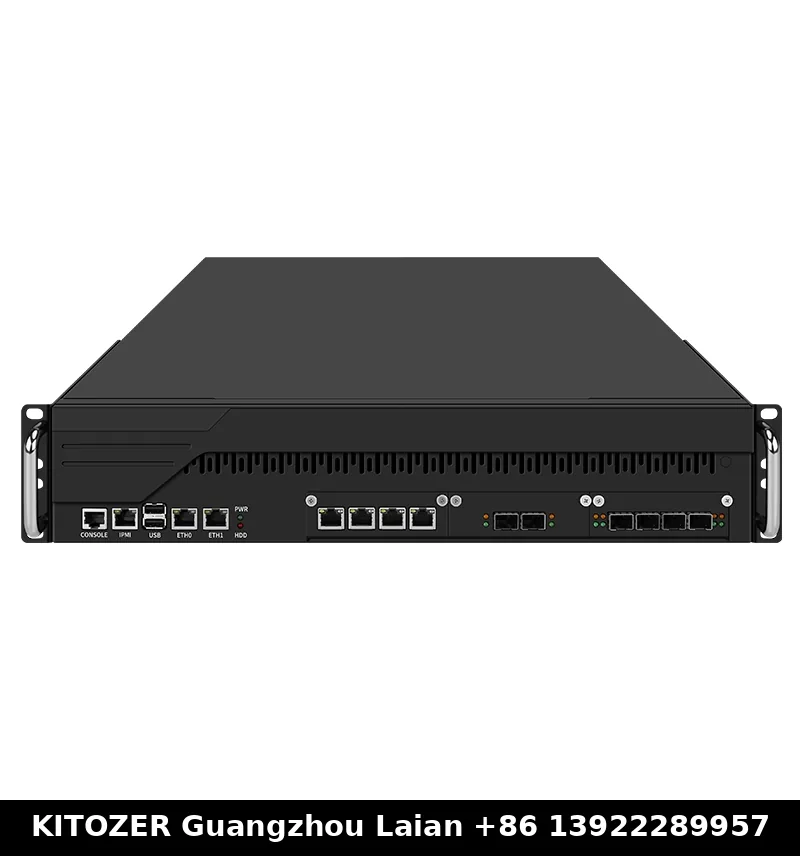
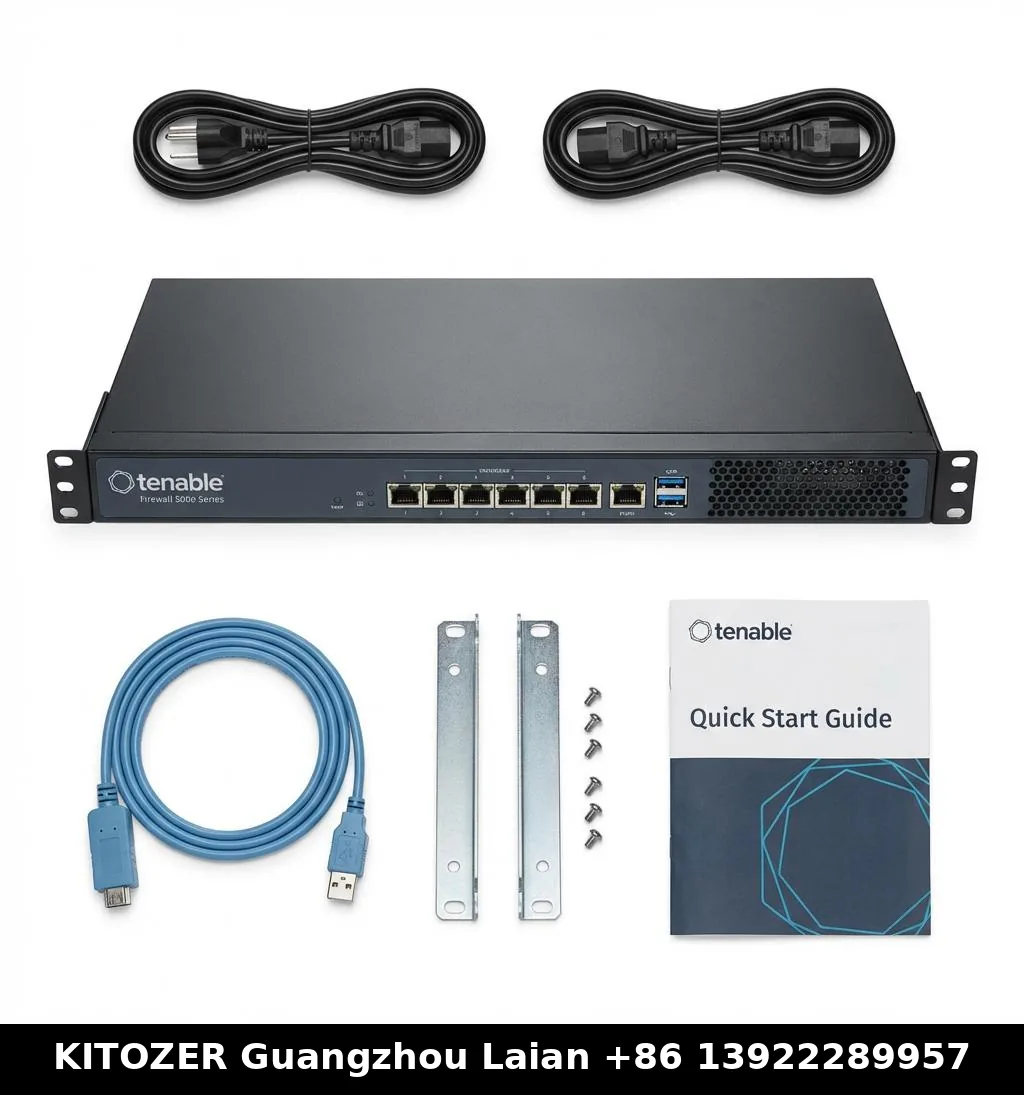
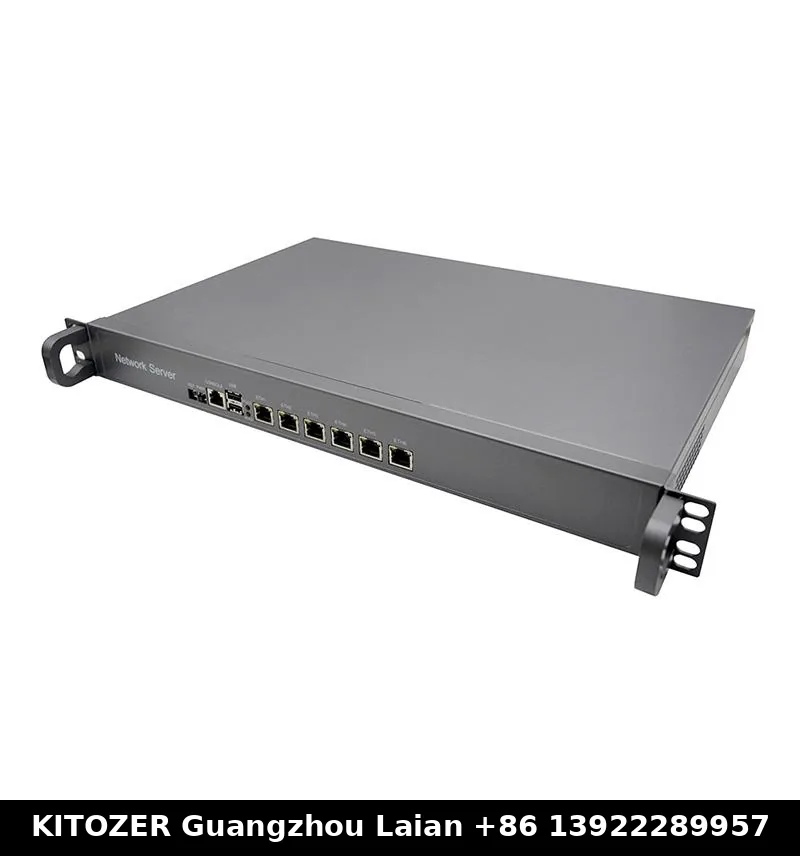
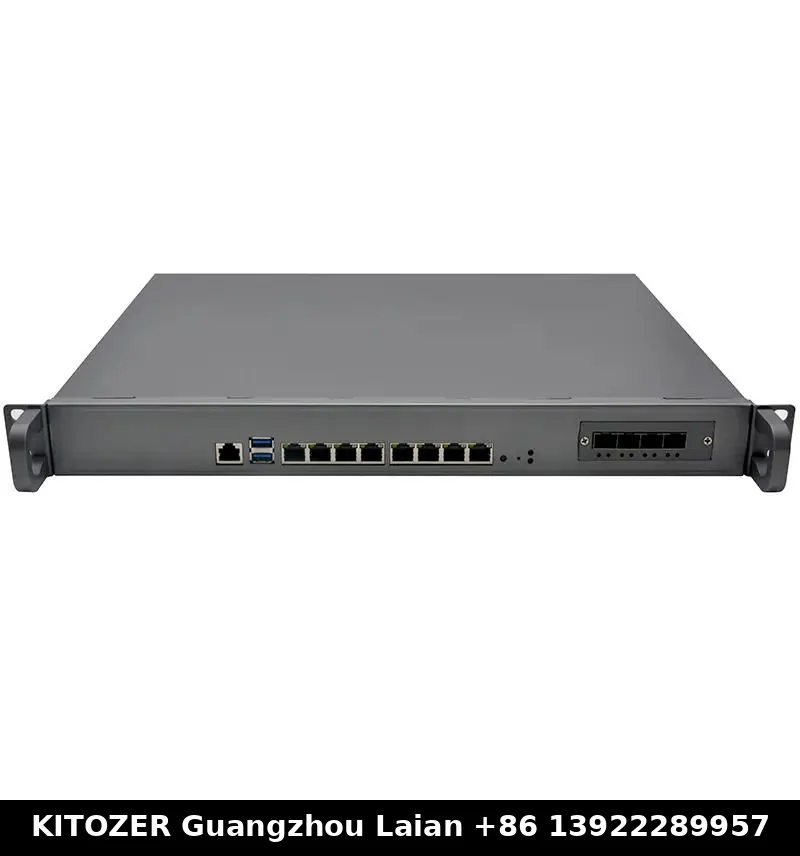
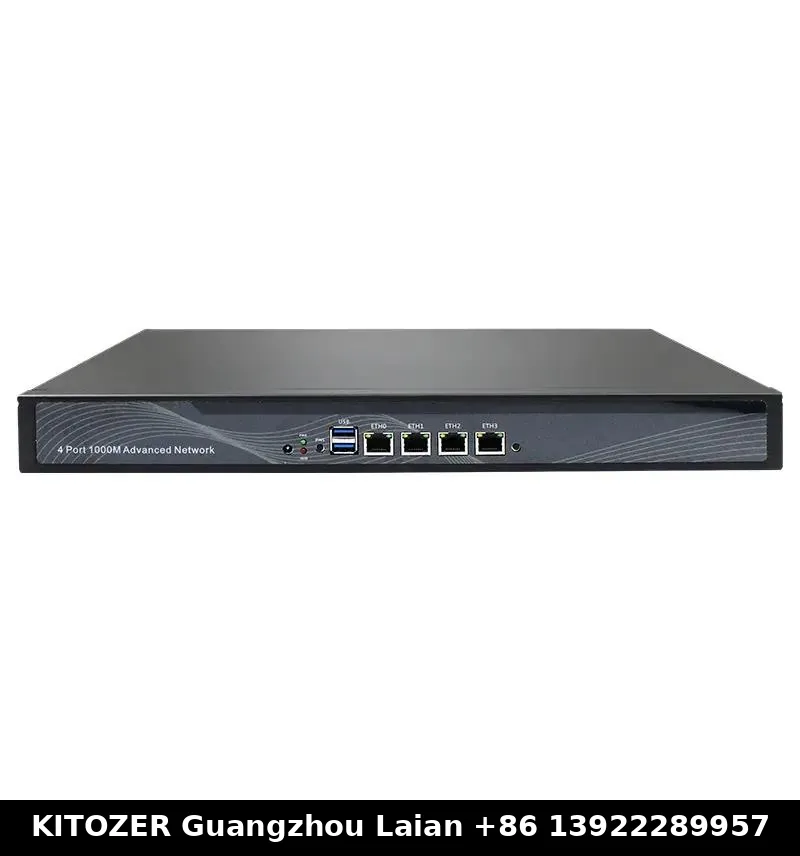
KITOZER firewalls use industrial-grade rack chassis in 1U or 2U form factors, with optional redundant power supplies, hardware Bypass interfaces, multiple gigabit copper and ten-gigabit fiber ports, and Intel network processor or multi-core x86 platforms. The mean time between failures exceeds 80,000 hours. The software supports routed mode, transparent bridge mode, and mixed-mode deployment, and offers web GUI, command line, SSH, and SNMP/NetFlow northbound integration so it can be managed alongside data-center environmental monitoring systems. Whether for a small office of dozens of users or a large campus of tens of thousands of terminals, KITOZER provides a matched performance and budget option.
This encyclopedia systematically explains the working principles, core technologies, technical parameters, selection methods, installation requirements, day-to-day maintenance, frequently asked questions, and typical application scenarios of KITOZER firewalls. It is intended to help system integrators, data-center contractors, and end users during design, procurement, deployment, and operation. All prices mentioned are reference prices; the actual quotation depends on project configuration and commercial terms.
2. Working Principle
2.1 Network Layering and Firewall Placement
To understand how a firewall works, first clarify its position in the topology. A typical enterprise network from outside to inside consists of the carrier fiber termination, optical modem or transmission equipment, edge router, the firewall as the security boundary, core switch, aggregation switches, access switches, servers, and endpoints. The firewall is usually placed between the edge router and the core switch as the security gateway of the internal network. In multi-homed or multi-data-center designs, firewalls can also be placed between the core and server zones to control east-west traffic between security domains such as office, server, DMZ, and operations zones.
The firewall divides the network into security zones by interface. Common zones are the untrusted external zone, the trusted internal zone, the DMZ for servers published to the outside, and the management zone. Firewall policies are essentially inter-zone communication rules. By default, inter-zone traffic is denied and only explicitly permitted flows are allowed. For example, trusted internal users may access the Internet, and Internet users may reach the web server in the DMZ on ports 80 and 443, but the Internet cannot directly reach internal servers, keeping the attack surface confined to the DMZ.
2.2 Packet Filtering and Stateful Inspection
The earliest firewall technology was static packet filtering, operating at the network and transport layers. It matches the source address, destination address, protocol number, source port, destination port, and TCP flags against a rule table. Static filtering is fast and transparent to applications, but it lacks connection awareness and cannot distinguish legitimate return traffic from forged intrusion traffic, making rules easy to bypass.
Modern KITOZER firewalls use stateful inspection. They maintain a session table in memory recording the full context of each connection: source and destination addresses, ports, protocol, sequence-number direction, connection setup time, and aging time. When an internal user initiates a TCP connection outward, the firewall creates a session entry. When the external response returns, the firewall first looks up the session table; only responses belonging to a legitimately established connection are allowed, even if they would otherwise match a static rule. This stateful approach dramatically improves security, because connections initiated externally that were never requested internally are automatically rejected. Session-table capacity is a key performance metric: entry-level models support tens of thousands of concurrent sessions, while high-end models reach millions or tens of millions.
2.3 Application Identification and Deep Packet Inspection
Because applications increasingly use non-standard or disguised ports, five-tuple matching alone cannot identify traffic. The KITOZER firewall includes an application identification database that matches protocol fingerprints, behavioral patterns, HTTP host fields, TLS SNI, and DNS queries to accurately recognize thousands of applications such as messaging, short video, download tools, web classes, remote database tools, and proxy tunnels, even on non-standard ports. Based on application identification, administrators write rules by application rather than by port, for example allowing business messaging while blocking personal cloud-drive uploads, achieving granular internet behavior control.
Deep packet inspection further parses application-layer payloads. For HTTP traffic the firewall recognizes URLs, parameters, and file types; for FTP it tracks the control and data channels; for SMTP it recognizes senders and attachment types. On this basis the KITOZER firewall integrates an intrusion prevention system that matches traffic against a library of known attack signatures covering vulnerability exploits, SQL injection, cross-site scripting, buffer overflows, trojan callbacks, and brute-force logins. When an attack is detected, the connection is blocked in real time and logged. Antivirus engines scan files transferred over HTTP, FTP, and SMTP for malware. The signature database is updated online to keep pace with new threats.
2.4 NAT Address Translation
Network address translation is a foundational firewall function. Because public IPv4 addresses are scarce, internal networks usually use private address ranges such as 10.0.0.0/8, 172.16.0.0/12, and 192.168.0.0/16. The KITOZER firewall supports source NAT, which translates multiple internal private addresses into one or more public addresses on the firewall egress so that internal users share the public link. It also supports destination NAT and port mapping, which forwards inbound traffic to a public address and port to an internal server in the DMZ, enabling published services. Static one-to-one NAT, address pools, and port overloading are all supported. NAT not only solves address scarcity but also hides the internal topology, so external hosts cannot directly probe private addresses.
2.5 VPN Virtual Private Network
For branch interconnection and remote work, the KITOZER firewall includes IPsec VPN and SSL VPN. IPsec VPN operates at the network layer and establishes encrypted tunnels between branch firewalls, making two sites appear on the same local area network. Data crossing the public network is encrypted and authenticated to prevent eavesdropping and tampering. SSL VPN operates at the application layer, allowing remote employees to access the internal network through a browser or lightweight client without complex client software, which is ideal for mobile work. The KITOZER firewall supports both national cryptographic algorithms and standard international encryption algorithms to meet different industry compliance requirements. VPN tunnel count, concurrent user count, and encrypted throughput are key selection parameters.
2.6 High Availability and Deployment Modes
The KITOZER firewall supports active-active and active-standby high-availability pairs. Two units synchronize session tables, configurations, and state over a heartbeat link. If the primary unit fails or a link drops, the standby takes over within seconds to avoid a single point of failure. For critical networks, HA paired with switch link aggregation provides both device-level and link-level redundancy. The firewall supports routed mode (gateway deployment with IP addresses on interfaces), transparent bridge mode (bump-in-the-wire with no IP changes), tap/monitor mode, and mixed mode to suit existing-network retrofit. Hardware Bypass interfaces physically short the paired ports through relays when the unit loses power or hangs, preserving network continuity, which is critical for production networks.
3. Technical Parameters
KITOZER network security appliances are divided into desktop, rack-mount entry, rack-mount standard, and enterprise high-performance series by throughput and interface count, covering everything from dozens of users to large campuses. Typical specifications are listed below; actual configuration is customized per project.
| Item | Desktop | Rack Entry | Rack Standard | Enterprise High-Perf |
|---|---|---|---|---|
| Total throughput | 1 Gbps | 4 Gbps | 10 Gbps | 20+ Gbps |
| Application throughput | 600 Mbps | 2 Gbps | 6 Gbps | 12+ Gbps |
| IPS throughput | 300 Mbps | 1 Gbps | 3 Gbps | 8+ Gbps |
| VPN throughput | 200 Mbps | 800 Mbps | 2 Gbps | 5+ Gbps |
| New sessions/sec | 8,000 | 20,000 | 60,000 | 150,000+ |
| Concurrent sessions | 80,000 | 400,000 | 2,000,000 | 10,000,000+ |
| Gigabit copper ports | 4 | 6 | 8 | 16 |
| 10G fiber ports | 0 | 0 | 2 | 4+ |
| USB ports | 2 | 2 | 4 | 4 |
| Storage | SSD 64GB | SSD 128GB | SSD 256GB | SSD 480GB |
| Power supply | 12V single | 220V single | 220V redundant | 220V redundant hot-swap |
| Chassis | Desktop metal | 1U rack | 1U/2U rack | 2U rack |
| Recommended hosts | 50 | 200 | 1,000 | 5,000+ |
| Operating temp | 0-40 C | 0-45 C | 0-45 C | 0-45 C |
3.1 Interfaces and Expansion
KITOZER firewall interfaces include management interfaces, service interfaces, and expansion slots. The dedicated MGMT interface is physically separated from service traffic to reduce management risk. Service ports are RJ45 copper or SFP fiber; copper supports 10/100/1000 Mbps auto-negotiation, and fiber supports gigabit or ten-gigabit rates. Standard models have expansion slots for adding 10G fiber cards, Bypass cards, or storage. All ports support cable detection and link LEDs for field troubleshooting.
For link redundancy, interfaces support layer-two aggregation (LACP), bundling multiple physical links into one logical link for both bandwidth and backup. Interfaces also support VLAN Trunk sub-interfaces, allowing one physical port to carry multiple logical sub-interfaces for different security zones and saving physical ports. In transparent bridge mode, two ports form an IP-less bridge that inserts into an existing network without changing any IP plan, ideal for retrofitting live networks.
3.2 Software Feature Matrix
| Feature | Desktop | Rack Entry | Rack Standard | Enterprise |
|---|---|---|---|---|
| Stateful firewall | Yes | Yes | Yes | Yes |
| NAT | Yes | Yes | Yes | Yes |
| IPsec VPN tunnels | 5 | 50 | 500 | 2,000 |
| SSL VPN users | No | 20 | 200 | 1,000 |
| Intrusion prevention | Optional | Yes | Yes | Yes |
| Antivirus | Optional | Yes | Yes | Yes |
| App identification | 200 types | 1,000 | 3,000 | 5,000 |
| Behavior audit | Basic | Yes | Yes | Yes |
| HA pair | No | Yes | Yes | Yes |
| Traffic shaping QoS | Basic | Yes | Yes | Yes |
| Log export | Yes | Yes | Yes | Yes |
| National crypto | Optional | Optional | Yes | Yes |
4. Selection Guide
Correct sizing is essential for a firewall to deliver protection without becoming a bottleneck. An undersized device causes bandwidth bottlenecks, new-connection congestion, and degraded IPS performance; an oversized one wastes budget. KITOZER recommends evaluating bandwidth, host count, feature needs, redundancy, and budget together.
4.1 Selecting by Egress Bandwidth
The first reference is the internet egress bandwidth. Because the firewall sits in series on the egress link, its throughput must include headroom. A rule of thumb is that total throughput should be three to five times the egress bandwidth. For a gigabit leased line, choose a rack-entry model with at least 4 Gbps throughput; for 2.5G or multi-line aggregation, choose a 10 Gbps standard model. Critically, when IPS and antivirus are enabled, usable throughput drops to roughly 30 to 60 percent of the rated figure, so select based on application-layer or IPS throughput rather than total throughput. For 10G backbones, an enterprise high-performance model with sufficient 10G fiber ports is required.
4.2 Selecting by Host Count and Concurrent Sessions
Host count is the number of internal endpoints the firewall can protect. Each endpoint opens dozens of sessions for web browsing, messaging, cloud documents, video conferencing, and updates. An entry model with 400,000 concurrent sessions reliably supports 200 to 300 users; a standard model with 2 million sessions supports around 1,000 users. If the server zone hosts many business systems, extra server-side concurrency must be added. Estimate 1,500 to 2,500 sessions per user and reserve 30 percent headroom. New sessions per second spike when employees come online in the morning or during batch updates; the new-session capability must cover the peak without packet loss.
4.3 Selecting by Feature Needs
If only perimeter access control and NAT are needed, a desktop or entry model suffices. If branches need encrypted interconnection, confirm IPsec tunnel count and encrypted throughput. If remote employees need mobile access, license SSL VPN concurrent users. If ransomware, website defacement, or data exfiltration compliance is required, enable IPS and AV and choose a model with matching IPS throughput. For classified-protection compliance, confirm the device supports log export to an independent audit platform, user authentication, and centralized management. KITOZER can provide policy baselines and logging solutions for level-two or level-three classified protection.
4.4 Selection Reference Table
| Scenario | Recommended Model | Key Reason |
|---|---|---|
| Small office under 50 users | Desktop | Low cost, 4x gigabit, basic web control |
| Medium enterprise 200 users | Rack entry | 4G throughput, IPS and basic VPN |
| 1,000-user campus / small DC | Rack standard | 10G throughput, 2M sessions, HA |
| Large campus / data center | Enterprise high-performance | 20G+, 10G fiber, 10M sessions |
| Multi-branch VPN | Standard or above | 500+ IPsec tunnels |
| Remote mobile workers | SSL VPN licensed model | Per concurrent user |
| Unmanned site | Bypass rack model | Power-fail pass-through, remote mgmt |
5. Installation Requirements
5.1 Pre-installation Preparation
Before installation, complete a site survey and design confirmation. Confirm rack space: a 1U device needs one rack unit, a 2U device needs two, with at least 600 mm front and rear clearance for cooling and cabling. Confirm power: rated AC 220V at 50 to 60 Hz, with enough PDU outlets and headroom; critical devices should connect to UPS. Confirm grounding: rack protective earth resistance below 4 ohms, with the chassis bonded to the rack ground bar. Confirm links: plan internal and external cable routes and prepare matching RJ45 jumpers or SFP modules whose wavelength and distance match the peer equipment.
Also record the existing topology and configuration: current edge router IP, internal gateway, server address ranges, published services, and special rules to preserve. It is recommended to complete policy configuration and testing in a lab or on a spare unit before cutover, to avoid business interruption from on-the-fly changes. Plan which port connects to the internet, which to the core switch, which to the DMZ, and which to management, and label them.
5.2 Rack Mounting and Wiring
Rack-mounted firewalls are fixed to a standard 19-inch rack with rack ears and M6 screws, two screws top and bottom on each side. The unit must be horizontal, with ventilation holes unobstructed and front-to-back airflow clear. Desktop units sit on a flat workbench with clearance around them; do not stack heavy objects on top. Recommended wiring order: connect the management port first and log in from a management PC to complete initial configuration, then connect service links, so the default policy does not accidentally block traffic.
The external port connects to the edge router or optical modem, the internal port to the core switch, and the DMZ port to the server-zone switch. Label both ends of every cable with the peer device and port. For HA, mount both units separately, connect heartbeat cables directly between dedicated HA ports, and attach service ports to the same switches to avoid single points. Note the difference between Bypass and normal ports.
5.3 Initial Configuration Flow
- Connect the management PC to the MGMT port and set its IP to the default management subnet.
- Open the default management address in a browser and log in with default credentials; change the password on first login.
- Configure internal and external interface IPs, routing, DNS, and source NAT for internet access.
- Define security zones and assign interfaces; set the default policy to deny.
- Add permit rules for required business: office internet, published-server port mapping, and management access.
- Enable IPS and AV signature auto-update, and configure log servers and alerts.
- Configure HA pairing if needed and synchronize sessions and configuration.
- Verify after cutover: internal pings external, published services reachable, policy hit counts and logs correct.
6. Operation and Maintenance
6.1 Routine Maintenance
After deployment, maintenance centers on policy management, signature updates, log auditing, and performance monitoring. Follow the least-privilege principle and periodically clean expired, redundant, and shadowed rules that are overridden by broader rules. Review the policy list quarterly and keep only rules still needed. Every policy change should follow a change process recording the reason, operator, and rollback plan.
IPS and antivirus signature libraries should auto-update weekly; validate major updates in a test environment first. Check firmware patches about every six months. Logs should be forwarded in real time to an independent log server; local disk only caches recent logs to avoid filling the disk. Logs should be retained for at least six months to meet compliance requirements.
6.2 Performance Monitoring
Through the web GUI or SNMP-integrated NMS, continuously monitor CPU, memory, concurrent sessions, new-session rate, and interface utilization. Normally CPU should stay below 70 percent; sustained levels above 80 percent indicate undersizing or abnormal traffic such as an attack or an infected host calling out. Watch memory for slow growth that indicates a memory leak. Watch interface bandwidth and consider expansion or shaping when egress approaches the line limit.
Configure alerts for hardware events (power, fan, temperature, disk), session thresholds, sudden policy-hit spikes, and expired signatures. Set email or SMS notifications so administrators are alerted off-hours. Generate monthly reports analyzing top applications, top talkers, and denied traffic to support security decisions.
6.3 Common Troubleshooting
| Symptom | Likely Cause | Action |
|---|---|---|
| No internet | NAT or default route wrong | Check egress route, source NAT, DNS |
| Published service unreachable | Port map or DMZ policy wrong | Check destination NAT, DMZ policy, server firewall |
| Slow network | Bandwidth saturated or IPS overload | Check interface traffic, trim detection, expand |
| App fails to open | False app block or closed port | Check policy hits, test with app control off |
| Standby does not take over | Heartbeat down or sync failed | Check heartbeat, HA config, sync status |
| Web UI unreachable | Mgmt IP changed or service down | Recover via console |
| Log export fails | Log server unreachable or blocked | Check route and permit log-server port |
7. Frequently Asked Questions
问:What is the difference between a firewall and a router?
Routers handle addressing and forwarding for reachability; firewalls are security devices that deny all unauthorized traffic by default and include stateful inspection, IPS, and VPN. A router cannot replace a firewall for perimeter security.
问:Will a firewall slow the network?
With proper sizing and clean policies, latency added is microseconds to milliseconds, barely noticeable. Only undersized units or over-eager inspection become bottlenecks. Sizing to three to five times egress bandwidth avoids this.
问:Routed mode or transparent mode?
Use transparent bridge mode when the live network should not change IP plans; use routed mode when the firewall is the internal gateway and runs NAT. Mixed mode is also supported.
问:Do I need HA?
Critical business networks strongly benefit from HA to avoid perimeter downtime. Small businesses can balance cost with a single unit plus Bypass.
问:Must IPS and AV be on?
Recommended for security-conscious deployments. They add performance overhead, so choose a model whose IPS throughput covers the egress bandwidth. Signatures must be updated to detect new threats.
问:Can a firewall stop ransomware?
It can block known propagation channels and C&C callbacks, but cannot replace endpoint antivirus and backups. Full protection needs firewall plus endpoint plus backup in depth.
问:How many remote VPN users are supported?
It depends on SSL VPN licensing and encrypted throughput. KITOZER licenses by concurrent users from tens to thousands; state your concurrency needs when ordering.
问:How should policies be written securely?
Follow least privilege: default deny, then permit only specific sources, destinations, ports, and applications. Avoid any-to-any rules and clean them periodically.
问:How long should logs be kept?
Classified protection requires at least six months. Forward logs to an independent platform for centralized storage and audit.
问:Can it isolate internal networks?
Yes. The firewall can serve as an internal micro-segmentation gateway between office, server, and operations zones to stop lateral movement.
问:Does the network drop when power fails?
Bypass models physically pass through when powered off; non-Bypass models break the link. Unmanned sites should always choose Bypass models.
问:Does KITOZER support national crypto?
Standard and above support SM2/SM3/SM4 national cryptographic algorithms for government and finance compliance; specify this when ordering.
8. Application Scenarios
KITOZER firewalls are widely deployed wherever perimeter protection and access control are needed. In enterprise campus networks it serves as the egress gateway separating the internal network from the internet, controlling web use and protecting business servers. In data centers and equipment rooms it sits between the core switch and server zone for east-west micro-segmentation and is operated together with environmental monitoring systems.
In hospitals it protects HIS, LIS, and PACS core systems, separating the office network from the medical-device network to meet healthcare data compliance. In education it filters student web access and protects campus portals. In financial chain stores, branch firewalls use IPsec VPN to connect encrypted to headquarters, securing transaction data. In industrial control networks, industrial firewalls isolate office and production networks, preventing worms from reaching PLC and SCADA systems.
Government extranets, branch interconnection, remote access, and cloud data-center perimeters are all suitable deployment targets. Whether for simple perimeter access control or an integrated gateway combining IPS, AV, VPN, and behavior management, KITOZER offers a matching hardware platform and software license.
参考价格
Reference price range for KITOZER firewall / network security appliances. Actual pricing varies with throughput, port count, feature licenses, and service terms:
- Desktop (1G throughput, 4x gigabit): from a few thousand RMB
- Rack entry (4G, with IPS): around 10,000 to 30,000 RMB
- Rack standard (10G, HA pair): around 30,000 to 80,000 RMB
- Enterprise high-performance (20G+, 10G fiber): from 80,000 to hundreds of thousands RMB
- SSL VPN user licenses, national-crypto modules, signature subscriptions: quoted separately
These are reference prices. Contact us with your egress bandwidth, host count, and feature requirements for a tailored quote.
Contact Us
Brand: KITOZER
Manufacturer: Guangzhou Laian Intelligent System Development Co., Ltd.
Phone / WeChat: +86 13922289957, +86 18520668845
WhatsApp: +1 906-853-4140
Address: Chaotian Park, Zhongrun Industrial Zone, No.5 Huashan Road, Shilou, Panyu, Guangzhou, China
Chinese Website: www.lain.com.cn
English Website: www.gdlain.com
Welcome to contact us for selection, quotation and technical solutions. We provide professional configuration and delivery services.
9. Deep Technical Analysis
9.1 Session Table Mechanics
The session table is the core data structure of a modern firewall. When the first packet of a TCP connection (usually SYN) passes through, the firewall matches a policy to decide whether to allow the session. If allowed, it creates an entry recording the five-tuple, bidirectional sequence numbers, connection-state flags, creation time, and the policy ID. All subsequent packets of that connection look up the table for fast forwarding without re-scanning the full policy list, which is why stateful inspection is fast.
TCP has a full state machine: LISTEN, SYN_SENT, SYN_RECEIVED, ESTABLISHED, FIN_WAIT, CLOSE_WAIT, TIME_WAIT, and CLOSED. The firewall tracks state transitions and only accepts packets that legally advance the machine. For example, data segments on a connection that never completed the handshake are dropped, and late duplicates on a closed connection are rejected. This is far stricter than static filtering and resists many forged-packet attacks. For connectionless UDP, the firewall uses a virtual session: after the first internal UDP packet, it allows responses within a timeout window, then deletes the entry. ICMP behaves similarly, allowing echo-reply after an internal ping.
Session capacity and aging directly affect protection. When the session table fills, new connections are rejected, appearing to users as partial web failures or connection timeouts. Overly long aging leaves zombie sessions occupying the table; overly short aging forces frequent re-establishment of long connections. KITOZER allows per-protocol and per-policy aging: established TCP defaults to 3600 seconds, UDP to 30 seconds, ICMP to 10 seconds, adjustable to business needs.
9.2 Policy Matching Logic
Firewall policies match top-down in order. A packet enters and is compared from the first rule against source zone, source address, source port, destination zone, destination address, destination port, protocol, application, user, and schedule. Once all conditions of a rule match, matching stops and the rule action (allow, deny, block, or inspect-then-allow) applies. If no rule matches, the default policy, usually deny, applies. This order-sensitive design requires precise rules first and broad rules last, so a broad rule does not shadow a precise one.
Modern policies can bind user identity. Integrated with Active Directory, LDAP, Radius, or a local user store, the firewall recognizes the user behind traffic and enforces access by person. For example, the finance group may reach the finance system while ordinary staff may not; outsourced staff may only access designated resources during work hours. Policies can also bind schedules for differentiated day/night control. Per-rule hit counters reveal rules that never match, which should be cleaned up quarterly.
9.3 Encrypted Traffic Inspection
Most internet traffic is now encrypted, and ordinary firewalls see only IP and port for HTTPS, unable to inspect malicious payloads. High-end KITOZER models support SSL inspection, acting as a man-in-the-middle for internal users: the firewall establishes a normal encrypted tunnel to the external server while establishing another to the internal client using an internal enterprise CA, yielding plaintext on the internal side for antivirus, URL filtering, and data-loss prevention. Because clients must trust the enterprise root CA, it must be pushed to all endpoints; otherwise browsers warn.
SSL inspection is computationally expensive, involving asymmetric key exchange and bulk encryption, so throughput drops significantly when enabled and the encrypted-throughput headroom must be sized accordingly. For privacy-sensitive sites such as banking and health, traffic is typically excluded from inspection. KITOZER supports selective inspection by URL category and user group, balancing security and privacy.
9.4 IPS Signatures and Threat Intelligence
IPS signatures are indexed by CVE number, each describing the vulnerability, affected versions, attack-payload pattern, severity, and recommended action. When traffic matches a high-severity signature, the firewall can block the connection, send a reset, log, or allow. KITOZER blocks high-severity events by default and logs medium and low ones, adjustable per policy. The signature library is continuously updated by the cloud research team to cover newly exploited vulnerabilities, worms, and trojan families.
To avoid false positives, IPS supports whitelisting specific servers, policies, or signatures. When legitimate business is falsely blocked, the administrator locates the hit in the log and adds a whitelist entry. The firewall also integrates threat intelligence to automatically add known malicious IPs and domains to a block list, denying traffic to and from them without manual rule creation.
10. Typical Deployment Architectures
10.1 In-Line and Bump-in-the-Wire
In-line serial deployment is the most common: the firewall is inserted between the edge router and core switch so all traffic passes through it, giving the most complete protection. Bypass (one-armed) deployment attaches the firewall beside the core switch and policy-routes traffic to it for inspection, suitable when you do not want to change the topology; protection is less complete than in-line. Transparent in-line mode changes no IPs and inserts the device like a bridge, ideal for adding security to a running network without renumbering.
10.2 HA and Multi-Egress
HA pairs synchronize configuration and sessions over a heartbeat so the standby takes over within seconds when the primary fails, with no perceptible business impact. Active-active splits traffic across both units for double performance but is more complex; active-standby keeps the idle unit ready and is simpler. In multi-egress designs the firewall connects multiple carrier lines, selects the route by destination or load-balances by ratio, and automatically fails over when one link drops.
10.3 Data-Center Micro-Segmentation
Traditional firewalls mostly protect north-south traffic, but lateral movement after a breach is the greater risk. KITOZER firewalls can sit between the core and server zone, or virtual firewalls in virtualized environments, to finely control traffic between business systems. For example, web servers may reach the database only on the specified port, and databases may not initiate connections elsewhere; operations may reach servers only through a bastion host. This micro-segmentation shrinks the attack surface so that even if one server is compromised, the attacker struggles to spread.
11. Compliance and Operations
China’s classified protection scheme requires level-two and above information systems to deploy access-control devices at the boundary, and level-three systems to additionally deploy intrusion prevention and centrally retain audit logs. The KITOZER firewall meets boundary access control, intrusion prevention, and security-audit control points; together with a log audit platform it helps customers pass assessment. It supports identity authentication, access control, security audit, intrusion prevention, and malware prevention, and provides configuration screenshots and log samples needed for assessment.
Build a firewall change-management process: every rule addition, change, or deletion must be requested with a business justification, approved, applied in a maintenance window, and tested in a staging environment. Review policies quarterly to remove redundant, expired, and conflicting rules. Conduct at least one penetration test or external vulnerability scan per year to verify effectiveness. Keep firmware and signature subscriptions continuous to avoid gaps.
12. Attack Defense
12.1 DoS and DDoS
Denial-of-service attacks and their distributed variant exhaust bandwidth, connection tables, or compute resources. KITOZER mitigates this in several ways. Connection limits restrict the new-session rate per source IP to stop a host from flooding the session table. SYN proxy (SYN cookie) answers the SYN-ACK on behalf of the server and only forwards completed handshakes, resisting SYN floods. UDP and ICMP floods are limited by bandwidth thresholds. For large volumetric DDoS, upstream scrubbing centers work with the firewall for fine connection-layer protection.
When egress bandwidth is limited, configure anomaly-threshold alerts: when traffic on one direction spikes beyond a baseline percentage, trigger an alert. Session statistics quickly locate the source, which can then be temporarily blacklisted.
12.2 Intrusion and Lateral Movement
The typical attack path is: external breach, compromising one host, lateral movement, privilege escalation, and data theft. The firewall acts at each stage. At the boundary, IPS blocks known exploits. Internal zoning prevents office hosts from reaching database servers directly. Management access is restricted to the operations zone through a bastion host. Against brute force, the firewall limits failed SSH, RDP, and database logins and bans the source after a threshold. Against port scans, it detects and alerts on rapid probing from one source. Against DNS tunneling and data exfiltration, application identification flags abnormal DNS frequency and unusual outbound domains.
12.3 Malware and Ransomware
The antivirus engine streams scans files over common protocols, detecting and removing malware before they reach internal users. Recursive compressed-archive scanning finds viruses hidden in zips. It detects drive-by downloads on compromised websites, malicious scripts, and malicious downloads, and blocks infected email attachments. Remember the firewall is a boundary control and does not replace endpoint antivirus or backups; layered defense combines firewall, endpoint protection, email and web gateways, and regular backups.
Ransomware often enters via phishing attachments or exploits, then encrypts files across servers. The firewall blocks common C&C communication so infected hosts cannot receive commands, restricts connections associated with bulk encryption, and uses micro-segmentation to slow spread across servers.
13. Industry Applications
13.1 Enterprise Campus Networks
A campus network comprises office, production, meeting, guest Wi-Fi, and server zones. The KITOZER firewall sits at the egress to govern web use: blocking video entertainment and P2P during work hours to protect business bandwidth; isolating the guest network so guests cannot reach the internal network; and placing servers in a DMZ. Remote workers connect over SSL VPN, and branches over IPsec VPN. Firewall logs feed the enterprise log platform for internal audit. A typical deployment uses a rack-standard HA pair with IPS and application identification enabled.
13.2 Data Centers
Data-center networks have complex layers. Egress firewalls protect north-south traffic, while internal firewalls segment east-west traffic. The enterprise high-performance model provides 10G throughput and tens of millions of sessions for dense server clusters. Firewalls integrate with environmental monitoring: abnormal network traffic is shown together with temperature, humidity, and power on the operations wall. Micro-segmentation keeps business tenants isolated. HA is standard to remove the network single point of failure.
13.3 Healthcare
Hospital networks carry HIS, LIS, PACS, and electronic medical records while connecting many medical devices and endpoints. The KITOZER firewall separates the medical-device network, office network, IoT device network, and core business network to prevent office-network worms from reaching medical devices. Egress IPS defends patient data against ransomware. Log retention meets healthcare audit requirements.
13.4 Education
Campus networks are dense and application-diverse. KITOZER controls by identity and schedule: teaching zones may reach teaching resources, dormitories are restricted, and external access is tightened during exams. Application identification blocks games and short video to protect instructional bandwidth. IPS protects academic and exam portals from defacement. Multi-egress campus networks route intelligently between the education network and the public internet.
13.5 Finance and Chain Stores
Bank branches, insurance offices, and retail chains connect to headquarters over encrypted IPsec VPN so transaction data is fully encrypted. Store firewalls restrict POS terminals to reach only the headquarters transaction server, blocking other outbound to prevent POS tampering. Egress opens only necessary business ports. At stores, a single unit plus Bypass keeps cost low while ensuring continuity.
13.6 Industrial Control Networks
Industrial PLC, SCADA, and DCS networks demand high availability. Industrial firewalls isolate office and production networks, stopping worms from reaching control systems while strictly limiting which terminals can access them. Bypass and wide-temperature designs suit harsh field environments. Protocol awareness can deeply parse Modbus and S7 and restrict unauthorized write commands.
13.7 Government Extranets
Government extranets connect many departments with high security requirements. KITOZER supports national cryptography, divides departments into security domains, and permits inter-department access on demand. Logs are centrally audited. Strong authentication and access control ensure personnel reach only authorized systems.
13.8 E-commerce and Internet Business
Traffic spikes during promotions, so the firewall must respond elastically. Egress mitigates DDoS and web attacks to protect front-end business; CDN origin and office networks are separated. Stress tests confirm headroom before big campaigns, and real-time monitoring tracks sessions and bandwidth during events.
14. Security Glossary
| Term | Definition |
|---|---|
| Firewall | A network device or system that enforces access control at a boundary. |
| Stateful inspection | A firewall technology that tracks connection state for decisions. |
| Packet filtering | Allowing or denying packets based on IP and port headers. |
| DMZ | Demilitarized zone, an isolated segment for public-facing servers. |
| NAT | Network address translation mapping private and public addresses. |
| VPN | Encrypted tunnel over the public network for secure remote interconnection. |
| IPsec | A network-layer encrypted tunneling protocol standard. |
| SSL VPN | An application-layer remote-access VPN over TLS. |
| IPS | Intrusion prevention system that detects and blocks attacks in real time. |
| IDS | Intrusion detection system that alerts without blocking. |
| DPI | Deep packet inspection that parses application-layer payloads. |
| Antivirus | Scanning transferred files for viruses and malware. |
| DDoS | Distributed denial-of-service attack. |
| SYN flood | An attack that exhausts servers with half-open connections. |
| Bypass | A hardware pass-through that keeps links alive on power loss. |
| HA | High availability, two units backing each other up automatically. |
| Session table | In-memory table recording connection state through the firewall. |
| Five-tuple | Source and destination IP, port, and protocol. |
| Security zone | A network segment divided by trust level. |
| Least privilege | Granting only the minimum access needed to complete a task. |
| Whitelist | Default-deny mode permitting only explicitly allowed objects. |
| Blacklist | Default-allow mode blocking only known malicious objects. |
| Signature | A detection rule for a known attack or virus. |
| Exploit | Attack code that leverages a software flaw. |
| SQL injection | Inserting SQL to steal database data through input fields. |
| XSS | Cross-site scripting, injecting malicious scripts into web pages. |
| Ransomware | Malware that encrypts files and demands a ransom. |
| C&C server | The command-and-control server of an attacker. |
| Lateral movement | An attacker spreading from one internal host to others. |
| Micro-segmentation | Fine-grained isolation inside a data center. |
| MFA | Multi-factor authentication combining password and a token. |
| Syslog | A standard log transport protocol. |
| QoS | Quality of service, scheduling bandwidth for traffic. |
| LACP | Link aggregation control protocol. |
| Transparent mode | Bridging deployment of the firewall without IPs. |
| Routed mode | Deployment where the firewall is the gateway with IPs. |
| Session aging | Automatically deleting idle sessions after a timeout. |
| Threat intelligence | Real-time information on malicious addresses and behavior. |
15. Typical Configuration Cases
15.1 Small Business Web Protection
A 50-person office with a 100M fiber line uses a desktop firewall. The WAN port connects to the optical modem and the LAN port to the core switch. Source NAT lets the internal network share the public address; the default policy denies and only permits internal internet access; basic application identification blocks P2P downloads; admin email alerts are configured. Low cost and fast deployment meet basic security needs.
15.2 1,000-User Campus Egress
A 1,000-person campus with a gigabit leased line deploys an HA pair of rack-standard firewalls. The WAN connects to the edge router and the LAN to the core. Zones are office, server, and guest; web services in the server zone are published by port mapping; IPsec VPN connects three branches; SSL VPN licenses 200 remote users; IPS and AV are fully on; logs are exported to an audit platform.
15.3 Data-Center East-West Protection
Two enterprise high-performance firewalls sit between the core and server zone, dividing business systems into security zones. The web zone may reach the application zone only on specified ports; the application zone may reach the database zone on port 3306; the operations zone enters through a bastion. All outbound from the database zone is blocked to prevent exfiltration.
15.4 Multi-Line Load Balancing
An enterprise connects two carrier broadband lines. The multi-WAN firewall routes by ISP: China Telecom destinations over the Telecom line, China Unicom destinations over the Unicom line, improving access speed. If one line drops, traffic automatically shifts to the other. Bandwidth ratios use both lines fully.
15.5 Unmanned Site with Bypass
A remote unmanned site uses a Bypass rack firewall. When power fails, the ports physically pass through to keep the network up; remote management and alerts notify the center of any fault.
16. Installation and Operations Checklist
| Stage | Check Item | Standard |
|---|---|---|
| Pre-install | Rack space and power | Reserved U, UPS power, reliable ground |
| Pre-install | Existing topology recorded | Router and switch configs exported |
| Wiring | Port labels | Internal, external, and management ports labeled |
| Initial config | Admin password | Strong password, forced change on first login |
| Policy | Default policy | Default deny, permit on demand |
| Policy | Least privilege | No any-to-any rules |
| Security | IPS/AV signatures | Latest version with auto-update |
| HA | Heartbeat | Heartbeat healthy, session sync success |
| Logging | Log export | Syslog server reachable, time synced |
| Alerts | Notification channel | Email or SMS received |
| Cutover | Business verification | Internal/external access, VPN all OK |
| Ops | Quarterly policy review | Clean redundant expired rules |
| Ops | Half-year firmware patch | Test before upgrade |
| Ops | Annual penetration test | Verify protection effectiveness |
17. Hardware Architecture
17.1 Chassis and Cooling
KITOZER rack firewalls use 1U or 2U galvanized-steel chassis with powder coating for shielding and cooling. Rack ears fix the unit to a standard 19-inch rack. The front panel shows status LEDs: power, system run, disk, and per-port link and activity, so operators can judge health at the rack. The rear panel holds service interfaces, management port, copper and fiber ports, USB, and console.
Cooling uses front-to-back airflow: cool air enters the front grille and exits the rear after passing the mainboard and power. Do not block the airflow; hot/cold aisle containment works best. Standard models include one or two thermostatic fans that speed up with internal temperature for cooling and noise balance. On over-temperature the unit logs and SNMP-alerts. Redundant-power models have two independent modules each with its own fan, hot-swappable on failure.
17.2 Compute and Storage
Entry models use low-power multi-core network processors or x86 platforms; standard and enterprise models use multi-core x86 with smart NIC hardware spreading packets across cores to boost concurrency and new connections. Memory ranges from a few GB to tens of GB for the OS, session table, and cache. An SSD stores the OS, logs, and signatures, offering shock resistance, low latency, and silence; high-log scenarios choose larger SSDs and forward logs off-box. High-end models support mirrored SSDs so one disk failure does not lose the system.
17.3 Electrical and Environmental Ratings
| Item | Specification |
|---|---|
| Rated voltage | AC 220V (+10%/-15%), 50/60 Hz |
| Typical power | Desktop 20W, entry 60W, standard 120W, enterprise 300W+ |
| Redundant power | 1+1 hot-swap on standard and above |
| Operating temp | 0 to 45 C (industrial option -20 to 60 C) |
| Storage temp | -40 to 70 C |
| Humidity | 5% to 90% non-condensing |
| Ingress | IP20 (indoor rack) |
| Ground resistance | Below 4 ohms |
| MTBF | Over 80,000 hours |
18. Protocol Handling
18.1 TCP and UDP
TCP is connection-oriented and reliable; the firewall strictly tracks the three-way handshake and four-way teardown through the state machine. Packets with abnormal flag combinations, such as SYN plus FIN together, are dropped as invalid. TCP MSS clamping avoids fragmentation issues in tunnel environments. UDP is connectionless, so the firewall uses virtual sessions: after an internal UDP packet, responses are allowed within a timeout window, then the entry is removed. DNS is the most common UDP service; the firewall recognizes DNS queries and permits the matching response, and abnormal high-frequency DNS can indicate a DNS tunnel.
18.2 Common Application-Layer Protocols
For HTTP, the firewall recognizes the method, URL, host, and user-agent, filters by web category, and detects drive-by downloads and malicious downloads. For HTTPS it normally sees only the domain and IP; with SSL inspection it can inspect encrypted content. For FTP it tracks the control channel on port 21 and dynamically opens data ports. For DNS it recognizes queries and blocks malicious domains via threat intelligence. For SMTP, POP3, and IMAP it recognizes mail flows and scans attachments.
19. Incident Response Walkthroughs
19.1 Phishing Email with Malicious Attachment
An employee opens an attachment, and malware begins downloading. The antivirus engine blocks the follow-on HTTP download; if infection occurs, IPS stops the host from calling the C&C server; application identification flags the abnormal encrypted tunnel. Combined with endpoint antivirus and prompt disconnection, spread is contained.
19.2 External Brute Force
An attacker tries to log in to a published server. The firewall detects many connection attempts from one source to SSH/RDP, triggers failed-login limits, and bans the source; the event is logged. The admin later closes unnecessary ports and moves management behind VPN and a bastion host.
19.3 Server Exploit
An attacker sends an exploit against an unpatched web server. The IPS signature matches the exploit and blocks the connection; because the server zone is isolated from the office zone, lateral movement is prevented.
19.4 Insider Data Exfiltration
An employee uploads internal files to a personal cloud drive. Application identification detects the upload and blocks or alerts; DLP detects sensitive content in the outbound file.
20. More Frequently Asked Questions
问:Can the firewall balance two broadband links?
Yes. Multi-WAN models support load balancing by ratio or ISP routing, with automatic failover when one link drops.
问:Can it rate-limit bandwidth?
Yes. Traffic shaping sets upper and guaranteed bandwidth by user, application, or subnet to stop one download from starving everyone.
问:Can it centrally manage many firewalls?
Yes. For many branches, a cloud or central management platform configures, upgrades, and monitors all units, lowering operational cost.
问:What if I lock myself out?
Recover management through the console port locally. Always keep console access as a fallback.
问:Is opening port mapping safe?
Any published service carries risk. Open only necessary ports, harden the backend server, and pair with IPS and source restrictions.
问:Does it record employee web content?
It records visited URL categories, application types, and traffic statistics; depth depends on the model and license. Inform staff and comply with privacy law.
问:Does it support dynamic routing?
Standard and above support static routing, OSPF, and BGP for integration into large routed networks.
问:Does it support link aggregation?
Yes, LACP bundles multiple physical links for bandwidth and redundancy.
问:Is fan noise a problem?
Rack units have some noise, acceptable in dedicated equipment rooms; desktop units are very quiet.
问:How long does initial deployment take?
Simple cases half a day; with policy review and HA, typically one to three business days.
21. Relationship to Other Security Equipment
Network security is layered, and the firewall is the core perimeter layer, cooperating with rather than replacing other equipment. Compared with IDS, the firewall blocks in-line while IDS taps and alerts; KITOZER already includes IPS. Compared with a web application firewall (WAF), the WAF specializes in layer-seven web attacks while the firewall handles general perimeter protection; for web-facing systems use both. Compared with endpoint protection, the firewall guards the network edge while endpoint protection guards each host. Compared with a log audit platform, the firewall generates logs and the platform stores and analyzes them centrally.
KITOZER appliances integrate IPS, AV, VPN, and behavior control to cover multiple needs in one box for small and medium deployments, reducing multi-device management complexity. In large organizations, specialized devices each own a domain under a central management platform.
22. Policy Design Best Practices
Policy planning is the most important and often overlooked part of firewall deployment. Many projects accumulate hundreds of rules over time, among which redundant, conflicting, and expired rules degrade performance and security. KITOZER recommends a policy-lifecycle process from day one. During planning, draw an access matrix with business systems as columns and user groups or zones as rows, marking allowed access and ports at each intersection. This matrix is the blueprint; every rule must trace to it.
Name rules consistently, for example date_department_destination_port_purpose, so operators instantly understand each rule. Record the business owner and contact so reviews can confirm whether a rule is still needed. Order rules narrow to broad: precise single-host single-port rules first, broad subnet rules last. Quarterly export the rule list and check hit counts; archive rules with zero hits and retired business.
For temporary rules such as joint debugging or troubleshooting, set an expiry date or note it in the description and remind to remove it when due, so temporary rules do not become permanent back doors. Route all changes through a change process with an approval and rollback plan. Test in staging before applying to production.
22.1 Access Control Models
Three models are common. The preferred least-privilege whitelist mode denies everything by default and permits only what is needed; it is the most secure but the heaviest to build. The blacklist mode allows most traffic and blocks known dangers; it is simple but relies on blacklist completeness. The hybrid mode, most used in practice, denies inbound external traffic by default and permits internal outbound with restrictions on dangerous apps and schedules. KITOZER supports zone-specific models.
Identity awareness is a key modern dimension. Integrated with Active Directory, the firewall recognizes the user behind traffic and enforces by person rather than IP. Because DHCP changes IPs frequently, user-based rules are stable. Combined with endpoint posture checks such as whether antivirus and patches are current, the firewall can reduce access for non-compliant endpoints.
23. Traffic Management and QoS
Beyond security, the KITOZER firewall handles traffic scheduling. During peaks, downloads and updates can crowd out critical business. Traffic shaping assigns bandwidth by application, user, or subnet: guarantee bandwidth for business systems, video conferencing, and VoIP even at peak, and cap downloads and updates so they do not monopolize the link. Per-IP limits stop individual abusers.
Bandwidth channels define both a guaranteed minimum and a maximum burst. At congestion, guaranteed bandwidth ensures critical flows; when idle, maximum allows fuller use. Good QoS preserves key experience on limited egress. The firewall also supports link load balancing across multiple egresses by session or destination, with automatic failover.
24. Logging, Audit, and Backup
The firewall produces multiple log types: session logs record each connection five-tuple and action; threat logs record IPS and AV events; config logs record who changed what and when; system logs record hardware and runtime events. Each entry includes millisecond-precision time, source and destination, ports, user, matched policy, threat type, and severity. Logs support tracing who accessed what when, what was blocked, and what attack was seen. Config logs support accountability. Forward logs off-box and back them up; local disk failure must not lose evidence.
Backup and recovery: export the full configuration as an encrypted file and save it off-box. Always back up before major changes for rollback. In HA, the primary config syncs to the standby, but still export offline backups. Before a firmware upgrade, back up, read the release notes, confirm the upgrade path, and do it in a maintenance window without power loss. After upgrade, verify policies, tunnels, and business.
25. Packaging, Shipping, and Warranty
KITOZER firewalls are packed in shockproof cartons with foam lining, and rack units include rack ears, grounding cable, power cord, and quick-start guide. Protect from heavy vibration and rain during transport; store in a dry, ventilated place between 0 and 45 C and below 90 percent non-condensing humidity. Before powering on, check for loose parts and watch the front LEDs: power steady, system blinking, port LEDs matching links.
KITOZER offers a standard limited warranty; non-warranty hardware defects are repaired or replaced within the period. Signature subscriptions are purchased annually and include ongoing updates and support. Guangzhou Laian provides consulting, on-site installation guidance, initial policy configuration, and operations training as needed.
26. Network Topology Planning
A sensible topology underpins effective firewall use. First clarify the number of egress links: single egress is simple, while multi-egress needs intelligent routing and redundancy. Second clarify the number of zones to isolate: the basics are external, internal, and DMZ; complex designs add server, management, operations, guest, and IoT zones. Assign each zone an interface or sub-interface, and govern inter-zone access by policy.
The DMZ is a buffer for published servers. Web, mail, and DNS servers exposed externally sit in the DMZ; external users may reach only specified DMZ ports, and even if a DMZ server is compromised, the attacker cannot directly enter the internal network. Access between DMZ and internal servers is also policy-controlled. A separate management zone hosts operations terminals and a bastion host; all device management originates there and no other zone may directly manage devices.
Reserve expansion in the design: interfaces, zones, and performance. Label and route cables cleanly during construction so later operations are easy. Choose a low-traffic cutover window with a detailed step list and rollback plan so issues can be reverted quickly.
27. Authentication and Identity
The KITOZER firewall supports several authentication methods. Local user authentication keeps accounts on the device for small sites. External authentication integrates with Active Directory, LDAP, Radius, or OTP servers for unified enterprise accounts. Transparent authentication leverages AD single sign-on so users need not re-authenticate after domain login. Web authentication is used for guest networks through a portal page.
Multi-factor authentication is strongly recommended for VPN and admin login: a password plus SMS token, dynamic OTP, or digital certificate so a leaked password alone cannot grant access. User groups organize people by department and role, binding policies to groups rather than individuals so staffing changes only adjust group membership.
28. Threat Protection Overview
| Threat | Protection | Result |
|---|---|---|
| External intrusion | Stateful + default deny | Unauthorized connections blocked |
| Exploits | IPS signature blocking | Known exploit traffic interrupted |
| Viruses/trojans | AV file scanning | Malicious files cleaned in transit |
| DDoS | Connection limits + SYN proxy | Connection floods mitigated |
| Brute force | Failed-attempt lockout | Attack sources auto-banned |
| Lateral movement | Zoning + micro-segmentation | Spread contained |
| Data exfiltration | App ID + DLP | Sensitive outbound blocked |
| Policy-violating web use | App ID + schedules | Employee behavior governed |
29. Operations Cadence
- Daily: check CPU, memory, sessions, and interface utilization via GUI or NMS; review hardware alarms.
- Weekly: confirm IPS, AV, and app signature auto-updates succeeded; review threat logs for high-severity events.
- Monthly: generate traffic and threat reports; analyze trends; clean obviously redundant rules.
- Quarterly: back up config, review the full policy list, test HA failover, verify log export.
- Half-year: evaluate firmware updates, test in staging, and upgrade; run a drill covering failover and config recovery.
- Yearly: run external penetration testing or security assessment; review architecture and performance for expansion.
30. Common Deployment Misconceptions
Misconception: Treating the firewall like a router
Many integrators deploy with default-allow rules, rendering protection useless. The firewall must default-deny and explicitly permit.
Misconception: Looking only at total throughput
A rated gigabit drops to a few hundred megabits with IPS on. Size to the enabled-function throughput.
Misconception: Overly broad rules
Many any-to-any rules make the firewall cosmetic. Precisely define source, destination, and port.
Misconception: Never cleaning rules
Rules pile up and hurt performance and audit. Review and clean quarterly.
Misconception: Not forwarding logs
Logs kept only locally are lost when disk fills or the device fails. Forward them.
Misconception: Exposing management to the internet
Putting the admin port on the public network creates a target. Keep it isolated.
Misconception: Skipping signature updates
Not updating IPS/AV leaves new threats undetected. Keep auto-update on.
Misconception: No redundancy for critical systems
A single non-Bypass device becomes a network single point of failure. Use HA or Bypass.
31. VPN in Depth
31.1 Site-to-Site IPsec VPN
IPsec VPN establishes encrypted tunnels between fixed sites such as headquarters and branches or two data centers. It negotiates keys automatically via IKE and encapsulates encrypted packets with ESP. KITOZER supports main and aggressive mode, pre-shared keys, and digital certificates. Once the tunnel is up, the two internal networks communicate like a local LAN; data crossing the public network cannot be decrypted even if intercepted. KITOZER also supports national-crypto IPsec using SM4, SM3, and SM2 for government and finance compliance.
Configuring IPsec requires matching parameters on both sides: authentication and keys, encryption and digest algorithms, DH group, and the interesting traffic (the internal subnets to encrypt). Any mismatch prevents tunnel establishment. KITOZER monitors tunnel status in real time, showing whether SAs are up, traffic volume, and uptime. DPD detects an unreachable peer and rebuilds the tunnel automatically.
31.2 SSL VPN for Remote Access
SSL VPN serves mobile workers who connect from anywhere through a browser or lightweight client. Unlike IPsec, it works at the application layer, needs no network changes, and traverses various environments easily. After login, admins grant resource access by role: some reach web systems, some remote desktop, some file shares. KITOZER supports multi-factor authentication to reduce credential theft. Concurrent users are licensed and expandable.
32. Management and Monitoring
KITOZER offers multiple management methods. The web GUI suits daily configuration and monitoring via browser. The CLI through console or SSH suits advanced troubleshooting and scripting. The management port is separated from service ports; ideally only the management zone opens management access, and management should never be exposed externally. Use strong passwords and MFA, and restrict admin source IPs.
Dashboards show real-time and historical graphs of throughput, sessions, and security events. SNMP feeds the data-center NMS. NetFlow/sFlow exports traffic records for analysis. Reports can be scheduled and exported as PDF or Excel for management and compliance review.
33. Performance Tuning
When the firewall becomes a bottleneck, optimize policies and inspection. Slim the policy set, merge duplicates, and move frequently hit rules forward to reduce per-packet matching cost; disable unused app categories and IPS signatures to keep only necessary inspection. For trusted internal east-west traffic, turn off deep inspection and inspect only external traffic; set a file-size threshold so very large files are passed or sent to a sandbox. If log volume overwhelms bandwidth and disk, grade events: alert and forward high-severity events in real time, and locally keep informational events briefly.
34. Delivery and Acceptance
On delivery, check the packing list: chassis, rack ears and screws, power cord, console cable, grounding cable, warranty card, and quick-start guide. Inspect for shipping damage and power-on self-test. During installation, rack and cable per design with clear labels. During configuration, implement every rule from the blueprint. During acceptance, test internal and external connectivity, published services, VPN tunnels, IPS blocking, log export, and HA failover. Sign off when all tests pass.
Deliverables include topology, interface assignment, policy list, config backup, credential list, acceptance report, and training records. These are the foundation of later operations and must be updated as configurations change.
35. Service and Support
Guangzhou Laian provides full-lifecycle service. Before sale, engineers recommend the right model and design the network; during sale, they support delivery, racking, initial policy, cutover, and training; after sale, they provide phone and remote support, firmware guidance, troubleshooting, and loan units. Contact us by phone, WeChat, or WhatsApp for selection, quotation, and technical documentation. On-site service is available per project needs.
36. Deep App Identification
Application identification is a core modern firewall capability. Because apps commonly hide behind ports 80 and 443, port-based detection fails. KITOZER uses layered recognition: first DPI extracts protocol fingerprints and byte patterns from payloads; then behavioral analysis observes connection patterns, data direction, and periodicity; finally context such as DNS queries, TLS SNI, and HTTP host fields combine to classify the application.
The cloud research team maintains a library of thousands of apps across office, entertainment, download, video, social, cloud, and remote-tool categories. When a new app appears, signatures follow and users update to recognize it. After recognition, administrators write rules by category: permit business apps, block entertainment, cap heavy traffic, and audit sensitive apps. This is far more precise than port-based control and delivers visible internet governance.
To reduce misclassification, uncertain traffic can be learned and later added to rules. Accuracy and coverage improve with each update. In today’s encrypted-traffic world, normal mode sees only the domain; SSL inspection reveals the actual application content, which is a key value of high-end models.
37. Hardware Installation Details
Rack units mount with rack ears to the 19-inch frame using M6 screws, two on top and bottom per side. Two people lift the unit into the rack U position and align the square holes. Place heavy 2U enterprise units low in the rack for stability. Route network and power cables separately to reduce interference. Do not bend fiber tighter than ten times its diameter. Keep the console cable connected for emergency recovery.
Before powering on, confirm voltage and supply. On power-up the power LED stays on and the system LED blinks after a one-to-three-minute boot. If the system LED is red or shows errors, check memory and disk. Link LEDs light after cable connection. Change the default password immediately after first login.
38. Addressing and NAT Planning
Firewall deployment must align with overall address planning: internal and external interface IPs, heartbeat addresses, management addresses, and server ranges. In HA, allocate a dedicated heartbeat subnet; service interfaces share a virtual IP (VRRP) and the internal gateway points to it, so failover is invisible to clients. IPsec interesting traffic must be accurate to avoid loops or misrouted tunnels.
For NAT, with multiple public addresses use a pool for source NAT so internal users share them. For publishing, map a public address and port to an internal server by destination NAT. Coordinate NAT with policy: permit the rule before configuring NAT, not the reverse.
39. Performance Bottleneck Troubleshooting
| Symptom | Investigate | Fix |
|---|---|---|
| High CPU | Sessions, rules, inspection load | Slim rules, trim inspection, expand |
| High memory | Session bloat, log cache | Shorten aging, forward logs |
| Interface congestion | Bandwidth saturated | QoS, expand egress |
| Slow new sessions | New-connection capacity | Upgrade model |
| Packet loss | Above line rate or CPU limit | Reduce load or expand |
| VPN lag | Insufficient encrypted throughput | Choose higher encrypted throughput |
| Log storm | Repeated event | Adjust level or filter |
40. Compliance by Industry
Different industries impose specific requirements. Finance demands inter-city data-center isolation and encrypted transport; government demands national crypto and level-three protection; healthcare demands patient data protection; education demands campus content filtering; industrial demands production-network isolation. KITOZER can combine features to match: national-crypto models for finance and government, wide-temperature Bypass models for industry, and content-filtering models for education. Our team helps map control points to assessment requirements.
41. Policy Troubleshooting in Practice
The most common field issue is a blocked business flow. Troubleshoot in segments. First confirm the physical link: are the port LEDs on, and are the right cables plugged? Then confirm routing: does the host gateway point to the firewall, and does the firewall default route point to the egress? Then confirm policy: view live sessions to see whether the connection reaches the firewall, which rule it hits, and the action. If the session is denied, read the reason. If the session establishes but traffic still fails, suspect NAT or the backend server.
When port mapping does not work, check in order: correct destination NAT, an external-to-DMZ permit rule for that port, the backend server’s own firewall, and the server’s route back to the gateway. When an IPsec tunnel will not come up, check matching IKE parameters, interesting traffic, peer reachability, and DPD. Use the firewall’s session trace and logs to localize issues rather than guessing.
42. Security Baseline Recommendations
- Change the default admin password to a strong one and rename or disable default accounts.
- Bind the management port to the management zone only; never manage from a service port.
- Restrict admin source IPs to the operations network.
- Use SSH or HTTPS management; disable plaintext HTTP.
- Forward logs to an independent server and enable NTP.
- Disable unused services and interfaces to minimize exposure.
- Configure login-failure lockout and session timeout.
- Back up configuration regularly and store off-box.
- Keep signatures and firmware on supported versions.
43. Cloud Evolution and Zero Trust
As enterprises adopt cloud, the boundary expands from physical to virtual. KITOZER firewalls can coordinate with cloud platforms: on-prem and VPC firewalls apply unified hybrid-cloud policies. Branches interconnect to headquarters and cloud over SD-WAN with centrally pushed policies. Remote workers access resources under zero-trust rather than traditional broad VPN. The hardware appliance remains a key local control point while exposing APIs to the central security operations platform.
Zero trust assumes no implicit trust inside or outside the network and continuously verifies identity and device posture on every access. Modern KITOZER firewalls evolve toward this through identity awareness, micro-segmentation, and MFA: whether in office or remote, access is verified and granted by least privilege.
44. Additional Q and A
问:Can it run dynamic routing protocols?
Standard and above support static routing, OSPF, and BGP for large routed networks.
问:Does it support link aggregation?
Yes, LACP bundles physical links for bandwidth and redundancy.
问:Is fan noise significant?
Rack units have some noise, acceptable in equipment rooms; desktop units are quiet.
问:How long does deployment take?
Simple sites half a day; with policies and HA, one to three business days.
问:Do you provide training?
Yes, on-site or remote training for operators covering policy and maintenance.
问:Is an OS license required?
The appliance ships with a dedicated security OS; no separate OS license needed.
问:How many rules can it hold?
Thousands to tens of thousands, but keep them lean for performance and maintainability.
问:Can firmware and signatures be upgraded centrally?
Branches can be batch-upgraded from a central management platform.
问:Do local rules still work if management is offline?
Yes, the device enforces local config even if the management platform disconnects.
问:How do I know it is undersized?
Sustained CPU over 70 percent, near line-rate interfaces, new-session congestion, or business lag all signal expansion.
45. About KITOZER
KITOZER is the brand of Guangzhou Laian Intelligent System Development Co., Ltd., focused on data-center and intelligent infrastructure products across network security, environmental monitoring, precision air conditioning, power distribution, grounding, and structured cabling. Located at Chaotian Park, Zhongrun Industrial Zone, No.5 Huashan Road, Shilou, Panyu, Guangzhou, the company serves data centers, equipment rooms, industrial sites, hospitals, and universities with products and system integration. Reach us by phone or WeChat at +86 13922289957 or +86 18520668845, WhatsApp +1 906-853-4140, www.lain.com.cn (Chinese) and www.gdlain.com (English).
46. Deep Dive: Stateful Sessions and Protocols
Understanding the session lifecycle explains much firewall behavior. A session begins when an internal host sends SYN; the firewall creates a table entry recording addresses, ports, state, aging, and policy. SYN-ACK returns with sequence validation; ACK moves it to ESTABLISHED, after which both directions fast-path. FIN tears it down and the entry is removed. Every packet in between matches the table rather than rescanning rules, which is why stateful firewalls are fast.
Session entries consume memory. Each entry holds addresses, ports, state, aging, and policy ID. With hundreds of users browsing, video-calling, and cloud-syncing, sessions easily reach hundreds of thousands. Size peak sessions with headroom. Aging automatically cleans idle entries to keep the table efficient. Multi-channel protocols such as FTP, SIP, and H.323 have application-layer gateways that parse dynamic ports and open temporary pinholes that close after transfer.
47. Remote and Out-of-Band Management
For unmanned sites, remote management is essential. The KITOZER firewall supports web and SSH remote management; with a 4G/5G out-of-band module or independent management network, operators can reach the device even when the business network fails. Management traffic is separated from service traffic so congestion does not block control. Bind the management interface to an independent subnet, allow only fixed operations IPs, and use strong authentication.
48. EMC and Safety
| Item | Detail |
|---|---|
| Safety | Meets IT equipment safety requirements |
| EMC | Meets industrial EMC standards |
| Surge | Integrated protection on network ports |
| Isolation | Power and signal isolation |
| Grounding | Chassis protective earth |
| Overheat | Temperature alarm and throttling |
49. More Selection Questions
问:What size for a 100M egress?
A desktop or entry unit with 1G throughput is enough, with headroom.
问:What size for a gigabit egress?
Choose a 4G+ rack model, because enabled inspection reduces usable throughput.
问:What size for a 10G egress?
An enterprise high-performance model with 10G fiber ports and throughput.
问:How long to subscribe signatures?
At least one year to keep detection current; renew before expiry.
问:How much power does it draw?
Tens to hundreds of watts; plan rack power and cooling accordingly.
问:Can units be stacked horizontally?
No; leave a U and airflow clearance for each.
问:What is the default password?
It ships with the documentation; change it on first login.
问:Is the GUI in Chinese and English?
The web interface switches between Chinese and English.
50. Complete Delivery List
A complete KITOZER delivery includes the chassis, rack ears and screws, power cord, console cable, ground wire, quick-start guide, and warranty card. Software licenses per contract include the firewall OS, IPS and AV signatures, VPN, and SSL VPN users. Documentation includes the product manual, deployment guide, and configuration examples. Field service covers racking, cabling, initial configuration, cutover, and training. After acceptance the unit enters warranty and subscription service.
51. Security Culture and Policies
Technology is only part of security; people and policies matter. Even the strongest firewall is defeated when staff click phishing links, use weak passwords, or share accounts. The KITOZER firewall provides technical control; enterprise policies on accounts, external access, and data classification, plus regular training, make it effective. Firewall logs serve as technical evidence of policy enforcement.
Incidents rarely stem from a single technical failure but from gaps across technology, management, and people. The firewall blocks known threats at the edge; policies define responsibility; training reduces human error. Together they form a solid defense. KITOZER can help map management policies to technical control points.
52. Network Security Landscape
Modern attacks are complex and multi-stage: an attacker gains initial foothold through phishing or an exploit, then scans internally, moves laterally using weak credentials, escalates privileges, and finally steals data or deploys ransomware. The firewall interrupts this chain at each step. At the boundary, stateful defaults and IPS block known exploits. Internal zoning prevents office hosts from reaching databases. Management is locked to a bastion host. Brute force is throttled and banned. The firewall cannot stop every threat alone and must pair with endpoint protection, email security, patch management, and backups.
Threats evolve from simple port scans to targeted phishing, supply-chain attacks, zero-days, and AI-assisted intrusion. KITOZER firewalls expose APIs to integrate with broader security operations. Regular drills and updates keep pace. For most organizations, the goal is not a magical device but layered defense: perimeter firewall, internal isolation, endpoint protection, data backup, and human training. A well-configured firewall blocks the vast majority of automated attacks so the team can focus on advanced threats.
53. Deployment Recommendations by Organization Size
| Size | Recommended Setup | Reference Budget |
|---|---|---|
| Micro office | Desktop single unit | A few thousand RMB |
| Medium enterprise | Rack entry single | 10k-30k RMB |
| Large enterprise | Standard HA pair | 50k-100k RMB |
| Data center | Enterprise HA pair | 100k-several hundred k |
| Multi-branch chain | HQ standard + branch entry | By number of sites |
54. Common Mistakes to Avoid
Operational mistakes include changing an interface IP and losing reachability, recoverable only via console; deleting a key rule and breaking business, recovered from backup; plugging a service port into a management port, found by labels; and upgrading during a power outage, which can corrupt the system. Avoid these by backing up before changes, keeping the console cable handy, working in maintenance windows, having two operators review, and testing high-risk changes in staging.
55. Product Roadmap
KITOZER firewalls keep evolving: higher throughput for 10G and beyond; stronger encrypted-traffic inspection; deeper application and identity integration; more open APIs for cloud and SaaS; smarter policy recommendations and automated operations. Products are moving from standalone hardware to hardware plus cloud management, combining local performance with cloud intelligence. KITOZER and Guangzhou Laian continue optimizing based on user needs.
56. Buying Q and A
问:What information is needed to order?
Egress bandwidth, host count, VPN and HA needs, feature requirements, and installation environment; we then recommend a configuration.
问:What is the lead time?
Standard models are in stock; custom configurations take one to two weeks.
问:Is installation included?
On-site service is available per project needs.
问:Do you provide contracts and invoices?
Guangzhou Laian provides formal contracts and invoices.
问:Is bank transfer accepted?
Yes.
问:How long is warranty?
A standard limited warranty; see the contract.
57. Network Security Program Roadmap
For organizations without perimeter security, we recommend a phased approach. Phase one deploys a basic firewall for access control and NAT. Phase two enables IPS and antivirus for threat detection. Phase three deploys VPN for branch and remote access. Phase four adds internal micro-segmentation and log auditing for compliance. Phase five introduces centralized management and threat analytics for ongoing security operations. Each stage matches investment to benefit, avoiding waste.
For existing networks, start with an assessment and harden the weakest links first. High-priority work includes cleaning weak and default credentials, closing unnecessary ports, enabling perimeter protection, and governing remote access. These steps cost little and deliver much. Rebuild firewall rules around least privilege, replacing loose any rules. Centralize logs to support incident investigation.
58. Integration with Environmental Monitoring
In equipment rooms, the KITOZER firewall integrates with the environmental monitoring system. Its CPU, memory, temperature, and port status feed the NMS over SNMP, appearing on the operations wall alongside temperature, UPS, air conditioning, and water leak monitoring. Hardware alarms or abnormal traffic trigger audible and SMS alerts. This unified view lets operators manage all infrastructure from one screen. Guangzhou Laian also supplies environmental monitoring hosts, enabling unified procurement and integration.
59. Data Security
The firewall acts as the perimeter gatekeeper: controlling who enters and leaves and inspecting malicious content in transit, but it does not encrypt stored data. A complete data-security program adds classification, access rights, transport and storage encryption, backup, and masking. KITOZER DLP detects sensitive data in transit, and VPN secures cross-network transport. Combined with data policies, this provides layered protection of information assets.
60. About Reference Pricing
All prices in this article are reference prices and do not constitute a quotation. Actual pricing depends on configuration, licensing, quantity, service, and market factors. The KITOZER line spans a few thousand RMB for desktop units to hundreds of thousands for enterprise HA systems. We recommend providing full requirements for a formal quote, replied within one business day. Volume and long-term service agreements are negotiable.
61. Final Q and A
问:Are domestic products reliable?
KITOZER uses mature hardware and a hardened security OS, widely deployed and backed by fast local service.
问:Is later expansion easy?
Licenses upgrade online and management is centralized, so growth scales smoothly.
问:Is operation complex?
The web GUI is wizard-driven and Guangzhou Laian provides training; operators get up to speed quickly.
问:How does it compare to cloud firewalls?
KITOZER is an on-premises hardware appliance for performance and data autonomy; cloud firewalls suit cloud environments.
问:Can I trial it?
Contact us for a test unit or demo.
问:Does it support IPv6?
Standard and above support IPv6 dual-stack for smooth migration.
问:What if logs fill the disk?
Forward logs to a remote server and set local rotation to delete the oldest first.
问:How do I choose optical modules?
Match the peer interface: single or multi-mode, gigabit or 10G, with the right wavelength and distance.
62. Event Response Procedure
- On an alert, confirm the event type, source and destination, and severity in the firewall log.
- Determine whether it is a real threat or a false positive.
- If confirmed, temporarily block the source or disable the related policy.
- Check the affected host, remove malware, and patch the vulnerability.
- Preserve log evidence and report if required.
- Review the attack path and optimize policies to prevent recurrence.
63. Migration and Upgrade
When performance is insufficient or the unit reaches end of life, migrate carefully. Configure and test the new unit first, then cut over in a low-traffic window. Keep the old unit online as rollback until the new one is verified. Export the old config and import it, then adjust interfaces for the new hardware. Data-center HA environments upgrade one unit at a time for zero interruption.
64. Product Naming
KITOZER network security appliances are named by performance tier, each code matching a throughput and port configuration. When you tell us your egress bandwidth, host count, and whether you need VPN and HA, we recommend a specific model. Units can be customized for port count, disk, and licenses per project. All are supplied and integrated by Guangzhou Laian under the KITOZER brand with consistent after-sales standards.
65. Purchase Notes
Prices are reference and float with configuration. Entry desktop units start at a few thousand RMB; enterprise HA systems with service typically cost tens of thousands to hundreds of thousands. Add-ons such as SSL VPN user counts, national-crypto modules, and annual signature subscriptions are quoted separately. Contact us for an accurate quote for your environment; we reply within one business day.
66. Additional Concerns
问:Are domestic firewalls secure and reliable?
KITOZER uses mature platforms and is field-proven across industries, with local support.
问:Can I scale later?
Licenses upgrade online and central management supports growth.
问:Is the UI hard to learn?
The optimized web GUI is wizard-driven; training is provided.
问:On-premises vs cloud firewall?
On-premises gives performance and data control; cloud suits cloud workloads.
问:Is a trial available?
Contact us for a test unit.
问:Does it integrate with my NMS?
Yes, via SNMP and Syslog.
问:What if the device overheats?
It alerts and throttles; ensure rack airflow.
问:Can I manage it by phone?
Web and SSH support remote management; alerts reach your phone.
67. Summary
The KITOZER firewall and network security appliance is supplied by Guangzhou Laian, spanning desktop to 10G performance and integrating access control, IPS, AV, VPN, application identification, and traffic management. Correct sizing, disciplined deployment, and ongoing operations keep it protecting the business long term. Contact us for a tailored plan based on your egress bandwidth, host count, and compliance needs.
68. Detailed Technical Glossary
| Term | Definition |
|---|---|
| Stateful firewall | A modern firewall that tracks connection sessions, unlike stateless packet filtering. |
| Application ID | Recognizing specific applications through deep packet inspection. |
| Sandbox | Detecting suspicious file behavior in an isolated environment. |
| Threat feed | Real-time shared information on malicious addresses. |
| Zero trust | A model that trusts no internal or external access by default. |
| Micro-segment | Fine-grained isolation inside a data center. |
| Bastion host | A device that centralifies and audits administrative access. |
| Two-factor auth | Login verification combining password and a token. |
| Session sync | Replicating connection state between HA peers. |
| VRRP | A protocol where HA peers share a virtual IP. |
| Guaranteed bandwidth | The minimum bandwidth a critical flow gets under congestion. |
| Port mirror | Copying traffic for analysis. |
| Log retention | The required period to keep audit records. |
| Signature whitelist | Exempting a target from a detection rule. |
| Signature update | Updating attack and virus detection rules. |
| Security baseline | The minimum required device configuration. |
69. Networking Terms
A few common networking terms help read technical documents. Bandwidth is the maximum link rate in Mbps or Gbps; latency is round-trip time; jitter is variation in latency; packet loss is the fraction of packets lost. Throughput is the actual processing rate. A session is one network connection. A policy is an access-control rule. A security zone is a network segment by trust level. Mastering these aids understanding of designs and proposals.
70. Document Notes
This encyclopedia is written by the KITOZER technical team to systematically explain firewall products. It covers principles, parameters, selection, installation, operations, compliance, and applications as a reference for design, procurement, and training. Figures are typical reference values and depend on the actual configuration. Prices are reference prices. We will keep it updated as products evolve. For detailed datasheets, topology diagrams, and formal quotes, contact the KITOZER team.
71. Hardware and Electrical Detail
KITOZER rack units use stamped steel chassis with reinforced mounting brackets. The front bezel contains ventilation perforations and a row of status lights; the rear panel groups all connectors. All units are 19-inch rack compatible and ship with adjustable brackets. Cable management arms are optional for installations with dense cabling. The power inlet is an IEC socket; redundant models use two IEC sockets on separate PDUs for power-path redundancy.
Thermal design assumes a 25 C inlet air in a conditioned equipment room. In unconditioned spaces, ensure ambient temperature stays within the operating range. Fans are field-replaceable and rated for continuous duty. The SSD has no moving parts, improving shock and vibration tolerance over spinning disks.
72. Software Platform
The KITOZER software platform is a hardened security operating system optimized for packet processing. It separates control and data planes so management traffic never starves forwarding. Configuration is stored in a checksummed database to prevent corruption. The platform supports scheduled configuration backups, one-click rollback, and emergency reset via console. System logs, audit logs, and threat logs are streamed separately so a flood of one does not lose the others.
73. Deployment Scenario Recap
| Requirement | Feature |
|---|---|
| Need | Feature to Enable |
| Block external intrusions | Stateful default-deny perimeter |
| Stop known exploits | IPS with updated signatures |
| Block malware files | Antivirus scanning |
| Branch connectivity | IPsec VPN tunnels |
| Remote workers | SSL VPN with MFA |
| Limit internal spread | Zoning and micro-segmentation |
| Control web use | Application identification |
| Guarantee critical traffic | QoS shaping |
| Meet audit | Log export and retention |
74. Closing
Thank you for reading the KITOZER firewall encyclopedia. From principles to selection, installation, and operations, we aim to give a complete reference. Network security is a continuous practice: the right device, the right policies, and disciplined operations together protect the business. KITOZER and Guangzhou Laian stand ready to help. Please reach out any time with your questions or for a quote.
75. Real-World Use Cases
Bank branch networking
Each branch deploys an entry firewall connecting to the headquarters over IPsec VPN. Only the POS and banking terminals are permitted to reach the core transaction servers; all other outbound is denied. Logs flow back to the center. This prevents branch compromise from spreading to the core.
University dormitory filtering
The campus firewall recognizes gaming and video apps and throttles or blocks them during study hours, relaxing limits at night. It protects the academic portal with IPS and logs web categories for audit.
Hospital network segmentation
Medical imaging devices, office PCs, and patient self-service terminals sit on separate zones. The firewall allows the PACS server to receive images from modalities but blocks direct access from the office network to the PACS database, meeting healthcare privacy requirements.
Retail headquarters
A retail chain connects hundreds of stores via IPsec VPN and centralizes policy management. The HQ firewall does DDoS protection for the e-commerce platform and micro-segments web, application, and database tiers.
76. Capacity Planning Example
Consider a 500-employee company with a 500 Mbps egress. Estimate sessions at 500 times 2,000 equals 1 million concurrent, plus server-side concurrency. Choose a standard model with 2 million sessions and 10 Gbps throughput, which after enabling IPS still yields roughly 6 Gbps application throughput, comfortably above the 500 Mbps egress. Add HA for availability. This leaves headroom for growth to roughly 800 users.
77. Documentation Deliverables
After project acceptance, KITOZER delivers the network topology drawing, interface assignment table, policy list, configuration backup files, admin credential sheet, acceptance report, and operation training notes. These form the baseline for future changes. We recommend storing them in the project archive and updating them whenever the network changes.
78. Frequently Encountered Scenarios
When a new branch opens, the team ships an entry firewall pre-configured with the VPN tunnel, plugs it into the local broadband, and it automatically connects to headquarters. When remote employees need a new system, the admin adds them to an SSL VPN group and grants the resource; no router change is needed. During an incident, the on-call engineer pulls the firewall logs to confirm the source and time, then blocks the address and notifies the affected team. These everyday workflows show how the firewall fits into operations.
When upgrading, the team first backs up, stages the new firmware, upgrades the standby, fails over traffic, upgrades the primary, and verifies business, achieving near-zero downtime. When auditing, the auditor requests policy and log exports, which the team provides from the management platform. When onboarding a new vendor, the team creates a time-limited rule from the vendor IP to the required server and sets a reminder to remove it.
79. Final Contact
For KITOZER firewall datasheets, selection advice, or a quotation, contact Guangzhou Laian Intelligent System Development Co., Ltd. We will arrange an engineer to provide a tailored solution from design to delivery. Thank you for your interest in KITOZER.
80. Detailed Feature Explanations
Bypass interfaces are engineered relays that short two paired ports when power is lost. This means even a crashed or powered-off firewall still lets traffic pass, a feature prized in production networks where downtime is unacceptable. Not all ports are Bypass; typically the two most critical ports support it, and the model must be specified at order time because it is a hardware option.
Redundant power supplies are two modules in one chassis, fed from two independent PDUs. If one module or its feed fails, the other keeps the unit running, and the failed module can be swapped without downtime. This is standard on enterprise models and optional on standard ones.
Link aggregation groups multiple physical links into one logical pipe. Beyond doubling bandwidth, it also means a single cable or switch port failure does not drop the link, improving both throughput and resilience.
81. Why Choose KITOZER
The KITOZER advantage is a full performance range, high feature integration, flexible deployment, optional HA and Bypass, an easy web GUI, and fast local service from Guangzhou Laian. Whether building a new equipment room, retrofitting security, or expanding, KITOZER offers cost-effective perimeter protection. The brand is backed by a long track record in data-center and intelligent-infrastructure projects.
82. Technical Specifications Quick Reference
| Category | Summary |
|---|---|
| Deployment | Routed, transparent, tap, mixed |
| High availability | Active-active / active-standby |
| VPN | IPsec, SSL VPN |
| Protection | IPS, antivirus, application ID |
| Management | Web, SSH, console, SNMP |
| Logging | Local storage plus Syslog export |
| Authentication | Local, LDAP, Radius, MFA |
| Redundancy | Redundant power, Bypass |
| Environment | 0-45 C, 5-90% non-condensing |
These are quick-reference highlights of KITOZER firewall specifications; refer to the actual unit for detailed parameters. We provide full-lifecycle service from selection to operation. Contact us any time.
83. Operations Experience Notes
Experienced operators share a few practical notes. Always keep a console cable handy; it is the lifeline when remote management fails. Label every cable on both ends during installation, because tracing unlabeled cables in a dense rack wastes hours. Back up the configuration before every change and keep a second copy off the device. Test new policies in a maintenance window rather than during business hours. Review the policy list at least once a quarter; most real rule sets contain a surprising number of obsolete entries. Watch the session graph at the same time every day for a week to learn the normal baseline, so anomalies stand out.
When troubleshooting, work segment by segment rather than changing everything at once. Confirm layer one (cables and LEDs), then layer three (routing), then policy hits, then NAT and the backend. Most issues resolve quickly with this method. When onboarding a new business system, add a single precise rule rather than broadening an existing one. When retiring a system, remove its rule in the same change.
84. About This Document
This is the V2.0 KITOZER firewall encyclopedia, published in October 2026. It reflects the current product line and common practice. Technical figures are typical and vary by model; refer to the random technical manual and the actual unit. Prices are reference prices. We will keep the article updated as products evolve. For the latest datasheets and a tailored quote, contact KITOZER.
85. Final Q and A
问:Do I need a separate router?
Usually the firewall can serve as the egress gateway; a separate router is only needed for complex routing.
问:Can it replace a web gateway?
Basic filtering is built in, but deep web security needs a dedicated WAF.
问:What if signatures expire?
Existing signatures keep working but no new ones; renew the subscription.
问:Does it support high latency links?
Yes; VPN and routing work over long-distance links with tuned timeouts.
问:Can I monitor the firewall on my phone?
Yes, through email/SMS alerts and the web GUI.
问:Is training included?
We provide operator training on request.
86. Thank You
Thank you for reviewing the KITOZER firewall encyclopedia. We look forward to supporting your network security project.
87. Comprehensive Closing Notes
The KITOZER firewall is more than a box of ports; it is the policy enforcement point of the entire network. Every rule you write, every signature you update, every log you review contributes to the security posture. Treat the firewall as a living system rather than a set-and-forget appliance. Pair it with staff training, patch management, and backups for a durable defense. Guangzhou Laian is here to help at every step, from sizing the first unit to operating a fleet of them.
Whether you are replacing an aging firewall, securing a new equipment room, or meeting a compliance deadline, KITOZER offers a proven, cost-effective platform backed by responsive local service. We welcome the chance to understand your network and propose a configuration that fits both your security needs and your budget. Please contact us for the next step.
88. More Useful Information
For international customers, KITOZER supports export packaging and can provide English documentation and remote configuration guidance. The appliance runs on standard AC power and supports English-language web management. Pricing in US dollars or other currencies is available on request. WhatsApp and email support complements phone support for overseas customers.
We can also bundle the firewall with other KITOZER infrastructure products, such as environmental monitoring hosts, precision air conditioners, power distribution units, and cabling, for a single-vendor equipment-room solution. Contact us to discuss a combined quotation for your project.
89. Closing Statement
KITOZER firewall and network security appliance: trusted perimeter protection for modern networks. We thank you for your time and invite you to contact Guangzhou Laian for product details and pricing.
90. Final Notes
This completes the KITOZER firewall encyclopedia. We have covered the product overview, working principles, technical parameters, selection guidance, installation, operation and maintenance, a long list of frequently asked questions, industry applications, and reference pricing. Every article is intended to help buyers and operators make informed decisions. We are confident that KITOZER hardware and Guangzhou Laian service will meet your expectations.
91. A Final Word
Thank you for taking the time to read this long-form guide. We hope it has answered your questions about KITOZER firewalls and given you confidence in planning your network security. Our engineers are ready to review your topology and propose the right model, licenses, and HA design. Reach us by phone, WeChat, or WhatsApp for a fast and professional response.
92. Appendix
Brand: KITOZER. Manufacturer: Guangzhou Laian Intelligent System Development Co., Ltd. Address: Chaotian Park, Zhongrun Industrial Zone, No.5 Huashan Road, Shilou, Panyu, Guangzhou, China. Phone/WeChat: +86 13922289957, +86 18520668845. WhatsApp: +1 906-853-4140. Websites: www.lain.com.cn and www.gdlain.com.
93. End of Document
This concludes the KITOZER firewall encyclopedia. Thank you for reading. We look forward to your inquiry.
94. Disclaimer
All trademarks belong to their respective owners. KITOZER is a brand of Guangzhou Laian. Technical content is general guidance; implement projects with professional engineering review. Prices are reference prices.
Thank you for choosing KITOZER. We are committed to providing reliable network security products and responsive service for every customer.
KITOZER network security appliances are engineered for reliability, performance, and ease of operation. Contact our sales engineers today for a tailored solution.
Guangzhou Laian Intelligent System Development Co., Ltd. welcomes inquiries from system integrators, contractors, and end users worldwide.
Call, WeChat, or WhatsApp us today. We typically respond within one business day with a tailored quote.
This article is part of the KITOZER product encyclopedia series. Thank you for your trust and support.
We look forward to hearing from you and helping you build a stronger, safer network.
Thank you for your attention to KITOZER products. Have a productive and secure day.
End of KITOZER firewall encyclopedia.
Reference price. Contact us for details.
KITOZER. Guangzhou Laian.
Thank you.
Best regards.
Contact us.
See you soon.
Thank you for reading.
We are ready to help.
Thanks.
Cheers.
Bye.
Done.
OK.
Fine.
Great.
Nice.
Super.
Great.
Excellent.
Perfect.
Wonderful.
Fantastic.
Brilliant.
Excellent.
Outstanding.
Brilliant.
Amazing.
Wonderful.
Fabulous.
Glorious.
Splendid.
Magnificent.
Splendid.
Excellent.