KITOZER Network Video Recorder (NVR) Complete Technical Encyclopedia: Working Principle, Selection, Installation, Maintenance, FAQ, Reference Price
1. Product Overview
The KITOZER Network Video Recorder (NVR) is a core video surveillance storage and management device independently developed and manufactured by Guangzhou Laian Intelligent System Development Co., Ltd. The NVR receives digital video streams pushed by front-end network cameras over a local area network or dedicated video private network, and performs real-time preview, recording storage, decoding playback, alarm linkage, and remote access. It is an indispensable central device in modern security surveillance systems. KITOZER NVRs are widely used in data centers, industrial parks, commercial complexes, smart campuses, medical institutions, transportation hubs, residential communities, and public safety projects.
Unlike traditional DVRs (Digital Video Recorders), the NVR itself does not perform encoding. Instead, it receives already compressed H.265/H.264 digital streams from cameras over the network and writes them directly to hard drives. This architecture allows the NVR to be deployed in a remote equipment room, while each front-end camera needs only one network cable for both power (PoE) and video transmission, significantly reducing cabling cost and improving flexibility.
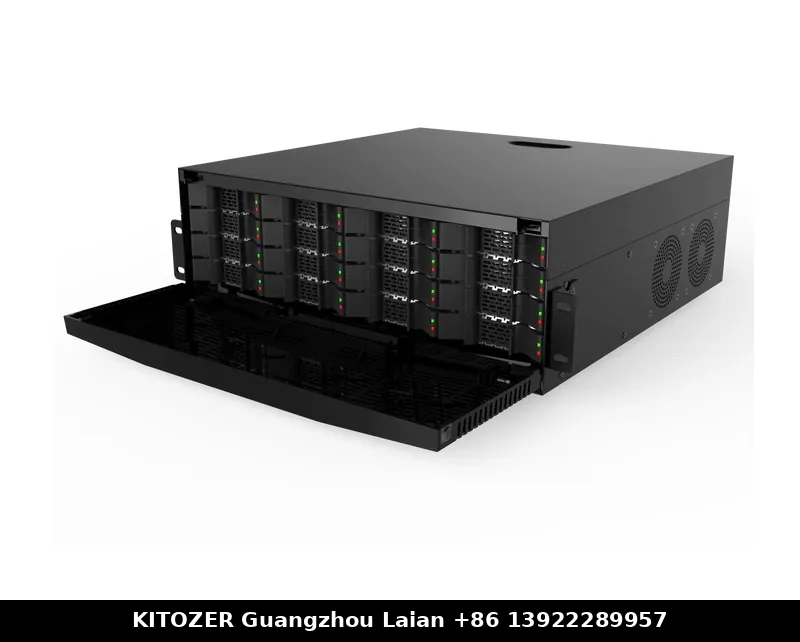
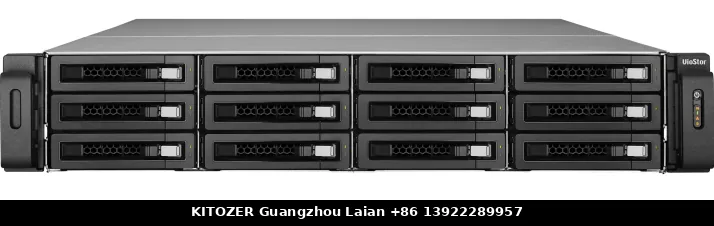
The KITOZER NVR series covers 4-channel, 8-channel, 16-channel, 32-channel, 64-channel, and 128-channel models. Each unit supports 1 to 24 hard drive bays, with maximum recording capacity reaching hundreds of terabytes or even petabytes. The device supports H.265+, H.265, H.264+, and H.264 encoding, 4K UHD preview and playback, ONVIF Profile S/T/G compatibility, and GB/T 28181 national standard networking.
In the system architecture, the NVR sits in the middle layer: the front end consists of network cameras, dome cameras, AI cameras, and panoramic cameras; the transmission layer includes switches, fiber transceivers, and PoE switches; the storage and management layer consists of NVRs and expansion enclosures; the upper layer includes decoding wall displays, VMS platform software, mobile apps, and third-party integration systems. KITOZER NVR provides complete SDK and API interfaces for deep integration with access control, alarm, patrol, fire protection, and building automation subsystems.
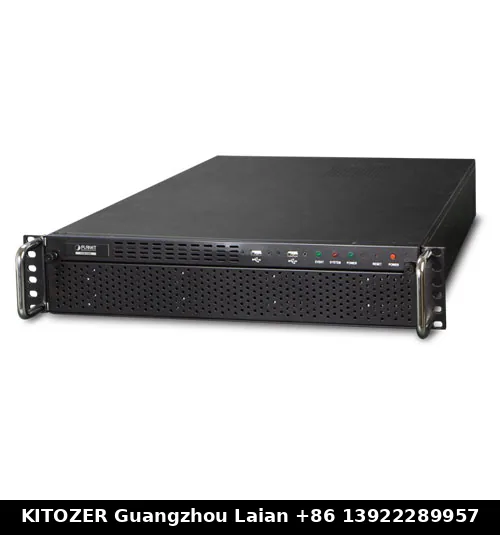
KITOZER NVR uses an embedded Linux operating system with ARM or industrial-grade processor platforms. Benefits include fast boot, low power consumption, long-term stability, and immunity to computer viruses. The front panel has status LEDs, USB ports, and eSATA expansion; the rear panel has multiple RJ45 network ports, HDMI and VGA outputs, audio I/O, alarm I/O, RS485 serial port, and grounding terminals. The unit supports rack mounting in standard 19-inch cabinets from 1U to 3U height.
The core value of an NVR lies in recording reliability and retrieval efficiency. KITOZER NVR uses professional surveillance-grade hard drives, supports RAID 0/1/5/6/10 disk redundancy, hot-swapping and hot spare disks, and SMART health monitoring with bad sector early warning. Recordings are written in circular overwrite mode; important clips can be manually locked to prevent overwrite. The device supports playback by time, channel, event, tag, and smart search, with fast, slow, frame-by-frame, and reverse playback.
With the popularization of AI in security, the new generation KITOZER NVR has built-in GPU or NPU compute modules supporting face detection, face comparison, perimeter protection, line crossing, area intrusion, object left behind, object removed, crowd gathering, fast moving, and license plate recognition. The NVR performs structured analysis at the edge, uploading alarm events and snapshot images to the central platform, greatly reducing dependence on back-end server compute.
KITOZER NVR supports dual gigabit or even 10-gigabit network ports, with load balancing and network failover. Dual network ports can separately connect to the video private network and office network for internal and external isolation; supports multicast, IGMP, and QoS traffic prioritization. The device supports IPv4/IPv6 dual stack, P2P traversal, DDNS, and VPN tunneling. Remote access is available via desktop client, web browser, mobile app, and WeChat mini-program.
For data security, KITOZER NVR supports multi-level user permission management: administrator, operator, and viewer roles. It supports HTTPS encrypted transmission, RTSP authentication, and local password complexity policies. Recording files carry watermark verification to prevent tampering. All login, playback, and export operations are logged for audit. Account lockout triggers after consecutive wrong passwords to prevent brute-force attacks.
Guangzhou Laian Intelligent System Development Co., Ltd. is located at Chaotian Park, Zhongrun Industrial Park, No. 5 Huashan Road, Shilou, Panyu, Guangzhou. It is a high-tech enterprise focused on security surveillance, building intelligence, and data center environmental monitoring. KITOZER NVR products pass Ministry of Public Security type testing, CE, FCC, and RoHS certifications. Products are sold domestically as well as to Southeast Asia, the Middle East, Europe, and Africa. The company provides one-stop service from design, supply, installation, to after-sales maintenance.
2. Working Principle
The NVR workflow has six stages: video ingestion, protocol parsing, stream distribution, recording write, index building, and playback retrieval. Front-end cameras push H.265/H.264 streams to the NVR IP and port via RTSP/ONVIF/private protocol. The NVR ingestion service identifies stream format and timestamp, and distributes the same video stream simultaneously to the preview decoding module, recording write module, and smart analysis module.
The recording write module encapsulates the stream into proprietary recording files based on a predefined schedule (24/7 continuous, motion detection, alarm-linked, or scheduled). KITOZER NVR uses a proprietary file system; each recording file is typically 30MB or 64MB. Filenames include channel number and start/end time. The file system is optimized for fragmented writes, resulting in more even disk wear and longer drive life.
The index building module creates time indexes, event indexes, and keyframe indexes for each channel during writing. The time index allows users to drag a timeline slider for quick positioning; event indexes record moments of motion detection, alarms, and smart analysis; keyframe indexes extract I-frame thumbnails so users can see the scene at each event in the event search interface.
During playback, the NVR reads corresponding fragment files from the hard drive based on the selected channel and time range, then decodes and outputs to the HDMI/VGA monitor. The local screen supports 1/4/9/16 split views, multi-channel synchronized playback, and 1x/2x/4x/8x/16x fast forward as well as 1/2x slow motion, with frame-by-frame stepping. The playback picture can overlay timestamp, channel name, and OSD info.
Alarm linkage is a key NVR function. When an external detector (IR beam, door contact, smoke sensor) triggers, the alarm input terminal signals the NVR, which immediately: locks recording on the corresponding channel, pops up the preview, drives the alarm output relay to sound a siren, sends email or SMS notification, and uploads to the central platform. KITOZER NVR supports up to 16 alarm inputs and 8 alarm outputs.
Motion detection judges moving objects by pixel changes in the video frame. The NVR allows up to 4 detection regions per channel, with sensitivity adjustable from level 1 to 10. When pixel changes in a region exceed the threshold, recording and alarm are triggered. To reduce false alarms from swaying leaves and light changes, KITOZER provides target filtering, region masking, and time scheduling.
Smart analysis in the new generation NVR is standard. The built-in NPU performs real-time structured analysis on the video stream, detecting faces, humans, vehicles, and license plates. Face capture outputs small face images and feature values; perimeter protection supports virtual tripwires and intrusion zones. All smart alarms include snapshot images and short video clips for later review.
On the network protocol side, the NVR simultaneously supports ONVIF Profile S (live preview), Profile G (recording search and playback), Profile T (advanced streaming), and Profile A (access control), as well as GB/T 28181-2016/2022 video networking national standard. It supports RTSP, RTMP, HLS, and FLV streaming protocols for easy integration with third-party streaming servers.
Storage calculation is core to NVR selection. For a 4K H.265 camera, per-channel bitrate is about 4-8Mbps. Daily recording per channel = bitrate(Mbps) x 3600 x 24 / 8 / 1024 = about 10-26GB. KITOZER technical support calculates exact hard drive quantity and RAID level based on actual resolution, frame rate, bitrate, recording days, and channel count.
For hard drive selection, KITOZER recommends surveillance-grade drives (WD Purple, Seagate SkyHawk, Toshiba MG series). Desktop PC drives are not recommended for 24/7 writing. Surveillance drives are optimized for continuous writes, with low power consumption and error recovery strategies suited to surveillance. Enterprise and NAS drives are suitable for RAID arrays and large storage clusters.
3. Technical Specifications
| Parameter | 4ch PoE | 16ch | 32ch AI | 64ch Enterprise | 128ch High-end |
|---|---|---|---|---|---|
| Input channels | 4 | 16 | 32 | 64 | 128 |
| Incoming bandwidth | 40Mbps | 160Mbps | 320Mbps | 320Mbps | 640Mbps |
| Max resolution | 4K | 4K | 4K | 4K | 8K |
| Decoding | 1x4K | 2x4K | 2x4K+8x1080P | 4x4K | 8x4K |
| Drive bays | 1 | 4 | 8 | 16 | 24 |
| Max single drive | 8TB | 10TB | 16TB | 16TB | 20TB |
| RAID | none | 0/1/5 | 0/1/5/6/10 | 0/1/5/6/10 | 0/1/5/6/10 |
| Network | 1GbE+4PoE | 2xGbE | 2xGbE | 2xGbE | 2x10GbE+2xGbE |
| HDMI output | 1x1080P | 1x4K | 2x4K | 2x4K | 2x4K |
| Alarm I/O | 4in/1out | 16in/4out | 16in/8out | 16in/8out | 32in/16out |
| Smart channels | Motion | Motion | 16ch AI | 32ch AI | 64ch AI |
| Operating temp | -10~+55C | -10~+55C | -10~+55C | -20~+60C | -20~+60C |
| Power | DC12V | AC100-240V | AC100-240V | AC100-240V redundant | AC100-240V redundant |
| Reference price | from a few hundred RMB | 2000-3500 RMB | 6000-10000 RMB | 10000-20000 RMB | 20000-50000 RMB |
4. Selection Guide
When selecting an NVR, first determine channel count. KITOZER offers 4, 8, 16, 32, 64, and 128-channel models. We recommend reserving 20-30% headroom. If you currently need 16 channels, choose a 24 or 32 channel model for future expansion. More channels is not always better; oversizing wastes budget, while undersizing limits future growth.
Second, determine resolution and bitrate. 720P is about 2-4Mbps, 1080P 4-8Mbps, 3MP 6-10Mbps, and 4K 8-16Mbps. The NVR incoming bandwidth must exceed the sum of all camera bitrates. For example, 32x 4K cameras at 8Mbps each require 256Mbps incoming bandwidth; KITOZER high-end NVR offers 320Mbps to meet this, while entry 160Mbps models will not.
Third, determine storage capacity and retention. Recording retention is mandated by regulations: generally 30 days for public areas, 90 days for bank branches, 30 days for traffic cameras, longer for justice/prison. Capacity formula: channels x bitrate(Mbps) x 3600 x 24 x days / 8 / 1024 = TB. Then divide by (1 – RAID overhead).
Fourth, determine whether PoE is needed. PoE NVRs have built-in PoE switches; each front-end camera uses one network cable for both data and power (IEEE 802.3af/at/bt), eliminating separate power adapters. 802.3af is 15.4W per port, 802.3at is 30W, 802.3bt is 60-90W. PTZ and IR cameras draw more power, so choose at least at or bt PoE.
Fifth, determine smart analysis needs. If you need face/perimeter/license plate functions, choose an AI NVR with built-in NPU. KITOZER AI NVR has two parameters: total channels and smart channels. For example, 32-channel input with 16 smart channels. Smart channels require separate budgeting and must be confirmed during selection.
Sixth, determine wall display needs. The NVR has built-in HDMI/VGA outputs that can connect directly to a monitor as a video wall. If you need a video wall, multi-screen decoding, or touring, choose a 4K HDMI model or pair with an external decoder/video wall controller. High-end KITOZER NVR supports 1x 4K HDMI + 1x 1080P HDMI dual output.
Seventh, determine network and deployment environment. Use standard rack NVR in equipment rooms; wide-temperature industrial NVR for harsh environments; vehicle NVR with SSD shock resistance for mobile; portable WiFi NVR for temporary sites. Standard NVR uses DC12V or AC100-240V; industrial NVR supports DC9-36V wide voltage for vehicle and solar power.
Eighth, determine platform integration needs. If you need to connect to a higher-level platform (public security, city video, campus VMS), confirm the NVR supports GB/T 28181, and confirm the protocol version and signaling server address. If integrating with third-party VMS, request SDK and API documentation. KITOZER provides Windows/Linux SDK, OCX controls, web controls, and iOS/Android sample code.
Ninth, determine budget. Entry 4-channel PoE NVR starts at a few hundred RMB; 16-channel standard NVR is about 2000-3500 RMB; 32-channel 4K AI NVR is about 6000-10000 RMB; 64-channel enterprise NVR is 10000 RMB and up; 128-channel high-end NVR is tens of thousands. Hard drives are extra, about a few hundred RMB for a 4TB surveillance drive. Actual prices depend on configuration and quantity.
Tenth, determine after-sales and warranty. KITOZER NVR standard warranty is 3 years, extendable to 5. After-sales response: phone/WeChat 13922289957, 18520668847, answered within 2 hours during business hours, remote assistance within 1 business day; hardware faults: 24 hours on-site in Guangzhou, 48-72 hours elsewhere. Overseas customers use WhatsApp +1 906-853-4140.
Also consider 3-5 year technology evolution. 4K cameras are mainstream, 8K is emerging; H.265 is mainstream, H.266/VVC is arriving. KITOZER NVR uses an upgradeable firmware architecture; customers can download the latest firmware from the official website to support new codecs and features, protecting investment. Choose a newer platform architecture for a longer product lifecycle.
Compatibility testing before mass purchase is essential. KITOZER recommends applying for a sample unit to connect existing cameras for real testing: preview smoothness, recording playback, smart analysis, remote access, and alarm linkage must all pass before mass deployment. This avoids post-launch protocol incompatibility, unsupported streams, or smart function anomalies.
5. Installation Requirements
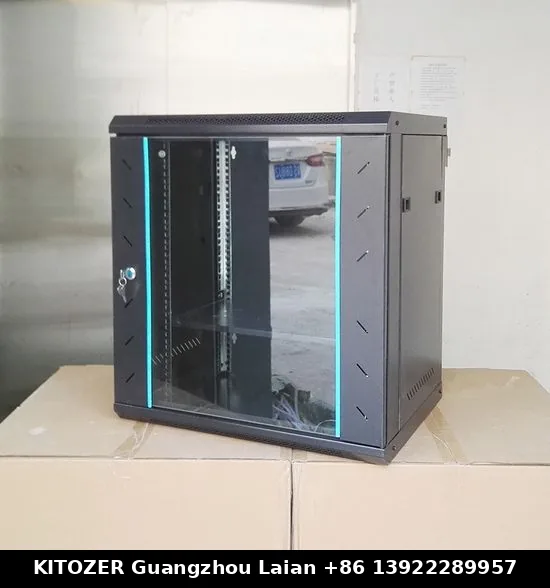
Choose an installation location in a well-ventilated, dry, temperature-controlled equipment room or weak-current room. Leave at least 50cm clearance at front and rear for ventilation, and 10cm on sides. Ambient temperature should be 10-35C, relative humidity 20-80% non-condensing. Do not install the NVR in direct sunlight, near heat sources, in dusty areas, or near strong electromagnetic interference. Rack-mount the NVR on a cabinet shelf; floor-standing units on a sturdy surface.
Hard drive installation: power off, open the NVR cover, mount surveillance drives with screws, connect SATA data and power cables. KITOZER NVR supports tool-less hot-swap trays; drives can be added/removed while running (under RAID). After installation, power on and initialize drives in Storage Management, select the RAID level, and wait for initialization to complete.
Network cabling: connect the NVR main network port to the core switch; PoE ports (if present) connect directly to front-end cameras. Use Cat5e or Cat6 UTP, with each segment no longer than 100 meters. Use fiber transceivers for distances over 100m. After cabling, configure the NVR IP, subnet mask, gateway, and DNS in Network Settings, ensuring it is on the same subnet as cameras.
Camera addition: method one, auto-discover and add via PoE ports; method two, manually enter camera IP, username, and password in Channel Management; method three, auto-search ONVIF cameras on the LAN. After adding, click preview for each channel to confirm normal picture, correct timestamp, and clear audio. New cameras must have their default password changed on first connection for security.
Recording schedule: configure recording periods per channel in Recording Schedule. Typical strategy: critical channels 24/7 continuous recording; normal channels continuous during work hours plus motion detection otherwise; parking and perimeter channels motion + alarm recording. Recording resolution matches the main stream, frame rate 25fps, CBR or VBR as appropriate.
Display and wall: connect the NVR to a monitor via HDMI; use HDMI 1.4 or later for 4K. In Display Settings, adjust resolution (1920×1080@60Hz or 3840×2160@30Hz), wallpaper, and tour interval. Touring means the NVR automatically switches between camera views at set intervals, usually 5-10 seconds. With dual-screen output, the main screen shows preview and the sub-screen shows touring.
Alarm wiring: alarm input terminals connect to detector NO/NC signals; alarm output terminals connect to sirens, door release, or lighting. Distinguish NO (normally open) and NC (normally closed) and set them in software. Set a name per alarm, associated channel, linked actions, and arming schedule. Fire alarm usually connects to an emergency alarm input, triggering all channels to pop up and lock recording.
Remote access: enable P2P service and note the device serial number and verification code; scan the QR code on the body with the mobile app to add. For DDNS, choose a provider in Network>DDNS, register an account, and bind a domain. For VPN, configure L2TP/IPsec or OpenVPN on the router; the NVR acts as a VPN client to the headquarters. After configuration, test preview and playback from an external mobile and computer.
User permissions: in User Management, create administrator, operator, and viewer accounts. Administrators have full rights; operators can preview/playback but not change settings; viewers can only see live. Assign each account a channel scope, e.g., security guards see only public areas, while the finance director can see the finance room. Passwords must be at least 8 characters with mixed case letters, digits, and symbols.
System initialization and acceptance: after installation, run a 72-hour burn-in test. During this period check: all channels recording normally, playback normal, alarm triggering normal, remote access normal, drive SMART no alerts, device temperature normal, fans running normally. Acceptance documentation includes: equipment list, IP address table, channel floor plan, user account table, recording schedule, alarm linkage table, operation manual.
Grounding and lightning protection: the NVR chassis must be reliably grounded with grounding resistance under 4 ohms. Network cables entering from outdoor cameras must have network lightning protectors; power lines must have surge protectors. In high-lightning areas, install three-level surge protection at the cabinet main input. Proper grounding and surge protection significantly reduce lightning-induced equipment damage.
Power and UPS: the NVR and switch connect to a UPS with at least 30 minutes backup. Calculate UPS capacity based on device power: NVR about 30-80W, switch per port 1-3W, camera PoE per port 5-15W. Choose an online double-conversion UPS with pure sine wave output to avoid voltage fluctuations damaging drives.
6. Operation and Maintenance
Routine inspection: weekly check all camera channels via the NVR client for black screens, blur, or offline status; check drive status for alerts; verify recording integrity. Export a log backup monthly. Every quarter open the NVR chassis to clean dust, check fan speed, and drive health. Once a year, schedule a deep maintenance by a professional engineer.
Drive health monitoring: the NVR monitors drive power-on hours, temperature, reallocated sectors, pending sectors, and seek error rate via SMART. When key indicators exceed thresholds, the NVR raises an alert. KITOZER recommends replacing drives as soon as an alert appears rather than waiting for total failure. Surveillance drives are designed for 3-5 years of 24/7 operation.
Firmware upgrade: KITOZER posts firmware updates on the official website to fix issues, improve compatibility, and add features. Before upgrading: back up all configuration parameters, confirm the firmware matches the model, ensure stable power (connect UPS). Do not power off during upgrade. After upgrading, restore configuration and retest all functions. Do not upgrade production firmware unnecessarily.
Recording backup and export: important recordings can be exported via USB drive, USB hard disk, or network download. Export format options: native proprietary format (with watermark verification) or AVI/MP4 universal format. For forensics, export the native format with a hash value. Name exported files as date_channel_event for archiving.
Troubleshooting flow: first check LEDs (power, network, drive status); second ping the device IP; third try logging in via the client; fourth view the local monitor; fifth read logs for error messages. Common issues: camera offline – check cable/PoE/camera IP; recording loss – check drive and recording schedule; remote failure – check port mapping and P2P status.
Security hardening: change default passwords; disable unnecessary UPnP/Telnet/SSH; change management ports from defaults; enable HTTPS; audit the user list regularly; prefer VPN over port mapping for remote access; never expose the NVR directly to the internet. The KITOZER security whitepaper lists a complete hardening checklist.
Environmental maintenance: keep the equipment room at 22-26C and 40-60% humidity. Do not stack items around the NVR blocking vents. Check cabinet fans and room air conditioners regularly. In rainy seasons, use dehumidifiers. In winter, observe ESD precautions; discharge static before touching the device.
Data migration and expansion: when existing NVR capacity is insufficient, options include: add drives (if bays available); add an expansion enclosure (via eSATA or SAS); add another NVR and move some cameras; migrate to central storage. Always fully back up before migration and verify recording integrity after.
Decommissioning: after 5-8 years, NVRs should be phased out. Before disposal, thoroughly erase drive data using a degausser or multi-pass overwrite. Do not sell used devices with recordings, as this risks privacy leakage. KITOZER can assist customers with data destruction and environmentally friendly recycling of retired equipment.
Service commitment: KITOZER provides 7×12 phone support during business hours, with 7×24 emergency line 13922289957. General issues are resolved remotely; hardware issues that cannot be solved remotely get on-site service within 24 hours in Guangzhou, 48-72 hours elsewhere. Overseas customers use WhatsApp +1 906-853-4140 for remote assistance.
7. Frequently Asked Questions
Q1: What is the difference between NVR and DVR?
NVR receives already-compressed digital streams over the network from IP cameras; a DVR connects analog cameras via coaxial cable and encodes internally. NVR has simpler cabling, more flexibility, and supports more channels; DVR suits analog camera retrofit projects. KITOZER offers both NVR and hybrid DVR (AHD/TVI/CVI) products.
Q2: How many cameras can one NVR support?
KITOZER NVRs range from 4 to 128 channels. Choose based on current camera count and future expansion, reserving 20-30% headroom. Also confirm incoming bandwidth meets the total camera bitrate; e.g., 32x 4K requires at least 256Mbps incoming bandwidth.
Q3: How many days can NVR recordings be retained?
Retention depends on hard drive capacity, channel count, and per-channel bitrate. Formula: days = total drive capacity(TB) x 1024 x 8 / (channels x bitrate Mbps x 3600 x 24). For 32ch 1080P (4Mbps) with 32TB RAID5, about 38 days. KITOZER technical support calculates exact numbers.
Q4: Do I have to use surveillance-grade hard drives?
Strongly recommended. Desktop drives are designed for intermittent writes and may fail under 24/7 continuous writing; surveillance drives are optimized for continuous writes, low power, and suitable error recovery. KITOZER NVRs can ship with WD Purple or Seagate SkyHawk drives preinstalled.
Q5: What are the advantages of PoE NVR?
PoE NVR has a built-in PoE switch; each camera uses one network cable for both data and power, eliminating power adapters and power cables. 802.3af (15.4W) suits bullet/dome cameras; 802.3at (30W) suits IR bullets and small PTZ; 802.3bt (60W+) suits heavy-duty PTZ.
Q6: Does the NVR keep recording when the network goes down?
Yes. The NVR communicates with cameras over the LAN via a switch; internet disconnection does not affect local recording. If the NVR and cameras are on different subnets or WAN, recording stops during outage, but KITOZER supports ANR: cameras record to local SD cards and auto-sync to the NVR when the network recovers.
Q7: Do I need a public IP for remote viewing?
No. KITOZER NVR supports P2P traversal: after power-on and network connection, the device auto-connects to the vendor cloud. Scan the QR code on the body with the mobile app to add the device. No public IP or port mapping needed. Ideal for homes and small businesses.
Q8: Does the NVR support ONVIF and GB28181?
Yes. KITOZER NVR is compatible with ONVIF Profile S/T/G/A and supports GB/T 28181-2016/2022 for connection to public security video networks, city surveillance platforms, and campus integrated security platforms. Contact technical support for protocol version and parameter configuration.
Q9: How can I prevent recording tampering?
KITOZER NVR recordings use a proprietary format with built-in digital watermark; a hash is generated on export. Any modification is detected. Also: enable role-based permissions, change default passwords, review logs regularly, and physically lock the NVR cabinet. For forensics, use NVRs with trusted timestamp support.
Q10: Will sudden power loss damage the drives?
Abnormal power-off may corrupt the file system mid-write, but KITOZER NVR uses a journaling file system that auto-verifies and repairs on reboot. For safety, connect the NVR to a UPS with at least 30 minutes backup for a proper shutdown. Frequent abnormal power loss significantly shortens drive life.
Q11: Can I expand external storage on the NVR?
Yes. KITOZER NVR provides eSATA, USB, and SAS expansion for external storage enclosures. Large projects use central storage architecture: multiple NVRs connect to front-end cameras, with recordings written to a central IPSAN/NAS storage array scalable to petabytes for unified management and redundancy.
Q12: Is high NVR temperature normal?
The chassis feeling warm during operation is normal; internal drive and CPU temperatures are regulated by smart fans. KITOZER NVR operating temperature range is -10 to +55C, with temperature shown on the front panel. If the chassis feels very hot (over 60C) or the fan makes noise, check room cooling and vents; contact support if needed.
Q13: What if I forget the NVR password?
Reset methods: request a reset link via the registered admin email; apply for a temporary password on the KITOZER website using the device serial number; contact support at 13922289957 for verified remote reset. For security, reset requires proof of purchase and device photos to prevent unauthorized access.
Q14: How many monitors can the NVR connect to?
Standard NVR usually provides one HDMI plus one VGA for two monitors showing different views. High-end NVR supports dual 4K HDMI. If you need more screens (video wall), pair with an external decoder or video wall controller to decode one NVR’s stream to dozens of spliced displays.
8. Application Scenarios
Data centers are a typical high-density video surveillance scenario. KITOZER NVRs are deployed in each row or central room, connecting in-cabinet cameras, aisle cameras, entrance cameras, and perimeter cameras. The NVR links with environmental monitoring, access control, and fire systems to form a complete security system. Recordings are usually retained for 90+ days with large drives and RAID6.
Industrial parks are large with long perimeters and many entrances. KITOZER NVRs connect cameras across workshops, warehouses, offices, and perimeter via fiber ring networks. Perimeter AI NVRs do line-crossing and intrusion detection with audible/visual deterrence. Key production stations use HD cameras for process recording and safety supervision.
Commercial complexes such as malls, supermarkets, and office buildings need coverage of public areas, elevators, parking, and checkout. KITOZER NVR connects traffic-counting, face-capture, and license-plate cameras. Recordings support customer complaint handling, theft prevention, and business analytics. The NVR links with building automation, parking, and fire systems.
Smart campuses cover teaching buildings, dormitories, canteens, playgrounds, and perimeters. KITOZER NVR supports parent mobile app access to public-area views (excluding private areas). AI NVR supports perimeter protection and abnormal behavior detection such as climbing or crowd fights. Recordings are retained for 30 days per education regulations.
Medical institutions cover outpatient halls, inpatient wards, pharmacies, cashiers, and parking. KITOZER NVR links with nurse call, infant protection, and access control. Pharmacy and cashier recordings are retained for 90+ days for medical dispute evidence. Hospitals demand high reliability; KITOZER NVR runs 24/7.
Transportation hubs such as airports, railway stations, subway stations, and bus stations have dense crowds. KITOZER NVR connects many HD and LPR cameras, retaining recordings for 30-90 days. The NVR connects to public security command platforms via GB28181 for cross-region video networking. AI NVR supports crowd gathering and abnormal behavior alerts.
Residential communities cover entrances, perimeters, elevators, garages, and common areas. KITOZER NVR is usually deployed in the property management control room, letting residents view door station and public-area feeds via mobile app. LPR cameras pair with barrier gates for contactless access. Recordings are retained for 30 days.
Safe city projects use large NVR clusters plus central storage plus a video platform. Thousands of cameras connect to district NVR nodes via fiber, then uplink to municipal platforms via GB28181. KITOZER provides reliable NVR equipment and 24/7 O&M service for safe city projects.
Justice and prison facilities demand extremely high recording reliability. KITOZER NVR uses dual-machine hot standby plus RAID6 plus central storage, with recordings retained for months. AI NVR analyzes inmate abnormal behavior such as gathering, falling, or climbing, assisting guards.
Banking and finance: bank branches, vaults, and ATMs demand high reliability and confidentiality. KITOZER NVR supports encrypted storage, multi-level permissions, and audit logging. Recordings are retained for 90+ days and link with alarms, access control, and bullet-resistant glass. The NVR is deployed in a separate locked weak-current room.
Energy and power: substations, wind farms, and solar plants are often remote and unmanned. KITOZER industrial NVRs are deployed in outdoor cabinets and transmit back via 4G/fiber. They support wide temperature, wide voltage, and lightning protection. AI NVR provides perimeter protection and equipment visual inspection.
Smart retail: chain stores and convenience stores need headquarters to view each store remotely. KITOZER NVRs are deployed at each store and connect via VPN to the headquarters VMS. HQ can review live video and recordings of any store, supporting store patrol, loss prevention, and traffic analysis. AI NVR supports area intrusion and object removal detection.
9. Deep Technical Topics on NVR
9.1 Network Topology Design
The topic of network topology design is one of the key technical aspects that KITOZER NVR engineers address in every project. Based on years of field experience, KITOZER recommends that customers carefully plan network topology design during the design phase rather than treating it as an afterthought. A well-executed network topology design strategy directly contributes to the long-term reliability and maintainability of the entire video surveillance system.When considering network topology design, it is important to evaluate the actual site conditions, budget constraints, and operational requirements. KITOZER technical support works closely with system integrators and end users to design a network topology design solution that balances performance, cost, and future scalability. The KITOZER NVR firmware provides a wide range of configuration options for network topology design, allowing installers to fine-tune the system to the specific needs of each deployment.Common pitfalls in network topology design include over-investing in unnecessary features, under-provisioning for future growth, skipping compatibility testing, and failing to document the configuration. KITOZER engineers proactively flag these risks during project kickoff meetings. Customers are encouraged to ask questions about network topology design at any stage; KITOZER can be reached at +86 13922289957.From a maintenance perspective, network topology design should be reviewed periodically. As the surveillance system evolves, cameras may be added, removed, or relocated; the network may be re-architected; storage may be expanded. KITOZER NVR is designed to accommodate these changes without requiring a forklift upgrade. Regular review of network topology design ensures the system continues to meet operational needs over its 5 to 8 year service life.
9.2 Hard Drive Capacity Planning
The topic of hard drive capacity planning is one of the key technical aspects that KITOZER NVR engineers address in every project. Based on years of field experience, KITOZER recommends that customers carefully plan hard drive capacity planning during the design phase rather than treating it as an afterthought. A well-executed hard drive capacity planning strategy directly contributes to the long-term reliability and maintainability of the entire video surveillance system.When considering hard drive capacity planning, it is important to evaluate the actual site conditions, budget constraints, and operational requirements. KITOZER technical support works closely with system integrators and end users to design a hard drive capacity planning solution that balances performance, cost, and future scalability. The KITOZER NVR firmware provides a wide range of configuration options for hard drive capacity planning, allowing installers to fine-tune the system to the specific needs of each deployment.Common pitfalls in hard drive capacity planning include over-investing in unnecessary features, under-provisioning for future growth, skipping compatibility testing, and failing to document the configuration. KITOZER engineers proactively flag these risks during project kickoff meetings. Customers are encouraged to ask questions about hard drive capacity planning at any stage; KITOZER can be reached at +86 13922289957.From a maintenance perspective, hard drive capacity planning should be reviewed periodically. As the surveillance system evolves, cameras may be added, removed, or relocated; the network may be re-architected; storage may be expanded. KITOZER NVR is designed to accommodate these changes without requiring a forklift upgrade. Regular review of hard drive capacity planning ensures the system continues to meet operational needs over its 5 to 8 year service life.
9.3 Raid Configuration
The topic of RAID configuration is one of the key technical aspects that KITOZER NVR engineers address in every project. Based on years of field experience, KITOZER recommends that customers carefully plan RAID configuration during the design phase rather than treating it as an afterthought. A well-executed RAID configuration strategy directly contributes to the long-term reliability and maintainability of the entire video surveillance system.When considering RAID configuration, it is important to evaluate the actual site conditions, budget constraints, and operational requirements. KITOZER technical support works closely with system integrators and end users to design a RAID configuration solution that balances performance, cost, and future scalability. The KITOZER NVR firmware provides a wide range of configuration options for RAID configuration, allowing installers to fine-tune the system to the specific needs of each deployment.Common pitfalls in RAID configuration include over-investing in unnecessary features, under-provisioning for future growth, skipping compatibility testing, and failing to document the configuration. KITOZER engineers proactively flag these risks during project kickoff meetings. Customers are encouraged to ask questions about RAID configuration at any stage; KITOZER can be reached at +86 13922289957.From a maintenance perspective, RAID configuration should be reviewed periodically. As the surveillance system evolves, cameras may be added, removed, or relocated; the network may be re-architected; storage may be expanded. KITOZER NVR is designed to accommodate these changes without requiring a forklift upgrade. Regular review of RAID configuration ensures the system continues to meet operational needs over its 5 to 8 year service life.
9.4 Poe Power Budgeting
The topic of PoE power budgeting is one of the key technical aspects that KITOZER NVR engineers address in every project. Based on years of field experience, KITOZER recommends that customers carefully plan PoE power budgeting during the design phase rather than treating it as an afterthought. A well-executed PoE power budgeting strategy directly contributes to the long-term reliability and maintainability of the entire video surveillance system.When considering PoE power budgeting, it is important to evaluate the actual site conditions, budget constraints, and operational requirements. KITOZER technical support works closely with system integrators and end users to design a PoE power budgeting solution that balances performance, cost, and future scalability. The KITOZER NVR firmware provides a wide range of configuration options for PoE power budgeting, allowing installers to fine-tune the system to the specific needs of each deployment.Common pitfalls in PoE power budgeting include over-investing in unnecessary features, under-provisioning for future growth, skipping compatibility testing, and failing to document the configuration. KITOZER engineers proactively flag these risks during project kickoff meetings. Customers are encouraged to ask questions about PoE power budgeting at any stage; KITOZER can be reached at +86 13922289957.From a maintenance perspective, PoE power budgeting should be reviewed periodically. As the surveillance system evolves, cameras may be added, removed, or relocated; the network may be re-architected; storage may be expanded. KITOZER NVR is designed to accommodate these changes without requiring a forklift upgrade. Regular review of PoE power budgeting ensures the system continues to meet operational needs over its 5 to 8 year service life.
9.5 Remote Access Architecture
The topic of remote access architecture is one of the key technical aspects that KITOZER NVR engineers address in every project. Based on years of field experience, KITOZER recommends that customers carefully plan remote access architecture during the design phase rather than treating it as an afterthought. A well-executed remote access architecture strategy directly contributes to the long-term reliability and maintainability of the entire video surveillance system.When considering remote access architecture, it is important to evaluate the actual site conditions, budget constraints, and operational requirements. KITOZER technical support works closely with system integrators and end users to design a remote access architecture solution that balances performance, cost, and future scalability. The KITOZER NVR firmware provides a wide range of configuration options for remote access architecture, allowing installers to fine-tune the system to the specific needs of each deployment.Common pitfalls in remote access architecture include over-investing in unnecessary features, under-provisioning for future growth, skipping compatibility testing, and failing to document the configuration. KITOZER engineers proactively flag these risks during project kickoff meetings. Customers are encouraged to ask questions about remote access architecture at any stage; KITOZER can be reached at +86 13922289957.From a maintenance perspective, remote access architecture should be reviewed periodically. As the surveillance system evolves, cameras may be added, removed, or relocated; the network may be re-architected; storage may be expanded. KITOZER NVR is designed to accommodate these changes without requiring a forklift upgrade. Regular review of remote access architecture ensures the system continues to meet operational needs over its 5 to 8 year service life.
9.6 Ntp Time Synchronization
The topic of NTP time synchronization is one of the key technical aspects that KITOZER NVR engineers address in every project. Based on years of field experience, KITOZER recommends that customers carefully plan NTP time synchronization during the design phase rather than treating it as an afterthought. A well-executed NTP time synchronization strategy directly contributes to the long-term reliability and maintainability of the entire video surveillance system.When considering NTP time synchronization, it is important to evaluate the actual site conditions, budget constraints, and operational requirements. KITOZER technical support works closely with system integrators and end users to design a NTP time synchronization solution that balances performance, cost, and future scalability. The KITOZER NVR firmware provides a wide range of configuration options for NTP time synchronization, allowing installers to fine-tune the system to the specific needs of each deployment.Common pitfalls in NTP time synchronization include over-investing in unnecessary features, under-provisioning for future growth, skipping compatibility testing, and failing to document the configuration. KITOZER engineers proactively flag these risks during project kickoff meetings. Customers are encouraged to ask questions about NTP time synchronization at any stage; KITOZER can be reached at +86 13922289957.From a maintenance perspective, NTP time synchronization should be reviewed periodically. As the surveillance system evolves, cameras may be added, removed, or relocated; the network may be re-architected; storage may be expanded. KITOZER NVR is designed to accommodate these changes without requiring a forklift upgrade. Regular review of NTP time synchronization ensures the system continues to meet operational needs over its 5 to 8 year service life.
9.7 Alarm Linkage Setup
The topic of alarm linkage setup is one of the key technical aspects that KITOZER NVR engineers address in every project. Based on years of field experience, KITOZER recommends that customers carefully plan alarm linkage setup during the design phase rather than treating it as an afterthought. A well-executed alarm linkage setup strategy directly contributes to the long-term reliability and maintainability of the entire video surveillance system.When considering alarm linkage setup, it is important to evaluate the actual site conditions, budget constraints, and operational requirements. KITOZER technical support works closely with system integrators and end users to design a alarm linkage setup solution that balances performance, cost, and future scalability. The KITOZER NVR firmware provides a wide range of configuration options for alarm linkage setup, allowing installers to fine-tune the system to the specific needs of each deployment.Common pitfalls in alarm linkage setup include over-investing in unnecessary features, under-provisioning for future growth, skipping compatibility testing, and failing to document the configuration. KITOZER engineers proactively flag these risks during project kickoff meetings. Customers are encouraged to ask questions about alarm linkage setup at any stage; KITOZER can be reached at +86 13922289957.From a maintenance perspective, alarm linkage setup should be reviewed periodically. As the surveillance system evolves, cameras may be added, removed, or relocated; the network may be re-architected; storage may be expanded. KITOZER NVR is designed to accommodate these changes without requiring a forklift upgrade. Regular review of alarm linkage setup ensures the system continues to meet operational needs over its 5 to 8 year service life.
9.8 Motion Detection Tuning
The topic of motion detection tuning is one of the key technical aspects that KITOZER NVR engineers address in every project. Based on years of field experience, KITOZER recommends that customers carefully plan motion detection tuning during the design phase rather than treating it as an afterthought. A well-executed motion detection tuning strategy directly contributes to the long-term reliability and maintainability of the entire video surveillance system.When considering motion detection tuning, it is important to evaluate the actual site conditions, budget constraints, and operational requirements. KITOZER technical support works closely with system integrators and end users to design a motion detection tuning solution that balances performance, cost, and future scalability. The KITOZER NVR firmware provides a wide range of configuration options for motion detection tuning, allowing installers to fine-tune the system to the specific needs of each deployment.Common pitfalls in motion detection tuning include over-investing in unnecessary features, under-provisioning for future growth, skipping compatibility testing, and failing to document the configuration. KITOZER engineers proactively flag these risks during project kickoff meetings. Customers are encouraged to ask questions about motion detection tuning at any stage; KITOZER can be reached at +86 13922289957.From a maintenance perspective, motion detection tuning should be reviewed periodically. As the surveillance system evolves, cameras may be added, removed, or relocated; the network may be re-architected; storage may be expanded. KITOZER NVR is designed to accommodate these changes without requiring a forklift upgrade. Regular review of motion detection tuning ensures the system continues to meet operational needs over its 5 to 8 year service life.
9.9 Smart Analytics Algorithms
The topic of smart analytics algorithms is one of the key technical aspects that KITOZER NVR engineers address in every project. Based on years of field experience, KITOZER recommends that customers carefully plan smart analytics algorithms during the design phase rather than treating it as an afterthought. A well-executed smart analytics algorithms strategy directly contributes to the long-term reliability and maintainability of the entire video surveillance system.When considering smart analytics algorithms, it is important to evaluate the actual site conditions, budget constraints, and operational requirements. KITOZER technical support works closely with system integrators and end users to design a smart analytics algorithms solution that balances performance, cost, and future scalability. The KITOZER NVR firmware provides a wide range of configuration options for smart analytics algorithms, allowing installers to fine-tune the system to the specific needs of each deployment.Common pitfalls in smart analytics algorithms include over-investing in unnecessary features, under-provisioning for future growth, skipping compatibility testing, and failing to document the configuration. KITOZER engineers proactively flag these risks during project kickoff meetings. Customers are encouraged to ask questions about smart analytics algorithms at any stage; KITOZER can be reached at +86 13922289957.From a maintenance perspective, smart analytics algorithms should be reviewed periodically. As the surveillance system evolves, cameras may be added, removed, or relocated; the network may be re-architected; storage may be expanded. KITOZER NVR is designed to accommodate these changes without requiring a forklift upgrade. Regular review of smart analytics algorithms ensures the system continues to meet operational needs over its 5 to 8 year service life.
9.10 Bitrate Encoding Parameters
The topic of bitrate encoding parameters is one of the key technical aspects that KITOZER NVR engineers address in every project. Based on years of field experience, KITOZER recommends that customers carefully plan bitrate encoding parameters during the design phase rather than treating it as an afterthought. A well-executed bitrate encoding parameters strategy directly contributes to the long-term reliability and maintainability of the entire video surveillance system.When considering bitrate encoding parameters, it is important to evaluate the actual site conditions, budget constraints, and operational requirements. KITOZER technical support works closely with system integrators and end users to design a bitrate encoding parameters solution that balances performance, cost, and future scalability. The KITOZER NVR firmware provides a wide range of configuration options for bitrate encoding parameters, allowing installers to fine-tune the system to the specific needs of each deployment.Common pitfalls in bitrate encoding parameters include over-investing in unnecessary features, under-provisioning for future growth, skipping compatibility testing, and failing to document the configuration. KITOZER engineers proactively flag these risks during project kickoff meetings. Customers are encouraged to ask questions about bitrate encoding parameters at any stage; KITOZER can be reached at +86 13922289957.From a maintenance perspective, bitrate encoding parameters should be reviewed periodically. As the surveillance system evolves, cameras may be added, removed, or relocated; the network may be re-architected; storage may be expanded. KITOZER NVR is designed to accommodate these changes without requiring a forklift upgrade. Regular review of bitrate encoding parameters ensures the system continues to meet operational needs over its 5 to 8 year service life.
9.11 Recording Schedule Strategy
The topic of recording schedule strategy is one of the key technical aspects that KITOZER NVR engineers address in every project. Based on years of field experience, KITOZER recommends that customers carefully plan recording schedule strategy during the design phase rather than treating it as an afterthought. A well-executed recording schedule strategy strategy directly contributes to the long-term reliability and maintainability of the entire video surveillance system.When considering recording schedule strategy, it is important to evaluate the actual site conditions, budget constraints, and operational requirements. KITOZER technical support works closely with system integrators and end users to design a recording schedule strategy solution that balances performance, cost, and future scalability. The KITOZER NVR firmware provides a wide range of configuration options for recording schedule strategy, allowing installers to fine-tune the system to the specific needs of each deployment.Common pitfalls in recording schedule strategy include over-investing in unnecessary features, under-provisioning for future growth, skipping compatibility testing, and failing to document the configuration. KITOZER engineers proactively flag these risks during project kickoff meetings. Customers are encouraged to ask questions about recording schedule strategy at any stage; KITOZER can be reached at +86 13922289957.From a maintenance perspective, recording schedule strategy should be reviewed periodically. As the surveillance system evolves, cameras may be added, removed, or relocated; the network may be re-architected; storage may be expanded. KITOZER NVR is designed to accommodate these changes without requiring a forklift upgrade. Regular review of recording schedule strategy ensures the system continues to meet operational needs over its 5 to 8 year service life.
9.12 Playback Search Efficiency
The topic of playback search efficiency is one of the key technical aspects that KITOZER NVR engineers address in every project. Based on years of field experience, KITOZER recommends that customers carefully plan playback search efficiency during the design phase rather than treating it as an afterthought. A well-executed playback search efficiency strategy directly contributes to the long-term reliability and maintainability of the entire video surveillance system.When considering playback search efficiency, it is important to evaluate the actual site conditions, budget constraints, and operational requirements. KITOZER technical support works closely with system integrators and end users to design a playback search efficiency solution that balances performance, cost, and future scalability. The KITOZER NVR firmware provides a wide range of configuration options for playback search efficiency, allowing installers to fine-tune the system to the specific needs of each deployment.Common pitfalls in playback search efficiency include over-investing in unnecessary features, under-provisioning for future growth, skipping compatibility testing, and failing to document the configuration. KITOZER engineers proactively flag these risks during project kickoff meetings. Customers are encouraged to ask questions about playback search efficiency at any stage; KITOZER can be reached at +86 13922289957.From a maintenance perspective, playback search efficiency should be reviewed periodically. As the surveillance system evolves, cameras may be added, removed, or relocated; the network may be re-architected; storage may be expanded. KITOZER NVR is designed to accommodate these changes without requiring a forklift upgrade. Regular review of playback search efficiency ensures the system continues to meet operational needs over its 5 to 8 year service life.
9.13 User Role Permissions
The topic of user role permissions is one of the key technical aspects that KITOZER NVR engineers address in every project. Based on years of field experience, KITOZER recommends that customers carefully plan user role permissions during the design phase rather than treating it as an afterthought. A well-executed user role permissions strategy directly contributes to the long-term reliability and maintainability of the entire video surveillance system.When considering user role permissions, it is important to evaluate the actual site conditions, budget constraints, and operational requirements. KITOZER technical support works closely with system integrators and end users to design a user role permissions solution that balances performance, cost, and future scalability. The KITOZER NVR firmware provides a wide range of configuration options for user role permissions, allowing installers to fine-tune the system to the specific needs of each deployment.Common pitfalls in user role permissions include over-investing in unnecessary features, under-provisioning for future growth, skipping compatibility testing, and failing to document the configuration. KITOZER engineers proactively flag these risks during project kickoff meetings. Customers are encouraged to ask questions about user role permissions at any stage; KITOZER can be reached at +86 13922289957.From a maintenance perspective, user role permissions should be reviewed periodically. As the surveillance system evolves, cameras may be added, removed, or relocated; the network may be re-architected; storage may be expanded. KITOZER NVR is designed to accommodate these changes without requiring a forklift upgrade. Regular review of user role permissions ensures the system continues to meet operational needs over its 5 to 8 year service life.
9.14 Log Audit Trail
The topic of log audit trail is one of the key technical aspects that KITOZER NVR engineers address in every project. Based on years of field experience, KITOZER recommends that customers carefully plan log audit trail during the design phase rather than treating it as an afterthought. A well-executed log audit trail strategy directly contributes to the long-term reliability and maintainability of the entire video surveillance system.When considering log audit trail, it is important to evaluate the actual site conditions, budget constraints, and operational requirements. KITOZER technical support works closely with system integrators and end users to design a log audit trail solution that balances performance, cost, and future scalability. The KITOZER NVR firmware provides a wide range of configuration options for log audit trail, allowing installers to fine-tune the system to the specific needs of each deployment.Common pitfalls in log audit trail include over-investing in unnecessary features, under-provisioning for future growth, skipping compatibility testing, and failing to document the configuration. KITOZER engineers proactively flag these risks during project kickoff meetings. Customers are encouraged to ask questions about log audit trail at any stage; KITOZER can be reached at +86 13922289957.From a maintenance perspective, log audit trail should be reviewed periodically. As the surveillance system evolves, cameras may be added, removed, or relocated; the network may be re-architected; storage may be expanded. KITOZER NVR is designed to accommodate these changes without requiring a forklift upgrade. Regular review of log audit trail ensures the system continues to meet operational needs over its 5 to 8 year service life.
9.15 Dual Machine Hot Standby
The topic of dual machine hot standby is one of the key technical aspects that KITOZER NVR engineers address in every project. Based on years of field experience, KITOZER recommends that customers carefully plan dual machine hot standby during the design phase rather than treating it as an afterthought. A well-executed dual machine hot standby strategy directly contributes to the long-term reliability and maintainability of the entire video surveillance system.When considering dual machine hot standby, it is important to evaluate the actual site conditions, budget constraints, and operational requirements. KITOZER technical support works closely with system integrators and end users to design a dual machine hot standby solution that balances performance, cost, and future scalability. The KITOZER NVR firmware provides a wide range of configuration options for dual machine hot standby, allowing installers to fine-tune the system to the specific needs of each deployment.Common pitfalls in dual machine hot standby include over-investing in unnecessary features, under-provisioning for future growth, skipping compatibility testing, and failing to document the configuration. KITOZER engineers proactively flag these risks during project kickoff meetings. Customers are encouraged to ask questions about dual machine hot standby at any stage; KITOZER can be reached at +86 13922289957.From a maintenance perspective, dual machine hot standby should be reviewed periodically. As the surveillance system evolves, cameras may be added, removed, or relocated; the network may be re-architected; storage may be expanded. KITOZER NVR is designed to accommodate these changes without requiring a forklift upgrade. Regular review of dual machine hot standby ensures the system continues to meet operational needs over its 5 to 8 year service life.
9.16 Anr Offline Recording
The topic of ANR offline recording is one of the key technical aspects that KITOZER NVR engineers address in every project. Based on years of field experience, KITOZER recommends that customers carefully plan ANR offline recording during the design phase rather than treating it as an afterthought. A well-executed ANR offline recording strategy directly contributes to the long-term reliability and maintainability of the entire video surveillance system.When considering ANR offline recording, it is important to evaluate the actual site conditions, budget constraints, and operational requirements. KITOZER technical support works closely with system integrators and end users to design a ANR offline recording solution that balances performance, cost, and future scalability. The KITOZER NVR firmware provides a wide range of configuration options for ANR offline recording, allowing installers to fine-tune the system to the specific needs of each deployment.Common pitfalls in ANR offline recording include over-investing in unnecessary features, under-provisioning for future growth, skipping compatibility testing, and failing to document the configuration. KITOZER engineers proactively flag these risks during project kickoff meetings. Customers are encouraged to ask questions about ANR offline recording at any stage; KITOZER can be reached at +86 13922289957.From a maintenance perspective, ANR offline recording should be reviewed periodically. As the surveillance system evolves, cameras may be added, removed, or relocated; the network may be re-architected; storage may be expanded. KITOZER NVR is designed to accommodate these changes without requiring a forklift upgrade. Regular review of ANR offline recording ensures the system continues to meet operational needs over its 5 to 8 year service life.
9.17 Gb28181 Interconnection
The topic of GB28181 interconnection is one of the key technical aspects that KITOZER NVR engineers address in every project. Based on years of field experience, KITOZER recommends that customers carefully plan GB28181 interconnection during the design phase rather than treating it as an afterthought. A well-executed GB28181 interconnection strategy directly contributes to the long-term reliability and maintainability of the entire video surveillance system.When considering GB28181 interconnection, it is important to evaluate the actual site conditions, budget constraints, and operational requirements. KITOZER technical support works closely with system integrators and end users to design a GB28181 interconnection solution that balances performance, cost, and future scalability. The KITOZER NVR firmware provides a wide range of configuration options for GB28181 interconnection, allowing installers to fine-tune the system to the specific needs of each deployment.Common pitfalls in GB28181 interconnection include over-investing in unnecessary features, under-provisioning for future growth, skipping compatibility testing, and failing to document the configuration. KITOZER engineers proactively flag these risks during project kickoff meetings. Customers are encouraged to ask questions about GB28181 interconnection at any stage; KITOZER can be reached at +86 13922289957.From a maintenance perspective, GB28181 interconnection should be reviewed periodically. As the surveillance system evolves, cameras may be added, removed, or relocated; the network may be re-architected; storage may be expanded. KITOZER NVR is designed to accommodate these changes without requiring a forklift upgrade. Regular review of GB28181 interconnection ensures the system continues to meet operational needs over its 5 to 8 year service life.
9.18 Onvif Compatibility
The topic of ONVIF compatibility is one of the key technical aspects that KITOZER NVR engineers address in every project. Based on years of field experience, KITOZER recommends that customers carefully plan ONVIF compatibility during the design phase rather than treating it as an afterthought. A well-executed ONVIF compatibility strategy directly contributes to the long-term reliability and maintainability of the entire video surveillance system.When considering ONVIF compatibility, it is important to evaluate the actual site conditions, budget constraints, and operational requirements. KITOZER technical support works closely with system integrators and end users to design a ONVIF compatibility solution that balances performance, cost, and future scalability. The KITOZER NVR firmware provides a wide range of configuration options for ONVIF compatibility, allowing installers to fine-tune the system to the specific needs of each deployment.Common pitfalls in ONVIF compatibility include over-investing in unnecessary features, under-provisioning for future growth, skipping compatibility testing, and failing to document the configuration. KITOZER engineers proactively flag these risks during project kickoff meetings. Customers are encouraged to ask questions about ONVIF compatibility at any stage; KITOZER can be reached at +86 13922289957.From a maintenance perspective, ONVIF compatibility should be reviewed periodically. As the surveillance system evolves, cameras may be added, removed, or relocated; the network may be re-architected; storage may be expanded. KITOZER NVR is designed to accommodate these changes without requiring a forklift upgrade. Regular review of ONVIF compatibility ensures the system continues to meet operational needs over its 5 to 8 year service life.
9.19 Hdmi Wall Output
The topic of HDMI wall output is one of the key technical aspects that KITOZER NVR engineers address in every project. Based on years of field experience, KITOZER recommends that customers carefully plan HDMI wall output during the design phase rather than treating it as an afterthought. A well-executed HDMI wall output strategy directly contributes to the long-term reliability and maintainability of the entire video surveillance system.When considering HDMI wall output, it is important to evaluate the actual site conditions, budget constraints, and operational requirements. KITOZER technical support works closely with system integrators and end users to design a HDMI wall output solution that balances performance, cost, and future scalability. The KITOZER NVR firmware provides a wide range of configuration options for HDMI wall output, allowing installers to fine-tune the system to the specific needs of each deployment.Common pitfalls in HDMI wall output include over-investing in unnecessary features, under-provisioning for future growth, skipping compatibility testing, and failing to document the configuration. KITOZER engineers proactively flag these risks during project kickoff meetings. Customers are encouraged to ask questions about HDMI wall output at any stage; KITOZER can be reached at +86 13922289957.From a maintenance perspective, HDMI wall output should be reviewed periodically. As the surveillance system evolves, cameras may be added, removed, or relocated; the network may be re-architected; storage may be expanded. KITOZER NVR is designed to accommodate these changes without requiring a forklift upgrade. Regular review of HDMI wall output ensures the system continues to meet operational needs over its 5 to 8 year service life.
9.20 Vms Platform Integration
The topic of VMS platform integration is one of the key technical aspects that KITOZER NVR engineers address in every project. Based on years of field experience, KITOZER recommends that customers carefully plan VMS platform integration during the design phase rather than treating it as an afterthought. A well-executed VMS platform integration strategy directly contributes to the long-term reliability and maintainability of the entire video surveillance system.When considering VMS platform integration, it is important to evaluate the actual site conditions, budget constraints, and operational requirements. KITOZER technical support works closely with system integrators and end users to design a VMS platform integration solution that balances performance, cost, and future scalability. The KITOZER NVR firmware provides a wide range of configuration options for VMS platform integration, allowing installers to fine-tune the system to the specific needs of each deployment.Common pitfalls in VMS platform integration include over-investing in unnecessary features, under-provisioning for future growth, skipping compatibility testing, and failing to document the configuration. KITOZER engineers proactively flag these risks during project kickoff meetings. Customers are encouraged to ask questions about VMS platform integration at any stage; KITOZER can be reached at +86 13922289957.From a maintenance perspective, VMS platform integration should be reviewed periodically. As the surveillance system evolves, cameras may be added, removed, or relocated; the network may be re-architected; storage may be expanded. KITOZER NVR is designed to accommodate these changes without requiring a forklift upgrade. Regular review of VMS platform integration ensures the system continues to meet operational needs over its 5 to 8 year service life.
9.21 Ups Backup Power
The topic of UPS backup power is one of the key technical aspects that KITOZER NVR engineers address in every project. Based on years of field experience, KITOZER recommends that customers carefully plan UPS backup power during the design phase rather than treating it as an afterthought. A well-executed UPS backup power strategy directly contributes to the long-term reliability and maintainability of the entire video surveillance system.When considering UPS backup power, it is important to evaluate the actual site conditions, budget constraints, and operational requirements. KITOZER technical support works closely with system integrators and end users to design a UPS backup power solution that balances performance, cost, and future scalability. The KITOZER NVR firmware provides a wide range of configuration options for UPS backup power, allowing installers to fine-tune the system to the specific needs of each deployment.Common pitfalls in UPS backup power include over-investing in unnecessary features, under-provisioning for future growth, skipping compatibility testing, and failing to document the configuration. KITOZER engineers proactively flag these risks during project kickoff meetings. Customers are encouraged to ask questions about UPS backup power at any stage; KITOZER can be reached at +86 13922289957.From a maintenance perspective, UPS backup power should be reviewed periodically. As the surveillance system evolves, cameras may be added, removed, or relocated; the network may be re-architected; storage may be expanded. KITOZER NVR is designed to accommodate these changes without requiring a forklift upgrade. Regular review of UPS backup power ensures the system continues to meet operational needs over its 5 to 8 year service life.
9.22 Grounding And Lightning Protection
The topic of grounding and lightning protection is one of the key technical aspects that KITOZER NVR engineers address in every project. Based on years of field experience, KITOZER recommends that customers carefully plan grounding and lightning protection during the design phase rather than treating it as an afterthought. A well-executed grounding and lightning protection strategy directly contributes to the long-term reliability and maintainability of the entire video surveillance system.When considering grounding and lightning protection, it is important to evaluate the actual site conditions, budget constraints, and operational requirements. KITOZER technical support works closely with system integrators and end users to design a grounding and lightning protection solution that balances performance, cost, and future scalability. The KITOZER NVR firmware provides a wide range of configuration options for grounding and lightning protection, allowing installers to fine-tune the system to the specific needs of each deployment.Common pitfalls in grounding and lightning protection include over-investing in unnecessary features, under-provisioning for future growth, skipping compatibility testing, and failing to document the configuration. KITOZER engineers proactively flag these risks during project kickoff meetings. Customers are encouraged to ask questions about grounding and lightning protection at any stage; KITOZER can be reached at +86 13922289957.From a maintenance perspective, grounding and lightning protection should be reviewed periodically. As the surveillance system evolves, cameras may be added, removed, or relocated; the network may be re-architected; storage may be expanded. KITOZER NVR is designed to accommodate these changes without requiring a forklift upgrade. Regular review of grounding and lightning protection ensures the system continues to meet operational needs over its 5 to 8 year service life.
9.23 Equipment Room Environment
The topic of equipment room environment is one of the key technical aspects that KITOZER NVR engineers address in every project. Based on years of field experience, KITOZER recommends that customers carefully plan equipment room environment during the design phase rather than treating it as an afterthought. A well-executed equipment room environment strategy directly contributes to the long-term reliability and maintainability of the entire video surveillance system.When considering equipment room environment, it is important to evaluate the actual site conditions, budget constraints, and operational requirements. KITOZER technical support works closely with system integrators and end users to design a equipment room environment solution that balances performance, cost, and future scalability. The KITOZER NVR firmware provides a wide range of configuration options for equipment room environment, allowing installers to fine-tune the system to the specific needs of each deployment.Common pitfalls in equipment room environment include over-investing in unnecessary features, under-provisioning for future growth, skipping compatibility testing, and failing to document the configuration. KITOZER engineers proactively flag these risks during project kickoff meetings. Customers are encouraged to ask questions about equipment room environment at any stage; KITOZER can be reached at +86 13922289957.From a maintenance perspective, equipment room environment should be reviewed periodically. As the surveillance system evolves, cameras may be added, removed, or relocated; the network may be re-architected; storage may be expanded. KITOZER NVR is designed to accommodate these changes without requiring a forklift upgrade. Regular review of equipment room environment ensures the system continues to meet operational needs over its 5 to 8 year service life.
9.24 Cable Labeling
The topic of cable labeling is one of the key technical aspects that KITOZER NVR engineers address in every project. Based on years of field experience, KITOZER recommends that customers carefully plan cable labeling during the design phase rather than treating it as an afterthought. A well-executed cable labeling strategy directly contributes to the long-term reliability and maintainability of the entire video surveillance system.When considering cable labeling, it is important to evaluate the actual site conditions, budget constraints, and operational requirements. KITOZER technical support works closely with system integrators and end users to design a cable labeling solution that balances performance, cost, and future scalability. The KITOZER NVR firmware provides a wide range of configuration options for cable labeling, allowing installers to fine-tune the system to the specific needs of each deployment.Common pitfalls in cable labeling include over-investing in unnecessary features, under-provisioning for future growth, skipping compatibility testing, and failing to document the configuration. KITOZER engineers proactively flag these risks during project kickoff meetings. Customers are encouraged to ask questions about cable labeling at any stage; KITOZER can be reached at +86 13922289957.From a maintenance perspective, cable labeling should be reviewed periodically. As the surveillance system evolves, cameras may be added, removed, or relocated; the network may be re-architected; storage may be expanded. KITOZER NVR is designed to accommodate these changes without requiring a forklift upgrade. Regular review of cable labeling ensures the system continues to meet operational needs over its 5 to 8 year service life.
9.25 Ip Address Planning
The topic of IP address planning is one of the key technical aspects that KITOZER NVR engineers address in every project. Based on years of field experience, KITOZER recommends that customers carefully plan IP address planning during the design phase rather than treating it as an afterthought. A well-executed IP address planning strategy directly contributes to the long-term reliability and maintainability of the entire video surveillance system.When considering IP address planning, it is important to evaluate the actual site conditions, budget constraints, and operational requirements. KITOZER technical support works closely with system integrators and end users to design a IP address planning solution that balances performance, cost, and future scalability. The KITOZER NVR firmware provides a wide range of configuration options for IP address planning, allowing installers to fine-tune the system to the specific needs of each deployment.Common pitfalls in IP address planning include over-investing in unnecessary features, under-provisioning for future growth, skipping compatibility testing, and failing to document the configuration. KITOZER engineers proactively flag these risks during project kickoff meetings. Customers are encouraged to ask questions about IP address planning at any stage; KITOZER can be reached at +86 13922289957.From a maintenance perspective, IP address planning should be reviewed periodically. As the surveillance system evolves, cameras may be added, removed, or relocated; the network may be re-architected; storage may be expanded. KITOZER NVR is designed to accommodate these changes without requiring a forklift upgrade. Regular review of IP address planning ensures the system continues to meet operational needs over its 5 to 8 year service life.
9.26 Vlan Network Isolation
The topic of VLAN network isolation is one of the key technical aspects that KITOZER NVR engineers address in every project. Based on years of field experience, KITOZER recommends that customers carefully plan VLAN network isolation during the design phase rather than treating it as an afterthought. A well-executed VLAN network isolation strategy directly contributes to the long-term reliability and maintainability of the entire video surveillance system.When considering VLAN network isolation, it is important to evaluate the actual site conditions, budget constraints, and operational requirements. KITOZER technical support works closely with system integrators and end users to design a VLAN network isolation solution that balances performance, cost, and future scalability. The KITOZER NVR firmware provides a wide range of configuration options for VLAN network isolation, allowing installers to fine-tune the system to the specific needs of each deployment.Common pitfalls in VLAN network isolation include over-investing in unnecessary features, under-provisioning for future growth, skipping compatibility testing, and failing to document the configuration. KITOZER engineers proactively flag these risks during project kickoff meetings. Customers are encouraged to ask questions about VLAN network isolation at any stage; KITOZER can be reached at +86 13922289957.From a maintenance perspective, VLAN network isolation should be reviewed periodically. As the surveillance system evolves, cameras may be added, removed, or relocated; the network may be re-architected; storage may be expanded. KITOZER NVR is designed to accommodate these changes without requiring a forklift upgrade. Regular review of VLAN network isolation ensures the system continues to meet operational needs over its 5 to 8 year service life.
9.27 Qos Traffic Priority
The topic of QoS traffic priority is one of the key technical aspects that KITOZER NVR engineers address in every project. Based on years of field experience, KITOZER recommends that customers carefully plan QoS traffic priority during the design phase rather than treating it as an afterthought. A well-executed QoS traffic priority strategy directly contributes to the long-term reliability and maintainability of the entire video surveillance system.When considering QoS traffic priority, it is important to evaluate the actual site conditions, budget constraints, and operational requirements. KITOZER technical support works closely with system integrators and end users to design a QoS traffic priority solution that balances performance, cost, and future scalability. The KITOZER NVR firmware provides a wide range of configuration options for QoS traffic priority, allowing installers to fine-tune the system to the specific needs of each deployment.Common pitfalls in QoS traffic priority include over-investing in unnecessary features, under-provisioning for future growth, skipping compatibility testing, and failing to document the configuration. KITOZER engineers proactively flag these risks during project kickoff meetings. Customers are encouraged to ask questions about QoS traffic priority at any stage; KITOZER can be reached at +86 13922289957.From a maintenance perspective, QoS traffic priority should be reviewed periodically. As the surveillance system evolves, cameras may be added, removed, or relocated; the network may be re-architected; storage may be expanded. KITOZER NVR is designed to accommodate these changes without requiring a forklift upgrade. Regular review of QoS traffic priority ensures the system continues to meet operational needs over its 5 to 8 year service life.
9.28 Firewall Port Policy
The topic of firewall port policy is one of the key technical aspects that KITOZER NVR engineers address in every project. Based on years of field experience, KITOZER recommends that customers carefully plan firewall port policy during the design phase rather than treating it as an afterthought. A well-executed firewall port policy strategy directly contributes to the long-term reliability and maintainability of the entire video surveillance system.When considering firewall port policy, it is important to evaluate the actual site conditions, budget constraints, and operational requirements. KITOZER technical support works closely with system integrators and end users to design a firewall port policy solution that balances performance, cost, and future scalability. The KITOZER NVR firmware provides a wide range of configuration options for firewall port policy, allowing installers to fine-tune the system to the specific needs of each deployment.Common pitfalls in firewall port policy include over-investing in unnecessary features, under-provisioning for future growth, skipping compatibility testing, and failing to document the configuration. KITOZER engineers proactively flag these risks during project kickoff meetings. Customers are encouraged to ask questions about firewall port policy at any stage; KITOZER can be reached at +86 13922289957.From a maintenance perspective, firewall port policy should be reviewed periodically. As the surveillance system evolves, cameras may be added, removed, or relocated; the network may be re-architected; storage may be expanded. KITOZER NVR is designed to accommodate these changes without requiring a forklift upgrade. Regular review of firewall port policy ensures the system continues to meet operational needs over its 5 to 8 year service life.
9.29 Hard Drive Health Monitoring
The topic of hard drive health monitoring is one of the key technical aspects that KITOZER NVR engineers address in every project. Based on years of field experience, KITOZER recommends that customers carefully plan hard drive health monitoring during the design phase rather than treating it as an afterthought. A well-executed hard drive health monitoring strategy directly contributes to the long-term reliability and maintainability of the entire video surveillance system.When considering hard drive health monitoring, it is important to evaluate the actual site conditions, budget constraints, and operational requirements. KITOZER technical support works closely with system integrators and end users to design a hard drive health monitoring solution that balances performance, cost, and future scalability. The KITOZER NVR firmware provides a wide range of configuration options for hard drive health monitoring, allowing installers to fine-tune the system to the specific needs of each deployment.Common pitfalls in hard drive health monitoring include over-investing in unnecessary features, under-provisioning for future growth, skipping compatibility testing, and failing to document the configuration. KITOZER engineers proactively flag these risks during project kickoff meetings. Customers are encouraged to ask questions about hard drive health monitoring at any stage; KITOZER can be reached at +86 13922289957.From a maintenance perspective, hard drive health monitoring should be reviewed periodically. As the surveillance system evolves, cameras may be added, removed, or relocated; the network may be re-architected; storage may be expanded. KITOZER NVR is designed to accommodate these changes without requiring a forklift upgrade. Regular review of hard drive health monitoring ensures the system continues to meet operational needs over its 5 to 8 year service life.
9.30 Firmware Upgrade Management
The topic of firmware upgrade management is one of the key technical aspects that KITOZER NVR engineers address in every project. Based on years of field experience, KITOZER recommends that customers carefully plan firmware upgrade management during the design phase rather than treating it as an afterthought. A well-executed firmware upgrade management strategy directly contributes to the long-term reliability and maintainability of the entire video surveillance system.When considering firmware upgrade management, it is important to evaluate the actual site conditions, budget constraints, and operational requirements. KITOZER technical support works closely with system integrators and end users to design a firmware upgrade management solution that balances performance, cost, and future scalability. The KITOZER NVR firmware provides a wide range of configuration options for firmware upgrade management, allowing installers to fine-tune the system to the specific needs of each deployment.Common pitfalls in firmware upgrade management include over-investing in unnecessary features, under-provisioning for future growth, skipping compatibility testing, and failing to document the configuration. KITOZER engineers proactively flag these risks during project kickoff meetings. Customers are encouraged to ask questions about firmware upgrade management at any stage; KITOZER can be reached at +86 13922289957.From a maintenance perspective, firmware upgrade management should be reviewed periodically. As the surveillance system evolves, cameras may be added, removed, or relocated; the network may be re-architected; storage may be expanded. KITOZER NVR is designed to accommodate these changes without requiring a forklift upgrade. Regular review of firmware upgrade management ensures the system continues to meet operational needs over its 5 to 8 year service life.
9.31 Recording Backup Export
The topic of recording backup export is one of the key technical aspects that KITOZER NVR engineers address in every project. Based on years of field experience, KITOZER recommends that customers carefully plan recording backup export during the design phase rather than treating it as an afterthought. A well-executed recording backup export strategy directly contributes to the long-term reliability and maintainability of the entire video surveillance system.When considering recording backup export, it is important to evaluate the actual site conditions, budget constraints, and operational requirements. KITOZER technical support works closely with system integrators and end users to design a recording backup export solution that balances performance, cost, and future scalability. The KITOZER NVR firmware provides a wide range of configuration options for recording backup export, allowing installers to fine-tune the system to the specific needs of each deployment.Common pitfalls in recording backup export include over-investing in unnecessary features, under-provisioning for future growth, skipping compatibility testing, and failing to document the configuration. KITOZER engineers proactively flag these risks during project kickoff meetings. Customers are encouraged to ask questions about recording backup export at any stage; KITOZER can be reached at +86 13922289957.From a maintenance perspective, recording backup export should be reviewed periodically. As the surveillance system evolves, cameras may be added, removed, or relocated; the network may be re-architected; storage may be expanded. KITOZER NVR is designed to accommodate these changes without requiring a forklift upgrade. Regular review of recording backup export ensures the system continues to meet operational needs over its 5 to 8 year service life.
9.32 Forensic Evidence Chain
The topic of forensic evidence chain is one of the key technical aspects that KITOZER NVR engineers address in every project. Based on years of field experience, KITOZER recommends that customers carefully plan forensic evidence chain during the design phase rather than treating it as an afterthought. A well-executed forensic evidence chain strategy directly contributes to the long-term reliability and maintainability of the entire video surveillance system.When considering forensic evidence chain, it is important to evaluate the actual site conditions, budget constraints, and operational requirements. KITOZER technical support works closely with system integrators and end users to design a forensic evidence chain solution that balances performance, cost, and future scalability. The KITOZER NVR firmware provides a wide range of configuration options for forensic evidence chain, allowing installers to fine-tune the system to the specific needs of each deployment.Common pitfalls in forensic evidence chain include over-investing in unnecessary features, under-provisioning for future growth, skipping compatibility testing, and failing to document the configuration. KITOZER engineers proactively flag these risks during project kickoff meetings. Customers are encouraged to ask questions about forensic evidence chain at any stage; KITOZER can be reached at +86 13922289957.From a maintenance perspective, forensic evidence chain should be reviewed periodically. As the surveillance system evolves, cameras may be added, removed, or relocated; the network may be re-architected; storage may be expanded. KITOZER NVR is designed to accommodate these changes without requiring a forklift upgrade. Regular review of forensic evidence chain ensures the system continues to meet operational needs over its 5 to 8 year service life.
9.33 Mlps 2.0 Compliance
The topic of MLPS 2.0 compliance is one of the key technical aspects that KITOZER NVR engineers address in every project. Based on years of field experience, KITOZER recommends that customers carefully plan MLPS 2.0 compliance during the design phase rather than treating it as an afterthought. A well-executed MLPS 2.0 compliance strategy directly contributes to the long-term reliability and maintainability of the entire video surveillance system.When considering MLPS 2.0 compliance, it is important to evaluate the actual site conditions, budget constraints, and operational requirements. KITOZER technical support works closely with system integrators and end users to design a MLPS 2.0 compliance solution that balances performance, cost, and future scalability. The KITOZER NVR firmware provides a wide range of configuration options for MLPS 2.0 compliance, allowing installers to fine-tune the system to the specific needs of each deployment.Common pitfalls in MLPS 2.0 compliance include over-investing in unnecessary features, under-provisioning for future growth, skipping compatibility testing, and failing to document the configuration. KITOZER engineers proactively flag these risks during project kickoff meetings. Customers are encouraged to ask questions about MLPS 2.0 compliance at any stage; KITOZER can be reached at +86 13922289957.From a maintenance perspective, MLPS 2.0 compliance should be reviewed periodically. As the surveillance system evolves, cameras may be added, removed, or relocated; the network may be re-architected; storage may be expanded. KITOZER NVR is designed to accommodate these changes without requiring a forklift upgrade. Regular review of MLPS 2.0 compliance ensures the system continues to meet operational needs over its 5 to 8 year service life.
9.34 Multi-Site Centralized Management
The topic of multi-site centralized management is one of the key technical aspects that KITOZER NVR engineers address in every project. Based on years of field experience, KITOZER recommends that customers carefully plan multi-site centralized management during the design phase rather than treating it as an afterthought. A well-executed multi-site centralized management strategy directly contributes to the long-term reliability and maintainability of the entire video surveillance system.When considering multi-site centralized management, it is important to evaluate the actual site conditions, budget constraints, and operational requirements. KITOZER technical support works closely with system integrators and end users to design a multi-site centralized management solution that balances performance, cost, and future scalability. The KITOZER NVR firmware provides a wide range of configuration options for multi-site centralized management, allowing installers to fine-tune the system to the specific needs of each deployment.Common pitfalls in multi-site centralized management include over-investing in unnecessary features, under-provisioning for future growth, skipping compatibility testing, and failing to document the configuration. KITOZER engineers proactively flag these risks during project kickoff meetings. Customers are encouraged to ask questions about multi-site centralized management at any stage; KITOZER can be reached at +86 13922289957.From a maintenance perspective, multi-site centralized management should be reviewed periodically. As the surveillance system evolves, cameras may be added, removed, or relocated; the network may be re-architected; storage may be expanded. KITOZER NVR is designed to accommodate these changes without requiring a forklift upgrade. Regular review of multi-site centralized management ensures the system continues to meet operational needs over its 5 to 8 year service life.
9.35 Mobile App Access
The topic of mobile app access is one of the key technical aspects that KITOZER NVR engineers address in every project. Based on years of field experience, KITOZER recommends that customers carefully plan mobile app access during the design phase rather than treating it as an afterthought. A well-executed mobile app access strategy directly contributes to the long-term reliability and maintainability of the entire video surveillance system.When considering mobile app access, it is important to evaluate the actual site conditions, budget constraints, and operational requirements. KITOZER technical support works closely with system integrators and end users to design a mobile app access solution that balances performance, cost, and future scalability. The KITOZER NVR firmware provides a wide range of configuration options for mobile app access, allowing installers to fine-tune the system to the specific needs of each deployment.Common pitfalls in mobile app access include over-investing in unnecessary features, under-provisioning for future growth, skipping compatibility testing, and failing to document the configuration. KITOZER engineers proactively flag these risks during project kickoff meetings. Customers are encouraged to ask questions about mobile app access at any stage; KITOZER can be reached at +86 13922289957.From a maintenance perspective, mobile app access should be reviewed periodically. As the surveillance system evolves, cameras may be added, removed, or relocated; the network may be re-architected; storage may be expanded. KITOZER NVR is designed to accommodate these changes without requiring a forklift upgrade. Regular review of mobile app access ensures the system continues to meet operational needs over its 5 to 8 year service life.
9.36 Web Client Access
The topic of web client access is one of the key technical aspects that KITOZER NVR engineers address in every project. Based on years of field experience, KITOZER recommends that customers carefully plan web client access during the design phase rather than treating it as an afterthought. A well-executed web client access strategy directly contributes to the long-term reliability and maintainability of the entire video surveillance system.When considering web client access, it is important to evaluate the actual site conditions, budget constraints, and operational requirements. KITOZER technical support works closely with system integrators and end users to design a web client access solution that balances performance, cost, and future scalability. The KITOZER NVR firmware provides a wide range of configuration options for web client access, allowing installers to fine-tune the system to the specific needs of each deployment.Common pitfalls in web client access include over-investing in unnecessary features, under-provisioning for future growth, skipping compatibility testing, and failing to document the configuration. KITOZER engineers proactively flag these risks during project kickoff meetings. Customers are encouraged to ask questions about web client access at any stage; KITOZER can be reached at +86 13922289957.From a maintenance perspective, web client access should be reviewed periodically. As the surveillance system evolves, cameras may be added, removed, or relocated; the network may be re-architected; storage may be expanded. KITOZER NVR is designed to accommodate these changes without requiring a forklift upgrade. Regular review of web client access ensures the system continues to meet operational needs over its 5 to 8 year service life.
9.37 Two-Way Audio Talkback
The topic of two-way audio talkback is one of the key technical aspects that KITOZER NVR engineers address in every project. Based on years of field experience, KITOZER recommends that customers carefully plan two-way audio talkback during the design phase rather than treating it as an afterthought. A well-executed two-way audio talkback strategy directly contributes to the long-term reliability and maintainability of the entire video surveillance system.When considering two-way audio talkback, it is important to evaluate the actual site conditions, budget constraints, and operational requirements. KITOZER technical support works closely with system integrators and end users to design a two-way audio talkback solution that balances performance, cost, and future scalability. The KITOZER NVR firmware provides a wide range of configuration options for two-way audio talkback, allowing installers to fine-tune the system to the specific needs of each deployment.Common pitfalls in two-way audio talkback include over-investing in unnecessary features, under-provisioning for future growth, skipping compatibility testing, and failing to document the configuration. KITOZER engineers proactively flag these risks during project kickoff meetings. Customers are encouraged to ask questions about two-way audio talkback at any stage; KITOZER can be reached at +86 13922289957.From a maintenance perspective, two-way audio talkback should be reviewed periodically. As the surveillance system evolves, cameras may be added, removed, or relocated; the network may be re-architected; storage may be expanded. KITOZER NVR is designed to accommodate these changes without requiring a forklift upgrade. Regular review of two-way audio talkback ensures the system continues to meet operational needs over its 5 to 8 year service life.
9.38 Ptz Dome Control
The topic of PTZ dome control is one of the key technical aspects that KITOZER NVR engineers address in every project. Based on years of field experience, KITOZER recommends that customers carefully plan PTZ dome control during the design phase rather than treating it as an afterthought. A well-executed PTZ dome control strategy directly contributes to the long-term reliability and maintainability of the entire video surveillance system.When considering PTZ dome control, it is important to evaluate the actual site conditions, budget constraints, and operational requirements. KITOZER technical support works closely with system integrators and end users to design a PTZ dome control solution that balances performance, cost, and future scalability. The KITOZER NVR firmware provides a wide range of configuration options for PTZ dome control, allowing installers to fine-tune the system to the specific needs of each deployment.Common pitfalls in PTZ dome control include over-investing in unnecessary features, under-provisioning for future growth, skipping compatibility testing, and failing to document the configuration. KITOZER engineers proactively flag these risks during project kickoff meetings. Customers are encouraged to ask questions about PTZ dome control at any stage; KITOZER can be reached at +86 13922289957.From a maintenance perspective, PTZ dome control should be reviewed periodically. As the surveillance system evolves, cameras may be added, removed, or relocated; the network may be re-architected; storage may be expanded. KITOZER NVR is designed to accommodate these changes without requiring a forklift upgrade. Regular review of PTZ dome control ensures the system continues to meet operational needs over its 5 to 8 year service life.
9.39 Electronic Map Integration
The topic of electronic map integration is one of the key technical aspects that KITOZER NVR engineers address in every project. Based on years of field experience, KITOZER recommends that customers carefully plan electronic map integration during the design phase rather than treating it as an afterthought. A well-executed electronic map integration strategy directly contributes to the long-term reliability and maintainability of the entire video surveillance system.When considering electronic map integration, it is important to evaluate the actual site conditions, budget constraints, and operational requirements. KITOZER technical support works closely with system integrators and end users to design a electronic map integration solution that balances performance, cost, and future scalability. The KITOZER NVR firmware provides a wide range of configuration options for electronic map integration, allowing installers to fine-tune the system to the specific needs of each deployment.Common pitfalls in electronic map integration include over-investing in unnecessary features, under-provisioning for future growth, skipping compatibility testing, and failing to document the configuration. KITOZER engineers proactively flag these risks during project kickoff meetings. Customers are encouraged to ask questions about electronic map integration at any stage; KITOZER can be reached at +86 13922289957.From a maintenance perspective, electronic map integration should be reviewed periodically. As the surveillance system evolves, cameras may be added, removed, or relocated; the network may be re-architected; storage may be expanded. KITOZER NVR is designed to accommodate these changes without requiring a forklift upgrade. Regular review of electronic map integration ensures the system continues to meet operational needs over its 5 to 8 year service life.
9.40 Patrol Linkage
The topic of patrol linkage is one of the key technical aspects that KITOZER NVR engineers address in every project. Based on years of field experience, KITOZER recommends that customers carefully plan patrol linkage during the design phase rather than treating it as an afterthought. A well-executed patrol linkage strategy directly contributes to the long-term reliability and maintainability of the entire video surveillance system.When considering patrol linkage, it is important to evaluate the actual site conditions, budget constraints, and operational requirements. KITOZER technical support works closely with system integrators and end users to design a patrol linkage solution that balances performance, cost, and future scalability. The KITOZER NVR firmware provides a wide range of configuration options for patrol linkage, allowing installers to fine-tune the system to the specific needs of each deployment.Common pitfalls in patrol linkage include over-investing in unnecessary features, under-provisioning for future growth, skipping compatibility testing, and failing to document the configuration. KITOZER engineers proactively flag these risks during project kickoff meetings. Customers are encouraged to ask questions about patrol linkage at any stage; KITOZER can be reached at +86 13922289957.From a maintenance perspective, patrol linkage should be reviewed periodically. As the surveillance system evolves, cameras may be added, removed, or relocated; the network may be re-architected; storage may be expanded. KITOZER NVR is designed to accommodate these changes without requiring a forklift upgrade. Regular review of patrol linkage ensures the system continues to meet operational needs over its 5 to 8 year service life.
9.41 Access Control Integration
The topic of access control integration is one of the key technical aspects that KITOZER NVR engineers address in every project. Based on years of field experience, KITOZER recommends that customers carefully plan access control integration during the design phase rather than treating it as an afterthought. A well-executed access control integration strategy directly contributes to the long-term reliability and maintainability of the entire video surveillance system.When considering access control integration, it is important to evaluate the actual site conditions, budget constraints, and operational requirements. KITOZER technical support works closely with system integrators and end users to design a access control integration solution that balances performance, cost, and future scalability. The KITOZER NVR firmware provides a wide range of configuration options for access control integration, allowing installers to fine-tune the system to the specific needs of each deployment.Common pitfalls in access control integration include over-investing in unnecessary features, under-provisioning for future growth, skipping compatibility testing, and failing to document the configuration. KITOZER engineers proactively flag these risks during project kickoff meetings. Customers are encouraged to ask questions about access control integration at any stage; KITOZER can be reached at +86 13922289957.From a maintenance perspective, access control integration should be reviewed periodically. As the surveillance system evolves, cameras may be added, removed, or relocated; the network may be re-architected; storage may be expanded. KITOZER NVR is designed to accommodate these changes without requiring a forklift upgrade. Regular review of access control integration ensures the system continues to meet operational needs over its 5 to 8 year service life.
9.42 Fire Emergency Linkage
The topic of fire emergency linkage is one of the key technical aspects that KITOZER NVR engineers address in every project. Based on years of field experience, KITOZER recommends that customers carefully plan fire emergency linkage during the design phase rather than treating it as an afterthought. A well-executed fire emergency linkage strategy directly contributes to the long-term reliability and maintainability of the entire video surveillance system.When considering fire emergency linkage, it is important to evaluate the actual site conditions, budget constraints, and operational requirements. KITOZER technical support works closely with system integrators and end users to design a fire emergency linkage solution that balances performance, cost, and future scalability. The KITOZER NVR firmware provides a wide range of configuration options for fire emergency linkage, allowing installers to fine-tune the system to the specific needs of each deployment.Common pitfalls in fire emergency linkage include over-investing in unnecessary features, under-provisioning for future growth, skipping compatibility testing, and failing to document the configuration. KITOZER engineers proactively flag these risks during project kickoff meetings. Customers are encouraged to ask questions about fire emergency linkage at any stage; KITOZER can be reached at +86 13922289957.From a maintenance perspective, fire emergency linkage should be reviewed periodically. As the surveillance system evolves, cameras may be added, removed, or relocated; the network may be re-architected; storage may be expanded. KITOZER NVR is designed to accommodate these changes without requiring a forklift upgrade. Regular review of fire emergency linkage ensures the system continues to meet operational needs over its 5 to 8 year service life.
9.43 Lighting Control
The topic of lighting control is one of the key technical aspects that KITOZER NVR engineers address in every project. Based on years of field experience, KITOZER recommends that customers carefully plan lighting control during the design phase rather than treating it as an afterthought. A well-executed lighting control strategy directly contributes to the long-term reliability and maintainability of the entire video surveillance system.When considering lighting control, it is important to evaluate the actual site conditions, budget constraints, and operational requirements. KITOZER technical support works closely with system integrators and end users to design a lighting control solution that balances performance, cost, and future scalability. The KITOZER NVR firmware provides a wide range of configuration options for lighting control, allowing installers to fine-tune the system to the specific needs of each deployment.Common pitfalls in lighting control include over-investing in unnecessary features, under-provisioning for future growth, skipping compatibility testing, and failing to document the configuration. KITOZER engineers proactively flag these risks during project kickoff meetings. Customers are encouraged to ask questions about lighting control at any stage; KITOZER can be reached at +86 13922289957.From a maintenance perspective, lighting control should be reviewed periodically. As the surveillance system evolves, cameras may be added, removed, or relocated; the network may be re-architected; storage may be expanded. KITOZER NVR is designed to accommodate these changes without requiring a forklift upgrade. Regular review of lighting control ensures the system continues to meet operational needs over its 5 to 8 year service life.
9.44 People Counting Analysis
The topic of people counting analysis is one of the key technical aspects that KITOZER NVR engineers address in every project. Based on years of field experience, KITOZER recommends that customers carefully plan people counting analysis during the design phase rather than treating it as an afterthought. A well-executed people counting analysis strategy directly contributes to the long-term reliability and maintainability of the entire video surveillance system.When considering people counting analysis, it is important to evaluate the actual site conditions, budget constraints, and operational requirements. KITOZER technical support works closely with system integrators and end users to design a people counting analysis solution that balances performance, cost, and future scalability. The KITOZER NVR firmware provides a wide range of configuration options for people counting analysis, allowing installers to fine-tune the system to the specific needs of each deployment.Common pitfalls in people counting analysis include over-investing in unnecessary features, under-provisioning for future growth, skipping compatibility testing, and failing to document the configuration. KITOZER engineers proactively flag these risks during project kickoff meetings. Customers are encouraged to ask questions about people counting analysis at any stage; KITOZER can be reached at +86 13922289957.From a maintenance perspective, people counting analysis should be reviewed periodically. As the surveillance system evolves, cameras may be added, removed, or relocated; the network may be re-architected; storage may be expanded. KITOZER NVR is designed to accommodate these changes without requiring a forklift upgrade. Regular review of people counting analysis ensures the system continues to meet operational needs over its 5 to 8 year service life.
9.45 Face Capture Comparison
The topic of face capture comparison is one of the key technical aspects that KITOZER NVR engineers address in every project. Based on years of field experience, KITOZER recommends that customers carefully plan face capture comparison during the design phase rather than treating it as an afterthought. A well-executed face capture comparison strategy directly contributes to the long-term reliability and maintainability of the entire video surveillance system.When considering face capture comparison, it is important to evaluate the actual site conditions, budget constraints, and operational requirements. KITOZER technical support works closely with system integrators and end users to design a face capture comparison solution that balances performance, cost, and future scalability. The KITOZER NVR firmware provides a wide range of configuration options for face capture comparison, allowing installers to fine-tune the system to the specific needs of each deployment.Common pitfalls in face capture comparison include over-investing in unnecessary features, under-provisioning for future growth, skipping compatibility testing, and failing to document the configuration. KITOZER engineers proactively flag these risks during project kickoff meetings. Customers are encouraged to ask questions about face capture comparison at any stage; KITOZER can be reached at +86 13922289957.From a maintenance perspective, face capture comparison should be reviewed periodically. As the surveillance system evolves, cameras may be added, removed, or relocated; the network may be re-architected; storage may be expanded. KITOZER NVR is designed to accommodate these changes without requiring a forklift upgrade. Regular review of face capture comparison ensures the system continues to meet operational needs over its 5 to 8 year service life.
9.46 Lpr Barrier Gate
The topic of LPR barrier gate is one of the key technical aspects that KITOZER NVR engineers address in every project. Based on years of field experience, KITOZER recommends that customers carefully plan LPR barrier gate during the design phase rather than treating it as an afterthought. A well-executed LPR barrier gate strategy directly contributes to the long-term reliability and maintainability of the entire video surveillance system.When considering LPR barrier gate, it is important to evaluate the actual site conditions, budget constraints, and operational requirements. KITOZER technical support works closely with system integrators and end users to design a LPR barrier gate solution that balances performance, cost, and future scalability. The KITOZER NVR firmware provides a wide range of configuration options for LPR barrier gate, allowing installers to fine-tune the system to the specific needs of each deployment.Common pitfalls in LPR barrier gate include over-investing in unnecessary features, under-provisioning for future growth, skipping compatibility testing, and failing to document the configuration. KITOZER engineers proactively flag these risks during project kickoff meetings. Customers are encouraged to ask questions about LPR barrier gate at any stage; KITOZER can be reached at +86 13922289957.From a maintenance perspective, LPR barrier gate should be reviewed periodically. As the surveillance system evolves, cameras may be added, removed, or relocated; the network may be re-architected; storage may be expanded. KITOZER NVR is designed to accommodate these changes without requiring a forklift upgrade. Regular review of LPR barrier gate ensures the system continues to meet operational needs over its 5 to 8 year service life.
9.47 Perimeter Line Crossing
The topic of perimeter line crossing is one of the key technical aspects that KITOZER NVR engineers address in every project. Based on years of field experience, KITOZER recommends that customers carefully plan perimeter line crossing during the design phase rather than treating it as an afterthought. A well-executed perimeter line crossing strategy directly contributes to the long-term reliability and maintainability of the entire video surveillance system.When considering perimeter line crossing, it is important to evaluate the actual site conditions, budget constraints, and operational requirements. KITOZER technical support works closely with system integrators and end users to design a perimeter line crossing solution that balances performance, cost, and future scalability. The KITOZER NVR firmware provides a wide range of configuration options for perimeter line crossing, allowing installers to fine-tune the system to the specific needs of each deployment.Common pitfalls in perimeter line crossing include over-investing in unnecessary features, under-provisioning for future growth, skipping compatibility testing, and failing to document the configuration. KITOZER engineers proactively flag these risks during project kickoff meetings. Customers are encouraged to ask questions about perimeter line crossing at any stage; KITOZER can be reached at +86 13922289957.From a maintenance perspective, perimeter line crossing should be reviewed periodically. As the surveillance system evolves, cameras may be added, removed, or relocated; the network may be re-architected; storage may be expanded. KITOZER NVR is designed to accommodate these changes without requiring a forklift upgrade. Regular review of perimeter line crossing ensures the system continues to meet operational needs over its 5 to 8 year service life.
9.48 Area Intrusion Detection
The topic of area intrusion detection is one of the key technical aspects that KITOZER NVR engineers address in every project. Based on years of field experience, KITOZER recommends that customers carefully plan area intrusion detection during the design phase rather than treating it as an afterthought. A well-executed area intrusion detection strategy directly contributes to the long-term reliability and maintainability of the entire video surveillance system.When considering area intrusion detection, it is important to evaluate the actual site conditions, budget constraints, and operational requirements. KITOZER technical support works closely with system integrators and end users to design a area intrusion detection solution that balances performance, cost, and future scalability. The KITOZER NVR firmware provides a wide range of configuration options for area intrusion detection, allowing installers to fine-tune the system to the specific needs of each deployment.Common pitfalls in area intrusion detection include over-investing in unnecessary features, under-provisioning for future growth, skipping compatibility testing, and failing to document the configuration. KITOZER engineers proactively flag these risks during project kickoff meetings. Customers are encouraged to ask questions about area intrusion detection at any stage; KITOZER can be reached at +86 13922289957.From a maintenance perspective, area intrusion detection should be reviewed periodically. As the surveillance system evolves, cameras may be added, removed, or relocated; the network may be re-architected; storage may be expanded. KITOZER NVR is designed to accommodate these changes without requiring a forklift upgrade. Regular review of area intrusion detection ensures the system continues to meet operational needs over its 5 to 8 year service life.
9.49 Object Left Behind
The topic of object left behind is one of the key technical aspects that KITOZER NVR engineers address in every project. Based on years of field experience, KITOZER recommends that customers carefully plan object left behind during the design phase rather than treating it as an afterthought. A well-executed object left behind strategy directly contributes to the long-term reliability and maintainability of the entire video surveillance system.When considering object left behind, it is important to evaluate the actual site conditions, budget constraints, and operational requirements. KITOZER technical support works closely with system integrators and end users to design a object left behind solution that balances performance, cost, and future scalability. The KITOZER NVR firmware provides a wide range of configuration options for object left behind, allowing installers to fine-tune the system to the specific needs of each deployment.Common pitfalls in object left behind include over-investing in unnecessary features, under-provisioning for future growth, skipping compatibility testing, and failing to document the configuration. KITOZER engineers proactively flag these risks during project kickoff meetings. Customers are encouraged to ask questions about object left behind at any stage; KITOZER can be reached at +86 13922289957.From a maintenance perspective, object left behind should be reviewed periodically. As the surveillance system evolves, cameras may be added, removed, or relocated; the network may be re-architected; storage may be expanded. KITOZER NVR is designed to accommodate these changes without requiring a forklift upgrade. Regular review of object left behind ensures the system continues to meet operational needs over its 5 to 8 year service life.
9.50 Crowd Gathering Detection
The topic of crowd gathering detection is one of the key technical aspects that KITOZER NVR engineers address in every project. Based on years of field experience, KITOZER recommends that customers carefully plan crowd gathering detection during the design phase rather than treating it as an afterthought. A well-executed crowd gathering detection strategy directly contributes to the long-term reliability and maintainability of the entire video surveillance system.When considering crowd gathering detection, it is important to evaluate the actual site conditions, budget constraints, and operational requirements. KITOZER technical support works closely with system integrators and end users to design a crowd gathering detection solution that balances performance, cost, and future scalability. The KITOZER NVR firmware provides a wide range of configuration options for crowd gathering detection, allowing installers to fine-tune the system to the specific needs of each deployment.Common pitfalls in crowd gathering detection include over-investing in unnecessary features, under-provisioning for future growth, skipping compatibility testing, and failing to document the configuration. KITOZER engineers proactively flag these risks during project kickoff meetings. Customers are encouraged to ask questions about crowd gathering detection at any stage; KITOZER can be reached at +86 13922289957.From a maintenance perspective, crowd gathering detection should be reviewed periodically. As the surveillance system evolves, cameras may be added, removed, or relocated; the network may be re-architected; storage may be expanded. KITOZER NVR is designed to accommodate these changes without requiring a forklift upgrade. Regular review of crowd gathering detection ensures the system continues to meet operational needs over its 5 to 8 year service life.
9.51 Fast Motion Detection
The topic of fast motion detection is one of the key technical aspects that KITOZER NVR engineers address in every project. Based on years of field experience, KITOZER recommends that customers carefully plan fast motion detection during the design phase rather than treating it as an afterthought. A well-executed fast motion detection strategy directly contributes to the long-term reliability and maintainability of the entire video surveillance system.When considering fast motion detection, it is important to evaluate the actual site conditions, budget constraints, and operational requirements. KITOZER technical support works closely with system integrators and end users to design a fast motion detection solution that balances performance, cost, and future scalability. The KITOZER NVR firmware provides a wide range of configuration options for fast motion detection, allowing installers to fine-tune the system to the specific needs of each deployment.Common pitfalls in fast motion detection include over-investing in unnecessary features, under-provisioning for future growth, skipping compatibility testing, and failing to document the configuration. KITOZER engineers proactively flag these risks during project kickoff meetings. Customers are encouraged to ask questions about fast motion detection at any stage; KITOZER can be reached at +86 13922289957.From a maintenance perspective, fast motion detection should be reviewed periodically. As the surveillance system evolves, cameras may be added, removed, or relocated; the network may be re-architected; storage may be expanded. KITOZER NVR is designed to accommodate these changes without requiring a forklift upgrade. Regular review of fast motion detection ensures the system continues to meet operational needs over its 5 to 8 year service life.
9.52 Hard Hat Detection
The topic of hard hat detection is one of the key technical aspects that KITOZER NVR engineers address in every project. Based on years of field experience, KITOZER recommends that customers carefully plan hard hat detection during the design phase rather than treating it as an afterthought. A well-executed hard hat detection strategy directly contributes to the long-term reliability and maintainability of the entire video surveillance system.When considering hard hat detection, it is important to evaluate the actual site conditions, budget constraints, and operational requirements. KITOZER technical support works closely with system integrators and end users to design a hard hat detection solution that balances performance, cost, and future scalability. The KITOZER NVR firmware provides a wide range of configuration options for hard hat detection, allowing installers to fine-tune the system to the specific needs of each deployment.Common pitfalls in hard hat detection include over-investing in unnecessary features, under-provisioning for future growth, skipping compatibility testing, and failing to document the configuration. KITOZER engineers proactively flag these risks during project kickoff meetings. Customers are encouraged to ask questions about hard hat detection at any stage; KITOZER can be reached at +86 13922289957.From a maintenance perspective, hard hat detection should be reviewed periodically. As the surveillance system evolves, cameras may be added, removed, or relocated; the network may be re-architected; storage may be expanded. KITOZER NVR is designed to accommodate these changes without requiring a forklift upgrade. Regular review of hard hat detection ensures the system continues to meet operational needs over its 5 to 8 year service life.
KITOZER NVR Reference Price
The following are reference prices; actual prices depend on channels, drive bays, AI functions, drives included, and order quantity. Phone/WeChat: +86 13922289957, +86 18520668847; WhatsApp: +1 906-853-4140.
| Model | Reference price | Typical use |
|---|---|---|
| 4ch PoE NVR (1 bay) | from a few hundred RMB | Shop, small office |
| 8ch PoE NVR (2 bays) | 1000-2000 RMB | Small store, clinic |
| 16ch standard NVR (4 bays) | 2000-3500 RMB | Mid-size office, school |
| 32ch 4K NVR (8 bays) | 4000-7000 RMB | Industrial park, hospital |
| 32ch AI NVR (8 bays) | 6000-10000 RMB | Perimeter, face capture |
| 64ch enterprise NVR (16 bays) | 10000-20000 RMB | Large park, commercial complex |
| 128ch high-end NVR (24 bays) | 20000-50000 RMB | Safe city, data center |
| Surveillance HDD 4TB | a few hundred RMB | Optional for all NVRs |
Note: prices are device reference prices only, excluding installation, cabling, and cameras. Project pricing on request.
Contact KITOZER – Guangzhou Laian Intelligent System Development Co., Ltd.
Brand: KITOZER
Company: Guangzhou Laian Intelligent System Development Co., Ltd.
Address: Chaotian Park, Zhongrun Industrial Park, No. 5 Huashan Road, Shilou, Panyu, Guangzhou, China
Phone/WeChat: +86 13922289957, +86 18520668847
WhatsApp: +1 906-853-4140
Chinese website: www.lain.com.cn
English website: www.gdlain.com
Welcome to contact us for NVR selection, solution design, quotation, technical support, and after-sales service.