KITOZER Smart Integrated Cabinet: All-in-One Micro Module Data Center Solution
The KITOZER Smart Integrated Cabinet is a factory-assembled, pre-tested, and ready-to-rack data center enclosure that bundles IT racking, precision cooling, uninterruptible power, power distribution, environmental monitoring, physical security, and remote management into a single enclosed micro module. Designed for small-to-medium server rooms, edge computing nodes, branch offices, retail backrooms, industrial control rooms, healthcare facilities, and educational campuses, the KITOZER all-in-one cabinet eliminates the traditional need to separately source racks, CRAC units, UPS, PDU, cabling, and building management integration. Every unit leaves the Guangzhou Laian Intelligent System Development Co., Ltd. manufacturing floor as a fully wired, labeled, and commissioned subsystem, so that on-site deployment is reduced from weeks to days.
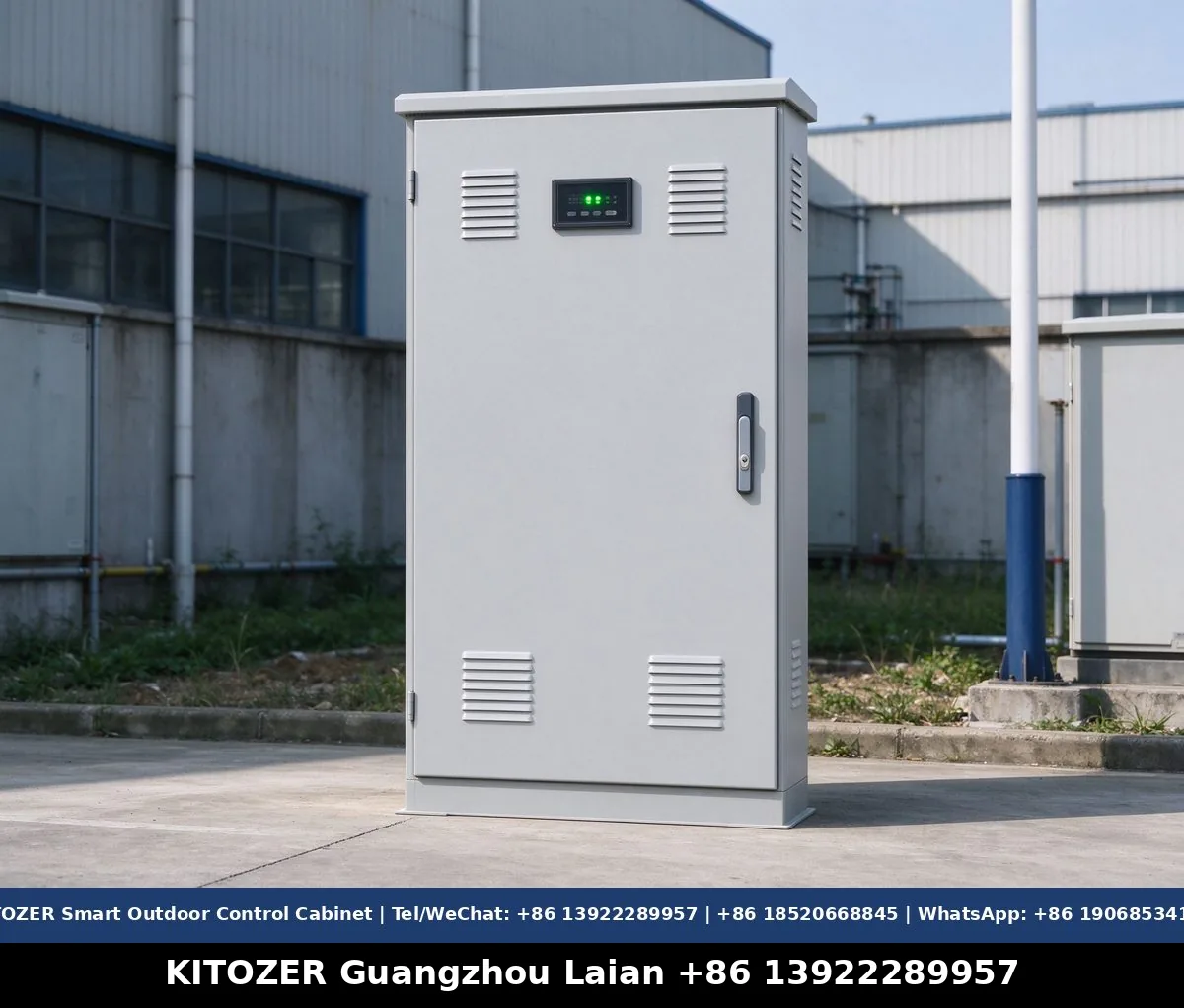
This guide covers the architecture, technical specifications, cooling topology, power chain, management software, sizing logic, installation workflow, preventive maintenance routine, typical applications, and frequently asked questions for the KITOZER smart integrated cabinet platform. Whether you are a facilities engineer consolidating a legacy server room, an IT manager rolling out edge sites across a national branch network, or a system integrator bidding on a turnkey micro data center package, the sections below are organized to support a complete technical evaluation.
1. Product Overview
1.1 What Is a Smart Integrated Cabinet?
A smart integrated cabinet — also referred to as an all-in-one micro module cabinet, prefabricated mini data center, or integrated IT enclosure — is a self-contained physical infrastructure package that houses information technology equipment (servers, storage, network switches) inside a standard 19-inch rack while surrounding that rack with the supporting systems required to keep IT equipment running continuously. Unlike a standalone server cabinet, which only provides steel framing and mounting rails, an integrated cabinet delivers conditioned power, controlled temperature, controlled humidity, smoke detection, leak detection, access control, and remote telemetry as one engineered system.
The KITOZER platform takes this concept further by factory-integrating the supporting systems into the same enclosure footprint. In a single cabinet, the user receives a primary IT rack bay, a side-mounted or bottom-mounted precision air conditioner, a built-in online double-conversion UPS, input and output distribution units with metered outlet-level PDUs, an environmental sensor array, a smart management controller with a color touchscreen, and options for biometric access, door-ajar alarms, and video surveillance integration. Because all interconnections are pre-wired and pre-tested at the factory, the customer only needs to bring a single mains power feed, a network uplink, and a conditioned floor space to start loading IT gear.
1.2 Why the Industry Is Moving Toward Integrated Cabinets
Traditional small data center build-outs are labor-intensive. A typical 10-rack server room requires civil works (raised floor, ceiling, lighting), mechanical works (chilled water piping, ductwork), electrical works (transformer, switchgear, UPS room, battery room), and IT works (rack installation, cabling, commissioning). Each trade introduces coordination risk, lead-time variability, and commissioning delays. For edge deployments where sites are remote, under-staffed, or short on floor space, this traditional model is impractical.
Integrated cabinets solve three structural problems simultaneously. First, they compress the physical footprint: a KITOZER single-cabinet micro module delivers 4U to 42U of IT capacity in roughly 0.6 m² to 1.8 m² of floor area, compared with 8–15 m² required for a traditional room with dedicated cooling and UPS. Second, they compress schedule: factory pre-integration reduces on-site work to positioning, leveling, utility connection, and final cutover. Third, they compress operational complexity: a single management controller exposes power, cooling, security, and environment through one dashboard, one alarm channel, and one API.
1.3 KITOZER Platform Positioning
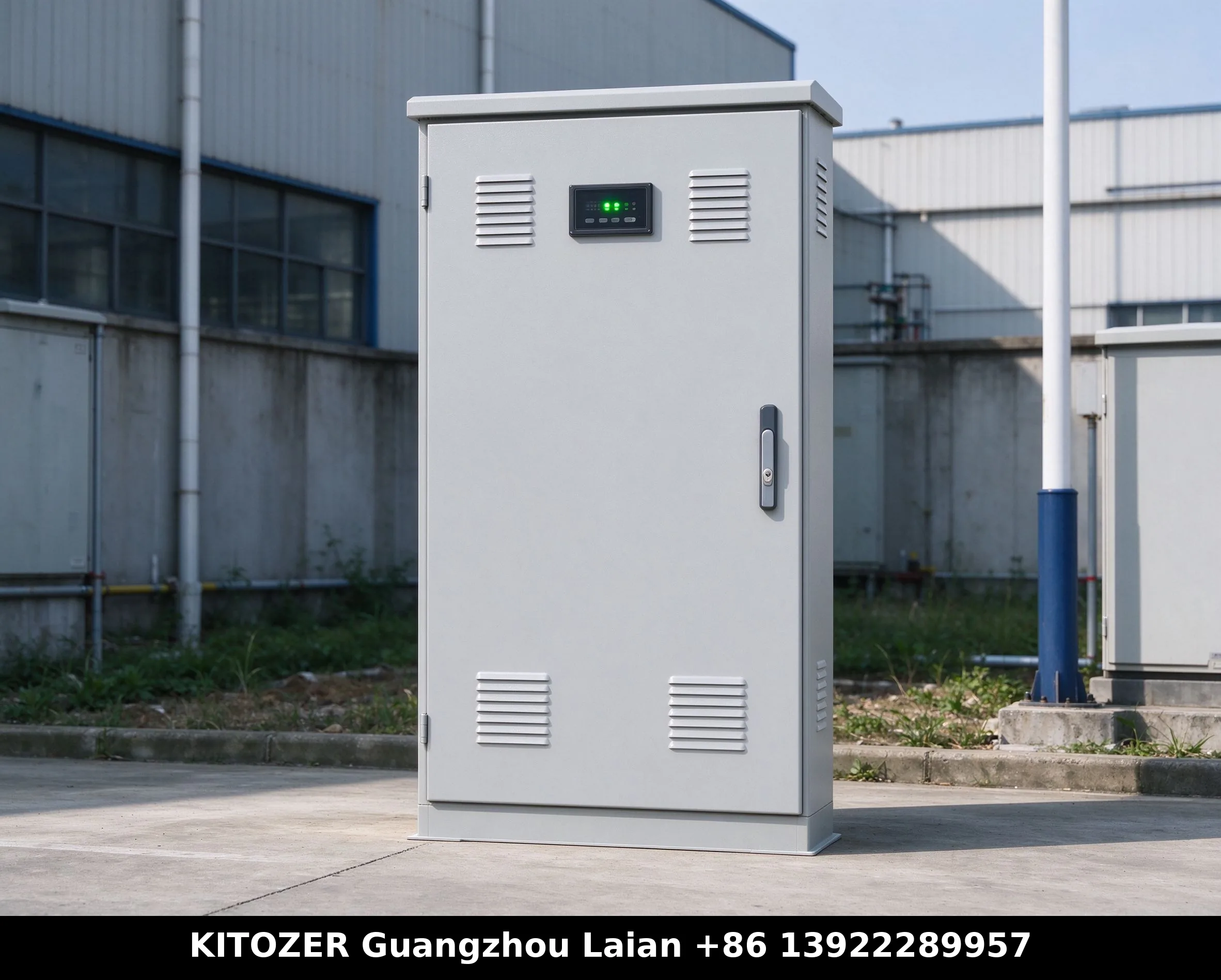
KITOZER smart integrated cabinets are positioned as mid-to-high-end prefabricated micro data center products. They are not commodity server racks; they are engineered subsystems with industrial-grade components, N+1 redundancy options, and a service-oriented monitoring platform. The product line spans single-cabinet enclosures, two-cabinet clusters with shared cooling, and multi-aisle micro modules with cold-aisle containment. Each configuration can be ordered with air-cooled, direct-expansion (DX), or chilled-water rear-door cooling depending on heat density, ambient conditions, and existing central plant availability.
1.4 Core Value Proposition
The KITOZER value proposition can be summarized in five outcomes:
- Speed to production: cabinet arrives pre-wired; typical cutover within 1–3 days of delivery.
- Predictable capex: one purchase order, one factory acceptance test, one warranty, one commissioning scope.
- Higher availability: redundant power, redundant cooling, and managed battery backup as standard or configured options.
- Lower operating cost: variable-speed compressors, EC fans, and hot-aisle/cold-aisle segregation reduce cooling energy by 20–40% versus room-level CRAC.
- Remote manageability: SNMP, Modbus-TCP, MQTT, and REST API enable integration into existing DCIM or building management systems.
2. System Architecture and Components
2.1 Overall Architecture
Every KITOZER smart integrated cabinet is built from six functional layers stacked inside the enclosure:
- IT bay layer: 19-inch EIA-310-D compliant rack with adjustable mounting rails, cable management arms, and blanking panels.
- Cooling layer: precision air conditioner or rear-door heat exchanger positioned to contain airflow and prevent mixing between hot exhaust and cold supply.
- Power layer: input breaker, surge protection, online UPS (embedded or side-mounted), battery cabinet, and outlet-metered PDUs.
- Environmental layer: temperature, humidity, smoke, water leak, and door-position sensors distributed across the enclosure.
- Security layer: electronic lock, optional RFID/biometric reader, camera, and anti-tamper switches.
- Management layer: smart controller with color touchscreen, web UI, SNMP/Modbus/MQTT interfaces, and alarm relay outputs.
These layers are interconnected by a factory-trunked wiring harness with labeled connectors. Field cabling is limited to the mains feed, the network uplink, and (optionally) a chilled-water or condensate drain connection.
2.2 IT Bay
The IT bay is a standard 42U or 47U rack frame constructed from 1.5–2.0 mm cold-rolled steel, with static load ratings of 800–1500 kg depending on configuration. Mounting rails are square-hole or round-hole per customer preference and are adjustable in depth from 600 mm to 1200 mm. Vertical cable managers are installed on both sides of the rack, with tool-less cable rings, horizontal cable arms at every rack unit, and lacing bars for power cabling. Blank filler panels ship with the cabinet to close unused U positions and prevent recirculation of hot air.
Cooling-capacity derating assumes that IT equipment is populated with front-to-back airflow as per EIA/ASHRAE recommendations. For high-density servers with side-to-side or top-to-bottom airflow, KITOZER can supply orientation kits and baffles during factory integration.
2.3 Precision Cooling Subsystem
Cooling is the most performance-critical subsystem inside an integrated cabinet. KITOZER offers three cooling topologies:
2.3.1 Built-in DX Precision Air Conditioner
A direct-expansion (DX) split or monoblock air conditioner is integrated into the side or bottom of the cabinet. Cold supply air is ducted into the bottom plenum of the IT bay, drawn through IT equipment, and returned as hot exhaust to the top of the cooling unit. Cooling capacities range from 3 kW to 15 kW per cabinet. The compressor is a rotary or scroll type with inverter drive; fans are EC backward-curved centrifugal type. Heating elements (3–6 kW) and humidification (steam or evaporative, 2–5 kg/h) are optional for environments where humidity control is required.
2.3.2 Rear-Door Heat Exchanger
For higher-density deployments (15–40 kW per rack), KITOZER offers a rear-door heat exchanger that replaces the standard rear door of the IT rack. Cold water (or chilled water) circulates through a finned coil mounted on the door. Server exhaust passes directly through the coil before returning to the room. Rear-door solutions support rack-level densities up to 40 kW with water temperatures of 18–24 °C, allowing warmer chilled-water supply and free-cooling opportunities.
2.3.3 Cold-Aisle Contained Multi-Cabinet Cluster
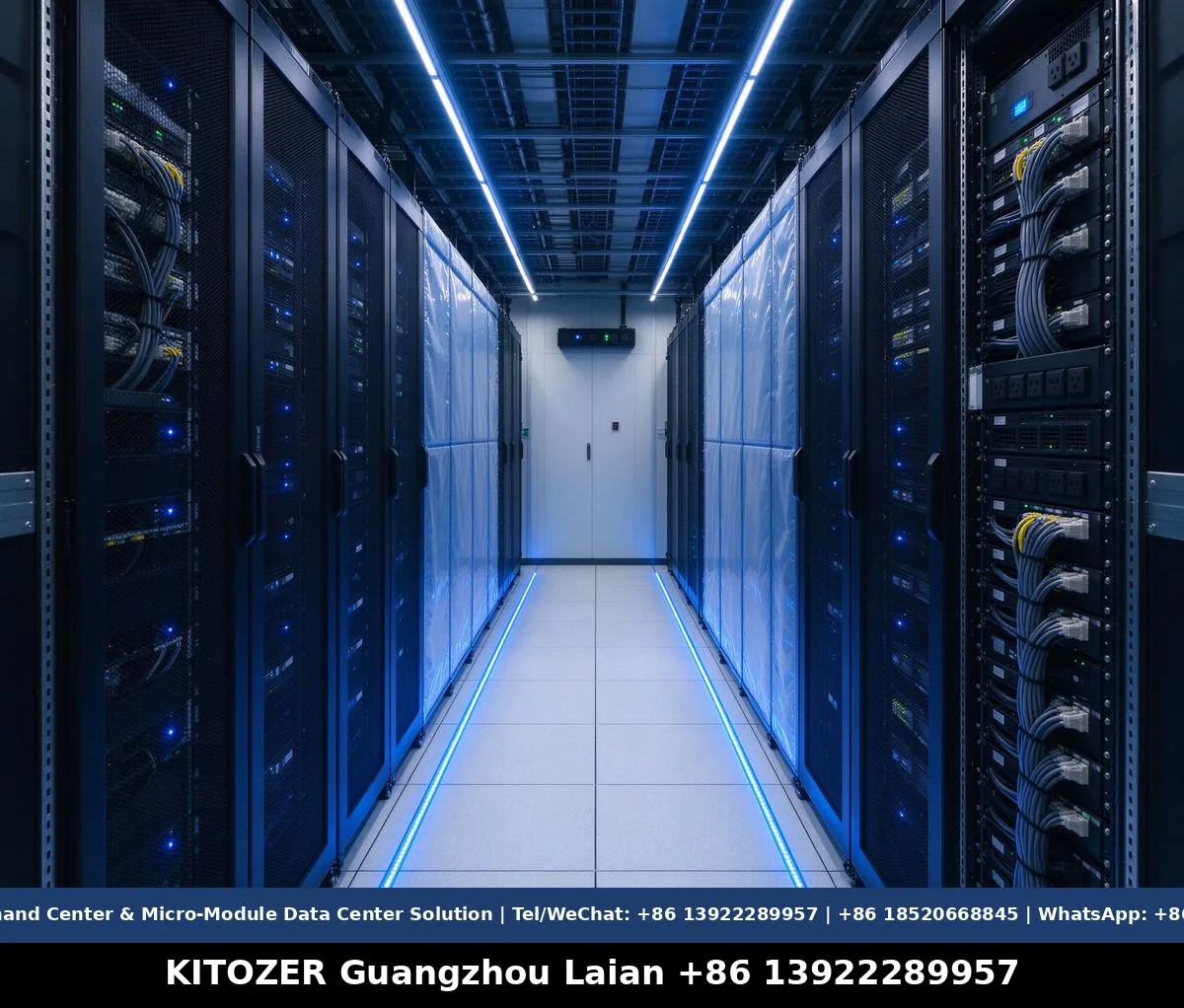
When two or more cabinets are deployed together, KITOZER factory-assembles a cold- or hot-aisle containment system with metal roof panels, sliding glass doors, and brush gaskets. The containment isolates the supply air path, eliminates hot-air recirculation, and raises cooling efficiency. Cooling units can be shared across the aisle, with N+1 redundancy configured at the aisle level.
2.4 Power Distribution and UPS
The power chain inside a KITOZER integrated cabinet follows a deterministic sequence: mains input → isolator → surge protective device (SPD) → online double-conversion UPS → battery bank → static bypass → output distribution → outlet-metered PDU → IT equipment.
UPS options include 1 kVA, 2 kVA, 3 kVA, 6 kVA, 10 kVA, and 20 kVA online double-conversion units, with efficiency above 95% in online mode and above 98% in eco-mode. Battery packs are valve-regulated lead-acid (VRLA) with nominal 10-minute, 15-minute, or 30-minute backup at full load. Extended battery cabinets can be mounted adjacent to the integrated cabinet for 60-minute or longer autonomy. Output PDUs are single-phase or three-phase depending on UPS rating, with per-outlet current and energy metering, switched outlet groups, and remote reboot capability.
2.5 Monitoring and Management Controller
The management controller is the brain of the integrated cabinet. It samples sensor data at one-second intervals, runs alarm logic, stores trend logs for 12–24 months, and exposes the data through multiple interfaces:
- Local 7-inch or 10-inch color touchscreen with English/Chinese UI.
- Web browser interface (HTTPS) for remote configuration.
- SNMP v2c/v3 traps and polls for integration into NMS/DCIM platforms.
- Modbus-TCP and Modbus-RTU for building automation integration.
- MQTT broker client for cloud IoT platforms.
- Email, SMS (via optional GSM module), and relay dry-contact alarm outputs.
Trend data includes inlet and outlet air temperature, humidity, compressor runtime, UPS input/output voltage, load percentage, battery state-of-charge, PDU per-outlet current, door status, and leak status. Alarm thresholds are user-configurable with delay timers to prevent nuisance alarms.
2.6 Physical Security
Standard security includes key-lock on the front and rear doors, door-ajar microswitches, and anti-tamper triggers on side panels. Upgrades include RFID card readers, fingerprint biometric sensors, PIN-code keypads, and integrated HD cameras with on-board storage. Access events are logged with timestamp, user identity, and duration; the log is exportable for audit.
3. Technical Specifications
The table below summarizes the standard technical specifications for the KITOZER smart integrated cabinet platform. Custom configurations are available on request; values shown are representative of the mid-line SKU. For project-specific sizing, KITOZER application engineers provide a configuration worksheet during the quotation stage.
| Category | Parameter | Standard Specification |
|---|---|---|
| Enclosure | Dimensions (W×D×H) | 600/800/1200 mm × 1100/1200 mm × 2000 mm (42U) or 2200 mm (47U) |
| Rack capacity | 42U or 47U, 19-inch EIA-310-D | |
| Static load rating | 800 kg / 1200 kg / 1500 kg | |
| Material | 1.5–2.0 mm cold-rolled steel, powder-coated RAL 7035/RAL 9005 | |
| Cooling | Cooling type | Built-in DX / rear-door water / cold-aisle cluster |
| Cooling capacity | 3 kW, 5 kW, 7 kW, 10 kW, 15 kW, up to 40 kW per rack (rear-door) | |
| Temperature setpoint range | 18 °C to 27 °C, adjustable | |
| Humidity range | 40% to 60% RH (with humidifier/dehumidifier option) | |
| Power | Mains input | 220 V single-phase / 380 V three-phase, 50/60 Hz |
| UPS topology | Online double-conversion, 1 kVA to 20 kVA | |
| UPS efficiency | >95% online, >98% eco-mode | |
| Battery backup | 10–30 min standard; 60–120 min with extended cabinet | |
| PDU | Output sockets | 16A C13/C19 or IEC 60309 per configuration |
| Metering | Per-outlet current, voltage, kWh, switched groups | |
| Redundancy | A/B dual feed option | |
| Monitoring | Sensors | Temperature, humidity, smoke, water leak, door contact |
| Local HMI | 7-inch or 10-inch color touchscreen | |
| Interfaces | SNMP v2c/v3, Modbus-TCP/RTU, MQTT, REST API, email/SMS, dry contacts | |
| Security | Standard | Key lock, door-ajar alarm, anti-tamper |
| Optional | RFID, fingerprint, PIN keypad, HD camera | |
| Environmental | Operating ambient | 5 °C to 40 °C |
| Storage ambient | -10 °C to 60 °C | |
| Compliance | Safety | IEC 60950 / GB 4943, CE, RoHS |
| EMC | EN 55032 Class A, EN 55024 |
4. Cooling Engineering Deep Dive
4.1 Airflow Containment Strategy
The single largest determinant of cooling efficiency in an integrated cabinet is airflow containment. In a non-contained cabinet, cold air supplied by the cooling unit mixes freely with hot exhaust returning from IT equipment, causing supply temperature to drift upward and hot spots to form near the top of the rack. KITOZER addresses this with a three-stage containment design:
- Bottom plenum: cold supply air is delivered through a sealed bottom plenum under the rack floor, preventing cold air from spilling into the room.
- Rack blanking: every unused U position is covered with a brushed blanking panel, preventing hot exhaust from recirculating into the cold aisle.
- Door seals: front and rear doors are fitted with double magnetic gaskets and brush strips around cable pass-throughs, closing leakage paths.
With these measures, supply air temperature at the rack inlet is maintained within ±1 °C of setpoint across the full rack height, and return temperature rises by 10–15 °C, maximizing compressor efficiency.
4.2 Inverter Compressor and EC Fans
The built-in cooling unit uses a DC inverter compressor that modulates output between 20% and 100% capacity. This is a major improvement over fixed-speed on/off compressors, which run at full capacity and cycle on-off, causing temperature swings and short-cycling wear. Under typical partial IT load, the inverter compressor runs between 40% and 60% capacity, drawing roughly half the energy of a fixed-speed unit.
Fans are electronically commutated (EC) backward-curved centrifugal fans with PWM speed control. EC fans deliver 30–50% energy savings over AC fans and support soft-start, variable airflow, and redundant N+1 configuration in multi-fan modules. The management controller adjusts fan speed based on rack inlet temperature setpoint, not on fixed pressure, reducing noise and energy under light load.
4.3 Humidity Control
ASHRAE TC 9.9 recommends that data center inlet air stay between 18 °C and 27 °C and 40% to 60% RH. Below 40% RH, static discharge risk rises sharply; above 60% RH, condensation and corrosion risk increases. KITOZER cooling units support both humidification and dehumidification options. Humidification is typically a steam electrode type that injects clean steam into the supply air stream. Dehumidification uses cooling coil condensation followed by reheat, controlled by the management controller to maintain a tight deadband around the setpoint.
4.4 Heat Density Tiers
Customers should select a cooling topology based on projected IT load density:
| Heat Density | Typical Workload | Recommended Cooling |
|---|---|---|
| 3–7 kW per rack | General-purpose servers, storage, networking | Built-in DX precision AC, single cabinet |
| 7–15 kW per rack | Virtualization hosts, database servers | Built-in high-capacity DX, or cold-aisle cluster |
| 15–30 kW per rack | High-performance compute, AI training nodes | Rear-door water heat exchanger |
| 30–40 kW+ per rack | Liquid-ready servers, direct-liquid-cooled gear | Rear-door water + optional direct liquid |
4.5 Free Cooling and Energy Efficiency
For sites in cooler climates, KITOZER can supply a free-cooling coil that uses ambient air or dry outdoor coolers to partially or fully displace mechanical compressor operation. When outdoor wet-bulb temperature is below approximately 10 °C, the free-cooling path can meet the entire cooling load without compressor operation, cutting annual cooling energy by 30–60%. Even in temperate climates, the economizer runs during winter nights and shoulder seasons, delivering measurable savings on the facility PUE.
5. Power Chain Design
5.1 Why Online Double-Conversion UPS
Online double-conversion topology means that IT equipment is continuously powered by the inverter stage. Utility power is first rectified to DC, charging the battery bus, and then inverted back to AC for the load. This topology fully isolates IT equipment from sags, surges, harmonics, frequency deviations, and switch-over transients. During a utility outage, the battery takes over the DC bus instantaneously, with zero transfer time. While online double-conversion is slightly less efficient than line-interactive or standby topology, the availability benefits for IT loads justify the energy cost, especially when paired with eco-mode that automatically bypasses to direct feed when utility quality is high.
5.2 Battery Sizing
Battery backup time depends on load percentage and battery capacity. A typical 3 kVA UPS at 50% load with standard VRLA batteries delivers approximately 15 minutes of autonomy — enough time for a controlled graceful shutdown or for a diesel generator to start and stabilize. For sites without a generator, KITOZER recommends upsizing the battery cabinet to deliver 30–60 minutes, allowing IT systems to finish checkpoints and flush storage caches before shutdown.
Battery health is monitored continuously: internal resistance, voltage per block, temperature, and charge-discharge cycles are logged. The management controller predicts end-of-life based on capacity fade trend and triggers replacement alerts typically 3–6 months before failure. VRLA battery service life is typically 3–5 years at 25 °C ambient; every 10 °C rise shortens life by roughly 50%, which is why battery compartments are kept in the cooled enclosure rather than in hot utility rooms.
5.3 Redundancy Topologies
Depending on availability requirements, KITOZER can configure the power chain in several redundancy modes:
- N (capacity only): single UPS, single PDU, suitable for non-critical or lab environments.
- N+1 (redundant capacity): two UPS units in parallel or two PDU feeds, suitable for production business systems.
- 2N (fully redundant): two independent power chains, each sized for 100% of load, suitable for mission-critical applications where downtime is not tolerated.
5.4 Power Quality and Surge Protection
Every KITOZER cabinet includes a Type 2 surge protective device (SPD) on the mains input, rated 20–40 kA per pole, with remote contact signaling. Upstream of the UPS, an input isolation transformer (optionally) provides neutral-ground isolation and blocks common-mode noise. Output PDUs include branch-circuit miniature circuit breakers and per-outlet current monitoring, enabling the management controller to flag over-current outlets before they trip.
6. Monitoring, Management and Software
6.1 Local HMI
The local touchscreen presents a dashboard with real-time values for rack inlet temperature, humidity, UPS load, battery state-of-charge, PDU aggregate current, door status, and alarm count. Users can drill down into trend graphs, alarm logs, configuration menus, and scheduled tasks. The HMI is locked behind a multi-tier user account (administrator, operator, viewer) with audit logging of configuration changes.
6.2 Remote Web Interface
The same dashboard is accessible over HTTPS from any browser on the management network. The web interface supports multi-site aggregation: a single browser session can display the status of dozens of KITOZER cabinets across multiple branch locations, with color-coded health indicators and one-click alarm drill-down. Role-based access control and password complexity policies meet typical corporate IT security requirements.
6.3 Integration Protocols
Open protocols are essential for a smart cabinet to fit into existing operations. KITOZER supports:
- SNMP v2c/v3: standard MIB-II plus private KITOZER MIB for DCIM/NMS integration.
- Modbus-TCP and Modbus-RTU: for building automation systems (BMS) using BACnet/Modbus gateways.
- MQTT: for cloud IoT platforms, with TLS encryption and username/password authentication.
- REST/JSON API: for custom dashboards, scripting, and analytics pipelines.
- Email and SMS: alarm notifications to distribution lists; SMS requires optional GSM module.
- Dry contact relays: for hardwired alarm panels and legacy BMS inputs.
6.4 Alarm Logic
Alarms are classified into warning, critical, and emergency levels. Warning alarms (e.g., rack inlet temperature drifting above 24 °C) trigger an on-screen indicator and an email. Critical alarms (e.g., temperature above 27 °C, UPS on battery) trigger SMS and relay closure. Emergency alarms (e.g., smoke detected, water leak on PDU) trigger relay closure for site emergency systems and force a shutdown sequence if configured. Every alarm includes timestamp, location, value, threshold, and a recommended action message, reducing mean-time-to-diagnose during incidents.
6.5 Trend Logging and Reporting
The controller stores 12–24 months of 5-minute trend data locally. Weekly and monthly reports summarize energy consumption, cooling runtime, battery cycle count, door events, and alarm frequency. Reports can be automatically emailed to facilities and IT managers, or exported to CSV for downstream analytics. This historical data is valuable for capacity planning: it identifies seasonal cooling load patterns, flags degradations in cooling efficiency, and justifies investment in additional UPS or battery capacity.
7. Selection Guide
Selecting the correct KITOZER smart integrated cabinet configuration requires balancing IT load growth, available floor space, ambient conditions, budget, and availability targets. The following selection workflow is the same process KITOZER application engineers follow when preparing a quotation.
7.1 Step 1: Define IT Load and Growth
Start by listing every piece of IT equipment that will be installed, including nameplate power, typical power draw, airflow requirement, and weight. Sum the typical power draw to get the baseline kW load. Multiply by 1.25–1.50 to allow for 2–3 years of growth. The resulting number determines both the UPS rating and the cooling capacity. As a rule of thumb, cooling capacity should equal IT load plus a safety margin of 20–30%, plus any heat generated by the UPS and lighting inside the enclosure.
7.2 Step 2: Choose Cabinet Size and Rack Units
If the IT load fits within 10–15 rack units and power draw is under 5 kW, a 42U single-cabinet integrated model is usually the most cost-effective choice. If the site expects 2+ racks of growth, a two-cabinet cluster with shared cooling and a shared UPS room is more economical than two separate single-cabinet units. If density exceeds 15 kW per rack, rear-door water cooling is required even if total kW across the cluster is moderate.
7.3 Step 3: Choose Cooling Topology
| Condition | Recommended Cooling |
|---|---|
| Site has no chilled water, ambient <35 °C, load <10 kW | Built-in DX precision AC |
| Site has chilled water available, load 10–40 kW per rack | Rear-door water heat exchanger |
| Multiple cabinets, desire efficiency and containment | Cold-aisle cluster with shared DX or CW units |
| Outdoor shelter or non-cooled room | High-ambient DX unit rated 45–55 °C |
7.4 Step 4: Choose UPS and Battery Autonomy
Match UPS kVA to total IT load plus 20% headroom. Decide on backup duration: 10 minutes is adequate if a diesel generator is already on site; 30 minutes is typical for no-generator sites; 60+ minutes is recommended for remote sites where field response time exceeds two hours. Select N, N+1, or 2N redundancy based on the cost of downtime versus the incremental capital cost of additional UPS modules.
7.5 Step 5: Choose Security and Monitoring Add-ons
For unattended remote sites, add RFID or biometric access, door-ajar alarms, leak detection rope under PDU trays, smoke detector, and a camera. For staffed sites, basic key lock plus the standard sensor array is sufficient. Confirm integration protocol: SNMP for NMS, Modbus for BMS, or MQTT for cloud dashboards. This determines which firmware image and license tier is loaded at factory.
7.6 Step 6: Confirm Site Conditions
Before ordering, verify that the site floor can support the loaded cabinet weight (a 42U integrated cabinet fully populated can weigh 600–1200 kg). Confirm mains supply voltage, phase, and available breaker capacity. Confirm condensate drain routing if DX cooling is selected. Confirm network availability for the management controller. Confirm clearance space: at least 1000 mm front, 1000 mm rear, and 500 mm side for service access.
8. Installation and Commissioning
8.1 Site Preparation
Preparation work on the customer side begins two weeks before delivery. The floor should be level, finished with anti-static tile or epoxy coating, and capable of supporting concentrated load. A dedicated mains circuit should be run to the cabinet location, sized per the UPS nameplate, with a neutral and protective earth. A network drop (Ethernet or fiber) should terminate near the cabinet for management connectivity. Condensate drain piping, if required, should slope away from the cabinet at 1–2% grade.
8.2 Delivery and Uncrating
KITOZER cabinets ship on reinforced wooden pallets, wrapped in anti-static film and moisture barrier. Upon delivery, inspect the crate for shipping damage before signing. Uncrating should be done with a pallet jack or forklift rated for the cabinet weight. Move the cabinet to its final position using the built-in leveling feet; do not drag the cabinet on its casters over long distances, as casters are designed for positioning only, not transport.
8.3 Positioning and Leveling
Position the cabinet to the floor layout, leaving the required service clearance. Extend the four leveling feet and adjust until a spirit level on top of the rack frame reads level in both axes. Lock the anti-tip brackets if required by site code. For multi-cabinet clusters, join adjacent cabinets with the supplied connector bolts and side-panel gaskets to form a single rigid assembly.
8.4 Electrical Connection
Open the input distribution compartment and connect the mains feed to the input isolator according to the factory wiring diagram. Confirm phase sequence, voltage, and earth continuity before closing the isolator. Connect the output neutral and protective earth to the cabinet grounding bar. Do not connect IT equipment at this stage; leave PDUs de-energized until commissioning.
8.5 Mechanical and Cooling Connection
For DX split units, connect the refrigerant piping between indoor and outdoor units, evacuate the line set, and charge refrigerant per nameplate. For rear-door water units, connect supply and return water hoses with isolation valves and a drain hose for condensate. Pressure-test water connections before energizing.
8.6 Power-On and Factory Self-Test
Energize the input isolator. The UPS starts in bypass mode, then transfers to online mode. The management controller boots within 60 seconds and runs a self-test of sensors, relays, and communication ports. The touchscreen displays green across all dashboards if self-test passes. Any fault code is logged and displayed; KITOZER support can diagnose remotely once the management network is connected.
8.7 Network and Management Configuration
Connect the management Ethernet to the site network. Assign a static IP address via the touchscreen or web interface. Configure SNMP trap destination, email server, and alarm recipients. Verify that alarms can be generated by simulating a door-open event and a temperature setpoint change. Integrate the controller into the existing DCIM or BMS by loading the KITOZER MIB or Modbus register map.
8.8 IT Load Cutover
Once infrastructure is verified, power off existing IT equipment, migrate servers and storage into the new cabinet, re-feed them from the metered PDU, and power on. Monitor rack inlet temperature and PDU current for the first 24 hours. Adjust fan speed and temperature setpoint if inlet temperature drifts. The cabinet is now in production service.
9. Operation and Maintenance
9.1 Daily Inspection
Daily visual inspection takes less than five minutes and should cover: touchscreen dashboard green status, no alarm banners, door closed and locked, no condensate water on floor, and no unusual noise or vibration. For unattended sites, the remote dashboard replaces the physical walk-through; a daily automated health report should arrive by email.
9.2 Weekly Tasks
Weekly tasks include reviewing alarm logs for any repeated warning events, checking PDU aggregate current against capacity, and reviewing temperature trend graphs for unexplained drift. Weekly review is also the right time to confirm that scheduled notifications are reaching the correct recipients, especially after staff changes.
9.3 Monthly Tasks
Monthly preventive maintenance includes:
- Cleaning or replacing the intake air filter on the cooling unit.
- Inspecting door gaskets and brush strips for wear; replace if cracked.
- Verifying battery voltage per block; recording in the maintenance log.
- Testing door-ajar alarm and leak detection by simulating the sensor.
- Reviewing energy consumption against baseline and investigating anomalies.
9.4 Quarterly Tasks
Quarterly maintenance includes a UPS battery discharge test at 50% load for 5 minutes, tightening of electrical connections in the distribution compartment (powered off), inspection of refrigerant piping for oil stains, and calibration of temperature and humidity sensors against a calibrated reference.
9.5 Annual Tasks
Annual maintenance should be performed by KITOZER-trained service personnel and includes: full UPS capacity test, replacement of any battery blocks showing more than 20% capacity fade, cleaning of condenser coils, inspection of compressor mounting and vibration isolators, firmware upgrade of the management controller to the latest stable release, and a functional test of every alarm relay and notification channel. A service report is issued and archived for the customer’s records.
9.6 Common Faults and Resolution
| Symptom | Likely Cause | Resolution |
|---|---|---|
| Rack inlet temperature rising | Clogged filter, fan failure, setpoint drift | Replace filter; check fan status; verify setpoint |
| Water leak alarm | Condensate drain blockage, water hose leak | Clear drain; inspect hose clamps |
| UPS on battery unexpectedly | Input breaker trip, mains quality event | Inspect upstream supply; run self-test |
| Battery low capacity | End-of-life, high ambient temperature | Replace battery blocks; verify cooling |
| Management controller offline | Network drop, IP conflict, power issue | Check link LED; ping IP; verify PoE/AC adapter |
| Humidity below 40% | Humidifier off, water supply empty | Refill water; verify humidifier element |
9.7 Spare Parts Strategy
KITOZER recommends stocking a small set of critical spares on site or through a local service depot: air filter, temperature/humidity sensor module, fan module, PDU circuit breaker, and one battery block. Lead time for non-stocked parts is typically 5–10 working days from the Guangzhou factory. Service contracts can reduce this to next-day response for critical faults.
10. Applications
10.1 Enterprise Branch Offices
Branch offices typically host 2–10 racks of IT equipment supporting local users, VoIP phones, point-of-sale systems, and local file services. A KITOZER single-cabinet or two-cabinet micro module replaces a dedicated server room in the back office, eliminating the need for a separate CRAC, UPS room, and raised floor. The remote management platform lets headquarters monitor and manage hundreds of branch cabinets from a single NOC, drastically reducing on-site truck rolls.
10.2 Retail and Banking Back-Of-House
Retail stores and bank branches require small, locked, physically secure IT enclosures that survive unattended overnight. KITOZER cabinets with biometric access, smoke detection, and integrated camera meet branch-level security requirements. The compact footprint fits in a storage room or utility closet, and the integrated cooling keeps equipment within ASHRAE limits even when the store HVAC is off after hours.
10.3 Industrial Control Rooms
Manufacturing plants, water treatment plants, and power substations use SCADA servers, historians, and network switches inside control rooms. These environments are often dusty, humid, or temperature-variable, and the IT load must stay online to keep the process running. KITOZER integrated cabinets with dust filters, expanded temperature range, and Modbus integration fit naturally into industrial control architectures, exposing cabinet telemetry to the same SCADA system that already monitors the plant.
10.4 Healthcare Facilities
Hospitals and clinics host electronic medical record servers, imaging storage, and clinical workstations. Uptime is a patient-safety issue. KITOZER cabinets with N+1 power, extended battery backup, and controlled humidity support healthcare IT compliance requirements. The small footprint fits in electrical rooms that cannot accommodate a full data center, and the silent cooling option minimizes noise in areas adjacent to patient rooms.
10.5 Education and Research Campuses
Universities, labs, and research centers deploy distributed server closets across buildings for departmental servers, storage research clusters, and edge nodes. KITOZER integrated cabinets standardize these closets, reduce energy use versus legacy room cooling, and provide a uniform management interface that campus IT can operate without specialized data center staffing.
10.6 Telecommunications Edge Nodes
Telecom operators and internet service providers place edge computing nodes near base stations, central offices, and aggregation points. These sites are often unmanned and environmentally harsh. KITOZER outdoor-rated or high-ambient integrated cabinets support 45–55 °C ambient, include remote monitoring and alarms, and can be solar-augmented for off-grid sites.
10.7 Government and Public Sector
Government offices, public security bureaus, and transport hubs require secure, auditable IT enclosures with access logging. KITOZER cabinets with RFID access, video integration, and tamper alarms meet physical security requirements; the audit trail of door events and configuration changes supports compliance reviews.
10.8 Small Data Centers and Colocation
Even for small colocation providers, KITOZER micro modules offer a faster path to new capacity than building a traditional room. Pre-fabricated clusters arrive in weeks, populate quickly, and bill back to tenants with per-rack PDU metering. This model reduces time-to-revenue for new colocation floor space.
11. Frequently Asked Questions (FAQ)
Q1: What is the difference between a KITOZER smart integrated cabinet and a regular server rack?
A regular server rack provides only steel framing, mounting rails, and cable management. A KITOZER smart integrated cabinet factory-integrates precision cooling, UPS, power distribution, environmental sensors, security, and a management controller into the same enclosure. It is a complete mini data center, not just a rack.
Q2: How much floor space does one KITOZER integrated cabinet require?
A single cabinet occupies approximately 0.6 m² to 1.8 m² of floor area depending on width and depth. Add 1 m of service clearance on the front and rear, and 0.5 m on each side. A typical single-cabinet footprint with clearance is roughly 3 m², compared with 10–15 m² for a traditional server room.
Q3: What cooling capacity do I need for my IT load?
Rule of thumb: cooling capacity should equal total IT load plus 20–30% margin, plus heat from UPS and lighting. If your IT load is 5 kW, choose a 7 kW cooling unit. If the site has hot ambient or future growth, size one step higher.
Q4: How long does the battery backup last during a power outage?
Standard VRLA batteries deliver 10–30 minutes at full load depending on UPS rating and battery size. Extended battery cabinets can deliver 60–120 minutes. Battery backup is intended for graceful shutdown or generator run-up, not for indefinite operation.
Q5: Can I monitor the cabinet remotely from a phone or laptop?
Yes. The management controller exposes an HTTPS web interface, email/SMS alarms, SNMP traps, and MQTT. You can check status from any browser on the management network or from a phone using the cloud dashboard. No proprietary client software is required.
Q6: Does KITOZER integrate with my existing DCIM or BMS?
Yes. KITOZER supports SNMP v2c/v3 with a private MIB, Modbus-TCP/RTU, MQTT, and REST API. Most DCIM and BMS platforms can ingest these protocols directly; a BACnet gateway can be added if your BMS uses native BACnet.
Q7: What maintenance is required and how often?
Daily visual checks, weekly log review, monthly filter cleaning and sensor tests, quarterly battery discharge tests, and annual full service by KITOZER-trained technicians. Most tasks take less than 30 minutes except the annual service, which typically takes half a day.
Q8: How long does installation take on site?
For a single-cabinet unit with mains and network already in place, on-site installation and commissioning typically takes 1–3 days. Multi-cabinet clusters take 3–7 days. Total project time from order to production is typically 4–8 weeks, dominated by factory integration and testing.
Q9: Can the cabinet be moved after installation?
Yes, if the route and floor can support the weight. Power down IT equipment, disconnect utilities, and use a pallet jack to move the cabinet. Re-level, re-connect, and re-commission per the installation procedure. Moving a fully populated cabinet is not recommended; de-populate IT equipment first.
Q10: What is the typical service life of the cabinet and its components?
The steel enclosure is structural for 15+ years. Cooling compressors and fans are rated 8–10 years. UPS power electronics are rated 8–10 years. VRLA batteries typically last 3–5 years at 25 °C ambient. The management controller firmware is supported for the product lifetime, with security updates issued periodically.
Q11: Does the cabinet support high-density AI or GPU servers?
Standard built-in DX cooling supports up to 10–15 kW per rack. For GPU or AI nodes drawing 15–40 kW per rack, KITOZER recommends the rear-door water heat exchanger option, which uses chilled water to absorb high-density heat directly at the rear of the rack.
Q12: Is the cabinet suitable for outdoor or rooftop deployment?
The standard indoor cabinet is not rated for outdoor exposure. KITOZER offers an outdoor-rated variant with insulated walls, high-ambient cooling (up to 55 °C), IP55 ingress protection, and lightning protection for outdoor or rooftop sites. This variant is quoted separately.
Q13: Can I add cabinets later as my load grows?
Yes. KITOZER clusters are designed for expansion. Additional cabinets can be joined to the existing aisle with connector bolts, shared cooling, and shared power distribution. The management controller supports adding new cabinet nodes to the same dashboard without replacing existing hardware.
Q14: What warranty does KITOZER provide?
Standard warranty is 24 months from shipment for the enclosure and power electronics, 12 months for cooling consumables, and 12 months for batteries. Extended warranty and service contracts are available on request. On-site response times vary by region; KITOZER can commit to next-business-day response in major cities.
Q15: How do I get a quote for my specific project?
Contact KITOZER with your IT load list, floor space, ambient conditions, and availability requirements. Application engineers will return a configuration worksheet, technical drawing, and reference price within 3–5 business days. Site survey is optional but recommended for complex multi-cabinet projects.
12. Thermal Engineering and PUE
12.1 Why Thermal Design Determines Operating Cost
For every kilowatt of IT load in a conventional small server room, the cooling plant typically consumes an additional 0.5 to 1.0 kW. That ratio, expressed as total facility power divided by IT power, is the Power Usage Effectiveness (PUE). A legacy room with separate CRAC units, overhead ductwork, and no containment often runs at PUE 2.0–2.5, meaning the facility spends as much energy on cooling and power losses as on the IT equipment itself. A KITOZER integrated cabinet with close-coupled cooling, variable-speed compressors, and contained airflow typically runs at PUE 1.3–1.5, and with free cooling in temperate climates can dip below 1.2 in winter months. Over a ten-year operating life, that difference compounds into a very large energy bill — often larger than the original purchase price of the cabinet.
12.2 Close-Coupled Cooling Principle
Close-coupled cooling means the cooling coil is within one or two meters of the IT rack inlet, rather than tens of meters away in a room-level CRAC. Shortening the air path eliminates duct losses, reduces fan energy, and keeps supply air temperature close to the setpoint. In a KITOZER built-in unit, the cooling coil sits directly below the rack; cold air rises through the bottom plenum into the rack inlet, passes through IT servers, and exhausts hot air directly back into the top return of the cooling unit. The return air temperature is typically 10–15 °C above the supply, which raises the evaporator efficiency and allows the compressor to run at lower head pressure.
12.3 Supply Temperature Strategy
ASHRAE allows data center inlet temperatures up to 27 °C. KITOZER default setpoint is 24 °C, a balanced point between equipment reliability and energy cost. Running at 24 °C instead of 18 °C raises chiller and evaporator efficiency by roughly 2–4 °C of lift, saving 5–10% of cooling energy. Because the cabinet is tightly contained, customers can safely raise the setpoint without creating hot spots, provided blanking panels and seals are intact. The management controller trend graphs help operators identify the highest safe setpoint for their workload.
12.4 Humidity and Static Control
Relative humidity in a small enclosed cabinet is easier to control than in a large room because the air volume is small and the envelope is sealed. KITOZER maintains 45–55% RH as default. Below 30% RH, electrostatic discharge becomes a real risk for ungrounded service personnel; above 70% RH, condensation can form on cold surfaces and corrosion accelerates. The optional steam humidifier injects clean, demineralized steam into the supply plenum, and the cooling coil itself dehumidifies by condensing moisture when coil temperature falls below dew point. Reheat (electric or hot-gas bypass) then brings the air back to setpoint. The controller modulates both to hold a tight ±5% RH band.
12.5 Acoustic Performance
Built-in cooling fans and compressors generate noise. A KITOZER cabinet with EC fans running at 60% speed typically measures 60–65 dBA at one meter, which is acceptable in a utility room but may be noticeable in an open office. For quiet-area deployments, KITOZER offers acoustic insulation panels, a low-noise fan profile, and a remote condenser option that moves the compressor outdoors. In quiet configurations, cabinet noise can be reduced to 50–55 dBA, comparable to a modern office printer.
12.6 Heat Rejection Options
The heat absorbed by the cooling coil must be rejected outdoors. Three rejection methods are common:
- Air-cooled condenser: a remote outdoor fan-coil unit rejects heat directly to ambient air. Simple, low cost, but limited to outdoor temperatures below 45 °C for reliable operation.
- Evaporative condenser: water spray on the condenser coil raises heat rejection efficiency and allows operation up to 50 °C. Uses water and requires winter freeze protection.
- Chilled water loop: heat is rejected to a building chilled water system via a plate heat exchanger. Ideal when the site already has a central chiller plant; eliminates the outdoor condenser unit.
13. Electrical Safety and Standards
13.1 Standards Compliance
KITOZER integrated cabinets are designed and tested to the following international and national standards:
- IEC 60950-1 / IEC 62368-1 for information technology equipment safety.
- IEC 61000-6-2 and IEC 61000-6-4 for electromagnetic compatibility in industrial environments.
- EN 55032 Class A for radiated and conducted emissions.
- GB 4208 ingress protection (the enclosure itself typically reaches IP20, with IP55 outdoor variants).
- GB 4943 and GB 17625 series for Chinese market compliance.
- RoHS and REACH for restricted substances.
13.2 Grounding and Bonding
Every cabinet is fitted with a 16 mm² protective earth bus bar at the bottom. All conductive parts — rack frame, door, PDU chassis, UPS chassis, cooling unit — are bonded to this bus with green-yellow conductors. The site earthing electrode connects to the bus via a dedicated earth cable. Grounding continuity is tested at factory acceptance and again on site. For lightning-prone sites, KITOZER recommends an additional Type 1 surge arrester upstream of the input isolator.
13.3 Circuit Breaker Coordination
The power chain is designed with selective coordination: branch breakers trip before the upstream main breaker, and the UPS input breaker trips before the building main. This means a fault in one PDU outlet group does not take down the whole cabinet. Breaker curves are sized in the factory drawing package so the customer’s electrical contractor can verify coordination on the single-line diagram.
13.4 Emergency Power Off (EPO)
Every KITOZER cabinet supports a hardwired EPO circuit that, when triggered, opens the UPS static bypass and disconnects the output PDU. The EPO loop is a normally-open dry contact that can be wired to a remote mushroom-button station, a fire alarm panel, or a building emergency stop. EPO is required by most electrical codes for data rooms and is included as a standard connection point.
13.5 Fire Detection and Suppression
A smoke detector is mounted in the top return plenum where hot exhaust air flows. Early smoke detection in the return air is more sensitive than room-level detection because the detector samples all exhaust from every server. On alarm, the controller can trigger a dry contact to the site fire alarm panel. For gas suppression, the cabinet is pre-piped for an FK-5-1-12, Novec, or IG-55 clean agent nozzle; the gas cylinder itself is mounted outside the cabinet in the suppression zone. Water-based sprinklers are not recommended inside an integrated cabinet because of the risk of water damage to live IT equipment.
14. Cabling Architecture
14.1 Power Cabling
Power cabling inside the cabinet runs along the vertical cable managers on both sides of the rack. AC power cables are separated from data cables by at least 150 mm to avoid electromagnetic interference. C13 and C19 power cords from the metered PDU plug directly into server power supplies. Every cord is labeled at both ends with the rack unit number and outlet number, matching the PDU label and the management controller database. This labeling scheme makes remote power reboot actionable: the operator can identify exactly which outlet controls which server.
14.2 Data Cabling
Data cabling (copper Cat6A or fiber) runs through a separate vertical cable manager on the other side of the rack. Horizontal cable arms at every rack unit keep patch cords from sagging or pressing on equipment. Fiber patch cords are routed with minimum bend radius of 30 mm and protected from pinching. All data ports on the PDU switch (if included) are labeled to match the port map supplied with the cabinet.
14.3 Cable Pass-Throughs
Bottom and top pass-throughs are fitted with brush strips to maintain containment while allowing cabling to exit. For multi-cabinet clusters, overhead cable trays connect adjacent cabinets, and all inter-cabinet cable runs are labeled at both ends. The brush strips are removable for future cabling additions and re-brushed after each modification.
14.4 Future Cabling Growth
KITOZER cabinets are designed with roughly 30% spare cable manager capacity at delivery. This allows the customer to add patch cords, power cords, and fiber runs over the service life without reorganizing existing cabling. Spare U positions with blanking panels can be removed and re-populated without disturbing adjacent equipment.
15. Cybersecurity Hardening
15.1 Network Segmentation
The management controller should be deployed on a dedicated management VLAN, isolated from both the IT production network and the office network. This limits the attack surface: a compromised IT server cannot reach the cabinet controller, and a compromised office workstation cannot reach the controller. The controller supports 802.1X port authentication and can be placed behind a dedicated firewall.
15.2 Authentication and Access Control
The controller enforces username/password authentication, password complexity, account lockout after failed attempts, and session timeout. Multi-tier roles (admin, operator, viewer) ensure that most users can view status but not change configuration. All configuration changes are logged with user identity and timestamp. Optional integration with LDAP/Active Directory centralizes credential management and enforces corporate password policy.
15.3 Encryption
Web access is over HTTPS with TLS 1.2 or 1.3. SNMP v3 supports authentication and privacy (DES/AES). MQTT uses TLS with username/password or client certificate. Firmware updates are signed and verified before installation. The customer can disable unused protocols (HTTP, SNMP v1/v2c) to reduce exposure.
15.4 Patch Management
KITOZER issues firmware updates for the management controller, UPS firmware, and cooling controller on a quarterly or as-needed basis. Updates are tested in the factory before release and distributed through the customer portal. Customers on a service contract receive proactive notification of security-relevant updates and can schedule installation during a maintenance window.
16. Comparison with Traditional Server Room Build
| Dimension | Traditional Server Room | KITOZER Integrated Cabinet |
|---|---|---|
| Floor space | 10–20 m² for 5 racks | 3–5 m² for equivalent 4–5 racks |
| Project schedule | 3–6 months design and build | 4–8 weeks order to production |
| On-site labor | Multiple trades (civil, mechanical, electrical, IT) | Single commissioning team in 1–3 days |
| PUE (typical) | 2.0–2.5 | 1.3–1.5 |
| Cooling redundancy | Dependent on central plant | Built-in N+1 option |
| Monitoring | Separate BMS, NMS, UPS monitoring | Single integrated controller |
| Expansion | Requires re-civil works | Add cabinet and join to aisle |
| Movable | Fixed to building | Can be relocated with utilities |
| Warranty | Multiple vendors, finger-pointing | Single-vendor warranty |
17. Lifecycle Cost Analysis
17.1 Capital Expenditure (CapEx)
The integrated cabinet appears more expensive than a bare rack plus separately sourced UPS and CRAC at first glance. However, when you include civil works, raised floor, ductwork, electrical panel upgrade, engineering design, and commissioning labor, the integrated cabinet is typically 10–20% cheaper on a total installed basis for small deployments. For multi-site rollouts, the savings are larger because standardization reduces engineering repeat effort.
17.2 Operating Expenditure (OpEx)
Over a ten-year life, OpEx typically dominates. Electricity for cooling and power losses, maintenance labor, battery replacement, filter replacement, and service contracts all accrue. The lower PUE of the integrated cabinet typically saves 30–50% on cooling electricity alone. Remote monitoring reduces truck rolls, which is especially valuable for unattended branch sites.
17.3 Battery Replacement Cycle
VRLA batteries are the most common recurring replacement item. Budget for battery replacement every 3–5 years, with the cost roughly equal to 15–25% of the original UPS price. The management controller predicts replacement timing based on capacity fade, allowing planned budgeting rather than emergency replacement.
17.4 End-of-Life Disposal
At end of life, the steel enclosure is fully recyclable. Batteries must be disposed of through a licensed lead-acid recycler. Electronic components (UPS boards, controller, sensors) are treated as electronic waste. KITOZER can provide take-back service in main markets, or guidance on local recycling channels.
18. Factory Acceptance and Testing
18.1 FAT Procedure
Every KITOZER integrated cabinet passes a factory acceptance test before shipment. The FAT includes:
- Visual inspection of enclosure, paint, fit, and labeling.
- Insulation resistance test on power circuits.
- Ground continuity test on all bonded parts.
- UPS burn-in at 50% load for 4 hours.
- Cooling run test at setpoint, verifying temperature stabilization.
- Sensor functional test: each temperature, humidity, smoke, leak, and door sensor simulated and verified on the HMI.
- Alarm notification test: email and relay output verified.
- Network protocol test: SNMP, Modbus, and web interface verified from a test laptop.
The customer is invited to witness FAT remotely via video call, or to send a representative to the Guangzhou factory. A FAT report with test data, serial numbers, and photos is shipped with the cabinet.
18.2 Site Acceptance Test (SAT)
After on-site installation, KITOZER service personnel perform a SAT that repeats key FAT tests under real site conditions. The SAT report is signed off by the customer and KITOZER, marking the start of the warranty period. Typical SAT duration is half a day for a single cabinet and two days for a multi-cabinet cluster.
19. Training and Documentation
19.1 Documentation Package
Every shipment includes a documentation package in English and Chinese:
- User manual for the management controller.
- UPS user manual and battery safety sheet.
- Cooling unit installation and service manual.
- Single-line electrical diagram.
- Cabinet layout drawing with rack unit map.
- PDB and PDU label schedule.
- FAT and SAT reports.
- Warranty certificate.
19.2 Operator Training
On the day of commissioning, KITOZER service engineers deliver a half-day operator training covering: daily walk-through, dashboard interpretation, alarm response, battery awareness, basic fault finding, and escalation procedure. For larger deployments, a two-day train-the-trainer session is available at the customer’s site or at the Guangzhou factory.
20. Logistics and Shipping
20.1 Packaging
Cabinets are shipped on a fumigated wooden pallet, wrapped in anti-static film and moisture barrier, with desiccant inside the cabinet to prevent condensation during sea transit. Door and removable side panels are secured with shipping bolts. Delicate components (touchscreen, sensors) are protected with foam inserts.
20.2 Transportation Modes
For domestic Chinese delivery, KITOZER uses flatbed trucks with weather tarp. For international export, cabinets are loaded into 20-foot or 40-foot containers. A single 42U cabinet with integrated cooling weighs roughly 300–600 kg depending on configuration, so two to four cabinets fit in a standard container. Sea freight to major ports typically takes 15–35 days; air freight is available for urgent projects but is cost-prohibitive for bulky cabinets.
20.3 Unloading at Site
The customer must provide a forklift or pallet jack at the delivery destination rated for the cabinet weight. KITOZER strongly recommends against tilting the cabinet beyond 15° during transport, especially with batteries installed, because VRLA batteries can leak electrolyte if tilted severely.
22. Configuration Examples
22.1 Example A: Branch Office Single Cabinet
A regional branch office needs to host two virtualization hosts, a storage array, a core switch, and a firewall. Total IT load is projected at 3.5 kW at deployment, growing to 5 kW in three years. The site has a standard office room with 220 V single-phase mains, no raised floor, and no dedicated chilled water. Recommended configuration: one 42U integrated cabinet with 7 kW built-in DX cooling, 3 kVA online UPS with 15-minute battery, single-phase metered PDU with 24 C13 outlets, standard sensors (temperature, humidity, smoke, water leak, door), 7-inch touchscreen, SNMP v3, and email alarm. Reference price: approximately USD 9,000–11,000 EXW. On-site installation time: two days.
22.2 Example B: Retail Back Room Cluster
A retail chain is rolling out 50 back-room IT cabinets across its stores. Each cabinet hosts a local server, a switch, a UPS, and a video recorder for in-store cameras. IT load per store is 1.2–2 kW, and the store HVAC runs during trading hours only. Recommended configuration: compact 24U integrated cabinet with 3 kW built-in DX cooling, 1 kVA UPS with 10-minute battery, 8 C13 metered PDU, RFID card reader, camera integration, GSM module for SMS alarms (because store networks are unreliable), and MQTT to the chain’s cloud dashboard. Volume pricing across 50 units brings the per-unit reference price down to USD 4,500–6,000. Centralized cloud monitoring eliminates on-site truck rolls except for hardware failures.
22.3 Example C: Industrial Control Room
A water treatment plant needs a control cabinet hosting SCADA servers, a historian, and network switches in an environment with 90% humidity and occasional dust. IT load is 6 kW. The plant already has a Modbus-based SCADA network. Recommended configuration: 42U integrated cabinet with dust filters, expanded humidity control (40–70% RH), 7 kW built-in cooling, 6 kVA UPS with 30-minute battery, Modbus-TCP integration to the SCADA network, and dry-contact outputs to the existing plant alarm panel. The cabinet telemetry (temperature, UPS load, battery state) is displayed on the same SCADA HMI as the process data, so operators do not need a separate dashboard. Reference price: USD 16,000–20,000.
22.4 Example D: High-Density Edge Cluster
An edge computing site hosts GPU servers drawing 25 kW per rack, in a site with building chilled water at 18 °C supply. Recommended configuration: three-cabinet cold-aisle cluster, each rack with rear-door water heat exchanger, 20 kVA UPS per rack with N+1 parallel redundancy, 60-minute extended battery, 2N power feeds, biometric access, and per-outlet switched PDU. Cold-aisle containment with glass sliding doors separates cold supply from hot exhaust. Reference price for the three-rack cluster: USD 120,000–180,000 depending on water-side scope. On-site commissioning: five days.
23. Customization and OEM Options
23.1 Paint and Branding
Standard cabinet color is RAL 7035 light gray with RAL 9005 black side panels. Custom RAL colors are available for volume orders. Customer logo can be silk-screened or applied as a metal badge on the front door. For OEM partners, KITOZER can supply cabinets without branding, ready for the partner’s own logo and documentation.
23.2 Mechanical Customization
Cabinet width, depth, and height can be adjusted within engineering limits. Special cutouts for cable pass-throughs, display windows, or specific equipment are supported. Door type can be solid steel, perforated mesh, or tempered glass. Lock type can be key, RFID, fingerprint, or a combination.
23.3 Electrical Customization
Input voltage can be configured for 110 V, 220 V, 380 V, or 480 V three-phase markets. Frequency is 50 Hz or 60 Hz. PDU outlet type can be C13/C19, IEC 60309, NEMA, Schuko, BS, or other regional standards. UPS brand preference can be accommodated; KITOZER integrates leading UPS brands alongside its own OEM units.
23.4 Software Customization
The management controller web interface can be white-labeled with the customer’s logo, color scheme, and domain. Alarm notification templates and report formats can be customized. Integration with third-party DCIM platforms is supported via the open protocol set. For large OEM programs, KITOZER can provide a private-label firmware image with partner-specific MIB and register map.
24. Environmental and Regulatory Compliance
24.1 RoHS and REACH
KITOZER integrated cabinets comply with EU RoHS 2 directive 2011/65/EU and its amendments, restricting lead, mercury, cadmium, hexavalent chromium, PBB, PBDE, and phthalates. REACH SVHC substances above 0.1% are disclosed in the material declaration. This is important for customers in the EU and for OEM partners re-exporting into EU markets.
24.2 Packaging Waste
Packaging wood is ISPM-15 fumigated for international shipment. Cardboard and foam are recyclable. KITOZER uses minimal plastic film, prioritizing recyclable materials where performance allows.
24.3 Energy Efficiency
Cooling units use inverter compressors and EC fans, which exceed the minimum efficiency requirements of most regional energy labeling programs. The integrated cabinet’s PUE advantage contributes to green building certifications such as LEED, BREEAM, and China Green Building evaluation.
24.4 Noise Regulation
For sites subject to workplace noise regulation (e.g., EU 2003/10/EC), KITOZER provides acoustic test data at one meter and four meters. The quiet acoustic package brings cabinet noise below 55 dBA, suitable for offices adjacent to the equipment room.
25. Project Workflow Timeline
25.1 Week 1–2: Requirements and Quotation
The customer provides IT load list, site conditions, and availability requirements. KITOZER application engineers prepare a configuration worksheet, single-line diagram, layout drawing, and reference price. Technical calls resolve open questions. The customer issues a purchase order.
25.2 Week 3–4: Engineering and Procurement
KITOZER engineering finalizes manufacturing drawings, orders long-lead components (UPS, compressor, touchscreen), and schedules the cabinet in the factory production plan. The customer performs site preparation in parallel: floor, mains circuit, network drop, condensate drain.
25.3 Week 5–7: Factory Integration and FAT
The cabinet is assembled, wired, and tested in the factory. FAT is witnessed remotely or on site. Any required modifications are completed before shipment. Documentation package is finalized.
25.4 Week 8–10: Shipping and Site Readiness
The cabinet is packed and shipped by sea or land. The customer completes site preparation: floor leveling, mains circuit termination, network drop, drain routing. KITOZER commissioning engineers are scheduled for the installation date.
25.5 Week 11: On-Site Installation and SAT
KITOZER engineers arrive, position and level the cabinet, connect utilities, power-on, configure network, and run SAT. Operator training is delivered. IT load is cut over. The cabinet enters production service and warranty starts.
25.6 Ongoing: Service and Monitoring
The management controller transmits telemetry to the customer’s NMS or KITOZER cloud dashboard. Preventive maintenance is performed monthly/quarterly/annually per the schedule. Spare parts are stocked. The cabinet is monitored for the next 8–10 years.
26. Glossary
- PUE (Power Usage Effectiveness): ratio of total facility power to IT equipment power; lower is more efficient.
- UPS: uninterruptible power supply; online double-conversion topology provides zero-transfer-time backup.
- PDU: power distribution unit; metered PDUs report per-outlet current and energy.
- DX: direct expansion; air cooled by refrigerant coil directly rather than chilled water.
- CRAC: computer room air conditioner; traditional room-level cooling unit.
- EC fan: electronically commutated fan; DC fan with high efficiency and variable speed.
- VRLA: valve-regulated lead-acid battery; sealed battery used in UPS systems.
- ASHRAE: American Society of Heating, Refrigerating and Air-Conditioning Engineers; publishes data center thermal guidelines.
- SNMP: simple network management protocol; standard for networked device monitoring.
- BMS: building management system; controls HVAC, lighting, and security in commercial buildings.
- DCIM: data center infrastructure management; software for monitoring and managing data center physical infrastructure.
- N+1 redundancy: one additional unit beyond required capacity; if one unit fails, the rest carry the load.
- 2N redundancy: two independent full-capacity systems; either can carry the entire load.
- FAT: factory acceptance test; pre-shipment testing at the factory.
- SAT: site acceptance test; post-installation testing at the customer site.
- SPD: surge protective device; diverts transient voltage spikes to protect equipment.
- EPO: emergency power off; hardwired shutdown of IT equipment.
- Free cooling: using ambient air or water to cool the facility without mechanical refrigeration.
27. Why Choose KITOZER
KITOZER is a specialized brand of Guangzhou Laian Intelligent System Development Co., Ltd., focused on integrated physical infrastructure for small and edge data centers. The product line is the result of more than a decade of experience in security, building automation, and industrial control integration. Unlike general rack manufacturers who add cooling and UPS as bolt-on accessories, KITOZER designs the cabinet, cooling, power, and management as a single system from the start. This system-level design shows in the small details: the cable managers are sized for both power and data; the sensors are placed at the most informative locations; the alarm logic is tuned to reduce nuisance alerts; and the web interface is consistent across every cabinet in a multi-site fleet.
Customers choose KITOZER for three practical reasons. First, the factory pre-integration reduces schedule risk on projects where time-to-production is critical. Second, the single-vendor warranty removes finger-pointing when something goes wrong across cooling, power, or monitoring. Third, the open management platform means the customer is not locked into a proprietary DCIM; KITOZER cabinets can plug into whatever monitoring system the customer already operates. For organizations rolling out dozens or hundreds of edge sites, this openness is essential.
The KITOZER engineering team in Guangzhou welcomes technical dialogue early in the project. Whether the customer has a finished design or just a workload list, application engineers can help size the configuration, identify risks (floor loading, ambient temperature, utility quality), and propose a layout that fits the space. A short technical call often surfaces site constraints that would otherwise cause delays during installation. The goal is to deliver a cabinet that arrives, connects, and runs — on schedule and within budget.
29. Extended FAQ: Technical Deep Dives
Q16: What is the difference between VRLA AGM and VRLA gel batteries, and which does KITOZER use?
Absorbent Glass Mat (AGM) batteries immobilize electrolyte in a fiberglass mat; gel batteries use silica-thickened electrolyte. AGM batteries are better for high-rate, short-duration discharge (typical UPS backup of 10–30 minutes) and have lower internal resistance. Gel batteries are better for deep-cycle, long-duration discharge and longer float life in high-temperature environments. KITOZER uses AGM batteries as standard for UPS applications because they match the high-rate discharge profile of IT loads. For extended battery cabinets designed for 60+ minute backup, gel or lithium-ion options are available on request.
Q17: How do I decide between line-interactive UPS and online double-conversion UPS?
Line-interactive UPS is cheaper and slightly more efficient but transfers to battery only when the mains voltage goes outside a narrow window (typically ±15%). During transfer, there is a 2–10 ms break. Most modern IT equipment with power-factor-corrected power supplies can tolerate this break, but sensitive equipment (storage arrays, medical devices, industrial control computers) should use online double-conversion to avoid any interruption. KITOZER uses online double-conversion as standard because it eliminates transfer-time risk and provides full power conditioning, not just backup.
Q18: Can I connect my generator to the cabinet?
Yes. The UPS input accepts generator power as long as voltage and frequency stay within the UPS input window (typically ±15% voltage, 50/60 Hz ±5%). The UPS will ride through the generator start delay on battery, then accept generator power once it stabilizes. Most KITOZER UPS units can be configured with a generator start signal relay that triggers the generator when mains is lost, minimizing battery drain.
Q19: What happens if the cooling unit fails while IT is running?
The management controller alarms immediately. Without cooling, a 5 kW rack will typically raise inlet temperature by 10–15 °C within 10–20 minutes. Most IT equipment has internal thermal shutdown at around 45 °C inlet. The operator has roughly 15–30 minutes to investigate before servers begin to shut down. For critical deployments, N+1 cooling redundancy (two smaller cooling units sharing the load) eliminates single-point failure. The controller can also trigger a controlled shutdown sequence if temperature reaches a configurable threshold, protecting data.
Q20: How do I add a second cabinet next to the first one in the future?
KITOZER clusters are designed for expansion. Position the new cabinet adjacent to the existing one, join with connector bolts, remove the adjacent side panels, and extend the cold-aisle roof and glass door. Connect shared power and cooling per the factory drawing. The management controller supports adding the new cabinet as a node on the same dashboard. Expansion typically takes one day for a single additional cabinet, with no downtime to existing IT.
Q21: Does KITOZER provide remote monitoring service?
Yes. For customers who do not have their own NOC, KITOZER offers an optional cloud monitoring service. The controller connects over MQTT to a KITOZER-hosted dashboard, and KITOZER operations staff monitor alarms 24/7, notify the customer’s on-call contact, and dispatch service if required. This is especially popular for unattended branch sites where the customer has no local IT staff.
Q22: Can the cabinet be installed on an upper floor or rooftop?
Upper-floor installation is fine as long as the floor structure can support the concentrated load (a fully loaded 42U cabinet can weigh 800–1500 kg, concentrated on four feet). A structural engineer should verify floor loading. Rooftop installation requires the outdoor-rated cabinet variant with wind and rain protection, lightning protection, and a lifting plan for placement.
Q23: What network speed and reliability does the management controller require?
The management controller uses less than 1 Mbps of bandwidth and tolerates intermittent network. It stores trend data locally and uploads when connectivity is restored. For remote sites with unreliable links, the GSM module provides a backup channel for SMS alarms even when the Ethernet link is down.
Q24: How does the cabinet handle lightning and surge?
The input SPD diverts surges to the protective earth. For outdoor or rooftop sites, an additional Type 1 SPD upstream of the cabinet is recommended. Data lines (Ethernet, fiber) passing into the cabinet should be protected by network surge protectors. Lightning protection is a site-level design, not something the cabinet alone can provide.
Q25: Can I use the cabinet in a dusty or dirty environment?
Standard cabinets are not rated for dusty environments. KITOZER offers a dust-filtered variant with G4 or F7 filters on the cooling intake, sealed door gaskets, and pressurized interior. Filters must be inspected and replaced monthly in dusty environments. For outdoor or extremely dusty sites, the outdoor-rated IP55 cabinet is the correct choice.
30. Access Control and Video Integration
30.1 Electronic Lock
The standard electronic lock is an electric strike or magnetic lock on the front door, released by the management controller, a keypad, or an RFID reader. The lock state is reported to the controller and logged. A manual mechanical override is always provided for emergency egress and power-fail situations. The lock is rated for 500,000 cycles, equivalent to roughly 10–15 years of typical use.
30.2 RFID and Biometric Readers
RFID readers support 13.56 MHz Mifare cards and tags. Fingerprint readers use optical or capacitive sensors with a false-acceptance rate below 0.001%. Multiple users can be enrolled, with permission levels per door. Access events are timestamped and exportable as CSV for audit. For high-security deployments, dual-authentication (card plus PIN, or card plus fingerprint) is supported.
30.3 Video Camera Integration
An optional HD camera (1080p) is mounted inside or outside the cabinet. The camera streams over RTSP to the customer’s VMS (video management system) or records to on-board microSD. The controller can trigger the camera to snapshot on alarm events (door open, temperature critical) and email the snapshot. This is valuable for unattended sites: when an alarm fires, the operator immediately sees what is happening inside the cabinet without dispatching a technician.
30.4 Tailgating and Anti-Tamper
Door-ajar timers trigger an alarm if the door is left open beyond a configurable duration (typically 5 minutes). Side-panel anti-tamper switches trigger an alarm if the panel is removed. Vibration sensors (optional) detect drilling or prying. These measures deter casual physical attack and provide audit evidence for insurance claims.
31. Battery Room and Extended Autonomy
31.1 Why Battery Compartment Temperature Matters
VRLA battery life is highly temperature-sensitive. The Arrhenius rule of thumb: every 10 °C above 25 °C halves battery service life. A battery running at 35 °C will last 2–3 years instead of 5–6. For this reason, KITOZER mounts batteries inside the cooled enclosure, not in a hot utility room. The battery compartment temperature is independently monitored and alarmed if it exceeds 30 °C.
31.2 Extended Battery Cabinet
When 30–60 minute autonomy is required, a separate extended battery cabinet is placed adjacent to the integrated cabinet. The battery cabinet is a ventilated enclosure with its own temperature sensor, connected to the UPS by heavy-gauge battery cables. The extended cabinet ships with batteries pre-wired in series strings; the customer only needs to connect the battery cables to the UPS terminal block and verify polarity before closing the battery breaker.
31.3 Lithium-Ion Option
For weight-sensitive or long-life applications, KITOZER offers lithium-ion (LiFePO4) battery cabinets. Li-ion batteries last 8–10 years (versus 3–5 for VRLA), weigh 60% less, and tolerate higher ambient temperatures. The upfront cost is higher, but over a 10-year life the total cost is comparable or lower because battery replacement is not needed. Li-ion options are recommended for upper-floor installations where weight is constrained, and for remote sites where battery replacement visits are expensive.
32. Network Architecture Inside the Cabinet
32.1 Management Network
The management controller has two Ethernet ports: one for the customer management network (LAN side) and one for optional cascade to adjacent cabinets. The cascade port lets multiple KITOZER cabinets share a single network uplink, daisy-chained over short patch cables. This reduces the number of network drops required in a multi-cabinet cluster.
32.2 IT Network
The IT network (servers, storage, switches) runs on a separate VLAN from the management network. The cabinet itself does not force this separation; it is a customer network design choice. Best practice is to physically separate management and IT traffic using different switches, or logically separate them with VLANs and firewall rules.
32.3 Remote Access
For remote support, KITOZER can pre-configure a VPN tunnel or a 4G/5G router inside the cabinet. This gives KITOZER service engineers secure access to the management controller without punching holes in the customer firewall. The customer controls the VPN and can revoke access at any time. Remote access reduces mean-time-to-diagnose from hours to minutes.
33. Spare Parts and Service Kit
KITOZER recommends that customers with mission-critical deployments stock the following spares either on site or through a regional service depot:
| Spare Part | Typical Lead Time | Recommended Qty |
|---|---|---|
| Cooling air filter | Stock item | 2 per cabinet |
| Temperature/humidity sensor module | 1 week | 1 |
| EC fan module | 2 weeks | 1 |
| PDU branch circuit breaker | 1 week | 2 |
| UPS control board | 3 weeks | 1 |
| Battery block (12V) | 2 weeks | 1 per string |
| Door gasket kit | 2 weeks | 1 set |
| Management controller | 4 weeks | 1 (for multi-site) |
Service contracts can include guaranteed response times (next-business-day, 4-hour on-site in major cities), preventive maintenance visits, firmware updates, and spare parts logistics. The contract is sized per cabinet count and per site criticality.
34. Documentation and Drawing Set
For engineering teams that need to integrate the KITOZER cabinet into a larger facility design, KITOZER provides the following CAD and document deliverables before manufacturing:
- General arrangement drawing (2D CAD in DWG/PDF): front, side, rear views with dimensions, weight, and service clearance.
- Single-line electrical diagram: mains input, UPS, bypass, PDU, branch breakers.
- Cooling layout drawing: airflow path, refrigerant piping, water connections, condensate drain.
- Foundation / floor loading plan: concentrated load points, dynamic load during shipping.
- Cable schedule: power, data, control, grounding.
- Owner’s manual: installation, operation, maintenance.
- FAT report with test data and serial numbers.
These documents are issued in English and Chinese. They are designed to be dropped into the customer’s BIM or CAD model for clash detection before the cabinet arrives on site.
36. Alarm Classification and Response Logic
36.1 Alarm Severity Tiers
The management controller classifies every alarm into one of four severity tiers, each with a defined response path. This tiered structure prevents alarm fatigue: operators are not paged for every minor event, but critical events trigger immediate notification.
Info: routine events such as door opened for scheduled maintenance, UPS transferred to bypass for a test, or a configuration change. Info events are logged but do not trigger any notification. They are available for audit and trend analysis.
Warning: conditions trending toward a fault but not yet threatening IT load. Examples include rack inlet temperature drifting to 25 °C, battery state-of-health below 80%, PDU outlet current at 80% of rating, or filter clogged. Warnings are logged, displayed on the dashboard, and emailed to the distribution list. They do not trigger SMS or relay output.
Critical: conditions that threaten IT load within minutes. Examples include rack inlet temperature above 27 °C, UPS on battery, cooling compressor failure, water leak detected, or door forced open. Critical alarms trigger email, SMS (if configured), relay output, and dashboard red flash. The operator should acknowledge within 15 minutes.
Emergency: conditions requiring immediate shutdown or external intervention. Examples include smoke detected, fire alarm contact closed, water leak on a powered PDU, or battery over-temperature. Emergency alarms trigger all notification channels, a forced relay closure to the site fire alarm panel, and optionally a controlled IT shutdown sequence to protect data.
36.2 Alarm Deduplication and Delay
To prevent nuisance alarms during transient events, every alarm threshold has a configurable delay (typically 30–120 seconds). A sensor must stay out of range for the delay duration before the alarm fires. Recurring alarms are deduplicated: the same alarm does not re-notify every minute; it is sent once until acknowledged and cleared. This is essential for remote sites where the same alarm could otherwise flood the operator’s inbox.
36.3 Alarm Acknowledgment and Escalation
When a critical alarm fires, the controller sends it to the primary contact. If not acknowledged within a configurable window (typically 15–30 minutes), the alarm escalates to a secondary contact. This two-tier escalation ensures that even if the primary contact is unavailable, someone responds. For service-contract customers, KITOZER operations also receives the escalation and dispatches service.
37. Cooling Controller Logic
37.1 PID Temperature Control
The cooling unit uses a PID (proportional-integral-derivative) controller to modulate compressor capacity and fan speed based on rack inlet temperature. PID control is smoother than on/off control: rather than fully cooling until setpoint and then stopping, the controller continuously adjusts cooling output to match actual IT load. This avoids temperature swings, reduces compressor cycling, and extends equipment life.
37.2 Setpoint and Deadband
The default temperature setpoint is 24 °C with a ±1 °C deadband. Within the deadband, the controller does not modulate aggressively, preventing short cycling. If inlet temperature rises above 25 °C, the controller ramps compressor and fan speed; if it drops below 23 °C, it reduces output. The setpoint and deadband are configurable per site, with KITOZER engineering recommending a starting point and fine-tuning after a week of operation.
37.3 Economizer Logic
When free cooling is available (outdoor air or water below a threshold), the controller automatically switches the cooling valve to the economizer path. The compressor idles while the economizer coil handles the load. If outdoor conditions warm up, the controller smoothly transitions back to mechanical cooling. This automatic logic means the customer does not need to manually switch between economizer and mechanical modes seasonally.
37.4 Defrost and Winter Operation
In cold climates, the outdoor condenser can frost during low-temperature operation. The cooling controller runs a defrost cycle (reversing the refrigerant cycle) when frost builds up. For sites where winter outdoor temperatures drop below 0 °C, a low-ambient kit with head-pressure control keeps the condenser operating reliably. KITOZER specifies the correct kit based on the site’s lowest recorded temperature.
38. Decommissioning and Relocation
38.1 Planned Relocation
When a KITOZER cabinet needs to move to a new site, the process is the reverse of installation. Power off IT equipment, disconnect utilities, remove cabling, drain condensate and water loops, disconnect battery cables, and lock doors. The cabinet can then be pallet-jacked onto a truck. At the new site, follow the installation procedure in Section 8. Batteries should be checked after transport for any cracked cases or leaks before reconnecting.
38.2 End-of-Life Disposal
At end of life, the steel enclosure can be scrapped as ferrous metal. Batteries must be recycled through a licensed lead-acid or lithium recycler; they must not go to general waste. Electronic boards, displays, and sensors are treated as e-waste. Refrigerant in the cooling unit must be recovered by a certified technician before the unit is scrapped, per environmental regulations. KITOZER can provide take-back service in main markets or guide the customer to local recyclers.
38.3 Upgrade Path
Many KITOZER cabinets remain in service for 10+ years. During this life, upgrades are possible: adding a rear-door heat exchanger to an existing DX cabinet, upgrading the UPS from 3 kVA to 6 kVA, replacing VRLA batteries with lithium-ion, or upgrading the management controller firmware. KITOZER engineering can assess upgrade feasibility for a specific cabinet model and year, and provide a quotation. This upgrade path extends the useful life of the enclosure without replacing the whole cabinet.
39. Service Contract Tiers
KITOZER offers three service contract tiers. The right tier depends on site criticality and the customer’s internal service capability.
Bronze — Warranty support: included with the cabinet for the standard warranty period. Covers parts and labor for manufacturing defects. Customer handles routine maintenance (filter changes, battery checks). Response is next-business-day remote support, on-site only for confirmed hardware failures.
Silver — Preventive maintenance: adds quarterly preventive maintenance visits by KITOZER technicians, including filter replacement, sensor calibration, battery test, and firmware check. Includes 4-hour remote response for critical alarms. Recommended for production sites without in-house data center staff.
Gold — Fully managed: adds 24/7 remote monitoring by KITOZER operations, next-business-day on-site response, guaranteed spare parts on site, and annual full-capacity test. Recommended for mission-critical sites where downtime cost exceeds the service contract fee.
40. Summary
The KITOZER Smart Integrated Cabinet is a factory-engineered, pre-tested, all-in-one micro data center enclosure that bundles IT racking, precision cooling, online UPS, metered power distribution, environmental sensing, physical security, and remote management into a single cabinet. It is designed for small-to-medium IT loads from 1 kW to 40 kW per rack, deployed in branch offices, retail back rooms, industrial control rooms, healthcare facilities, educational campuses, telecom edge nodes, and small colocation sites. The platform is configurable across cooling topologies (built-in DX, rear-door water, cold-aisle cluster), redundancy modes (N, N+1, 2N), and security options (key lock, RFID, biometric, camera). It ships with open protocols (SNMP, Modbus, MQTT, REST) for integration into existing DCIM, BMS, and cloud dashboards. Typical project timeline is 4–8 weeks from order to production, with on-site installation of 1–3 days per cabinet. Reference pricing ranges from USD 4,500 for a compact branch unit to USD 150,000+ for a high-density multi-rack cluster. KITOZER application engineers work with each customer to size the configuration, verify site conditions, and deliver a turnkey micro data center that runs efficiently and reliably for 8–10 years.
42. Common Project Risks and Mitigations
Even with a prefabricated integrated cabinet, projects can hit snags. The following are the most common risks KITOZER sees in deployment, along with the standard mitigation.
42.1 Floor Loading Surprise
An old office floor may not support a fully loaded integrated cabinet. A 42U cabinet with batteries, UPS, and populated IT gear can weigh 800–1500 kg, concentrated on four feet with roughly 20 cm² contact each. Old office floors are typically designed for 200–500 kg/m² distributed load, which is much lower than the concentrated load of a cabinet. Mitigation: a structural engineer reviews the floor before order. If the floor is insufficient, spreader plates under the cabinet feet distribute the load over a larger area, or the cabinet is relocated to a ground-floor or structurally engineered room.
42.2 Mains Capacity Shortfall
A 10 kVA UPS with cooling can draw 15–18 kVA from the mains, which may exceed a branch office’s available spare capacity. Mitigation: verify mains capacity early in the project. If insufficient, upgrade the upstream breaker, run a new circuit from the main panel, or downsize the UPS to match available capacity. KITOZER engineering can recalculate the configuration if the site mains are constrained.
42.3 Network Drop Location
The management controller needs a network drop near the cabinet. If the nearest network switch is 100 meters away or behind a firewall, connectivity can delay commissioning. Mitigation: plan the network drop as part of site preparation. Test the link before commissioning day. For remote sites without reliable network, pre-provision a 4G/5G router in the cabinet.
42.4 Condensate Drain Routing
DX cooling units produce condensate, typically 1–5 liters per day in humid climates. If no drain is nearby, customers sometimes put the condensate in a bucket, which then overflows. Mitigation: plan a condensate drain route during site preparation. If no drain is available, an internal condensate pump kit lifts the water 3–5 meters to a nearby drain.
42.5 Delivery Access
A 1200 mm wide cabinet may not fit through standard office doors or in elevators. Mitigation: measure door widths, elevator dimensions, and corridor turns before ordering. KITOZER can supply a split-frame cabinet that disassembles through a narrow door and reassembles on site for tight access.
42.6 IT Migration Downtime
Migrating existing servers into the new cabinet requires downtime. Mitigation: stage the migration over a weekend or maintenance window. Migrate non-critical servers first to validate the cabinet, then move critical servers. Use the cabinet’s built-in PDU remote reboot capability to recover from any boot issues without physical access.
43. Why Prefabricated Beats Custom Build
For small data center projects, the choice is often between a custom-built server room (separate rack, CRAC, UPS, BMS) and a prefabricated integrated cabinet. The prefabricated approach wins on five dimensions:
Cost certainty: the integrated cabinet is one line item with one price. A custom build involves multiple vendors, each with their own change orders and contingencies. The total installed cost of a custom build is typically 15–30% higher than the original estimate.
Schedule certainty: the integrated cabinet is built and tested in the factory while the customer prepares the site. Custom builds require sequential trade scheduling: civil works, then mechanical, then electrical, then IT. A slip in one trade cascades.
Quality control: factory integration happens in a controlled environment with trained technicians and test equipment. On-site integration happens in a dusty, noisy, under-pressure construction environment where mistakes are more likely. The FAT on the integrated cabinet catches issues before shipment.
Energy efficiency: close-coupled, contained cooling is inherently more efficient than room-level cooling. The integrated cabinet’s PUE advantage compounds over 10 years of operation.
Service simplicity: one vendor, one warranty, one support phone number. When something fails, the customer calls KITOZER, not three different vendors. This is especially valuable for organizations without in-house data center staff.
The integrated cabinet is not the right answer for every project. For large, multi-megawatt data centers, traditional raised-floor builds remain more cost-effective. But for loads under 100 kW, for remote and branch sites, and for projects where speed and simplicity matter, the prefabricated integrated cabinet is the better path.
45. Ordering, Lead Time, and Export
45.1 Typical Order Process
Once the customer issues a purchase order, KITOZER requests a 30–50% deposit to start factory procurement. The balance is paid before shipment, or against documents for established customers. Standard lead time is 4–6 weeks from deposit to EXW shipment. Custom configurations (special paint, non-standard voltage, OEM branding) add 1–2 weeks. For urgent projects, expedited production can reduce lead time to 2–3 weeks for an additional fee.
45.2 Export Documentation
For international orders, KITOZER prepares a commercial invoice, packing list, bill of lading, certificate of origin, and (where required) CE or other conformity declarations. Shipping terms are typically FOB Guangzhou or Shenzhen, but CIF or DAP can be arranged. KITOZER works with the customer’s freight forwarder or can recommend one. Export packing is ISPM-15 compliant for wooden crates.
45.3 Payment Terms
Standard payment terms for new customers are 50% deposit, 50% before shipment. For repeat or volume customers, net-30 or letter-of-credit terms can be negotiated. KITOZER accepts bank wire transfer in USD or RMB. Credit card payment is available for small spares orders but not for cabinet shipments.
45.4 Warranty Registration
After installation, the customer registers the cabinet serial number with KITOZER to activate the warranty. Registration is free and can be done by email or through the customer portal. The warranty period runs from SAT sign-off, not from shipment date, giving the customer the full benefit of the warranty period even if the cabinet sits in storage before installation.
46. Technical Support Channels
KITOZER provides technical support through multiple channels to match customer preference and urgency:
- Email support: technical questions, configuration worksheets, documentation requests. Response within one business day.
- Phone and WeChat: same-language technical support in English and Chinese. Available during Guangzhou business hours (UTC+8).
- WhatsApp: +1 906-853-4140 for English-language inquiries, suitable for international customers in Americas, Europe, and Southeast Asia time zones.
- Remote access: for Gold service contract customers, KITOZER engineers can remotely access the management controller through a pre-approved VPN to diagnose alarms, update firmware, or tune setpoints.
- On-site service: for Silver and Gold contract customers, KITOZER dispatches technicians to the site for critical faults. Response time depends on distance from the nearest service depot; next-business-day is available in major Chinese cities, and 48–72 hour response for international destinations.
Before contacting support, KITOZER recommends having the cabinet serial number, a description of the symptom, the alarm log export, and a photo of the touchscreen dashboard. This information lets the engineer diagnose the issue quickly rather than walking through basic questions.
47. Final Notes
The KITOZER Smart Integrated Cabinet is more than a product; it is a delivery model for small data center infrastructure. By pre-engineering the enclosure, cooling, power, and management as a single system, KITOZER removes the coordination risk that plagues traditional server room builds. The factory-tested unit arrives at the customer site ready for utility connection, and within days is carrying production IT load. The open management platform ensures the cabinet fits into whatever monitoring environment the customer already operates, rather than forcing a proprietary tool. The single-vendor warranty removes finger-pointing when something needs attention. And the configurable redundancy options let the customer match availability to workload, paying for exactly the level of uptime the business requires.
For organizations planning their next small data center, edge site, or branch rollout, KITOZER application engineers are ready to discuss the workload, walk through the configuration, and return a reference price within days. The next step is a short technical call — bring the IT load list, the floor dimensions, and any constraints on mains, network, or ambient conditions. The KITOZER team will map those constraints to a configuration that fits.
49. Industry Context and Trends
The market for small and edge data centers is growing rapidly. Enterprise IT is decentralizing: instead of a single central data center, organizations are pushing compute closer to users and sensors to reduce latency and improve resilience. Retail stores, factory floors, healthcare clinics, transport hubs, and outdoor infrastructure all need local compute that is reliable, secure, and remotely manageable. The traditional model of building a small server room for each site does not scale: it is too expensive, too slow, and too dependent on local trades. The integrated cabinet model is the natural answer.
Several industry trends reinforce this shift. First, power density is rising. Modern servers with multi-core processors and NVMe storage draw more kilowatts per rack than five years ago, making room-level cooling less efficient. Close-coupled, contained cooling inside an integrated cabinet handles the higher density without overcooling the whole room. Second, software-defined infrastructure is abstracting workloads from hardware, which means the physical layer (cabinet, power, cooling) becomes a standardized commodity. Standardized prefabricated cabinets fit this abstraction better than custom rooms. Third, sustainability requirements are pushing operators to measure and reduce PUE. Integrated cabinets with variable-speed cooling and free cooling deliver the low PUE that sustainability reports demand. Fourth, cybersecurity is extending from IT networks to physical infrastructure: management controllers must be hardened, authenticated, and patched. KITOZER’s cybersecurity features (TLS, SNMP v3, role-based access, firmware signing) reflect this trend.
For the customer, the practical implication is clear: when planning a new edge site or branch room, start with the integrated cabinet option rather than defaulting to a custom build. The cabinet model is faster, cheaper to operate, and easier to manage remotely. KITOZER’s product line is designed specifically for this use case, with configurations spanning the full range of small IT loads and site conditions. The engineering team in Guangzhou stands ready to support project scoping, configuration review, factory acceptance, on-site commissioning, and long-term service. Whether the deployment is a single branch cabinet or a fleet of hundreds across a national network, KITOZER delivers the same prefabricated quality, open management interface, and single-vendor warranty on every unit.
Customers who have deployed KITOZER integrated cabinets typically report three recurring benefits after the first year: faster time to production for new sites, lower energy bills compared with their previous room-level cooling, and a measurable reduction in unplanned site visits because remote monitoring catches issues before they become outages. These outcomes are the result of the system-level design described in this guide — not any single feature, but the combination of close-coupled cooling, online power, integrated sensing, and open management working together as one engineered package. We invite you to evaluate the KITOZER platform for your next small data center or edge deployment, and to contact our application engineering team with your load list and site conditions for a tailored configuration, technical drawing, and firm reference price within a few business days. We look forward to supporting your project from initial scoping through long-term service.
50. Reference Price
Reference price guide (EXW Guangzhou, USD):
- Single-cabinet integrated unit (3–5 kW cooling, 1–3 kVA UPS, standard sensors): reference price USD 6,000 – 12,000 per cabinet.
- Mid-range integrated unit (7–10 kW cooling, 6 kVA UPS, metered PDU, touchscreen): reference price USD 12,000 – 22,000 per cabinet.
- High-density rear-door water unit (15–40 kW per rack): reference price USD 25,000 – 60,000 per rack depending on water-side scope.
- Cold-aisle cluster (4–10 cabinets, shared cooling, shared UPS room): reference price USD 80,000 – 250,000 per aisle.
- Extended battery cabinet (30–60 min autonomy): reference price USD 2,000 – 8,000 per cabinet.
- Biometric access, camera, and leak detection upgrade kit: reference price USD 800 – 2,500 per cabinet.
Prices above are reference prices for budgetary planning only. Final pricing depends on configuration, quantity, destination, and service scope. Contact KITOZER for a firm quotation.
13. Contact KITOZER
KITOZER — Guangzhou Laian Intelligent System Development Co., Ltd.
Address: Chaotian Park, Zhongrun Industrial Zone, No. 5 Huashan Road, Shilou Town, Panyu District, Guangzhou, China.
Phone / WeChat: +86 13922289957 / +86 18520668845
WhatsApp: +1 906-853-4140
English website: www.gdlain.com
Chinese website: www.lain.com.cn
For quotations, technical datasheets, CAD drawings, and factory acceptance video, send your IT load list and site conditions to the contact above. Application engineers typically respond within one business day.
14. Conclusion
The KITOZER Smart Integrated Cabinet represents a practical path to small-footprint, high-availability IT infrastructure. By factory-bundling cooling, power, monitoring, security, and management into a single enclosure, it removes the coordination risk, schedule delay, and energy waste that characterize traditional small data center builds. Whether deployed as a single branch-office cabinet, a two-cabinet cluster in a retail back room, or a multi-aisle micro module in an edge data center, the platform delivers predictable performance, remote operability, and a clear upgrade path as IT loads grow.
For decision-makers evaluating integrated cabinets, the key questions are: what is the projected IT load density, what is the available ambient and utility condition, what redundancy level is required, and how will the site be monitored and serviced over its 8–10 year life? KITOZER application engineers work through these questions with each customer, returning a configuration that matches the workload rather than a generic off-the-shelf SKU. The result is a mini data center that arrives on time, fits the space, and runs quietly and efficiently for years.