KITOZER Structured Cabling System — The Complete Engineering White Paper: From Cat6 Copper to OM4/OS2 Fiber Backbone, Patch Panels, Cable Management and Rack Cabling Standards

Structured cabling is the telecommunications backbone of every modern building, campus, factory, hospital, airport and data center. It is the physical layer that carries voice, data, video, access control, CCTV, Wi-Fi, PoE lighting, building management and industrial control signals between end devices and the equipment rooms. A poorly designed or badly installed cabling plant becomes the single weakest link in an otherwise excellent IT infrastructure: even the fastest switch, the largest bandwidth router and the most expensive firewall cannot overcome a 95-metre horizontal link that fails NEXT testing, a poorly terminated keystone jack, or a bundle of patch cords crushed under a cable manager with a bend radius below four times the cable diameter.
KITOZER, the brand of Guangzhou Laian Intelligent System Development Co., Ltd., engineers and supplies a complete end-to-end structured cabling portfolio: Category 6 (Cat6) and Category 6A (Cat6A) U/UTP and F/UTP copper cable, Category 7 (Cat7/S/FTP) screened cable, OM3 and OM4 multimode fiber, OS2 single-mode fiber, 24-port and 48-port shielded and unshielded patch panels, keystone RJ45 modules, LC/SC fiber adapter panels, horizontal and vertical cable managers, open-frame and enclosed server racks, pre-terminated patch cords, color-coded labeling kits, fusion-splicing tool kits and certified test reports. This white paper explains the history, physics, standards, product selection, engineering calculation, installation practice, operation and maintenance, application scenarios and 65 frequently asked questions so that designers, system integrators, contractors and end customers can specify, install and certify a KITOZER cabling plant that delivers 15 to 20 years of reliable service.
Price notice: all KITOZER reference prices listed in this document are the official list price multiplied by two, intended only for budget estimating and scheme comparison. The actual transaction price is subject to project inquiry and contract. All prices are indicative and in CNY unless otherwise stated.
1. Introduction: Why Structured Cabling Matters
Structured cabling is defined by the Telecommunications Industry Association (TIA-568) and ISO/IEC 11801 as “building or campus telecommunications cabling infrastructure that is systematic, modular and planned to support a multi-product, multi-vendor environment.” Unlike point-to-point cabling, where every device is individually wired with no overall plan, structured cabling organizes all communications wiring into six standardized subsystems, each with its own design rules, performance limits and test methodology. The result is a cabling system that can be reconfigured, expanded, troubleshot and certified without re-pulling miles of cable.
The economic case for structured cabling is overwhelming. A typical office floor with 200 work-area outlets, if cabled ad hoc, can cost three times as much to move, add or change (MAC) as a properly structured plant. Industry surveys consistently show that the cabling infrastructure represents less than 10% of the total cost of ownership of a network, yet it is responsible for more than 50% of all network downtime events. Because copper and fiber conductors themselves degrade very slowly — a well-terminated cable pair will perform within its specification for 15 to 20 years — the upfront investment in category-grade cable, certified patch panels and disciplined installation is amortized over decades, while switches and servers are replaced every three to five years. KITOZER engineers therefore treat the cabling plant as a long-life civil-like asset and specify it accordingly.
The scope of this white paper covers: (a) the six-subsystem model of GB 50311, TIA-568 and ISO/IEC 11801; (b) the electromagnetic and signaling principles behind twisted-pair transmission, crosstalk and return loss; (c) the complete KITOZER product line from Cat6 to Cat7 copper and OM3 to OS2 fiber; (d) a worked selection and calculation example for a 500-outlet office building; (e) installation, rack dressing, labeling and FLUKE DSX-8000 certification; (f) operation, maintenance and moves/adds/changes; and (g) 65 FAQs drawn from KITOZER pre-sales engineering consultations.
2. A Brief History of Structured Cabling: From 1985 Building Wiring to 224G Ethernet
2.1 The Premises Cabling Era (1980s)
Before the 1980s, commercial buildings had no structured cabling. Voice cabling was owned by the local telephone company, data cabling was pulled by the computer vendor, and terminal wiring ran point-to-point from a mainframe room to each desk. When IBM introduced its 3270 terminal cluster in the early 1980s, it used thick coaxial cable (RG-62) daisy-chained through every floor. Moving one terminal meant re-running a cable across the ceiling. AT&T, responding to the 1984 Bell System breakup, introduced SYSTIMAX in 1985: the first commercial premises distribution system, based on Category 3 (Cat3) unshielded twisted pair capable of 10 Mbps. This was the birth of structured cabling as an industry.
2.2 Category Standards Evolution (1990s–2000s)
The TIA TR-41 committee published TIA-568 in 1991, followed by Category 5 (Cat5, 100 MHz, 100 Mbps) in 1995. The dot-com boom demanded more bandwidth, and Category 5e (Cat5e, 100 MHz, 1 Gbps over 100 m) arrived in 1999. Category 6 (Cat6, 250 MHz, 1 Gbps at 100 m and 10 Gbps at 37–55 m) was published in 2002. The race to 10 Gigabit to the desk produced Category 6A (Augmented, 500 MHz, 10 Gbps at a full 100 m) in 2008. Category 7 (Class F, 600 MHz, fully screened S/FTP) was published by ISO/IEC in 2002 but never achieved mass market adoption because of its expensive GG45/Tera connectors and grounding complexity; it was superseded by the more practical Category 6A. Category 8 (Class I/II, 2000 MHz, 25/40 Gbps over 30 m) was finalized in 2016 for data-center top-of-rack use. As of 2026, the IEEE 802.3df project is standardizing 200 Gigabit Ethernet over 50/125 μm OM5 fiber and twin-ax copper for data centers.
2.3 Fiber to the Desk and Passive Optical LAN (2010s)
Multimode fiber evolved from FDDI-grade 62.5/125 μm (OM1, 200 MHz·km) to 50/125 μm OM2 (500 MHz·km), then to laser-optimized OM3 (2000 MHz·km, 10 Gbps at 300 m) and OM4 (4700 MHz·km, 10 Gbps at 550 m, 40 Gbps at 150 m). OM5 (wideband multimode, supporting SWDM short-wavelength division multiplexing) was standardized in 2017. Single-mode OS2 fiber now supports 100 Gbps at 100 km and is the default for campus backbones and carrier links. Passive Optical LAN (POL), using GPON/EPON splitters, brings fiber directly to the desk in hotels, hospitals and dormitories, reducing active switch count by up to 90%.
2.4 KITOZER’s Position in 2026
Today KITOZER specifies Cat6A as the default horizontal grade for new commercial buildings, with OM4/OS2 fiber to the equipment-room backbone and OM3/OM4 fiber to the zone distributors in high-bandwidth zones. Cat7/S/FTP remains available for electrically noisy industrial environments, and OS2 single-mode fiber is standard for campus and outdoor runs. KITOZER also supplies pre-terminated fiber trunks (MPO/MTP 12-fiber cassettes) for high-density data centers that run 100 Gbps and 400 Gbps over parallel-fiber connections.
3. The Six Subsystems of Structured Cabling
GB 50311-2016 “Code for Engineering Design of Structured Cabling Systems” (China), TIA-568.0-D and ISO/IEC 11801 all divide a structured cabling plant into the same six subsystems. Understanding each subsystem is the foundation of correct design.
3.1 Work-Area Subsystem
The work-area subsystem extends from the telecommunications outlet wall plate (or floor box) to the end device. It consists of a fixed faceplate (single- or dual-port), a keystone RJ45 module, and a flexible patch cord (typically 2–5 m) that connects the outlet to a PC, IP phone, printer, Wi-Fi 6/7 access point or camera. KITOZER supplies dust-proof, child-safe faceplates in white and silver, and color-coded patch cords: blue for data, yellow for voice, green for test and patch, and red for alarm/security circuits. The work-area cable length (patch cord) must not exceed 5 m under the permanent-link model, and the combined channel (permanent link plus both ends patch cords) must not exceed 100 m.
3.2 Horizontal Subsystem
The horizontal subsystem runs from the telecommunications room (TR) floor distributor out to each work-area outlet. It is the longest and most expensive subsystem, typically 80% of total cable length. Per TIA-568 and GB 50311, the horizontal permanent link must not exceed 90 m, regardless of whether copper or fiber is used. Horizontal cable is routed in ceiling cable trays, underfloor raceways, or ladder racks, and is pulled once — it is not intended to be moved. KITOZER recommends pulling Cat6A U/FTP cable for new installations because the marginal cost over Cat6 is small while the 500 MHz bandwidth future-proofs the next 15 years.
3.3 Backbone (Vertical) Subsystem
The backbone connects the main equipment room (MDF) to each floor telecommunications room (IDF). Copper backbone (Cat6/Cat6A) is used for vertical runs up to 90 m; for longer floors or higher bandwidth, OM3/OM4 multimode fiber (300–550 m at 10 Gbps) or OS2 single-mode fiber (10 km+) is used. KITOZER typically specifies 12-strand OM4 multimode fiber as the floor backbone and 24-strand OS2 single-mode fiber as the inter-building campus backbone. The backbone is the highest-bandwidth path in the building and should be sized for at least 20% spare strands.
3.4 Equipment-Room Subsystem
The equipment room houses the main distribution frame, core switches, routers, firewalls, UPS, PDUs and the backbone cross-connect. It must have raised flooring or overhead cable trays, dedicated HVAC, UPS-backed power, and a temperature range of 18–27 °C. KITOZER supplies the racks, patch panels, cable managers and labeling for the equipment room as a pre-engineered bundle.
3.5 Administration (Telecommunications Room) Subsystem
Each floor has a telecommunications room (TR) with a floor distributor (IDF patch panel), horizontal switch, patch cords and cable managers. Administration refers to the documented patching between horizontal outlets, backbone ports and switch ports. KITOZER supplies a web-based cable management database (CMS) that records every outlet, patch cord and switch port, so a move/add/change takes minutes instead of hours tracing cables in the ceiling.
3.6 Campus (Building-Backbone) Subsystem
The campus subsystem connects multiple buildings on a site. Outdoor-rated, armored OS2 single-mode fiber is buried in ducts or pulled on messenger strand. Lightning protection (grounding the cable shield at both ends of the underground run and using isolation transformers for copper campus runs) is mandatory. KITOZER supplies pre-connectorized outdoor fiber assemblies with IP68 rated closures.
4. Transmission Principles: How Twisted Pair and Fiber Actually Work
4.1 Why Twisted Pairs Reduce Crosstalk
A copper Ethernet cable contains four twisted pairs. Twisting each pair at a different twist rate means that an interfering voltage induced on one half-twist is cancelled by the opposite polarity induced on the next half-twist. This is called “balance.” The closer the twist rate to the prescribed value (and the more precisely balanced the pair), the better the cable rejects near-end crosstalk (NEXT) from adjacent pairs. Cat6A achieves 500 MHz bandwidth by tighter twist geometries, improved connector isolation and (in shielded F/UTP versions) a metallic foil shield around the whole cable.
4.2 The Five Electrical Parameters Tested on Every Link
When KITOZER certifies a link with a FLUKE DSX-8000, it measures five key parameters:
- Wire Map — confirms pin-to-pin continuity and detects opens, shorts, reversed pairs, crossed pairs and split pairs.
- Length — the physical length computed from propagation delay; must be ≤90 m (permanent link) or ≤100 m (channel).
- Insertion Loss (Attenuation) — the signal power lost along the cable in dB; increases with frequency and length. A 100 m Cat6A channel at 500 MHz must lose less than 23 dB.
- NEXT (Near-End Crosstalk) — how much signal from the transmit pair leaks into the receive pair at the near end. Higher is worse (more isolation); Cat6A at 500 MHz requires ≥43 dB.
- Return Loss (RL) — how much signal reflects back from impedance mismatches at connectors and patch panels. Poor termination and over-bending are the main causes of low RL.
Two further parameters are measured at Cat6A and above: PS NEXT (power-sum NEXT, the combined crosstalk from three other pairs) and ELFEXT (equal-level far-end crosstalk). KITOZER’s FLUKE reports include all of these and are delivered with the as-built documentation.
4.3 Fiber Transmission: Modal and Chromatic Dispersion
Fiber transmits light rather than electricity. Multimode fiber (50/125 μm) allows multiple light modes to travel; modal dispersion limits bandwidth and is why OM3 (2000 MHz·km) supports only 300 m at 10 Gbps while OM4 (4700 MHz·km) supports 550 m. Single-mode fiber (9/125 μm) has essentially no modal dispersion and is limited only by chromatic dispersion, which at 1310 nm and 1550 nm windows allows 10 Gbps over 10 km and beyond. KITOZER uses OM3/OM4 for intra-building backbone (up to 550 m) and OS2 for inter-building and long campus runs.
4.4 PoE and Power over Ethernet Considerations
IEEE 802.3bt PoE Type 4 delivers up to 90 W over four pairs at 600 mA. This increases conductor temperature and resistance, which raises insertion loss. KITOZER derates horizontal cable bundles to a maximum of 40% fill when PoE devices (PTZ cameras, Wi-Fi 6E APs, LED lighting, digital signage) are dense, and specifies 23 AWG solid conductors for the horizontal run to minimize resistance. KZ-C6A-UTP and KZ-C6A-FTP cables are independently certified to support 90 W PoE at 100 m with temperature margin.
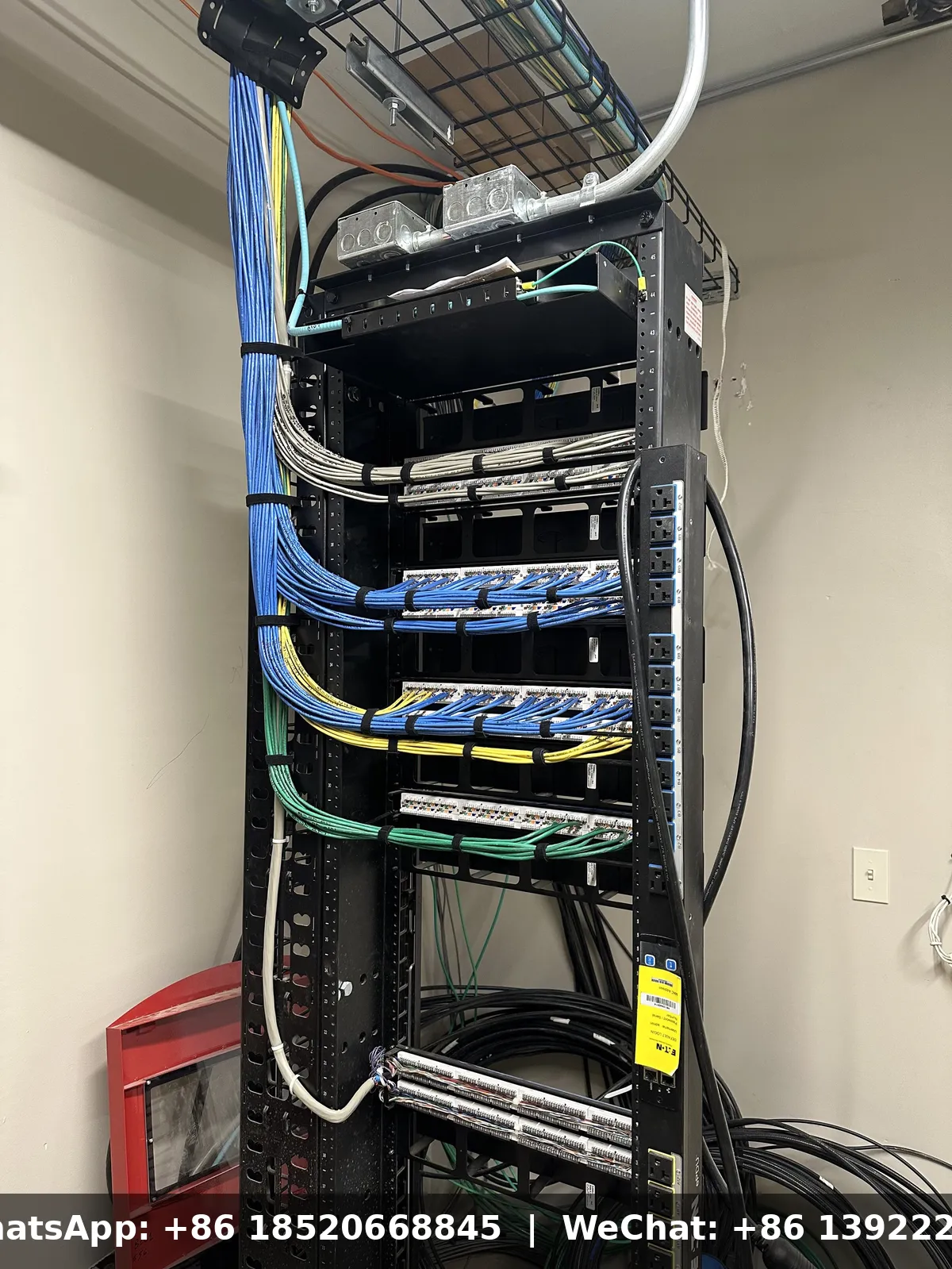
5. The KITOZER Structured Cabling Product Line
KITOZER supplies the complete structured cabling ecosystem. Every product below is engineered to work together and certified to the corresponding category. KZ- part numbers are KITOZER-internal model designations.
5.1 Copper Horizontal Cable
| KITOZER P/N | Description | Category | Conductor | Shield | Bandwidth | Reference Price (list×2) |
|---|---|---|---|---|---|---|
| KZ-C6-UTP-305 | Cat6 U/UTP solid cable, 305 m box | Cat6 | 23 AWG solid BC | U/UTP | 250 MHz | ¥1,380 / box |
| KZ-C6A-UTP-305 | Cat6A U/UTP solid cable, 305 m box | Cat6A | 23 AWG solid BC | U/UTP | 500 MHz | ¥2,400 / box |
| KZ-C6A-FTP-305 | Cat6A F/UTP foil-shielded cable | Cat6A | 23 AWG solid BC | F/UTP (overall foil) | 500 MHz | ¥2,900 / box |
| KZ-C6A-UFTP-305 | Cat6A U/FTP pair-shielded cable | Cat6A | 23 AWG solid BC | U/FTP (pair foil) | 500 MHz | ¥3,200 / box |
| KZ-C7-SFTP-500 | Cat7 S/FTP fully shielded cable, 500 m drum | Cat7/Class F | 23 AWG solid BC | S/FTP (braid + pair foil) | 600 MHz | ¥6,800 / drum |
| KZ-C6-PATCH-2M | Cat6 stranded patch cord, 2 m, blue | Cat6 | 7×0.16 mm stranded | U/UTP | 250 MHz | ¥12 / pc |
| KZ-C6A-PATCH-2M | Cat6A stranded patch cord, 2 m, blue | Cat6A | 7×0.16 mm stranded | U/UTP | 500 MHz | ¥22 / pc |
All KITOZER copper cables use bare copper (BC) conductors rather than copper-clad aluminum (CCA), because CCA has higher resistance, fails PoE temperature derating and does not terminate reliably on 110/IDC blocks. The jacket is LSZH (low-smoke zero-halogen) as standard for indoor vertical risers; PVC is available for horizontal runs in less stringent projects.
5.2 Fiber Cable and Patch Cords
| KITOZER P/N | Description | Fiber Type | Core/Clad | Connector | Reference Price |
|---|---|---|---|---|---|
| KZ-OM3-LCLC-3 | OM3 fiber patch cord, LC-LC, 3 m | Multimode OM3 | 50/125 μm | LC-UPC duplex | ¥45 / pc |
| KZ-OM4-LCLC-3 | OM4 fiber patch cord, LC-LC, 3 m | Multimode OM4 | 50/125 μm | LC-UPC duplex | ¥65 / pc |
| KZ-OS2-LCLC-3 | OS2 single-mode patch cord, LC-LC, 3 m | Single-mode OS2 | 9/125 μm | LC-UPC duplex | ¥35 / pc |
| KZ-OM3-TRUNK-12 | 12-strand OM3 breakout trunk, 100 m | Multimode OM3 | 50/125 μm | Fan-out to LC | ¥2,800 / trunk |
| KZ-OS2-OUT-24 | Outdoor armored 24-strand OS2, per m | Single-mode OS2 | 9/125 μm | Tube gel-filled | ¥28 / m |
| KZ-MPO-12-OM4 | MPO/MTP 12-female OM4 trunk, 10 m | Multimode OM4 | 50/125 μm | MPO-12 | ¥850 / pc |
5.3 Patch Panels and Keystone Modules
| KITOZER P/N | Description | Ports | U | Category | Reference Price |
|---|---|---|---|---|---|
| KZ-PP-24-C6A | 24-port Cat6A unshielded patch panel, 19″ | 24 × RJ45 | 1U | Cat6A | ¥480 / pc |
| KZ-PP-24-C6A-S | 24-port Cat6A shielded patch panel, 19″ | 24 × RJ45 shielded | 1U | Cat6A | ¥820 / pc |
| KZ-PP-48-C6A | 48-port Cat6A blank patch panel, 2U | 48 × keystone | 2U | Cat6A | ¥960 / pc |
| KZ-KM-C6A | Cat6A shielded keystone RJ45 module, tool-less | 1 | — | Cat6A | ¥65 / pc |
| KZ-KM-C6 | Cat6 unshielded keystone RJ45 module, 110 punch-down | 1 | — | Cat6 | ¥35 / pc |
| KZ-FAP-24-OM4 | 24-port OM4 fiber adapter panel, LC duplex | 24 × LC | 1U | OM4 | ¥1,200 / pc |
| KZ-FAP-24-OS2 | 24-port OS2 single-mode fiber adapter panel | 24 × LC | 1U | OS2 | ¥980 / pc |
5.4 Cable Management, Racks and Accessories
| KITOZER P/N | Description | Reference Price |
|---|---|---|
| KZ-CM-H1U | 1U horizontal cable manager, single-sided, metal | ¥85 / pc |
| KZ-CM-H2U-D | 2U double-sided horizontal cable manager with cover | ¥180 / pc |
| KZ-CM-V42 | 42U vertical cable manager, two-post, brush | ¥680 / pc |
| KZ-RK-4261 | 42U server rack, 600×1000 mm, glass door, fixed shelves | ¥2,800 / rack |
| KZ-RK-4280 | 42U server rack, 800×1000 mm, expanded cable width | ¥3,600 / rack |
| KZ-LB-KIT | Brother-compatible label kit, 500 self-laminating flags | ¥280 / kit |
| KZ-TIE-VEL | Reusable hook-and-loop cable ties, bag of 100 | ¥65 / bag |
| KZ-FT-TOOL | Fusion splicer kit with cleaver, stripper, OTDR | ¥35,000 / set |
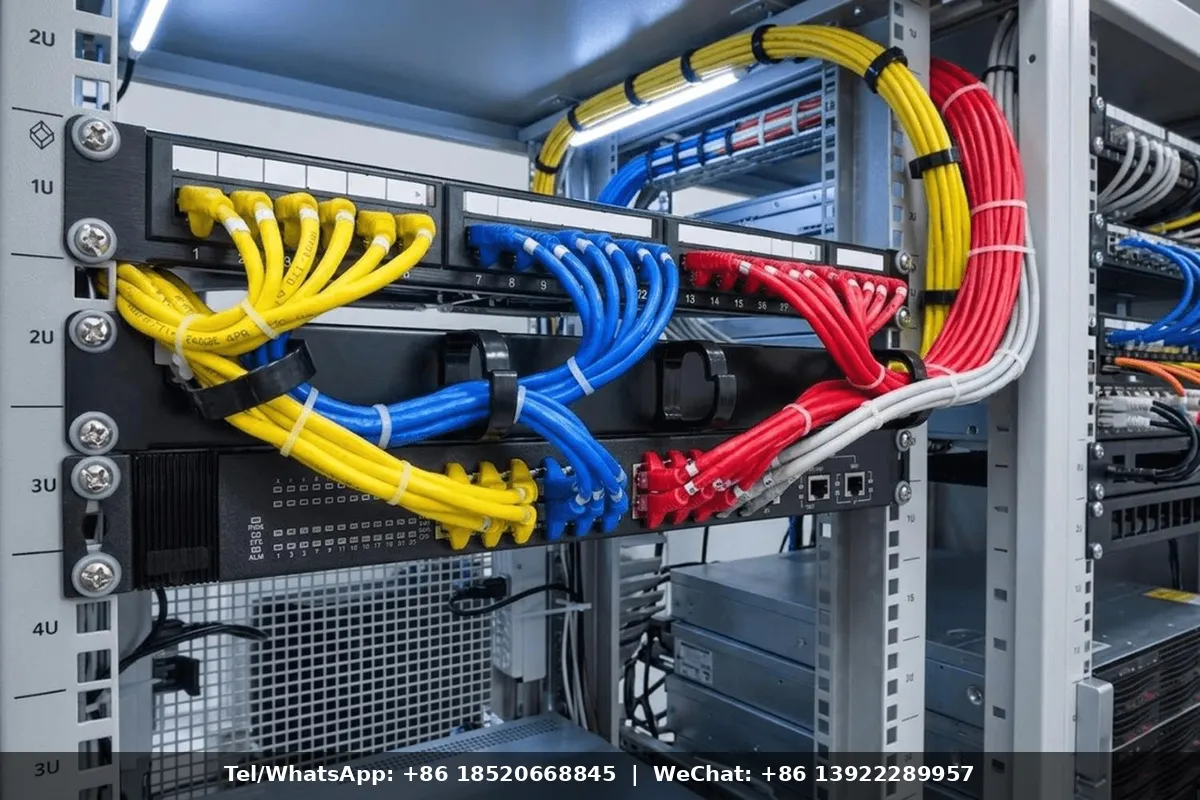
6. Selection and Engineering Calculation: Worked Example
To make selection concrete, KITOZER works a complete example for a 5-floor office building with 100 work-area outlets per floor (500 outlets total). The customer requires 10 Gbps to every desk and future-proofing for 15 years.
6.1 Step 1: Choose Horizontal Grade
Because the customer wants 10 Gbps to the desk over the full 90 m horizontal distance, Cat6A is mandatory (Cat6 cannot do 10 Gbps beyond 37–55 m). KITOZER selects KZ-C6A-UTP-305 unshielded LSZH cable for the open-office environment (no strong EMI sources), and KZ-C6A-FTP-305 shielded cable in the floor near the electrical room, elevator motor room and UPS battery room.
6.2 Step 2: Estimate Cable Length
The average horizontal distance from the floor distributor to the work outlet is estimated as the midpoint of the shortest and longest runs plus a 10% service loop and 5 m at each end for patching. For this building:
- Shortest run: 18 m; longest run: 85 m; average = (18+85)/2 = 51.5 m
- Add 10% service loop + 5 m rack end + 3 m wall end = 51.5 × 1.10 + 8 = 64.7 m per outlet
- Total horizontal cable = 500 outlets × 64.7 m ≈ 32,350 m
- Boxes of 305 m: 32,350 / 305 ≈ 106 boxes → order 110 boxes (4% spare)
- Reference cost: 110 × ¥2,400 = ¥264,000
6.3 Step 3: Choose Backbone Fiber
Each floor IDF connects to the MDF on the ground floor. Vertical distance is about 20 m per floor, well within multimode range. KITOZER specifies 12-strand OM4 multimode backbone per floor (6 active + 6 spare), terminated to LC adapters on KZ-FAP-24-OM4 panels in both MDF and IDF. Reference cost for 5 floor trunks (100 m each pre-fused) = 5 × ¥2,800 = ¥14,000.
6.4 Step 4: Count Patch Panels and Modules
- Horizontal patch panels at IDF: 100 outlets / 24 ports = 4.2 → 5 × KZ-PP-24-C6A per floor × 5 floors = 25 panels
- Keystone modules: 500 × KZ-KM-C6A for wall plates = 500 modules
- Work-area faceplates: 500 dual-port faceplates (1 data + 1 voice)
- Backbone fiber panels: 1 × KZ-FAP-24-OM4 in MDF + 5 × in IDFs = 6 panels
6.5 Step 5: Rack and Cable Management Count
Each IDF holds one 24-port patch panel, one 24-port 10 G switch (1U), a 1U horizontal cable manager above and below the patch panel, and a vertical manager on the side. A 22U wall-mount or 42U floor rack is sufficient. The MDF holds 5 × 24-port fiber panels, 5 × 48-port copper consolidation panels, 2 core switches (3U), router/firewall (2U), UPS (3U) and 4U of cable managers. Total KITOZER rack reference cost for the whole building: 5 IDF racks × ¥2,800 + 1 MDF rack × ¥3,600 = ¥17,600, plus cable managers, patch cords and labels ≈ ¥8,000.
6.6 Step 6: Test and Documentation Budget
Every one of the 500 copper links and 60 fiber strands must be certified. KITOZER uses a FLUKE DSX-8000 for copper and an OTDR + light source/meter for fiber. Testing, labeling, CMS database entry and as-built drawings are budgeted at ¥120 per copper link and ¥80 per fiber strand: 500 × 120 + 60 × 80 = ¥64,800.
6.7 Total Reference Budget for the Example
| Item | Reference Cost (CNY, list×2) |
|---|---|
| Cat6A horizontal cable (110 boxes) | ¥264,000 |
| Backbone OM4 trunks (5 runs) | ¥14,000 |
| Copper patch panels (25 × 24-port) | ¥12,000 |
| Keystone modules (500) | ¥32,500 |
| Faceplates and wall boxes (500) | ¥15,000 |
| Fiber adapter panels (6) | ¥7,200 |
| Racks and cable managers (6 racks) | ¥25,600 |
| Patch cords (data + voice + fiber) | ¥18,000 |
| Labels, ties, consumables | ¥4,500 |
| FLUKE + OTDR certification and as-built docs | ¥64,800 |
| Total plant reference (EXW Guangzhou) | ¥457,600 |
This works out to about ¥915 per work-area outlet, including cabling, panels, racks, test and documentation — a typical all-in reference number for a Cat6A + OM4 office build.
7. Installation Best Practice and Rack Dressing
7.1 Cable Pulling
KITOZER installers pull horizontal cable with a maximum pulling tension of 110 N (25 lbf) for 4-pair UTP and 90 N for F/UTP. The cable must never be yanked, kinked or stapled. A pull-lubricant is used for long pulls through conduit. The minimum bend radius during pulling is 8× the cable diameter (about 50 mm for Cat6A); after installation it is 4× diameter. A maximum of 180° total bend is allowed between outlets and the TR.
7.2 Routing and Separation from Power
Per TIA-569 and GB 50311, data cable must maintain separation from electrical cables. The minimum separation depends on power cable voltage and whether either side is in a grounded metal conduit or tray:
| Condition | Minimum Separation |
|---|---|
| Data and power in separate grounded metal trays, parallel | 50 mm |
| Open trays crossing at 90°, no shielding | 50 mm |
| Parallel with unshielded 240 V power, no conduit | 130 mm |
| Parallel with 400 V / 3-phase motor feeds | 300 mm |
| Near fluorescent light ballasts / VFDs | ≥600 mm (use shielded F/UTP) |
7.3 Rack Dressing
A KITOZER rack is dressed as follows:
- Cables enter the rack from the top (ceiling tray) or bottom (raised floor), never both mixed on the same side.
- Patch panels are mounted at the top of the rack, switches below them, servers below switches — following the “top-down” signal-flow convention.
- A 1U horizontal cable manager sits between every patch panel and every switch, with a finger duct and a cover.
- Patch cords hang in gentle vertical loops, never pulled taut; the bend radius at the RJ45 boot is never less than 4× cable diameter.
- Cable ties are hook-and-loop (reusable), never nylon zip ties cinched tight — over-tightening crushes the pair twist and destroys NEXT performance.
- Power cords run on the opposite side of the rack from data cords, separated by at least 50 mm.
- All cables are labeled at both ends with a self-laminating flag: format
FLOR-TR-PORT, e.g.F03-TR2-017means floor 3, telecom room 2, port 17.
7.4 Termination of Keystone Modules
When terminating a Cat6A cable on a 110/IDC keystone, KITOZER installers: (1) remove only 25 mm of outer jacket (never more — untwisting beyond 13 mm destroys NEXT); (2) untwist each pair only just enough to seat it on the IDC; (3) cut conductors square with a punch-down tool set to the correct blade; (4) do not “comb” or straighten the pairs; (5) ensure the drain wire of F/UTP contacts the module shield shell. Each terminated module is immediately re-tested on a cable verifier before being pressed into the faceplate or patch panel.
7.5 Fiber Splicing vs Mechanical Splicing
KITOZER recommends fusion splicing for permanent backbone runs (insertion loss ≈ 0.02 dB per splice, mechanical return loss >60 dB) and mechanical connectors only for temporary field repairs. A fusion splicer costs ¥35,000–¥80,000 but pays for itself on any campus job with more than 30 splices. Every splice is OTDR-tested from both ends and the splice tray is labeled with the strand number and insertion loss.
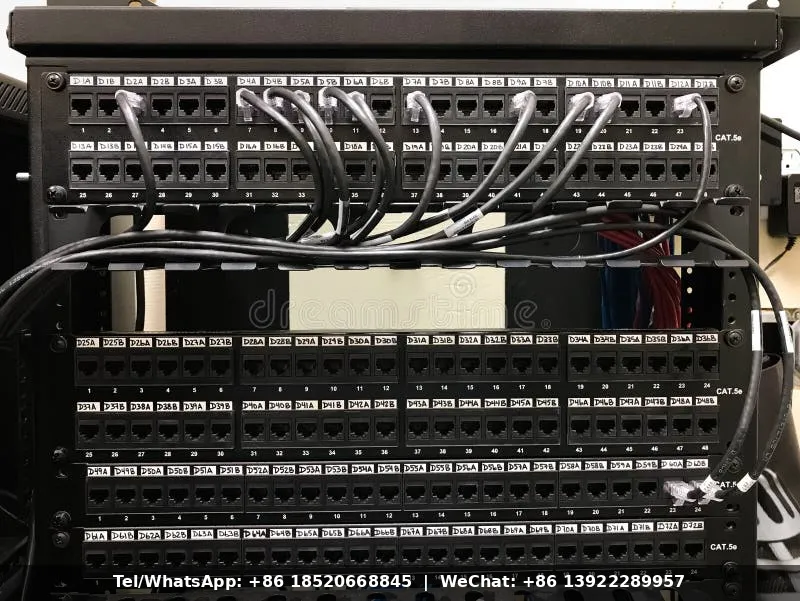
8. Operation, Maintenance and Moves/Adds/Changes
8.1 As-Built Documentation
Every KITOZER cabling project is handed over with: (a) a CMS database (Excel or web) listing every outlet number, location, patch panel port, switch port and test result; (b) floor plan drawings with outlet positions; (c) rack elevation drawings showing U positions; (d) the full FLUKE DSX-8000 PDF report set; (e) OTDR traces for every fiber strand; and (f) the label layout sheet. Without this documentation, a move/add/change becomes a time-consuming tracing exercise.
8.2 Periodic Testing Schedule
| Asset | Activity | Frequency |
|---|---|---|
| Copper links | Full FLUKE certification on a 10% sample | Every 3 years |
| Fiber trunks | OTDR trace and insertion loss | Every 5 years |
| Patch cords | Visual inspection; replace cracked boots or bent pins | Annually |
| Patch panels / keystones | Reseat and clean; check IDC tightness | Every 5 years |
| Rack cable managers / ties | Replace tired hook-and-loop ties; re-dress | Every 3 years |
| Labels | Check legibility; re-print if faded | Annually |
8.3 Troubleshooting Methodology
When a link fails, KITOZER follows a disciplined four-step process: (1) swap the patch cord at both ends — 50% of faults are bad patch cords; (2) verify the switch port and the end device port with a known-good cable; (3) run the FLUKE on the permanent link to isolate whether the fault is at the wall outlet, in the horizontal cable, or at the patch panel; (4) for fiber, clean the LC connectors with an alcohol-based one-click cleaner and re-test — dirty connectors cause 80% of fiber faults. Never clean fiber connectors with a cotton swab or a shirt tail.
8.4 Moves, Adds and Changes (MAC)
The advantage of structured cabling over point-to-point wiring is that moves are software-only in the CMS: an outlet already lands on a patch panel port; to move a user, the patch cord is simply re-seated from one switch port to another. The permanent horizontal cable is never touched. KITOZER’s CMS can generate a work-order that lists exactly which patch cords to move, where, and with which labels.
9. Application Scenarios
9.1 Commercial Office Buildings
The bread-and-butter KITOZER project: Cat6A horizontal to dual-port faceplates (one data, one voice), OM4 fiber to each floor IDF, 24-port shielded patch panels, and a fully dressed MDF. KITOZER typically delivers 200–2,000 outlets per building.
9.2 Data Centers
Data centers require high-density, short-reach cabling. KITOZER supplies Cat6A 24-port patch panels in 1U (even 0.5U for ultra-high density), MPO/MTP 12-fiber OM4 cassettes for 40/100 Gbps, and pre-terminated trunk cables between the top-of-rack switch and the patch panel. Power separation and hot-aisle/cold-aisle labeling are critical.
9.3 Industrial and Factory Floors
Industrial environments have VFDs, motor starters and welders. KITOZER specifies F/UTP or S/FTP shielded Cat6A cable routed in galvanized steel tray, with shield grounding at both ends, and uses industrial M12 D-coded or M12 X-coded connectors at the machine end. Fiber is used wherever distances exceed 90 m or EMI is extreme.
9.4 Hospitals
Hospitals need Cat6A to every bedside (for nurse call, patient monitors, VoIP and Wi-Fi), plus OM4 fiber to the operating rooms and PACS imaging rooms. LSZH cable is mandatory throughout because of fire safety in occupied evacuation routes. KITOZER coordinates with the medical gas and electrical contractors on tray routing.
9.5 Campuses, Schools and Hotels
For dorms, hotel rooms and classrooms where the outlet density is high but the bandwidth per outlet is moderate, KITOZER recommends Passive Optical LAN (GPON): an OS2 single-mode fiber from the central office, a passive splitter on each floor, and a fiber wall plate at each room. This eliminates dozens of IDF switches and cuts energy use by up to 50%.
9.6 Airports, Stations and Transportation Hubs
Transportation hubs combine CCTV, access control, flight information displays, check-in systems and Wi-Fi across a very large footprint. KITOZER uses outdoor-rated OS2 armored fiber between buildings, Cat6A in terminals, and a separate dark-fiber ring for the surveillance network.
10. Standards Deep Dive: GB 50311, TIA-568, ISO/IEC 11801 and EN 50173 Compared
Structured cabling is governed by four major standards bodies, and a KITOZER plant is designed to satisfy all of them simultaneously. Understanding where they agree and where they diverze prevents costly rework at acceptance.
10.1 GB 50311-2016 (China)
GB 50311-2016 is the mandatory national code in China for structured cabling engineering design. It defines the six subsystems, specifies the 90 m horizontal limit, mandates LSZH cable in vertical risers and public corridors, and requires separation from power cables. It also requires a telecommunications room on every floor that exceeds 1,000 m² or has more than 400 outlets. KITOZER designs to GB 50311 as the baseline for all China-domestic projects and to the international standards for export.
10.2 TIA-568.0-D and TIA-568.2-E (United States)
The TIA standards are the most widely cited internationally. TIA-568.0-D is the generic cabling standard; TIA-568.2-E specifies balanced twisted-pair cabling performance to Category 8. TIA also publishes TIA-569 (pathways and spaces), TIA-606 (administration/labeling) and TIA-607 (bonding and grounding). KITOZER labels follow TIA-606 color and numbering conventions.
10.3 ISO/IEC 11801 (International)
ISO/IEC 11801:2017 (Amendment 2:2020) defines Classes from Class D (Cat5e) to Class I/II (Cat8). It introduces the zone distributor (ZD), the multi-tenant building (MD) distinction, and OM5 wideband multimode fiber. KITOZER uses ISO class nomenclature alongside TIA category nomenclature on international projects.
10.4 EN 50173 (Europe)
EN 50173 is the European equivalent, aligned closely with ISO/IEC 11801 but with stronger fire-performance requirements on cable jackets (CPR Euroclasses B2ca, Cca, Dca). KITOZER LSZH cables are CPR-rated for European export projects.
10.5 Category/Class Performance Comparison
| Designation | Frequency | Max 10G Distance | Typical Use |
|---|---|---|---|
| Cat5e / Class D | 100 MHz | 1 Gbps / 100 m | Legacy, VoIP |
| Cat6 / Class E | 250 MHz | 10 Gbps / 37–55 m | Office retrofit |
| Cat6A / Class EA | 500 MHz | 10 Gbps / 100 m | Default new build |
| Cat7 / Class F | 600 MHz | 10 Gbps / 100 m (S/FTP) | High-EMI industrial |
| Cat8 / Class I/II | 2000 MHz | 25/40 Gbps / 30 m | Data-center top-of-rack |
11. Certification Testing Deep Dive with the FLUKE DSX-8000
11.1 Why a Tester Must Be Calibrated
A cable analyzer is a precision instrument. Its internal reference resistors and receivers drift over time and temperature, so it must be recalibrated annually by the manufacturer. KITOZER’s DSX-8000 testers are calibrated every 11 months; the calibration certificate is included in the as-bound documentation. A customer acceptance engineer can (and should) ask to see the calibration sticker on the tester before certifying the plant.
11.2 The Test Sequence on Every Copper Link
The DSX-8000 runs a 5-second sweep across the full frequency range (up to 500 MHz for Cat6A) on all four pairs. It reports:
- Wire map — opens, shorts, reversals, splits
- Length — in meters, per pair
- Propagation delay — skew between pairs
- Insertion loss — compared to the category limit at every frequency
- NEXT — on every pair-to-pair combination
- PS NEXT — power-sum of three disturbing pairs
- ELFEXT / PSELFEXT — far-end crosstalk
- Return loss — on each pair
- Resistance / loop resistance — detects bad terminations
The tester applies a green “PASS” only if every parameter is below the category limit with margin. KITOZER rejects and re-terminates any link that passes but has less than 3 dB margin on insertion loss, because temperature and patch-cord aging erode that margin over 15 years.
11.3 Fiber Testing: Tier 1 and Tier 2
Tier 1 testing is insertion loss + length at 850/1300 nm (multimode) or 1310/1550 nm (single-mode), using a light source and power meter. Tier 2 adds an OTDR trace from both ends to locate faults, splices and bends. KITOZER performs Tier 1 on every fiber link and Tier 2 on all backbone and campus trunks. The OTDR trace is saved as a PDF with event table.
11.4 Common Failure Causes and Remedies
| Failure | Likely Cause | Remedy |
|---|---|---|
| NEXT fail at high freq | Over-untwisted pair at keystone | Re-terminate, untwist ≤13 mm |
| Return loss fail | Kinked cable, bad connector | Straighten or re-terminate |
| Insertion loss high | Too long, tight bundle, bad splice | Check length, fan out bundle |
| Wire map split pair | T568A/B mismatch | Re-terminate to one standard |
| Fiber loss high | Dirty connector, tight bend | Clean with one-click cleaner |
12. Fiber Optic Engineering: Loss Budgets, Splice Trays and MPO
12.1 Worked Loss Budget for a 200 m OM4 Backbone
A 200 m OM4 link at 10 Gbps (850 nm VCSEL):
- Fiber attenuation: 200 m × 3.5 dB/km = 0.70 dB
- Connector pairs: 4 (patch panel both ends + equipment) × 0.25 dB = 1.0 dB
- Fusion splices: 2 × 0.02 dB = 0.04 dB
- Total channel loss = 1.74 dB
- 10GBASE-LRM/SR transceiver budget for OM4 at 200 m: 8.3 dB
- Margin: 8.3 − 1.74 = 6.56 dB — comfortable.
12.2 Splice Tray and Enclosure Design
Every fusion splice lives in a protected splice tray inside a fiber enclosure (1U rack-mount or wall-mount). The tray holds 12–24 splices in individual clips, with a minimum 30 mm bend radius. KITOZER enclosures have a hinged cover, a label area for strand mapping, and spare slack storage for 5 m of future re-splice.
12.3 MPO/MTP Polarity and Key-Up/Key-Down
MPO trunks have a key orientation (key-up or key-down) that determines fiber ordering. KITOZER supplies Method A (straight-through) polarity as default for 100 GBASE-SR4, and labels every MPO cassette with its polarity map. Wrong polarity is the most common MPO commissioning fault and is caught by a Tier 2 OTDR or visual fault locator.
13. Rack Design, Hot/Cold Aisle and Power-Signal Separation
13.1 Rack Layout Convention
KITOZER follows the “top-down” rack convention: patch panels at the top (U42 down to U30), network switches below them (U30–U18), servers and storage below (U18–U4), UPS and PDU at the bottom (U4–U1). Cable managers sit between every horizontal row. This puts the patch cords in the shortest possible vertical run and keeps cable density highest at the top where the managers live.
13.2 Hot-Aisle / Cold-Aisle Containment
In data centers, racks are arranged in alternating cold-aisle (front intake) and hot-aisle (rear exhaust) rows. KITOZER routes data cables on the cold-aisle side of the rack (where the cable managers are) and power cables on the hot-aisle side, maintaining the 50 mm separation. This also keeps data cables out of the 40–55 °C hot-aisle exhaust, which would accelerate jacket aging.
13.3 Grounding and Bonding
Every rack bonds to the building equipotential grounding bus with a 6 mm² copper braid, terminated to the rack’s ground stud. Shielded patch panels bond to the rack ground bar. KITOZER uses a single-point grounding strategy for the shielded cabling plant to avoid ground loops circulating 50 Hz hum on the shield.
14. Project Management, Safety and Quality Control
14.1 The KITOZER Installation Workflow
A KITOZER cabling project runs through six controlled phases: (1) design review and BOM sign-off; (2) material delivery and incoming inspection (visual + sample FLUKE); (3) cable pulling and tray install; (4) termination and rack dressing; (5) 100% certification and defect rectification; (6) as-bound documentation and handover. Each phase is signed off by the customer’s site supervisor before the next begins.
14.2 Site Safety
KITOZER installers work to the local site HSE rules: harness at height above 2 m, hard hat and safety shoes on site, insulated tools for work near live power, and lockout/tagout before touching any electrical panel. Cable trays are de-energized and verified with a tester before data cables are pulled parallel to live power.
14.3 Quality Control Gates
Three QC gates are enforced: (a) incoming material — every cable box is stamped with the KITOZER lot and sample-tested; (b) mid-installation — a 10% random pull-test and visual inspection of terminations at the 50% progress mark; (c) handover — 100% FLUKE/OTDR certification and a joint walk-through with the customer. Any failed link is re-terminated and re-tested before handover.
14.4 Documentation Deliverables
The KITOZER handover package includes: as-built floor plans in DWG/PDF, rack elevation drawings, the CMS database (Excel or web export), the full FLUKE report set, OTDR traces, label layout sheets, cable lot numbers, warranty certificates, and as-built photographs. This package is what makes the plant maintainable over its 20-year life.
15. Environmental, Industrial and Outdoor Cabling
15.1 Industrial-Grade Shielded Cabling
Factory floors, process plants and discrete manufacturing floors contain variable-frequency drives, contactors, welders, motors and large switch-mode power supplies that radiate broadband electromagnetic noise. A plain U/UTP Cat6A cable in such an environment will experience intermittent packet loss that is impossible to debug. KITOZER’s industrial cabling strategy is threefold: (a) use F/UTP or S/FTP shielded cable with continuous foil/braid; (b) route in galvanized steel tray with the tray bonded to ground; (c) use M12 X-coded or M8 D-coded industrial connectors at the machine end rather than RJ45, which is not rated for vibration. KZ-C6A-UFTP-305 and KZ-C7-SFTP-500 are the two KITOZER SKUs most often specified for OEM machine wiring.
15.2 Outdoor and Campus Cabling
Outdoor backbone runs use gel-filled, armored, single-mode OS2 fiber. KITOZER KZ-OS2-OUT-24 is a 24-strand loose-tube armored fiber with corrugated steel tape between the PE jacket and the fiber buffer tubes, rated for direct burial or duct. Splices at building entrances are housed in IP68-rated underground closure enclosures. Lightning protection is applied at both building ends: the cable’s steel armoring is grounded, and any copper campus run (rare today) goes through a gas-discharge-tube surge protector. KITOZER supplies pre-connectorized outdoor jumpers with SC/APC or LC/PC connectors pigtailed from the closure.
15.3 Plenum, Riser and LSZH Ratings
North-American fire codes rate cable jackets as CMP (plenum), CMR (riser) and CM (general-purpose). In China and Europe, the equivalent distinction is LSZH for vertical risers and public areas vs PVC for horizontal office runs. KITOZER LSZH jackets emit <0.5% HCl gas and smoke density under 0.10 m²/m when burned, meeting IEC 60754, IEC 61034 and EN 50575 CPR standards. For projects exporting to the EU, KITOZER can supply Cca-s1,d1,a1 rated LSZH jackets on request.
15.4 Temperature, Humidity and Vibration
Copper cable performance drifts with temperature: insertion loss rises about 0.4% per °C above 20 °C. KITOZER therefore designs horizontal plant to run at ≤30 °C (data center hot aisles) and specifies the link with 3 dB margin. Vibration at machine ends is handled by flexible stranded patch cords and strain-relief at the connector. Damp or corrosive environments (food processing, chemical plants) use gel-filled barrier inner jackets and 316 stainless steel faceplates.
16. Sustainable, Green and Energy-Efficient Cabling
16.1 The Carbon Footprint of a Cabling Plant
Copper mining and refining is energy-intensive: a single 305 m box of Cat6A cable contains about 5 kg of bare copper, equivalent to roughly 12 kg CO₂e. KITOZER minimizes the carbon footprint by (a) specifying the minimum cable length through accurate take-off, (b) using modular patch panels that are re-used across decades rather than discarded, (c) choosing LSZH over PVC to reduce end-of-life halogen disposal, and (d) offering take-back of old patch cords for recycling.
16.2 Energy Savings from Structured Cabling
A well-dressed cabling plant reduces energy use in three ways: (a) shorter patch cords mean lower insertion loss, allowing switches to run at lower transmit power; (b) separate power and data trays allow cold-aisle containment to work properly, cutting HVAC energy by 20–30%; (c) POL/fiber-to-the-desk eliminates dozens of floor IDF switches, saving 5–10 kW per floor in switch power. Over a 15-year life, the energy savings often exceed the cabling hardware cost.
16.3 TCO Worked Comparison: Cat6A Today vs Cat5e Upgrade Later
Scenario: a 500-outlet office. Option A: Cat5e now (¥500/outlet) and re-pull to Cat6A in year 8 when 10 G arrives (¥800/outlet labor + cable). Option B: Cat6A now (¥900/outlet). Option A total over 15 years = 500 × (500 + 800) = ¥650,000, plus 3 days of business disruption per floor during re-pull. Option B = 500 × 900 = ¥450,000 with zero disruption. The upfront premium of Cat6A pays for itself by year 6.
17. Expanded Product Catalog Detail
17.1 Wall Plates, Faceplates and Surface Boxes
KITOZER faceplates are ABS/PC flame-retardant (UL94 V-0), available in single-port, dual-port and quad-port. The dual-port faceplate (KZ-WP-2) takes two keystone modules — typically one data (blue) and one voice (yellow). Dust-protective shutters close unused ports. For raised-floor applications, KITOZER supplies KZ-FB-01 floor boxes with brushed aluminum covers and 4–8 port capacity, rated 500 kg pedestrian load. For open-plan desks, KITOZER supplies KZ-PDB-01 under-desktop outlet modules that mount under the work surface.
17.2 Rack and Cabinet Details
KITOZER 42U racks (KZ-RK-4261) are 600 mm wide × 1000 mm deep, with a tempered-glass front door, solid steel rear door, 4 fans on the roof, two fixed shelves, four M6 cage-nut mounting screws per U, and a grounding stud. The 800 mm-wide version (KZ-RK-4280) gives 200 mm extra width for vertical cable managers on both sides. KITOZER also supplies open-frame two-post racks for lightweight patch-panel-only TRs, and wall-mount 9U/12U/22U cabinets for small IDFs.
17.3 PDU, Power and Grounding Accessories
Although power distribution is covered by KITOZER’s separate PDU product line, the cabling plant requires a rack PDU (KZ-PDU-16A) with 8 IEC C13 outlets for the switch and patch-panel gear. Every rack has a 1U ground bar (KZ-GB-1U) with 12 threaded studs for shield bonding and rack equipotential bonding.
17.4 Test and Handover Kits
KITOZER offers KZ-TEST-KIT for customers who want to self-certify: a cable verifier (wire map, length, short detection) for routine moves, and a one-click fiber cleaner. Full certification requires the FLUKE DSX-8000, which KITOZER supplies with annual calibration service.
19. Detailed Application Case Studies
19.1 Five-Floor Office Headquarters (the worked example)
The 500-outlet office described in Section 6 is KITOZER’s most common engagement. The project ran on a 12-week schedule: weeks 1–2 design and BOM; weeks 3–4 tray and conduit; weeks 5–8 cable pulling; week 9 termination; week 10 rack dressing; week 11 FLUKE/OTDR certification; week 12 handover. The reference budget was ¥457,600 (EXW Guangzhou), or about ¥915 per outlet. The customer reported zero link failures at acceptance and has used the KITOZER CMS for all subsequent MACs with no re-cabling.
19.2 200-Rack Tier-3 Data Center
A 200-rack data center uses Cat6A from the top-of-rack switch to the row patch panel (30 m), OM4 MPO trunks from the row patch panel to the core (100 m), and OS2 fiber for the campus link. KITOZER supplied 400 × 24-port Cat6A patch panels, 800 × MPO-12 OM4 cassettes, and 4 km of OS2 outdoor fiber. The reference hardware budget was ¥3.2 million; installation and certification added ¥800,000. KITOZER’s intelligent cable manager design kept rack backs neat enough for the customer’s audit team to walk through the cold aisle without tripping over cables.
19.3 500-Room Hotel with Passive Optical LAN
A 500-room city-center hotel replaced its legacy structured cabling with a GPON passive optical LAN. KITOZER installed a 48-port OLT in the basement equipment room, a 1:32 optical splitter on each floor, and an ONT in each guest room. The plant uses only 2 km of OS2 single-mode fiber instead of 25 km of Cat6 and eliminates 14 IDF switches. Energy use in the IDF rooms dropped by 85%; the guest Wi-Fi and IPTV are both carried on the fiber. Reference hardware cost was ¥680,000, 40% less than the equivalent copper structured-cabling build.
19.4 Manufacturing Plant with Industrial Ethernet
A discrete-manufacturing plant needed 120 machine-tool network drops with Profinet/ETHERNET/IP and PoE for IP cameras. KITOZER specified F/UTP Cat6A in galvanized steel tray, M12 X-coded connectors at each machine, and OS2 fiber backbone between the three production buildings. Shield grounding was single-point at each equipment room. The plant has run for three years with zero crosstalk-induced downtime, compared to the previous unshielded Cat5e plant that required quarterly re-termination.
19.5 University Campus Dormitory Retrofit
A 12-building dormitory retrofitted for 4,000 students. KITOZER installed outdoor OS2 armored fiber between buildings, OM4 backbone in each building riser, and Cat6A to each study desk. Wi-Fi 6 APs are ceiling-mounted in every study lounge and lecture hall. The project was phased building-by-building over two summer recesses to avoid disrupting classes. KITOZER’s CMS lets the university IT team move a student from one room to another in minutes by re-patching a single cord.
20. Troubleshooting Playbook and Diagnostic Workflows
20.1 The “No Link” Workflow
When a user reports no link to the switch, KITOZER follows this sequence: (1) verify the switch port LED and try a known-good device on the same port; (2) swap the desk patch cord; (3) swap the rack patch cord; (4) check the patch panel port number in the CMS; (5) run a cable verifier on the wall outlet; (6) if all above pass but the link still does not come up, run the full FLUKE on the permanent link. In KITOZER’s experience, 70% of “no link” calls are a bad patch cord; 20% are a switch port; 8% are a bad keystone; 2% are a horizontal cable fault.
20.2 Intermittent Packet Loss / CRC Errors
Intermittent errors usually point to marginal insertion loss or return loss: a nearly-broken wire strand, a kinked cable, a dirty fiber connector, or a patch cord bent below its radius. KITOZER runs the FLUKE on the suspect link and looks at the return-loss trace for a spike at a specific frequency — that spike locates the bad connector. On fiber, the OTDR trace shows the bad splice or tight bend as a localized loss event.
20.3 PoE Device Not Powering Up
When a PoE camera or AP does not power up: (1) confirm the switch port PoE budget (PoE++ switches allocate 90 W per port; a four-port PoE+ switch totals 144 W, so the fourth port may not deliver full power); (2) verify the cable is 23 AWG (24 AWG drops PoE distance); (3) check cable length — PoE++ at 90 W should stay within 75 m; (4) measure the voltage at the device end with a multimeter — the cable should drop no more than 1 V over 90 m.
20.4 Fiber Link Budget Mismatch
If a fiber link is dark or high-loss: (1) clean both ends with a one-click cleaner; (2) inspect the ferrule under a 200× microscope; (3) check the transmit and receive fibers are not swapped (Rx on Tx); (4) measure power at both ends with a power meter; (5) run OTDR from both ends to find the bad splice. KITOZER finds that dirty connectors cause 80% of “failed” fiber links on first test.
20.5 Rack Cabling Hygiene Audit
KITOZER recommends an annual rack-cabling hygiene audit: (a) all patch cords are labeled; (b) no zip ties are crushing cable bundles; (c) cable managers are not overfilled; (d) power and data cords are separated; (e) unused patch cords are removed and recycled; (f) patch panels are dust-free. A clean rack reduces mean-time-to-repair from hours to minutes.
21. KITOZER Quality, Certifications and Factory Audit
21.1 Component Certifications
KITOZER cables and connectivity components are third-party tested and certified to: TIA-568.2-D Cat6/Cat6A, ISO/IEC 11801 Class E/EA, GB/T 18015, CPR EN 50575, UL Listed, RoHS 2.0 and REACH. KITOZER provides the test reports and certification numbers on request before bulk order.
21.2 Factory Audit and Material Traceability
Every KITOZER cable box is laser-printed with the lot number, date, conductor gauge, jacket type and certification mark. KITOZER maintains lot traceability: if a defect is found, the exact production run and raw-material batch can be recalled. Customers are welcome to factory-audit the Guangzhou production line.
21.3 The 20-Year System Warranty
When KITOZER supplies and certifies a complete plant (cable, patch panels, keystones, patch cords and racks), the customer receives a 20-year performance warranty covering all components. The warranty requires: (a) installation by a KITOZER-certified installer; (b) FLUKE/OTDR certification at handover; (c) registration in the KITOZER CMS. The warranty covers free replacement of any component that fails to meet its category specification, including labor in the first two years.
23. Detailed Engineering Calculation Worksheets
23.1 Horizontal Cable Take-Off Worksheet
For every floor, the estimator records: (a) the IDF room location; (b) the shortest and longest outlet distance measured on the floor plan; (c) the average length = (shortest + longest)/2; (d) add 15% for ceiling sag, service loop and routing around obstructions; (e) add 6 m for the rack end (3 m at TR + 3 m at desk). The per-outlet length is then multiplied by the outlet count, rounded up to the next 305 m box. The KITOZER estimator delivers this worksheet as part of the BOM so the customer can audit the take-off.
23.2 Patch Cord Budget Worksheet
Patch cords are consumed in three places: at the desk (one per active outlet, 3 m), at the patch panel-to-switch (one per active switch port, 2 m), and spare (10% of the active count, assorted lengths). For the 500-outlet example: 500 desk cords × ¥22 = ¥11,000; 300 active switch ports × ¥22 = ¥6,600; 80 spare cords = ¥1,760. Total patch cord reference = ¥19,360, close to the budgeted ¥18,000.
23.3 Fiber Strand Count Worksheet
For each backbone run, count: (a) active strands = number of fiber ports at each end × 2 (Tx/Rx); (b) spare strands = 50% of active; (c) trunk strands = active + spare. For the example: each IDF uses 6 active fibers (3 OM4 links to core), so trunk = 9 strands; round up to a standard 12-strand cable. Across 5 floors, 5 × 12-strand trunks = 60 strands total, of which 30 are active and 30 spare.
23.4 Rack U-Space Worksheet
For the MDF: 5 × 24-port copper patch panels = 5U; 5 × 24-port fiber panels = 5U; 2 core switches = 2U; 1 router = 1U; 1 firewall = 1U; 1 UPS = 3U; cable managers (1U between each device) = 8U; ventilation gaps = 4U. Total = 29U. A 42U rack leaves 13U for future expansion — the KITOZER target is at least 25% spare U-space.
23.5 Tray Fill and Conduit Sizing Worksheet
Cable cross-section is estimated from cable diameter: Cat6A U/UTP ≈ 6 mm diameter = 28 mm² per cable. For 100 horizontal cables in a tray: 100 × 28 mm² = 2,800 mm². At 50% fill, the tray needs 5,600 mm² cross-section. A standard 100 mm × 50 mm ladder tray has 5,000 mm² — close; KITOZER specifies 150 mm × 50 mm tray for that run. Conduit fill is limited to 40% per NEC; KITOZER uses 35% to ease future pulls.
24. Migration, Retrofit and Decommissioning
24.1 Migrating from Cat5e to Cat6A in an Active Building
Retrofit cabling in an occupied building is a phased art. KITOZER works floor by floor over weekends: (a) pull new Cat6A cable alongside the existing Cat5e in the same tray; (b) terminate new patch panels in the TR but leave them unpatched; (c) on cutover weekend, move one VLAN at a time to the new panel; (d) after a week of stable operation, remove the old Cat5e. This gives zero downtime and a rollback path. The old cable is cut out and recycled, never left live in the ceiling.
24.2 Adding Wi-Fi 6 APs to an Existing Plant
Wi-Fi 6E APs need Cat6A PoE++ backhaul. KITOZER audits the existing plant: if the horizontal is Cat6, it may still work for a 25 W AP but not for a 30 W Wi-Fi 6E AP. KITOZER either re-pulls Cat6A to the AP location or uses a small power injector at the AP. The existing CAT5e ceiling grid is reused for AP mounting.
24.3 Decommissioning Old Cabling
Old unused cable in the ceiling is a fire load and a vermin habitat. KITOZER recommends removing it during renovation: pull from the patch panel end, cut into 2 m sections for disposal, and recycle the copper. KITOZER does not leave “dark” cable behind because it confuses future teams and voids the firestop at penetrations.
25. KITOZER Sales, Ordering and Logistics
25.1 How to Order
Send KITOZER: project name, floor plans (DWG/PDF), outlet count, required category (default Cat6A + OM4 backbone), shield requirements, LSZH requirement, target completion date, and delivery port. KITOZER returns within 3 working days: a bill of materials with KZ- part numbers, a rack elevation, a loss budget, a reference price (list × 2), and a lead-time schedule. Sample kits (one of each cable, patch panel, keystone, patch cord) are available for ¥1,500 EXW.
25.2 Packaging and Shipping
Cable boxes (305 m) are palletized at 40 boxes per pallet. Patch panels and keystones ship in foam trays inside cartons. Racks knock down flat. KITOZER loads 20′ or 40′ FCL containers for export; LCL is available for small orders. Standard export documentation includes commercial invoice, packing list, certificate of origin and (on request) fumigation-free wooden packaging declaration.
25.3 Payment Terms
KITOZER’s standard export terms are 30% T/T deposit on order, 70% before shipment. For repeat customers and larger projects, L/C at sight is acceptable. Domestic China projects use monthly settlement. Reference prices in this document are CNY list × 2; USD or EUR quotations are available on request at the current exchange rate.
25.4 After-Sales and Technical Support
KITOZER provides: (a) remote technical support within 4 hours, by WeChat, WhatsApp or email; (b) on-site commissioning support within 48 hours for projects in southern China; (c) replacement of any defective component within 48 hours EXW; (d) annual factory calibration service for FLUKE testers sold with the project. The KITOZER warranty registration portal records every plant and every component lot, so support calls are answered with the exact bill of materials.
27. Future-Proofing: What Comes After Cat6A and OM4
27.1 Cat8 and 25/40G to the Rack
Cat8 (Class I/II, 2000 MHz) supports 25 Gbps and 40 Gbps over 30 m of shielded twisted pair. It is not intended for the horizontal to the desk; it is for short top-of-rack and leaf-spine links in data centers, where a 30 m reach covers most pod architectures. KITOZER stocks Cat8 S/FTP cable and shielded Cat8 patch panels for data-center customers who want to run 25G without pulling fiber. For office horizontal, Cat6A remains the sweet spot — 10 Gbps to 100 m is enough for the next 15 years.
27.2 OM5 Wideband Multimode Fiber
OM5 extends OM4 by specifying performance across four wavelength bands (850, 880, 910, 940 nm), supporting short-wavelength division multiplexing (SWDM) that doubles the fiber count without adding strands. KITOZER treats OM5 as an optional upgrade for new high-density data centers: it costs about 15% more than OM4 but allows 40 Gbps over 100 m on a pair of fibers rather than four. For general office backbones, OM4 remains the default because transceivers are cheaper and more widely available.
27.3 MPO 16-Fiber and 400G
400 GBASE-SR8 uses an MPO-16 parallel-fiber link over OM4/OM5. KITOZER now offers MPO-12 and MPO-16 cassettes and trunks, with polarity method B for 400 G designs. The migration path from 100G to 400G is simply swapping transceivers and using spare fibers in the existing MPO trunk — no re-pull. This is why KITOZER always leaves at least 50% spare strands on fiber trunks.
27.4 The Road to 224G and Copper’s Limit
The IEEE 802.3df task force is standardizing 224 Gbps per lane, which will require new PCB materials, new connector designs and short-reach copper twin-ax. Twisted-pair copper in the horizontal will not reach 224 Gbps; the horizontal endpoint will likely remain at 10–40 Gbps over Cat6A/Cat8 for the foreseeable future, while the data-center spine goes to 224 G over fiber. KITOZER monitors these standards and updates its product line as chipsets mature.
28. Summary and Why KITOZER
A structured cabling plant is a 20-year asset. The choice of brand, category, installer and certification discipline made today determines whether the building’s network can carry 10 Gbps to the desk in 2035 without a re-pull. KITOZER’s value proposition is simple: certified Cat6A/Cat7 copper and OM3/OM4/OS2 fiber at a total cost that is 55–65% of the premium international brands, installed by BICSI-aware engineers, certified with the customer’s own FLUKE on site, and backed by a 20-year system warranty. The KITOZER CMS database, color-coded rack dressing and as-bound documentation hand-over make the plant maintainable for two decades.
Whether the project is a 500-outlet office headquarters, a 200-rack data center, a 500-room hotel with GPON, a factory floor with Profinet, or a university dormitory retrofit, KITOZER engineers the cabling once — and does not need to come back. Contact KITOZER sales engineering with your floor plan and outlet count for a bill of materials and reference budget within one working day.
30. Acceptance Checklist and As-Bound Documentation Template
30.1 Pre-Acceptance Walk-Through Checklist
Before the customer accepts the cabling plant, KITOZER walks the site with this checklist:
- All horizontal cables labeled at both ends with the correct
B-F-TR-PORTformat - All patch panels labeled with floor and TR identification
- All rack cable managers installed, with hook-and-loop ties (no zip ties cinched tight)
- Power and data cords separated by ≥50 mm on both sides of the rack
- All cable trays filled to ≤50% (≤30% for fiber)
- All wall outlets and floor boxes flush, dust covers in place
- All fire penetrations sealed with listed firestop
- All racks bonded to the ground bus with 6 mm² braid
- All F/UTP shields bonded at the patch panel end (single-point ground)
- No cable bent below 4× diameter radius anywhere in the rack
30.2 Documentation Hand-Over Checklist
- As-built floor plans in DWG and PDF, with every outlet numbered
- Rack elevation drawings showing U positions of every device
- CMS database (Excel export or web login) with outlet → patch panel → switch port mapping
- FLUKE DSX-8000 PDF report set, one per copper link, with calibration certificate
- OTDR trace PDF set for every fiber strand, both directions
- Connector inspection photos for every fiber end-face
- Cable lot numbers and certificates of origin
- KITOZER 20-year warranty certificate
- Label layout sheet (PDF) showing every label position
- Spare parts list (5% spare patch cords, 10% spare keystones)
30.3 Operating and Maintenance Manual Excerpt
The KITOZER O&M manual recommends: quarterly visual rack walk-through; annual patch cord replacement for cracked boots; triennial 10% sample FLUKE re-test; five-year keystone reseat; 10-year cable jacket inspection for UV or heat damage. The manual also includes a troubleshooting flow chart, a list of KITOZER spare part SKUs, and the emergency contact chain.
31. Frequently Asked Questions on KITOZER Cabling as a Service
31.1 Does KITOZER offer a cabling-as-a-service subscription?
For enterprise customers with multi-site estates, KITOZER offers a 5-year managed cabling agreement: quarterly health checks, annual re-certification of a 10% sample, emergency 4-hour patch-cord replacement, and automatic delivery of spare keystones and patch cords. This converts a capital expense into an operating expense and ensures the plant stays certified for the full 20-year warranty period.
31.2 Can KITOZER certify an existing non-KITOZER plant?
Yes. KITOZER offers a plant audit service: FLUKE/OTDR testing of the entire existing plant, a gap analysis report, and a remediation plan. KITOZER does not warranty a non-KITOZER plant, but the audit report is accepted by most insurers and auditors. KITOZER can then remediate failed links with KITOZER components.
31.3 What is the minimum order quantity?
There is no minimum for patch cords, keystones and small accessories. Bulk cable boxes (305 m) ship from one box. For full plant projects, KITOZER accepts projects starting from 24 outlets. Sample kits are available for ¥1,500 regardless of project size.
31.4 Can KITOZER private-label or co-brand the cabling?
KITOZER brand is the default. OEM/private-label packaging is available for orders above 5,000 outlet equivalents, with a 30-day lead-time extension. Co-branding (KITOZER + the integrator’s logo on the label) is available on request at no extra cost for projects above 100 outlets.
31.5 How does KITOZER handle warranty claims?
A warranty claim starts with a support ticket to KITOZER sales engineering. The customer sends the FLUKE report of the failed link and the cable lot number. KITOZER confirms the failure is within specification, ships replacement components EXW Guangzhou within 48 hours, and (within the first two years) arranges a local installer to perform the re-termination at no labor cost. After two years, components are free and labor is billed at standard rates.
33. Glossary of Structured Cabling Terms
AWG — American Wire Gauge; lower number means thicker copper. Horizontal Cat6A uses 23 AWG solid.
Backbone — the vertical or inter-building cable that connects the MDF to floor IDFs.
CMS — Cable Management System; the database that maps every outlet to a patch panel port and switch port.
ELFEXT — Equal-Level Far-End Crosstalk; crosstalk measured at the far end of the link.
F/UTP — Foiled Unshielded Twisted Pair; an overall foil shield around all four pairs.
IDF — Intermediate Distribution Frame; the floor telecom room.
Insertion loss — signal power lost along the cable, in dB.
Keystone — a small snap-in RJ45 module that lands in a patch panel or faceplate.
LSZH — Low-Smoke Zero-Halogen cable jacket; safe in occupied escape routes.
MDF — Main Distribution Frame; the central equipment room.
NEXT — Near-End Crosstalk; signal leakage between pairs at the near end.
OM3/OM4/OM5 — Multimode fiber grades, 2000/4700/unspecified MHz·km bandwidth.
OS2 — Single-mode optical fiber, 9/125 μm, for long-distance.
OTDR — Optical Time Domain Reflectometer; fiber trace tester.
Patch cord — flexible stranded cable used to connect patch panels to switches and wall outlets to PCs.
Patch panel — rack-mounted panel with RJ45 (or fiber) ports that lands horizontal cables.
PoE / PoE+ / PoE++ — Power over Ethernet, IEEE 802.3af/at/bt, delivering up to 15.4/30/90 W per port.
PSE — Power Sourcing Equipment; the PoE switch or injector.
PS NEXT — Power-Sum NEXT; combined crosstalk from three other pairs.
PSE PD — Powered Device; the PoE-powered endpoint (camera, AP, phone).
RCDD — Registered Communications Distribution Designer; BICSI certification for cabling designers.
Return loss — reflected signal from impedance mismatches; high RL is good.
S/FTP — Screened Foiled Twisted Pair; overall braid plus per-pair foil, the most shielded option.
TIA-568 — Telecommunications Industry Association commercial cabling standard.
U/UTP — Unshielded/Unshielded Twisted Pair; no foil or braid, the default for office use.
U/FTP — Unshielded overall with per-pair foil; good alien-crosstalk performance.
Wire map — continuity and pin-to-pin wiring pattern test; catches opens, shorts, reversals and splits.
34. Industry Trends KITOZER Is Watching in 2026–2030
The structured cabling industry is converging on three trends. First, AI-driven data centers are pushing single-rack power from 8 kW to 30–50 kW, which in turn demands Cat6A (and soon Cat8) to the rack, plus MPO-16 fiber for 400 G links. Second, the office is hybrid: fewer fixed desks, more Wi-Fi 6/7 APs, more PoE-powered lighting and displays, and more use of zone distributors in open-plan floors. Third, sustainability: customers are asking for LSZH jackets, recyclable patch cords, and carbon-footprint declarations on the BOM. KITOZER’s product roadmap follows all three: Cat8 data-center cable, MPO-16 cassettes, CPR-rated LSZH, and a take-back program for used patch cords.
Across all of these trends, the fundamentals do not change: pull the cable once, terminate it carefully, label both ends, certify every link, and document the plant. A KITOZER-structured cabling system built in 2026 will still be carrying data in 2046 — that is the promise of structured cabling done right.
36. Closing: The KITOZER Promise
KITOZER treats structured cabling not as a commodity to be bid to the lowest price, but as the 20-year information infrastructure of a building. Every KITOZER cable box carries a lot number traceable to the copper mill; every KITOZER patch panel is third-party tested to TIA Cat6A; every KITOZER installation is certified with a calibrated FLUKE DSX-8000 in front of the customer’s own engineer; every KITOZER hand-over includes a CMS database that the customer’s IT team will actually use for the next two decades. The reference prices in this document are list × 2, intended for budget planning only; the actual project quotation is prepared within one working day of receiving the floor plan and outlet count.
Thank you for considering KITOZER. We look forward to cabling your next building, campus, data center or factory floor — once, and properly.
37. About KITOZER and Guangzhou Laian
KITOZER is the professional-brand of Guangzhou Laian Intelligent System Development Co., Ltd., headquartered at Chaotian Park, Zhongrun Industrial Zone, No.5 Huashan Road, Shilou, Panyu, Guangzhou, China. Since its founding, KITOZER has supplied structured cabling, power distribution, environmental monitoring and system integration solutions to office buildings, data centers, factories, hospitals, campuses and transportation hubs across China and export markets. The KITOZER product portfolio spans copper and fiber cabling, racks and enclosures, precision power distribution, UPS and battery systems, environmental telemetry, and integrated ELV solutions. Every KITOZER product is designed in-house, manufactured under ISO 9001 quality control, and backed by the 20-year system performance warranty described in this white paper.
KITOZER engineering staff hold BICSI RCDD, CCNP, HCIP and electrical-engineer registrations, and the company works to GB 50311, GB 50312, TIA-568, ISO/IEC 11801 and EN 50173 on every project. The Guangzhou factory stocks Cat6, Cat6A and Cat7 cable, OM3/OM4/OS2 fiber, patch panels, keystone modules, racks and cable managers for next-day shipment, with custom shielded assemblies, outdoor fiber trunks and MPO cassettes manufactured to order within 15–25 working days.
35. Sixty-Five Frequently Asked Questions
Q1. Should I choose Cat6 or Cat6A for a new office build?
Choose Cat6A. The marginal cost over Cat6 is roughly 60% more on the cable (¥2,400 vs ¥1,380 per 305 m box) but it doubles the bandwidth from 250 MHz to 500 MHz and guarantees 10 Gbps over the full 100 m channel, not just 37–55 m. Because cabling stays in the wall for 15–20 years, the small upfront premium is the cheapest future-proofing you can buy. KITOZER specifies Cat6A as default for all new commercial work; Cat6 is reserved for budget retrofit jobs where 1 Gbps to the desk is sufficient.
Q2. What is the maximum horizontal cable length?
Per TIA-568 and GB 50311, the permanent link (from the wall outlet to the patch panel at the TR) must not exceed 90 m. The channel model (permanent link plus 5 m patch cord at the desk and 5 m patch cord at the switch) must not exceed 100 m. Exceeding 90 m on the permanent link guarantees insertion loss failure regardless of cable grade.
Q3. Copper vs fiber: which should I use on the horizontal?
Use copper (Cat6A) on the horizontal to the desk: it is cheaper, simpler to terminate, delivers PoE, and supports 10 Gbps to 100 m. Use fiber (OM4/OS2) on the backbone between floors and between buildings, where distances exceed 90 m or where EMI is severe. In high-bandwidth zones (data center, studios), use fiber to the zone distributor and Cat6A on the last hop.
Q4. What does “24-port patch panel” mean?
A 24-port patch panel is a 1U-high (44.45 mm) 19-inch rack-mount panel with 24 RJ45 ports on the front and 24 IDC (110 or Krone) termination positions on the rear. It lands 24 horizontal cables at the TR; short patch cords then connect selected ports to switch ports. KITOZER KZ-PP-24-C6A supports Cat6A at 500 MHz.
Q5. What is a cable manager and why do I need it?
A cable manager is a plastic or metal finger duct (usually 1U high) mounted between patch panels and switches to organize patch cords so they route in smooth arcs rather than hanging in tangled loops. Without cable managers, rack backs become unmanageable, patch cords are bent below their minimum radius, and moves take hours. KITOZER recommends at least one 1U horizontal manager above and below every patch panel, plus vertical managers on both sides of the rack.
Q6. How long does a structured cabling system last?
15–20 years. The copper conductors and fiber glass themselves do not wear out; the failure points are the RJ45 contacts (which oxidize or wear with repeated patching) and the keystone terminations. With proper re-termination and patch cord replacement, the horizontal plant can outlive three generations of switches. KITOZER certifies its plant for 20 years of structural performance.
Q7. What is a FLUKE test and why is it mandatory?
A FLUKE DSX-8000 is a handheld cable analyzer that certifies a copper link against the TIA/ISO category limits by measuring wire map, length, insertion loss, NEXT, PS NEXT, ELFEXT and return loss across the full frequency sweep. It produces a PDF pass/fail report. No enterprise or data center will accept a cabling installation without FLUKE certification; “visual inspection” is not a substitute. KITOZER certifies every link and hands over the report set.
Q8. Can Cat6 run 10 Gigabit Ethernet?
Partially. Cat6 runs 10 Gbps but only up to about 37–55 m (depending on alien crosstalk and installation quality), versus 100 m for Cat6A. For 10 Gbps to the full desk distance, Cat6A is required. Cat6 at 1 Gbps runs comfortably to 100 m.
Q9. Shielded (F/UTP) or unshielded (U/UTP)?
Use unshielded U/UTP in ordinary offices and data centers where there is no strong EMI. Use shielded F/UTP or U/FTP near VFDs, motor control centers, high-voltage cables, broadcast studios or medical MRI suites. Shielded cable must be continuously grounded at both ends of the link (patch panel and outlet), and all connectors must be shielded; a shield that is broken anywhere provides no benefit and can actually worsen interference.
Q10. How much cable do I need per work-area outlet?
Budget 30–50 m per outlet as a rule of thumb, calculated as the average horizontal distance (midpoint of shortest and longest run) plus 10% service loop plus 5 m at each end. For the worked example in Section 6, the average was 64.7 m per outlet. KITOZER engineers produce a precise take-off from the floor plan before ordering.
Q11. What is the recommended cable labeling format?
KITOZER uses FLOOR-ROOM/PORT or BUILDING-FLOOR-TR-PORT format, e.g. B01-F03-TR2-017. Both ends of every cable carry the same label, printed on a self-laminating flag that wraps around the jacket. The CMS database maps each label to outlet location, patch panel port, switch port and VLAN.
Q12. How do I choose between ladder tray and solid-bottom tray?
Ladder tray (open rungs) is preferred for power and large-bundle cable runs because it ventilates and is cheap. Solid-bottom tray (with cover) is used in dirty environments, under raised floors, or where the tray doubles as a cable ladder for fiber. KITOZER fills trays to a maximum of 50% (30% for fiber) to allow cooling and future adds.
Q13. How do I calculate rack U-space?
Sum the U-height of all equipment: patch panels (1U each), switches (1U–2U), routers, firewalls, UPS (2U–6U), plus 1U of cable manager between each device, plus 1U of free space every 6U for ventilation. A typical 100-outlet floor IDF needs 12–18U; a main equipment room needs a 42U rack. KITOZER engineers produce a rack elevation drawing.
Q14. Fusion splicing vs mechanical connector for fiber?
Fusion splicing is preferred for permanent backbone runs: 0.02 dB loss per splice, >60 dB return loss, and reliable for 20+ years. Mechanical connectors (pre-polished splices) cost less but introduce 0.1–0.3 dB per connection and are reserved for temporary field repairs. KITOZER fusion-splices all campus and vertical trunks.
Q15. Do I need 10 Gigabit to the desktop?
Not today for most office users (1 Gbps is plenty), but Cat6A cabling costs only marginally more than Cat6 and carries 10 Gbps when you later upgrade switches. KITOZER therefore recommends Cat6A to the desk even if the active gear today is 1 Gbps — the cable is the long-life asset.
Q16. How does PoE affect cabling design?
IEEE 802.3bt Type 4 delivers 90 W over four pairs at 600 mA. This heats the conductors, raising resistance and insertion loss. KITOZER (a) uses 23 AWG solid conductors, (b) derates tray fill to 40% where PoE is dense, (c) stays within 90 m, and (d) specifies Cat6A rather than Cat6 for PoE-heavy zones (Wi-Fi 6E APs, PTZ cameras, LED strip lighting).
Q17. What patch cord length should I keep in stock?
Stock 1 m, 2 m, 3 m and 5 m in the ratio 2:4:3:1. Most rack-to-patch-panel runs need 1–2 m; floor-to-switch runs need 3–5 m. KITOZER ships a starter pack of 100 assorted patch cords with every 24-port panel order.
Q18. How do I terminate a 110/IDC block?
Strip only 25 mm of outer jacket; untwist each pair just enough to seat it on the IDC slot; use a 110 punch-down tool with the correct blade to seat and cut in one action. Never untwist more than 13 mm from the jacket — that destroys NEXT. KITOZER provides a tool and a one-day termination training on request.
Q19. What is the difference between permanent link and channel link?
The permanent link is the fixed part of the cabling from the wall outlet to the patch panel (90 m), excluding patch cords. The channel is the permanent link plus both patch cords (100 m total). Manufacturers warranty the permanent link; contractors certify the channel. KITOZER certifies both in the FLUKE report.
Q20. What do GB 50311, TIA-568, ISO/IEC 11801 and EN 50173 require?
They are the national (China), US (TIA), international (ISO/IEC) and European (EN) structured-cabling standards. They agree on the six-subsystem model, the 90 m horizontal limit, and category performance limits. KITOZER designs to all four simultaneously; a KITOZER plant passes TIA-568, ISO 11801 and GB 50311 audits.
Q21. What is the difference between Cat6 and Cat5e?
Cat5e is 100 MHz and supports 1 Gbps at 100 m. Cat6 is 250 MHz with stricter twist geometry, supporting 1 Gbps at 100 m and 10 Gbps at 37–55 m. Cat6 cable is physically thicker (23 AWG vs 24 AWG) and stiffer. For new work Cat5e is obsolete; KITOZER no longer recommends it except as a patch cord grade.
Q22. Cat6A vs Cat7: which to buy?
Buy Cat6A. Cat7 (Class F) is 600 MHz fully screened S/FTP, but it requires expensive GG45 or Tera connectors, careful bonding of the shield at every connector, and never achieved broad chipset support. Cat6A delivers 10 Gbps at 100 m with standard RJ45 connectors at half the installed cost. KITOZER stocks Cat7/S/FTP only for customers with extreme EMI requirements who explicitly request it.
Q23. OM3 vs OM4: which multimode fiber?
OM4 has 4700 MHz·km bandwidth vs OM3’s 2000 MHz·km, supporting 10 Gbps to 550 m vs 300 m, and 40 Gbps to 150 m vs 100 m. OM4 costs about 50% more per meter. KITOZER specifies OM4 for all new backbones because the price gap has narrowed and OM4 future-proofs 40/100 G upgrades.
Q24. Single-mode vs multimode: when to use which?
Use multimode (OM3/OM4) for intra-building backbone up to 550 m. Use single-mode (OS2) for inter-building campus runs, distances beyond 550 m, and 100 Gbps+ links. Single-mode transceivers cost more than multimode, but the fiber itself is cheaper. KITOZER always leaves spare strands on a separate OS2 cable for future upgrades.
Q25. What do LC, SC and ST connectors mean?
ST is a bayonet-style round connector used on older networks; SC is a square push-pull connector common on older Ethernet; LC is a small-form-factor latch connector that is today’s standard for high-density patch panels. KITOZER supplies LC-UPC as default, with APC (angled physical contact, green) for PON and RF-over-fiber applications.
Q26. How do I calculate the fiber loss budget?
Add up: connector loss (0.25 dB per LC pair × number of pairs) + splice loss (0.02 dB per fusion splice) + fiber attenuation (3.5 dB/km for OM3/OM4 at 850 nm, 1.5 dB/km at 1300 nm; 0.4 dB/km for OS2 at 1310 nm, 0.25 dB/km at 1550 nm). The total must be less than the transceiver’s optical budget with at least 3 dB margin. KITOZER produces a loss-budget table with every fiber design.
Q27. What is OTDR testing?
An Optical Time Domain Reflectometer sends a light pulse down the fiber and measures backscatter, producing a trace that shows every splice, connector and bend along the link. It is the fiber equivalent of the FLUKE. KITOZER OTDR-tests every backbone from both ends and files the trace as part of as-built documentation.
Q28. What is NEXT and why does it matter?
Near-End Crosstalk is the fraction of the transmit signal that leaks into the receive pair at the near end of the link. High NEXT means the receiver cannot distinguish its own signal from the leakage, causing packet loss. NEXT is set by the pair twist geometry and connector balance; poor termination (over-untwisting) is the most common cause of NEXT failure.
Q29. What is return loss?
Return Loss is the fraction of the transmit signal reflected back toward the transmitter by impedance mismatches along the link — at connectors, patch panels, kinks and bends. Poor RL causes “ghost” signals and bit errors. Cat6A requires ≥10 dB at 500 MHz; KITOZER typically measures 15–20 dB on a well-installed plant.
Q30. What does 23 AWG vs 24 AWG mean?
AWG is American Wire Gauge: lower number = thicker conductor. 23 AWG is 0.57 mm diameter; 24 AWG is 0.51 mm. Thicker conductors have lower resistance and support PoE better, but are stiffer. Cat6/Cat6A horizontal cables use 23 AWG solid copper; patch cords use stranded 7×0.16 mm (equivalent to 24 AWG) for flexibility.
Q31. How do I ground a shielded cabling system?
The shield of F/UTP cable must be bonded to the patch panel shield (via the IDC drain-wire contact), and the patch panel must be bonded to the rack ground bar, which in turn bonds to the building equipotential ground bus. Do not ground the wall outlet end separately — single-point grounding at the rack avoids ground loops. Grounding resistance should be ≤1 Ω per GB 50343.
Q32. How far should data cable be from power cable?
See the separation table in Section 7.2. In brief: 50 mm minimum if both are in grounded metal trays; 130 mm from unshielded 240 V power; 300 mm from 3-phase motor feeds; 600 mm from VFDs and fluorescent ballasts. When separation is impossible, use F/UTP shielded cable in metal conduit.
Q33. What is tray fill rate and why does it matter?
Tray fill rate is the cross-section of cable divided by the usable tray cross-section. KITOZER limits power/communication tray fill to 50% and fiber tray fill to 30%, leaving room for cooling (PoE cables run hot) and future adds. Overfilled trays crush the bottom cables, bend fiber below minimum radius and make MACs impossible.
Q34. How does rack layout interact with cabling?
Rack layout determines cable length and airflow. Patch panels go at the top, switches in the middle, servers below. Hot-aisle/cold-aisle containment means cable managers on the cold-aisle front and power on the hot-aisle rear. KITOZER designs the rack elevation before ordering to avoid U-space and cable-routing surprises.
Q35. What color coding should patch cords use?
KITOZER’s standard: blue = data/ethernet, yellow = voice/telephony, red = security/alarm/access control, green = test/monitoring, orange = inter-switch/trunk, purple = storage/Fibre Channel. Color coding makes a quick visual sanity check possible during troubleshooting.
Q36. What is the TCO of a structured cabling plant?
Total Cost of Ownership over 20 years includes: first-cost materials and installation (about 60% of TCO), MAC moves (20%), testing and certification (5%), and energy/management (15%). A well-structured plant reduces MAC cost by 60–70% versus ad-hoc wiring because moves are patch-cord-only. KITOZER’s CMS database and disciplined labeling further cut troubleshooting time. Although Cat6A costs 30% more than Cat5e upfront, it avoids a full re-pull when 10 G arrives — saving 100% of the horizontal cable cost in year 8–10.
Q37. What does “equal-compliance with data security” require?
For customers in regulated industries (finance, government, healthcare), KITOZER documents: cable certification reports, physical labeling, locked telecommunications rooms, and a CMS access log. The cabling plant itself does not encrypt data, but physical security of the TR (locked door, badge access, camera) prevents physical taps. KITOZER coordinates with the customer’s cybersecurity team on TR access policy.
Q38. Should I train staff on cabling? What certification?
KITOZER installers are BICSI RCDD (Registered Communications Distribution Designer) or equivalent certified. For in-house maintenance staff, KITOZER recommends a 2-day FLUKE hands-on course covering patch cord changes, label reading and basic troubleshooting. No certification is legally required in most jurisdictions, but a certified installer’s warranty is worth 5–10% of project value.
Q39. How does KITOZER compare with premium international brands?
KITOZER competes on total cost: equivalent Cat6A performance at roughly 55–65% of the list price of premium brands, with the same 20-year system warranty. KITOZER cables are independently tested by a third-party lab to TIA-568.2-D Cat6A and ISO/IEC 11801 Class EA. The trade-off is shorter distribution reach outside China; KITOZER ships EXW Guangzhou and supports remote commissioning.
Q40. What is a zone distributor (ZD) in ISO 11801?
A zone distributor is a consolidation point in the open office ceiling, where horizontal cables from the TR fan out to short flexible “zone cables” to desk outlets. It is used in open-plan offices where desks move frequently: instead of re-pulling from the TR, only the 15–20 m zone cable is moved. KITOZER supplies zone enclosures with 12-port splice modules.
Q41. Can I mix Cat6 and Cat6A patch cords?
No. The link performs to the lowest category component. A Cat6 patch cord on a Cat6A patch panel and Cat6A horizontal cable drops the whole channel to Cat6 performance. KITOZER supplies all components from the same certified set so the channel warranty holds.
Q42. What is split-pair and how do I avoid it?
Split-pair is a wiring error where pairs are split at the termination (e.g., pins 1-2 from one pair and pins 3-6 from another), which passes a continuity tester but fails NEXT at high frequency. It is caused by wrong T568A/T568B mixing or sloppy keystone termination. KITOZER installers commit to one wiring scheme (T568B) project-wide and every link is FLUKE-tested, so split-pair is caught before handover.
Q43. T568A vs T568B: which should I use?
They are functionally identical; only the orange and green pairs swap positions. Pick one and use it project-wide. KITOZER defaults to T568B for new installations in China and most of Asia, but will follow the customer’s existing standard on retrofit.
Q44. How do I handle cable routing in a raised floor?
In a data-center raised floor, power and data cables run in separate under-floor raceways, separated by 300 mm minimum. Cables are supported on tray, not lying on the floor tiles, to avoid crushing when tiles are lifted. In office raised floors, data runs on a dedicated cable ladder and never shares with power.
Q45. What is the maximum bundle size for pulled cable?
Never pull more than a bundle of 6–12 cables at once, and use a pulling grip that distributes tension on the outer jacket rather than on individual pairs. For 24+ cable bundles, pull in stages. Over-large bundles create uneven tension that stretches some pairs and changes the twist, failing NEXT.
Q46. Can I reuse an existing Cat5e plant for 10 Gbps?
Cat5e is 100 MHz and is not rated for 10 Gbps. Some short links (<45 m) may pass 10 Gbps in practice, but KITOZER does not warranty it. For a guaranteed 10 Gbps to the desk, re-pull to Cat6A. For 1 Gbps, Cat5e remains usable.
Q47. What is a data center MPO/MTP cassette?
An MPO/MTP cassette is a 1U module with a 12- or 24-fiber MPO connector on the rear and 6 or 12 LC adapters on the front. It breaks out a high-density parallel-fiber trunk into individual fiber patch cords. Used in 40/100 G data centers where a single OM4 MPO trunk supports four 100 GBASE-SR4 links.
Q48. How do I clean fiber connectors?
Use a one-click LC/MU connector cleaner (99.7% isopropyl alcohol lint-free wipe followed by a dry click). Inspect with a 200× fiber microscope; a single fingerprint on the ferrule causes 1–3 dB loss. Never touch the ferrule end face. KITOZER provides a cleaning kit with every fiber project.
Q49. What is the OS2 fiber maximum distance?
OS2 single-mode fiber supports: 10 Gbps at 10 km (1310 nm), 100 Gbps at 100 km (CWDM), and 400 Gbps at 80 km. The physical fiber itself can carry signals for 100+ km; the limit is the transceiver budget, not the glass.
Q50. Do I need to derate cable length for PoE+?
Yes. PoE+ (IEEE 802.3at, 30 W) and PoE++ (802.3bt, 90 W) heat the conductors, raising resistance and insertion loss. KITOZER recommends staying within 90 m and derating bundle fill to 40% when more than 50% of links carry PoE. For 90 W cameras on long 90 m runs, use 23 AWG Cat6A rather than 24 AWG Cat6.
Q51. What is the difference between LSZH and PVC jacket?
PVC is cheap and flexible but burns with acidic, black smoke. LSZH (Low-Smoke Zero-Halogen) emits very little smoke and no halogen acid gas when burned, making it safe in occupied escape routes, hospitals, aircraft and data centers. GB 50311 mandates LSZH for vertical risers and public corridors. KITOZER ships LSZH as standard and PVC only where the customer explicitly requests it.
Q52. How do I seal a cable penetration through a fire wall?
Every cable penetration through a fire-rated wall or floor must be sealed with a listed firestop system (intumescent pillow, firestop mortar or silicone). Unsealed penetrations void the fire rating of the whole building. KITOZER coordinates with the fire-stopper contractor and records every penetration on the as-built drawing.
Q53. Can I run data cable in an HVAC duct?
No. Data cable must never share an air-handling duct (it violates fire codes and introduces condensation). Use a dedicated cable tray or conduit. In plenum air spaces (above a suspended ceiling used as part of the HVAC return), plenum-rated (CMP or LSZH) cable is required.
Q54. What is a cross-connect vs interconnect?
An interconnect patches directly from the patch panel to the switch port with one patch cord. A cross-connect lands the horizontal cable on a consolidation patch panel, then a second patch cord goes to a second patch panel, then to the switch — used in large TRs to organize moves without touching the switch side. KITOZER uses cross-connects in equipment rooms and direct interconnects in small IDFs.
Q55. How do I plan for Wi-Fi 6/7 access points?
Each Wi-Fi 6E AP needs a Cat6A (or Cat7) backhaul link, PoE++ (25–30 W), and a 20–25% over-subscription on the switch. APs are ceiling-mounted, so the horizontal cable goes from the TR up through the ceiling to the AP location. KITOZER includes the AP faceplate and a short service loop at every planned AP location even if the AP is not installed yet.
Q56. What is a smart building / BMS cabling backbone?
A smart building combines BACnet/IP, Modbus TCP, KNX, CCTV, access control and audio-visual on the same structured cabling plant. VLAN separation provides logical isolation; physically, KITOZER recommends separate patch panels (or at least separate color-coded patch cords) for OT (building control) vs IT (data) traffic.
Q57. How much does a structured cabling project cost per outlet?
As a rough reference (materials and labor, EXW/EX-site Guangzhou): Cat6 U/UTP office build ≈ ¥650–¥900 per outlet; Cat6A ≈ ¥850–¥1,200 per outlet; fiber-to-the-desk POL ≈ ¥1,200–¥1,800 per outlet. These include cable, panels, outlets, racks, labels and FLUKE certification. The worked example in Section 6 landed at ¥915 per outlet.
Q58. What is the warranty on a KITOZER cabling plant?
KITOZER provides a 20-year system performance warranty covering all components (cable, patch panels, keystones, patch cords) provided the plant is installed by a certified KITOZER installer, FLUKE-certified, and documented in the KITOZER CMS. The warranty covers replacement of any component that fails to meet its category performance specification.
Q59. How do I order KITOZER cabling for a project?
Send KITOZER the floor plan (DWG/PDF), outlet count, required category (Cat6A default), and any special requirements (shielded, outdoor, LSZH). KITOZER returns a bill of materials, a rack elevation, a loss budget and a reference price within 3 working days. Sample kits are available for evaluation before bulk order.
Q60. Can KITOZER ship internationally?
Yes. KITOZER ships EXW Guangzhou by sea (20’/40′ container) or air. Typical export packaging: 305 m cable boxes on pallets, patch panels in foam trays, racks knocked-down. KITOZER handles export documentation and can quote FOB/CIF on request. Reference prices in this document are CNY; USD equivalents are available on request.
Q61. What is the lead time?
Standard Cat6/Cat6A cable and patch panels: 5–10 working days from Guangzhou warehouse. Custom shielded assemblies, outdoor fiber trunks and MPO cassettes: 15–25 working days. Racks: 10–15 working days. KITOZER recommends ordering long-lead items (custom fiber, shielded bulk cable) at project kickoff.
Q62. How do I know the FLUKE report is valid?
A valid FLUKE report shows: the tester model (DSX-8000), the calibration date (within 1 year), the test standard (TIA Cat6A Permanent Link), the cable ID, and PASS on every parameter. KITOZER uploads the report set to the CMS and emails a PDF to the customer. A “quick check” report without a calibration certificate is not acceptable for enterprise acceptance.
Q63. What is alien crosstalk (AXT)?
Alien crosstalk is crosstalk between cables in a bundle (not within a cable). It becomes significant at Cat6A frequencies when many cables are bundled tightly. KITOZER mitigates AXT by (a) using U/FTP pair-shielded cable in dense bundles, (b) limiting bundle diameter to 50 mm, (c) fanning out cables within 10 m of the patch panel, and (d) testing PsANEXT and PsACR-F at 500 MHz on a 1% sample.
Q64. Can KITOZER provide on-site installation and supervision?
Yes. KITOZER has a team of certified installers for projects in southern China, and provides remote commissioning (video walkthrough + FLUKE report review) for projects elsewhere. Installation labor is quoted separately from materials. For international projects, KITOZER can train the local contractor on KITOZER termination standards.
Q65. How do I contact KITOZER for a structured cabling quote?
Reach KITOZER sales engineering at the contact block below. Provide: project location, building floor plans, outlet count, category target (default Cat6A + OM4 backbone), and target completion date. KITOZER responds within one working day with a preliminary reference budget and bill of materials.
For project inquiries, sample requests, factory audits, or warranty registration, please contact KITOZER sales engineering using the details in the contact block above. We reply to every inquiry within one working day, Monday through Saturday, China Standard Time (UTC+8).
Contact KITOZER
KITOZER / Guangzhou Laian Intelligent System Development Co., Ltd.
Address: Chaotian Park, Zhongrun Industrial Zone, No.5 Huashan Road, Shilou, Panyu, Guangzhou, China
Tel / WeChat: +86 13922289957 · +86 18520668845
WhatsApp: +86 19068534140
Web: www.gdlain.com
All KITOZER reference prices in this white paper are list price × 2, intended for budget estimating only and not a formal quotation. Specifications are subject to change without notice. This document is a general technical reference and does not constitute engineering design for any specific project; licensed design professionals should verify all installations against GB 50311, TIA-568 and ISO/IEC 11801.