KITOZER Intelligent Inspection Robot: Track-Mounted and Wheel-Mounted Robot for Substation, Tunnel and Data Center
The KITOZER intelligent inspection robot is a mobile autonomous platform built for continuous, unattended visual and sensor-based monitoring of electrical, mechanical and environmental equipment in substations, utility tunnels, data centers, petrochemical plants and industrial power rooms. Supplied by Guangzhou Laian Intelligent System Development Co., Ltd., the platform combines a rugged chassis, a stabilized vision payload (visible camera, PTZ, thermal imager, acoustic sensor, gas sensor and temperature/humidity sensor), autonomous navigation, automatic charging, and a central monitoring software that turns every patrol walk into structured, alarmable data. This page explains what the robot is, how the track-mounted, wheel-mounted and legged variants differ, which payload each scene requires, how navigation and recognition are configured, and how operators select, deploy and maintain the system.
1. Product Overview
1.1 What is an intelligent inspection robot
An intelligent inspection robot is a wheeled, tracked or rail-mounted mobile device that travels along a pre-programmed or autonomously mapped route, pauses at defined checkpoints, and uses onboard cameras and sensors to read instrument values, detect indicator lights, measure surface temperature, listen for abnormal sounds, and sample ambient gas. Unlike a fixed CCTV camera, a patrol robot moves to the equipment instead of waiting for the equipment to come into frame; unlike a human patrol, it works 24 hours a day, seven days a week, in rain, dust, low light, flooded tunnels and confined spaces where staff would otherwise risk heat, gas or electric shock exposure. The KITOZER platform is designed to be the “mobile eye and ear” of the substation, tunnel and data center, feeding structured results into a SCADA or building management system rather than recording raw video only.
1.2 Why industrial customers adopt inspection robots
Traditional manual inspection of high-voltage substations, urban utility tunnels and large data center floors suffers from three structural problems. First, human patrols are periodic: a technician walks the route once or twice per shift, so a fault that appears between walks can evolve for hours before it is seen. Second, human observation is subjective: the same dial, indicator or leak can be read differently by different technicians on different days. Third, manual patrol in hazardous environments carries safety exposure, especially in tunnels with limited ventilation, in substations during fog or rain, and in data centers with cold-aisle temperature extremes. A KITOZER inspection robot addresses all three: it patrols on a fixed schedule plus on-demand, it reads instruments with calibrated camera resolution and stores the numeric result, and it removes staff from the hazardous walk path while still delivering live video and measurements to the control room.
1.3 What the KITOZER platform includes
A complete KITOZER inspection robot project typically delivers five layers: (1) the mobile robot chassis (track, wheel or rail variant) with battery, drive motors, emergency stop and bumper; (2) the vision and sensor payload, which may include a 2K/4K visible camera, 30x PTZ, uncooled thermal imager, microphone array, temperature/humidity probe, and optional gas modules (methane, hydrogen sulfide, oxygen, carbon monoxide, SF6); (3) the navigation stack, which uses either rail guidance, magnetic tape, laser SLAM, visual SLAM or a combination; (4) the automatic charging dock, where the robot returns to recharge without human intervention; and (5) the central monitoring software, which runs on a server or workstation in the control room, displays the live map, shows recognition results as structured tables, raises alarms, and exports patrol reports. The software supports Modbus TCP/RTU, OPC UA, MQTT, SNMP and REST/JSON integration with third-party SCADA, DCIM or building automation platforms.
1.4 Typical patrol workflow
A typical patrol cycle is as follows. The control room schedules a route (for example, “substation high-voltage side, 08:00, 14:00, 20:00”) or triggers an on-demand route after an alarm. The robot undocks from the charging station, performs a self-check (battery voltage, camera focus, thermal calibration, sensor zero), and starts moving. At each checkpoint the robot stops, rotates the PTZ to the pre-configured pan/tilt/zoom angle, captures a visible image and a thermal image, records a 3 to 5 second audio clip, samples ambient gas and temperature/humidity, and runs the recognition pipeline: dial reading, indicator state, appearance defect, temperature threshold, acoustic anomaly and gas threshold. Results are stored locally on the robot and uploaded to the central server over Wi-Fi, 5G or fiber. If a value exceeds the configured threshold, the server raises an alarm with the snapshot, the numeric reading, the checkpoint name and the timestamp, and pushes it to the operator’s workstation, phone or messaging platform. The robot continues the route and returns to the dock when the battery drops below the lower threshold or when the route is finished.
2. Types of KITOZER Inspection Robots
KITOZER offers three chassis families to match different floor plans and environmental conditions: the rail/track-mounted robot for straight-line tunnels and cable galleries, the wheel-mounted robot for substations and data center aisles, and the legged robot for terrain with steps, stairs or uneven ground. Each family can be fitted with the same payload set, so the choice is driven primarily by the operating environment rather than by the sensing requirements.
2.1 Rail / track-mounted robot
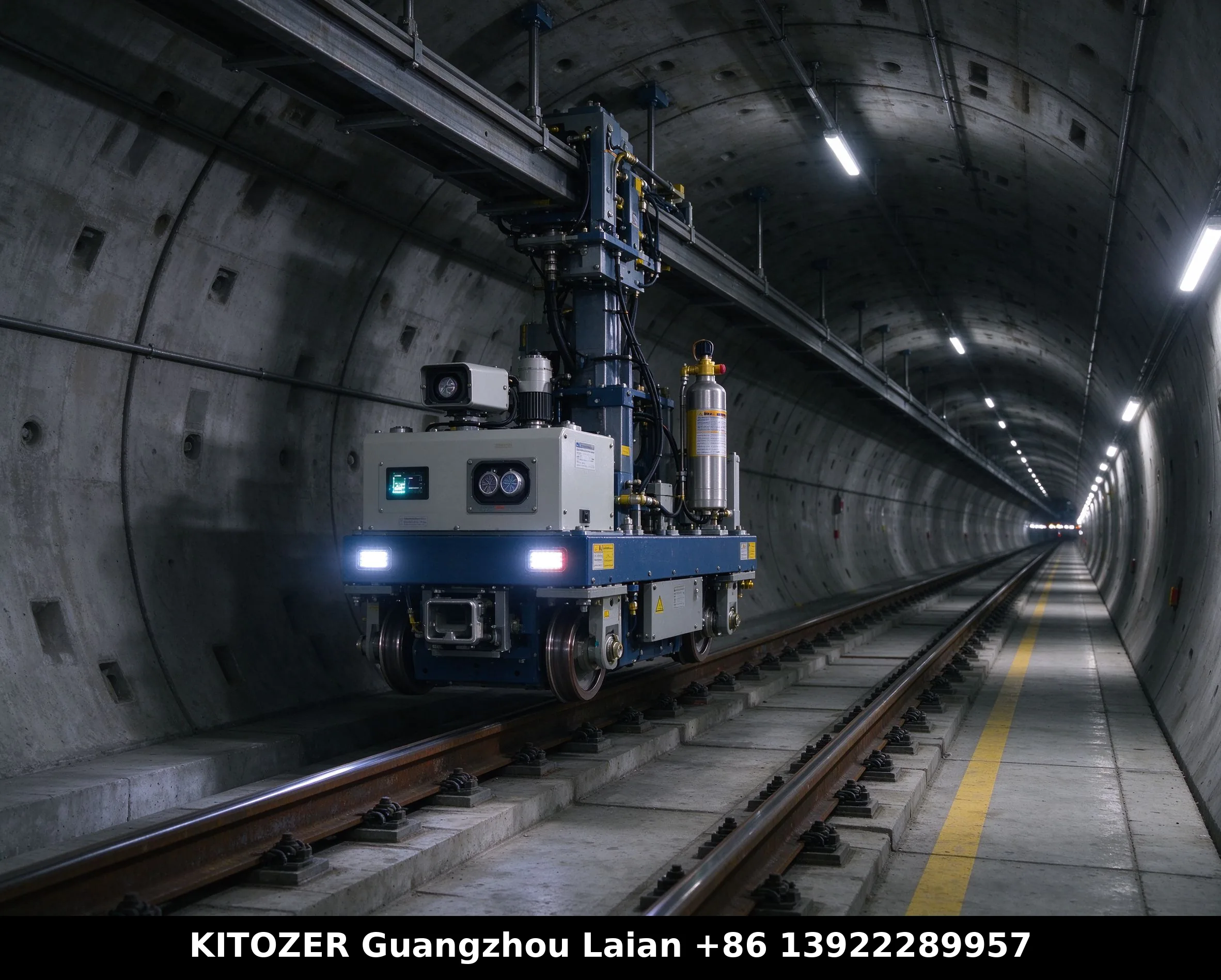
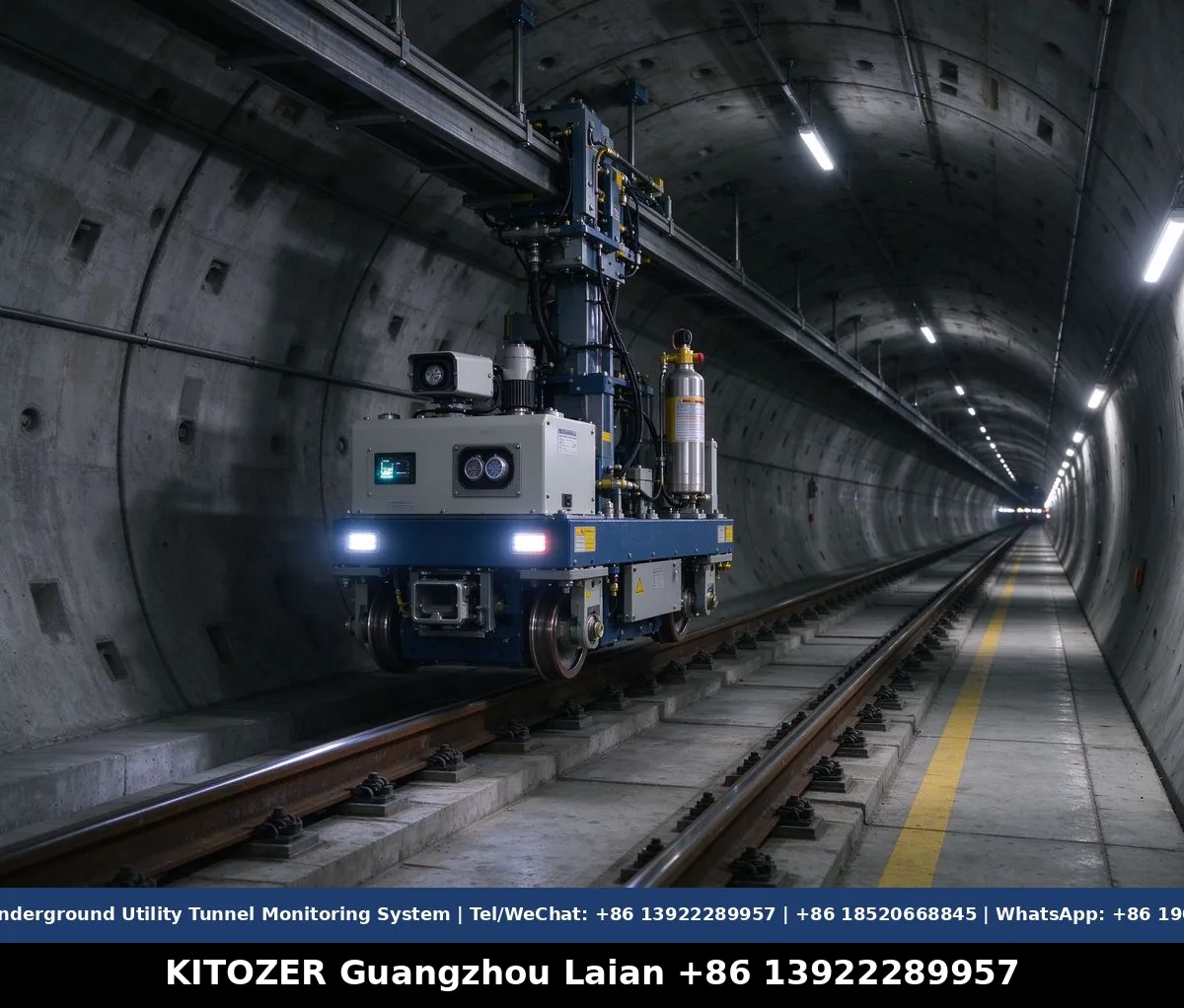
The rail-mounted (also called track-mounted or rail-guided) robot runs on a purpose-built steel rail fixed to the wall or ceiling of a tunnel, cable gallery, pipeline corridor or conveyor aisle. Because the route is physically defined by the rail, navigation is deterministic: the robot knows its position from encoder pulses along the rail, does not require laser SLAM mapping, and is immune to floor obstacles, puddles, oil or slope. Rail robots are the standard choice for long, straight utility tunnels (1 km to 5 km), for underground cable galleries in substations, and for conveyor tunnels in mining or cement plants. The rail can be straight or slightly curved; switches allow one robot to serve multiple branch corridors. Charging is done at a dedicated rail-end dock with spring-loaded contacts. The rail robot’s payload can rotate 360 degrees horizontally to inspect both sides of the tunnel, and a vertical lift option extends 1 to 2 meters upward to inspect cable trays at height.
2.2 Wheel-mounted robot
The wheel-mounted robot is a four-wheel or two-wheel differential-drive platform with a rubber-tired chassis, suitable for smooth concrete or epoxy floors in indoor substations, data centers, power rooms, factory workshops and smart parking garages. Navigation uses magnetic tape QR code fiducials on the floor, laser SLAM, or visual SLAM depending on the customer’s preference. Wheel robots are more flexible than rail robots: the route can be changed by editing the map in software, and the robot can be driven manually with a joystick for on-demand inspection. The trade-off is that wheel robots require a reasonably flat, dry floor, and cannot climb steep slopes or stairs. For outdoor substations, an IP65-rated wheel chassis with weather sealing is offered, and the robot is sheltered at the charging dock during rain.
2.3 Legged robot (quadruped)
The quadruped legged robot is reserved for sites where wheel and rail cannot go: outdoor substations with gravel ground, staircases between equipment levels, irregular factory floors with pipes and cables, and outdoor perimeter patrol around fenced plants. The legged robot walks over steps, small debris and mild slopes, carries a payload on its back, and uses visual SLAM for navigation. It is more expensive per unit and has a shorter battery life (typically 1.5 to 2 hours of active walking), so it is usually deployed alongside a wheel or rail robot rather than replacing it. KITOZER supplies the legged variant as a configurable option; customers typically select it when the site cannot be retrofitted with rail or tape, or when the patrol route crosses stairs.
2.4 Comparison table
| Attribute | Rail / Track | Wheel | Legged |
|---|---|---|---|
| Best environment | Straight tunnels, cable galleries, conveyor corridors | Indoor substation, data center, power room | Outdoor substation, stairs, irregular ground |
| Navigation | Rail encoder (deterministic) | Magnetic tape / laser SLAM / visual SLAM | Visual SLAM + IMU |
| Top speed | 0.5 – 1.0 m/s | 0.8 – 1.5 m/s | 0.5 – 1.0 m/s |
| Slope / step | Only as built into rail | ≤ 10% slope, no steps | Up to 30 cm step, 20% slope |
| IP rating | IP54 (tunnel) | IP54 indoor / IP65 outdoor | IP54 |
| Battery life | 8 – 12 h continuous | 6 – 10 h continuous | 1.5 – 2 h continuous |
| Route change | Requires rail rework | Software map edit | Software map edit |
| Typical price band | Reference price, lower | Reference price, mid | Reference price, higher |
3. Technical Specifications
The following tables summarize the standard KITOZER inspection robot configuration. Customers can swap modules (for example, replace the SF6 gas module with a VOC module, or replace the 30x PTZ with a 40x long-range PTZ) without changing the chassis or software. All numeric values are typical reference values; the exact configuration is confirmed in the engineering drawing stage.
3.1 Chassis and mobility
| Item | Specification |
|---|---|
| Chassis type | Rail / 4-wheel differential / quadruped, customer-selectable |
| Dimensions (wheel) | Approx. 650 x 500 x 1100 mm (L x W x H, including mast) |
| Weight (wheel) | Approx. 65 – 85 kg depending on payload |
| Drive motor | Brushless DC, 2 x 200 W (wheel); geared rail motor for rail |
| Top speed | 0.8 – 1.5 m/s, software-configurable |
| Turning radius | 0 (differential), wheel variant |
| Slope capacity | 10% wheel, 20% legged, rail as designed |
| Battery | LiFePO4 24V / 30Ah – 60Ah, swappable |
| Continuous runtime | 6 – 12 hours depending on variant and payload |
| Charging time | 2 – 3 hours fast charge to 90% |
| Auto charging dock | Spring-contact or magnetic docking, included |
| Safety | Front bumper, ultrasonic 3 m, LiDAR 10 m, emergency stop button, 85 dB audible alarm |
| Operating temperature | -10 C to +50 C (indoor); -20 C to +60 C with heating option (outdoor) |
| Operating humidity | 5% – 95% RH, non-condensing |
| Protection | IP54 indoor, IP65 outdoor wheel variant |
3.2 Vision payload
| Payload | Specification |
|---|---|
| Visible camera | 1/1.8″ CMOS, 2K or 4K, 30 fps, wide-angle 105 degree fixed lens |
| PTZ camera | 30x or 40x optical zoom, pan 360 continuous, tilt -90 to +30, 2K resolution |
| Thermal imager | Uncooled microbolometer, 384 x 288 or 640 x 512, sensitivity ≤ 50 mK |
| Temperature range (thermal) | -20 C to +150 C (standard); up to +550 C with close-up lens |
| Temperature accuracy | ± 2 C or ± 2% of reading |
| Illumination | White LED spotlight 30 W, IR 850 nm for night inspection |
| Microphone array | 2 – 4 MEMS microphones, 24 kHz sampling, directional noise suppression |
| Acoustic sampling | 3 – 5 s clip per checkpoint, uploaded to server for comparison |
| Temperature / humidity probe | Digital, ± 0.3 C, ± 3% RH |
| Gas module (optional) | CH4, H2S, O2, CO, SF6, VOC, configurable 1 – 6 channels |
| Gas accuracy | ± 3% FS (electrochemical), ± 5% FS (NDIR) |
| Ultra-high frequency tag reader | Optional, for reading equipment RFID tags along the route |
3.3 Onboard computing and communication
| Item | Specification |
|---|---|
| Onboard computer | fanless industrial PC, 8-core CPU, 16 GB RAM, 256 GB SSD |
| Recognition engine | Runs on robot edge node; results synchronized to server |
| Local storage | 256 GB SSD, stores 7 – 14 days of patrol snapshots |
| Wireless uplink | Dual-band Wi-Fi 6, 5G optional, mesh radio for tunnels |
| Wired uplink | Rail-powered sliding contact / Cat6 on rail variant |
| Protocols | Modbus TCP/RTU, OPC UA, MQTT, SNMP, REST/JSON, ONVIF |
| Central software | KITOZER PatrolCenter, server / workstation, Windows 10/11 or Linux |
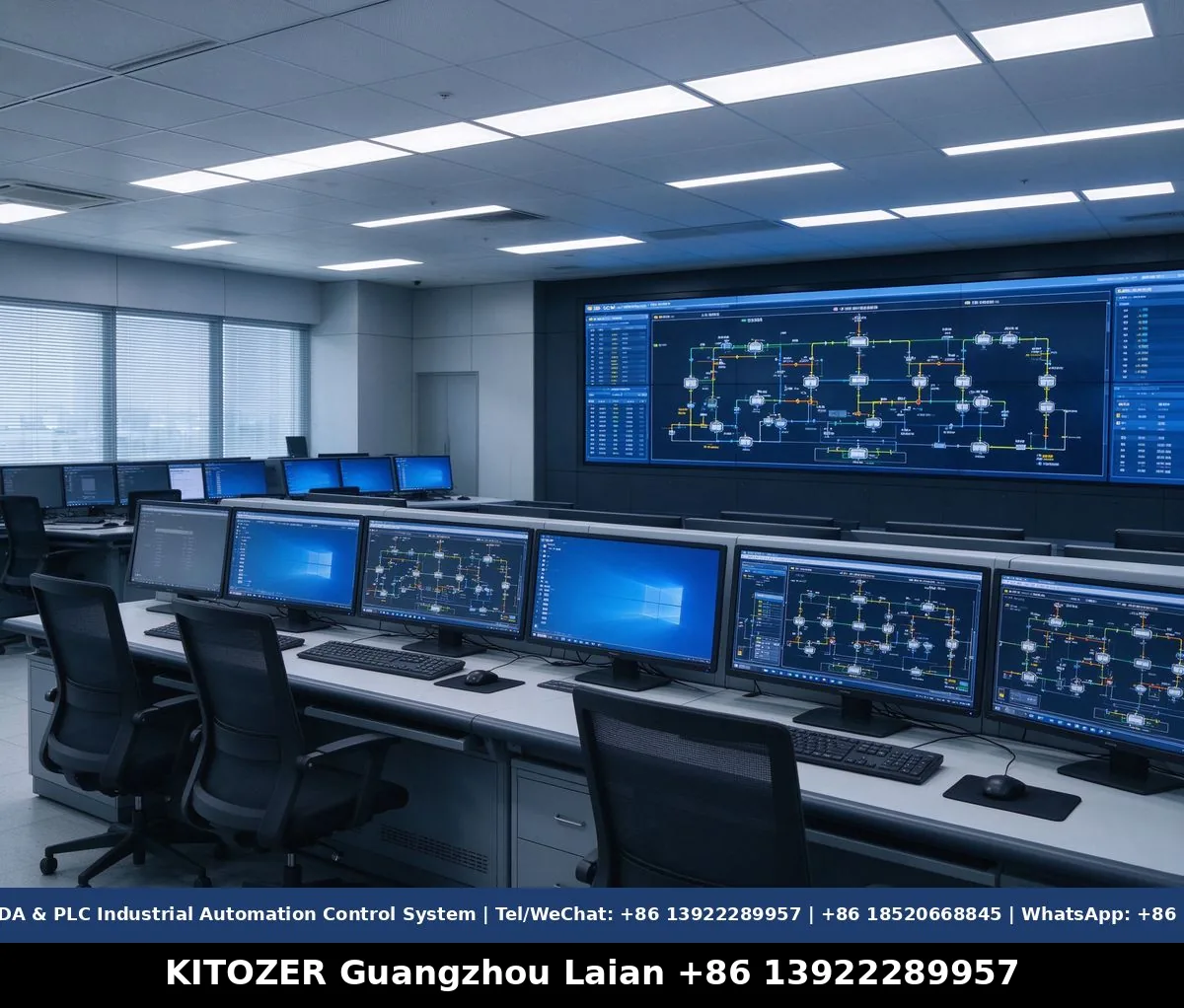
| Display | Live map, live video, recognition table, alarm panel, report export |
| Alarm channels | On-screen, sound, email, SMS, WeChat Work, DingTalk, Webhook |
4. Navigation, Positioning and Automatic Charging
4.1 Rail-guided navigation
Rail-guided navigation is the most mature and deterministic option. The rail is fixed to the tunnel wall or ceiling, and the robot’s position is calculated from the drive motor encoder and a series of RFID or QR fiducials every 5 to 10 meters. Because the route is physical, the robot never “gets lost,” even in tunnels with no GNSS signal, no light, and no distinctive features. Rail robots are immune to floor puddles, oil, cable ties on the floor and temporary obstacles, and they can be powered directly through the rail, which eliminates the need for large batteries in very long tunnels. The trade-off is that route changes require physical rail modifications, so rail is chosen when the patrol route is expected to be stable for years.
4.2 Magnetic tape and QR code navigation
Magnetic tape navigation lays a 30 mm wide magnetic strip on the floor along the desired route. The robot follows the tape with a magnetic sensor under the chassis. QR code fiducials at intervals provide absolute position correction. This method is low cost, easy to install without civil works, and easy to re-route by peeling and re-laying tape. It is the standard choice for indoor data centers and power rooms where customers want to avoid ceiling or wall rail installation. The limitation is that tape can be damaged by trolley traffic, cleaning or heavy forklifts, and it does not work outdoors in rain or on uneven ground.
4.3 Laser SLAM
LiDAR SLAM uses a 2D or 3D laser scanner on the robot to build a map of the environment during a teach-in walk, and then localizes itself on that map during autonomous patrol. SLAM requires no physical infrastructure on the floor or ceiling, which makes it attractive for retrofitted substations and data centers where customers do not want to install tape or rail. SLAM works well when the environment has stable features (walls, cabinets, pillars) and does not change dramatically between patrols. Challenges include open outdoor substations with few features, and rooms where large equipment is moved between shifts; in those cases KITOZER combines SLAM with QR fiducials or magnetic tape as a secondary reference.
4.4 Visual SLAM
Visual SLAM uses the robot’s own camera (or a dedicated stereo camera) to identify natural features and localize. It is lighter and cheaper than LiDAR SLAM but requires adequate lighting, and it can be confused by repeating textures such as rows of identical cabinets. In practice, KITOZER deploys visual SLAM as a supplement to LiDAR or rail, not as the primary method in dark tunnels.
4.5 Obstacle avoidance and safety
All navigation modes are layered with three safety rings. The inner ring is the mechanical bumper: if the robot touches an obstacle, the drive cuts out immediately. The middle ring is ultrasonic (range ~3 m) and a short-range LiDAR (range ~10 m): the robot slows or stops and waits for the obstacle to clear. The outer ring is the long-range LiDAR and the planned route: the robot re-plans a detour around a temporary obstacle if a side aisle is available, otherwise it stops, raises an alarm and notifies the control room. An emergency stop button on the robot and a wireless remote e-stop are both included. In tunnels, a slip ring and a rail-end limit switch prevent the robot from overshooting the rail.
4.6 Automatic charging
The charging dock is a small booth or wall-mounted station where the robot returns when the battery drops below the configured threshold (typically 20%) or when the scheduled route is finished. Docking uses either spring-loaded contact pads (wheel variant) or a rail-end powered section (rail variant). The robot approaches the dock within a tolerance of ± 10 mm, the contacts close, and charging starts. The central software tracks battery state of charge per cycle and predicts when the battery pack needs replacement based on charge/discharge cycle count. A swappable battery option is offered for customers who want zero downtime: a technician can swap the pack in under a minute during a break, rather than waiting for a charge cycle.
5. Intelligent Recognition and Automated Detection
The recognition pipeline runs on the robot’s edge node and is synchronized to the central server. Each checkpoint has a pre-configured list of what to read: for example, “at checkpoint 12, read the pressure gauge dial, check the green indicator on the control switch, measure the transformer surface temperature, and listen for transformer hum.” The pipeline then produces a structured record for each checkpoint, not just a video clip.
5.1 Dial and meter reading
The robot’s PTZ camera zooms to the pre-configured framing, captures a visible image, and the recognition module extracts the dial position. It supports analog pointer dials (pressure, temperature, vacuum, flow), digital LED/LCD displays, and mechanical counters. The output is a numeric value with a confidence score; if the confidence is below the threshold, the server flags the image for human review rather than guessing. Typical reading accuracy is within 1% of the full scale for pointer dials, and character-level accuracy above 99% for seven-segment and dot-matrix displays.
5.2 Indicator light and switch state recognition
The module detects the state of panel indicators (red / green / yellow / off), the position of toggle switches and push buttons, and the lit state of signal lamps. It compares the observed state against the expected state stored in the checkpoint configuration. For example, if the expected state is “green on, red off” and the robot sees “red on, green off,” an alarm is raised immediately with the snapshot. This is one of the most commonly used recognition features in substation and power room patrols, because indicator anomalies are the earliest sign of a relay trip or breaker failure.
5.3 Thermal and temperature detection
The thermal imager measures the surface temperature of transformers, bushings, cable joints, busbars, switch contacts, UPS batteries and server racks. The operator configures either a fixed threshold (e.g. “alarm above 70 C”) or a differential threshold (e.g. “alarm if this joint is more than 15 C hotter than the same joint at the last patrol”). The robot stores a thermal image and a temperature-overlay image with the hottest point marked. In data centers, the same module is used to detect hot spots on server racks and to confirm cold-aisle temperature uniformity.
5.4 Leak, water and appearance detection
The visible camera and the water leak probe (optional on the underside of the chassis) detect water on the floor, oil stains on transformer pads, corrosion on cable trays, and obvious appearance defects such as broken insulators, fallen equipment covers or bird nests on substation structures. The appearance detection module is trained on the customer’s equipment list during the commissioning walk-through, so the “normal” baseline is the customer’s own equipment, not a generic model.
5.5 Abnormal sound detection
The microphone array records a 3 to 5 second audio clip at each checkpoint. The recognition module compares the clip against the baseline sound recorded during commissioning: transformer hum, fan noise, air conditioner hiss, pump vibration. Deviations such as intermittent sparking, bearing rumble, hissing gas leak or arcing are flagged. Acoustic detection is particularly valuable in tunnels and substations, where an early mechanical fault (bearing wear, loose core, arcing) often appears in sound hours before it appears in temperature or visible image.
5.6 Gas and environmental detection
Optional gas modules sample ambient air at each checkpoint. Common configurations include methane (CH4) and hydrogen sulfide (H2S) for sewage tunnels, oxygen (O2) and carbon monoxide (CO) for confined-space tunnels, and sulfur hexafluoride (SF6) for indoor high-voltage switchgear rooms. The temperature and humidity probe measures ambient air at nose height. Gas thresholds are configurable per gas and per checkpoint; exceeding a threshold triggers an alarm, and the robot can be configured to stop or reverse direction in tunnels to avoid walking into a gas cloud.
5.7 Report and data export
Every patrol cycle produces a structured report: checkpoint name, timestamp, recognized values, snapshots, thermal images, audio clip references, and alarm list. Reports can be exported as PDF, Excel or CSV, and can be scheduled for automatic email delivery (daily, weekly, monthly). The server also keeps a long-term trend database, so operators can plot the temperature of a specific bushing over months, or compare the vibration signature of a specific pump across seasons. This trend data is what turns a patrol robot from a camera on wheels into a predictive-maintenance tool.
6. Communication Architecture
6.1 Wired communication
For rail-mounted robots in tunnels, the most reliable uplink is wired: a sliding contact along the rail carries both power and Ethernet (or Cat5e/Cat6 in a dedicated rail channel). Wired communication has zero roaming delay, no interference from tunnel reflections, and supports continuous 4K video upload. For wheel robots in indoor substations and data centers, wired is not practical, so the customer deploys a dedicated Wi-Fi network (often with access points every 30 to 50 meters in tunnels) or a mesh radio network. Rail customers typically choose wired because the rail is already installed.
6.2 Wireless communication
Wi-Fi 6 is the default wireless option for indoor wheel robots, with roaming tuned so that the handoff between access points takes under 100 ms, which is fast enough that live video does not freeze. For outdoor substations and long tunnels where Wi-Fi coverage is impractical, 5G private network or a 4G/5G SIM router on the robot is used. In very long tunnels (over 1 km), a mesh radio system with nodes every 100 to 200 meters provides reliable coverage independent of the public cellular network. The KITOZER robot supports all three uplinks simultaneously, so the customer can deploy Wi-Fi inside the substation building and 5G in the outdoor yard without changing the robot.
6.3 Integration with SCADA, DCIM and building automation
The central PatrolCenter software exposes recognized values as data points over standard protocols. Modbus TCP is used to integrate with legacy SCADA and PLC systems; OPC UA is used for modern industrial platforms; MQTT is used for IoT platforms and cloud dashboards; REST/JSON is used to push alarm events to third-party ticketing systems. For data centers, the DCIM integration pushes rack inlet temperature, ambient humidity and leak events into the customer’s DCIM database alongside the BMS and chilled-water data. For substations, the values (bushing temperature, indicator state, SF6 concentration) are pushed into the substation SCADA so the dispatch center sees them on the same screen as the protection relay readings.
6.4 Cybersecurity
The robot and the central server are on a dedicated VLAN, separate from the office network. Communication between robot and server uses TLS encryption; authentication uses per-device certificates. Firmware updates are signed and delivered from a local update server, not automatically from the public internet. The robot has no open inbound ports by default; all outbound connections originate from the robot itself, which reduces attack surface. These features are included by default and are documented in the project handover package.
7. Selection Guide: Which Robot for Which Site
Choosing between rail, wheel and legged chassis, and choosing the payload set, is driven by four questions. The table below summarizes the decision logic used in KITOZER pre-sales consultations.
| Question | If yes | Recommended option |
|---|---|---|
| Is the patrol route a straight or slightly curved corridor longer than 200 m? | Yes (utility tunnel, cable gallery, conveyor) | Rail-mounted robot, wired uplink, gas module |
| Is the route on a smooth indoor floor with epoxy or concrete? | Yes (data center, power room, indoor substation) | Wheel robot, magnetic tape or SLAM, thermal + dial + indicator |
| Does the route cross stairs, gravel or uneven outdoor ground? | Yes (outdoor substation yard, irregular plant floor) | Legged robot, visual SLAM, weather-sealed payload |
| Is SF6 present in indoor switchgear rooms? | Yes | Add SF6 gas channel, with O2 backup |
| Is the site a sewage or water utility tunnel? | Yes | Add CH4, H2S, O2, CO four-gas module |
| Do you need to read analog pressure or temperature dials? | Yes | Add 30x or 40x PTZ, dial-reading module |
| Do you need to detect early electrical faults on busbars and joints? | Yes | Add 640×512 thermal imager, differential threshold |
| Do you need to monitor mechanical faults on rotating equipment? | Yes | Add 4-mic array, acoustic anomaly module |
| Is the patrol expected to run more than 8 hours per day? | Yes | Choose swappable battery, double dock |
| Do you want to integrate with existing SCADA / DCIM? | Yes | Enable Modbus TCP / OPC UA / MQTT driver in PatrolCenter |
7.1 Budget tiers (reference price)
The following are reference price tiers; the exact price is quoted per project after site survey and configuration. The prices exclude civil works, network construction and customer-supplied server hardware.
- Entry wheel robot (2K visible, 30x PTZ, thermal 384×288, temperature/humidity, Wi-Fi, magnetic tape): reference price, suitable for a single data center aisle or small power room.
- Standard rail robot (rail 200 m, 4K visible, 30x PTZ, thermal 384×288, gas CH4+H2S+O2+CO, wired uplink, server software): reference price, suitable for one utility tunnel branch.
- Premium wheel robot (4K, 40x PTZ, thermal 640×512, 4-mic array, SF6 module, 5G, dual dock, multi-robot software): reference price, suitable for a large indoor substation with multiple buildings.
- Quadruped legged robot (visual SLAM, 2K visible, thermal 384×288, weather-sealed): reference price, suitable for outdoor substation yard patrol with stairs.
8. Application Scenarios
8.1 Substations
Substation patrol is the most mature use case. The robot inspects high-voltage switchgear rooms, transformer pads, cable trenches, battery rooms and relay protection rooms. It reads the temperature of bushings and cable joints with the thermal imager, reads SF6 density gauges on GIS cabinets with the PTZ, checks the green/red position indicators on breakers, samples SF6 concentration in indoor switchgear rooms, and detects water in cable trenches. For outdoor substations, the legged or IP65 wheel variant patrols the yard on a fixed schedule, and can be triggered on demand after a remote protection alarm.
8.2 Utility tunnels and cable galleries
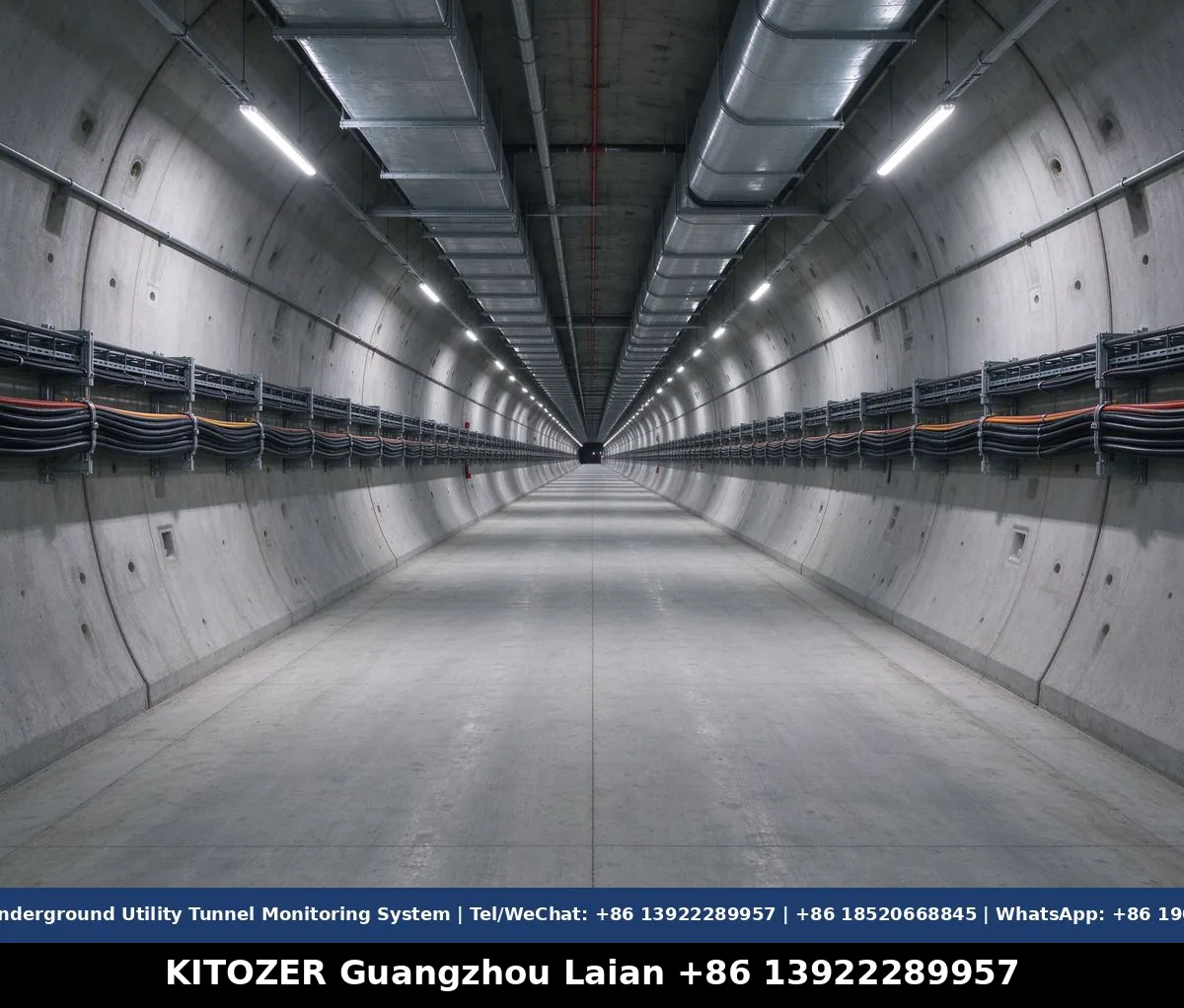
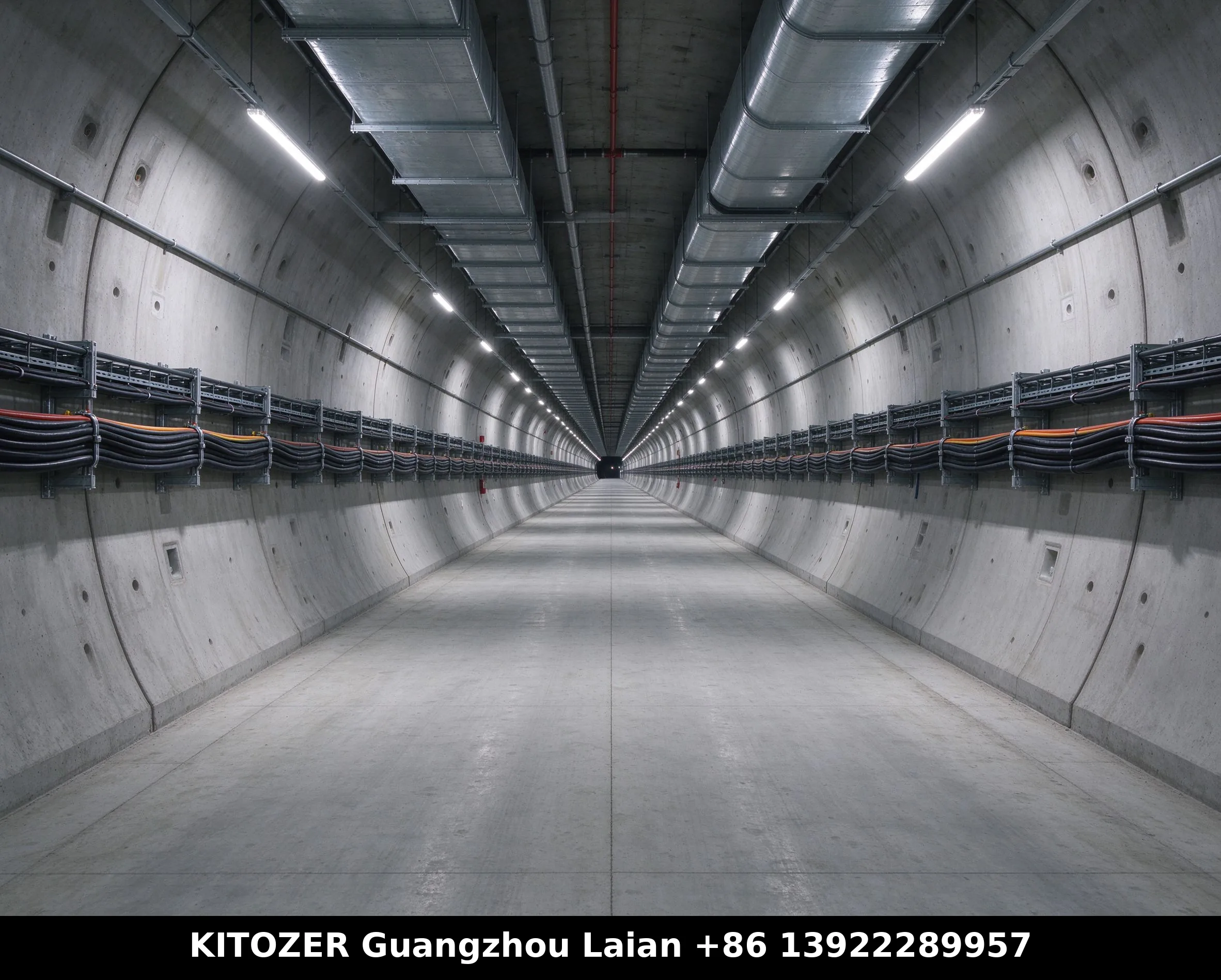
Urban utility tunnels carry power cables, communication cables, water pipes and heating pipes in a single underground corridor. Manual patrol is slow, hazardous and periodic. The rail-mounted KITOZER robot runs the full length of the tunnel several times per shift, checking cable surface temperature (hot spots indicate poor contact), water accumulation on the floor, gas concentration (CH4, H2S, O2, CO), and the appearance of junction boxes and cable hangers. Because the tunnel has no GNSS signal and no natural features, the rail-guided method is preferred over SLAM. Wired power and communication along the rail means the robot can run essentially 24/7 without returning to a dock for most of the day.
8.3 Data centers and computer rooms
In data centers, the wheel robot patrols the cold aisles and hot aisles. It measures the inlet temperature of each rack with the thermal imager, confirms that rack indicator lights are green, checks for water leaks under the floor or near CRAH units, measures ambient temperature and humidity, and listens for abnormal fan or compressor noise. The results are pushed into the customer’s DCIM, so the facilities team sees rack temperature trends alongside IT load and chilled-water temperature. The wheel robot is chosen because the floor is flat, the route changes as racks are added, and SLAM or magnetic tape is easier to rework than a ceiling rail.
8.4 Petrochemical and chemical plants
Petrochemical plants combine outdoor equipment rows, pump houses, compressor stations and valve manifolds. The wheel or legged robot inspects pump rooms (vibration and sound detection on pumps, temperature on bearings), valve manifolds (position indication, flange temperature, leak detection), compressor stations (sound and temperature), and outdoor pipe racks (thermal scan of joints). Explosion-proof variants are available for Zone 1 / Zone 2 hazardous areas, with sealed enclosures, intrinsically safe sensors and non-sparking wheels. The gas module includes CH4, H2S and VOC channels in this configuration.
8.5 Power rooms, UPS rooms and battery rooms
Indoor power rooms host transformers, UPS units, battery racks, switchgear and DC distribution panels. The wheel robot patrols these rooms on a 24/7 schedule, reading battery terminal temperature with the thermal imager, detecting swollen or leaking battery cases with the visible camera, checking the green/red status indicators on UPS panels, and sampling hydrogen (H2) concentration in sealed battery rooms. The integration to the building BMS pushes all values to the facilities dashboard.
9. Deployment and Engineering
9.1 Project phases
A typical KITOZER inspection robot project is delivered in five phases: (1) site survey, where engineers walk the proposed route, measure corridor width, ceiling height, floor condition, power availability and network coverage; (2) engineering design, where the route map, rail layout (if applicable), checkpoint list, payload configuration, dock position and network design are drawn; (3) civil and network preparation, where the customer prepares the floor, installs Wi-Fi access points or rail, and provides the server rack; (4) robot commissioning, where the robot is unboxed, the route is taught, the checkpoint list is configured, the recognition baselines are recorded, and the integration with the customer SCADA/DCIM is tested; (5) acceptance and handover, where a 72-hour continuous trial run is performed, all checkpoints are tested, and the operations team is trained.
9.2 Infrastructure the customer must provide
- A smooth floor (wheel variant) or a wall/ceiling rail mounting surface (rail variant).
- 220 V AC power at the charging dock, on a dedicated branch circuit.
- Network: either a wired Ethernet drop at the dock (rail variant) or a Wi-Fi network covering the route with signal strength above -65 dBm.
- A server or workstation in the control room for PatrolCenter software (minimum 8-core CPU, 16 GB RAM, 512 GB SSD, dual network ports).
- Permission to install rail, tape or fiducials on the floor or wall.
9.3 Commissioning and teach-in
Commissioning takes 3 to 10 days depending on route length. The teach-in walk is done by driving the robot manually along the route at low speed, marking checkpoints where the robot should stop. At each checkpoint, the operator sets the PTZ pan/tilt/zoom framing on the target, records the baseline visible image, the baseline thermal image, and the baseline audio clip, and enters the expected indicator state and threshold values. After teach-in, the robot runs the route autonomously and the engineer reviews the first patrol results, tuning framing and thresholds where needed. The recognition baselines are then saved and become the reference for all future patrols.
9.4 Training and handover
Handover includes a two-day training for the customer’s operations team: day one covers robot operation (manual drive, dock, route editing, checkpoint configuration), day two covers the central software (alarms, reports, trend charts, integration). The customer receives the engineering drawings, the checkpoint list, the route map, the operator manual, the maintenance manual, and a one-year warranty with on-site support. Spare parts (battery pack, PTZ camera, ultrasonic sensor, contact pads) are stocked in Guangzhou and shipped within 48 hours for urgent requests.
10. Operation and Maintenance
10.1 Daily checks
Daily operation is essentially push-button: the robot patrols the scheduled route, docks to charge, and raises alarms when something is wrong. The operator’s daily task is to review the alarm panel in the morning, acknowledge alarms, and check the battery state of the robot on the dashboard. No daily hands-on inspection of the robot itself is required.
10.2 Periodic maintenance
| Interval | Task |
|---|---|
| Weekly | Clean camera lens and thermal window with a soft cloth; inspect contact pads on dock for oxidation. |
| Monthly | Check wheel tread and rail rollers; verify bumper and e-stop function; review recognition accuracy on a sample of checkpoints. |
| Quarterly | Calibrate thermal imager with a blackbody reference; calibrate gas sensors with span gas; inspect battery pack voltage balance. |
| Yearly | Replace battery pack if cycle count exceeds 80% of rated life; inspect rail fasteners; update onboard firmware; full function test. |
10.3 Common issues and remedies
- Docking failure. Usually caused by worn contact pads, a misaligned dock, or an obstacle on the dock floor. Clean the pads, re-align the dock with the teach-in tool, and clear the approach zone.
- Recognition confidence below threshold. Usually caused by a framing drift (the robot stops at a slightly different angle than during teach-in) or by a change in ambient light. Re-teach the checkpoint framing and adjust the lighting threshold.
- Wi-Fi roaming dropouts in tunnels. Add a mesh radio node between access points, or switch to a wired rail sliding contact.
- False gas alarms. Span-calibrate the gas sensor; check whether the alarm is triggered by a nearby source (e.g. a cleaning solvent) rather than an actual leak.
- Battery runtime dropping. Expected after several hundred cycles; schedule a battery pack replacement during the quarterly visit.
11. Price Reference
Reference price guide (ex-works Guangzhou, excluding tax, shipping and customer civil works):
- Entry wheel inspection robot (2K visible, 30x PTZ, 384×288 thermal, temp/humidity, Wi-Fi, magnetic tape, one dock, PatrolCenter software): reference price, quoted per project.
- Standard rail inspection robot (200 m rail, 4K visible, 30x PTZ, 384×288 thermal, CH4/H2S/O2/CO four-gas, wired uplink, dock, software): reference price, quoted per project.
- Premium wheel robot (4K, 40x PTZ, 640×512 thermal, 4-mic array, SF6 module, 5G, dual dock, multi-robot license): reference price, quoted per project.
- Quadruped legged robot (visual SLAM, 2K visible, 384×288 thermal, weather-sealed): reference price, quoted per project.
- Optional modules: gas channel upgrade, RFID reader, swappable battery pack, second dock, extended rail per 100 m, multi-robot software license, integration driver (Modbus/OPC UA/MQTT): reference price, quoted per project.
- Warranty: 12 months ex-works, optional extension to 24 or 36 months. Spare parts shipped within 48 hours from Guangzhou.
All prices on this page are reference prices for budgeting. The firm quotation is issued after the site survey and configuration confirmation, and is valid for 30 days. Customers are welcome to send a route drawing or a site photo for an indicative estimate.
12. Frequently Asked Questions (FAQ)
Q1. What is the difference between a rail-mounted and a wheel-mounted inspection robot?
A rail-mounted robot runs on a fixed steel rail installed on the tunnel wall or ceiling, and its position is determined by encoder pulses along the rail. It is deterministic, immune to floor obstacles, and the best choice for long straight tunnels and cable galleries. A wheel-mounted robot runs on rubber tires on a smooth floor, and navigates by magnetic tape, QR codes or laser SLAM. It is more flexible (the route can be changed in software) and better for indoor substations, data centers and power rooms, where the floor is flat and the route may change over time.
Q2. How long does the battery last, and how does the robot charge?
Continuous runtime is 6 to 12 hours depending on the variant and payload, and 1.5 to 2 hours for the quadruped legged variant. The robot returns to the automatic charging dock when the battery drops below 20% or when the scheduled route is finished. Docking is automatic, with spring-contact or magnetic alignment. Fast charging reaches 90% in 2 to 3 hours. A swappable battery option is available for customers who want zero-downtime operation.
Q3. Can the robot work in the dark?
Yes. The visible camera is paired with a white LED spotlight (30 W) and an 850 nm IR illuminator for night operation. The thermal imager works entirely passively and does not need any light. The tunnel and substation variants are commonly used for night patrols in unlit corridors.
Q4. What is the temperature accuracy of the thermal imager?
The thermal imager has a sensitivity of ≤ 50 mK and an accuracy of ± 2 C or ± 2% of reading, whichever is larger, over the range -20 C to +150 C. A close-up lens option extends the upper range to +550 C for high-temperature equipment. The imager is calibrated quarterly against a blackbody reference as part of the maintenance program.
Q5. Can the robot read analog pressure gauges and LED displays?
Yes. The dial-reading module supports analog pointer dials (pressure, temperature, vacuum, flow), digital LED/LCD displays, and mechanical counters. Numeric accuracy is within 1% of full scale for pointer dials, and above 99% character accuracy for seven-segment and dot-matrix displays. Low-confidence readings are flagged for human review rather than guessed.
Q6. What gases can the robot detect?
The standard optional gas module supports up to 6 channels, commonly configured as CH4, H2S, O2, CO for sewage and utility tunnels, and SF6 for indoor high-voltage switchgear rooms. VOC, hydrogen (H2) and other custom gases can be added. Each channel has a configurable alarm threshold per checkpoint.
Q7. How is the robot integrated with our existing SCADA or DCIM?
The central PatrolCenter software exposes recognized values over Modbus TCP, OPC UA, MQTT, SNMP and REST/JSON. Our engineering team configures the point list during commissioning so that each recognized value (bushing temperature, indicator state, gas concentration, ambient temperature) appears as a named data point in the customer’s SCADA or DCIM.
Q8. What happens when the robot encounters an obstacle on the route?
The robot has three safety rings: a mechanical bumper that cuts the drive on contact, ultrasonic and short-range LiDAR that slow or stop the robot, and a long-range LiDAR that re-plans a detour if a side aisle is available. If the robot cannot detour, it stops, raises an alarm to the control room, and waits. A wireless emergency stop is also provided to the operator.
Q9. How long does deployment take?
Site survey and engineering design take 1 to 2 weeks. Customer-side civil and network preparation takes 2 to 6 weeks depending on rail installation and Wi-Fi coverage. Robot commissioning on site takes 3 to 10 days depending on route length and checkpoint count. Total project time is typically 6 to 12 weeks from order to acceptance.
Q10. What is the warranty and spare parts policy?
The standard warranty is 12 months ex-works Guangzhou, covering manufacturing defects. Optional extensions to 24 or 36 months are available. Spare parts (battery pack, PTZ camera, ultrasonic sensor, contact pads, wheels) are stocked in Guangzhou and shipped within 48 hours for urgent requests. On-site support is provided under warranty for covered failures.
Q11. Can the robot be customized for explosion-proof areas?
Yes. An explosion-proof variant is available for Zone 1 / Zone 2 petrochemical areas, with sealed enclosures, intrinsically safe sensors, non-sparking wheels and certified gas modules. The explosion-proof variant is quoted per project and requires a site classification review.
Q12. What is the expected return on investment?
Customers typically report that one KITOZER robot replaces the equivalent of 1.5 to 2 full-time patrol shifts, removes staff from hazardous walk paths, and catches faults earlier (in hours rather than days). Payback is commonly within 18 to 36 months, depending on the number of shifts replaced and the cost of a single unplanned outage prevented.
11A. How the KITOZER Inspection Robot Compares with Traditional Manual Patrol
To understand the value of the KITOZER inspection robot, it helps to compare it directly with the manual patrol model that most industrial sites still run today. In a typical high-voltage substation, a technician walks a fixed route two or three times per shift, reading a paper clipboard, writing down gauge values by hand, and taking a few photographs on a phone. In a utility tunnel, the walk is longer, slower, and often performed in pairs for safety. In a data center, the facilities team walks the aisles once or twice a day, looking at rack indicator lights and occasionally reaching down to measure rack inlet temperature with a handheld meter. Each of these practices has strengths (human judgement, flexibility, the ability to handle unexpected situations) and weaknesses (periodicity, subjectivity, safety exposure, and a slow path from observation to record).
The KITOZER robot is not intended to replace the technician entirely. It is intended to take over the repetitive, periodic, checklist-driven part of the job, so that the technician time is spent on diagnosis, maintenance and decision-making rather than on walking. The robot patrols on a fixed schedule plus on-demand, reads instruments with calibrated camera resolution, stores the numeric result with a timestamp and a snapshot, and raises alarms the moment a value crosses a threshold. The technician reviews the alarm panel in the morning, acknowledges confirmed alarms, and dispatches a maintenance crew only when needed. The comparison below summarizes the day-to-day difference.
| Dimension | Manual patrol | KITOZER robot patrol |
|---|---|---|
| Patrol frequency | 2-3 walks per shift | Scheduled walks 24/7 plus on-demand |
| Reading method | Human eye, clipboard | Calibrated camera + edge recognition |
| Record format | Paper clipboard, phone photos | Structured database with snapshot and numeric value |
| Alarm latency | Hours to next walk | Seconds, pushed to workstation and phone |
| Safety exposure | Technician walks the hazardous path | Technician stays in control room |
| Consistency | Varies by person and shift | Identical framing and thresholds every cycle |
| Trend analysis | Hard, paper records scattered | Built-in long-term trend database |
| Night patrol | Tiring, sometimes skipped | Runs autonomously, IR + thermal |
| On-demand inspection after an alarm | Technician walks to site, 10-30 min | Robot rerouted to checkpoint, 1-3 min |
11A.1 The last mile of fault detection
Most industrial faults do not happen suddenly. They evolve: a bushing gets 3 degrees hotter than the patrol before, a cable joint starts to hum differently, an indicator flickers for one walk and stays red for the next, a small water stain appears on the cable trench floor. A human patrol that happens twice per shift may see the fault at the stays-red stage, which is already hours after it began. A robot patrol that runs every hour sees the 3-degrees-hotter stage and raises the differential-temperature alarm before the fault reaches the protection trip. This is the last mile of fault detection that the robot addresses: catching the small deviation at the beginning of the fault curve, when maintenance is cheap and safe, rather than at the end, when the equipment has already failed.
11A.2 When manual patrol is still necessary
The robot is a patrol tool, not a maintenance worker. Some tasks remain manual: tightening a terminal, replacing a fuse, cleaning a filter, responding to a confirmed leak. The robot job is to tell the maintenance team where to go and what to look at, so that the manual visit is targeted and short rather than open-ended. In practice, customers report that the total number of site visits per month drops after robot deployment, even though the number of faults detected rises, because the visits that do happen are targeted at confirmed issues rather than preventive walks.
11B. Payload Selection in Depth
Choosing the right payload set is as important as choosing the right chassis. KITOZER sells the robot as a modular platform: the chassis is fixed at order, but the payload modules can be added or swapped later as the customer inspection needs evolve. This section explains each payload module in more detail, so that an engineering team can plan the first project and the future expansion path.
11B.1 Visible camera and the importance of resolution
The visible camera is the workhorse of the patrol. It reads dials, indicators, displays, equipment appearance and labels. Resolution matters because the robot stops at a fixed distance from the equipment, and the camera must be able to read a small dial face or a seven-segment display at that distance. A 2K camera (1920×1080 or 2560×1440) is sufficient for checkpoints within 3 meters; a 4K camera (3840×2160) is recommended for checkpoints at 5 to 8 meters, or when the dial is small (less than 80 mm diameter). The wide-angle fixed lens is used for general appearance inspection; the PTZ is used when the robot must zoom in on a specific target from a standing position. The two cameras are complementary: the fixed wide-angle gives context, the PTZ gives detail.
11B.2 PTZ zoom and framing
The PTZ camera has 30x or 40x optical zoom. At 30x, a 50 mm diameter dial at 5 meters fills about 30% of the frame, which is enough for reliable reading. At 40x, the same dial at 8 meters fills the same fraction. Each checkpoint stores its own pan, tilt and zoom value, so the robot frames the target identically every time. Framing drift (the robot stopping at a slightly different angle or distance than during teach-in) is the most common cause of low-confidence readings, and it is corrected by re-running the teach-in for that checkpoint.
11B.3 Thermal imager resolution and field of view
The thermal imager is available in 384×288 and 640×512 resolutions. The 384×288 version is sufficient for substation bushing and cable joint inspection at 3 to 5 meters. The 640×512 version is recommended for data center rack temperature mapping (where each rack inlet must be resolved into multiple pixels across its width) and for long-distance outdoor substation inspection. The thermal imager has a fixed field of view (typically 25 degree) and is co-aligned with the visible camera, so that the operator sees a fused image with the thermal overlay on the visible picture. The hottest point in the frame is automatically marked, and the temperature of that point is logged.
11B.4 Microphone array and acoustic processing
The microphone array uses 2 to 4 MEMS microphones spaced on the mast, which gives directional sensitivity: the robot can tell which side of the corridor the sound is coming from. The recorded clip is uploaded to the server, where the acoustic module compares it against the baseline. Typical acoustic signatures KITOZER customers use include: transformer core hum (100 Hz and 200 Hz harmonics), fan bearing rumble (broadband), air conditioner hiss (high frequency), pump cavitation (irregular pulse), and electrical arcing (sharp broadband burst). The module is not a generic audio anomaly detector trained on internet data; it is tuned during commissioning on the customer own equipment, so the baseline is the customer actual equipment in its actual state.
11B.5 Gas sensors: electrochemical versus NDIR
Electrochemical sensors are used for toxic gases at low concentrations (H2S, CO, O2, H2). They are small, low power, and cheap to replace, but they drift over 12 to 24 months and require span calibration quarterly. NDIR (non-dispersive infrared) sensors are used for CH4 and SF6, where concentration is higher and long-term stability matters more. KITOZER configures the gas module with the appropriate sensor technology per channel, and includes a calibration kit and span gas bottle with the first project. The gas sensors draw air through a small pump on the robot, so the sample is representative of the air at the robot position, not just the air trapped inside the chassis.
11B.6 Temperature and humidity probe
The temperature and humidity probe is mounted on the mast at nose height, away from the robot own heat sources (drive motors, battery, onboard computer). It measures ambient air to within plus or minus 0.3 C and plus or minus 3% RH. In data centers, this probe confirms that the cold-aisle setpoint is met. In battery rooms, it tracks the temperature that accelerates battery aging. In tunnels, it confirms that ventilation is keeping humidity within the cable rating.
11B.7 Optional payloads
Beyond the standard set, KITOZER offers optional payloads: an ultra-high frequency RFID reader for reading equipment tags along the route, a UV corona camera for detecting corona discharge on high-voltage insulators, a laser methane detector (open-path, up to 30 meters) for leak detection along gas pipelines, and a pan/tilt lifting mast that extends the camera height from 1.1 m to 2.5 m for inspecting cable trays at height. These options are configured per project and quoted separately.
11C. Navigation Stack in Depth
Navigation is the part of the inspection robot that customers ask the most questions about, because it is the part that determines whether the robot gets lost in production. This section explains how each navigation method works under the hood, where each method is strong, and where each method has known failure modes.
11C.1 Rail navigation: deterministic position
Rail navigation is the simplest. The rail is a physical path, and the robot position is the distance traveled along the rail, measured by the drive motor encoder. Because the encoder can drift over time (wheel slip, thermal expansion of the rail), absolute position is corrected every 5 to 10 meters by an RFID fiducial or a QR plate mounted on the rail. The correction brings the position error back to within plus or minus 10 mm. Because the route is physical, the robot never chooses the wrong direction, and it never needs to re-plan around unknown obstacles. The only navigation failure mode is a rail blockage, which the robot detects with a current sensor on the drive motor: if the motor stalls, the robot stops and raises an alarm.
11C.2 Magnetic tape navigation: low cost, easy to re-route
Magnetic tape navigation lays a 30 mm wide, 0.5 mm thick magnetic strip on the floor. The robot carries a row of 8 to 16 magnetic sensors under the chassis, and the controller steers the robot to keep the tape centered under the sensor row. At intersections, a pre-programmed rule tells the robot whether to go straight, turn left or turn right. Absolute position is corrected by QR codes at intervals. Magnetic tape is cheap, takes a day to install, and can be re-routed by peeling and re-laying. Its failure modes are: tape damage by trolley traffic, tape adhesion on wet floors, and inability to navigate over thresholds or drains. For data centers and power rooms with smooth epoxy floors and no heavy traffic, magnetic tape is the most cost-effective choice.
11C.3 LiDAR SLAM: no infrastructure
LiDAR SLAM uses a 2D scanning laser rangefinder (typically 10 m or 20 m range, 360 degree scan) on top of the robot. During teach-in, the engineer drives the robot manually along the route while the SLAM algorithm builds a 2D occupancy grid map of walls, pillars, cabinets and other fixed features. During autonomous patrol, the robot matches the current laser scan against the map to estimate its position. SLAM requires no infrastructure on the floor or ceiling, which makes it attractive for retrofits. Its failure modes are: open outdoor spaces with few features (open substation yards), environments that change between shifts (warehouses), and highly repetitive environments (rows of identical cabinets in a data center, where the laser sees the same wall in many places). In these cases, KITOZER combines SLAM with QR fiducials or magnetic tape as a secondary reference.
11C.4 Visual SLAM
Visual SLAM uses a stereo camera on the robot to identify natural features (corners, equipment edges, signage) and localize. It is lighter and cheaper than LiDAR, but it requires adequate lighting and distinctive features. In practice, visual SLAM is used as a supplement to LiDAR, not as the primary method, because the tunnel and substation environments are either dark (tunnels) or feature-repetitive (substation rows).
11C.5 Multi-sensor fusion
Production KITOZER robots always use a fusion of navigation methods, not a single method. A typical indoor substation wheel robot uses magnetic tape for the primary path, LiDAR for obstacle detection and detour, and QR codes for absolute position correction. A typical tunnel rail robot uses rail encoder for position, current sensor for blockage, and Wi-Fi/5G for uplink. A typical outdoor legged robot uses visual SLAM for position, IMU for balance, and GPS for absolute position in open yards. The fusion is handled by the onboard navigation controller, which runs a safety monitor: if any single method disagrees with the others beyond a threshold, the robot slows and raises a diagnostic alarm rather than trusting a single source.
11D. Central Software: PatrolCenter
The KITOZER PatrolCenter software is the brain of the system. It runs on a server or workstation in the control room, and it is what the operator actually sees every day. This section describes the main screens and workflows.
11D.1 Live map screen
The live map screen shows the site floor plan, the robot current position, the route it is currently following, and the next checkpoint. Multiple robots (if the customer has more than one) are shown on the same map with different colors. Clicking on a robot opens a small window with its live video feed, battery state, current speed and current checkpoint. The map is zoomable and pannable, and it can show either the 2D floor plan or a satellite/aerial image for outdoor sites.
11D.2 Recognition result screen
The recognition result screen shows, for the most recent patrol cycle, a table of every checkpoint: checkpoint name, timestamp, recognized value (for example, bushing temperature 63.2 C), status (normal, alarm, or low-confidence), and a thumbnail of the snapshot. Clicking a row opens the full snapshot, the thermal image, the audio clip reference, and the trend chart for that checkpoint over the last 30 days. The operator can filter the table to show only alarms, or only a specific zone, or only a specific equipment type.
11D.3 Alarm panel
The alarm panel shows active alarms in real time, sorted by severity. Each alarm includes the checkpoint, the value, the threshold, the snapshot and the timestamp. The operator acknowledges alarms with one click, and can add a comment (for example, confirmed, maintenance crew dispatched). Acknowledged alarms move to the history tab. Alarm escalation rules can be configured: if an alarm is not acknowledged within 10 minutes, it is escalated to a phone call; if it is not acknowledged within 30 minutes, it is escalated to a second-level manager.
11D.4 Report and trend screens
The report screen generates scheduled reports (daily, weekly, monthly) in PDF or Excel. The trend screen shows a long-term chart for any checkpoint: bushing temperature over the last 90 days, ambient humidity over the last year, battery voltage across charge cycles. The trend data is what lets the maintenance team move from reactive to predictive: if a bushing temperature has been creeping up 0.5 C per week for the last two months, the team can schedule a cleaning before the bushing fails, rather than waiting for an alarm.
11D.5 Configuration screen
The configuration screen is where the engineer sets up routes, checkpoints, payload framing, thresholds and integration points. It is password-protected and audit-logged: every change to a threshold or a checkpoint is recorded with the operator account, timestamp and old/new value. This audit log is what customers in regulated industries (power, petrochemical, data center) require for compliance.
11E. Cybersecurity and Data Privacy
Industrial customers are increasingly concerned about cybersecurity on any network-connected device. The KITOZER platform is designed with a zero-trust posture: the robot is a managed endpoint on a dedicated VLAN, and it opens no inbound ports by default.
11E.1 Network segmentation
The robot and the PatrolCenter server are on a dedicated VLAN, separate from the office network and from the enterprise IT network. The VLAN allows only the specific protocols the robot needs: HTTPS to the server, and Modbus/OPC UA/MQTT to the SCADA/DCIM. No internet access is required for normal operation; firmware updates are delivered from a local update server, not automatically from the public internet.
11E.2 Authentication and encryption
Communication between the robot and the server uses TLS 1.2 or later. Each robot has a unique X.509 certificate, provisioned at the factory, and the server verifies the certificate before accepting any connection. Operator login to PatrolCenter uses username and password, with optional two-factor authentication. All configuration changes are audit-logged.
11E.3 Firmware update
Firmware updates are signed by KITOZER and verified on the robot before installation. The update package is downloaded from the local update server during a maintenance window, and the robot rolls back to the previous version if the update fails. The customer controls the update schedule; KITOZER does not push automatic updates to production robots.
11E.4 Data privacy
The robot records only what the checkpoint configuration tells it to record: equipment, instruments, indicators and ambient environment. It does not record audio or video in areas where staff are present unless the customer explicitly configures a security patrol checkpoint. The snapshots and clips are stored on the customer own server, not on KITOZER cloud infrastructure. Customers with data residency requirements can run the entire system on a local air-gapped network with no external connectivity.
11F. Project Timeline and Acceptance
Customers planning an inspection robot project often ask how long the whole thing takes. The timeline below is typical for a medium-sized project (one rail robot in a 500 m tunnel, or one wheel robot in a 2,000 m2 data center).
| Week | Activity | Customer side | KITOZER side |
|---|---|---|---|
| Week 1 | Site survey, route walk, photo and video capture | Provide site access and a contact | Engineer on site for 1-2 days |
| Week 2 | Engineering design: route map, rail layout, checkpoint list, payload configuration, network design | Review and approve design | Issue drawings and BOQ |
| Week 3-6 | Civil works: rail installation, floor preparation, Wi-Fi access points, server rack | Manage civil contractor | Provide technical support during installation |
| Week 7 | Robot delivery, unboxing, power on, basic self-test | Receive and inspect | Ship from Guangzhou |
| Week 8 | Commissioning: teach-in route, configure checkpoints, record baselines, integrate with SCADA/DCIM | Provide engineering contact for integration | Engineer on site for 3-5 days |
| Week 9 | Trial run: 72 hours continuous autonomous patrol, tune framing and thresholds | Review results daily | Remote support, on site as needed |
| Week 10 | Acceptance: sign off trial run, hand over documentation, train operations team | Sign acceptance certificate | Two-day training, handover package |
For larger projects (multiple robots, multiple tunnels, or a full substation deployment), the timeline scales with the number of robots and the length of rail, but the phase structure remains the same. The critical path is usually the civil works (rail installation and network coverage), not the robot itself, so customers are encouraged to start the civil design early.
11G. Training and Competency Building
A robot project succeeds when the customer operations team can run it independently after handover. KITOZER includes a structured training program in the project price.
11G.1 Day one: robot operation
Day one covers the physical robot: how to power on and off, how to drive it manually with the joystick, how to dock and undock, how to swap the battery pack, how to clean the camera lens, and how to use the emergency stop. Operators practice a manual walk along the route and learn the safety rules (no riding the robot, no blocking the bumper, keep the route clear). By the end of day one, each operator can start and stop a patrol, retrieve the robot if it stops, and acknowledge an alarm.
11G.2 Day two: central software
Day two covers PatrolCenter: how to read the live map, how to review recognition results, how to acknowledge and escalate alarms, how to generate reports, how to edit a route (add a checkpoint, move a checkpoint, change a threshold), and how to export trend data. Each operator practices creating a scheduled report, acknowledging a test alarm, and editing a checkpoint threshold. By the end of day two, each operator can do everything the daily workflow requires without KITOZER support.
11G.3 Advanced training for engineers
For the customer electrical or automation engineers, KITOZER offers an optional third day (charged separately) that covers the integration side: how to configure a new Modbus point, how to add a new MQTT topic, how to read the robot diagnostic log, how to span-calibrate a gas sensor, and how to update firmware. This training is aimed at the engineers who will maintain the system over its 5 to 8 year service life, not at the day-to-day operators.
11H. After-Sales and Spare Parts
The KITOZER robot is designed for a 5 to 8 year service life in industrial conditions. After-sales support is part of the project price, and the spare parts strategy is designed to minimize downtime.
11H.1 Warranty
The standard warranty is 12 months ex-works Guangzhou, covering manufacturing defects in materials and workmanship. Consumables (battery pack, contact pads, wiper blades, span gas) are excluded from the warranty, as is damage from misuse or unauthorized modification. The optional extended warranty covers 24 or 36 months and includes one on-site visit per year for preventive maintenance.
11H.2 Recommended spare parts
KITOZER recommends that customers keep a small set of spares on site: one spare battery pack, one set of contact pads, one ultrasonic sensor, one fuse set, and a cleaning kit. These items ship with the first project at a discounted price. Larger items (PTZ camera, thermal imager, onboard computer) are stocked in Guangzhou and shipped within 48 hours for urgent requests.
11H.3 Remote support
KITOZER provides remote support over VPN or a dedicated remote desktop channel. The engineer can log in to the PatrolCenter server, read the robot diagnostic log, and in many cases fix a configuration issue without visiting the site. Remote support is included for the first 12 months; after that, it is covered by the extended warranty or by a support contract.
11I. Detailed Patrol Route Configuration
A well-configured patrol route is the difference between a robot that produces useful data and a robot that just drives around. This section describes how KITOZER engineers configure a route in practice, using a typical indoor substation as the worked example. The same logic applies to a tunnel or a data center; only the equipment list changes.
11I.1 Zones and checkpoints
The route is divided into zones. A zone is a logical area of the site, for example, “10 kV switchgear room”, “transformer yard”, “battery room”, “cable trench”. Within each zone, the engineer places checkpoints at every piece of equipment that needs to be read. A checkpoint is a named position where the robot stops, rotates the mast to a pre-configured angle, captures images and samples, and stores the result. A single large zone may have 20 to 50 checkpoints. The total route for a medium substation typically has 100 to 200 checkpoints.
11I.2 Checkpoint data record
Each checkpoint stores the following configuration: name, zone, expected robot position (x, y, heading on the map), expected PTZ pan/tilt/zoom, expected visible image framing, expected baseline thermal image, expected baseline audio clip, expected indicator state, expected numeric range (for dial reading), threshold for alarm (absolute value, differential value, or both), and the list of sensors to sample (gas, temperature, humidity). When the robot reaches the checkpoint, it runs through this list automatically and stores one structured record.
11I.3 Scheduling
Routes are scheduled by time. A typical schedule for a substation is: full route at 06:00, 12:00, 18:00 and 24:00 (four patrols per day); switchgear room only at 09:00 and 15:00; battery room only at 21:00. On-demand routes can be triggered from the operator workstation or automatically by an alarm from the SCADA. For example, if the SCADA raises a protection alarm on breaker B12, the system automatically reroutes the robot to the B12 checkpoint and sends a live video stream to the dispatcher.
11I.4 Exception handling
When the robot encounters an exception at a checkpoint (low-confidence reading, out-of-range value, obstacle on the route, low battery), it follows a pre-configured rule: retry once after 30 seconds, then either continue to the next checkpoint (for a non-critical checkpoint) or stop and raise a high-priority alarm (for a critical checkpoint such as the main transformer). The exception log is stored with the patrol record, so the operator can review which checkpoints failed and why.
11J. Typical Customer Projects and Outcomes
Without naming specific customers, KITOZER projects fall into a few repeatable patterns. Understanding these patterns helps a new customer plan their own project.
11J.1 Urban utility tunnel project
A typical urban utility tunnel project uses a rail-mounted robot on a 1 to 3 km corridor, with branch switches at intersections. The robot patrols four times per day, sampling CH4, H2S, O2 and CO at 50-meter intervals, measuring cable surface temperature, and detecting water on the floor. The system integrates with the tunnel BMS, and alarms are pushed to the tunnel operations center. The project typically reduces the manual walk patrol from twice per day to once per week, and catches water seepage and cable hot spots hours before the manual walk would have.
11J.2 Indoor substation project
An indoor substation project uses a wheel-mounted robot with magnetic tape, covering a 2,000 to 5,000 m2 switchgear room and battery room. The robot reads SF6 density gauges on GIS cabinets, checks green/red breaker indicators, measures bushing temperature with the thermal imager, and samples SF6 concentration in the room. The system integrates with the substation SCADA, and the dispatcher sees the robot readings on the same screen as the protection relay data.
11J.3 Data center project
A data center project uses a wheel-mounted robot with LiDAR SLAM, patrolling the cold aisles of a 500 to 2,000 rack data center. The robot measures rack inlet temperature with the thermal imager, confirms rack indicator lights are green, samples ambient temperature and humidity, and detects water leaks. The results are pushed to the DCIM, so the facilities team sees rack temperature trends alongside IT load and chilled-water temperature.
11J.4 Petrochemical plant project
A petrochemical plant project uses an explosion-proof wheel robot in pump houses, compressor stations and valve manifold areas. The robot listens for pump bearing anomalies with the microphone array, measures pump bearing temperature with the thermal imager, and samples CH4 and H2S. The robot is on a 24/7 schedule, with on-demand rerouting when the plant DCS raises an equipment alarm.
11K. Frequently Asked Extended Questions
11K.1 Can the robot climb stairs?
The rail-mounted robot cannot climb stairs; the rail is installed at a fixed elevation. The wheel-mounted robot cannot climb stairs; the maximum slope is 10%. The quadruped legged robot can climb up to 30 cm steps and a 20% slope, which covers most outdoor substation yard transitions. If the route crosses multiple floors, the customer typically deploys one robot per floor and uses the elevator as a shared device (the robot calls the elevator via relay interface, rides it, and resumes the route on the next floor).
11K.2 How does the robot handle a power outage?
The robot runs on its own battery, so a short power outage does not stop the patrol. The charging dock stops working during an outage, but the robot can continue its scheduled route on battery power. If the outage exceeds the battery reserve, the robot docks at the nearest safe position and raises a low-battery alarm. The central server has its own UPS in the control room, so the alarm panel remains visible during the outage.
11K.3 Can the robot be controlled manually?
Yes. The robot has a manual joystick mode, either on a physical pendant or on the workstation screen. Manual mode is used during commissioning, during route teaching, and for on-demand inspection after an alarm. When the operator takes manual control, the autonomous safety rings (bumper, ultrasonic, LiDAR) remain active, so the robot cannot be driven into a wall or a person.
11K.4 How often are the recognition models updated?
The recognition baselines (expected dial position, expected indicator state, expected audio signature, expected thermal image) are recorded during commissioning on the customer own equipment. They are refreshed quarterly during preventive maintenance, or whenever the equipment is changed (a new dial, a new indicator, a new pump). The underlying recognition software is updated annually with performance improvements; the customer controls when to install the update.
11K.5 What is the expected service life?
The robot chassis is designed for a 5 to 8 year service life in indoor industrial conditions. The battery pack is the first consumable, typically replaced after 800 to 1000 charge cycles (about 2 to 3 years of daily use). The PTZ camera and thermal imager are designed for 5 years. The onboard computer is expected to be upgraded once during the service life, as the software grows.
11L. Glossary of Terms
| Term | Meaning |
|---|---|
| SLAM | Simultaneous Localization and Mapping. The robot builds a map of the environment while tracking its own position on that map. |
| PTZ | Pan-Tilt-Zoom camera. A motorized camera that can rotate horizontally, tilt vertically, and zoom optically. |
| LiDAR | Light Detection and Ranging. A laser rangefinder that measures distances to build a 2D or 3D point cloud. |
| NDIR | Non-Dispersive Infrared. A gas sensor technology that measures concentration by absorption of infrared light. |
| Modbus | A common industrial communication protocol, available in TCP (over Ethernet) and RTU (over serial RS-485) variants. |
| OPC UA | Open Platform Communications Unified Architecture. A modern industrial interoperability protocol. |
| MQTT | Message Queuing Telemetry Transport. A lightweight publish/subscribe protocol for IoT. |
| SCADA | Supervisory Control and Data Acquisition. The central monitoring system for industrial processes. |
| DCIM | Data Center Infrastructure Management. The software that monitors racks, power, cooling and environment in a data center. |
| BMS | Building Management System. The software that controls HVAC, lighting and power in a building. |
| GIS | Gas Insulated Switchgear. High-voltage switchgear sealed in SF6 gas, common in indoor substations. |
| SF6 | Sulfur hexafluoride. A gas used as insulation in high-voltage switchgear; leakage is toxic and must be monitored. |
| Checkpoint | A named position on the patrol route where the robot stops to capture images and samples. |
| Teach-in | The commissioning process where the engineer drives the robot manually to record the route and baselines. |
| Dock | The charging station where the robot returns to recharge the battery. |
11M. Why Choose KITOZER
KITOZER is a brand of Guangzhou Laian Intelligent System Development Co., Ltd., a Guangzhou-based supplier of integrated security and industrial automation systems. The inspection robot is one product in a broader portfolio that includes integrated control cabinets, PLC cabinets, VFD pump control cabinets, edge computing gateways, industrial routers, fiber converters, server racks, outdoor waterproof distribution boxes, pole-mount cabinets, NVR/video wall systems, perimeter alarms and smart site solutions. This matters for customers because the robot is not sold as a stand-alone gadget; it is integrated into a larger site system that the same supplier designs, commissions and supports. The robot connects natively to the same SCADA, BMS and DCIM platforms that KITOZER already deploys in other projects, which reduces integration risk and long-term support cost.
The KITOZER engineering team has experience across power substations, urban utility tunnels, data centers, petrochemical plants, water supply pump rooms and industrial power rooms. Each project is delivered by a named project engineer who owns the site survey, the design, the commissioning and the first-year support. Customers can contact the team by phone, WeChat or WhatsApp, and receive an engineering-level reply within one business day.
11N. Detailed Application Case Studies (Generic)
This section describes four generic application patterns in more detail, so that an engineer evaluating the robot can see how the platform is configured in a real site. No customer names or project identifiers are used.
11N.1 Substation: high-voltage switchgear room patrol
In a typical indoor high-voltage switchgear room, the KITOZER wheel robot runs on magnetic tape at 0.8 m/s, stopping at each of 60 switchgear panels. At each panel, the PTZ zooms to the SF6 density gauge on the panel front and reads the numeric value. The visible camera checks the green/red position indicator on the breaker. The thermal imager measures the surface temperature of the cable entry at the bottom of the panel. The gas module samples ambient SF6 concentration in the room. If the SF6 reading exceeds 1000 ppm, the robot stops and raises a high-priority alarm, because SF6 is both toxic and a greenhouse gas. The patrol runs four times per day plus on-demand after a breaker trip. Results are pushed to the substation SCADA over Modbus TCP, so the dispatcher sees the SF6 value and the breaker indicator state on the single-line diagram.
11N.2 Utility tunnel: 2 km power cable tunnel patrol
In a 2 km urban power cable tunnel, the KITOZER rail robot runs on a wall-mounted steel rail at 0.5 m/s, patrolling the full length four times per day. The rail robot is powered through a sliding contact, so it does not need to return to a dock for most of the day. At 50-meter intervals, the robot stops and measures the surface temperature of the cable mid-span with the thermal imager, samples CH4, H2S, O2 and CO, and takes a visible image of the cable tray. If the cable temperature exceeds the threshold (typically 70 C for XLPE cable), or if CH4 exceeds 1% LEL, an alarm is raised to the tunnel operations center. Wired communication along the rail means the robot can stream 4K video back to the center in real time, which is useful during a fault investigation.
11N.3 Data center: cold aisle patrol in a 1,000 rack facility
In a 1,000 rack data center, the KITOZER wheel robot uses LiDAR SLAM, patrolling the cold aisles once per hour. At each rack, the thermal imager measures the inlet temperature at three points (left, center, right), and the visible camera confirms the rack indicator lights are green. A leak probe on the underside of the chassis checks for water on the floor near CRAH units. Ambient temperature and humidity are logged at aisle midpoints. The results are pushed to the DCIM, so the facilities team sees rack-level temperature trends alongside the IT load. The robot is particularly useful after a new rack deployment: it can confirm that the cold aisle temperature remains within ASHRAE guidelines across all racks, not just at the static sensors.
11N.4 Petrochemical: pump house and compressor station patrol
In a petrochemical pump house, the KITOZER explosion-proof wheel robot patrols 12 pumps on a 24/7 schedule. At each pump, the microphone array records a 5-second audio clip, the thermal imager measures the bearing housing temperature, and the visible camera reads the pressure gauge on the discharge line. The acoustic module compares the clip against the baseline; a 3 dB increase in broadband energy is flagged as a bearing wear trend. The gas module samples CH4 and H2S. The robot is on a dedicated VLAN with a 5G uplink, because the pump house has no fixed Wi-Fi infrastructure. Alarms are pushed to the plant DCS over OPC UA.
11O. Integration with Third-Party Systems
One of the most common engineering questions is how the KITOZER robot integrates with systems the customer already has. This section lists the standard integration points.
11O.1 Modbus TCP integration
Modbus TCP is the most common integration for legacy SCADA and PLC systems. The KITOZER PatrolCenter acts as a Modbus TCP server, exposing each recognized value as a named holding register. The customer SCADA polls the registers at 1 to 5 second intervals. A typical integration exposes 200 to 500 registers: checkpoint temperature, gas concentration, indicator state, battery state, robot position, and alarm flags.
11O.2 OPC UA integration
OPC UA is used for modern industrial platforms (Siemens, Rockwell, ABB). The PatrolCenter exposes a structured OPC UA address space, organized by zone and checkpoint. The customer SCADA subscribes to the nodes it needs, and receives updates only when a value changes. OPC UA also supports read-back (the SCADA can ask the robot to reroute to a specific checkpoint), which is useful for on-demand inspection after an alarm.
11O.3 MQTT and cloud integration
MQTT is used for IoT platforms and cloud dashboards. The PatrolCenter publishes each patrol record to a configurable MQTT broker, with a topic structure like “kitozer/site-01/zone-02/checkpoint-123”. The customer cloud platform subscribes to the topics it needs. MQTT is also used for pushing alarms to phone apps, WeChat Work, DingTalk and webhook receivers.
11O.4 Video integration
The robot cameras are exposed as ONVIF-compatible video streams, so they can be integrated into the customer VMS (video management system) alongside fixed CCTV cameras. The operator can pull the robot camera feed into the same wall monitor as the fixed cameras, which simplifies the control room layout.
11O.5 Work order integration
For customers running a computerized maintenance management system (CMMS), the PatrolCenter can push confirmed alarms as work orders via REST API. The work order includes the checkpoint, the value, the snapshot and the recommended action, so the maintenance technician knows exactly what to inspect before arriving.
11P. Performance Benchmarks and Expected Accuracy
Customers often ask what accuracy to expect from the recognition modules. The following table summarizes typical reference values measured in commissioning tests. Actual values depend on lighting, framing, equipment condition and sensor calibration.
| Recognition task | Typical accuracy | Notes |
|---|---|---|
| Pointer dial reading (analog gauge) | Within 1% of full scale | Requires 30x PTZ and framing within 5 degrees of baseline |
| Seven-segment display reading | > 99% character accuracy | Requires adequate illumination (above 50 lux at target) |
| Indicator state (red/green/off) | > 99% | Robust across lighting conditions with IR supplement |
| Thermal temperature measurement | ± 2 C or ± 2% of reading | Calibrated quarterly with blackbody reference |
| Acoustic anomaly detection | Detects > 3 dB deviation from baseline | Tuned on customer equipment during commissioning |
| CH4 gas measurement | ± 5% FS (NDIR) | Span-calibrated quarterly |
| H2S / CO / O2 measurement | ± 3% FS (electrochemical) | Sensors replaced every 12-24 months |
| Position accuracy (rail) | ± 10 mm | Corrected by RFID/QR fiducials every 5-10 m |
| Position accuracy (wheel SLAM) | ± 50 mm | Improved by QR fiducials at intervals |
| Alarm latency (detection to screen) | 2-5 seconds | Depends on network and server load |
11Q. Shipping, Packaging and Delivery
The KITOZER robot is shipped from Guangzhou in a wooden flight case, with the chassis, the mast payload, the charging dock, the power supply, the accessories kit and the documentation pack. The flight case is rated for air freight and sea freight. Typical delivery time is 7 to 15 days by air, or 30 to 45 days by sea, depending on the destination country. For customers outside China, KITOZER handles export documentation and can arrange DAP or DDP shipping terms.
The accessories kit includes: one spare battery pack, one set of contact pads, a cleaning kit (lens cloth, brush, isopropyl alcohol wipes), a calibration kit for gas sensors (span gas bottle, regulator), a joystick pendant, a power cable, and the engineering documentation (route map, checkpoint list, integration point list, operator manual, maintenance manual). The customer server hardware is specified in the BOQ and shipped separately, or supplied by the customer.
11R. Safety Standards and Compliance
The KITOZER inspection robot is designed to meet common industrial safety standards. The robot itself is CE-marked for the European market, and the onboard electronics comply with IEC 61000 electromagnetic compatibility standards. For explosion-proof variants used in petrochemical environments, the enclosures and sensors are certified to the appropriate Zone 1 / Zone 2 classification. The safety functions (emergency stop, bumper, obstacle detection, speed limit) follow the functional safety practices described in ISO 13849 for machinery safety. Customers in regulated industries (power, petrochemical, nuclear, water) are provided with the full compliance documentation pack, including test reports, certificates and risk assessment, as part of the project handover.
It is important to note that the robot is a patrol and monitoring device, not a protection device. It does not replace the protection relays, interlocks or safety systems on the customer equipment. It provides an additional layer of observation and early warning, and it raises alarms that the human operator then acts on. Customers are encouraged to treat the robot as a force multiplier for the operations team, not as an autonomous decision-maker.
11S. Frequently Asked Questions (Continued)
Q13. Can the robot work in a dusty or wet environment?
The indoor wheel variant is IP54, which handles dust splashes and floor cleaning. The outdoor wheel variant is IP65, which handles rain and dust directly. The rail tunnel variant is IP54, which handles the humidity and occasional water seepage typical of utility tunnels. For submerged or high-pressure washdown environments, a custom sealed enclosure is available on request.
Q14. Does the robot require a dedicated network?
For wheel robots in indoor sites, a dedicated Wi-Fi network covering the route is recommended, with access points every 30 to 50 meters. For rail robots in tunnels, a wired sliding contact along the rail is the standard. For outdoor sites, a 5G private network or a mesh radio network is used. The robot does not require the public internet; it communicates only with the local PatrolCenter server.
Q15. How is the robot powered when it is not at the dock?
The robot runs on a built-in LiFePO4 battery pack, sized for 6 to 12 hours of continuous patrol. The rail variant can be powered directly through the rail sliding contact, which means it can run continuously without returning to a dock. The wheel and legged variants return to the dock automatically when the battery drops below 20%.
Q16. Can multiple robots share one PatrolCenter server?
Yes. The PatrolCenter software supports up to 16 robots on a single server, which is sufficient for most multi-building or multi-tunnel sites. Each robot is shown on the live map with a different color. A larger deployment can add a second server and share the database, for up to 50 robots.
Q17. What happens if the robot loses network connectivity mid-patrol?
The robot continues the route autonomously, because the navigation and recognition run on the onboard computer. Results are stored locally on the 256 GB SSD, which holds 7 to 14 days of patrol data. When the network is restored, the robot uploads the stored records to the server. The operator sees the backlog on the live map and can review the results as they arrive.
Q18. Can the robot read analog pointer gauges at night without lighting?
The visible camera pairs with a 30 W white LED spotlight and an 850 nm IR illuminator. At night, the spotlight is used for dial reading and the IR illuminator is used for general appearance. The thermal imager works entirely passively and does not need any light. Night patrol is a standard use case, particularly in unlit tunnels and outdoor substations.
Q19. How is the price determined?
The price is determined by four factors: the chassis type (rail, wheel or legged), the payload configuration (visible camera resolution, PTZ zoom, thermal resolution, gas channels, acoustic), the route length and complexity (number of checkpoints, rail length, network design), and the integration scope (Modbus, OPC UA, MQTT, custom drivers). Customers receive a firm quotation after the site survey and configuration confirmation. All prices on this page are reference prices for budgeting.
11T. Maintenance Schedule Checklist
The following checklist summarizes the maintenance tasks that the customer operations team is expected to perform after handover. KITOZER recommends printing this checklist and keeping it near the charging dock.
| Interval | Task | Tool | Expected time |
|---|---|---|---|
| Every patrol | Visually inspect robot exterior for damage, leaks or loose parts | Eyes | 1 minute |
| Weekly | Clean visible camera lens and thermal window with soft cloth and isopropyl alcohol | Lens cloth, alcohol wipes | 5 minutes |
| Weekly | Inspect charging dock contact pads for oxidation or dirt; clean if needed | Soft brush, contact cleaner | 5 minutes |
| Monthly | Check wheel tread and rail rollers; replace if worn below specification | Spare wheels, hex key | 30 minutes |
| Monthly | Test bumper, e-stop and ultrasonic obstacle detection by triggering each manually | Manual | 15 minutes |
| Monthly | Review recognition accuracy on a sample of checkpoints; re-teach framing if confidence is low | PatrolCenter software | 1 hour |
| Quarterly | Calibrate thermal imager with blackbody reference | Blackbody reference kit | 1 hour |
| Quarterly | Span-calibrate gas sensors with span gas bottle | Span gas, regulator | 1 hour |
| Quarterly | Inspect battery pack voltage balance; replace cell if out of balance | Voltage meter | 30 minutes |
| Yearly | Replace battery pack if cycle count exceeds 80% of rated life | Spare battery pack | 15 minutes |
| Yearly | Inspect rail fasteners and alignment (rail variant) | Wrench, level | 2 hours |
| Yearly | Update onboard firmware and PatrolCenter software to latest stable release | Local update server | 4 hours |
| Yearly | Full function test: run every route, test every alarm channel, verify integration with SCADA/DCIM | Full test script | 1 day |
11U. Final Notes
The KITOZER intelligent inspection robot is a long-term asset, not a one-off purchase. A well-configured and well-maintained robot will deliver 5 to 8 years of 24/7 patrol, and the trend data it accumulates over those years is what turns a patrol tool into a predictive maintenance platform. Customers who invest time in good checkpoint configuration, regular baseline refresh, and disciplined alarm review typically see the highest value from the system. Customers who deploy the robot but ignore the alarm panel, or who never review the trend data, get less value and should plan to re-engage with the KITOZER engineering team for a configuration review.
To start a project, the customer typically sends KITOZER a site floor plan, a route sketch, and a list of equipment that needs to be inspected. KITOZER replies within one business day with an indicative configuration, a reference price, and a proposed project timeline. From there, the conversation moves to a site survey, engineering design, and a firm quotation. We look forward to hearing from you.
11V. Frequently Asked Questions (Final)
Q20. Can the robot work in a radioactive or radiation-hardened environment?
The standard robot is not rated for radioactive environments. For nuclear plant patrol, KITOZER offers a hardened variant with radiation-hardened electronics, sealed bearings and remote operation. The hardened variant is quoted per project after a radiation level review.
Q21. What is the difference between the rail robot and the overhead rail robot?
The wall-mounted rail is fixed to the tunnel wall at standing height, so the robot inspects equipment on both sides of the corridor. The overhead rail is fixed to the tunnel ceiling, so the robot hangs from the ceiling and inspects equipment from above. The overhead rail is chosen when the tunnel floor must remain completely clear for maintenance traffic.
Q22. Can the robot open or close valves, or operate switches?
The KITOZER inspection robot is a patrol and monitoring device, not a manipulation device. It does not have a robotic arm for opening valves or operating switches. If the customer needs that capability, KITOZER can refer to partners who supply manipulator robots, and can integrate the patrol robot with the manipulator on the same SCADA.
Q23. Is the software license perpetual or subscription?
The PatrolCenter software license is perpetual for the number of robots purchased, with one year of software updates included. After the first year, the customer can purchase an annual update subscription or continue running the current version without updates. There is no mandatory recurring fee.
Q24. Can the robot be customized with a customer logo?
Yes. The robot chassis and the charging dock can be painted in customer colors, and a customer logo can be applied. The software login screen can also be customized with the customer logo. Logo customization is arranged at order time.
11W. Comparing KITOZER Robot to Fixed CCTV
Customers often ask why they should buy a patrol robot when they already have fixed CCTV cameras covering the same site. The comparison is worth making explicitly. Fixed CCTV cameras are excellent for security and for event recording, but they are designed to watch a fixed area, not to read equipment at close range. A fixed camera on a wall 5 meters from a switchgear panel can see the panel, but it cannot read the 50 mm diameter SF6 gauge on the panel front, and it cannot tilt down to measure the cable entry temperature at the bottom. The patrol robot stops at 1 meter from the panel, zooms the PTZ to fill the frame with the gauge, and captures a thermal image of the cable entry. That is a fundamentally different inspection task.
The two technologies are complementary, not competitive. The fixed CCTV remains for security and for wide-area event recording. The patrol robot adds the close-range, structured, numeric reading that fixed CCTV cannot provide. In practice, customers who deploy the robot alongside their existing CCTV network report that the robot takes over the equipment-reading task, and the CCTV team refocuses on security and incident review.
Another comparison is with handheld inspection devices (thermal imagers, gas detectors, multimeters). These are excellent for one-off troubleshooting, but they depend on a technician being present at the right place and time. The robot performs the same measurements on a fixed schedule, stores the results with a timestamp, and raises alarms the moment a threshold is crossed. The handheld device remains in the toolbox for the technician who responds to the robot alarm.
11X. Environmental Operating Conditions
The KITOZER robot is designed for the following environmental conditions. Customers whose site is outside these ranges should discuss a custom variant with KITOZER engineering.
| Parameter | Indoor wheel | Outdoor wheel | Rail tunnel | Legged |
|---|---|---|---|---|
| Operating temperature | -10 to +50 C | -20 to +60 C | -10 to +50 C | -10 to +50 C |
| Operating humidity | 5-95% RH | 5-95% RH | 5-95% RH | 5-95% RH |
| Protection rating | IP54 | IP65 | IP54 | IP54 |
| Noise level | < 65 dB at 1 m | < 65 dB at 1 m | < 65 dB at 1 m | < 70 dB at 1 m |
| Altitude | < 2000 m | < 2000 m | < 2000 m | < 2000 m |
| Vibration | Per IEC 60068-2-6 | Per IEC 60068-2-6 | Per IEC 60068-2-6 | Per IEC 60068-2-6 |
11Y. Ready to Start Your Project
If you have read this far, you likely have a site in mind: a substation, a utility tunnel, a data center, or a pump house. The next step is short. Send KITOZER a floor plan or a route sketch, a list of the equipment you need to inspect, and the operating environment (indoor, outdoor, tunnel, explosion-proof). Our engineering team will reply within one business day with an indicative chassis, payload configuration, reference price band and proposed project timeline. From there, the project moves to a site survey, engineering design, firm quotation, delivery and commissioning. We look forward to supporting your site.
Whether you operate a single indoor substation or a multi-kilometer utility tunnel network, the KITOZER inspection robot platform can be configured to match your route, your equipment list and your existing SCADA or DCIM stack. The modular chassis and payload design means you can start with a single robot and expand to multiple robots over time, without replacing the central software. The reference price bands on this page are for budgeting; the firm quotation is issued after the site survey. Contact KITOZER today to discuss your route.
13. Contact Us
KITOZER / Guangzhou Laian Intelligent System Development Co., Ltd.
Address: Chaoshan Industrial Park, No. 5 Huashan Road, Shilou Town, Panyu District, Guangzhou, China
Phone / WeChat: +86 13922289957 | +86 18520668845 (WeChat same number)
WhatsApp: +1 906-853-4140
English website: www.gdlain.com
Chinese website: www.lain.com.cn
Send us your route drawing, site photo or checklist for an indicative quotation. Engineering support replies within one business day.