1. Overview: The Reliable Backbone of Storage Networking
When applications depend on a database, a virtual machine cluster or a backup window, the storage network is the quiet highway underneath everything. A Fibre Channel (FC) switch is the device that builds that highway: it connects servers to storage arrays through a dedicated, lossless, low-latency fabric that carries storage traffic separately from the general-purpose Ethernet LAN. Where Ethernet shares bandwidth and occasionally drops frames, a Fibre Channel fabric is engineered for storage: deterministic, lossless and highly available.
Guangzhou Lain Intelligent System Development Co., Ltd. supplies, configures and supports Fibre Channel switching and complete storage area network (SAN) solutions for data centers and enterprise IT rooms – from small two-switch fabrics to multi-tier core-edge designs. This guide explains how FC switches work, how to design a fabric, and how to choose, deploy and manage switches that keep storage online for years.
2. Fibre Channel Fundamentals
2.1 Why a Dedicated Storage Network
Storage traffic is different from office traffic: a lost frame can corrupt a database write, and a congested link slows every application that waits on storage. Fibre Channel provides dedicated bandwidth, credit-based flow control that never drops frames under load, and a fabric service that finds paths quickly. Running storage on a dedicated FC fabric isolates it from LAN storms, broadcasts and backup bursts.
2.2 Speed Generations
| Generation | Line Rate | Typical Use |
|---|---|---|
| 8GFC | 8.5 Gbps per port | Legacy servers and entry SANs |
| 16GFC | 14.025 Gbps per port | Widely deployed mid-range SANs |
| 32GFC | 28.05 Gbps per port | Current mainstream enterprise storage |
| 64GFC | 57.8 Gbps per port | New high-end arrays and core fabrics |
3. How a Fibre Channel Switch Works
3.1 Fabrics, Switches and Ports
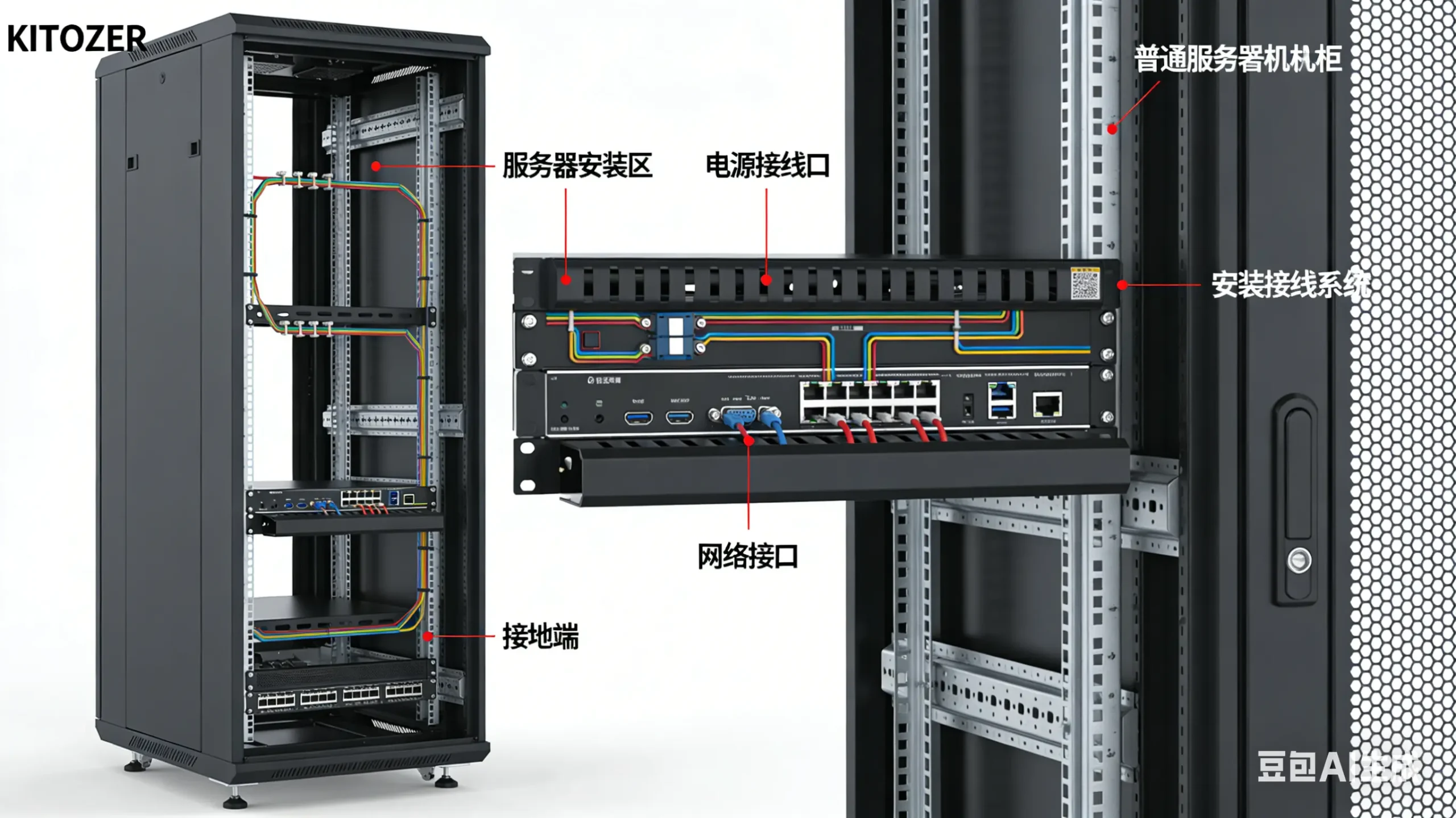
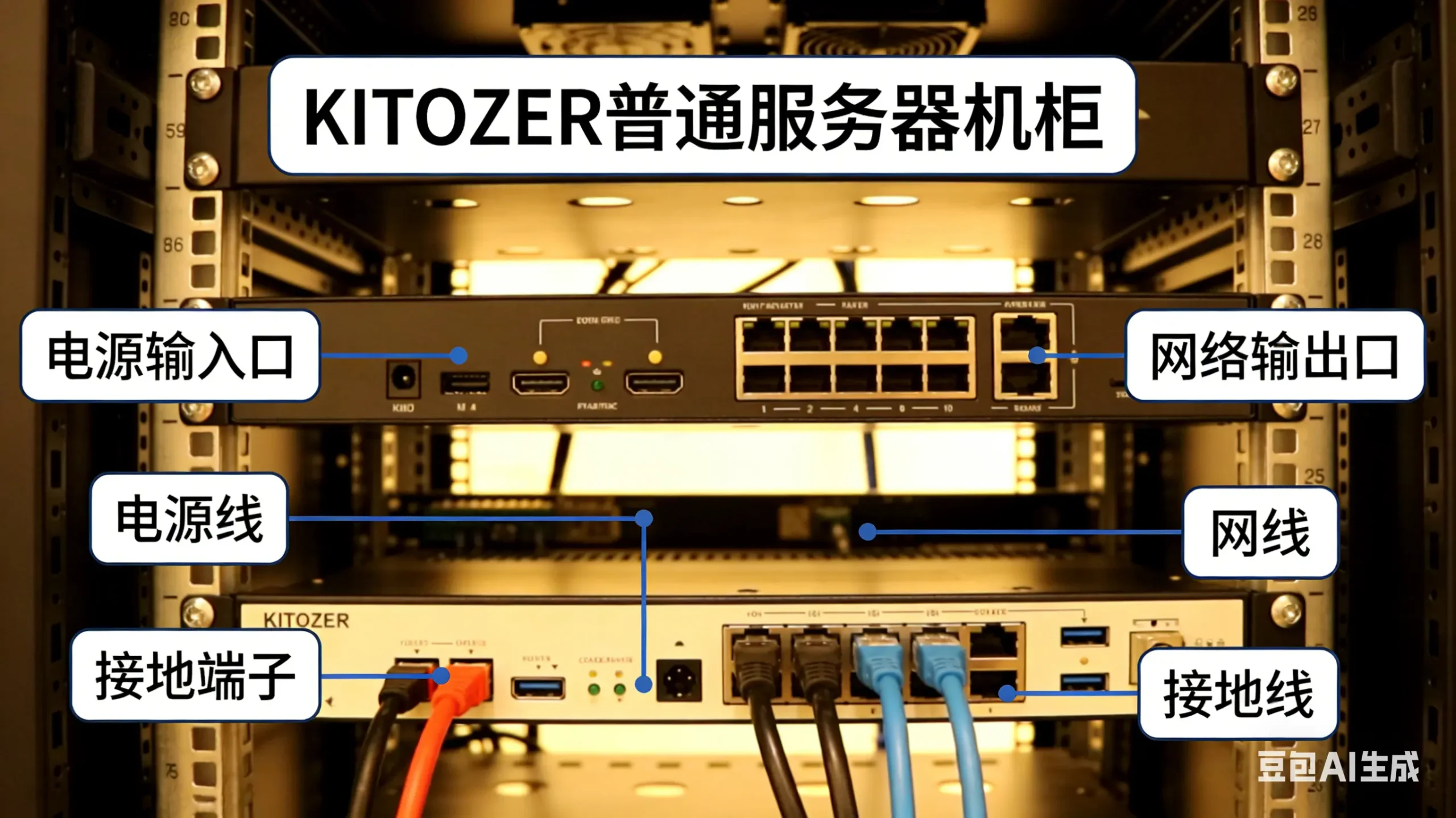
One FC switch alone is a small fabric; several interconnected switches form a fabric of many ports with a single namespace. Each device connects to a switch port, the switch learns the device World Wide Name (WWN), and the fabric name service lets any server discover any storage it is allowed to see. Ports are described by their role – N_Port on the device, F_Port on the switch facing a device, E_Port between switches, and trunking ports that bundle several links.
3.2 Zoning: Who May Talk to Whom
Zoning is the fabric’s access control: it defines which servers may communicate with which storage ports. Hard zoning enforces the rule at the switch hardware level; soft zoning only filters at name service. Zoning by WWN survives recabling and is the recommended method; zoning by port is simpler but breaks when cables move. Well-designed zones keep unrelated servers from seeing each other’s storage and reduce fault domains.
3.3 Frame-Level Reliability
FC switches use buffer-to-buffer credits so a sender never floods a receiver, and class 2/3 services with end-to-end or fabric-level delivery rules. Because the fabric is lossless, storage protocols like SCSI over FC (FCP) can assume the network will not drop data – which is why FC remains the performance and reliability benchmark that IP storage is still measured against.
4. Fabric Design Patterns
4.1 Single Switch and Two-Switch Fabrics
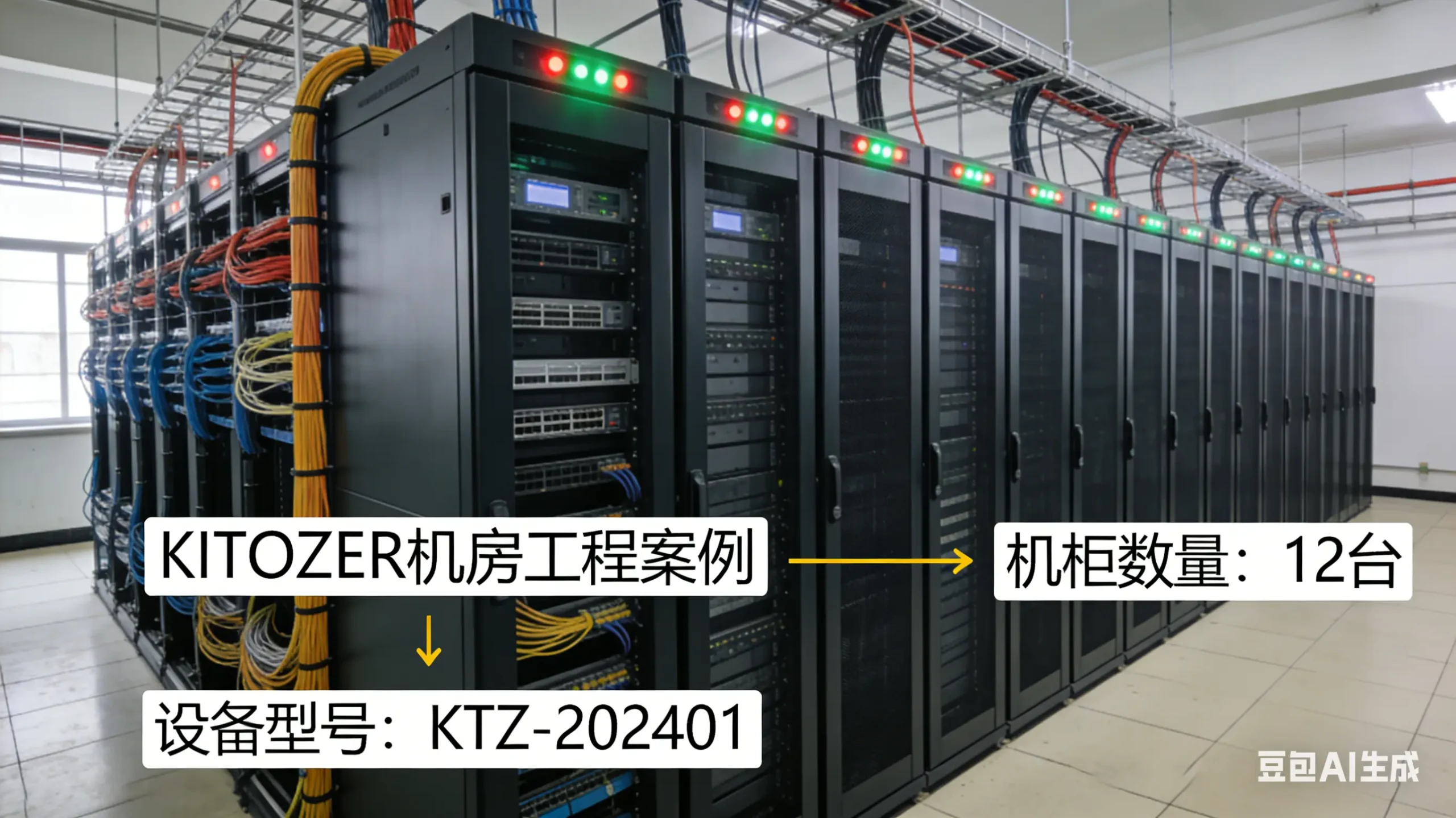
A small environment can run on one switch, but the recommended minimum for availability is a two-switch fabric – or two separate fabrics, one per server HBA and storage controller path – so a switch failure never takes storage offline. Servers with two host bus adapters and storage with two controllers should each connect to both fabrics, giving true end-to-end multipathing.
4.2 Core-Edge and Director Fabrics
| Design | Structure | Best For |
|---|---|---|
| Single switch | One switch, all devices attached | Tiny SANs, test labs |
| Two-switch fabric | Two switches in one fabric with ISLs | Small production environments |
| Dual fabric | Two independent fabrics, devices in both | Medium and high availability |
| Core-edge | Core directors plus edge switches | Large enterprise fabrics |
A core-edge design places high-port-count director switches in the core and smaller switches at the edge where servers and storage attach, scaling the fabric without rewiring the whole room. Directors offer redundant switching modules and control processors for the highest availability tiers.
5. Deployment and Cabling Best Practices
5.1 Optics, Cables and Distance
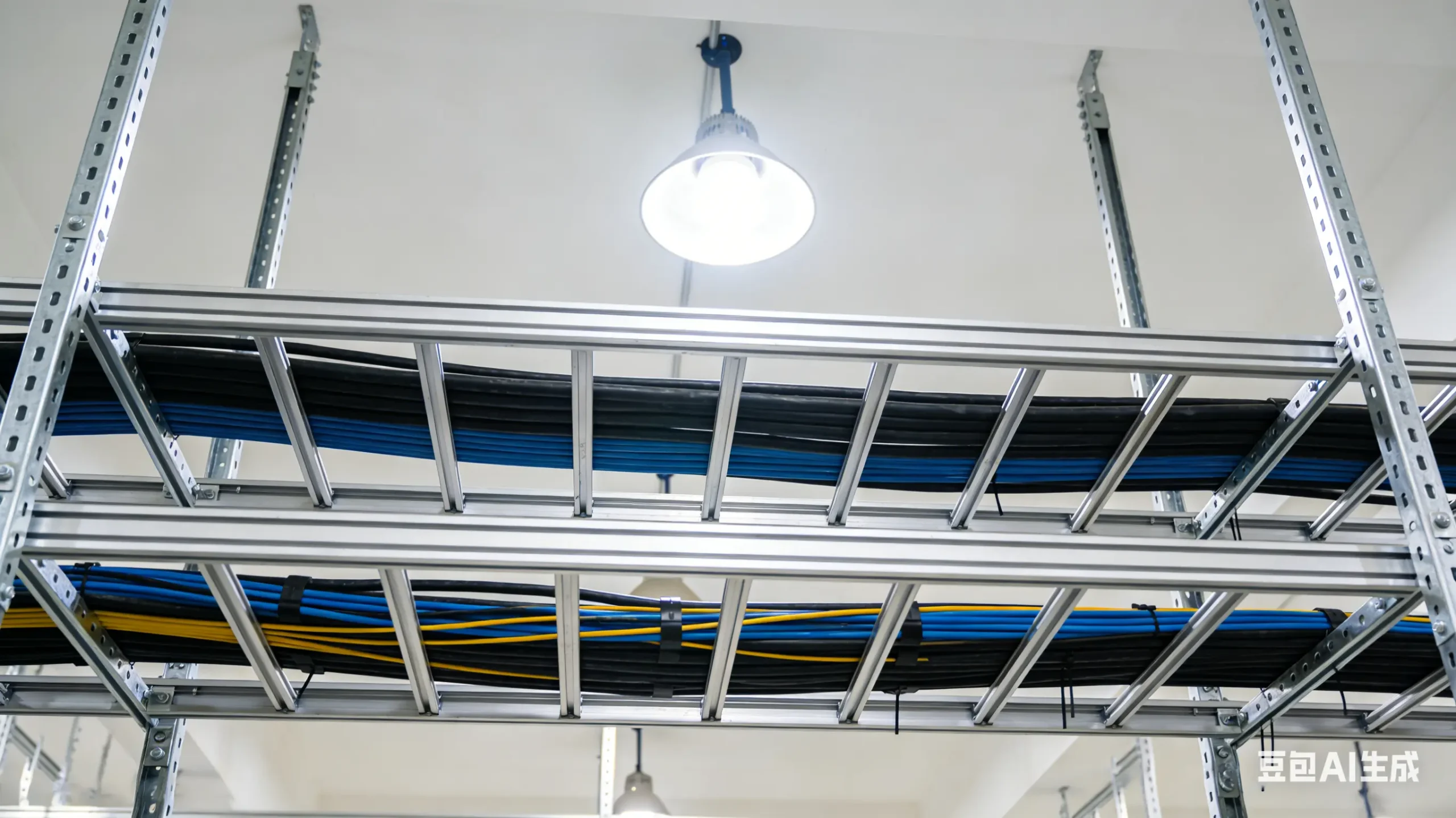
Short distances use multimode fibre with SFP+ or SFP optics (SR), longer distances use single-mode (LR) optics. Cable runs inside a rack or row are organised with patch panels and cable managers; trunk links between switches should take physically diverse routes where high availability matters. Every cable should be labelled with both ends and the zone or device pair it serves, because the cable map is the fabric’s real documentation.
5.2 Redundancy and Power
Enterprise switches ship with dual power supplies and dual fans; both should be fed from independent power sources or UPS outputs. For the fabric itself, redundancy comes from the dual-fabric design: no single switch, cable, HBA or array controller should be on the only path between a server and its data.

6. Managing and Monitoring the Fabric
6.1 Daily Operations
Management is normally done through the switch CLI, web console or a SAN management tool that discovers the whole fabric. Routine work includes adding zones when new hosts or storage arrive, checking port health, and reviewing event logs. Firmware should be upgraded through the vendor’s non-disruptive path, one switch at a time in a dual-fabric design.
6.2 Telemetry and Alerts
Modern switches report port errors, temperature, power status and fabric events to the management platform. Error counters on a port – CRC errors, credit loss, link resets – are early warnings of a bad optic, a dirty connector or a marginal cable. Monitoring should alarm before a marginal link becomes an outage, and performance data should be kept long enough to support capacity planning.
6.3 Capacity Planning
Port usage grows with every new server and array. Track port utilisation per switch and per trunk, watch the growth rate of the largest zones, and plan switch or director additions before any switch approaches its port or ISL limits. Fabric-wide monitoring makes this a scheduled review rather than an emergency.
7. Frequently Asked Questions
Fibre Channel Switch FAQ
1. What does a Fibre Channel switch do?
It connects servers to storage arrays through a dedicated, lossless network – the SAN fabric – providing deterministic low-latency paths that Ethernet cannot guarantee for storage traffic.
2. Why use Fibre Channel instead of iSCSI or Ethernet?
FC offers lossless frame delivery, dedicated bandwidth per port and a mature fabric service, making it the reference standard for performance-critical and mission-critical storage.
3. What speed should I buy?
Match the switch and host/storage port speeds: 16GFC remains a solid mainstream choice, while 32GFC suits current arrays and 64GFC serves high-end new environments.
4. How many switches do I need?
For production, at least two switches forming two independent fabrics (or one fabric sized so no single failure is fatal); single switches are acceptable only for labs and non-critical workloads.
5. What is zoning and why is it needed?
Zoning defines which servers can see which storage ports, preventing unauthorized access and reducing fault domains. WWN zoning is preferred because it survives recabling.
6. What is the difference between a switch and a director?
A director is a high-port-count, modular switch with redundant switching and control planes, designed for large fabrics and the highest availability requirements.
7. Which cables and optics do I need?
Multimode fibre with SR optics for short runs inside the data center; single-mode fibre with LR optics for longer distances. Always keep spare optics and labelled patch cords.
8. How do I upgrade switch firmware safely?
Use the vendor non-disruptive upgrade procedure, upgrade one switch at a time, and verify the fabric is healthy before and after – in a dual-fabric design the other fabric carries traffic throughout.
9. How do I monitor switch health?
Watch port error counters (CRC, credit loss, link resets), temperature, power and fabric events through the switch console or SAN management platform, and alarm on threshold breaches.
10. Can I connect servers with two HBAs to two switches?
Yes – that is the recommended high-availability pattern: each HBA connects to a different fabric so a switch, cable or HBA failure leaves a working path to storage.
11. What is a trunk or ISL?
An ISL connects two switches; trunking bundles multiple ISLs into one logical high-bandwidth link with automatic load sharing between the switches.
12. Do you supply complete SAN solutions?
Yes – Guangzhou KITOZER supplies Fibre Channel switches, optics, cabling and rack integration, and can design, install and support the complete storage network.
8. Related Solutions
- Core Router
- Gap Gateway
- IDS/IPS
- Network Traffic Analysis
- NMS Software
- Data Center Turnkey Integration
About Guangzhou Lain Intelligent System Development Co., Ltd.
Guangzhou Lain Intelligent System Development Co., Ltd. designs, supplies and supports Fibre Channel storage networking – switches, optics, cabling and complete SAN integration – for data centers worldwide. From single rooms to enterprise facilities, KITOZER provides design, manufacturing, integration, testing and after-sales service under one roof and exports worldwide.
Contact us for a free technical consultation:
- Company: Guangzhou Lain Intelligent System Development Co., Ltd.
- Address: 1st Floor, Building A, Chaotian Industrial Park, Zhongrun Industrial Park, Shilou Town, Panyu District, Guangzhou, Guangdong, China
- Tel/WeChat: +86 135-0923-8849 | +86 135-0923-8849
- WhatsApp: +86 135-0923-8849
- Email: zl19068534140@gmail.com
- Website: www.gdlain.com | Request a Quote
Typical response time: within one business day. Project references, drawings and samples are available on request.